-
Can Aiko3 be put in VRChat?
I'm uncertain if this is the right place asking this, but i am curious if either of these models can be rigged and setup for VR Chat "Aiko3/4, Victoria 4, NearMe, etc" i seen a tutorial about using Genesis 8 and it talks about how easy it is using this model. But the problem i have ithere is i don't have as many moprh files or clothing files to pull off a cute enough design of what i have planned.
I don't have a good amount of funds to simply supply genesis 8. So is there a tutorial/video on doing the models properly? and can they be done?Daz Studio Pro BETA - version 4.12.2.60! (*UPDATED*)I can recreate this iRay section plane crash every time:
1. start DAZ with new empty scene
2. create section plane
3. translate y (of plane) to 111 (it doesn't crash with y=0)
4. from Smart content, add figure "Benita for Victoria 8"
(other figures may or crash after a while)
Result: DAZ crash, 8 out of 8 times.Debug message:
"DAZStudio.exe caused ACCESS_VIOLATION in module "C:\Program Files\DAZ 3D\DAZStudio4 Public Build\libs\iray\libiray.dll" at 0033:0000000098794523, mi_plugin_factory()+1270611 byte(s)"
Notable msgs from the log:
CUDA device 0 (GeForce RTX 2070 SUPER): Tail kernel failed after 0.002s
CUDA device 0 (GeForce RTX 2070 SUPER): an illegal memory access was encountered (while launching CUDA renderer in <internal>:705)
CUDA device 0 (GeForce RTX 2070 SUPER): an illegal memory access was encountered (while de-allocating memory)*if* it is related to "de-allocating memory", this would explain why it only happens sometimes, after a while, after switching draw styles and the like.
Note: beta 4.14, rtx2070s, latest studio driver, win10
All in iRay photoreal. In Interactive mode crashes much more often.Character skin seams.I have had this problem from time to time too, especially when I am using a PA created skin. I have managed to get this to go away by changing the UV maps from the Gen 3 Base Female to Victoria 7.
V4 to G8F Animated Pose ConverterI have many animated poses of Victoria 4 and Michael 4 that I purchased over the years. Is there a script available to convert these poses to the Genesis 8 figures? Cheers
G8F Pose Transfer to V4/A4May I present another pose transfer script. This time for G8F poses to be transferred to V4/A4.
To operate, load G8F and apply the desired pose. Then load Victoria 4 or Aiko 4, and run the script. Once more you'll need to identify V4's/A4's hip in one node selection combo box, and G8F's hip in the other. Then press the 'ACCEPT' button, and the script will run. There will probably be a need to tweak the pose afterwards, but it's likely that it won't be much more than when you apply a G8F base pose to a G8F character.
Please be aware that V4/A4 do not react well to some G8F poses, the 4 generation difference between the two figures can't really be avoided on occasions.
So, now some images. First, V4 matching G8F's base pose having originally been in her own zero pose:
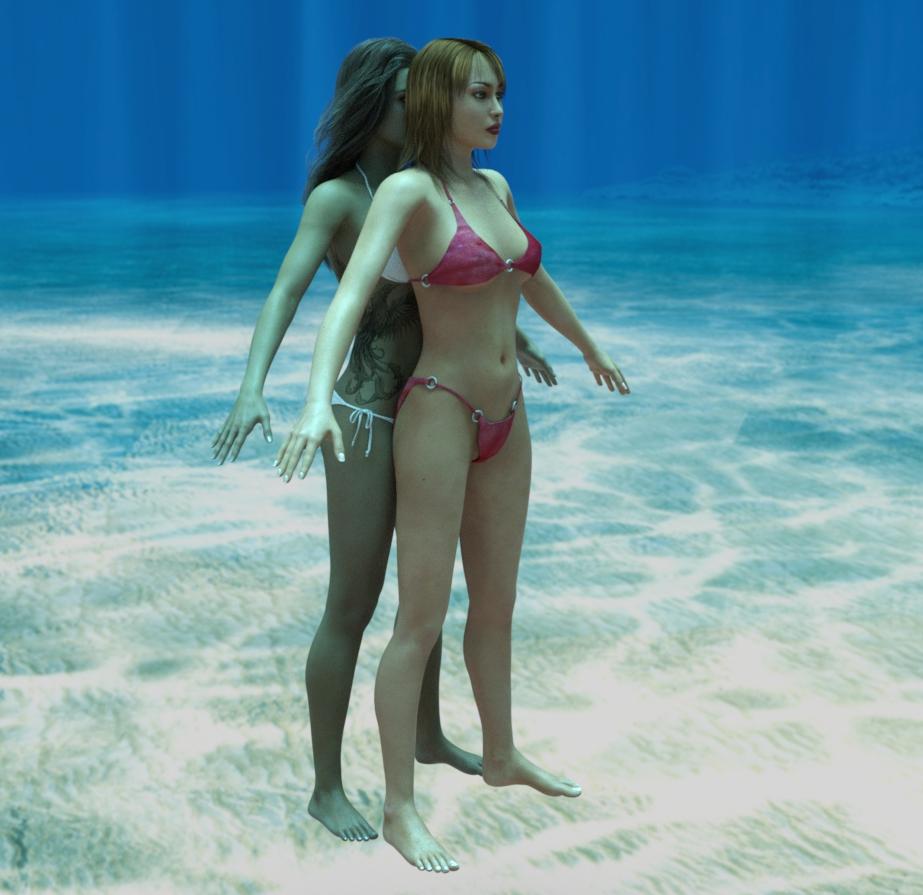
Now a before and after image of a pose being applied to V4. In order to get this to work, I had to turn the V4 rotation limits off, otherwise V4 got nowhere near the G8F pose - if the pose matching is awful, you may have to do the same.
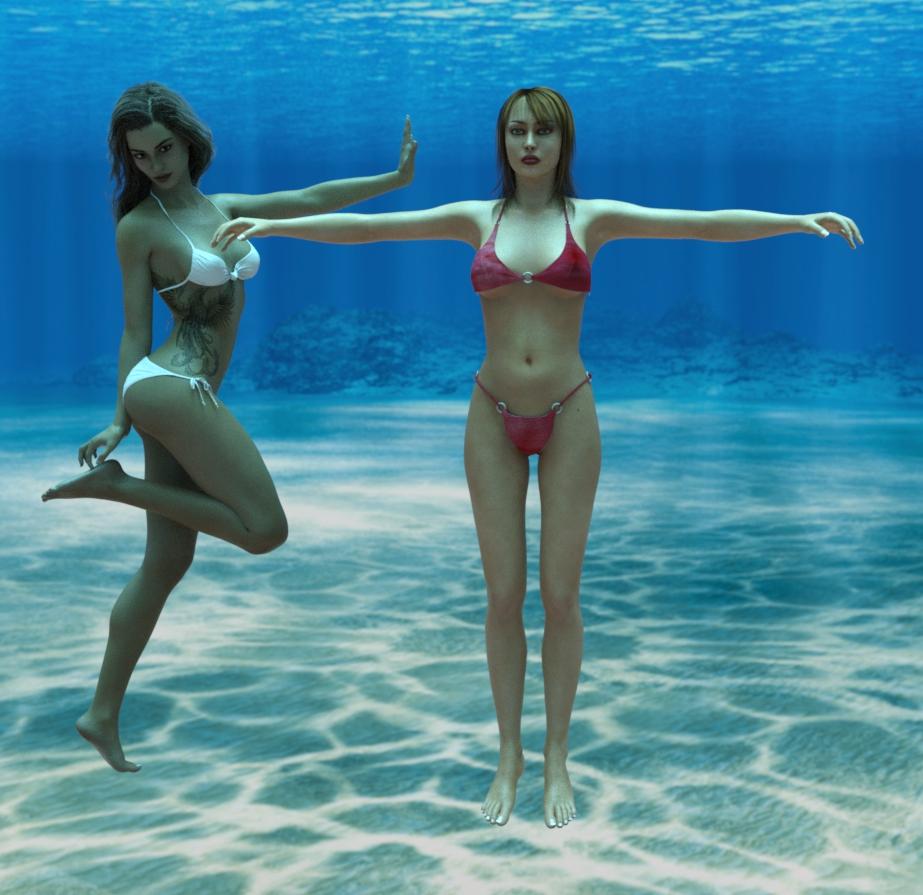
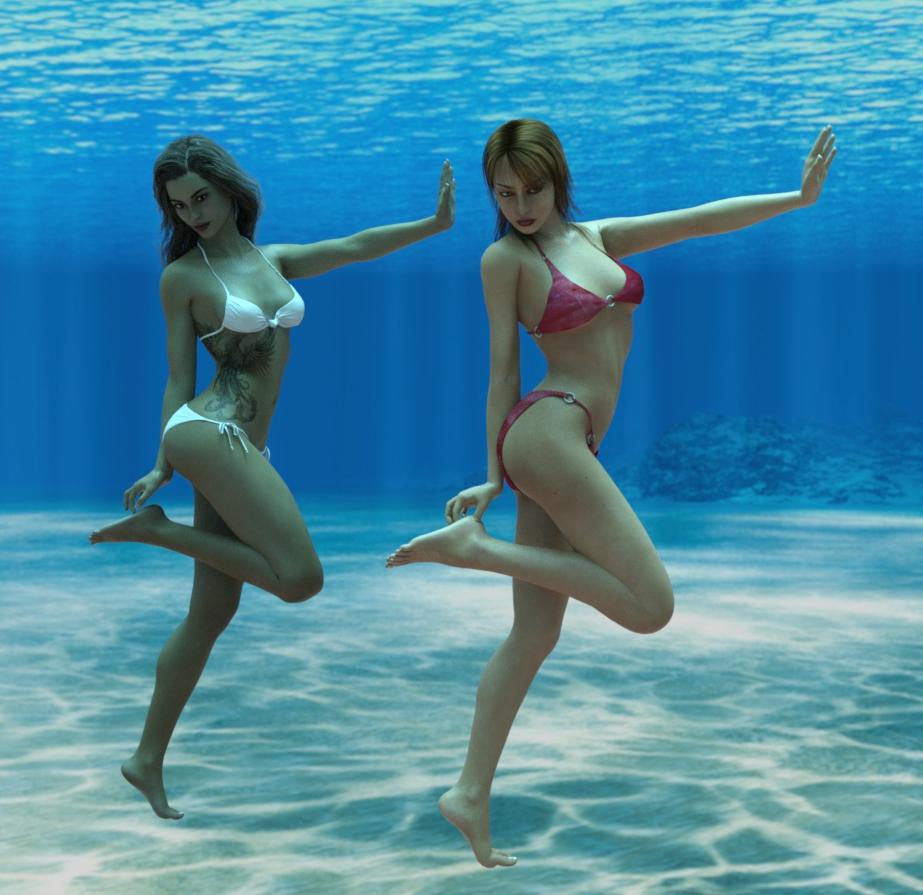
I hope this will be of some use to a at least a couple of people.
Regards,
Richard.
daz studio 4.13 unlucky?So we can already forget the 13th generations of figure (2033 or later) with Victoria 13 and Michael 13, it will never happen.
The very existence of the idea that they would have to consider avoiding the number 13 has it's finger on one of the things wrong with society still.
 It is, of course, still prudent to avoid alternate numbered versions of Windows.
...sort of like odd numbered Star Trek films before the reboot.
No Victoria 4Given your join date you probably already have Victoria 4, but it isn't part of the free base content so you need to install it (through Daz Central/Install Manager or manually, it can't be installed through DS itself).
RetiredFor those interested, Sickleyield has a few items on sale today :-)
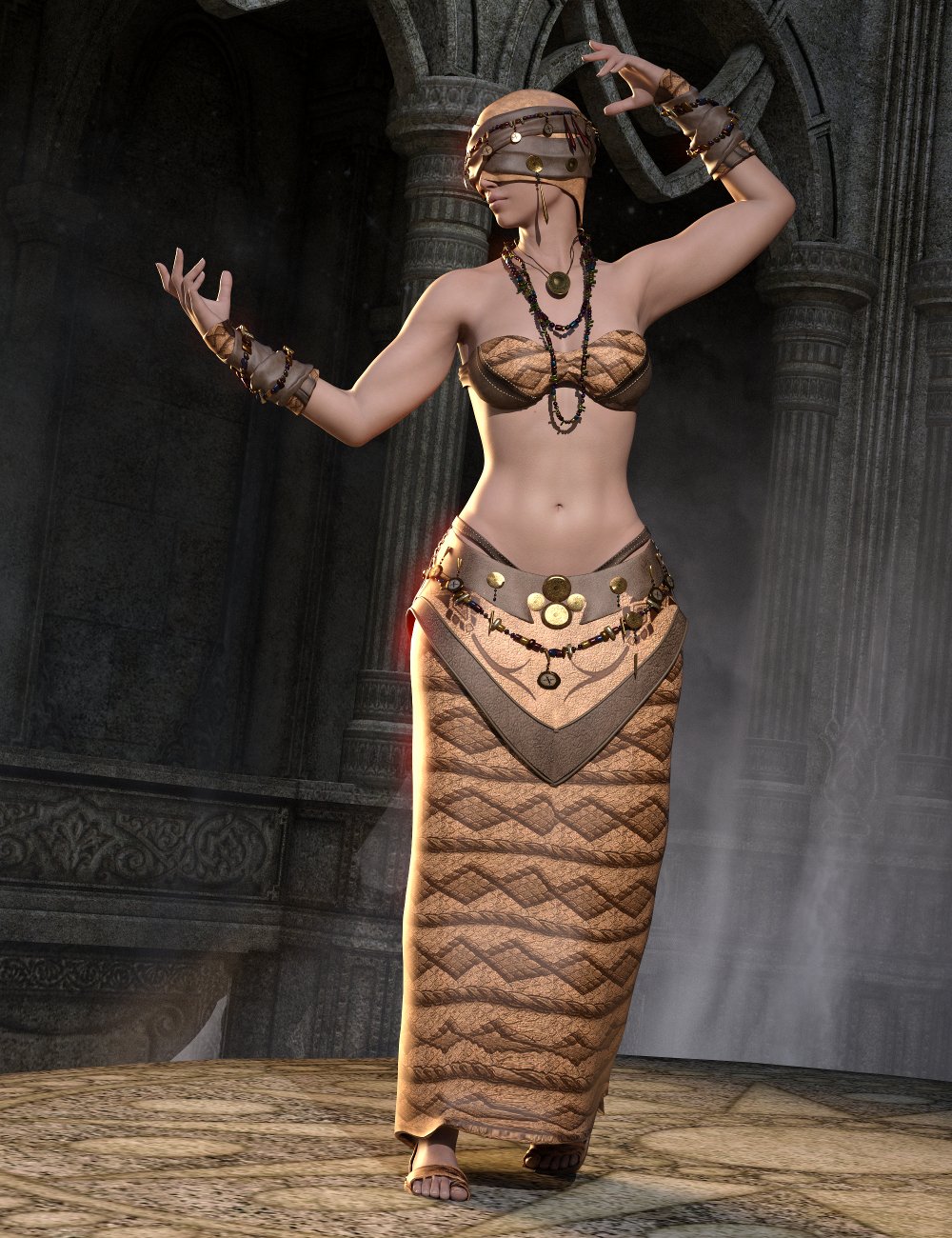 Genesis 8 clones for Genesis 3
Victoria 4 and Michael 4 clones for Genesis 8
Her clone products come with more than just the clones, she has some projection templates as well as helper morphs.
...and they're on sale Today Too!!! Argh I wish I wasn't poor!!! LOL
Victoria 2 - No texturesI started working on an "All the Vickies" scene (well, at least 2-8) and for some reason V2 only shows up as all white. I did find an "All V2 Textures" icon under materials, but when I apply it, only her lips and eyelashes show up. Any ideas on where the textures went or how to find them?
Thanks
No Victoria 4You must buy and install Victoria 4.
daz studio 4.13 unlucky?So we can already forget the 13th generations of figure (2033 or later) with Victoria 13 and Michael 13, it will never happen.
The very existence of the idea that they would have to consider avoiding the number 13 has it's finger on one of the things wrong with society still.
It is, of course, still prudent to avoid alternate numbered versions of Windows.No Victoria 4I just updated DAZ Studio and in the Smart Content, there is no Victoria 4!! Cheers
daz studio 4.13 unlucky?So we can already forget the 13th generations of figure (2033 or later) with Victoria 13 and Michael 13, it will never happen.
Is it possible to apply the shape of a G8 figure onto V4.2/M4?Well I'm not trying to convert from V4 to V8, since the animation is for V4 I would try to emulate the G8/V8 shape and apply it to Victoria 4, it's a backward conversion
Is it possible to apply the shape of a G8 figure onto V4.2/M4?Okay, I have my set of saved G8 characters, (Victoria, Michael, Cataleya, Hyuna, etc) but...many poses and animation blocks I'd like to use are set up for V4/M4. After an internet search (sure enough, I can no longer find that page, I should have saved it) a work-around would be to Copy the shape of the Genesis 8 figure and paste it to the Victoria 4/Michael 4 figure to give it a reasonable facsimile thereof that would work with the V4/M4 pose or animation block.
I tried...but was unable to copy and paste the shape. Is it possible at all? Did I miss a step? I won't fork out the cash for the animation blocks (I checked, those ones, in particular, don't have a Genesis 8 version) if it can't be done!
Trying to save reduced morph version of G8F - missing data morphs subfoldersI uninstalled and reinstalled all of my Gen 8 content including starter essentials. Same outcome. Some of the morphs can be written out with a new figure/prop asset, but not others. In the attached, the Victoria morph is recognized by the loaded figure, but the morphs have not been written out to the data file. Other Gen 8 morphs have.
Mysterious
November 2020 - Daz 3D New User Challenge - Materials and next level kitbashingIntermediate Challenge. DAZ Studio, rendered in 3Delight with post-work in Affinity Photo.
The main figure is the body of "Gregory" (G3M) with the head of "Horror from the Deep". He is wearing part of the "Undead Wizard" outfit, with more yellow added to the diffuse colour. The statuette with six arms is "Eris" (G8F), with a stone shader applied, three copies in the same pose but with the arms in different positions, sitting on a plinth from "LoREZ Statues 1". The pool is the bathtub from "Opulent spa" (with the taps hidden by the plinth. The figure in the pool is "Madelyn" (for "Izabella 7") with a green tint added to her basic skin texture. She's wearing an outfit that came with "Slender Stephanie 6". In the background, the statues are "Adrienne" (for "Victoria 6") wearing the "Lofn" armor outfit. The figure was duplicated and given a mirror pose; the figure and outfit had a stone shader applied. The archway between the statues is from "Stone Borders". The mirror behind it is from "DM's Cave of Secrets". The moon above is from "Dead Corn". The back wall and floor are two primative planes with brick/stone textures added. The 'hand lightning' is from "Orestes Electromancy". The whole scene was rendered in four parts, with the same basic lighting, but with slight tweeking for each render. The whole thing was composited in Affinity Photo.This whole thing has such a different feel to the usual render, it's really interesting
Not sure if you used that already, for the six armed statue you can hide the rest of the duplicate bodies by closing the exe of the respective bones in the scene tap, which might help with reducing render times. Though I understand that you rendered single items and composed afterwards? Mirroring the pose was a cleverer thing to get the statues like that.
Getting those very different light effects was probably intentional. Wjat I'm not sure about is if you want this to look rather flat, like a painting or if you would like a feel of more depth in this.
So right now I'm staying away from making direct suggestions because I'm not sure which way you want to go with this, so best is, if you have questions to come here and ask them
Trying to save reduced morph version of G8F - missing data morphs subfoldersMy intention is to save a G8F similar to the development rig. I want to load my G8F, save it out as a support asset figure prop under a different name. Go to the data folder for the newly named and saved G8F and delete a lot of the morphs that I don't need, but keep the core figures. Unfortunately, many of the data morph subfolders are not getting written with the save. But some are. Any ideas what could be causing this?
Here is a side-by-side comparison of the data morph subfolders for Daz 3D G8F series 8 figures that I own next to the data morph subfolders for Daz 3D G8F when I save as a figure prop support asset under a new name. Roughly half are missing, including the basics like Aiko 8, The Girl 8, and Victoria 8.
November 2020 - Daz 3D New User Challenge - Materials and next level kitbashingIntermediate Challenge. DAZ Studio, rendered in 3Delight with post-work in Affinity Photo.
The main figure is the body of "Gregory" (G3M) with the head of "Horror from the Deep". He is wearing part of the "Undead Wizard" outfit, with more yellow added to the diffuse colour. The statuette with six arms is "Eris" (G8F), with a stone shader applied, three copies in the same pose but with the arms in different positions, sitting on a plinth from "LoREZ Statues 1". The pool is the bathtub from "Opulent spa" (with the taps hidden by the plinth. The figure in the pool is "Madelyn" (for "Izabella 7") with a green tint added to her basic skin texture. She's wearing an outfit that came with "Slender Stephanie 6". In the background, the statues are "Adrienne" (for "Victoria 6") wearing the "Lofn" armor outfit. The figure was duplicated and given a mirror pose; the figure and outfit had a stone shader applied. The archway between the statues is from "Stone Borders". The mirror behind it is from "DM's Cave of Secrets". The moon above is from "Dead Corn". The back wall and floor are two primative planes with brick/stone textures added. The 'hand lightning' is from "Orestes Electromancy". The whole scene was rendered in four parts, with the same basic lighting, but with slight tweeking for each render. The whole thing was composited in Affinity Photo.looks like Davy Jones made it to the challenge
not bad at all
November 2020 - Daz 3D New User Challenge - Materials and next level kitbashingIntermediate Challenge. DAZ Studio, rendered in 3Delight with post-work in Affinity Photo.
The main figure is the body of "Gregory" (G3M) with the head of "Horror from the Deep". He is wearing part of the "Undead Wizard" outfit, with more yellow added to the diffuse colour. The statuette with six arms is "Eris" (G8F), with a stone shader applied, three copies in the same pose but with the arms in different positions, sitting on a plinth from "LoREZ Statues 1". The pool is the bathtub from "Opulent spa" (with the taps hidden by the plinth. The figure in the pool is "Madelyn" (for "Izabella 7") with a green tint added to her basic skin texture. She's wearing an outfit that came with "Slender Stephanie 6". In the background, the statues are "Adrienne" (for "Victoria 6") wearing the "Lofn" armor outfit. The figure was duplicated and given a mirror pose; the figure and outfit had a stone shader applied. The archway between the statues is from "Stone Borders". The mirror behind it is from "DM's Cave of Secrets". The moon above is from "Dead Corn". The back wall and floor are two primative planes with brick/stone textures added. The 'hand lightning' is from "Orestes Electromancy". The whole scene was rendered in four parts, with the same basic lighting, but with slight tweeking for each render. The whole thing was composited in Affinity Photo.Daz 3D is part of

Connect
DAZ Productions, Inc.
7533 S Center View Ct #4664
West Jordan, UT 84084Licensing Agreement | Terms of Service | Privacy Policy | EULA
© 2026 Daz Productions Inc. All Rights Reserved.