-
Hardware required to run two GPUs at x16 speed
Hmm, could have sworn I read on a forum that it was lowest = total used. Good to know
 Hardware required to run two GPUs at x16 speed
lkopop908 said:
Pretty sure Daz using 2 does lowest vram = max used between both so 5080 or less(16gb card to match 3080ti). Unless you have a really specific use for that second to be x16 the extra cost is wasted.
Iray uses all cards as it can - if one drops out due to insufficient memory then it will still use the larger card(s) as long as they can accommodate the scene.
Very quick google search shows max speed of gen 5 x16 at ~64gbps and x8 at ~32gbps so with 16gb of vram on x8 should fill from 0 to max in ~20-25seconds. Or about how long Daz takes to open / start Iray lol
even 6.0 is 128gpbs x16 and 64gbps x8 should take ~5-12 seconds to max out 16gb on x8.
If faster Daz renders is all your after and you have space on your mobo and a psu that can handle this. Gpu 3080ti in slot 1, gpu 5080 in slot 2, in Daz 4.xx make sure 5080 is disable, in Daz 5.xx make sure both 80 and 80ti are checked. Do your work in 4.xx save, reopen in 5.xx, render. Best of both worlds for the cheapest cost.
the only reason I could see needing x16 *2 would be if your planning on running a server.
Hardware required to run two GPUs at x16 speedPretty sure Daz using 2 does lowest vram = max used between both so 5080 or less(16gb card to match 3080ti). Unless you have a really specific use for that second to be x16 the extra cost is wasted.
Very quick google search shows max speed of gen 5 x16 at ~64gbps and x8 at ~32gbps so with 16gb of vram on x8 should fill from 0 to max in ~20-25seconds. Or about how long Daz takes to open / start Iray lol
even 6.0 is 128gpbs x16 and 64gbps x8 should take ~5-12 seconds to max out 16gb on x8.
If faster Daz renders is all your after and you have space on your mobo and a psu that can handle this. Gpu 3080ti in slot 1, gpu 5080 in slot 2, in Daz 4.xx make sure 5080 is disable, in Daz 5.xx make sure both 80 and 80ti are checked. Do your work in 4.xx save, reopen in 5.xx, render. Best of both worlds for the cheapest cost.
the only reason I could see needing x16 *2 would be if your planning on running a server.
Installing, activating, and accessing Daz Studio Premier featuresjunk said:
Maybe someone could help me with specifically the "Pose Converter" offered by Pose Converter
My setup and actions:
-YES, I have premiere membership
-Windows 11
-Daz Studio 4.24
-DIM, Filtered as Richard recommended "rx::ci::^Premier -"
-Installed all modules and verified (See attached).
-In Daz Studio 4.24 I've logged into "Daz Connect", got the message to restart to activate modules.
-Loaded a G9F character and selected it
-Clicked on the G8M pose
-Clicked on Edit->Figure and do not see "Pose Converter"
"Pose Converter" is supposed to be listed in Edit->Figure->Pose by what Richard said AND the video presented shows (see attached).
Any thoughts on what to try?
Thanks in advance,
FREAKING FORUM GOES DOWN over 50% of the day it seems. Attaching my images worked four attempts ago but now, they wont finish uploading.Is it listed in Help>About Installed Plug-ins?
Installing, activating, and accessing Daz Studio Premier featuresMaybe someone could help me with specifically the "Pose Converter" offered by Pose Converter
My setup and actions:
-YES, I have premiere membership
-Windows 11
-Daz Studio 4.24
-DIM, Filtered as Richard recommended "rx::ci::^Premier -"
-Installed all modules and verified (See attached).
-In Daz Studio 4.24 I've logged into "Daz Connect", got the message to restart to activate modules.
-Loaded a G9F character and selected it
-Clicked on the G8M pose
-Clicked on Edit->Figure and do not see "Pose Converter"
"Pose Converter" is supposed to be listed in Edit->Figure->Pose by what Richard said AND the video presented shows (see attached).
Any thoughts on what to try?
Thanks in advance,
FREAKING FORUM GOES DOWN over 50% of the day it seems. Attaching my images worked four attempts ago but now, they wont finish uploading.I have eliminated all PA folders!Masterstroke said:
I avoid DIM whenever possible and I have never touched smart content.
DIM and smart content aren't linked. I always use DIM and never use smart content. Frankly, the search in DIM is sometimes better than the one inside Studio. (And sometimes window explorer is better.) Someday I'll reorganize my content folders (like getting rid of PA folder from that other thread).
Vintage Beauty Salonbarbult said:
New Salon render over here in my Art Studio thread. I try not to duplicate the same image in too many forum threads.
Kitty!
 can no longer save puppeteer animations as poses
nobody seems to care but I did find a solution
not a happy one because it won't work in Carrara as well (maybe a Poser format animation will)
but saving as an animated properties preset works
for the few other people who do animation hopefully this will help if they encounter the same issue and can find this post in the forum search
Tips and Links to Helpful Information to Get You Started!dwkrause1 said:
Tried to install Render Octane plugin on DS 4.24. Seems that DS Premier is required and I'm not willing to go there. Uninstalled Render Octane plugin via 'About Installed Plugins" In Help dropdown menu. Now when loading a G8 figure Octane Render step in and converts materials, Not sure that I want to happen anymore. Don't know where or what forum to visit to get any hits on the topic et. ROK, Render Octane, goofy unuseable plugins.
There is nothin related to octane tied to Premier membership. Render Queue is, but is that what you are after or are you confusing it with Octane?
Tips and Links to Helpful Information to Get You Started!Tried to install Render Octane plugin on DS 4.24. Seems that DS Premier is required and I'm not willing to go there. Uninstalled Render Octane plugin via 'About Installed Plugins" In Help dropdown menu. Now when loading a G8 figure Octane Render step in and converts materials, Not sure that I want to happen anymore. Don't know where or what forum to visit to get any hits on the topic et. ROK, Render Octane, goofy unuseable plugins.
Eyes rendering completely black (SOLVED)Good catch. I'll try to remember that max path length for the future. Thanks for letting us forum users know what the solution was.
Jaewon 9 - Discussion ThreadWhen I image search 'kpop idol boy' I can see the intent even if I don't love the colouring.

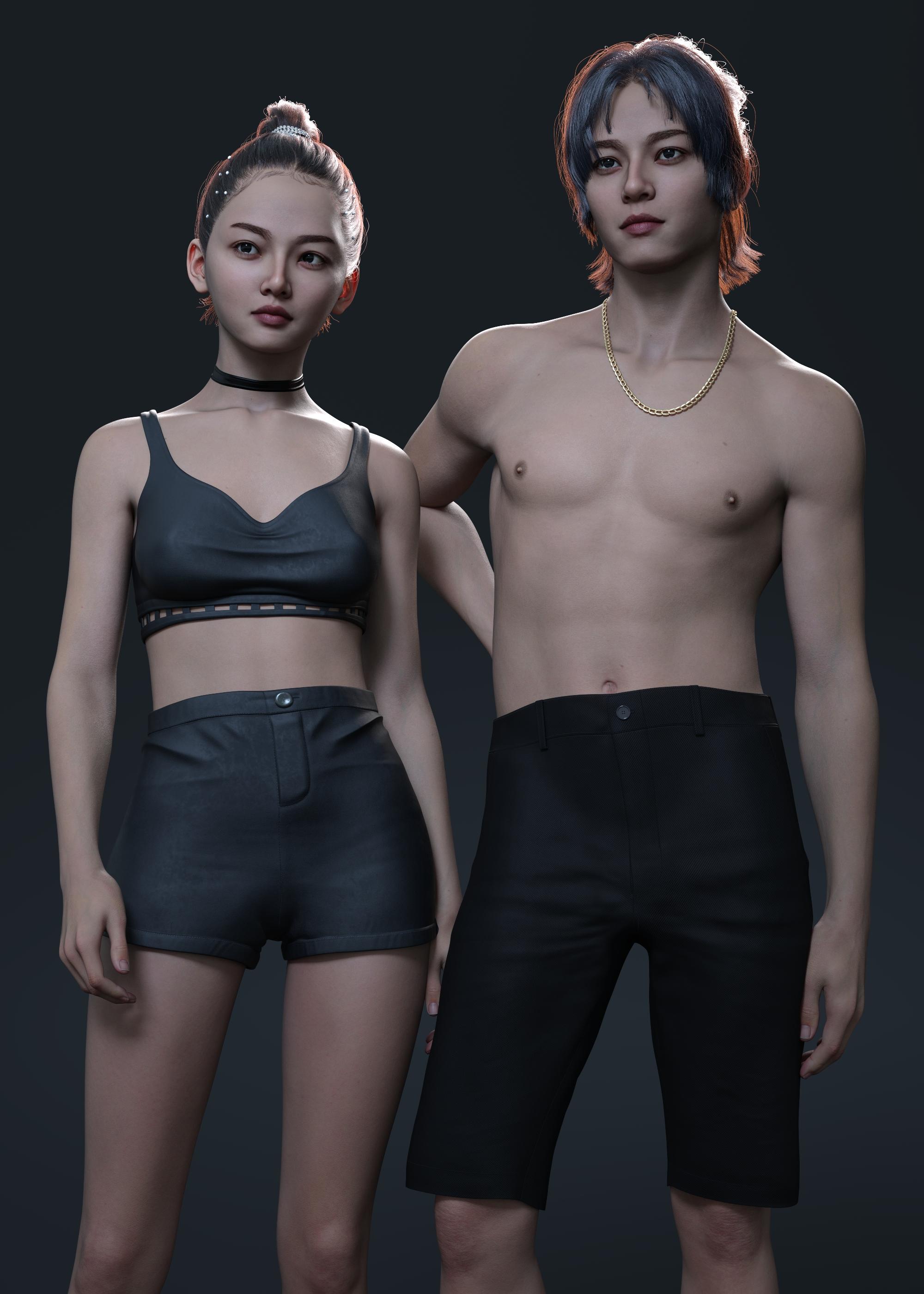
 Bites ......
barbult said:
These might help.
https://www.daz3d.com/dirty-disheshttps://www.daz3d.com/dirty-dishes-food-and-drink-expansion
Here's a forum thread about Dirty Dishes. Oh, I see you've even posted in that thread.
OMG!! Thank you for the reminder ,totally forgot I had those!!
Bites ......These might help.
https://www.daz3d.com/dirty-disheshttps://www.daz3d.com/dirty-dishes-food-and-drink-expansion
Here's a forum thread about Dirty Dishes. Oh, I see you've even posted in that thread.
Which Daz Original Character from 2025 is your favorite?Elor said:
richardandtracy said:
And it's not viewable in my region (UK)
A copy hosted on the forum directly instead of imgur.com:
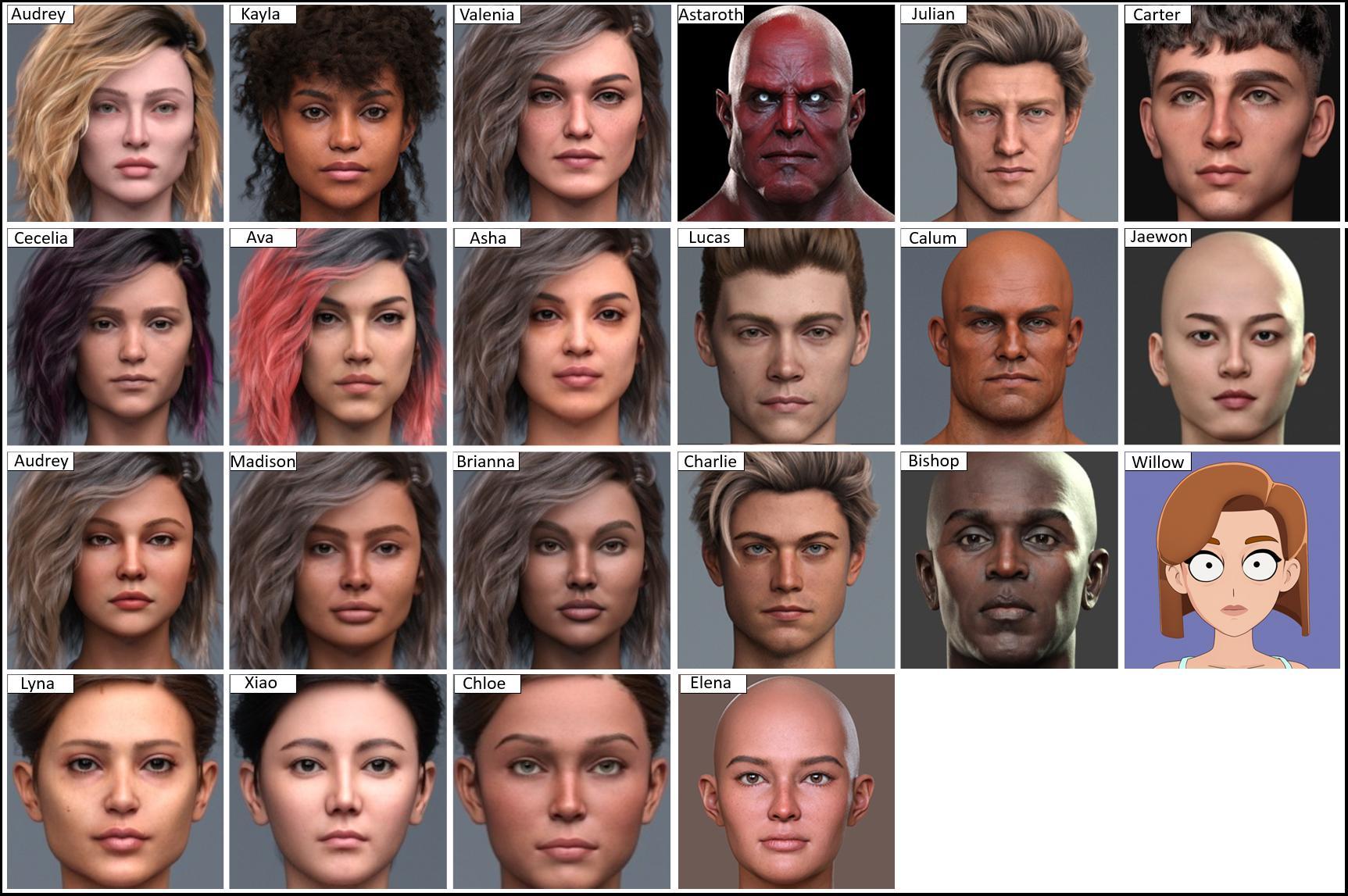
Thank you all! I hope it is visible for everyone now.
Which Daz Original Character from 2025 is your favorite?richardandtracy said:
And it's not viewable in my region (UK)
A copy hosted on the forum directly instead of imgur.com:
DAZ Documentation Center IssuesI find the ReadMe file very instructive as to what is included with the product and its folder structure. Sometimes product store pages are not as informative with the pre-purchase information I am looking for. Occasionally, when there is a product file update, there will be a note in the ReadMe stating what was updated.
I think the Documentation Center as a source for the ReadMe file is a great concept, but unfortunately it requires a continual serious investment of labour and resources to keep up to date and current with internet standards. In my opinion this is not happening and I point to these items as reason for my opinion:
1. Products moved from the Renderosity store to the DAZ store have not had Documentation Center documents created for them. They have not even had their ReadMe text files published to the Documentation Center. I have to go and hunt for the old product page on Renderosity to review the ReadMe. Sveva and Liliflame are examples of this.
2. The Documentation Center has not been converted to HTTPS which my company was required to do over 5 years ago for our website upgrade to comply with search engine compliance.
3. The Documentation Center server crashes frequently.
4. The Product Index section of the Documentation Center is broken and out of date. It only goes upto 109999 ( http://docs.daz3d.com/doku.php/public/read_me/index/109000_109999 ) and that page does not even display properly (see attached image). The current DAZ store product codes have gone past 113000.
DAZ, either invest the resources into the Documentation Center or follow Renderosity's lead and include a text ReadMe file on the store product page.
buttons and zippers convention - men vs women's clothingsrichardandtracy said:
That's one of the things that makes an androgynous base character like G9 so useful. Clothes can be shared so hyper-realistically between the genders and it is made so easy to search for male clothing. It does, however, mean my huge male hunk can easily find a bikini to wear.
Regards,
Richard.
Love that concept !!
buttons and zippers convention - men vs women's clothingsThat's one of the things that makes an androgynous base character like G9 so useful. Clothes can be shared so hyper-realistically between the genders and it is made so easy to search for male clothing. It does, however, mean my huge male hunk can easily find a bikini to wear.
Regards,
Richard.
Who is This Characterhttps://www.daz3d.com/rql-dforce-soft-glow-slip-dress-genesis-8-and-81-females
I added the actual link so if this question occurres in the future, others will find this forum thread.
I do not have a clue unfortunately who she is.
Daz 3D is part of

Connect
DAZ Productions, Inc.
7533 S Center View Ct #4664
West Jordan, UT 84084Licensing Agreement | Terms of Service | Privacy Policy | EULA
© 2026 Daz Productions Inc. All Rights Reserved.