-
Hitchens: A DAZ Studio to Blender Live Link
wolf359 said:
Nothing FREE perhaps.
one obvious paid solution( RL 3DX or Iclone 8) works with every Daz figure from M4/V4 to G8.1
and the other (MOBU) works for everything including genesis 9.
When you say "works with", do you mean can import animations back into Daz?
Elbow and joint weight deformations on Genesis 9 characters imported into C4D don't look goodHey Daz crew just thought I'd voice a fustration im still having with FBX character imports from Daz3d to C4D having quite nasty deformations on elbow and leg joints when posing them.
I know this is an old issue which probably some have had. Though a bit surprised to find the new advanced Genesis 9 character rigs having the same issue and kind of has me scratching my head a bit.
I've attached image comparisons of Daz viewport vs C4D import of the same character to diagnose.
Is there any export settings or workarounds which are ideal to fix this?
Without resorting to Alembic exports
I really like DAZ3D characters and to find them unsuitable for realistic joint articulation in other 3D software is a bit disappointing
Any tips would be much appreciatedHitchens: A DAZ Studio to Blender Live LinkTheMysteryIsThePoint said:
But that's the thing: The mathematics of an armature is not difficult at all. It's just a DAG where each edge is a matrix multiplication. I started this task naively thinking it would take a few days, tops. DAZ made it difficult by not documenting adequately critical information needed to make it work. One day I just noticed that a bone's rotation seemed to always be off by what appeared to be about the same as its orientation, thought "Could it be?", and when I created the proxy armature like I described,BAM! every pose started coming out perfectly. I mean perfectly. The way I thought it should and would, about 4 years ago.And that is why I keep saying that we don't need more features. We need more documentation, and the features will come. I don't know why DAZ can't seem to appreciate how many people are trying to help make DS better and that they should make the barrier to entry as low as possible.
My issue with the math was the order of matrix multiplications and the generally terrible FBX file format even with (or especially with) the Autodesk SDK. I used a library called Assimp in the end, which presents kind-of a single interface to a bunch of different 3d file formats. At the time my own engine was OpenGL 4 (this was before Vulkan, DX12, etc.). There's a lot of boiler plate needed to get to animation "hello world" unfortunately and I have a day job, so gave up.
But anyway, I've tried Diffeo (different versions) and I can categorically say animations don't come in correctly at all. It's possible I'm doing something wrong when baking in Blender of course. Unless I have to switch something somewhere before I bake to get the IK converted to FK properly. When I click on each FK shape, I can see a key on every frame after baking however, so I think I baked it OK. It plays back in Blender fine too. It's just the feet slide in Daz and the hip is consistently wrong, so the entire animation is wrong.
I don't understand what content producers are doing to create quality animations and sell them in the store. That's why I assumed there was some secret incantation. Then I saw Daz's own Cascadeur tutorial video on YouTube. I followed the instructions exactly except I just did a 3 key animation moving the hip up and down. Same problem on import. Feet sliding and hip in wrong place.
At least it's consistent!
 Hitchens: A DAZ Studio to Blender Live Link
WendyLuvsCatz said:
Pickle Renderer said:
TheMysteryIsThePoint said:
Ha ha, don't worry. Help is on the way.
But I understand that Diffeomorphic can already do this. Have you tried it?
Wait, did I misunderstand what you're actually doing? Is it two-way transfer, or just putting Daz data into Blender? I'm hoping it goes both ways, and that you've learned the required black magic to retarget to a Daz rig (I won't ask what the magic spell was - I once read a blog on all the transforms involved in a standard FBX rig and I lost the will to live by the third paragraph).
Here's a list of what I've tried:
- FBX
- BVH
- BVH (Sagan's conversion)
- Diffeomorphic (Save As Preset)
- RigDNS
- Cascadeur
Literally nothing works. It's all broken. Well, either that or I'm so dumb I made the same mistake on all of the dozens of attempts and combinations I've tried. Going the other way, out to Maya, Blender, Unreal Engine, etc. no problem.
if you are prepared to use conversion methods in DAZ studio (and put up with foot sliding) Genesis 1 was the last figure to work with BVH import
rather than derail TMITP's thread (unless it's about adding BVH to THE LORD of the Plugins) how to do it as is best discussed in that thread

Hi Wendy,
Derail anytime :) Your input is always appreciated.
If I'm thinking about not using Alembic, I'm waaaay past not using BVH :) Knowing now what I do about how DAZ rigs work, I can assure you nothing that I develop is going to ever use BVH again.
Hitchens: A DAZ Studio to Blender Live LinkNo, you did not misunderstand. It is two-way. But I was under the impression that one could import via Diffeomorphic, and save it as a preset. People say that it works.
The difference with LotP is that it's literally you press a button to export a character mesh and armature from DS to Blender, and you run a single script to export the entire animation back to DS. I'm not going to say that no black magic was involved... it was a case of trying a million different things until everything worked. What worked was a combination of
1) Using Quaternions everywhere, no Euler Angles anywhere
2) Correctly accounting for DAZ bone orientation, which is aligned with the first axis of the bone's rotation order vs Blender's orientation, which is always aligned with +Y
3) And this one is the one that makes me angry everytime I think about it: If you set a bone's local rotation with Euler Angles, it is from the bone's oriented rest position, i.e. the bone's orientation is offset from that axis. But if you set the bone's local rotation with Quaternions, it is from the axis without applying the orientation. So the fix was to create a "proxy" armature that is constrained to follow the figure's armature, but its rest position is unoriented. It looks wierd, but the quaternions that get baked and sent back to DS are the unoriented ones, because only Quaternions are guaranteed to work correctly, even at extreme rotations. Well, as <> pointed out, that's not even true, as I never did figure out why I hade to negate the w component of all the quaternions.
So no, you're not crazy... you probably just never dreamed that DAZ would do something like have the same setLocalRot() function behave fundamentally differently based on the way the same !@#$ rotation is expressed, and not document it. I don't remember, but the "documentation" for both probably says "setLocalRot() - Set the bone's local rotation" Gee, thanks. For nothing.
Hitchens: A DAZ Studio to Blender Live LinkPickle Renderer said:
TheMysteryIsThePoint said:
Ha ha, don't worry. Help is on the way.
But I understand that Diffeomorphic can already do this. Have you tried it?
Wait, did I misunderstand what you're actually doing? Is it two-way transfer, or just putting Daz data into Blender? I'm hoping it goes both ways, and that you've learned the required black magic to retarget to a Daz rig (I won't ask what the magic spell was - I once read a blog on all the transforms involved in a standard FBX rig and I lost the will to live by the third paragraph).
Here's a list of what I've tried:
- FBX
- BVH
- BVH (Sagan's conversion)
- Diffeomorphic (Save As Preset)
- RigDNS
- Cascadeur
Literally nothing works. It's all broken. Well, either that or I'm so dumb I made the same mistake on all of the dozens of attempts and combinations I've tried. Going the other way, out to Maya, Blender, Unreal Engine, etc. no problem.
if you are prepared to use conversion methods in DAZ studio (and put up with foot sliding) Genesis 1 was the last figure to work with BVH import
rather than derail TMITP's thread (unless it's about adding BVH to THE LORD of the Plugins) how to do it as is best discussed in that thread
Problems converting Michael 4 male clothes to Gen 8I added metadata to all my Generation 4 and 3 era items. When I went to convert it went better because they were identified. But it is a challenge to 'find' the products if you were not used to the Poser file system.
This is the link to the Commercial thread where most of the initial problems were reported and answered. And where suggestions were incorporated.
Problems converting Michael 4 male clothes to Gen 8Heve you read the included manual?
http://docs.daz3d.com/doku.php/public/read_me/index/58887/start
"Items without metadata can be converted but will not show up in Smart Content. They may also need to be converted using a Force Convert Item(s) button."Applying Dforce to older, lower poly clothing?Product https://www.daz3d.com/tactical-pants-for-genesis-3-male-s
I don't have them.
You can't increase mesh density used for dForce. Increasing subD will make the mesh smoother, but it is still the base mesh that is used for dForce (you can do collision detection on subD mesh).
You could take it into a modeller and increase mesh resolution there, and import back. In Daz Studio it would be considered a new item, so you would have to transfer rigging and materials.
I am a bit surprised though, that it should be necessary. My prime concern would be that the pants fell apart, due to missing seams.
Can you describe what happens (or a picture) when you simulate?
Best rig type to use (Rigify, MHX, Simple)Padone said:
To import animations back in daz the best option should be the simple rig since it uses exactly the daz bones with no changes whatsoever. Then comes mhx with some minor changes, then rigify with some more changes. For original animation in blender mhx is better because jcms are more faithful to daz, but most figures work fine enough with rigify too.
As for performances you have to pay attention what you import from daz. Especially HD figures or 8K textures or heavy hair meshes can be the culprit. Remember that daz figures in general are not optimized for animation, so not everything in the daz shop makes sense in blender.
Padone I've tried that before and it doesn't import the animation back in correctly. I had a similar problem with Cascadeur last night and every tool I've tried, some I paid for (a mistake I guess) do not work properly either. Foot sliding, hip in wrong place, etc. Given there's a key on every frame after baking, you really wonder what's going on there.
Tried to import to Blender, can't find shape keys (Diffeo).You don't miss anything it is all working fine. What daz calls "morphs" is not just shapekeys, but drivers for bones plus optionally shapekeys plus optionally drivers driving other drivers in a chain. This is correctly imported with blender drivers as far as possible.
If you import G1 G2 figures you will see shapekeys for expressions since G1 G2 use simple geometry morphs, this is not so in G3 G8 G9.
p.s. You can bake drivers to shapekeys with "convert morphs to shapekeys" in advanced setup > morphs.
Best rig type to use (Rigify, MHX, Simple)To import animations back in daz the best option should be the simple rig since it uses exactly the daz bones with no changes whatsoever. Then comes mhx with some minor changes, then rigify with some more changes. For original animation in blender mhx is better because jcms are more faithful to daz, but most figures work fine enough with rigify too.
As for performances you have to pay attention what you import from daz. Especially HD figures or 8K textures or heavy hair meshes can be the culprit. Remember that daz figures in general are not optimized for animation, so not everything in the daz shop makes sense in blender.
Cascadeur import anim issue.I just followed the Daz tutorials on round-trip of animation through Cascadeur back to Daz. I followed the tutorial really closely, especially when it came to checking properties on the FBX. I'm told that Cascadeur doesn't represent twist bones on the export properly so it doesn't work correctly anyway. My animation imported as shown, FBX below, Genesis 8 Male above. FBX was imported to some negative Y position for some reason I don't understand but at least the anim plays correctly. Exported as pose preset, applied it to the genesis 8 figure, his up and down motion completely wrong as feet not grounded and they're sliding. Seems a simple thing but no, doesn't work.
So what did I read about people using this software for animation? I don't see how you can do it. btw this anim was just a basic 3 keys with a movement of the hip in the middle one.
 Best rig type to use (Rigify, MHX, Simple)
Yea, I realised it was all the morphs causing the slowdown.
I'm so frustrated with all of this. Think I've tried every tool out there (well, every tool I don't have to pay for) and I can't get a functioning round-trip anim back to Daz, and it seems I can't fully import a Daz character to Blender without it being really slow. All I need to be able to do is import animation to Daz. I tried Cascadeur this evening, going through the YouTube tutorial for Daz. Translation issues on the imported animation, hip in wrong place, foot sliding, etc. complete disaster.
Tried to import to Blender, can't find shape keys (Diffeo).Maybe my not understanding something important but I took a vanilla G8, removed eyebrows, nothing else there, exported via. diffeo (base, not HD). Imported with Easy Import DAZ option, selected to include Expressions, Visemes, etc. After import the only shape keys I have are the driven ones. I don't see any expressions, visemes, or anything I can manipulate in the list.
Am I looking in the wrong place in Blender? I feel there's something important I'm missing...
 Daz Studio/Bryce Bridge version select has no version
NGartplay said:
Hi Boojum, I always work Bryce to DS. Richard said to try DS to Bryce but I have problems with that. I end up using DS to make my figure then export it as a Bryce object. I prefer Bryce to DS.
Did you install DS first or Bryce first? I thought I heard that it makes a difference.
Hi NGartplay. I had Daz Studio installed, then I installed Bryce but the Bryce to Daz Studio didn't work. I thin uninstalled Daz Studio, and reinstalled it. Bryce to DAz Studio still didn't work. After some earlier advice, I tried to open a character in Daz Studio and send it to Bryce. That worked. It seems the other direction is broken however.
Once I got the character into Bryce, I saved it off as a Bryce file. then I could create a new Bryce world and import the figure in using the merge option.
OT: RIP Raquel Welchdoes anyone have a 3D model of Raquel? I'd love to import the OBJ file and do something artsy with it. Dogwaffle now loads OBJ.
I met a classmate of Raquel once, and my parents lived in the house next to hers in La Jolla a few weeks after she had moved to Hollywood in 1956.
Give a Figure B the pose and the coordinate of a Figure A.When using one of the sample scripts please make sure that you adhere to the CC 3.0 by attribution license.
If you are pasting use Edit>Paste>Paste Figure Pose; if you are using a script per node then you need to make sure what you are copying has has a relevant type - /modifier/pose - but I am not seeing how to retrieve that by script (it isn't in the DzPropertySettings for the property, although everything else from the Parameter Settings dialogue seems to be - maybe metadata instead).
Shape Splitter - Divide, Combine and Save (The new version is already available. 1.2.1)[Commercial]CGI3DM said:
It is not recommended to create a morph and a pose at the same time. The best thing is to create the morph (save Assets), and then apply the pose and now create a controller.
This will apply the pose and morph.
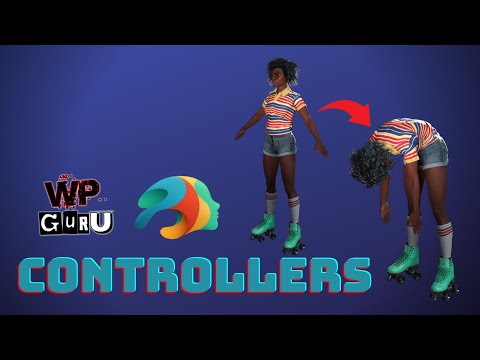
Thanks much for answering!
So the answer to my question is "No", we cannot use a pose as input for a combined/spawned morph within Shape Splitter, without doubling the pose.
While making a new ERC controller to put the pose in is one good solution, in this case I would rather just export the figure with the pose applied and re-import it and re-rig it. I really do want the pose integrated with the morphs.
Hitchens: A DAZ Studio to Blender Live LinkIn my naivety I was playing with exporting animation from Blender to a text file (literally tail bone xyz and euler rotations), then running a Daz script to import them. Then I thought god, it's is going to take days or weeks to work out who's oriented to what, in what vector basis, etc. and decided to give up. I downloaded the Sagan bvh to convert Blender to Daz bvh. I get an error popup saying expected CHANNELS 0 at line 5. So I go and look at the .bvh in a text editor and ... there's a CHANNELS at line 5 (do I need to set a base directory for the convert tab?).
So far I've tried bvh, fbx, Rig-DNS (for Mixamo but should work with any Action I'd have thought), Sagan, Diffeomorphic Save Pose Preset and I don't know maybe some other things I can't remember. I think through all this my conclusion was a plugin that gets animation from Rigify back into Daz, with feet that don't slide, hips in the right position, etc. would be able to make a bit of money.
Daz 3D is part of

Connect
DAZ Productions, Inc.
7533 S Center View Ct #4664
West Jordan, UT 84084Licensing Agreement | Terms of Service | Privacy Policy | EULA
© 2026 Daz Productions Inc. All Rights Reserved.











