-
Apply Victoria 8 pro, female anatomical elements without using Vic8 materials?
Hey all, is tehre a way to use the V8 pro female genetalia but on the textures of the genesis 8 female model?
Since V8 will load with a slightly diff hue and value because the skin of V8 and G8 are slgihtly different
Or maybe are tehre other anatomical bits addons that fit better with the G8 model? (texture wise)Carrara Challenge #55 - The Seasons - Last Minute EntiresTest 1
I noticed that many of my purchased G2F character skin maps lack skin variation (I think). To try to get more variation, I tried using mixers for Thorne's Ysabeau maps and Forbidden Whisper's merchant resource maps. To blend them, I used a mixer of (a) fractal noise and (b) spots - at 50% mix. I applied the mixer to every skin channel that get maps, such as limbs, torso, ears, etc., but not stuff like teeth. The maps are color, highlight, and bump.
Other than that, the settings are pretty close to a standard Ringo skin setting, including subsurface scattering. Here is a test render with indirect light enabled.
EDIT: The figure morphs are a mixture of mostly Ysabeau 6 and Callie 6, with a little Victoria 6 and Lotus 6.
 My wishlist for 2021
Freightliner Fox said:
Won't happen unless the sun freezes over:
- Change the Carrara file format to reduce save times and reduce saved scene sizes (300 Mb isn't uncommon right now).
- Fix Genesis / Genesis 2 support in Carrara. It's really hit or miss right now with clothing and such.
Probably won't happen:
- Add Cycles as a native rendering option to Studio without having to export to Blender. Cycles is faster than Iray and supports more GPUs.
Might happen:
- Fix the DSON importer so it works in Poser 12.
- +1 on the gryphon suggestion. A good gryphon character to go along with Dragon 3 would be great.
- Fix the broken G4 character support in the latest updates to Studio.
- Fix the long-standing disappearing mouse pointer problem.
Probably will happen:
- +1 on improvements to Filament so it properly supports transparency, spotlights, and glow.
- Fix existing bugs in Filament (textures sometimes render in completely the wrong color, for example, My black DAZ horse 2 came out in neon green)
Genesis 9, if only to cut over from my Genesis 8 library. There's only so much more I can tack onto Genesis 8 right now.
Please, gods no. Focus on creating some decent non-human characters and leave Genesis alone for awhile. Fun fact: There is more content available for Victoria 4 than there is for any version of Genesis other than Genesis 8. Why? Because for a long time, Daz was pumping out new generations of Genesis faster than the PAs could produce content for them. And pretty much any time a new version of Genesis comes out, the PAs move on to support the latest figure and stop creating content for the older ones. This makes Genesis a money pit for users.
...yeah was disappointed in the 2 year rollover for the Genesis figure since it was first introduced. I barely got everything together I needed for character design with G3 and suddenly there was G8. Just couldn't see dumping 100s more into a new Genesis base particularly given the "improvements" were few the investment I had in G3. G8 may be backwards compatible with regards hair and clothing content (and you still need conversion scripts to make them fit more accurately), but not morphs, character expansions, poses, and other utilities that needed to be specially developed for it.
Post your DAZ to Unity rendersI am amazed, how easy is to retarget animations in Unity. The animation was created in Daz Studio using Victoria 4 and AniMate 2.
The Performer in Unity is https://www.daz3d.com/elijah-7. Link to my video on YouTube is below:
 What's the number in front of a morph dial?
Bejaymac said:
When you look at the dials in Parameters tab/shaping tab what you see are "labels" rather than the Morphs actual name, what the (2) means is that you have two (or more) morphs installed with the same "label".
As an example "Victoria 8 Body" is the Label you see in DS, "FBMVictoria8" is the morphs actual name.
In the options menu for both the Parameters tab and Shaping tab you will see Preferences, put a tick next to "Display Separate Items", this will split up your morphs.
Now use the cog on each morph to select Parameter Settings, at the top of the new window you have the Morphs "Name", under that the "Label" and then the pathway to where it's located.
Use this to determine if you have two morphs with the same Label or two identical morphs installed.
Thank you for this information, it will make tracking down the offending files a lot quicker, appreciated.
My wishlist for 2021Won't happen unless the sun freezes over:
- Change the Carrara file format to reduce save times and reduce saved scene sizes (300 Mb isn't uncommon right now).
- Fix Genesis / Genesis 2 support in Carrara. It's really hit or miss right now with clothing and such.
Probably won't happen:
- Add Cycles as a native rendering option to Studio without having to export to Blender. Cycles is faster than Iray and supports more GPUs.
Might happen:
- Fix the DSON importer so it works in Poser 12.
- +1 on the gryphon suggestion. A good gryphon character to go along with Dragon 3 would be great.
- Fix the broken G4 character support in the latest updates to Studio.
- Fix the long-standing disappearing mouse pointer problem.
Probably will happen:
- +1 on improvements to Filament so it properly supports transparency, spotlights, and glow.
- Fix existing bugs in Filament (textures sometimes render in completely the wrong color, for example, My black DAZ horse 2 came out in neon green)
Genesis 9, if only to cut over from my Genesis 8 library. There's only so much more I can tack onto Genesis 8 right now.
Please, gods no. Focus on creating some decent non-human characters and leave Genesis alone for awhile. Fun fact: There is more content available for Victoria 4 than there is for any version of Genesis other than Genesis 8. Why? Because for a long time, Daz was pumping out new generations of Genesis faster than the PAs could produce content for them. And pretty much any time a new version of Genesis comes out, the PAs move on to support the latest figure and stop creating content for the older ones. This makes Genesis a money pit for users.
What's the number in front of a morph dial?When you look at the dials in Parameters tab/shaping tab what you see are "labels" rather than the Morphs actual name, what the (2) means is that you have two (or more) morphs installed with the same "label".
As an example "Victoria 8 Body" is the Label you see in DS, "FBMVictoria8" is the morphs actual name.
In the options menu for both the Parameters tab and Shaping tab you will see Preferences, put a tick next to "Display Separate Items", this will split up your morphs.
Now use the cog on each morph to select Parameter Settings, at the top of the new window you have the Morphs "Name", under that the "Label" and then the pathway to where it's located.
Use this to determine if you have two morphs with the same Label or two identical morphs installed.
Daz Studio 4.14 Pro, General Release!robert.ramin_973cab5499 said:
I have a strange new: DAZ Studio 4.11.0.383 (I still have the standalone installer) is working on my Mac Min Late 2018 installed with Big Sur 11.1 !!!
The Splash Image is mirrored
[* * *]
But creating and rendering any figure or Genesis 8 including Victoria 8 HD Add-On is very fast (about 2 time faster than 4.14 with Catalina...).
The Windows (well, OS/2) bitmap format was originally encoded with the lowest Y coordinate first, therefore the last television scanline is first. The splash screen is being reversed top to bottom; that's a mirror image with a 180 degree rotate about the X axis. So it looks like Apple made extensive changes to the graphics libraries which includes dropping support for the legacy BMP format. It's very interesting that a DAZ render on Intel hardware is now twice as fast; nice test :-) Kinda suggests that a lot of Apples speed up with the new hardware might be down to them just optimizing the graphics software, including getting rid of support for things that really slow it down like legacy OS/2 bitmaps. That would not surprise me.
I would like to re-install Victoria 4.2 so her eyes will closeThank you so much, Richard!!
Anyone who is having problems, remember if you installed ANY Products that use the folder
/Runtime/Libraries/!DAZ/Victoria 4/
that will mess with V4 eyes. Such as installing Faerime, or Aiko 4 Base, they use the folder above. I moved those from my external runtime to my Daz Studio library in My Documents.
Then, I did the reprogramming of her eyes as stated in the post I linked to above. Finally, I tried a closed eye expression. The eyes did the same thing, BUT I was able to manually close her eyes!!! After all of the years!!!
I would like to re-install Victoria 4.2 so her eyes will closeMake sure you have only one /Runtime/Libraries/!DAZ/Victoria 4/ folder in your active Runtimes, double-click the DzCreateExPFiles-
Sculpting a character based off another.Michaelis said:
This seems like it'd be easy to find, but I am struggling to find out information on [sculpting a character based off another0] this despite my best efforts. Sorry if it's been answered but I've been combing the forums for literal hours now.
I am not asking how to make a new morph in a software like Zbrush or Blender. I know how to do that.
What I want to know is the process for doing it as a character based off another-- such as, of course, "X Character for Victoria 8".
Using Victoria as my example still-- Do I simply send Genesis 8 to Blender with Victoria 8 fully dialed in, and then work from there? Or is there more to it that I'm missing, because that does not feel right to me.
In my particular case I want to make a character based on Star 2.0 for G3F-- like VYK Stella or Patti, a new character based on Star 2.0-- via making a new facial and body shape in Blender, not by dial spinning with morphs I have in Daz Studio. I'm just not sure how you go about that when we're dealing with mixing Star 2.0 in there. I've got it if it's just on straight Genesis 3, but I'm lost once you mix a character morph in there. Especially since I want to distribute these characters when I'm done.
Thanks so much, sorry if this is a silly question but I've been looking for the answer for a while and want to have it before I potentially waste time doing something incorrectly.
Edited for Please put your question in the post body and the title - Daz 3D Forums
Make your morph on top of the exported Star shape (but make sure you zero any non-morph changes, such as scaling or hip-transaltions to keep the feet on the floor). When you bring the morph back in check the Reverse deformations option - that will subtract Star, and any other morphs applied, leaving a morph that is just your changes. You can then use ERC Freeze to link the existing morphs either directly to yoru morph or to a master slider.
Sculpting a character based off another.This seems like it'd be easy to find, but I am struggling to find out information on [sculpting a character based off another0] this despite my best efforts. Sorry if it's been answered but I've been combing the forums for literal hours now.
I am not asking how to make a new morph in a software like Zbrush or Blender. I know how to do that.
What I want to know is the process for doing it as a character based off another-- such as, of course, "X Character for Victoria 8".
Using Victoria as my example still-- Do I simply send Genesis 8 to Blender with Victoria 8 fully dialed in, and then work from there? Or is there more to it that I'm missing, because that does not feel right to me.
In my particular case I want to make a character based on Star 2.0 for G3F-- like VYK Stella or Patti, a new character based on Star 2.0-- via making a new facial and body shape in Blender, not by dial spinning with morphs I have in Daz Studio. I'm just not sure how you go about that when we're dealing with mixing Star 2.0 in there. I've got it if it's just on straight Genesis 3, but I'm lost once you mix a character morph in there. Especially since I want to distribute these characters when I'm done.
Thanks so much, sorry if this is a silly question but I've been looking for the answer for a while and want to have it before I potentially waste time doing something incorrectly.
Edited for Please put your question in the post body and the title - Daz 3D Forums
Novica & Forum Members Tips & Product Reviews Pt 13No, it doesn't correlate with DIM. Or may or may not, I can't check them, I have too many. I just checked and my Nevada for Victoria 4 is IN DIM. That one is there, for example, in DIM.
These are products which aren't showing up with Product Pages in your Product Library. You get black swirlies. So you can't get information through the Product Library with these titles. Which includes the install options (manual, etc)
Why are G8 figures such resource hogs?j cade said:
dont work on a dial spun character with, say, 3 daz character body morphs (ie victoria, olympia, babina) as they tend to have qite a few fixer jcms, which is great for them looking good but as you add body morphs you're adding jcms that have to be calculated how much theyre dialing in and it all adds up
Oooh this is a good tip. I generally mix base figures together and then wonder why when I try to active-pose I end up sad.
As a side-note, I have to wonder if with the video above, the "quick fix" makes all the character morphs initially shown go "poof"...because that's not really a fix, in my opinion. Also, I think the video poster's main problem is those duplicate errors...they will blast your load time. I have a butt-load of G8 characters, and my load time is still less then their "fixed" time...about 30sec...and all I've done is make sure I have no duplicate errors. And as Serene Night already mentioned, it is good practice to go through and dump characters and expression packs you don't use. I've collected quite a bin of "trash characters" that come with all the bundles I've purchased and I've started to be picky about which I even bother to install. Saves on space and load time.
I would like to re-install Victoria 4.2 so her eyes will closeI have had Victoria 4.2 installed in my Daz Studio Content Library for years. I have that runtime linked to Poser.
I read that I might get her eyes to close in Poser, if I reinstall her.
https://www.daz3d.com/forums/discussion/453391/anybody-recall-the-poser-fix-to-get
I usually do manual installs of everything. I just don't remember the how the bat file works.
Also, V4 has her own runtime and I would like to install her there, however if that is not possible, I understand.
Would someone give me the steps of installing her? Thank you so much!!
Why are G8 figures such resource hogs?G8 shouldnt be signifigantly slower to manipulate than G3 in their default states as they have very similar meshes and rigging
most likely culprit
- smoothing. My guess is you're comparing this with unclothed figures but just in case you're not smoothing on clothing and hair can massively slow things down (the occasional article of clothing comes with "interactive smoothing" and things can really slow down)
- different subd resolutions. someone already mentioned this lower resolutions are way faster. setting the the resolution to base should be super snappy
- JCMs. if all your settings are likely the same this is probably the culprit. both figures have about the same default jcms, but as G8 has been around longer so it has more fixer jcms hanging around. JCMs are morphs that dial as you bend a joint - obviously this takes some resources. the more jcms DS has to figure out to use - the more resources. There are also HD jcms which if you aren't at base res are even more things that DS has to calculate and will slow things down accordingly
if you don't like sending your figure down to base res (i generally don't because then I forget to set it back before starting to render and am sad) make sure in the "draw settings" tab make sure subdivision updates are set to delayed. this makes it so while you're manipulating the figure it will flip to the base resolution
if you have any fixer jcms like zev0s skin folds that have a dial to turn them off - turn them off
dont work on a dial spun character with, say, 3 daz character body morphs (ie victoria, olympia, babina) as they tend to have qite a few fixer jcms, which is great for them looking good but as you add body morphs you're adding jcms that have to be calculated how much theyre dialing in and it all adds up
Novica & Forum Members Tips & Product Reviews Pt 13Let me talk about that script, because I am not a technical person and wasn't sure I'd know how to do it. SO easy. First, I made a folder so I'd know where to find the script. Just download the file and put it in your folder. There's Data, a dll, and ProductLibraryScannerDaz. Click the last one and follow Taoz's instructions in his post. One thing- the generated list (when you click to provide a list) will be back in the folder. I was looking for a popup or something. :) Taoz clearly stated whee the list would be in his post, I'm just inept.
A small sample- the list will look like this: (SO ticked, look at all those great Ron's brushes I don't have!) I have around 28,000+ products and it took several hours to run (more than four) but it moved at a good pace. I left the settings at 3 retries for failing items, and with six hundred or more, that really added to the time. But you want it to get it right. Edit- you can do other things while the script is running.
Here's the link to the discussion over in the store issues thread. Really recommend you do the scanner, and submit a ticket. Your Product Library should be RIGHT.
Here's the scanner post by Taoz. It's on page 86 of the Store Issues thread. Again, VERY easy to use.
6652 Ron'S Waves
15384 Ron'S Digital Energy
14503 Touched Anime Eyes For Genesis
10083 Ron'S Concrete And Texture Brushes
4828 3d Celebrity 'Genesis'
4926 Nevada For Victoria 4
12016 Faeverly
12697 Ron'S Rain
11896 Ron'S Particles
11560 Ron'S Magical Snow
11030 Ron'S Hydro Explosion
10657 Ron'S Condensation
10516 Ron'S Steam And Smoke
9377 Ron'S Bokeh
12962 Ron'S Atmospheric Bundle
9160 Ron'S Suds
8667 Ron'S Flames
RIP in peace hivewireMy recollection of Hivewire's announcement was that they would no longer carry items that supported DAZ products. Maybe that only meant they would no longer have products for DAZ's characters, Victoria, Michael, etc. That remains my recollection until someone can provide a quote from that announcement that contradicts my recollection.
Daz Studio 4.14 Pro, General Release!Hello,
Happy new year to all of you and also to MacOS Big Sur users.
I have a strange new: DAZ Studio 4.11.0.383 (I still have the standalone installer) is working on my Mac Min Late 2018 installed with Big Sur 11.1 !!!
The Splash Image is mirrored
Of course all of the improvements of 4.14.xxx are missing and I can't open scenes created with 4.14 on Catalina nor import .OBJ(don't kwow why) ???.
But creating and rendering any figure or Genesis 8 including Victoria 8 HD Add-On is very fast (about 2 time faster than 4.14 with Catalina...).
Hope it can help
 Can anyone I.D. this character?
Neikdian said:
Hi all,
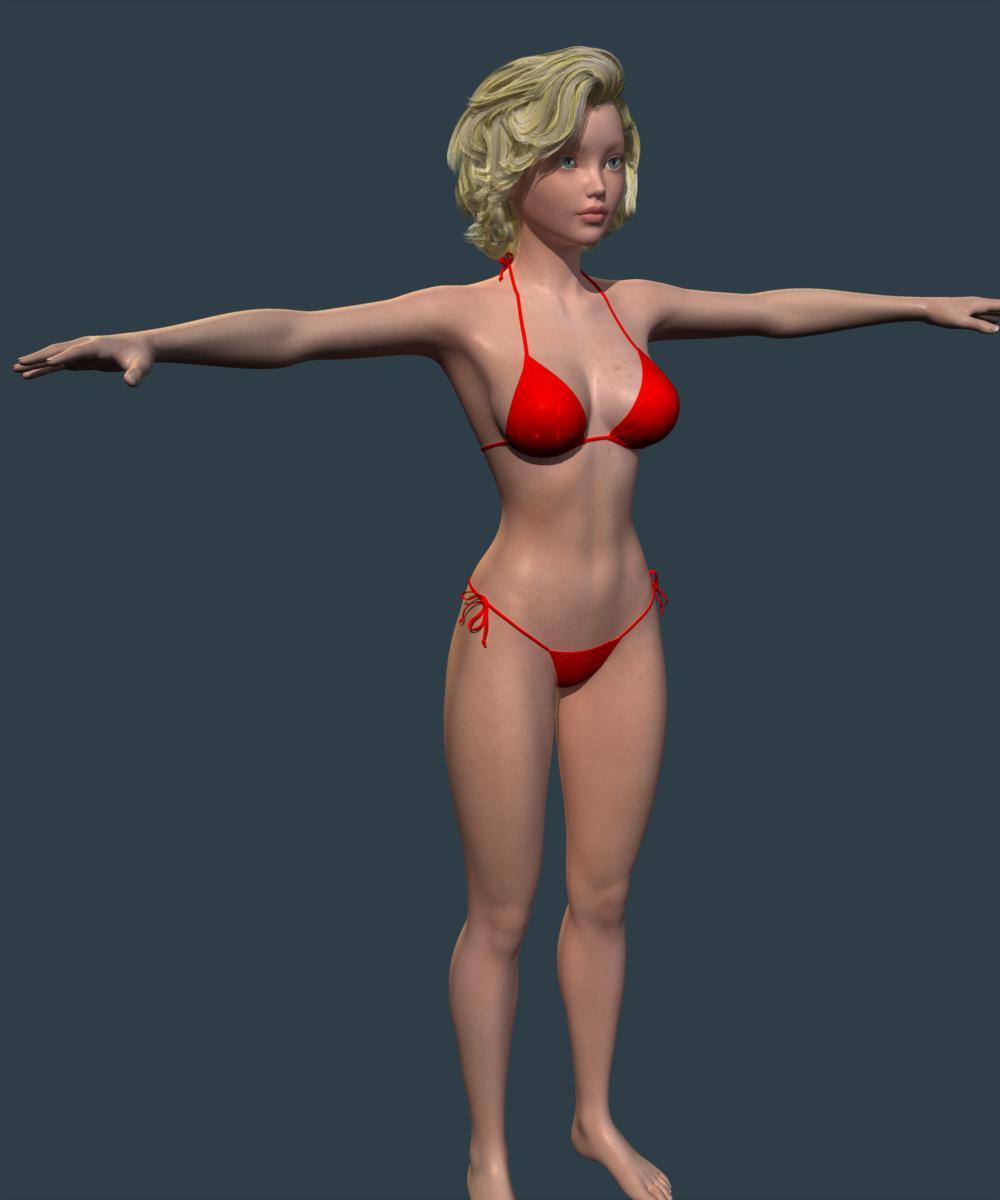
She is a mix of Victoria (%40), Kanade 8 (%30) and Karyssa 8 (%30). I like to mix and create new looking...
Thanks for the info! She's really cute. :)
Daz 3D is part of

Connect
DAZ Productions, Inc.
7533 S Center View Ct #4664
West Jordan, UT 84084Licensing Agreement | Terms of Service | Privacy Policy | EULA
© 2026 Daz Productions Inc. All Rights Reserved.