-
Licence key for headshop oneclick2?
https://www.daz3d.com/headshop-oneclick2
i just order this one but where [on earth] is the licence key that i need when i install the program?
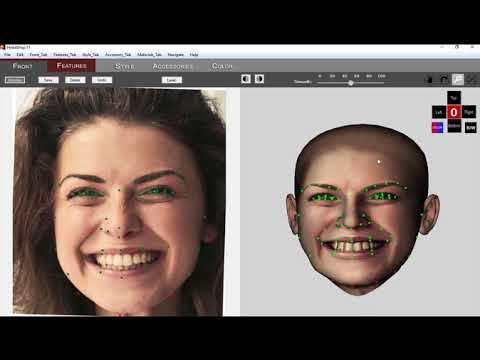
DAZ Studio 4.12 ... Face creation abilities????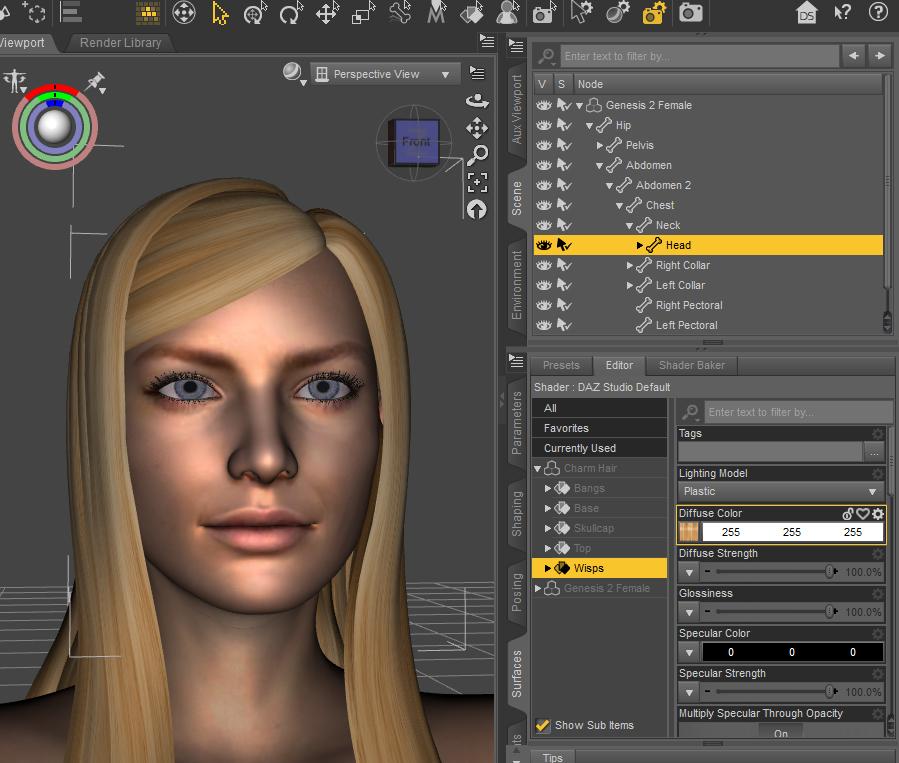 There's another Photo-to-3D product called HeadShop 11. Using Outrigger's picture. The enclosed pictures were made with HeadShop 11 - straight out of the box, one click. No dial spinning, Photoshop, nothing.
https://www.daz3d.com/forums/uploads/FileUpload/9b/5bb900624bf6eacab633f665c67d7a.jpg
DAZ Studio 4.12 ... Face creation abilities????There are rules to follow to get the most out of it, which mirror those of Facegen.
-No toothy smiles, or smiles in general. Keep the expression neutral.
-Use as even lighting as possible.
-Keep hair out of face
-Keep the face level and pointed at the camera. If the face is tilted to the side, just use photoshop or something to straighten it out first.
-Using clear and higher resolution pics will help.
-FOV is important. If you are too close to the face, this distorts the result. Keep the camera back. You want a high quality pic, but not zoomed right up on the subject.
That is a lot of stipulations to consider, and even then, there may still be issues depending on the subject's face. This software can do some things, but Facegen is better. However Facegen is also a lot more expensive, and it certainly is not perfect, either. Facegen allows you to use any texture set as a base. The Pro version sold at Daz can export to ANY Genesis base 1-8, while Face Transfer only does G8. That's cheap Daz! You could at least support G3 since they are so similar.
I am surprised we haven't got to a point where we can use some deepfake AI like tech for this. It has to be possible, did you guys see that Chinese app "Zao" bringing deepfakes to phones. Phones! At the very least, it should be able to create a texture, which is a big part of the battle.
Anyway, I got curious, I do not have this yet since I have not updated Daz yet. But I wanted to see what I could do with one of the images posted here.
Sooo, not having much luck... Margot Robbie Face Transfer and then with Mousso's Ryleigh texture....
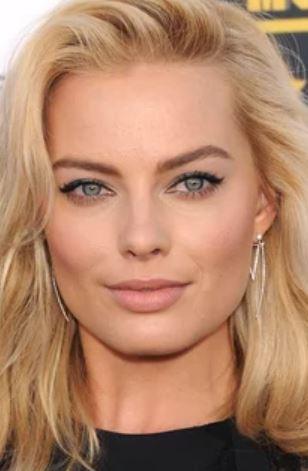
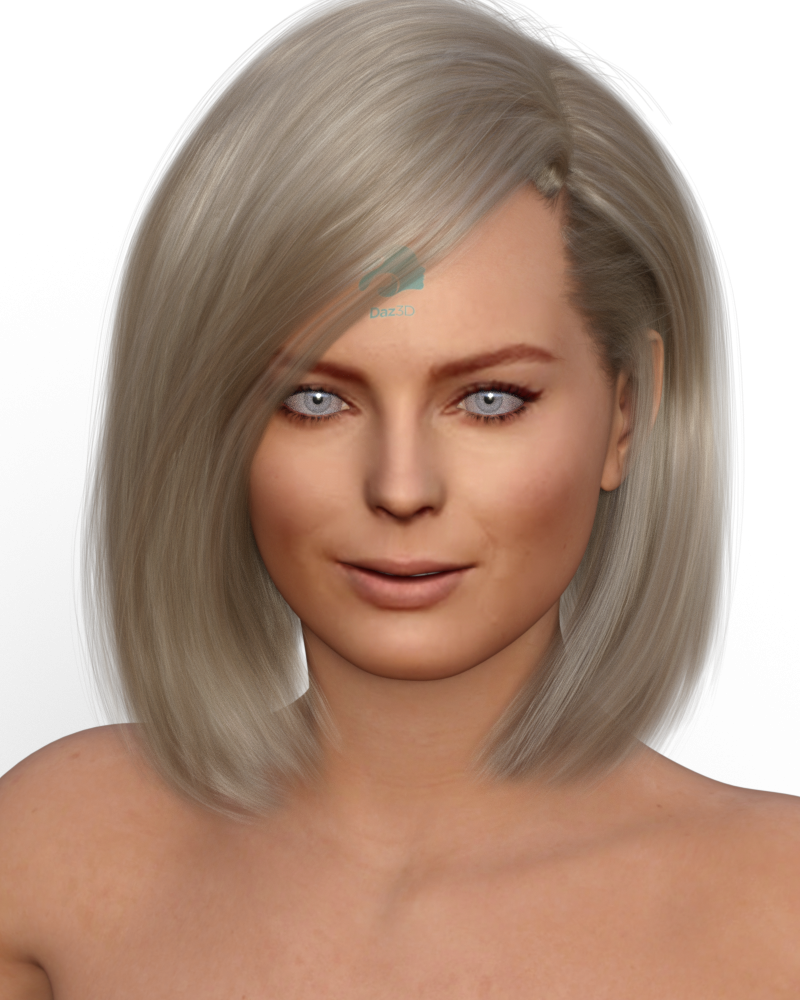
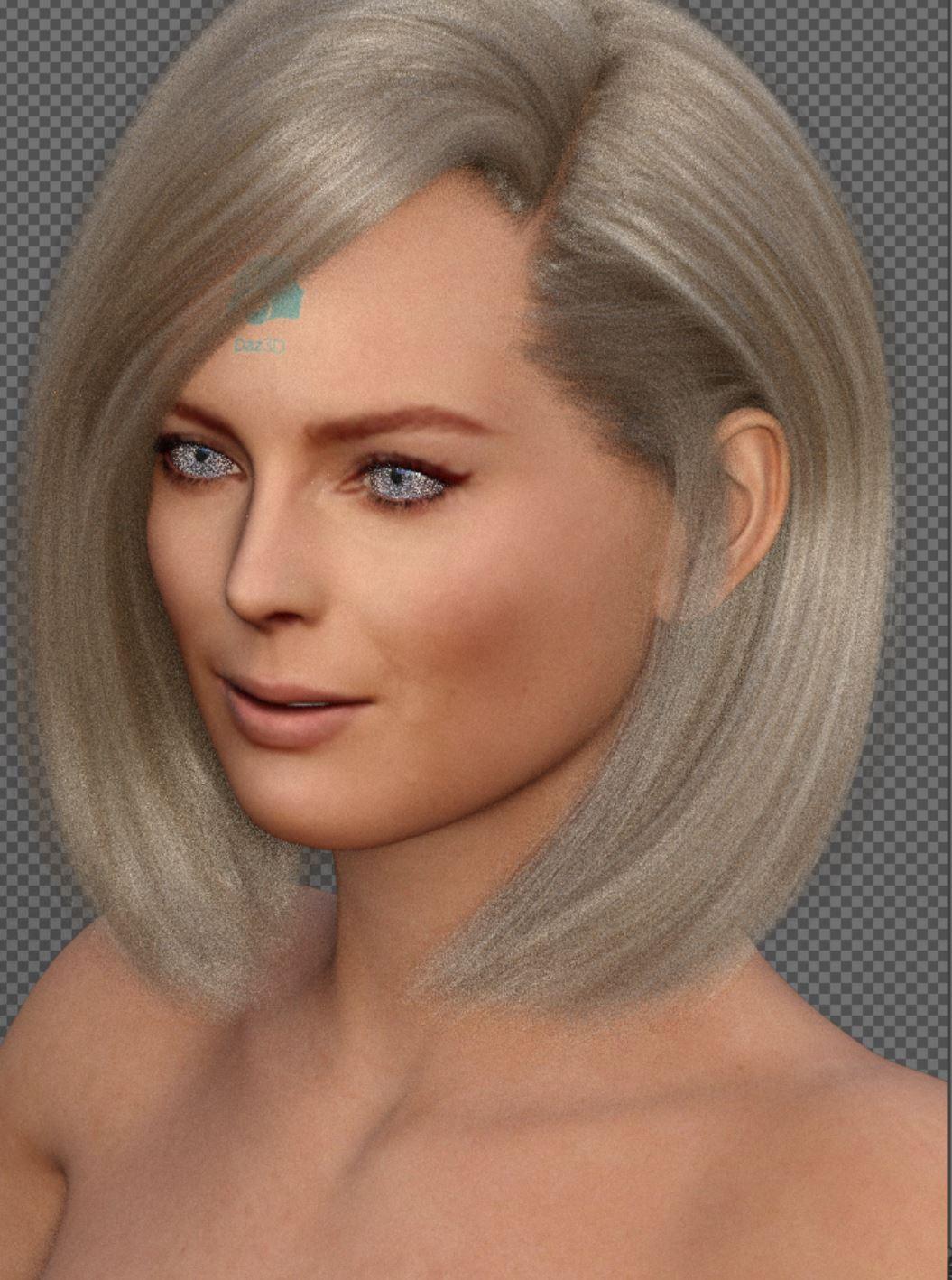
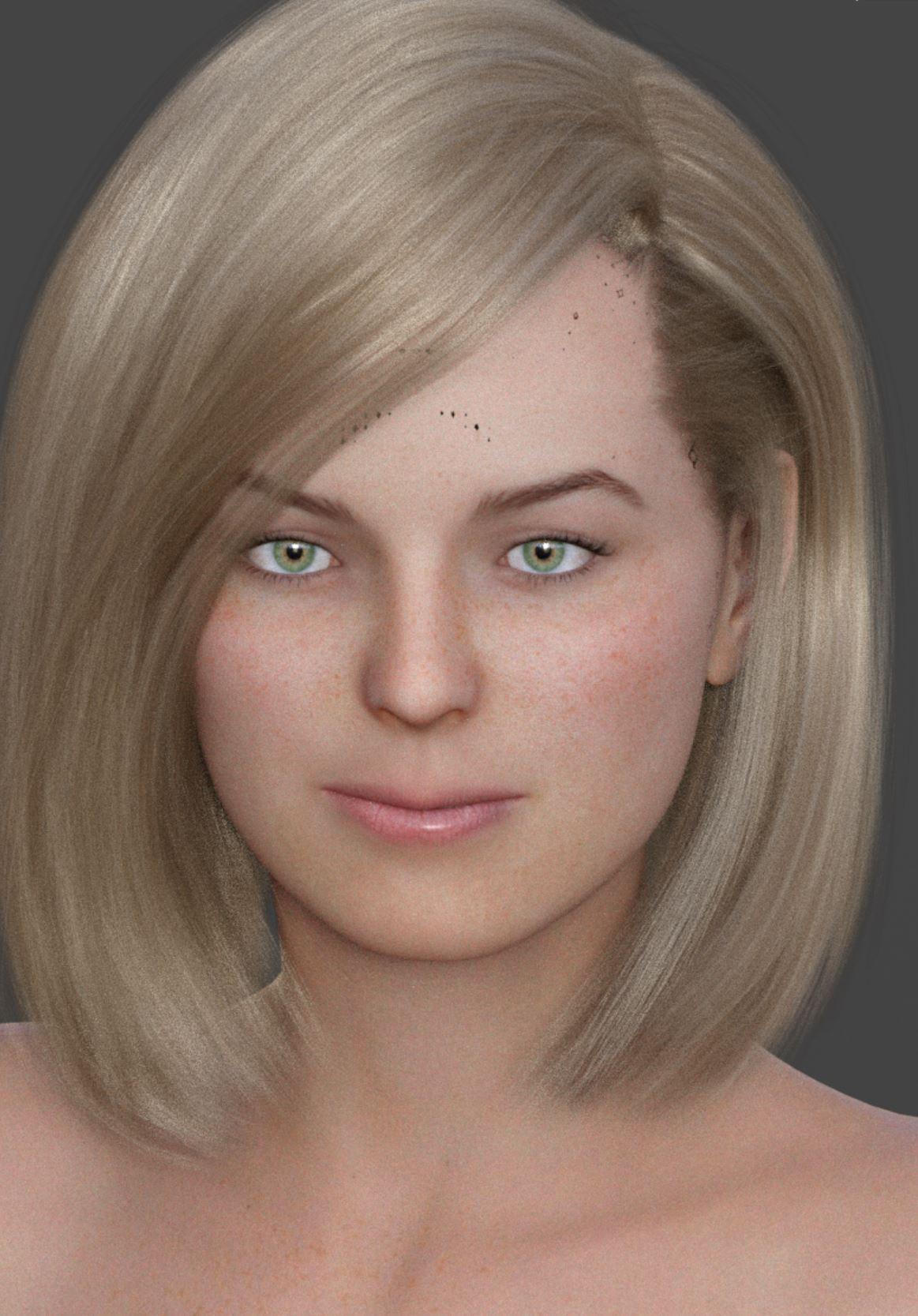
So what I did was first do a reverse image search to see if I could find a larger pic. I found the exact image at 1600x994. Not huge, but bigger than what was posted here. I then went by my rule and rotated the image a bit until her eyes were level. Then I fired up Facegen, and exported to G8. Of course, with Facegen you must manually apply the textures. I applied them to the default G8 female. She turned out super red, a combination of the generated texture being a bit red plus Daz's strange fetish with orange people. So turned the trans map color to pure white, and the SSS color to white as well. I placed the Facegen textures in both the color and translucency sections. I gave her bluejaunte Amira green eyes, and that is all. I made no texture edits. Even with so little effort, she turns out OK.

So, after this many tweaking, there's another Photo-to-3D software, HeadShop 11. Without any tweaking, dialing or Photoshop, it produced the head below. Repeat, no tweaking, just one click export.
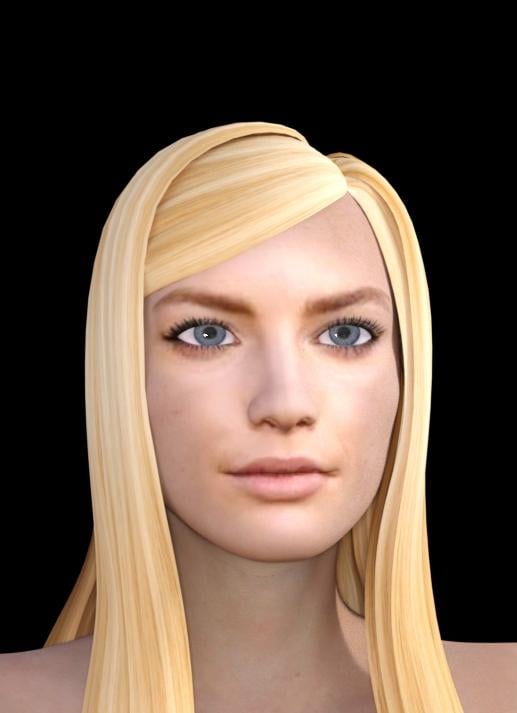
To help visualize the morph that FG created, I rendered a clay version. The is the FG shape dialed in to 100% and nothing else.

You can see the shape looks alright. I am actually surprised just how well it worked. I wanted a better image, so I applied bluejaunte Amira's full material preset and gave her a LIE eyeliner. I then replaced the color textures with the textures Facegen created. I also gave her Super Natural Brows, which the default brow fit Margo's face almost perfectly. I made her lashes a bit longer, and that is all I did to make this.

Comparing this Facegen version VS Daz Face Transfer is IMO a no contest. Daz needs to get the lips fixed urgently, and the face contour for that matter. It doesn't seem like Face Transfer is applying much of a morph at all here. The nose is about the only thing it gets sort of right.
Here is my list of things to improve.
-Lip detection, head shape, eyes, eh, all of that.
-add options to use side view pics as well as front pics for better accuracy.
-add options to adjust skin output color, level of blending (to avoid clown faces), and choice of a general skin map. For example, clean shaved necklines or not for men. Basically a few things that Skin Builder might do.
-support for multiple generations. I think its pretty bad that G8 is the only supported model.
There's another Photo-to-3D product called HeadShop 11. The enclosed pictures were made with HeadShop 11 - straight out of the box, one click. No dial spinning, Photoshop, nothing.
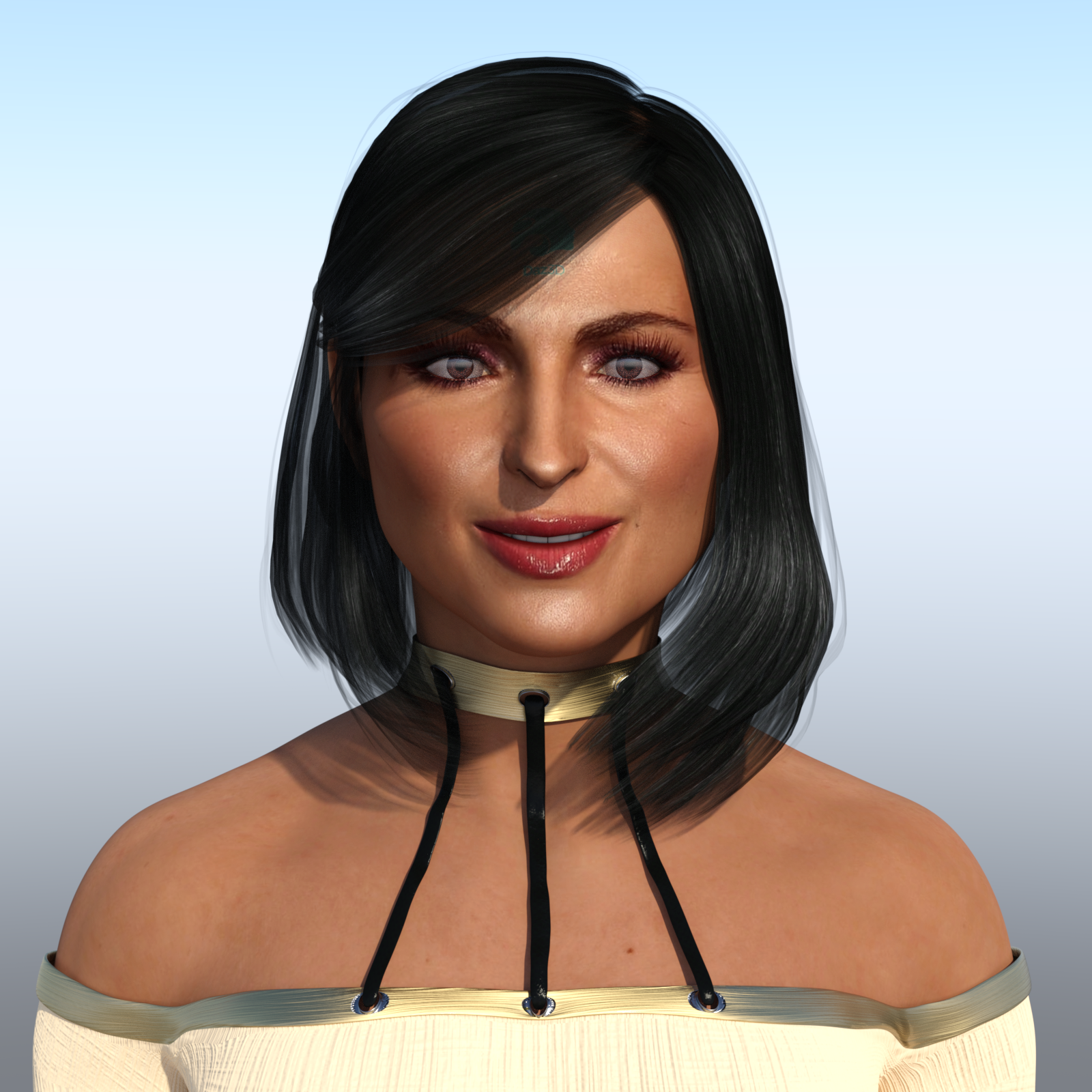
DAZ Studio 4.12 ... Face creation abilities????DAZ Studio 4.12 ... Face creation abilities????Here is my contribution using FaceTransfer. The beautiful, fabulous and stunning "Queen" of OUAT (Once Upon A Time), Ms Lana Parrilla!
And this is the picture I used of her:

I am SURPRISED! I actually like the way she came out right out of the box with almost no 'hoop jumping' I have to admit that I had to alter her mouth since it came out too thin which is everyone's complaint so far. Also the nose wasn't right. The eyes looked pretty good overall, and the biggest area I had to adjust were the eyebrows and I did some work in the chin/jaw area. But overall about 10 to 15 minutes worth of work (not including render time). Given that it is $50 for the unlimited version, and $25 on sale, I believe it is worth it. I think I am going to get this, but I do want to try some more out. But again, I want to test more renders before I make a final judgement call.
I will say that I had to use two pictures of Lana before one took. I guess the resolution wasn't that good on the first one. So then I got the one above from a high resolution picture.
A bit of a downside in the final render was that Lana's face is a bit shiny, but then again it is shiny in the photo too. Lana is definitely in the #1 slot for a permanent face transfer for me. I just have to find a front facial shot of her that isn't so shiny. You can see I did hide a bit of the watermark using the Sassy Bob hair style. I think for a first shot out of the box, she looks really good. Definitetely better than my attempts with Headshop.
There is another caveat that was pointed out before. You can't close the eyes otherwise the eyelashes stretch out over them. I am hoping Daz fixes that issue soon. Naturally there are other imperfections as well, but you can still see who it is.
Other than that, I like what I am seeing.
Good render.
One thing to do , to cut down the shininess. is choose all the surfaces. And cut Glossiness to zero. Then you can control what you want to have the glossieness.
DAZ Studio 4.12 ... Face creation abilities????Here is my contribution using FaceTransfer. The beautiful, fabulous and stunning "Queen" of OUAT (Once Upon A Time), Ms Lana Parrilla!
And this is the picture I used of her:
I am SURPRISED! I actually like the way she came out right out of the box with almost no 'hoop jumping' I have to admit that I had to alter her mouth since it came out too thin which is everyone's complaint so far. Also the nose wasn't right. The eyes looked pretty good overall, and the biggest area I had to adjust were the eyebrows and I did some work in the chin/jaw area. But overall about 10 to 15 minutes worth of work (not including render time). Given that it is $50 for the unlimited version, and $25 on sale, I believe it is worth it. I think I am going to get this, but I do want to try some more out. But again, I want to test more renders before I make a final judgement call.
I will say that I had to use two pictures of Lana before one took. I guess the resolution wasn't that good on the first one. So then I got the one above from a high resolution picture.
A bit of a downside in the final render was that Lana's face is a bit shiny, but then again it is shiny in the photo too. Lana is definitely in the #1 slot for a permanent face transfer for me. I just have to find a front facial shot of her that isn't so shiny. You can see I did hide a bit of the watermark using the Sassy Bob hair style. I think for a first shot out of the box, she looks really good. Definitetely better than my attempts with Headshop.
There is another caveat that was pointed out before. You can't close the eyes otherwise the eyelashes stretch out over them. I am hoping Daz fixes that issue soon. Naturally there are other imperfections as well, but you can still see who it is.
Other than that, I like what I am seeing.
DAZ Studio 4.12 ... Face creation abilities????Here's a quick and dirty comparison with the other app I own, Facegen Artist Pro 2, using a high res resource image for the face. The output textures are the same size, 4098, but the quality is not as crisp with the FaceTransfer utility. Neither is perfect. I used the Face Transfer generated shaders for both.
Hmmm, it seems that by initial glance Facegen looks better. BUT looking at some details, things like the nose FaceTransfer did better. But with the eyes and eyebrows, I think Facegen did better. The mouth seems a bit indifferent. Hard to judge. I had only tried out Headshop and I didn't like all the hoop jumping you had to do with that program in setting the points and stuff and still it didn't do such a great job. Even back then I had wondered if Facegen was better, but I was reading that it doesn't handle smiling faces as good as Headshop did. BTW, how does FaceTransfer deal with wide smiles? It seems like it does slight smiles and no smiles pretty good.
FaceShop is now called HeadShop - Shipping at DAZ (Commercial)I am having the same problem. The Headshop installation asks to either remove files from the temp drive related to the prior installed Faceshop or abort the Headshop installation. Please PM me AbaloneLLC
Superdog said:
I’ve upgraded to Headshop and read the manual but it doesn’t say whether I should uninstall Faceshop 8 before installing Headshop. Can I install Headshop without removing the previous version of Faceshop? If I have to remove Faceshop 8 how do I do this and which files do I need to remove? Thanks for your help!
The only file that needs to be removed (or renamed) is Faceshop.exe in the DAZ 3D/DAZStudio4/bin folder.
Best,
Laslois there a Face Transfer threadI don't get notification emails on any of my threads. Anyway holding off playing myself I think ok just downloaded but might just watch read look at you all testing it don't want to waste mine. I have an older headshop and last facegen and I'm happy with face gen generates all the skin body as well as faces. This release in acually ironic funny actually as the other day on a paintshop pro facebook group someone posted about a new site that offered 100,000 royalty free faces to use in any program. They're photos of real people but not real people. They're composites of different people combined to make someone else. Because of this some are kinda freaky and distorted looking but there are some pretty good usable ones some you can see are ombinations of men and women. Just google generated faces, lots of reviews on different sites. It's a new site so norton (if you have that) if you have that may give you a warning and always scan any image you download so far been ok for me
DAZ Studio 4.12 ... Face creation abilities????Well... how much will it cost to unlock the limit of three?That is bogus. They should mention this on the main page that this is NOT a free service and that it has the 3 face limitation.
I can't even find what it costs to do addtional. (Hey, Daz, it isn't good to frustrate your customers when you release something new. Even if it is going to cost, let us know!!!)
Yeah that is another thing too. Up to now everything in a new version update was free. So this is kind of a bit of a kick in the teeth, but I guess they can't offer it for free because of the fellows that created programs to do this feature. So my guess to be fair to them, it is probably going to list for around $100. Granted that is the list price and I am sure they are going to have sales on it.
Frankly though, I have not been to happy with these face creation programs. I tried Headshop and ended up returning it. I don't know if the Daz version is going to be any better. Those that have the beta would know perhaps they could chime in and say if the program in DAZ is significantly better, or not.
DAZ Studio 4.12 ... Face creation abilities????I just installed and tried it.. yes, mine is limited to three ( 3 )
now two....

I was just about to make up a message saying that this new feature is a brick to the face of those that created HeadShop and that other Face Shaper Pro program. But after seeing this thread and reading it, you have to be kidding me that Daz puts a limit on how many faces you can make? That's bogus! At any rate even if Daz wanted to protect the interests of the creators of those programs I would say 10 to 20 is a much better figure (that I can deal with) than 3. 3 is just ridiculous. Of course they don't mention this when it comes to downloading the program. Phewy!
is there a Face Transfer threadHow much will this cost? Looking at this, it looks a lot like a new version of Facegen, especially with how the demo brands the logo on the forehead exactly like FG does. Did Daz license some tech from Facegen?
Can multiple pics be used? Having multiple angles is really important for getting the profile correct. There is just not enough information to create an accurate model with a single photo. That is an advantage to Facegen as it can combine photos from the side and the front.
At any rate, this is very interesting, and I think a smart move. It should be pretty apparent that Facegen and Headshop both generate a lot of interest from customers. However, since they are 3rd party products, Daz has no control over their development. While I like Facegen, the fact is that Facegen has hardly changed at all over the years, and its development has been really slow. There has only been one big update to FG in the years I've used it, and that was the move to 64 bit. The app has added Genesis 3 and 8 in the time I've had it, but that is to be expected, the actual performance of the app is essentially the same. Headshop does some cool things, like being able to handle a smile, but HS drives me absolutely nuts with its many issues. And HS makes no attempt at all to blend the face into any skin.
So Daz building their own app is a good move, and hopefully will see continued development and improvement over time. However, I got to say that the 3 save thing for the demo is not cool. Facegen's demo doesn't do this! I understand the concern, but 3 is too restrictive. 3 isn't enough to decide if the plugin is worth buying. Not to mention...the plugin is not even available to buy at all right now! What is the point of limiting use so much when we can't even buy it yet? LOL.
This is a chance to beta test the software. So beta test it, and let people do more with it. When the plugin becomes available for purchase, then you maybe you can restrict it more. But even then it should be no less than double what it is now.
Another important question that must be answered, can the creations using this plugin be shared or sold? Facegen allows this. In fact, some characters in the Daz store have been built using Facegen in some capacity (mainly textures), including a couple of popular ones for Genesis 8. And there are numerous Facegen-aided characters sold elsewhere.
Great summery. outrider42. I would like the answers to these questions as well.
It is integrated in Daz Studio, which makes it superior to any other solutions - at least for me.
is there a Face Transfer threadHow much will this cost? Looking at this, it looks a lot like a new version of Facegen, especially with how the demo brands the logo on the forehead exactly like FG does. Did Daz license some tech from Facegen?
Can multiple pics be used? Having multiple angles is really important for getting the profile correct. There is just not enough information to create an accurate model with a single photo. That is an advantage to Facegen as it can combine photos from the side and the front.
At any rate, this is very interesting, and I think a smart move. It should be pretty apparent that Facegen and Headshop both generate a lot of interest from customers. However, since they are 3rd party products, Daz has no control over their development. While I like Facegen, the fact is that Facegen has hardly changed at all over the years, and its development has been really slow. There has only been one big update to FG in the years I've used it, and that was the move to 64 bit. The app has added Genesis 3 and 8 in the time I've had it, but that is to be expected, the actual performance of the app is essentially the same. Headshop does some cool things, like being able to handle a smile, but HS drives me absolutely nuts with its many issues. And HS makes no attempt at all to blend the face into any skin.
So Daz building their own app is a good move, and hopefully will see continued development and improvement over time. However, I got to say that the 3 save thing for the demo is not cool. Facegen's demo doesn't do this! I understand the concern, but 3 is too restrictive. 3 isn't enough to decide if the plugin is worth buying. Not to mention...the plugin is not even available to buy at all right now! What is the point of limiting use so much when we can't even buy it yet? LOL.
This is a chance to beta test the software. So beta test it, and let people do more with it. When the plugin becomes available for purchase, then you maybe you can restrict it more. But even then it should be no less than double what it is now.
Another important question that must be answered, can the creations using this plugin be shared or sold? Facegen allows this. In fact, some characters in the Daz store have been built using Facegen in some capacity (mainly textures), including a couple of popular ones for Genesis 8. And there are numerous Facegen-aided characters sold elsewhere.
Creating a Genesis 8 character from a custom mesh?There are probably many ways to accomplish what you want, I've tried a couple of times to convert some game characters to Daz but I was never happy with the results although that is probably down to my failings as a 3D modeller that anything else. None of the ways are turnkey, you will need to hack around a bit...
The first thing to learn is what a Daz morph is, it's the difference between your shape (character) and one of the base Daz characters i.e. Genesis 8 Female.
You can sell your morph, you cannot sell the Daz base character.
As you are just wanting a head morph you could try FACEGEN or HEADSHOP, both can return excellent results from a photo or photos. The photos have to be just so and expect to do some tweaking to the morph and textures afterwards. Don't pay full price for either product wait for them to be on sale.
WRAP (Russian3dscanner) is another solution where you wrap the Daz base mesh around a target mesh. It does work but is fiddly to get right, that was where I fell down. They also have a version of WRAP as a plugin to ZBrush but I haven't tried that.
Hope the above helps, let me know if you want to know more.
Regards
Steve Schoon.Creating a Genesis 8 character from a custom mesh?Thanks for the replies!!! Are there any tutorials out there on projection in zBrush? I do not like to use FaceGen or headshop: I have seen how they work and "just" two pictures is far to little to get a true likness in 3D. I really want the shape to match. If I can get the process to work, I would also like to use it to address a couple of other region of the genesis mesh this way: hands and feet are two areas that are still largely overlooked if it comes to getting them to look real in my opinion... As there is no "HandGen" or "FeetGen" program, I would like a different approach that would allow me to learn one technique that is applicable for the entire mesh.
Thanks a lot,
Me
Facegen produces a more accurate obj file but you need a slightly different product from Singular Conversions to export it, essentially FaceGen for exporting objs rather than DAZ morphs. I think they actually have more detail than the DAZ morph exports because no reduction of polygons for details were needed so that the topology matches G8M/G8F.
I think it would actually be helpful with starting with a G8M/G8F with Facegen morph and then to retopo sculpt that was the morphed G8M/G8F to better match the 3D scan you have. Since you are interested in zbrush projection and shrink wrapping that tells me you're not actually that interested in learning to be a good 3D sculptor/3D modeler anyway.
Creating a Genesis 8 character from a custom mesh?Thanks for the replies!!! Are there any tutorials out there on projection in zBrush? I do not like to use FaceGen or headshop: I have seen how they work and "just" two pictures is far to little to get a true likness in 3D. I really want the shape to match. If I can get the process to work, I would also like to use it to address a couple of other region of the genesis mesh this way: hands and feet are two areas that are still largely overlooked if it comes to getting them to look real in my opinion... As there is no "HandGen" or "FeetGen" program, I would like a different approach that would allow me to learn one technique that is applicable for the entire mesh.
Thanks a lot,
Me
Creating a Genesis 8 character from a custom mesh?It would be far, far better to just use the Genesis 8 model as your base for sculpting from the start. Then you don't need any crazy conversion/shrink wrap thing to try to wrap Genesis 8 to that shape. Facegen is a photogrammetry based creation tool, and has a version for Daz called Facegen Artist. Facegen is a decent place to start. At the least it should give you a decent base texture to use on G8. You might not like the morph it creates because it can be extremely generic, but you can simply not use the morph and still use the skin. Daz has a dev model for Genesis 8, you can export this model (at base resolution) to whatever your fave 3D modeling program is, and work from there. But Facegen can be very deceptive, in a good way. Because it basically inserts your photo on the G8 face, you may not notice that the actual morph is lacking. How well it works depends on just how much character your face has. If you have a gaunt face and have prominent chiseled features it may not turn out well. If you have a more round face it may work decent enough. There is a thread about Facegen somewhere in the forums where people, including me, post their Facegen creations. https://www.daz3d.com/forums/discussion/149871/facegen-now-on-sale-get-it/p1
Right now Facegen is not on sale, but it has been as low as $63 at various times over the year. It was on sale for $83 just a couple days ago.
Facegen has a free demo at their website. The demo does not give you Genesis 3 or 8, but you can test it on the first 2 Genesis generations and see how it performs for you before buying. https://facegen.com/artist.htm You could even buy it directly from their site, but sadly they don't offer any price break for doing so, and never do a sale like Daz will.
There is another similar app for Daz called Headshop. It has some interesting ideas, but I have difficulty recommending it over Facegen. It needs some polish.
Celebrity Look-a-Likes for 3D figures Part 2Here are a few - made with HeadShop 11
is there a Face Transfer threadMaybe a dumb question as all I have used is an old version of HeadShop (or FacShop) which I returned for a refund. I can see the facial morphs this is doing, and I presume some textures too, but how far do those textures extend? With HeadShop/FaceSHop it was just face, head, neck etc., not torso, arms, etc. Does this go that bit further and extrapolate the texture into full-body material zones?
entire body
is there a Face Transfer threadMaybe a dumb question as all I have used is an old version of HeadShop (or FacShop) which I returned for a refund. I can see the facial morphs this is doing, and I presume some textures too, but how far do those textures extend? With HeadShop/FaceSHop it was just face, head, neck etc., not torso, arms, etc. Does this go that bit further and extrapolate the texture into full-body material zones?
Daz 3D is part of

Connect
DAZ Productions, Inc.
7533 S Center View Ct #4664
West Jordan, UT 84084Licensing Agreement | Terms of Service | Privacy Policy | EULA
© 2026 Daz Productions Inc. All Rights Reserved.