-
[Released] Bone Minion for Genesis 8 and 8.1 Poses [Commercial]
Hmmm. I just finished a pretty big update to BM (in testing now) and I cannot even find that error any more.
Try a Heavyweight Bone Minion and see if that makes a difference. Also, you could try to select the Bone Minion, go to Parameters Pane, put it in Edit Mode, and Create New Property called "Automatic Pose Transfer". It should be a bool property and be set to On. Then try the Apply script again.
Clothing morphs on G8 vs. G8.1Good morning, and I apologize if this has been answered somewhere else, but I've run into an interesting issue. I've been going through and updating all my G8 models to G8.1 so I have the additional texture space of the Body/Head split from Torso. This allows me in Blender to have the two different UV maps available so I can mix and match with my wide content. For example, on an older male character, I can use the Darius 8 skin with the Holm 8.1 normals to "fake" wrinkles and aging. It's actually really cool.
The issue I'm now facing is clothing morphs. The same ones that imported on the G8 frame in Diffeomorphic do not import onto G8.1. Not sure if that's a fluke, or maybe I'm just a moron, but I thought both frames were essentially the same, minus the UV maps. Is there a magic button I'm missing somewhere? My only other option at the moment is to create a copy of the model onto a G8 frame (unless it uses a G8.1 morph, and then I'm outta luck), attach the clothing, export that to Blender, import the morphs, and then try to use the Combine Rigs option. But I'm hoping for a better way to do this.Memory CacheNot sure what you really mean, but usually there're two types of cache or memory in DS: DSON Cache and Undo Stack.
DSON cache file stores the morph data you ever loaded so as to expedite the loading speed of the figures / props. To clear it, presse F2 in DS, Clear DSON Cache.
Undo Stack is stored in RAM, incl. your operations in DS (but not 100%...) as well as the memory of geometry, texture maps, etc. To clear it, use "Purge Memory" script in the product "Default Resources for DAZ Studio".
3D Model Inspiration April 08 2022I know a toon chameleon was made, not sure about a real one, however, I love the coloring on this one if anyone is interested in making or texturing one.
https://www.youtube.com/shorts/98xTpJAluf4
This next one is very interesting octopus, I never knew it existed till I saw this next video. I'm not sure if a morph can be made of any existing models, if not then here's one to create.
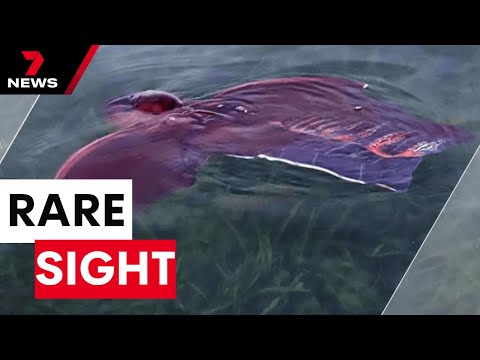
This is from my own country, I had no idea this place existed. Might be something cool to make for halloween.
 [Released] Bone Minion for Genesis 8 and 8.1 Poses [Commercial]
I did use the 'apply' script (you use that on the bone minion itself, right?), but to no effect.
Attached is a screen cap after applying the V4 pose to the bone minion. Before the character would then assume the same pose, now it just stays in the 'T Pose'.
Also attached a portion of the Log file (not the whole, ridiculously large thing, just the portion dealing with Bone Minion)
Also, "Thanks!" for the quick reply ^_^
Edit: Just noticed this in the log file, so maybe I just have to reload Bone Minion itself, I'll try that later.
2024-06-17 10:48:44.224 [DEBUG] :: Cannot find property: Automatic Pose Transfer
AIUTO...CHI CONOSCE L’ITALIANO? PARTE QUATTORDICIvangelrise said:
Io uso solo Genesis 8 al momento.
Purtroppo tutto quello che riguarda qualsiasi Genesis dopo il 2 (e anche quello ha le sue colpe) nel suo stato "iniziale" è fracassato.
 Sul serio.
Ecco perchè mi tengo stretto Genesis1 e converto tutto per quella figura. Con pochissimo sforzo posso trasferire i morph, gli abiti, i capelli e perfino una piccola parte dei geograft di G2/3/8/9 su G1 ed usarli senza problemi, senza rallentamenti e senza crash. Con un pò più di impegno anche i materiali.
 Sul serio.
Nuovo non sempre significa meglio.
Weird G9 BendsThis happens for example with the breast morphs. E.G. I try for breasts natural:
Fig. 1) Screenshot with breasts natural set to 0
Fig 2) Screenshot with breasts natural set to 100%
As you can see I have only one slider for Breasts Natural; and the slider shows this is the third morph slider with the same name; but with G9 the program loads the slider for G8, while with G8 I have no problem.
Cans some one help me?
Daz 3D isn't saving my characters correctly :(What are the error messages? What failed when you tried to save it (from the Face Transfer pane, or elsewhere)?
Daz 3D isn't saving my characters correctly :(Apologies if this has been asked before, but I tried doing a search and the answers I got were not accurate.
I have been using the Face Transfer to make various Genesis 9 characters. However, when going to save, they aren't saving properly. When reopening it to continue working on the character, I get a while bunch of error messages saying that there are missing files.
If I tell it to ignore, it eventually loads the character, but the character is toilet bowl white which is useless when trying to work with the character. It seems that if I use the face transfer again, I can recreate the character, but I have around 10 characters I have created using that and regenerating each one over and over again is just a hassel.
When closing the program, I tried saving using the dialogue box which didn't work. Then I tried to save it as a scene subset, but that yielded the same results.
How can I save a character so that I can work with them again without having things like skin color damaged when re-opening?
Superheroes Rebooted - Renders Assemblemike242910 said:
souravpadhi89 said:
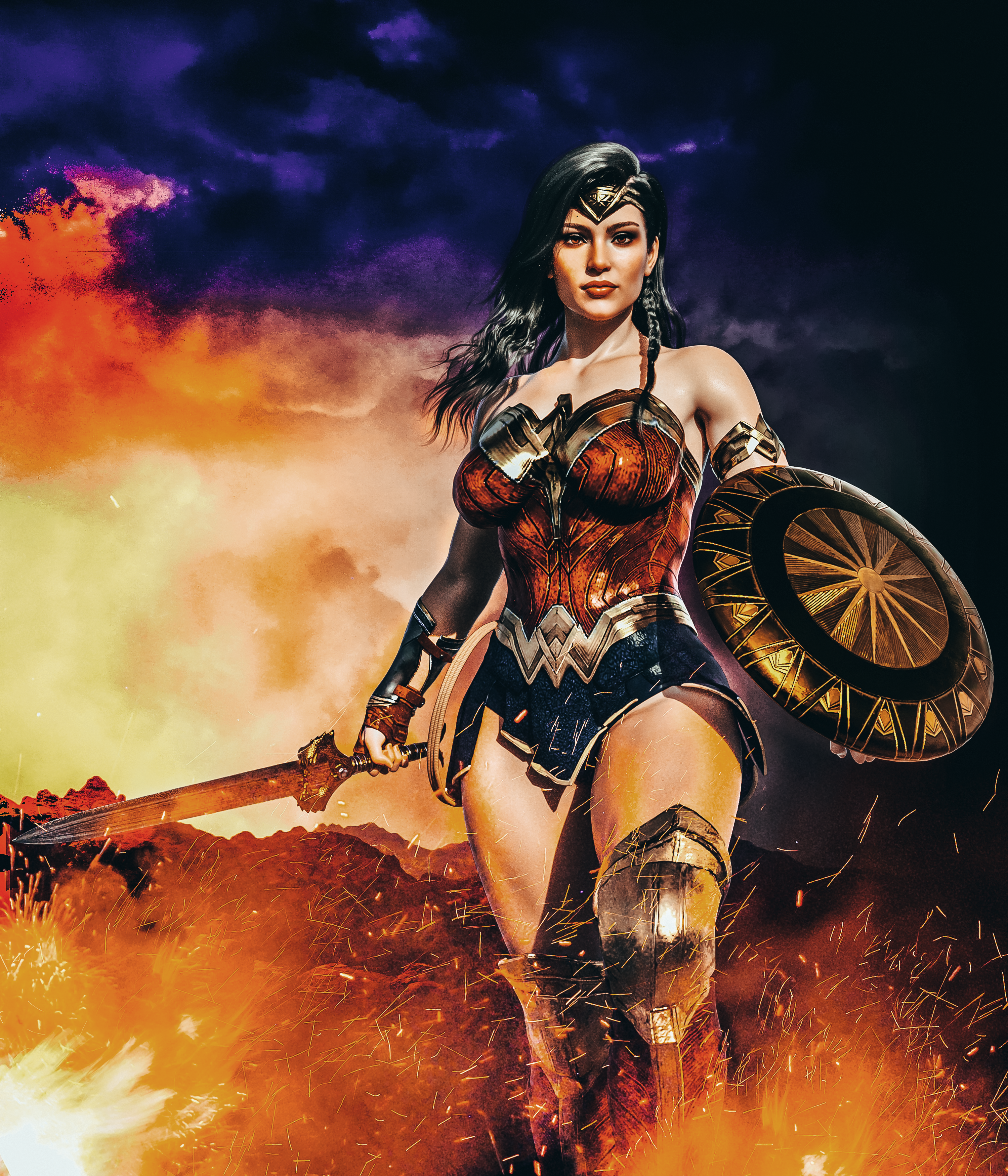
Gallery: https://www.daz3d.com/gallery/user/5122151826849792#gallery=newest&page=1
I'd love to know what body morph you used here. It's muscular yet feminine.
Hi,
I was away from DAZ for a long time.So did not see it. I honestly do not remember what morph I used as I lost all my content with the old computer.SORRY!Let's appreciate/discuss today's new releases - ongoing threadI'm curious about PhotoPrep as I quite like the idea of a local classic-Art-Breeder type app.
The core part of the app may be interesting too. I've a convoluted FT2 workflow that involves gnerating a few morphs and importing each of them twice onto new figures mirrored +X to -X and -X to +X, and exporting the result of each as a full morph. I then import them all onto a single figure and blend them using a weight-mapping plugin I created. It allows me to use reference images that are greatly rotated and has been giving me great results, but it doesn't half take a lot of time! I wonder if this app would speed up my process. Less interested in the texturing element as I don't use FT2 textures at all, but it seems like this may be a quicker route to getting the starting mesh I want. Can see this potentially replicating my workflow to use one FT2 generation step rather than 3+, and it seems like it should be useful for others who don't have a process around rotated reference images.
Tempted to try it out!
[Released! HD Face Burns for G8F + Add-On] FenixPhoenix's Commercial ProductsFenixPhoenix said:
Gordig said:
FenixPhoenix said:
I will ask Esid tomorrow, as he's the one who did the even UVs for this set. I don't own the belly graft to experiment or give a definitive answer. The problem is that these burns use a custom UV set (rather than the Genesis 8 Base UVs) to ensure a smooth transition between the maps. You have the four maps (face, body, arms, & Legs) laid out in one big 8k map. Unfortunately, I am not proficient enough in using UV transfer to check if that can be used to transfer those custom UVs to the belly.
I've map transferred these textures to G8/8.1 UVs, so it's definitely doable. Not sure how that could be used to extend burns across the rest of the body, or applied to geografts.
It's good to know that it's doable, Gordig! Out of curiosity, does the transfer show any seams between the maps, especially between the face/head and body/torso?
At the very least for our next iteration for Genesis 9, we should be using the Base UVs, since the pixel density between the body areas is much better. Plus we have learned a lot, so next burns should be a lot more refined (hopefully).
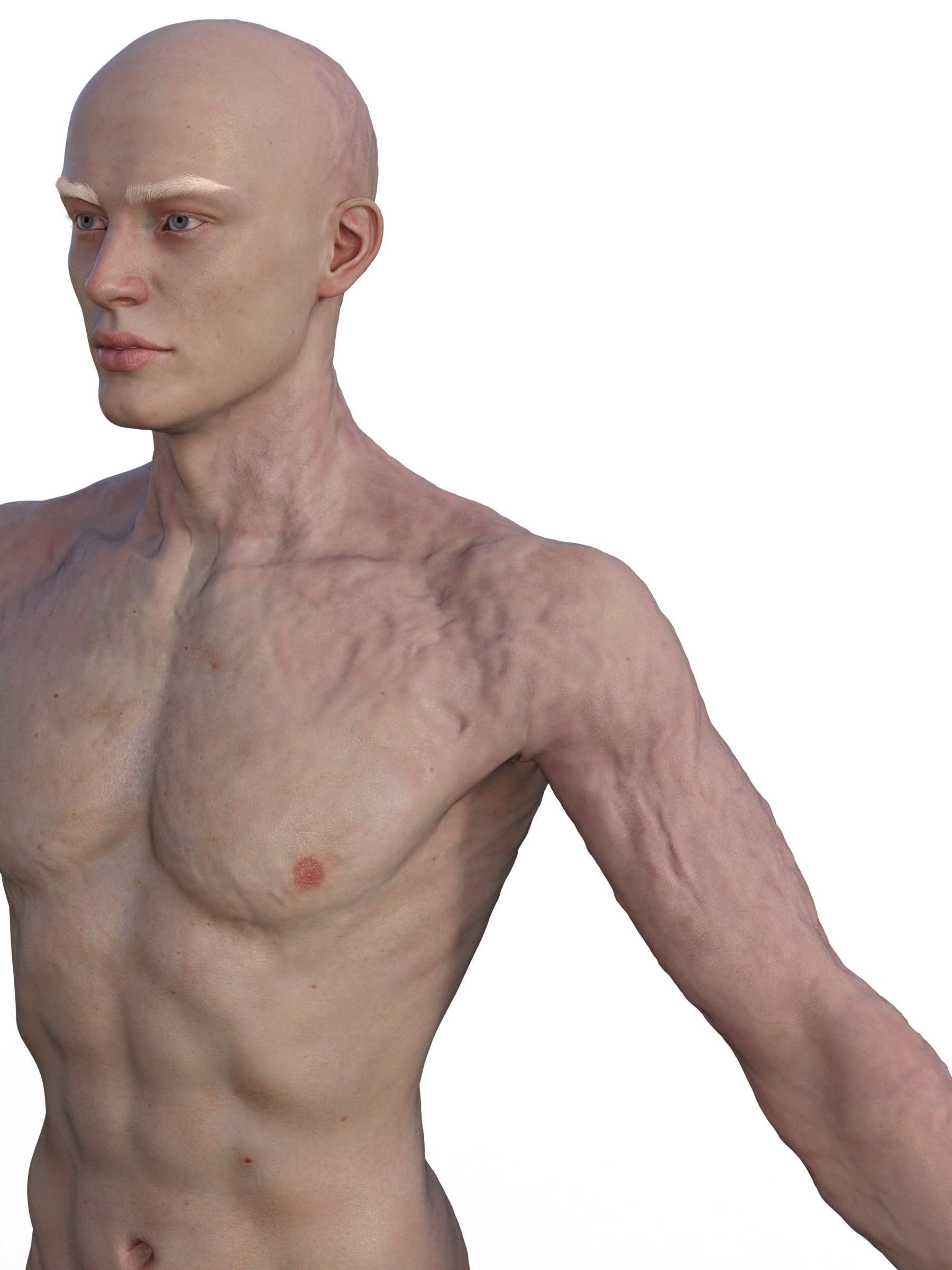
Here's Torment with map transferred burns:
 [Released] dForce2Morph [Commercial]
I'm having a problem with dForce2morph. When I save it on hair, it detaches from the figure. I'll use a default gf8 as an example. In the first 2 images I run the simulation, things go just fine. I save the hair in the last frame as a morph, which clears the simulation. I return to the frame it was saved onto and apply the morph. And it floats off of the figure.
The hair is a mesh, not a strand based thing.Issue with some poses after creating a new face morphOkay, here're the steps you should take:
- After importing the wrapped OBJ with MLP, select your figure, go to menu: Edit - Figure - Riggfing - Adjust Rigging to Shape.
- Check if the issue is still there or not with Eyes Side-Side dialed...
- If the issue is gone, then in Parameters pane, right-click mouse menu, turn on Edit Mode. Right-Click on the wrapped character morph property, do ERC Freeze....Issue with some poses after creating a new face morphI think I misunderstood someting, I don't find the Sub-Components section:
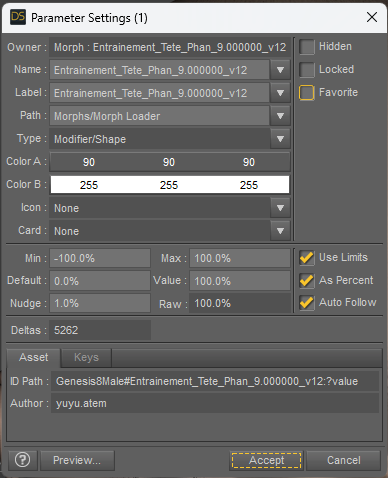
When I loand my new morph, I didn't change any settings in the morph loader pro, I let the default settings:
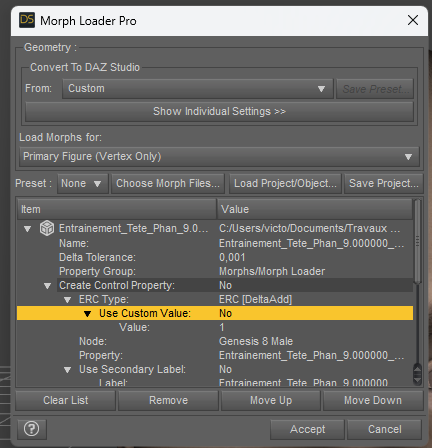
In fact, I didn't understand how to use the ERC feature... I guess I have to set something here, but I don't know what...
Thank you in advance for your help!
[Released! HD Face Burns for G8F + Add-On] FenixPhoenix's Commercial ProductsGordig said:
FenixPhoenix said:
I will ask Esid tomorrow, as he's the one who did the even UVs for this set. I don't own the belly graft to experiment or give a definitive answer. The problem is that these burns use a custom UV set (rather than the Genesis 8 Base UVs) to ensure a smooth transition between the maps. You have the four maps (face, body, arms, & Legs) laid out in one big 8k map. Unfortunately, I am not proficient enough in using UV transfer to check if that can be used to transfer those custom UVs to the belly.
I've map transferred these textures to G8/8.1 UVs, so it's definitely doable. Not sure how that could be used to extend burns across the rest of the body, or applied to geografts.
It's good to know that it's doable, Gordig! Out of curiosity, does the transfer show any seams between the maps, especially between the face/head and body/torso?
At the very least for our next iteration for Genesis 9, we should be using the Base UVs, since the pixel density between the body areas is much better. Plus we have learned a lot, so next burns should be a lot more refined (hopefully).
[Released! HD Face Burns for G8F + Add-On] FenixPhoenix's Commercial Productsthejackal0815 said:
FenixPhoenix said:
guilhermegubz said:
Hi guys!
I'm having a problem trying to get these beautiful burns into Maya - I will animate the character there.
I'm just doing a simple export, trying all settings possible, if anyone could help me it would be really awesome!
Some screenshots are attached.
Thank you all in advance!
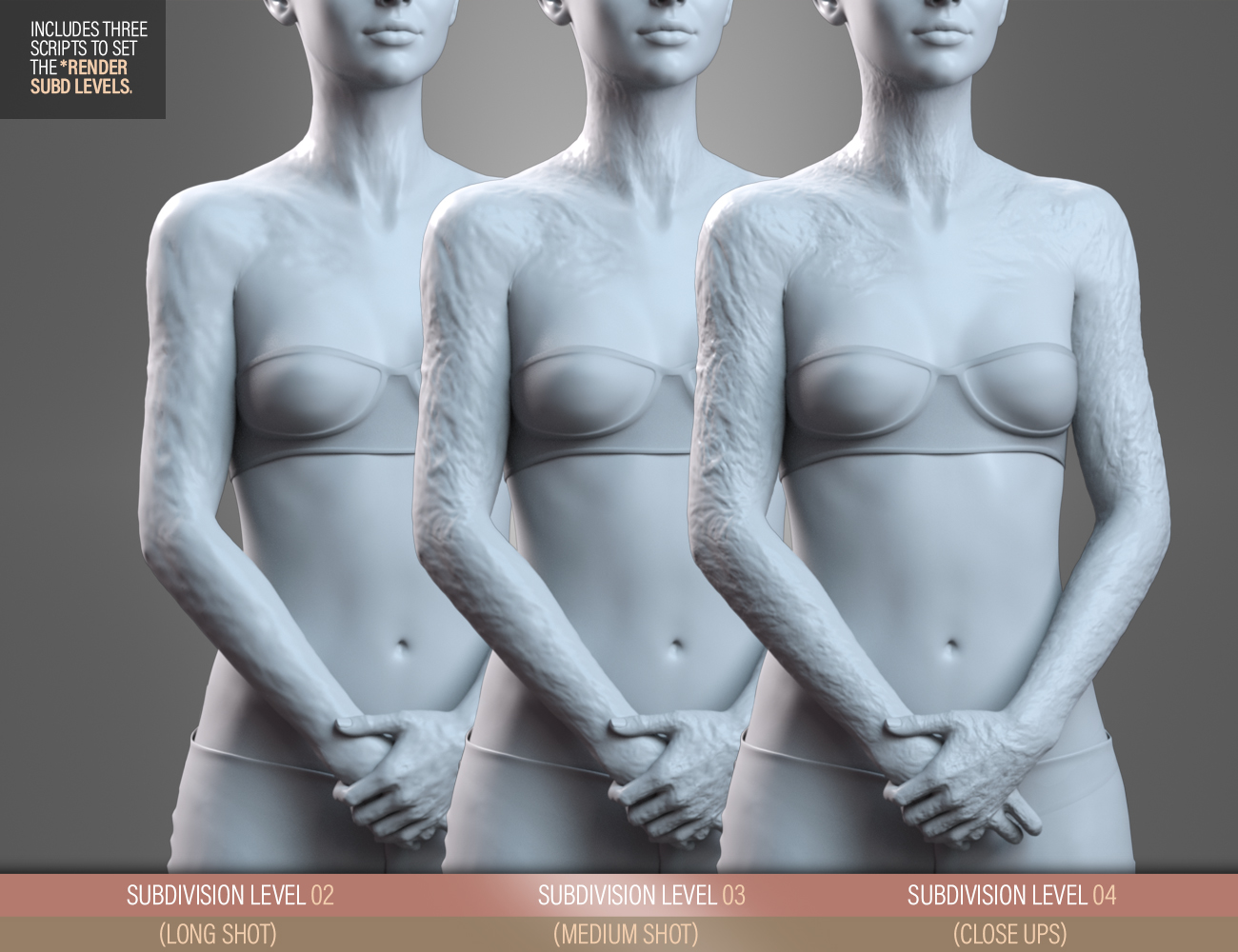
Thank you for your purchase! If the problem is that the morphs aren't showing, then you need to set the figure to Subdivision of 3 or 4 (we included a readme inside the product with more detailed instructions. The included script that's called "Read Me" should spawn it). For convenience, I'm attaching the readme to this post. Page 9 talks about the importance of Subdivision and how to set it up if you don't want to use the included Subdivision scripts.
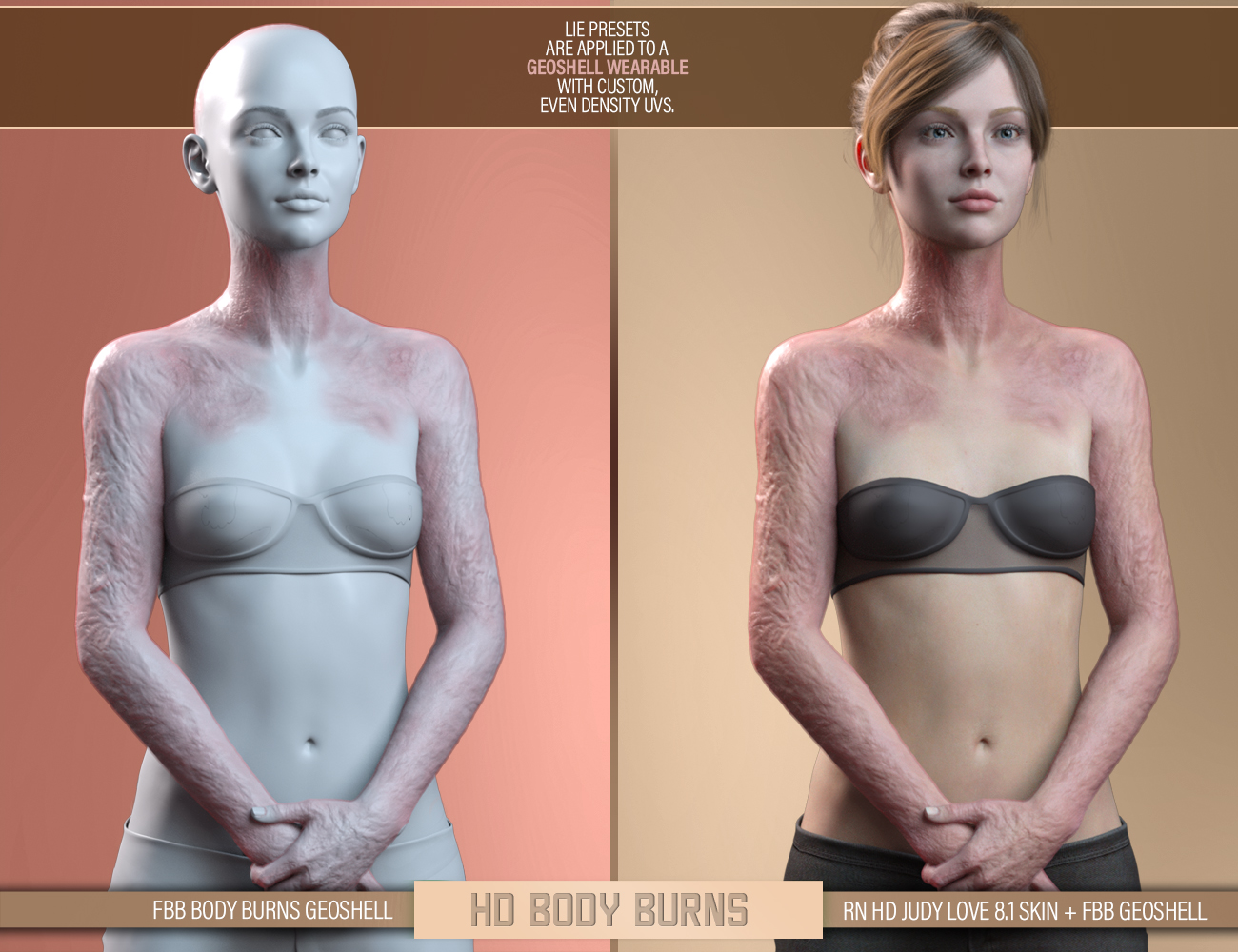
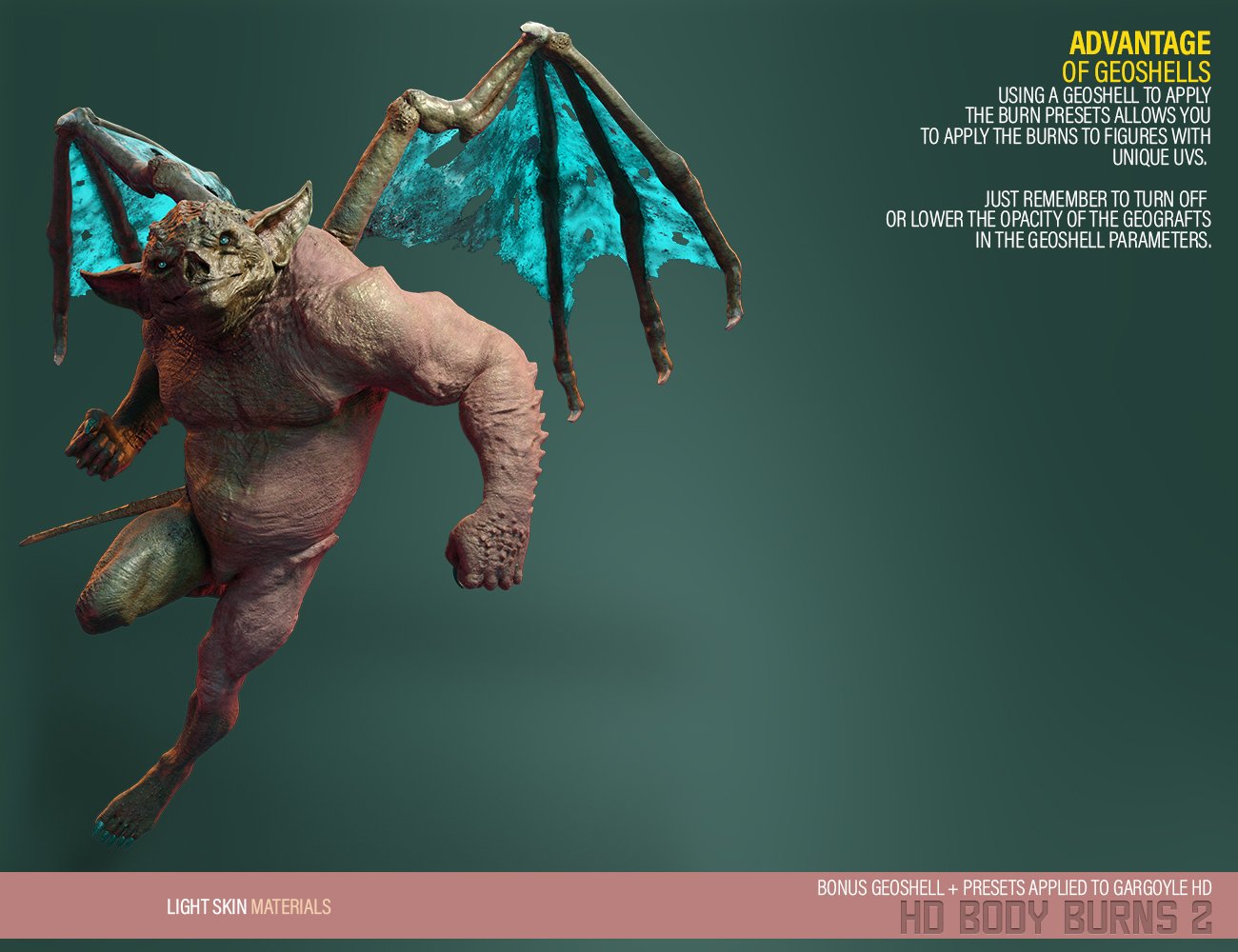
If you are referring to the textures, these are applied on a supplied geoshell that uses custom UVs to ensure an even transition. This method ensures that the burns maintain their look regardless of what character you're applying them to (and makes it possible to apply to Genesis 8.1, includying figures with different UVs). As each vendor has a different way to set the skin, it was easier to ensure the final "look" this way. As explained in the read-me and the product page, the geosell is really where you're applying the textures:
If the program that you are using to animate not Daz Studio?
These are looking fantastic. For a project I am in need of body burn textures to cover the whole back and your product looks quite realistic. However, as you mentioned you are using different UVs than the original figure. Can you tell me if the Body Burns pack would work with other geografts (for example the belly graft from Cyperfox's "CF - Jiggily Dynamics")?
(I don't mind if it's complicated as long as it is doable :) )Since some others have already talked about the process of transfering the textures, I'll just focus on the geograft part of your question; Mainly if it would work with the morphs. The short answer is no. While most geografts can get some detail projected on them, HD morphs tend to not transfer over as easily if at all. I made a quick mockup of an extreme geograft in the abdomen area as an example:

I deliberately left the geo underneath remain visible to show the area affected by the morph (MBB2 Abdomen L). As you can see, almost nothing is transfering over to it.

However, there is a certain level of small detail that IS transfering over, but can only be seen if you really punch up the dial on the geograft. This detail is what can be seen at the lowest subdivision level for the figure, which is kinda useless for an HD morph.

Here is another quick mockup of a geograft, but this time it is essentially the exact section of the figure without any deformations. As you can see, again, none of the HD detail seems to transfer over to the geograft. And if you punch up the dial like I did with the previous one, you'll get a similar result.
This is a very specific problem that I don't know if I can offer a real solution/workaround. There might be people that have figured it out before. I suggest maybe asking around to see if anyone knows how to project HD detail onto a geograft, though I wouldn't think there is a way to do so within Daz. And as for how to do it in Maya, it's already been too long since I've used it; not to mention that I never tried to do something like this. I know there is a way to do it in Zbrush, but even then it requires the geograft to be in close proximity to the geo of the original mesh to really work. Here is a quick video of someone showing how to transfer detail between meshes (subtools) using Zbrush:
 Does DAZ save unused weight maps?
Richard Haseltine said:
I am still not following what you are trying to do - FBX export from DS is meant to avoid unnecessary data, so if you want to export additional weight maps you would probably need a second export with the maps assigned to bones. If you want to store maps within DS without having affect the model, use a do-nothing dForm or Push Modifier (with a Push Modifier weight node) - which is how the weight-maps for splitting morphs with Morph Loader Pro are stored.
Do you mean this?

But I can't insert my weight map
 Does DAZ save unused weight maps?
crosswind said:
...
Do you know where it is better to store unused weight maps in Daz?
That would be fine if you could accept that sort of wrongly-imported FBX result...
Again, all used weight maps, e.g. node weights (general weight), local weights.. are stored within DSF/DUF files. "Unused maps" are just listed in Node Weight Brush's Tool Settings, since you didn't use and define anything on them.

I don't know what "unused weight maps" you mentioned imply for...
"unused weight maps" are the weight maps that I use in blender. They don't really affect anything in daz.
In order to transfer them to the daz, I use the FBX model, but I bind the weight to the bone Pelvis, Hip, Addomen lower. Then I load the ORIGINAL MODEL and use Copy Selected on the model. From FBX to model
The problem is that I cannot create the number of weights I need and rename them [Released! HD Face Burns for G8F + Add-On] FenixPhoenix's Commercial Products
FenixPhoenix said:
I will ask Esid tomorrow, as he's the one who did the even UVs for this set. I don't own the belly graft to experiment or give a definitive answer. The problem is that these burns use a custom UV set (rather than the Genesis 8 Base UVs) to ensure a smooth transition between the maps. You have the four maps (face, body, arms, & Legs) laid out in one big 8k map. Unfortunately, I am not proficient enough in using UV transfer to check if that can be used to transfer those custom UVs to the belly.
I've map transferred these textures to G8/8.1 UVs, so it's definitely doable. Not sure how that could be used to extend burns across the rest of the body, or applied to geografts.
Daz 3D is part of

Connect
DAZ Productions, Inc.
7533 S Center View Ct #4664
West Jordan, UT 84084Licensing Agreement | Terms of Service | Privacy Policy | EULA
© 2026 Daz Productions Inc. All Rights Reserved.

















