-
Genesis 8: Some Stats and our Thanks
I think the only one that can judge if G8 is worth it or not is yourself. The improvements over G3 are naturally not huge, since G3 was already a good figure, it is more an incremental improvement, ie better bending, better expressions etc. If they are worth it not depends on your own judgement, and the types of renders you do.
For myself I will pick up the morph and expression packs for now, as that is only an investment of $20. I will play with these for a while to see what improvements I can see. Since I can use G3F clothes/skins/and hair on G8, and I have a fair stack of these (plus stuff for even older models), then I am in no hurry to buy a load of Genesis 8 items anyway.
I really love Genesis 8!pose G8 with her arms +- 45.5 and legs +- 6 .0 and convert the fitted clothes to a prop then use Transfer utility to fit it to G3F
That translates as "buy it now, use it later". lol
does anyone know how to use the poke away i cant figure it outI've forgotten how to get the Xaway parameters into the clothes. In Pokeaway 2, I think I had to start with the figure and dial up the "push" in the area I wanted to control on the clothing; this action would then "push" that morph into all the clothing items already loaded onto the figure. After that, I could select the clothing item in the scene, go to its parameters, and push it away or pull it closer to the figure. But with Pokeaway 3, that doesn't seem to work. I see I can pull the figure away from the clothing, but I can't pull the clothing away from the figure. What am I doing wrong?
Darwins' SchtuffI like the fantasy skin. I can really see using that in a future render. He has a very strong jaw morph that I really love. Fantastic job on him. :)
I really love Genesis 8!pose G8 with her arms +- 45.5 and legs +- 6 .0 and convert the fitted clothes to a prop then use Transfer utility to fit it to G3F
Morphs from G3 to G8We are in the process of converting all our original Genesis 3 morph resource kits to Genesis 8, including the hard to transfer bits like the eyes and lashes These work on Genesis 8 directly and are set up in separate folders in the same way as the G3 versions. The original Genesis 3 versions were merchant resources for Genesis 3 only, but we will be offering the Genesis 8 versions soon in the store as merchant resources with major discounts for those who already have the Genesis 3 versions.

Beauty mate @Thorne! Please make it an escalating discount where the percentage is multiplied the more you have (like the V8 orange banner Victoria Pro Bundle escalating discounts). I own ALL of your morph kits for G3F & M, and I do not relish the prospect of repurchasing them, even at a percentage.
I'll talk to marketing, sounds like a good idea :)
Basic tutorial for transferring Genesis3 female morphs to Genesis8 femaleYeah I just tried it and I figured out the problem. Only select morphs when you transfer. Otherwise you might bring the original rigging with you, which is in the t-pose.
How to smooth clothesI think most "products" are built to reflect realism,. unless it's a special thing.
It can be pretty easy to create clothing in carrara,. since you can work on a vertex model,. directly in the Assembly room,. so you can model the item around the figure, like a tailors model.
Depending on the "actor" you're working with,. you could export that item to Daz studio,. (to make it conforming clothing) use the transfer utility to fit it to Genesis / Gen2,. then save it as a figure / prop,. or follower.
Depending on what you're doing,. You could make a shirt and pants to fit your figure,. then create different morphs,. or use shaders,. to alter the look of that "base" shirt and pants.
so you don't neccessarilly need to make a set of clothing for each figure,. even if that was the case,. then the first set of basic clothing (you create) can be duplicated and edited to create a new item.
If you're modeling the figure in Carrara,. then it's probably easiest to model the clothing as part of that figure,. again,. using either morphing or different shaders/texture to create different looks for each figure.
if you model a Skirt,,. you could make it full length,. but create different shading domains,. (which can be made transparent in the shaders.) to create a full length,. medium length,. and short skirt,.
all from the same model.
StormLyght's Render AdventuresHi!
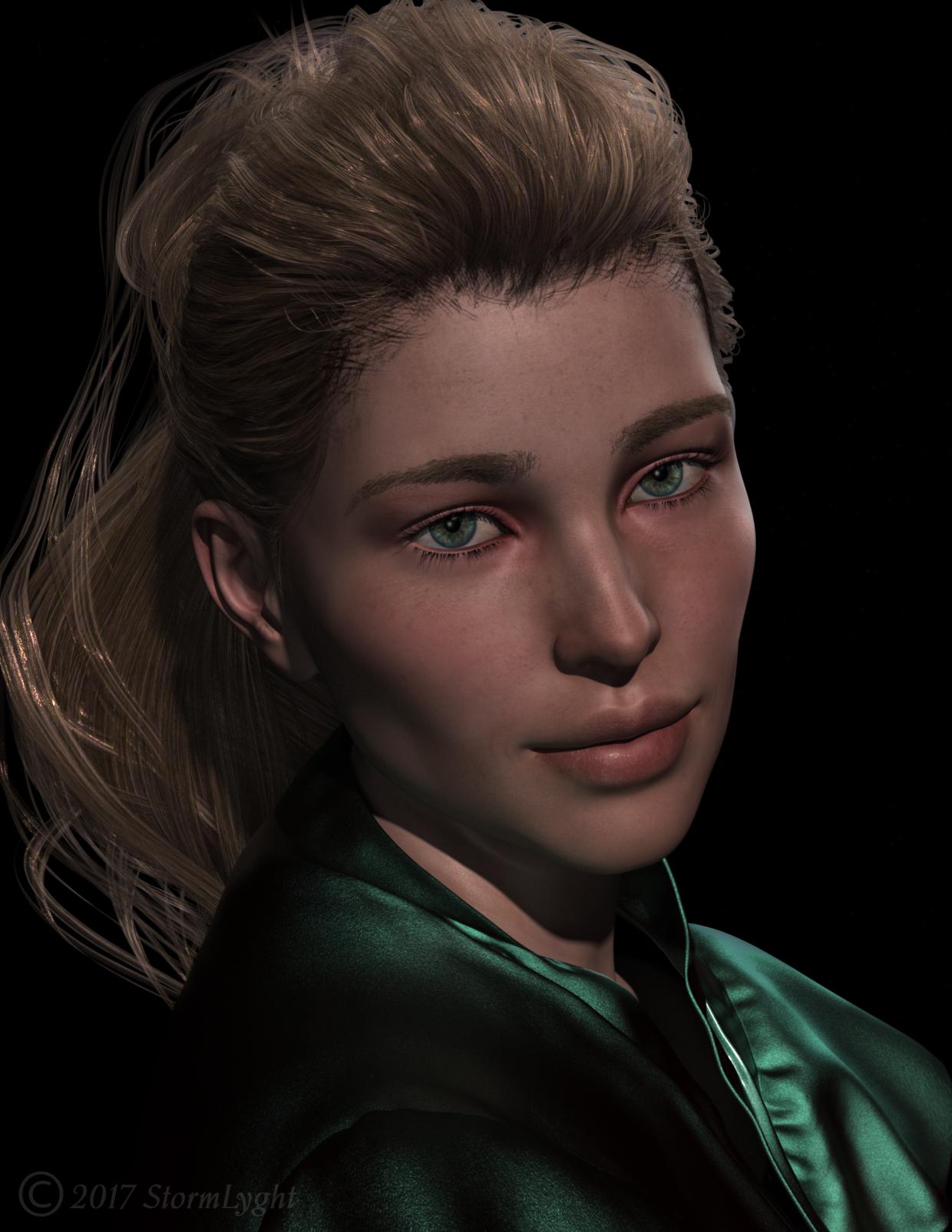
So...It's a huge step and a little scary for me to create my own art thread even though I've been posting to my gallery pretty regularly in the past six months. Having this though will force me to post more frequently. I will be doing my best to share something weekly, which will be a challenge for me but one I'm willing to attempt. Please feel free to comment and provide constructive input.
So to start off my very first post in this thread, I want to feature @RawArt's wonderful Princess Ali II. I haven't tried to transfer her morphs yet but I did use her skin on the new Genesis 8 Female. I'm very happy on how to she turned out. Yes, I know she's not albino in this render, the lighting I chose warmed her skin up a lot.
Thank you for visiting!
Trish
 I really love Genesis 8!
Funny, I prefer a complete nail bed. Heh.
I slightly prefer the separate nail bed for materials, however I *greatly* prefer the connected for modeling. The separate nail could be an absolute PITA for making morphs. The eyelashes and tear as well, and now I don't have to worry about *any* of that :DI think the thought behind some of the main changes for G8 (the above mentioned + the new base pose) were chosen with the intent of making content creation easier, which isn't a bad thing for a content base.Hey J cade: I can't tell you how much easier it is to morph fingers and toes now.......and no more extra modeling to eliminate hot pixels in Octane due to poke through. Daz kept the extra bones in the toes, and took out a heel bone that was pretty much useless anyway. They did all the right things so far with Gen 8/V8!
Genesis 8: Some Stats and our ThanksSome of the reasons I am planning on investing in Genesis 8 include the improved expressions, better bending, automatic muscle flexing, and improved autofit. The expressions are the most important factor, but the rest are nice too. I am hoping that the improved autofit will include better fitting of clothes to the Growing Up morphs. I will be waiting a while before I buy much more than the basic morph packs so I can see how the G8M and Growing Up morphs are.
Morphs from G3 to G8We are in the process of converting all our original Genesis 3 morph resource kits to Genesis 8, including the hard to transfer bits like the eyes and lashes These work on Genesis 8 directly and are set up in separate folders in the same way as the G3 versions. The original Genesis 3 versions were merchant resources for Genesis 3 only, but we will be offering the Genesis 8 versions soon in the store as merchant resources with major discounts for those who already have the Genesis 3 versions.
Beauty mate @Thorne! Please make it an escalating discount where the percentage is multiplied the more you have (like the V8 orange banner Victoria Pro Bundle escalating discounts). I own ALL of your morph kits for G3F & M, and I do not relish the prospect of repurchasing them, even at a percentage.
Genesis 8: Some Stats and our ThanksCan someone explain to me the advantages of G8F/V8 over G3F? I'm really at a loss to see what the fuss is about. So many people thanking those who wrote scripts or tutorials on how to make G8F look like G3F ... morphs, clothing, skins ... why not just stay with G3F? Or is it too cynical to suggest that there will be very few new G3 products in the store therefore users who want to continue buying the latest content *must* adopt G8?
Other than that, is G8F much of an advance over G3F? Are the bending morphs so compelling? I have had the G8 body and face morphs in my cart for 3 days now and still can't bring myself to click on buy because reading this forum seems to confirm that everyone seems to want a slightly updated G3F. Perhaps I should wait for G9 and treat myself to a holiday with what I save over the next two years.
Here's my reason: G8F has HD expression morphs that cover a broad range of emotions (rather than the HD Xpression Morphs for G3F that, though great, only covered rage, anger, hysteria), the G8F smile is very natural and requires no or very little work to make it convincing (just compare the number of promos and renders with a smiling G8F---in only 3 days--- to G3F in 2 years). I want my characters to move people's hearts. The more convincing and complex their facial expressions are, the more the viewer can empathise with them.
Now, if two or three PA's can come up with ways to transfer morphs from G3F to G8F in just a day or two, why couldn't Daz turn this problem over to them ahead of time so that an actual QA script/clone package could be released simultaneously?
Trying to Install and Apply 3rd Party Morphs in 4.9 ProHello
This is my first forum post so bear with me!
I've been trying to get into Daz recently and wanted to use a set of lip morphs that I bought from a third party site. The instructions on the website told me that all I had to do was "Copy the provided files to your Library folder." This seemed straight forward enough, so I unzipped the morph package I had bought and placed them in This PC > Documents > Daz 3D > Studio > My Library. I then opened Daz and loaded up the base Genesis 3 figure (which the morph said it was made for). When I went to look for the morphs in the Shaping tab (where the creator said they would be) they were nowhere to be seen. I then went on a two hour crusade to try and make sure that they had been placed correctly in the library that was listed in the Content Directory page. None of my attempts worked. The closest I got was being able to find the morphs in the 'Content Library' tab, though nothing happens when I double-click or try to apply them onto the figure.
If anyone out there could lend me hand I'd really appreciate it. The morphs were only a couple of bucks but I want to buy more 3rd party products in the future so I'd rather not give up!
If it's any help the mods in question were lip mods and all "DSON Support Files."
Morphs from G3 to G8Hi there, will try out those tutorials and hope to be able to start transfering over morphs soon. Some questions as I'm not fully aware what is possible and what not:
- Figures with just a head and body morph. Is it possible to copy over head and body separately? Or just as one figure morph?
- HD Morphs. Either from DAZ original figures or from vendor figures. Those are not possible to transfer, right?
- Single morphs form packs like from Thorne (the various Ressource Kits) or Zev0. Those are possible, right?
- Interconnected morph kits with controllers like Age Control, Growing Up etc. Those are not possible to transfer?
- Various helpers (projection morphs?) like those from SickleYield or Zev0?
- Morphs connected to geografts like tails, horns etc. Possible but makes no sense as the geograft won't fit?Thanks for any info on this. I have a huge morph library for G3F so I might purchase some G8 updates someday nevertheless as long as they'll be reasonably priced (as far as I understand, it might be not that much work for a PA to port a product over) or adding additional features. Maybe a new Age Control or Growing up can make use of the new face posing/expression capabilities.
We are in the process of converting all our original Genesis 3 morph resource kits to Genesis 8, including the hard to transfer bits like the eyes and lashes These work on Genesis 8 directly and are set up in separate folders in the same way as the G3 versions. The original Genesis 3 versions were merchant resources for Genesis 3 only, but we will be offering the Genesis 8 versions soon in the store as merchant resources with major discounts for those who already have the Genesis 3 versions.
Vertigo Ponytail for G8FI suspect the hair has a rigidity map on the tail, to stop morphs deforming it. Unfortuantely that's an all-or-nothing effect so the character morph is not transferring either. The best option would be to create a custom morph for the hair (not terribly difficult if you start from the auto follow morph - just select the tail parts and move them into place - but possibly not a new uer task. Alterntively you could use the Geometry Editor tool to remove the Rigidity Group, though you would then get distortions in the hair. Do you have a modeller you use? Would you consider kinks in the ponytail an acceptable price to avoid using a modeller?
Thanks for the fast reply Richard. I'm afraid neither option is going to work for me. I've gotten a work around though. I un-conformed the entire hair and then moved it down until the pony-tail was in place. I then hid the base hair/head part. Added another Vertigo Ponytail hair letting it stay conformed and then hid that pony-tail. Not the best way but works for what I need. Thanks again :)
Soooo... M8What I hope is that this time around DAZ goes back to the unimesh that they developed for gen4, and stop issuing unique UVs that only get used for one skin. It took a while for the PAs to stop playing along and building skins to the new UVs, but it was fairly early in gen7 that they seem to have thrown in the towel and gone back to building everything on the base UV for the generation instead of the character morph.
The end result seems to be a generation and a half of orphaned UVs. Some of those skins are very nice, and people would like to use them. But they will need to go to 3rd party converters and work-arounds to do so.
Actually most of the unique UVs are not even supported by 3rd party converters. However how can always use an option that is free, and supported inside DS, namely Map Transfer.
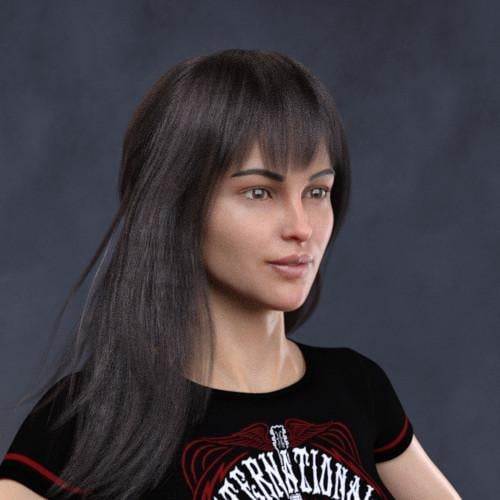
Morphs from G3 to G8Now with my favorite cutifier in place I can mix some G3 into G8. Here's Victoria 8 with 30% Aiko 6 head morph added:
 Morphs from G3 to G8
This is my alternative method, but I've found it better than the transfer utility for body morphs especially
Tutorial and helper scene/morphs included
Updated the tutorial file that (hopefully) sorts out those fingernail issues. Let me know how you get on with it. And huge thanks to everyone providing ideas and feedback, We'll get there together :)
You completely saved my sanity - Thank you so much for this. I've spent most of the day trying to make the other way work - with some horrific and surprising results, none of which resulted in transferring the morphs :)
This is Cailin
 Soooo... M8
What I hope is that this time around DAZ goes back to the unimesh that they developed for gen4, and stop issuing unique UVs that only get used for one skin. It took a while for the PAs to stop playing along and building skins to the new UVs, but it was fairly early in gen7 that they seem to have thrown in the towel and gone back to building everything on the base UV for the generation instead of the character morph.
The end result seems to be a generation and a half of orphaned UVs. Some of those skins are very nice, and people would like to use them. But they will need to go to 3rd party converters and work-arounds to do so.
Daz 3D is part of

Connect
DAZ Productions, Inc.
7533 S Center View Ct #4664
West Jordan, UT 84084Licensing Agreement | Terms of Service | Privacy Policy | EULA
© 2026 Daz Productions Inc. All Rights Reserved.