-
Morphs from G3 to G8
So first off thank you redz for all the tutorials they are great, couple questions though, first one is unrelated somehow when doing transfers I screwed up how G3f loads, it has head morphs already dialed in when it loads and I can't figure out how to fix it... next question is there a way to transfer just partial morphs like just ears so they don't affect the rest of the body? Thanks for all your help and also thank you for adding fits for some of your stuff at renderosity, I've gotten quite a bit of your stuff over there :)
Out with the old, In with the new V8Just sharing my perspective....
With Genesis 8 out of the bag... an update that caught me totally off guard.. Here I thought it had already gotten as good as it was going to get.. silly me. So now I don't want to spend any money on Genesis 3.. period. It's obsolete this week and while its true that you can put the old wine skins on the new wine, so far in my testing, the results haven't been very nice. The skin has been updated which means even if I can transfer the skins, I loose the added value of sub-surface updates that will go into the new characters... so if you want the best of the best, you have to be willing to wait for it and invest in that.
If you really think Gen3 is obsolete, you are way off the mark. G8 has yet to be established and only time will tell how long that will take.
Thanks for sharing your good opinion. When I compare the two characters side by side... it's no compitition to me. According to Arthur C. Clarke any sufficiently advanced technology is indistinguishable from magic.... so far (and DAZ should take this as a compliment) it appears the new characters are magic and the old ones look flat and dull. The revolution is here, hope you enjoy it. Happy rendering!
HD Morphs do not export properly with FBX ExportThanks all, particularly a-sennov, this is really disappointing after all these years of pushing DAZ to do a proper games developer export the FBX was almost there, I get good results for textures, skinning/rigging, even morph target exports seem to work for facial animation and the products that do normals are great, but those without normal maps that only have HD morphs are really looking bad and only the use of normal maps from other characters makes them look any good at all.
Come on DAZ, just go one step further and Fix the FBX Exporter to properly bake HD morphs! Your models are getting to the point where they are light years ahead of the look of other models in games for sale and computer power is so high now your models are usable at their current poly counts, so just get the darn exporter working properly into Unity3D and UE and you are on a winner, forget the darn Morph3D those guys have no idea how to import your models into Unity and get them looking right, us developers do!
Things I'm Playing with ........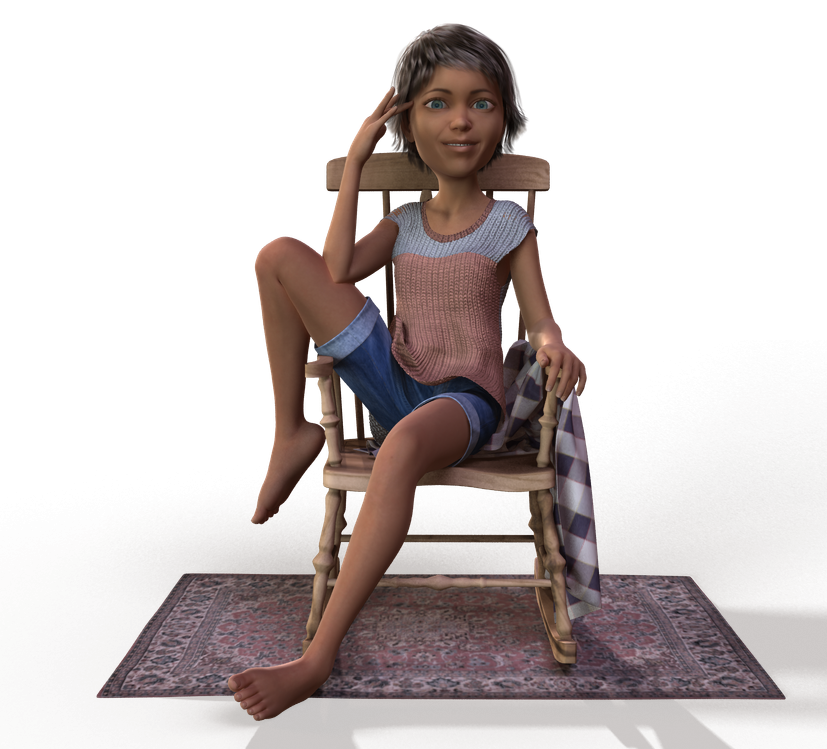
Well this was just using the morph dials for a more toony look
Morphs from G3 to G8can somebody help me with step 23? after completing step 22 MyG2Clone_G8F morph disappears from the parameter tab
Thanks
In step 22, you set the path to Hidden->Clones, so the morph is now located under the Hidden section of the figure.
ETA: I had to go look to make sure I had it right... If you can't find the "Hidden" folder for your selected figure, you'll need to tell DS to show you the hidden stuff. With the Parameters tab open, click on the Menu, (the small "box" in the upper corner, with four horizontal lines and an arrow,) and select Show Hidden Properties. Now the Hidden folder should be visible.
Creation of morph slider causes strange effect using Blender and Daz11. I have shaped the bra in Blender to make it look like it's streching using shrinkwrap modifier. I erase the G2 figure in Blender in order to export the morphed bra as object to be used as morph target.
http://i.imgur.com/PCM0zj3.jpg
12. I come back to Daz, select the bra fitted to the G2 figure, I go into Morph Loader Pro, I choose as preset the recently exported morphed and streched bra object from Blender, I change reverse deformations to YES in the Morph Loader Pro settings, and the morph is accepted and created.
http://i.imgur.com/4niEeD1.jpg
13. When I move the morph slider the bra just deforms into a crumpled up paper...
(morph slider in 0) http://i.imgur.com/AhaCphX.jpg
(morph slider in 100) http://i.imgur.com/GN9Ftqd.jpg
What am I missing here? Anybody has any ideas? :/
It may be in step 11. Try not deleting G2F, and select just the bra. On export options check selection only (also keep vertex order, although I'm assuming you did that already) and try that.
I'm thinking that Blender is applying the shrinkwrap modifier (as it would by default) but since there is no G2F the vertices just crumple.
Morphs from G3 to G8can somebody help me with step 23? after completing step 22 MyG2Clone_G8F morph disappears from the parameter tab
Thanks
why does 8 look like 3? why lower poly, when we had the decimator?I have brought G8F into zBrush and manipulated her topology with move brush and experimented with fiber mesh on her too. I see no huge challenges or stumbling blocks working with her poly count.
I will admit I was skeptical at first, jumping on board, but having actually used the model in zBrush squelched any doubts I had.
What I really like that I can use Sim Tenero’s randomizer and RiverSoftArt’s Pose Randomizer with Genesis 8 equally as I did with Genesis 3.
And I am looking forward to Handspun Studios and Thorne coming out with their morph kits, which are always great.
In my opinion, I think Daz has done a great job with Genesis 8.
Who said Blender was hard?"There is one thing though that one can't get as of now
in DAZ vs importing into Blender or for that matter
a game engine is near real time rendering"When one is building character motion realtime rendeing is not required
only realtime viewport feedback.
again this is an area where intelligent use of the tools can be useful
even in Daz studio.
I would imagine that even today, many people pick thier favorite Genesis figure
wearing thier favorite outfit(consisting of several conformers)
and try to animate all of this and become frustrated and give up
when the Daz viewport bogs down.This is why one need to use the lowest resolution proxy figure during motionbuilding
and save the major body motion as an animated pose file
and apply it to the Hi-res fully dressed figure after tweaking
then layer on your lip sinc and finger animation etc.I created my own super low res proxy animation figure rigged with the transfer utility
for G2
It is made from a copy of my content development base mesh
that I have for very genesis figure including Genesis 8 (See pic)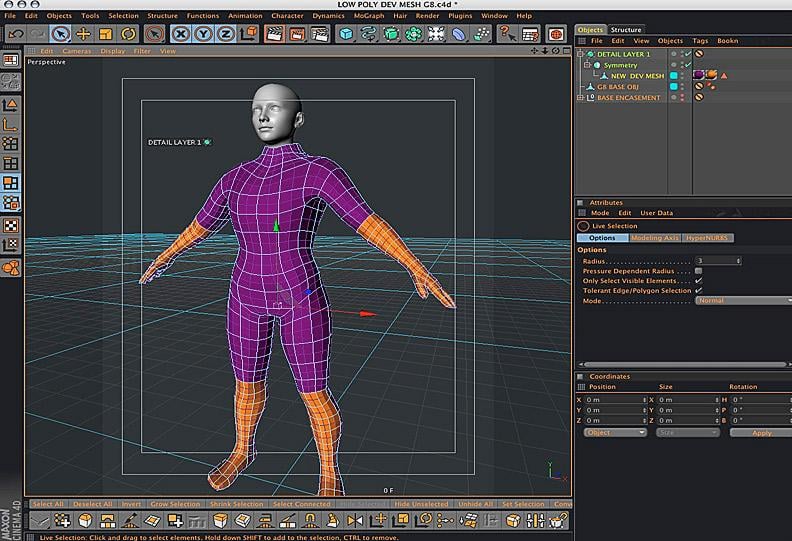
I recommed the every Daz studio animator build themself one
for use as a realtime motion building dummy in Daz studio.Also yes puppeteer still works I use it in my pipeline as well.

3D Art FREEBIE CHALLENGE-JUNE 2017- BEST/WORST VACATIONS/KID ADVENTURES-Main Thread OnlyDAZ 3D Art Freebie Challenge June 2017
"BEST/WORST VACATIONS/KID ADVENTURES""A day at the spa..."
Two songs come to mind, Reflections by Diana Ross and the Supremes, "Reflections of the way life used to be..." and Reflections Of My Life by The Marmalade...
Diana Ross and the Supremes - Reflections (1967)
https://www.youtube.com/watch?v=nV72YrB1454The Marmalade - Reflections Of My Life (1969)
https://www.youtube.com/watch?v=xTeI65yrhGwUSED FREEBIES:
#1! Relaxation Porch by inLite Studio
http://inlitestudio.com/3d/product/relaxation-porch/ **#2! Super Morphing Tree by Design Anvil
https://issuu.com/philatdsc/docs/ds_creative_08 (page 9)#3! Little Rose by klausdbg
http://www.sharecg.com/v/87286/gallery/5/3D-Model/Little-Rose **#4. M4 Regal poses by Portrait Studio (jlk)
http://www.sharecg.com/v/60821/browse/11/Poser/M4-Regal **#5! Indoor Plant 3 (OBJ) by 3DHaupt
http://www.sharecg.com/v/81046/gallery/5/3D-Model/Indoor-plant-3 **#6! Cola in takeaway cup (OBJ) by Animated Heaven
http://www.sharecg.com/v/79186/gallery/5/3D-Model/Cola-in-takeaway-cup **#7! School Swimsuits v2.1.1 for A4 by Redviper
http://viper2012.s602.xrea.com/x/ (item 4)#8! Nene Hair v1.0.1 for A4 by Redviper
http://viper2012.s602.xrea.com/x/ (item 5)#9! Far East Girls Collection II for A4 by Redviper
http://www.sharecg.com/v/62353/gallery/11/Poser/Far-East-Girls-Collection-II-for-A4 **#10! Mellora for V4.1, V4.2 by Adrella
http://www.sharecg.com/v/24157/browse/Poser/Mellora-for-V4.1,-V4.2 **#11. Stacked Linen by TrekkieGrrrl
http://www.sharecg.com/v/18187/gallery/11/Poser/Stacked-Linen **#12. Crushable Can by TrekkieGrrrl
http://www.sharecg.com/v/18196/gallery/11/Poser/Crushable-beer-can **#13! M4 Hipster Glasses by Cool Tuna Studio
http://www.cooltuna.com/poser/poser-freebies.html (item 8)#14! Hamburger (Ready made or DIY) by Treasure Chest
http://trumarcar.francemi.net/foodprops_tc.htm (item 29)#15! Straw (Milk and Juice Cartons not used) by Treasure Chest
http://trumarcar.francemi.net/foodprops_tc.htm (item 31)#16. Dystopia Soda Can by Team Dystopia
http://www.team-dystopia.com/product_display.php?category=gear&id=59
- Extra textures:
http://www.team-dystopia.com/product_display.php?category=gear&id=60#17. 4 diferent brands of textures for the Dystopia Soda Can by Area-50
http://www.sharecg.com/v/39968/gallery/11/Poser/4-Textures-for-the-Dystopia-Soda-Can **#18. Water Bottle Prop by AdamThwaites (Most-Digital-Creations)
http://www.most-digital-creations.com/free_poser_poses_textures_morphs_props_37.htm (Item 18)#19. BigBurger by AdamThwaites (Most-Digital-Creations)
http://www.most-digital-creations.com/free_poser_poses_textures_morphs_props_19.htm (Item 4)#20! Wind Chimes by Jim Farris (Xaa)
http://www.sharecg.com/v/41919/gallery/11/Poser/Wind-Chimes **#21. Tray by klausdbg
http://www.sharecg.com/v/75867/gallery/5/3D-Model/Jugcup-and-tray **#22! Blankets (Towels) by klausdbg
http://www.sharecg.com/v/74238/gallery/5/3D-Model/Summer-II-Blankets **#23! Suncreme by klausdbg
http://www.sharecg.com/v/74239/gallery/5/3D-Model/Summer-III-Suncreme **#24! Summer Cocktails by Sixus1
https://issuu.com/philatdsc/docs/ds_creative_20 (page 22)#25! Flip Flops for V4 by LMDesign
http://www.lmdesign.co.uk/flip_flops.htm#26! Evil Nurse Suit for V4 by ravenous
https://www.renderosity.com/mod/freestuff/evil-nurse-suit/57290 **#27! Buddha Statue (.3ds) by Vasari Giorgio
https://archive3d.net/?a=download&id=5b38497a#28. SOTO's Shaved Hair for Michael 4 by Hellboy
http://www.sharecg.com/v/62755/browse/11/Poser/SOTOs-Shaved-Hair-for-Michael-4 **#29. Genesis 2 Male Beard by Laticis Imagery
http://laticis.deviantart.com/art/Laticis-Imagery-FREE-Genesis-2-Male-Beard-512280041#30. freeSPEX Glasses for Genesis by Slosh
http://www.sharecg.com/v/69673/browse/21/DAZ-Studio/freeSPEX-Glasses-for-Genesis-DAZ-4.6 **#31. Sportsdress for G2F by Beat578 (Used the Training Bag, Trainingsuit Pants and Towel)
http://www.sharecg.com/v/83126/gallery/21/DAZ-Studio/G2_Sportsdress **
http://www.sharecg.com/v/83135/gallery/21/DAZ-Studio/G2_Sportsdress_PART2 **#32. Bonnie for V4.1 by wintervon200
http://www.sharecg.com/v/23363/browse/11/Poser/Bonnie-For-DazV4.1-and-Morphs++ **#33! Bubbling's Navel Piercing for V4 by fabiana (FK Design)
https://www.renderosity.com/mod/freestuff/bubblings-navel-piercing/69231 **#34. Morphing Puddle by TrekkieGrrrl
http://www.sharecg.com/v/18189/poser/Morphing-Puddle **#35. Basicwear for M4 by Daz Originals
https://www.daz3d.com/basicwear-for-m4 **#36! Day at the Beach Bundle by Daz Originals (Used String Bikini for Victoria 6 and Charm hair for G2F)
https://www.daz3d.com/day-at-the-beach-bundle **#37! Sally Mae Hair by Daz Originals, Propschick
https://www.daz3d.com/sally-mae-hair ** (Bi-weekly Freebie until Monday, July 3rd 2017)
OTHER FREEBIES USED:Basicwear for Victoria 4 by Daz Originals
Birdnest by Daz Originals
Bubblings Navel Piercing for V4 by FK-Design
Buddha 3D Model by Antonelli Alessandro
CandyCayne for V4A4 by 3DSublimeProductions
Cola with morph by TrekkieGrrrl
DAZ Millennium Cat LE by Daz Originals
Diner Tableware by blondie9999, Daz Originals
DLD Stone Shaders for DAZ Studio by Daz Originals, Digital, Lite Design
Enchanted Island by ARTCollab, Daz Originals
Fantasy Sleeve by AdamThwaites (Most-Digital-Creations)
Grace for V4 by Daz Originals
In Bed by Dreamlight (Freebie version)
Kerenza-Belle6 for G2F by Enchanted Pixie
Labeled Whiskey Bottle by Area-50
LE_Ancient Vase by AdamThwaites (Most-Digital-Creations)
LE_Songbird by AdamThwaites (Most-Digital-Creations)
Longdrink Glass by Area-50
Nose piercing for M4 by Cool Tuna Studio
Paper Pile by Morphography
Pure Hair: Bubblegum for Genesis by Daz Originals
REC Satin Shaders by RedEyeCat
Riley for Stephanie 5 by Daz Originals
Statue 3D Model by Ismail
Stephanie 6 Starter Bundle by DAZ Originals
Surf's Up Outfit and Board for G2M by Daz Originals
Sweet Dreams by ARTCollab, Daz Originals
The Egg by Traveler, RuntimeDNA, Daz Originals
The Fly by AdamThwaites (Most-Digital-Creations)
Toulouse Hair for Genesis 2 Female by Daz Originals
'Travis' Cat Texture for the DAZ Mil Cat (LE) by Lyne's Creations
Ultimate Shader Pack for DAZ Studio by Georgehaze
Valana Outfit by Daz Originals, PoisenedLily, Sarsa
PURCHASED/PAID FOR ITEMS:1. String Bikini for Victoria 6 Textures by Daz Originals, Sarsa
https://www.daz3d.com/string-bikini-textures **2. Zac Hair by Daz Originals, SWAM
https://www.daz3d.com/zac-hair **3. Genesis Bikini by Daz Originals, Bobbie25
https://www.daz3d.com/genesis-bikini **
** Registration required
#x! Countable items, New! (21)
#x. Countable items, used before (16).3ds models are converted to .obj here: http://www.greentoken.de/onlineconv/
Rendered in DAZ Studio 4.7.0.12
No postwork.
Other software used: GIMP v2.8.18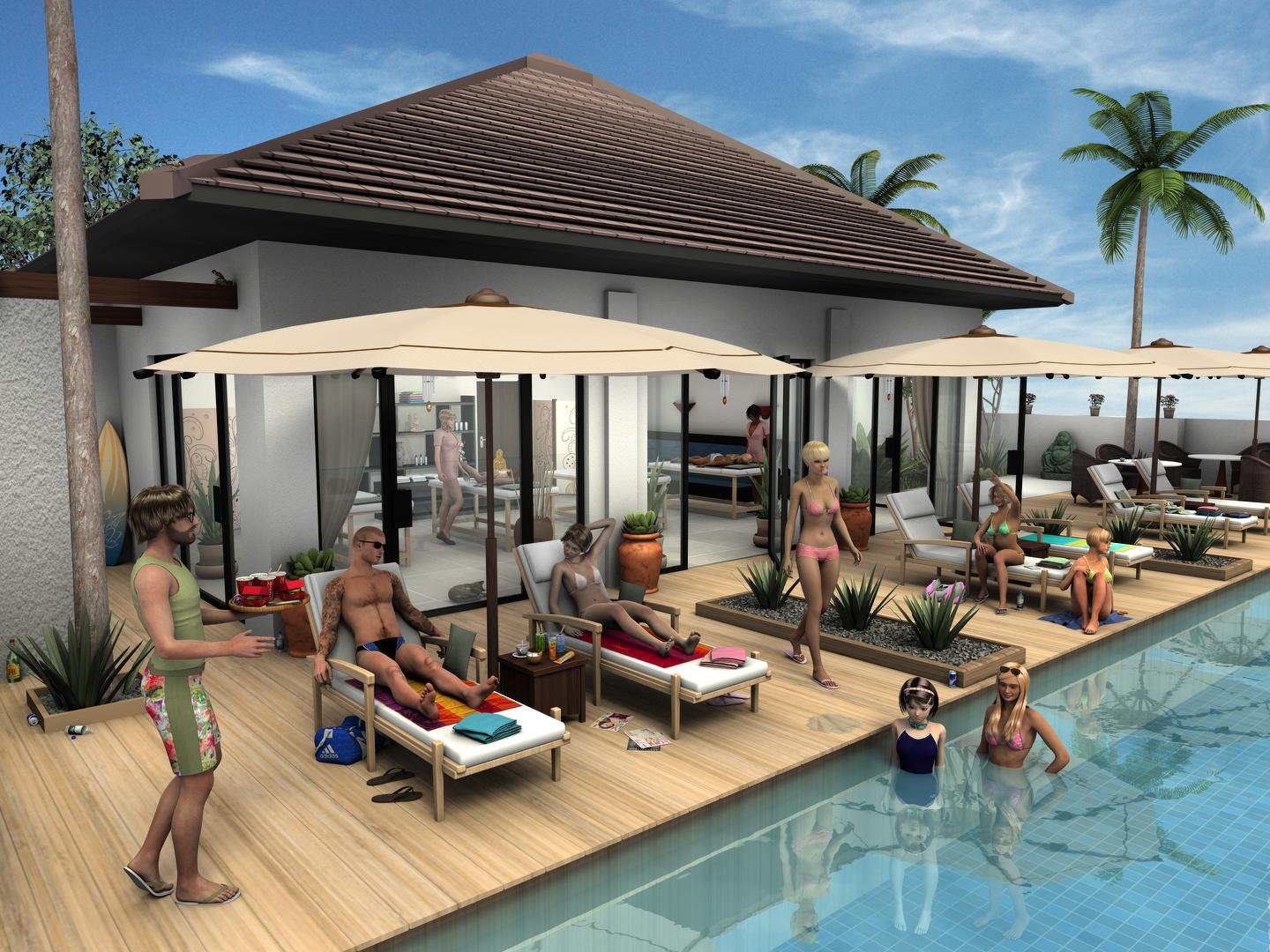 Creation of morph slider causes strange effect using Blender and Daz
4. you need not change sub-D algorithym, because you set Resolution Lever as Base, and SubDivision Level = 0 about export mesh (Bra) ,sub-D algorithym only need when you apply sub-D, it is not matter, when you make morph. (because need to keep sub-D as 0)
6, 7,,, I do not think it cause problem to make morph. if you hope to make morph, for 120% scaled figure, and Bra (which fit to, and auto-scaled with Genesis3 sclae),, it actually work with reverse defomation option. But I may export 120% scale Bra, after change G2F scale 120% , I just keep bra fit to, then change G2F scale as 120. then Bra will be exproted as 120% scale. adjust it for 120% genesis2female body. in blender. when I re-import bra morph target obj, in daz studio, bra keep current 120% scale. (then I can make morph from "120% scaled Bra" as same as Genesis2female 120% scale. it actually work without any problem.
(And I think there seems no problem about your step,, just export bra as 100%, but you adjust size for 120% genessi2figure shape,, in blender.. then re-import it for 120% scale Bra (fit to genesis2), with reverse defomation option.
9 I believe, you check poligroups with vertes order. as Blender obj import otpion, you seems not up-load this step,, it is important option when you import OBJ to blender, make morph correctly.
10.11,,, shrink wrap modifier never change vertex order for me. there is many option which you need to carefully in blender,,(eg auto merge with clip), but shrink wrap not cause any problem about vertex order.
then As Jestmart said, apply modifier then bake it as static work better. if you do not apply shirnk wrap, but export with "apply modifier otpion" blender exporter seems not count some option eg,, "Off set" option value in shirnk wrap . I feel.
12 It is off topic, but As my twekaing and test,, this bra is not work well with shirnk wrap modifer, because back face poligons are many around edge, it may corrupted or break front mesh easy,, if you apply shirink wrap about all mesh. though I do same thing to test. then correct it with rough work,, I needed chose vertex group to apply,, then re-scale back pligon only. (do not care, back face bury in body, and it is not vendor problem at all, vendor not plan to use shirnk wrap etc ^^;)
In my pic, I tried to make morph with 120% scale gen2F, b keep bra fit to,, (then it scaled as 120% too) I menitoned above. then modify in blender, (shirnk wrap used) import morph , with reverse option (applied shirnk wrap) it work. if I cnage scale of G2F,, bra keep positon,, and change scale well.
Morphs from G3 to G8Hey guys, that vertex stuff sounds a bit too heavy for me. Successfully transferd my first morph. Noticed that whereas it was a morph for a body part the posture changed a bit once I applied it to G8F. So maybe this is that vertex/vertices thing? Would not mind if one of you Guru's might add that to Redz tutorial.
But for the moment thanks to everyone exploring or documenting the necessary steps for transfering morphs enabling even a noob like me to do it.
You don't need to be a guru to do that. In fact, I didn't even know, this "Geometry Editor" exists, before Redz mentioned it. To create a partial morph (head morph for example) without affecting the other parts of G8, try this:
- Follow Redz's manual until you have loaded and dialed in your transferred G3 morph into G8 ("If all went well your morph imported and will be in the parameters tab. Dial it in and check that G8F has morphed correctly." in "Part two").
- Go to your morph in the Parameters tab and click on the heart in the top right of the morph to mark it as a "favorite".
- Activate the Geometry Editor:
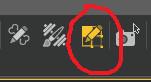
- Right click on your Genesis 8 in the Viewport and select Selection Type - Vertex Selection.
- Right click again on G8 and select Selection Mode - Lasso Selection.
- Drag the lasso around everything of G8, that should NOT be part of your morph. For a head morph, select the entire body, for example. It should look like this:
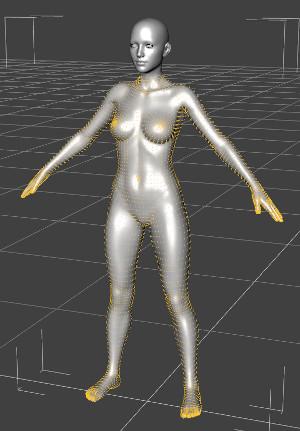
- Right click a 3rd time on G8 and select Morph Editing - Clear Selected Deltas from Favorits.
- Continue with Redz manual.
I'm trying this method, but I can't find "Morph Editing - Clear Selected Deltas from Favorites" when I right click on G8 after selecting what I don't want in the morph.
Are you in vertex mode? And if so, don't right click on G8F, right click anywhere in the viewport.
Thanks, Got it.
Skin Builder 3 Merchant Resource for Genesis 3 Female (Commercial)It was, he said no.
For what it's worth, there's a thing to put G3F skins on G3M (also map transfer if you want to do it more slowly), but you aren't permitted to use it as a merchant resource that way.
G3 shoes for G8; Node Weight Map BrushHi,,, If your question is, how to keep your weight map dofomation, and new rigging Richard answer is clear .
But I still can not detect, which you really need to know. do you need to know how modify weight map, which colored for G3 heel bone?

Or, ,you already correct weight map for G8 new rig (it do not have heel bone, as we know),then you have removed weight assgined heel,, and assgined weight to foot bone correctly? The easy way, I recommend is just delete heel bone , in joint editor, it auto re-color weight map assgined for G3 heel to, parent bone = (foot). when I modify convert shoes it work without problem.
Then zero pose , zero morph shape is important, because you can check clean mesh which not deformed by any weight map and generate JCM. if it corrupt about heel already it means you need to modify it, manually first. (though I do not know, you need it, because)
with pose,, if it not fit well,, it means generated JCM cause problem.. you may need to adjust JCM for shoes and overwrite it,, for posing.
these detail is more clear in Josh tutoriall I think.(you can use same way,, though you convert shoes by sickle way, , not make from scratch,,)
Reasons not to rush into Genesis 8I saved out the GF8 surfaces as shader presets so that I could easily apply them to other figures. Of course ain't going to bother with trying a likely fail like trying to transfer the facial changes back to Genesis 3, Genesis 2, and Genesis (Genesis is where I'd like to really see all or most of the G8 improvements transfered to).
I'll have to do that. The skin materials aren't half bad. I applied them to G3F earlier and ended up putting together a scene and rendering it. There are two versions, the postwork free version is a good representation of the skin, but could be a better finished image, and the postworked version, which is a bit more dramatic. Drama first:
Blue

Click here to view the gallery page with larger image and full list of products used.
And here's the postwork free version:

Click here to view the larger image.
Wow, big improvement
Morphs from G3 to G8I got my first elf ears done. Argghhhh! One down, 154 more to go and that's just G3F.
Did you catch my last response about the ears? If they are on G3F, there is a very simple method to get them over to G8F. Same goes for head/face morphs that are dependant on just a single dial.
Here are the steps
1. Load and zero G3F
2. Load and zero G8F
3. Favourite all the ear/face/head morphs you wish to transfer. If you're in edit mode on parameters, you can search 'ears', select multiple morphs, right click and add them all to favourites at once.
4. In the scene tab, go to Assets, transfer utility and use the settings in the picture. Source G3F, Target G8F. Leave item shape at default. Do NOT select any clone (or it will alter the body too). Uncheck everything except Morph Targets - From Source - Favourites. Click Accept.
5. Select G8F and find your transferred morphs. I find it easiest to add them to favourites so I can batch edit them.
6. On the parameters tab in edit mode, multiple select your new morphs, right click and enable limits. Right click again and set limits min 0. If they are ear morphs you may want to right click and disable autofollow so they won't distort hairs.
7. If they are just ear morphs you can save your morphs as morph assets at this point. If you have transferred full head morphs with this method, you will need to adjust rigging to shape and ERC freeze so the facial rigging is correct, then save as morph asset.
Notes: This method won't work for shapes dependant on multiple dials, eg Izabella 7 and Teen Josie 7's head morphs. It works because the head shapes are virtually identical between G3F/G8F. This is not the case for body morphs, and transferring using the default clone results in finger/arm deformities. It also won't transfer full characters. The tutorials get better results for body morphs, but for a large number of ear/head shapes that are already on G3F, the transfer utility is definitely your friend.
Hey guys. Anyone using AMR's scaling sliders? I cannot get them to transfer to Genesis 8. If I make them part of the shape, they will create hair issues. Wondering if anyone came up with a solution.
Anyone using AMR's scaling sliders?
Nope.
Wondering if anyone came up with a solution.
Indeed, I have. You gotta wait for it, though.
I'm guessing, mind. But if you can't transfer the dials, it suggest that they ware just a collection of ERC links. Transfer utility will not transfer those.
There's a way to do it, but it's ... complex. All I can say is "soon."You should write a DS manual :P. I'd buy it. LOL
Laurie
Thanks for saying. Believe it or not, there's a lot I don't know even on this subject :) I supect Redz may be better suited than I.
Also, at least half of what I know, I got from SY's deviantart page.
Sometimes, I answer a question with confidence not because I knew, but because the question made me think of a way to test the thing, so I tested it. I just happen to have a lot of ideas on this subject because I'm poor and have a lot of stuff from the turn of the century. I think I mentioned somewhere I made a Cookie autofit clone for Genesis 3. I've got another for fitting MMD freebies to g3.
My hobbies provide breadth, but trying to write a book would prove me not very deep, me thinks.Morphs from G3 to G8I got my first elf ears done. Argghhhh! One down, 154 more to go and that's just G3F.
Did you catch my last response about the ears? If they are on G3F, there is a very simple method to get them over to G8F. Same goes for head/face morphs that are dependant on just a single dial.
Here are the steps
1. Load and zero G3F
2. Load and zero G8F
3. Favourite all the ear/face/head morphs you wish to transfer. If you're in edit mode on parameters, you can search 'ears', select multiple morphs, right click and add them all to favourites at once.
4. In the scene tab, go to Assets, transfer utility and use the settings in the picture. Source G3F, Target G8F. Leave item shape at default. Do NOT select any clone (or it will alter the body too). Uncheck everything except Morph Targets - From Source - Favourites. Click Accept.
5. Select G8F and find your transferred morphs. I find it easiest to add them to favourites so I can batch edit them.
6. On the parameters tab in edit mode, multiple select your new morphs, right click and enable limits. Right click again and set limits min 0. If they are ear morphs you may want to right click and disable autofollow so they won't distort hairs.
7. If they are just ear morphs you can save your morphs as morph assets at this point. If you have transferred full head morphs with this method, you will need to adjust rigging to shape and ERC freeze so the facial rigging is correct, then save as morph asset.
Notes: This method won't work for shapes dependant on multiple dials, eg Izabella 7 and Teen Josie 7's head morphs. It works because the head shapes are virtually identical between G3F/G8F. This is not the case for body morphs, and transferring using the default clone results in finger/arm deformities. It also won't transfer full characters. The tutorials get better results for body morphs, but for a large number of ear/head shapes that are already on G3F, the transfer utility is definitely your friend.
Hey guys. Anyone using AMR's scaling sliders? I cannot get them to transfer to Genesis 8. If I make them part of the shape, they will create hair issues. Wondering if anyone came up with a solution.
Anyone using AMR's scaling sliders?
Nope.
Wondering if anyone came up with a solution.
Indeed, I have. You gotta wait for it, though.
I'm guessing, mind. But if you can't transfer the dials, it suggest that they ware just a collection of ERC links. Transfer utility will not transfer those.
There's a way to do it, but it's ... complex. All I can say is "soon."You should write a DS manual :P. I'd buy it. LOL
Laurie
Autofit crashing when applying generation 3 clothing to Vicky an CoI just wanted to do a superhero. Can't apply several outfits from genesis 3 without it taking out Studio. Also there are no real options when I select apply the outfit. Just hair, full body, none, and dress!
Me too.
I thought that was intentional on DAZ's part. Is it a problem that I have several of these 'autofit' products in my DAZ Studio installation? eg, several versions Zev0 morph to clothing fit products (forget the name), Wear Them All, Cross Figure, ..., plus what DAZ themselves supplies with regards to 'autofited'
Look at that autofit list and morph list and I still can't get clothing that fits right!!!!
We need dynamic clothing and hair like yesterday.
Out with the old, In with the new V8My favorite in Genesis 8 is Elizabeth (maybe because of her similarity to G3F LY Stormy) even though I haven't bought her yet as I don't do many realistic style renders. I have only bought the head & body morph packs & the expressions pack.
why does 8 look like 3? why lower poly, when we had the decimator?Why lower poly for G8? A good question. I'd be very interested to hear from DAZ3d as to why they are reducing the base resolution of their figures. Doubtless higher rez figures require more computing power, but computing power, especially of graphics cards (which are doing the bulk of the work these days), is increasing rapidly. So reducing poly rez to save computing resourses is a very weak argument. I would sincerely like to know the main reasons for the trend to lower rez figures, especially when lower rez base figures comes at the cost of reduced morph resolution (for the normal DAZ client).
Daz 3D is part of

Connect
DAZ Productions, Inc.
7533 S Center View Ct #4664
West Jordan, UT 84084Licensing Agreement | Terms of Service | Privacy Policy | EULA
© 2026 Daz Productions Inc. All Rights Reserved.