-
Check out these Genesis 8 and 8.1 male and female skin overlays
Thanks so much for your help. Great news to wake up to! It's a seamless texture that I painted in Blender. Now that I know how to package it, I'm planning to add a lot more options. Likely some moles, freckles, scars, maybe some tattoos. I actually don't have any G8.1 figues except the base male and female, and was really hoping to see what it looks like on Victoria or some other figures. I'm not really sure if they use the same dimensions of image files for their surfaces, or if that even matters. I'll leave the link live for a while to get some feedback and edit the post title to reflect that it works.
Tank Thong for Genesis 8 FemaleGetting much closer! I spent some time watching Esha's fantastic texturing tutorials, and I now have 30, yes 30 handmade iRay "Lycra/Spandex" material settings. I have 30 iRay color MATs for the whole suit, and another 30MATs to apply the colors to the trim for the "ringer/collegiate-style" color contrast. Below, G8F (Babina 8 materials) is wearing the suit in red. Victoria 8.1, feeling really cheeky, is wearing the light blue with white trim suit. I'm still working on a couple morphs- thigh side-side at 85 degrees, as well as additional unber-breast smoothing for extreme abdomen/chest bending.
Essential Products (in your view)Some products I use a lot with an eye towards utilities rather than specific characters/hairs/outfits/sets... still obviously very subjective:
XTransfer: https://www.daz3d.com/xtransfer--genesis-3-to-genesis-8-converter
200+ Head and Face Morphs: https://www.daz3d.com/200-plus-head-and-face-morphs-bundle-for-genesis-8-female-s-and-male-s
SWOLE: https://www.daz3d.com/swole-for-genesis-8-male
Grungy Threads: https://www.daz3d.com/ptf-grungy-threads
Fit Control: https://www.daz3d.com/fit-control-bundle-for-genesis-8-females-and-males
Might be redundant if you have SY Clothing Fit Helper (which I don't have), but I'm getting the impression that Fit Control can do more.V4 & M4 Clones for G8: https://www.daz3d.com/sy-victoria-4-and-michael-4-clones-for-genesis-8
Legacy UVs for G8
https://www.daz3d.com/legacy-uvs-for-genesis-8-victoria-4
https://www.daz3d.com/legacy-uvs-for-genesis-8-michael-4
https://www.daz3d.com/legacy-uvs-for-genesis-8-genesis-2-male-michael-5-and-michael-6IRAY Converter for Genesis & Generation 4: https://www.daz3d.com/iray-converter-for-genesis-and-generation-4-bundle
I hear there's better options out there by now... but what can I say, I get great results with this.GenX
https://www.daz3d.com/genesis-generation-x2
https://www.daz3d.com/genx2-addon-for-genesis-2
https://www.daz3d.com/genx2-addon-for-genesis-3
A big, clunky old-timer on its last legs... and yet, I'm putting it on this list.IRAY Light probe Kit: https://www.daz3d.com/iray-light-probe-kit
Terradome 3: https://www.daz3d.com/terradome-3-iray
DForce Slime & Goo: https://www.daz3d.com/dforce-slime-and-goo
Bodyhair Project 78: https://www.daz3d.com/jepes-bodyhair-project-78
Best male bodyhair I know of.100 Ultimate Superhero Poses: https://www.daz3d.com/100-ultimate-superhero-poses-for-genesis-8
Fight Lab: https://www.daz3d.com/fight-lab-poses-and-expressions-for-genesis-8-male
These two pose sets just offer incredible value for money.dForce Magnet: https://www.daz3d.com/dforce-magnet
To be honest I'm using this less than I thought I would... but it's still useful to have.Anagenessis 2: https://www.daz3d.com/n-g-s-anagenessis-2-revolution
I don't use this all that often, but I got it for very cheap and it's nice to have more option for the skins that you have.Ultra Genesis Studio Vol. 1: https://www.daz3d.com/ultra-genesis-studio-vol-1-iray-box-lights
This is frequently available for free. I didn't expect much but I use it surprisingly often.RenderStudio Modular 13 - Lens Flares And Light Beams: https://www.daz3d.com/renderstudio-modular-13-lens-flares-and-light-beams
Another product that's worth grabbing when it's available for free.Genesis Supersuit: https://www.daz3d.com/supersuit-pro-bundle
This product is obviously rather dated (and it doesn't play well with Smoothing Modifier)... but I got it for very cheap, and I think it's a lot of fun to play around with.Some free utilities that I consider essential:
SY 200 Morphs for G8: https://sharecg.com/v/91888/gallery/21/DAZ-Studio/SY-200-Morphs-for-Genesis-8-Head-and-Body
Pose Converters:
https://www.sharecg.com/v/89846/browse/8/Script/Daz3d-Pose-Converter-Standalone
https://www.daz3d.com/forums/discussion/109961/pose-and-animation-conversion-for-multiple-generations-of-daz-figures/p1
https://www.deviantart.com/agentunawares/art/G3M-to-G8M-World-s-Greatest-Pose-Converter-709731867
https://www.deviantart.com/agentunawares/art/G3F-to-G8F-World-s-Greatest-Pose-Converter-709591348Versatile Tentacle: https://www.sharecg.com/v/63819/related/11/Poser/Versatile-Tentacle-Figure
EasyPose Chain: https://www.sharecg.com/v/54375/gallery/11/Poser/10ft-Easy-Pose-Chain
Morphing Flame: https://www.renderosity.com/rr/mod/freestuff/morphing-flame-for-iray---100-free/76201
Glasses:
https://www.sharecg.com/v/85745/gallery/5/3D-Model/Glasses
https://www.sharecg.com/v/85662/gallery/5/3D-Model/Nerd-glasses-reloadedAnd here's two products that I literally just bought yesterday, but I have a feeling that they will be very useful:
Fluidos II Lite: https://www.daz3d.com/fluidos-ii-for-daz-studio--lite-edition
Ultra Scatter Pro: https://www.daz3d.com/ultrascatterpro
Adding Clothing Morphs?
Just now had been released code66's shapeinjector, 2 click adding a gazilion morph. Really really handful script, spared me lot of hours even if i used not so long timeStarkdog said:I recall some time ago with the transfer utility that you could tick any or none of the morphs (Victoria 7, Olympia 7, Fitness, Pear Shape, etc.) to be added to the clothing item while it was being rigged. Has something replaced this? I really don't want to export out a ton of OBJ files to tweak in Blender or Hexagon to only re-import them and manually create morphs (I know there is Morph Load Pro, but it's only looking for OBJs to add as morphs). Does anyone know where this functionality went?
Thanks, -David
Adding Clothing Morphs?I recall some time ago with the transfer utility that you could tick any or none of the morphs (Victoria 7, Olympia 7, Fitness, Pear Shape, etc.) to be added to the clothing item while it was being rigged. Has something replaced this? I really don't want to export out a ton of OBJ files to tweak in Blender or Hexagon to only re-import them and manually create morphs (I know there is Morph Load Pro, but it's only looking for OBJs to add as morphs). Does anyone know where this functionality went?
Thanks, -David
Genesis 8.1 / Victoria 8.1Wow... this thread got really long, rather fast. I finally figured out where I went wrong in trying to apply my Victoria 8.1. You have to re-download starter 8 essentials. Duh. All the 8.1 items needed are there, for free. That's the problem I was having. Thanks for the help, mods!
NEW 2021 Sales thread: Report Issues Here "There's Always Another Sale™"https://www.daz3d.com/m3d-leather-obssesion-outfit-for-victoria-81 Is there a particular reason why this is Genesis 8.1 only?Body Warmer, Gilet, Winter Vest....?Havos said:
Any type of winter/warm clothing is slim pickings at this, and other DAZ/Poser stores, but the closest thing I can find is this:
https://www.daz3d.com/urban-metro-outfit-for-genesis-2-male-s
It should autofit to G3M/G8M without issues. Main snag of this one is the zip is partially open, so you either need to make a morph, or use something like Mesh Grabber to attempt to close it.
Another (very old) option is this.
https://poserworld.com/hiking-set-for-daz-victoria-4
At least it comes completely closed, and has morphs to open it. You should be able to get it onto males via autofit to Genesis, and then to G2M/G3M or G8M as desired. I have the set, so I can show you what it looks like on G8M it you want.
The only other option is to use a full winter coat, of which there are a handful, and either use a transparency to remove the sleeves, or hack off the sleeves using some mesh editor like Hexagon.
Thanks very much Havos, gonna have a play around with these suggestions.
Michael 8.1The base G8.1 still use the old G8 materials. Victoria 8.1 is what used the new PBR shader. You do get the PBR default shader with G8.1 but you have to apply it.
Genesis 8 loading with wrong shapeTracked down the products that have been effected. If you download a fresh copy of these and install again (overwrite), they should not be automatically activated anymore.
Z Sexy Bodybuilder Shape Preset and Poses for Genesis 8 Female
Body Morph Kit for Genesis 8 Female
Rory HD for Genesis 8 Female
RY Elysa for Victoria 8
MDD Oomi For G8F (Rendo)Body Warmer, Gilet, Winter Vest....?Any type of winter/warm clothing is slim pickings at this, and other DAZ/Poser stores, but the closest thing I can find is this:
https://www.daz3d.com/urban-metro-outfit-for-genesis-2-male-s
It should autofit to G3M/G8M without issues. Main snag of this one is the zip is partially open, so you either need to make a morph, or use something like Mesh Grabber to attempt to close it.
Another (very old) option is this.
https://poserworld.com/hiking-set-for-daz-victoria-4
At least it comes completely closed, and has morphs to open it. You should be able to get it onto males via autofit to Genesis, and then to G2M/G3M or G8M as desired. I have the set, so I can show you what it looks like on G8M it you want.
The only other option is to use a full winter coat, of which there are a handful, and either use a transparency to remove the sleeves, or hack off the sleeves using some mesh editor like Hexagon.
Genesis 8.1 / Victoria 8.1TheKD said:
I tried the update meipe put on the forum, worked with Victoria 8.1 at least. Don't have any other 8.1 girls installed to try. Wiped out my whole G8 directory and starting from scratch again lol. Amazing having g8 load in less than a second lol, because I only have a few things installed at the moment.
Is it in the forum there? I couldn't find it. But the maker might actually be 3feetwolf or something.
GumsI can't seem to mess with the gums on a G8F (Victoria).
I am trying to alter the Mouth surface using LIE but not getting anywhere. Nothing changes.
However, I did use Easy Teeth to remove a couple of teeth. It is the gums under there I want to mess with. Should be some bloody pits if a tooth has fallen out I think.
https://www.daz3d.com/easy-teeth-for-genesis-8-female-s-and-merchant-resource
Does anyone know if Easy Teeth moves the gum surface texture map or something? Or makes it impossible to manipulate?
8.1 Gens and Skin shaderThe character needs to have a texture made for that use.
For example, Victoria 8.1 comes with textures for the 8.1 male gens for females, and Michael 8.1 comes with textures for the 8.1 female gens for males. The default UV for male gens and female gens is different. Any male gens texture should apply correctly to the male-for-female gens, and vice versa. Aubrey doesn't have textures made for the 8.1 M-F gens, so it won't work. (I have Aubrey, so I tried it out to see how things worked -- or didn't, as in this case.)
Genesis 8.1 / Victoria 8.1I tried the update meipe put on the forum, worked with Victoria 8.1 at least. Don't have any other 8.1 girls installed to try. Wiped out my whole G8 directory and starting from scratch again lol. Amazing having g8 load in less than a second lol, because I only have a few things installed at the moment.
*Released* Natural Eyes II - Merchant Resource for Genesis 8.1 Male and Females [Commercial]HeavyRay said:
Daventaki said:
Thank you for the discount! Love the eyes and the options are awesome!!
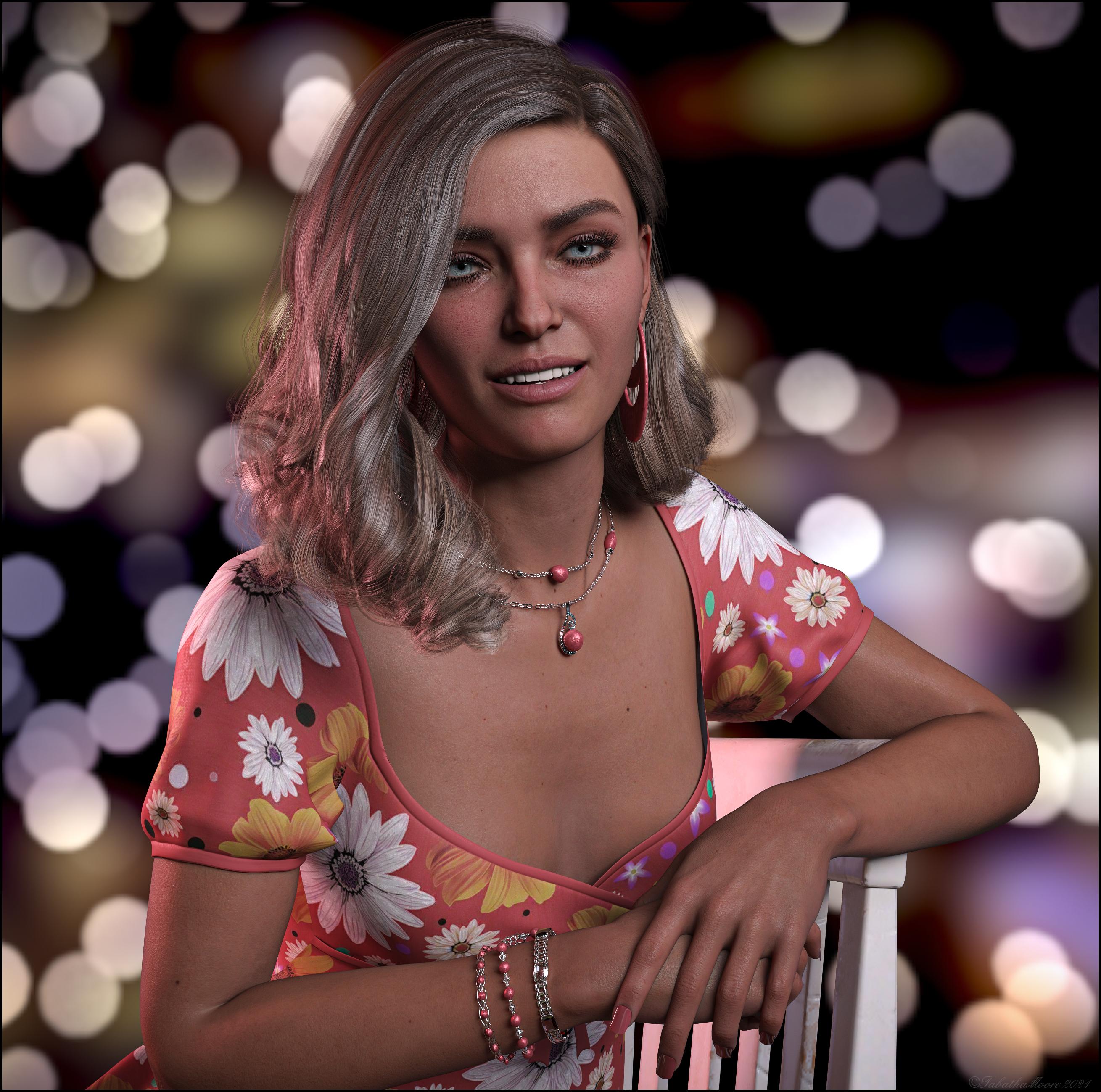
Beautiful pic - would you kindly share info on the model and texture used?
Eyes look wonderful as well - on my wishlist... ;-)Thank you! Model is Victoria 8.1 with her default textures.
Victoria 8.1 is a nightmare for modelers/PAs!While this new venture into her asymmetrical morph is great for realism, it is a nightmare for modelers/PAs that want to specifically model victoria's 8.1 limbs/right/left side as the GOZ/morph loader morph mirroring: swap feature in the import dialogue is rendered useless as the right/left side of her body doesn't match!
This setback is a step backward towards the crappy V4 era where you had to morph each body part separately up until Genesis 1 came around, which was a modeler's dream come true as you could model the entire body at once rather than by pieces!
If anyone/modelers//PAs has a work-around I'd love to hear it!
Victoria 8.1 FBM not symmetricMasterstroke said:
Victoria does not need to be symetrical, she is a character based on Genesis 8 Female.
Genesis 8 Female is the base figure, which has to be symetrical. So if you are creating morphs, clothes, hair, geo grafts or any other add ons, use the Genesis 8 Female base, not Victoria 8.While this new venture into her asymmetrical morph is great for realism, it is a nightmare for modelers that want to specifically model victoria's 8.1 limbs as the GOZ swap feature in the import dialogue is rendered useless as the right/left side of her body doesn't match!
Genesis 8.1 / Victoria 8.1jbowler said:
I assume Victoria 8.1F shape can be applied to the Genesis 8 Basic Female, but I haven't tried that.
No, at least not directly.
G8.1F automatically loads morphs installed in both G8F and G8.1F data folders, so G8.1F can use G8F morphs (in DS4.15, at least). However G8F doesn't load morphs from G8.1F data folders, only the G8F ones. V8.1 morph files are located in G8.1F data folder, so your G8F figure doesn't see that morph and can't use it.
It might be possible to get it to work by copying or moving the needed files to the G8F data folder, and maybe editing some of the data files.
Genesis 8.1 / Victoria 8.1jbowler said:
vagans said:
How does Kii'Na work being both G8 and G8.1? Does it have separate entries for both? It's only showing a single Apply.
G8 and G8.1 have identical geometries, so a shape morph can be applied to either. I assume Victoria 8.1F shape can be applied to the Genesis 8 Basic Female, but I haven't tried that. Materials are different but there seems to be some fix-up code in Daz 4.15 that will put G8 torso materials on the correct G8.1 surfaces.
There's only 1 MAT according to the product description, though that could be incorrect since product descriptions for the features rarely match what you're actually getting. But if this a character that has a single geometry and a single MAT then it's G8, not 8.1 and this is a further example of ambiguous products between G8 and G8.1 not being specified correctly by either the PA or Daz QA. Customers could be expecting the character to have G8.1 materials.
Daz 3D is part of

Connect
DAZ Productions, Inc.
7533 S Center View Ct #4664
West Jordan, UT 84084Licensing Agreement | Terms of Service | Privacy Policy | EULA
© 2026 Daz Productions Inc. All Rights Reserved.