-
Pride Parade Poses
crosswind said:
von Hobo said:
Thank you. I'm just going to return it.
It should not be this difficult and a product should install properly.
I would say this sort of or similar wrong metadata is a regular occurence in Daz3d products.. we're used to it... Most of the time we don't wanna wait for the fix, so we fix them by ourselves...
This is the first time I've run across this, and I have close to 2,000 products. I guess I got lucky.
I've come across a few missing thumbnails in Smart Content here and there, but never a completely missing product after an install.
Pride Parade Posesvon Hobo said:
Thank you. I'm just going to return it.
It should not be this difficult and a product should install properly.
I would say this sort of or similar wrong metadata is a regular occurence in Daz3d products.. we're used to it... Most of the time we don't wanna wait for the fix, so we fix them by ourselves...
Pride Parade PosesBecause the metadata in the package is wrong.. You may first uninstall it in DIM. Unzip 'IM00071001-01_PrideParadePosesforGenesis8.zip', open the file 'DAZ_3D_71001_Pride_Parade_Poses_for_Genesis_8.dsx' in 'Content\Runtime\Support\' folder, with notepad / notepad++ / EmEditor or sth..
Replace all 'Content/People' with 'People', then Save it. Rezip the IM package and Copy or Cut it to your Package Archive folder. Reinstall the package in DIM.Assorted Studio questions (backing up categories, compression, etc)* %AppData%\DAZ 3D\Studio4\ , %appdata%\DAZ 3D\Studio4 Public Build\
* Smart Content Pane - Upper Right Corner Menu - Content DB Maintenance - Export User Data... Then re-import them when needed.
* Nope... the bigger value you input, the faster it'll render... If you have enough VRAM, you may input Medium: 4096, High: 8192, even Medium: 8192, High: 16384... You'll get a render with high quality texture within a shorter time ( the speed depends on the scene complexity and quantity of texture maps, etc....)
Smart content scrambled againSearch the product by keyword or SKU first. If you could not find it, it means that no metadata was written into cms database. You may re-import metadata or reinstall the products with DIM.
Lashes for individual eyesThis seems not an issue of tweaking individual eyelash but fixing the distortion of right eyelash that comes from an eye or eyelid related expression, i.e. upper eyelid on the right 'squeezes' the eyelash into its geometry...
You may select the Eyelashes node and check its hidden properties, see if there's any eye or upper eyelid relevant ejcm (expression JCM) morph which can be tweaked... Since it's a pretty common issue, I myself usually use GoZ to fix it and import back as a delta morph to the eyelashes, pretty quick...Mac catalina and higher Idee for Teraineditor Import Highmaps ?Just an idea to import carrara 3d highmaps if Carrara is installed on Catalina or higher. It is well known that you can no longer import images. Maybe the hobbyists have an idea how to somehow insert the images into the Terain editor.
Thanksit's just thoughts like that when you have some time. there could always be a brilliant idea. At the moment I'm running Carrara in an emulation of Mac os mojave it works quite well but is a bit slower.
GENERAL FREEBIE REQUESTS part 3DollyGirl said:
Beachlegs,
When you import a dae file you will need to change the type of file you are looking for when file explorer opens up. Location of file type is in the lower right hand corner of the window. I think DAZ defaults to wavefront just click the arrow and other formats will be available to select. If that does not correct your problem I have attached the obj file with the identified changes made. The obj is all combined it is no longer three individual pieces. I used DAZ Studio to create the obj so select DAZ Studio as the identified format that way the spear with come in at the correct place for a default GM8. Original artist applied unrestricted use so I am making this file with the same license.
You can find the file here: https://www.4shared.com/file/D_g_9qEjge/Septum_Spike.html (Can't seem to upload files any more)
Thank you so much my friend that was so kind of you, I appreciateyou taking the time..Have a good day :)
Sketchup into CarraraWendyLuvsCatz said:
well then I guess it depends on the model if some maps come over
SKP models vary a lot in quality
I also sometimes use the useful Carrara plugin called DAZ studio and do obj not FBX
if I had to use Blender I would probably import USD
SKP models definately vary in quality !!!!
Sketchup into Carrarawell then I guess it depends on the model if some maps come over
SKP models vary a lot in quality
I also sometimes use the useful Carrara plugin called DAZ studio and do obj not FBX
if I had to use Blender I would probably import USD
Sketchup into CarraraTried a few different ways, found a way that works.
First of all download model from Sketchup Warehouse.
Next import skp file into pCon.planner STD
Export model as obj from pCon.planner STD
Import obj into Blender
Export as fbx from Blender
Import fbx into Carrara (make sure fbx file is in the same place as the obj with maps)
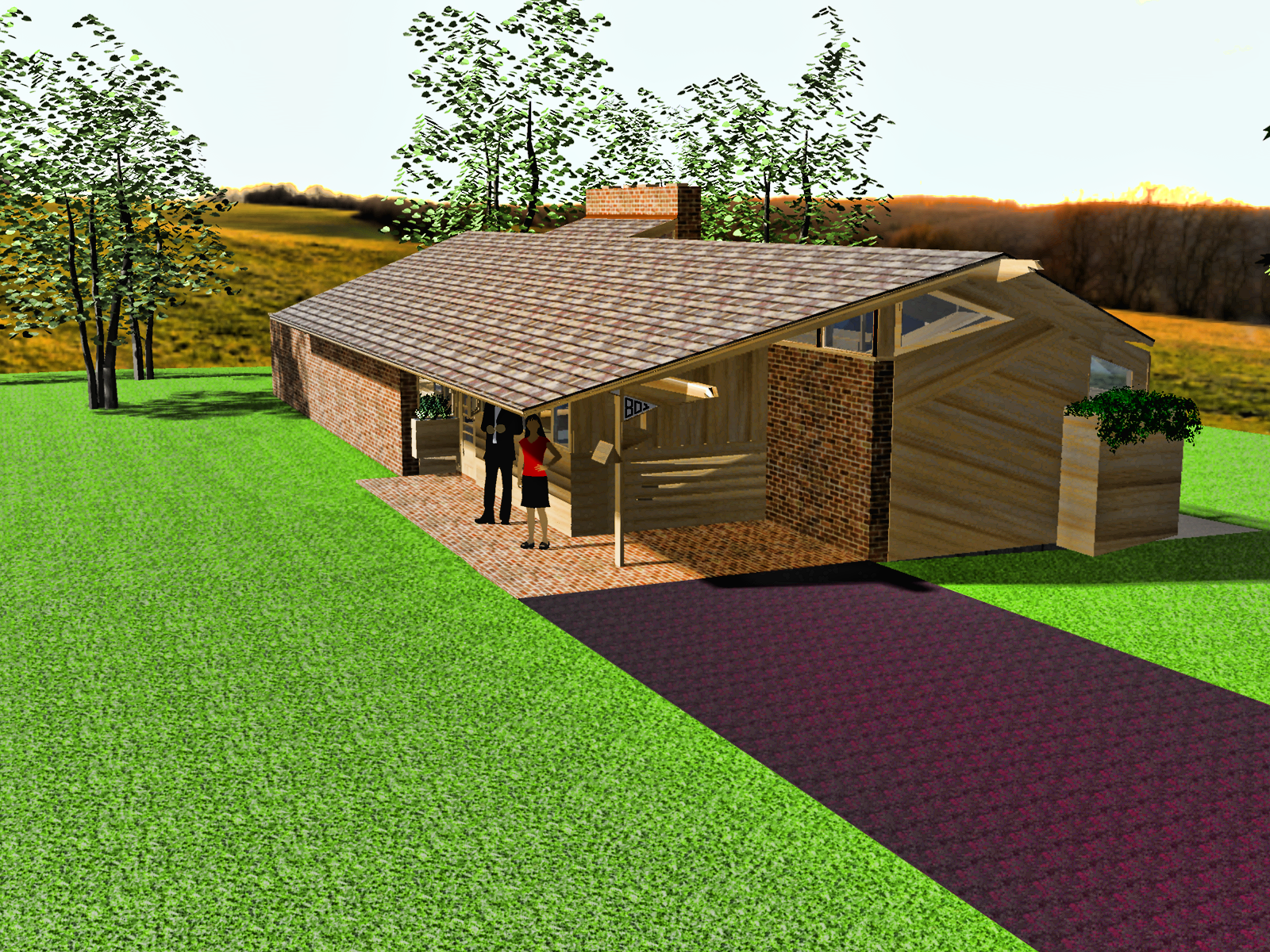
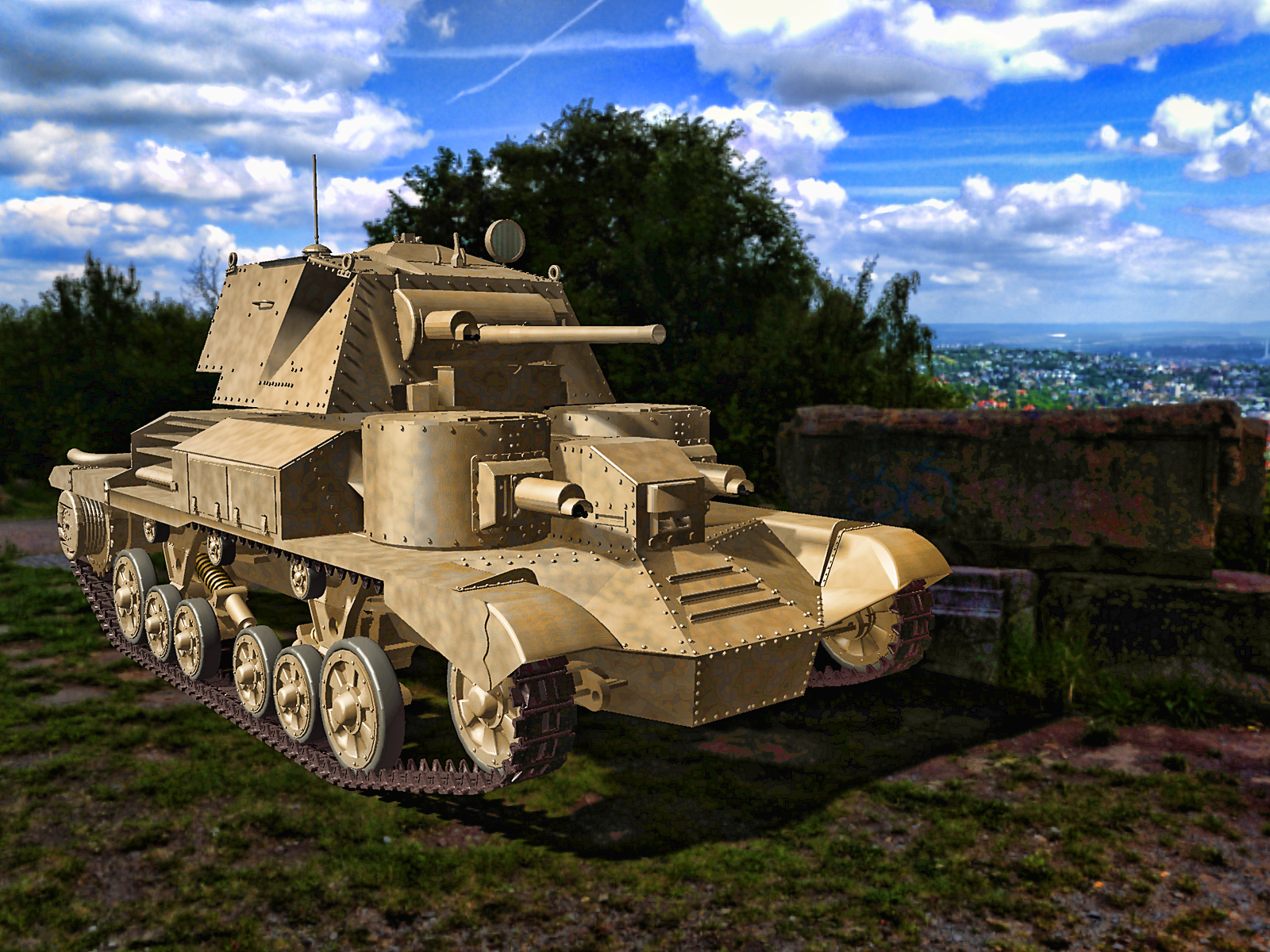 "Preparing Scene" is looping infinitely
Whenever I try to either render an image, or change the viewport setting to IRAY shading, DAZ starts preparing the scene, but never stops and just loops it forever.
This only happens, when there is an object in the scene, but it can be any object, from a whole building, to just a blank cube.
The log file records this:
2023-05-31 11:20:26.440 [INFO] :: Loading Layout: C:/Users/ANNOP/AppData/Roaming/DAZ 3D/Studio4/layout.dsx
2023-05-31 11:20:30.739 [WARNING] :: QColor::setRgb: RGB parameters out of range
2023-05-31 11:20:30.975 Iray [INFO] - IMAGE:IO :: 1.0 IMAGE io info : Loading image "D:\Program Files\DAZ 3D\DAZStudio4\shaders\iray\resources\DTHDR-RuinsB-500.hdr", no selector, pixel type "Rgb_fp", 512x256x1 pixels, 1 miplevel.
2023-05-31 11:20:31.187 Iray [INFO] - IRAY:RENDER :: 1.0 IRAY rend info : Updating geometry.
2023-05-31 11:20:31.189 Iray [INFO] - IRAY:RENDER :: 1.0 IRAY rend info : Updating motion transforms.
2023-05-31 11:20:31.189 Iray [INFO] - IRAY:RENDER :: 1.0 IRAY rend info : Importing scene graph.
2023-05-31 11:20:31.189 Iray [INFO] - IRAY:RENDER :: 1.0 IRAY rend info : Importing geometry for motion time 0
2023-05-31 11:20:31.189 Iray [INFO] - IRAY:RENDER :: 1.0 IRAY rend info : Geometry import (0 triangle objects with 0 triangles, 0 fiber objects with 0 fibers (0 segments), 0 triangle instances yielding 0 triangles, 0 fiber instances yielding 0 segments) took 0.000 s
2023-05-31 11:20:31.190 Iray [INFO] - IRAY:RENDER :: 1.0 IRAY rend info : Updating section objects.
2023-05-31 11:20:31.207 Iray [INFO] - IRAY:RENDER :: 1.0 IRAY rend info : Updating materials.
2023-05-31 11:20:31.209 Iray [INFO] - MATCNV:RENDER :: 1.0 MATCNV rend info : found 0 textures, 0 lambdas (0 unique)
2023-05-31 11:20:31.209 Iray [INFO] - IRAY:RENDER :: 1.0 IRAY rend info : Updating volumes.
2023-05-31 11:20:31.209 Iray [INFO] - IRAY:RENDER :: 1.0 IRAY rend info : Updating environment.
2023-05-31 11:20:31.223 Iray [INFO] - IRAY:RENDER :: 1.0 IRAY rend info : Updating lens.
2023-05-31 11:20:31.223 Iray [INFO] - IRAY:RENDER :: 1.0 IRAY rend info : Updating lights.
2023-05-31 11:20:31.224 Iray [INFO] - IRAY:RENDER :: 1.0 IRAY rend info : Updating object flags.
2023-05-31 11:20:31.224 Iray [INFO] - IRAY:RENDER :: 1.0 IRAY rend info : Updating backplate.
2023-05-31 11:20:31.229 Iray [INFO] - IRAY:RENDER :: 1.0 IRAY rend info : Updating caustic portals.
2023-05-31 11:20:31.229 Iray [INFO] - IRAY:RENDER :: 1.0 IRAY rend info : Updating decals.
2023-05-31 11:20:31.382 Iray [INFO] - IRAY:RENDER :: 1.0 IRAY rend info : Using iray core convergence estimate.
2023-05-31 11:20:31.405 Iray [INFO] - IRAY:RENDER :: 1.0 IRAY rend info : Allocating 1-layer frame buffer
2023-05-31 11:20:31.410 Iray [INFO] - IRAY:RENDER :: 1.0 IRAY rend info : Using interactive scheduling, caustic sampler disabled
2023-05-31 11:20:31.410 Iray [INFO] - IRAY:RENDER :: 1.0 IRAY rend info : Initializing local rendering.
2023-05-31 11:20:31.501 Iray [INFO] - IRAY:RENDER :: 1.0 IRAY rend info : Using OptiX Prime version 5.0.1
2023-05-31 11:20:31.502 Iray [INFO] - IRAY:RENDER :: 1.0 IRAY rend info : Initializing OptiX Prime for CUDA device 1
2023-05-31 11:20:32.688 Iray [INFO] - IRAY:RENDER :: 1.0 IRAY rend info : Using OptiX version 7.3.0
2023-05-31 11:20:32.742 Iray [INFO] - IRAY:RENDER :: 1.0 IRAY rend info : Initializing OptiX for CUDA device 0
2023-05-31 11:20:41.528 Iray [INFO] - IRAY:RENDER :: 1.0 IRAY rend info : Rendering with 2 device(s):
2023-05-31 11:20:41.528 Iray [INFO] - IRAY:RENDER :: 1.0 IRAY rend info : CUDA device 1 (NVIDIA GeForce GTX 970)
2023-05-31 11:20:41.528 Iray [INFO] - IRAY:RENDER :: 1.0 IRAY rend info : CUDA device 0 (NVIDIA GeForce RTX 2070)
2023-05-31 11:20:41.535 Iray [INFO] - IRAY:RENDER :: 1.0 IRAY rend info : Rendering...
2023-05-31 11:20:41.569 Iray [INFO] - IRAY:RENDER :: 1.2 IRAY rend progr: CUDA device 1 (NVIDIA GeForce GTX 970): Processing scene...
2023-05-31 11:20:41.569 Iray [INFO] - IRAY:RENDER :: 1.8 IRAY rend progr: CUDA device 0 (NVIDIA GeForce RTX 2070): Processing scene...
2023-05-31 11:20:41.633 Iray [INFO] - IRAY:RENDER :: 1.5 IRAY rend info : Importing lights for motion time 0
2023-05-31 11:20:41.641 Iray [INFO] - IRAY:RENDER :: 1.5 IRAY rend info : Initializing light hierarchy.
2023-05-31 11:20:41.659 Iray [INFO] - IRAY:RENDER :: 1.5 IRAY rend info : Light hierarchy initialization took 0.018 s
2023-05-31 11:20:41.872 Iray [INFO] - IRAY:RENDER :: 1.8 IRAY rend info : CUDA device 0 (NVIDIA GeForce RTX 2070): Scene processed in 0.303s
2023-05-31 11:20:41.879 Iray [INFO] - IRAY:RENDER :: 1.9 IRAY rend info : CUDA device 0 (NVIDIA GeForce RTX 2070): Allocated 12.098 MiB for frame buffer
2023-05-31 11:20:41.886 Iray [INFO] - IRAY:RENDER :: 1.8 IRAY rend info : CUDA device 0 (NVIDIA GeForce RTX 2070): Allocated 1.906 GiB of work space (2048k active samples in 0.006s)
2023-05-31 11:20:41.942 Iray [INFO] - IRAY:RENDER :: 1.8 IRAY rend info : CUDA device 0 (NVIDIA GeForce RTX 2070): Optimizing for cooperative usage (performance could be sacrificed)
2023-05-31 11:20:42.117 Iray [INFO] - IRAY:RENDER :: 1.2 IRAY rend info : CUDA device 1 (NVIDIA GeForce GTX 970): Scene processed in 0.547s
2023-05-31 11:20:42.119 Iray [INFO] - IRAY:RENDER :: 1.5 IRAY rend info : CUDA device 1 (NVIDIA GeForce GTX 970): Allocated 4.224 MiB for frame buffer
2023-05-31 11:20:42.447 Iray [INFO] - IRAY:RENDER :: 1.0 IRAY rend progr: Received update to 00001 iterations after 0.655s.
2023-05-31 11:20:42.451 Iray [INFO] - IRAY:RENDER :: 1.0 IRAY rend info : Rendering...
2023-05-31 11:20:42.478 Iray [INFO] - IRAY:RENDER :: 1.0 IRAY rend progr: Received update to 00002 iterations after 0.683s.
2023-05-31 11:20:42.483 Iray [INFO] - IRAY:RENDER :: 1.2 IRAY rend info : CUDA device 1 (NVIDIA GeForce GTX 970): Allocated 976.000 MiB of work space (1024k active samples in 0.018s)
2023-05-31 11:20:42.568 Iray [INFO] - IRAY:RENDER :: 1.0 IRAY rend progr: Received update to 00004 iterations after 0.773s.
2023-05-31 11:20:42.587 Iray [INFO] - IRAY:RENDER :: 1.0 IRAY rend progr: Received update to 00006 iterations after 0.791s.
2023-05-31 11:20:42.619 Iray [INFO] - IRAY:RENDER :: 1.0 IRAY rend progr: Received update to 00010 iterations after 0.824s.
2023-05-31 11:20:42.671 Iray [INFO] - IRAY:RENDER :: 1.0 IRAY rend progr: Received update to 00018 iterations after 0.875s.
2023-05-31 11:20:42.778 Iray [INFO] - IRAY:RENDER :: 1.0 IRAY rend progr: Received update to 00034 iterations after 0.982s.
2023-05-31 11:20:42.865 Iray [INFO] - IRAY:RENDER :: 1.0 IRAY rend progr: Received update to 00050 iterations after 1.070s.
2023-05-31 11:20:43.036 Iray [INFO] - IRAY:RENDER :: 1.0 IRAY rend progr: Received update to 00082 iterations after 1.240s.
2023-05-31 11:20:43.238 Iray [INFO] - IRAY:RENDER :: 1.0 IRAY rend progr: Received update to 00120 iterations after 1.443s.
2023-05-31 11:20:43.437 Iray [INFO] - IRAY:RENDER :: 1.0 IRAY rend progr: Received update to 00158 iterations after 1.642s.
2023-05-31 11:20:43.636 Iray [INFO] - IRAY:RENDER :: 1.0 IRAY rend progr: Received update to 00196 iterations after 1.841s.
2023-05-31 11:20:43.835 Iray [INFO] - IRAY:RENDER :: 1.0 IRAY rend progr: Received update to 00234 iterations after 2.039s.
2023-05-31 11:20:44.036 Iray [INFO] - IRAY:RENDER :: 1.0 IRAY rend progr: Received update to 00273 iterations after 2.241s.
2023-05-31 11:20:44.241 Iray [INFO] - IRAY:RENDER :: 1.0 IRAY rend progr: Received update to 00311 iterations after 2.445s.
2023-05-31 11:20:44.446 Iray [INFO] - IRAY:RENDER :: 1.0 IRAY rend progr: Received update to 00349 iterations after 2.650s.
2023-05-31 11:20:44.648 Iray [INFO] - IRAY:RENDER :: 1.0 IRAY rend progr: Received update to 00386 iterations after 2.853s.
2023-05-31 11:20:44.839 Iray [INFO] - IRAY:RENDER :: 1.0 IRAY rend progr: Received update to 00424 iterations after 3.044s.
2023-05-31 11:20:45.044 Iray [INFO] - IRAY:RENDER :: 1.0 IRAY rend progr: Received update to 00462 iterations after 3.248s.
2023-05-31 11:20:45.247 Iray [INFO] - IRAY:RENDER :: 1.0 IRAY rend progr: Received update to 00499 iterations after 3.452s.
2023-05-31 11:20:45.453 Iray [INFO] - IRAY:RENDER :: 1.0 IRAY rend progr: Received update to 00536 iterations after 3.658s.
2023-05-31 11:20:45.652 Iray [INFO] - IRAY:RENDER :: 1.0 IRAY rend progr: Received update to 00572 iterations after 3.856s.
2023-05-31 11:20:45.853 Iray [INFO] - IRAY:RENDER :: 1.0 IRAY rend progr: Received update to 00608 iterations after 4.057s.
2023-05-31 11:20:46.054 Iray [INFO] - IRAY:RENDER :: 1.0 IRAY rend progr: Received update to 00644 iterations after 4.259s.
2023-05-31 11:20:46.250 Iray [INFO] - IRAY:RENDER :: 1.0 IRAY rend progr: Received update to 00679 iterations after 4.455s.
2023-05-31 11:20:46.446 Iray [INFO] - IRAY:RENDER :: 1.0 IRAY rend progr: Received update to 00715 iterations after 4.651s.
2023-05-31 11:20:46.656 Iray [INFO] - IRAY:RENDER :: 1.0 IRAY rend progr: Received update to 00752 iterations after 4.860s.
2023-05-31 11:20:46.849 Iray [INFO] - IRAY:RENDER :: 1.0 IRAY rend progr: Received update to 00788 iterations after 5.054s.
2023-05-31 11:20:47.059 Iray [INFO] - IRAY:RENDER :: 1.0 IRAY rend progr: Received update to 00825 iterations after 5.263s.
2023-05-31 11:20:47.255 Iray [INFO] - IRAY:RENDER :: 1.0 IRAY rend progr: Received update to 00861 iterations after 5.460s.
2023-05-31 11:20:47.454 Iray [INFO] - IRAY:RENDER :: 1.0 IRAY rend progr: Received update to 00897 iterations after 5.659s.
2023-05-31 11:20:47.686 Iray [INFO] - IRAY:RENDER :: 1.0 IRAY rend progr: Received update to 00934 iterations after 5.891s.
2023-05-31 11:20:47.889 Iray [INFO] - IRAY:RENDER :: 1.0 IRAY rend progr: Received update to 00966 iterations after 6.093s.
2023-05-31 11:20:48.060 Iray [INFO] - IRAY:RENDER :: 1.0 IRAY rend progr: Received update to 00999 iterations after 6.265s.
2023-05-31 11:20:48.254 Iray [INFO] - IRAY:RENDER :: 1.0 IRAY rend progr: Received update to 01036 iterations after 6.458s.
2023-05-31 11:20:48.460 Iray [INFO] - IRAY:RENDER :: 1.0 IRAY rend progr: Received update to 01074 iterations after 6.665s.
2023-05-31 11:20:48.652 Iray [INFO] - IRAY:RENDER :: 1.0 IRAY rend progr: Received update to 01113 iterations after 6.856s.
2023-05-31 11:20:48.863 Iray [INFO] - IRAY:RENDER :: 1.0 IRAY rend progr: Received update to 01152 iterations after 7.068s.
2023-05-31 11:20:49.064 Iray [INFO] - IRAY:RENDER :: 1.0 IRAY rend progr: Received update to 01189 iterations after 7.269s.
2023-05-31 11:20:49.292 Iray [INFO] - IRAY:RENDER :: 1.0 IRAY rend progr: Received update to 01227 iterations after 7.497s.
2023-05-31 11:20:49.486 Iray [INFO] - IRAY:RENDER :: 1.0 IRAY rend progr: Received update to 01260 iterations after 7.691s.
2023-05-31 11:20:49.669 Iray [INFO] - IRAY:RENDER :: 1.0 IRAY rend progr: Received update to 01294 iterations after 7.874s.
2023-05-31 11:20:49.865 Iray [INFO] - IRAY:RENDER :: 1.0 IRAY rend progr: Received update to 01331 iterations after 8.069s.
2023-05-31 11:20:50.064 Iray [INFO] - IRAY:RENDER :: 1.0 IRAY rend progr: Received update to 01369 iterations after 8.269s.
2023-05-31 11:20:50.267 Iray [INFO] - IRAY:RENDER :: 1.0 IRAY rend progr: Received update to 01408 iterations after 8.471s.
2023-05-31 11:20:50.472 Iray [INFO] - IRAY:RENDER :: 1.0 IRAY rend progr: Received update to 01446 iterations after 8.677s.
2023-05-31 11:20:50.676 Iray [INFO] - IRAY:RENDER :: 1.0 IRAY rend progr: Received update to 01483 iterations after 8.881s.
2023-05-31 11:20:50.870 Iray [INFO] - IRAY:RENDER :: 1.0 IRAY rend progr: Received update to 01521 iterations after 9.074s.
2023-05-31 11:20:51.154 Iray [INFO] - IRAY:RENDER :: 1.0 IRAY rend info : Device statistics:
2023-05-31 11:20:51.154 Iray [INFO] - IRAY:RENDER :: 1.0 IRAY rend info : CUDA device 1 (NVIDIA GeForce GTX 970): 1521 iterations, 1.838s init, 8.617s render
2023-05-31 11:20:51.155 Iray [INFO] - IRAY:RENDER :: 1.0 IRAY rend info : CUDA device 0 (NVIDIA GeForce RTX 2070): 1521 iterations, 9.275s init, 8.798s render
2023-05-31 11:20:52.057 [INFO] :: Loaded image: DTHDR-RuinsB-500.hdr
2023-05-31 11:21:02.076 [WARNING] :: QColor::setRgb: RGB parameters out of range
2023-05-31 11:21:02.127 Iray [INFO] - IMAGE:IO :: 1.0 IMAGE io info : Loading image "D:\Program Files\DAZ 3D\DAZStudio4\shaders\iray\resources\DTHDR-RuinsB-500.hdr", no selector, pixel type "Rgb_fp", 512x256x1 pixels, 1 miplevel.
2023-05-31 11:21:02.249 Iray [INFO] - IRAY:RENDER :: 1.0 IRAY rend info : Updating geometry.
2023-05-31 11:21:02.249 Iray [INFO] - IRAY:RENDER :: 1.0 IRAY rend info : Updating motion transforms.
2023-05-31 11:21:02.249 Iray [INFO] - IRAY:RENDER :: 1.0 IRAY rend info : Importing scene graph.
2023-05-31 11:21:02.251 Iray [INFO] - IRAY:RENDER :: 1.0 IRAY rend info : Auto instancing compression ratio 0.80 (Full instancing compression ratio 0.75)
2023-05-31 11:21:02.251 Iray [INFO] - IRAY:RENDER :: 1.0 IRAY rend info : Importing geometry for motion time 0
2023-05-31 11:21:02.254 Iray [INFO] - IRAY:RENDER :: 1.0 IRAY rend info : Geometry import (1 triangle object with 12 triangles, 0 fiber objects with 0 fibers (0 segments), 1 triangle instance yielding 12 triangles, 0 fiber instances yielding 0 segments) took 0.003 s
2023-05-31 11:21:02.254 Iray [INFO] - IRAY:RENDER :: 1.0 IRAY rend info : Updating section objects.
2023-05-31 11:21:02.254 Iray [INFO] - IRAY:RENDER :: 1.0 IRAY rend info : Updating materials.
2023-05-31 11:21:02.264 Iray [INFO] - MATCNV:RENDER :: 1.0 MATCNV rend info : found 0 textures, 0 lambdas (0 unique)
2023-05-31 11:21:02.264 Iray [INFO] - IRAY:RENDER :: 1.0 IRAY rend info : Updating volumes.
2023-05-31 11:21:02.264 Iray [INFO] - IRAY:RENDER :: 1.0 IRAY rend info : Updating environment.
2023-05-31 11:21:02.274 Iray [INFO] - IRAY:RENDER :: 1.0 IRAY rend info : Updating lens.
2023-05-31 11:21:02.274 Iray [INFO] - IRAY:RENDER :: 1.0 IRAY rend info : Updating lights.
2023-05-31 11:21:02.274 Iray [INFO] - IRAY:RENDER :: 1.0 IRAY rend info : Updating object flags.
2023-05-31 11:21:02.274 Iray [INFO] - IRAY:RENDER :: 1.0 IRAY rend info : Updating backplate.
2023-05-31 11:21:02.276 Iray [INFO] - IRAY:RENDER :: 1.0 IRAY rend info : Updating caustic portals.
2023-05-31 11:21:02.276 Iray [INFO] - IRAY:RENDER :: 1.0 IRAY rend info : Updating decals.
2023-05-31 11:21:02.279 Iray [INFO] - IRAY:RENDER :: 1.0 IRAY rend info : Using iray core convergence estimate.
2023-05-31 11:21:02.279 Iray [INFO] - IRAY:RENDER :: 1.0 IRAY rend info : Allocating 1-layer frame buffer
2023-05-31 11:21:02.282 Iray [INFO] - IRAY:RENDER :: 1.0 IRAY rend info : Using interactive scheduling, caustic sampler disabled
2023-05-31 11:21:02.283 Iray [INFO] - IRAY:RENDER :: 1.0 IRAY rend info : Initializing local rendering.
2023-05-31 11:21:02.285 Iray [INFO] - IRAY:RENDER :: 1.0 IRAY rend info : Initializing OptiX Prime for CUDA device 1
2023-05-31 11:21:02.291 Iray [INFO] - IRAY:RENDER :: 1.0 IRAY rend info : Initializing OptiX for CUDA device 0
2023-05-31 11:21:02.537 Iray [INFO] - IRAY:RENDER :: 1.0 IRAY rend info : Rendering with 2 device(s):
2023-05-31 11:21:02.537 Iray [INFO] - IRAY:RENDER :: 1.0 IRAY rend info : CUDA device 1 (NVIDIA GeForce GTX 970)
2023-05-31 11:21:02.538 Iray [INFO] - IRAY:RENDER :: 1.0 IRAY rend info : CUDA device 0 (NVIDIA GeForce RTX 2070)
2023-05-31 11:21:02.538 Iray [INFO] - IRAY:RENDER :: 1.0 IRAY rend info : Rendering...
2023-05-31 11:21:02.538 Iray [INFO] - IRAY:RENDER :: 1.2 IRAY rend progr: CUDA device 1 (NVIDIA GeForce GTX 970): Processing scene...
2023-05-31 11:21:02.538 Iray [INFO] - IRAY:RENDER :: 1.8 IRAY rend progr: CUDA device 0 (NVIDIA GeForce RTX 2070): Processing scene...
2023-05-31 11:21:02.588 Iray [INFO] - IRAY:RENDER :: 1.5 IRAY rend info : Importing lights for motion time 0
2023-05-31 11:21:02.589 Iray [INFO] - IRAY:RENDER :: 1.5 IRAY rend info : Initializing light hierarchy.
2023-05-31 11:21:02.589 Iray [INFO] - IRAY:RENDER :: 1.5 IRAY rend info : Light hierarchy initialization took 0.000 s
2023-05-31 11:21:02.621 Iray [INFO] - IRAY:RENDER :: 1.8 IRAY rend info : CUDA device 0 (NVIDIA GeForce RTX 2070): Scene processed in 0.083s
2023-05-31 11:21:02.622 Iray [INFO] - IRAY:RENDER :: 1.7 IRAY rend info : CUDA device 0 (NVIDIA GeForce RTX 2070): Allocated 12.098 MiB for frame buffer
2023-05-31 11:21:02.623 Iray [INFO] - IRAY:RENDER :: 1.8 IRAY rend info : CUDA device 0 (NVIDIA GeForce RTX 2070): Allocated 1.906 GiB of work space (2048k active samples in 0.000s)
2023-05-31 11:21:02.623 Iray [INFO] - IRAY:RENDER :: 1.8 IRAY rend info : CUDA device 0 (NVIDIA GeForce RTX 2070): Optimizing for cooperative usage (performance could be sacrificed)As far as I can understand this, it says that there is nothing wrong and the scene is done, right?
Is there a way to unwelded edges/vertices in daz3d?crosswind said:
function said:
crosswind said:
James said:
I don't see any option to cut in geometry editor, though
T steps of 'cut'...
Hi @crosswind , could you please give a tutorial on how to 'weld' those 2 parts as shown in you pictures? Is the weld function 'merge fitted figures geometry' in the Geometry Editor?
I tried to copy this by using a sphere, but I always got an error : This action requires a selected TriAx figure in the scene, with geometry and one or more followers. Already saved 2 pieces to obj then imported back, and converted props to figure (by choosing TriAx Weight Mapping and Inherit Skeleton of Parent).
By the way, can this method to weld any kind props, ie. a box and a cone?
And for paper cutting, seems like you even didn't convert it to figure? How to cut it as you did?
Pls refer to the screenshots as attached for 'Merge Fitted...' operation. Actually a simple way is to export them as an obj file and import it back, then they'll be 'welded' with right surfaces as well. Such a way can be used for any combination of any primitives you place in the scene. As for 'cutting a privmitive plane', since there's no 'separate geometry' funtion in DS, I just used 2 same planes and deleted the unused geometry on each of them...then 'weld' them together.
Thank you crosswind, very clever idea, I got it, my mistake is not parent and fit to the prop. Now I can repeat it on some simple primitives.
Can this merge method replace the rigid method, or Geograft (Geometry Assignment/Set Graft Faces for Attachment) method?
I tried this on a shoe, which I had used rigid method to attach some metal parts on the shoe, but the rigid method always has a small slip when posing the figure.
Now the problem is, after weld the metal parts on the shoe, it seems successful, I can Mesh Grab the parts to see it was really merged with the shoe. But when posing, the parts was flying out, totally seperated with the shoe, do you know why?
How do I ensure the size of something that is exported?Hi Sanbie here...when I made clothes for V4 I used to import at 1.000 and export at 0.001 it always worked and was the right size for V4...I tried it out on LaFemme and it worked..
Face Mojo Gen 8 female to blender Mesh exploding in render.Don't know of face mojo but, if it helps, with diffeomorphic you can import facecap and livelink animations.
https://bitbucket.org/Diffeomorphic/import_daz/wiki/Setup/Morphs/Import FACS
Is there a way to unwelded edges/vertices in daz3d?function said:
crosswind said:
James said:
I don't see any option to cut in geometry editor, though
T steps of 'cut'...
Hi @crosswind , could you please give a tutorial on how to 'weld' those 2 parts as shown in you pictures? Is the weld function 'merge fitted figures geometry' in the Geometry Editor?
I tried to copy this by using a sphere, but I always got an error : This action requires a selected TriAx figure in the scene, with geometry and one or more followers. Already saved 2 pieces to obj then imported back, and converted props to figure (by choosing TriAx Weight Mapping and Inherit Skeleton of Parent).
By the way, can this method to weld any kind props, ie. a box and a cone?
And for paper cutting, seems like you even didn't convert it to figure? How to cut it as you did?
Pls refer to the screenshots as attached for 'Merge Fitted...' operation. Actually a simple way is to export them as an obj file and import it back, then they'll be 'welded' with right surfaces as well. Such a way can be used for any combination of any primitives you place in the scene. As for 'cutting a privmitive plane', since there's no 'separate geometry' funtion in DS, I just used 2 same planes and deleted the unused geometry on each of them...then 'weld' them together.
GENERAL FREEBIE REQUESTS part 3Beachlegs,
When you import a dae file you will need to change the type of file you are looking for when file explorer opens up. Location of file type is in the lower right hand corner of the window. I think DAZ defaults to wavefront just click the arrow and other formats will be available to select. If that does not correct your problem I have attached the obj file with the identified changes made. The obj is all combined it is no longer three individual pieces. I used DAZ Studio to create the obj so select DAZ Studio as the identified format that way the spear with come in at the correct place for a default GM8. Original artist applied unrestricted use so I am making this file with the same license.
You can find the file here: https://www.4shared.com/file/D_g_9qEjge/Septum_Spike.html (Can't seem to upload files any more)
importing images to create 3d modelsi was able to create the human model i need for my project. but i need to be able to put him in specific outfits. i have front and back views of the outfits already created. how do i import my images into daz to create 3d clothing to put on my model?
Daz studio does not import the obj formatHi,
For the first time, I encountered the problem of importing into dazstudio. I don't understand why, but the import lines of obj format disappeared as well as those of poser.
Someone can tell why this happened?SketchUp Importer - Early Progress ReportPlease note... this is just an observation or opinion of a longtime SketchUp user and neither an endorsement for or against it.
I imagine some people probably still have copies of the older versions both free and pro... (I've got both), and there are numerous workarounds to opening up newer version SKP models outside of SketchUp...That said, from what I've seen over the years, fewer people here care about using SketchUp to make models, as opposed to taking the models available on 3D Warehouse and using them in DAZ Studio... I've tried helping people fix messy SKP models they've posted about many times over the years and the moment they realize that there's actually work involved and not some magic "Fix-it" button, they usually disappear... So I dunno what that means...
Unless I'm mistaken, the only real way to find out if a model is a mess or not is to either convert it/import it and see (in which case it is what it is) or to open it in SketchUp and if it's important enough or simple enough, try to fix it... but as I've said, nobody really cares to do that... and in all fairness, I've had to fix clients' messy models and it usually sucks... (In a couple of cases I just redid the model instead of fixing it, it was actually less work)... so even when you know what you are doing, it's a slog... technically you could fix imported SKP models in Blender, but that actually sucks even more.
I'm not trying to discourage you or anything, but I'm pretty sure most people here just want to convert 3D Warehouse models and most 3D Warehouse models are kinda messed up... That being the case, it might be frustrating for someone to find most models they convert as having lots of flaws or problems... even a great model with a lot of flipped normals could be a disappointment.
I've been using SketchUp for years and I think the biggest problem is basically what I said previously... it lets people make messy models... which really is the fault of the maker... not the program... it also allows one to make clean models if they take a little effort to learn what to do... but because it's super easy to just pick it up and model with it, nobody really bothers... or bothered... I like SketchUp, but I think the Trimble subscription thing and online only free version that can't use plugins will ultimately reduce interest in SU, especially as former SketchUp enthusiasts create Blender plugins and tools that emulate SketchUp for those that have turned away from it.
Eventually more and more people will probably come over to Blender or other free programs like Rocket 3F and SketchUp will only be left with core diehard enthusiasts.
I don't know how that works as a business model, but if they were looking to go the Adobe route they should have realized that there was never a free version of Photoshop and most of what gave PS value wasn't contributed by people who made free plugins as was the case with SketchUp... It was an industry standard taught in schools unlike SU whose popularity was drive by the community of free plugin makers.The free version of SUmay not have caused millions of people to buy SketchUp, but it created interest in it and allowed people to become skilled at it and that created a pool of people who companies who used SketchUp could hire and therefore that encouraged them to keep using it...
The people starting out in that same position are now only faced with the very, very limited and uninteresting free online version and they won't bother to pursue the software... Blender on the other hand is totally free and now becoming more and more friendly to architects and product designers, so people just starting out will adopt it instead of SU and that's where companies will turn for skilled people.
Thats too many words and it's just my lunatic ravings, but it already seems to be going that way.
Sorry for the long (and probably pointless) dissertation on this.
Either way good luck.
Daz 3D is part of

Connect
DAZ Productions, Inc.
7533 S Center View Ct #4664
West Jordan, UT 84084Licensing Agreement | Terms of Service | Privacy Policy | EULA
© 2026 Daz Productions Inc. All Rights Reserved.