-
Space Explorer Uniforms matching male and female!
Essnetially, from memory:
Export as OBJ and open in a modeller
Select the loop of edges or polygons (depending on the mdoeller) around the area with the emblem, delete the mesh inside it
Fill in the hole - the method will depend on the modeller, you may be able to select the edge loop, extrude once or twice, and then create a new polygon in the middle (the idea being to have enough polygons to follow the figure as it bends and morphs).
UV the new mesh so it fits into the existing maps (which you will then edit to have a flat colour, or whatever you like).
Delete all but the new mesh and export.
Import into DS and rig, using the Transfer Utility, then Fit To if it isn't
With the Geometry Editor select the polygons to be removed by the graft, right-click>Geometry Assignment>Set AutoHide faces for Attachment, and select the geoGraft.
With the Geometry Editor, select the loop around the area to be removed, right-click>Geomtery Assignment>Set Weld faces for Attachment, and pick the GeoGraft
Or wait for something better that suits the needs, maybe the PA or another PA will see this as one voice to many other voices that don't speak up to what is looked for.
To quote a friend of mine. "The true fun of such things is where you can go with it, not following the course that someone else has set."
Simplicity is what attracts people to use a product and make its use and value greater.
I appreciate the tutorial but I prefer and want a simple product that does the job the first time, you'd be surprised how many others are looking for the same thing when they sit down to this as a hobby. Modeling programs...I suck at those anyway. You should see what my day job is...
-Paul
Wish list: Updated Courageous and Valiant for G3 and G8.
Space Explorer Uniforms matching male and female!With respect, which of these instructions was simple? Especially when one doesn't have "a modeller"?

Essnetially, from memory:
Export as OBJ and open in a modeller
Select the loop of edges or polygons (depending on the mdoeller) around the area with the emblem, delete the mesh inside it
Fill in the hole - the method will depend on the modeller, you may be able to select the edge loop, extrude once or twice, and then create a new polygon in the middle (the idea being to have enough polygons to follow the figure as it bends and morphs).
UV the new mesh so it fits into the existing maps (which you will then edit to have a flat colour, or whatever you like).
Delete all but the new mesh and export.
Import into DS and rig, using the Transfer Utility, then Fit To if it isn't
With the Geometry Editor select the polygons to be removed by the graft, right-click>Geometry Assignment>Set AutoHide faces for Attachment, and select the geoGraft.
With the Geometry Editor, select the loop around the area to be removed, right-click>Geomtery Assignment>Set Weld faces for Attachment, and pick the GeoGraft
Genesis 8 Female modelsJust wanted a pose (see what I did there) a quick question. My female models for genesis 8 have developed a few disorders. Eyes way too large - like 50% larger than normal. Mount/lips same thing - way too prominent and sticking out nearly 2/3rd the nose distance when you viw the head side on. On top of that some have let themselves go from when I first used them and have thighs far wider than the hips.
I do own some morph products but do not have them installed at the moment so am running just the base genesis 8 essentials with the default genesis 8 head/body morph packs that come with the figure pro bundles. Note this issue only seems to be afflicting my female figures not their male counterparts. I do use more female figures in my renders but use should not corrupt the base figure should it ?
And on that note if this has happended to anyone else how did you resolve it. I have ensured the figure is zeroed when I load it. It is hard to describe but I will upload some example pictures when I get home from work in a few hours. I really do not wish to uninstall my whole library and install it again from scratch, especially if that is only going to be a short term fix with corruption reoccuring.
SDL.
Space Explorer Uniforms matching male and female!Thank you.

.
Essnetially, from memory:
Export as OBJ and open in a modeller
Select the loop of edges or polygons (depending on the mdoeller) around the area with the emblem, delete the mesh inside it
Fill in the hole - the method will depend on the modeller, you may be able to select the edge loop, extrude once or twice, and then create a new polygon in the middle (the idea being to have enough polygons to follow the figure as it bends and morphs).
UV the new mesh so it fits into the existing maps (which you will then edit to have a flat colour, or whatever you like).
Delete all but the new mesh and export.
Import into DS and rig, using the Transfer Utility, then Fit To if it isn't
With the Geometry Editor select the polygons to be removed by the graft, right-click>Geometry Assignment>Set AutoHide faces for Attachment, and select the geoGraft.
With the Geometry Editor, select the loop around the area to be removed, right-click>Geomtery Assignment>Set Weld faces for Attachment, and pick the GeoGraft
Space Explorer Uniforms matching male and female!
Yes, this works nearly flawlessly and is super quick and simple. I've only had one issue in the numerous outfits converted from G8 to G3.It takes about 5 minutes to make your one G8F/M clones. The instructions are in the G3 G8 morph transfer thread. They work well because the shapes are so similar.
Ciao
TD
Edit to add link: https://www.daz3d.com/forums/discussion/176271/morphs-from-g3-to-g8/p1
2nd Edit to add direct link to Sickleyields tutorial: https://sickleyield.deviantart.com/journal/Tutorial-Convert-Clothing-G3-to-G8-G8-to-G3-686682065
Is that hair model a good fit for my G3 male?Supported shapes are those for which there is a custom morph in the hair. Others will rely on AutoFollow, which may give good ersults or may be a bit off depending on the shape of the hair and the shape being matched - you might see issues in the tail, I guess, though fixing those should not be too tricky with a dForm.
Space Explorer Uniforms matching male and female!Essnetially, from memory:
Export as OBJ and open in a modeller
Select the loop of edges or polygons (depending on the mdoeller) around the area with the emblem, delete the mesh inside it
Fill in the hole - the method will depend on the modeller, you may be able to select the edge loop, extrude once or twice, and then create a new polygon in the middle (the idea being to have enough polygons to follow the figure as it bends and morphs).
UV the new mesh so it fits into the existing maps (which you will then edit to have a flat colour, or whatever you like).
Delete all but the new mesh and export.
Import into DS and rig, using the Transfer Utility, then Fit To if it isn't
With the Geometry Editor select the polygons to be removed by the graft, right-click>Geometry Assignment>Set AutoHide faces for Attachment, and select the geoGraft.
With the Geometry Editor, select the loop around the area to be removed, right-click>Geomtery Assignment>Set Weld faces for Attachment, and pick the GeoGraft
Beta - G8F Carrara presetone of these is a IDL render

kerissa hair - blended
Ana Lucia character
lingerie robe was bit of extra work. besides converting to blended, had to transfer the Ana body morph to the clothes, used the ds transfer utility, then save it as a new product to save the morph transfer
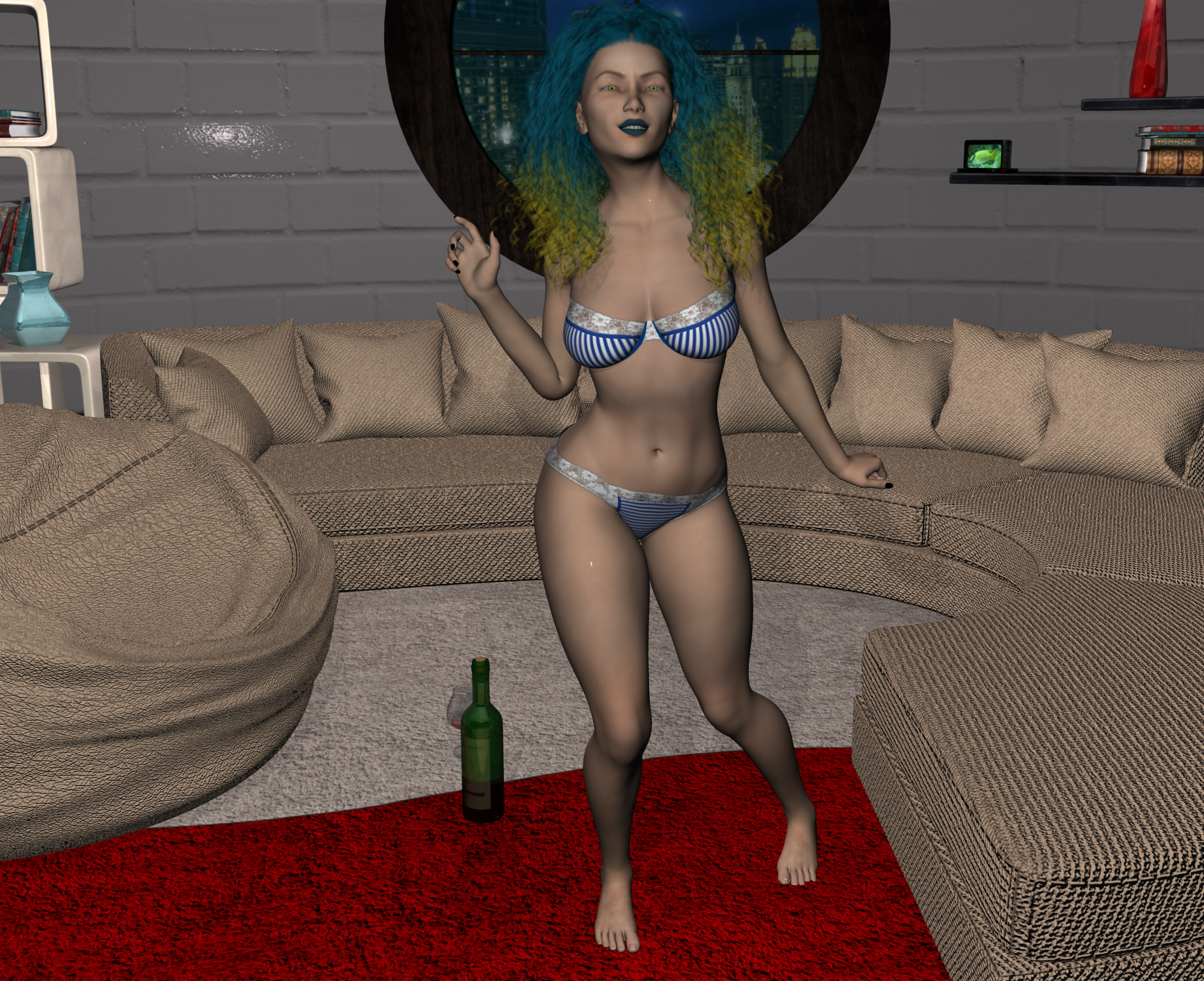
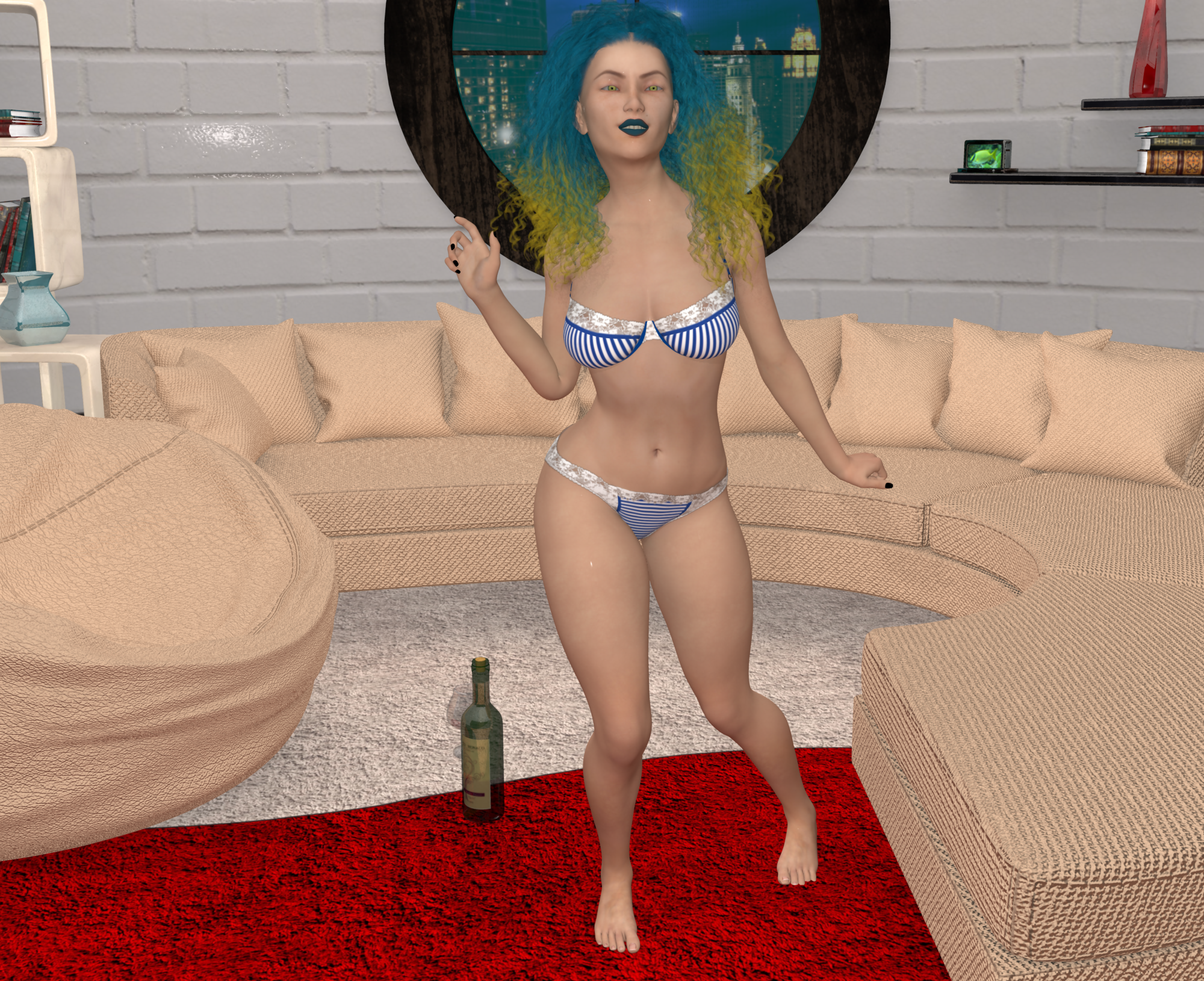
Misty, what is the room in your renders?
is the All Round Living by lilflame, rmp
woulda made for a sexi pinup room
sigh i'se still working on kapow entry.Daz to Maya questionFacial mocap defintely works in motionbuilder FBX export, as a combination of bone based animation and blendshapes (morph targets) . But you don't use the re-imported FBX directly, you need to save it as an animated shape (or pose preset) then re-apply to the character in DS . It should be basically the same process the same in Maya. Bryan Stegall posted a video tutorial , including editing the duf if you use morph animations (pure bone based animations don't require it)
Where can i find that tutorial?
Genesis 8 and old contentBackward compatibility refers to being able t AutoFit clothes and other conformers, and to using the Genesis 3 mapping. The tools exist to transfer morphs and there is a thread discussing this, older textures will require an add-on however.
Can anyone tell me what's going on here? ( posing error )When you create a morph, you need to adjust the rigging to shape, or you can get strange results when you pose like yours.
Can anyone tell me what's going on here? ( posing error )Does the morph chnage the overall size of the figure?
Space Explorer Uniforms matching male and female!It takes about 5 minutes to make your one G8F/M clones. The instructions are in the G3 G8 morph transfer thread. They work well because the shapes are so similar.
Ciao
TD
Edit to add link: https://www.daz3d.com/forums/discussion/176271/morphs-from-g3-to-g8/p1
2nd Edit to add direct link to Sickleyields tutorial: https://sickleyield.deviantart.com/journal/Tutorial-Convert-Clothing-G3-to-G8-G8-to-G3-686682065
G8F Morph Creation Issues (ZBrush and GoZ). Please Help!Base should be fine... also to salvage your morph, you can try to use zbrush's projection feature to project the features of the morph you made that erroneously had the eyelashes to a correctly exported version. make sure you mask out sections like teeth, eyes and the nails because the projection usually ruins those areas...
It already lacked eyelashes, it was that I had the resolution level set to high resolution. In any case, thanks for all the help, everyone!
Projection would have still worked to transfer the details you made to a lower poly mesh without eyelashes.
Any hooved options for G3F beyond Fawna?https://www.daz3d.com/hfs-fantasy-shapes-for-genesis-3-female-s - DarioFish's Fantasy Shapes for G3F have a hooved leg morph that's pretty great. He also has the Faunus for Genesis over at Rendo, which you could transfer with GenX2 (and it transfers fairly well, too).
What about textures ?
Poser content to Daz3d conversionIt may also be that the item uses external morph files - .pmds - which DS supports only for figures.
Reduction on Izabella 7 not applied in my cart -- and not Only Izabella 7, it's a bit everywhereHello !
Well, I ran into a problem with DAZ cart rules :D
EDIT: (it's a bug in DAZ Office :o). -- please can you fix it so I can continue to purchase my beloved content during PC+ sale anniversary :)
*** Genesis Evolution: Morph Bundle
*** state 70% off
*** but it left at 40% in my cart aswell :/
So, it state that:50% OFF¥* Featured Daz Originals 2015-2016
click here to view all featured items
So, I add a debut new release.Hum.... I click on this right link " https://www.daz3d.com/2015-to-2016-daz-originals " to find Izabella 7 as listed in the products page list.
I add her in my cart !
And.. I see (look at the attached file) this wrong reduction of 40% instead of the 50% announced when purchasing in same cart a debut new release :/
PS: (it either not worked also with a debut new release PC+ as I'm PC+ member !)
NOT working if I deactivate my DAZ Deals add-ons from my Firefox extensions!
EDIT: removed the link formatting..Thanks for any help DAZ Team :)
Beta - G8F Carrara presetone of these is a IDL render
kerissa hair - blended
Ana Lucia character
lingerie robe was bit of extra work. besides converting to blended, had to transfer the Ana body morph to the clothes, used the ds transfer utility, then save it as a new product to save the morph transfer
Misty, what is the room in your renders?
Poser content to Daz3d conversionAssuming that everything is placed correctly in your content library, the most obvious culprit for losing morph or movement dials/sliders would be the fact that the content is rigged using Poser weight mapping, which differs from DAZ Studio weight mapping and is incompatible. Assuming that that is the case, the only solution would be to manually re-rig the items in DAZ Studio.
How do I share a morph asset?Okay, I've created some style morphs for the Karissa Hair and saved them as morph assets.
I would like to share them as freebies to owners of the Karissa Hair. How do I go about finding the correct file locations and packaging them for sharing on the Freebie forum? I've never shared a morph asset before, so I have no clue.
Daz 3D is part of

Connect
DAZ Productions, Inc.
7533 S Center View Ct #4664
West Jordan, UT 84084Licensing Agreement | Terms of Service | Privacy Policy | EULA
© 2026 Daz Productions Inc. All Rights Reserved.