-
Daz to Maya question
As you can see, if properly set up, you can have full articulation of the face. Here I am setting up a GUI interface for connection to bones and blend shapes, basically duplicating what is available in Daz with its morph sliders and Posemaster (or whatever it's called). It is meticulous work, which is why I lament that DAZ doesn't have acceptable animation capabilities. Such a waste.
From the Daz to Maya intro video, it seemed to suggest that it transferred the face morph sliders. Is that not true?
Morph LimitsDoes anyone know if it's possible to permenantly disable limits on a particular morph? There's one that I turn limits off for each time I begin a new character; it would be useful to have that turned off by default for this one morph.
Pascal Hair Promo Character?Heya Llynara :) heehee happy someone else liked her, I used her in Tempest Hair promos too and someone asked by email... here's what I replied:
I edited the face textures of FWSA Zoe in Photoshop to get that thick horizontal brow. Sorry I can't distribute the edits as I didn't create Zoe. I really wanted an instagram brow look. Some P3Design and Addy characters have thick horizontal brows too, maybe try them :)
Below is the morph setting attached, just unzip to your contents folders and apply it to g8 female. It requires:
- the G8 female head morphs https://www.daz3d.com/genesis-8-female-head-morphs
- Josie 8 head (50%) https://www.daz3d.com/teen-josie-8 -- if you don't have Josie 8 it will look very different... I think you will need Josie.
- and Fane head (30%) https://www.daz3d.com/fane-hair-and-character-for-genesis-8-female-s -- if you don't have Fane, since I only mixed 30% Fane it's not as important, you can adjust the nose narrower, and mouth and eyes yourself with the G8 female head morphs. :) I also used Fane G8 green eyes texture.
Hope that helps! :)
Carrara CharactersCustom Poser figures are hit-and-miss depending, I think, on how they're set up. I just got one of Sixus1's older creatures (not that old though) and the Mouth Open morph doesn't work in Carrara unless I unlock the figure to access the model-level locked and hidden morphs that the dial in the head controls.
Trying to work around this using Hexagon Bridge with DS to create new user-facing morph dials, but so far to no avail. I'll get it though. Cool creature, nonetheless ;)
Not To Worry, Friend, "There's Always Another Sale™"Beware of this one:
https://www.daz3d.com/retreat-g2-male
This is not for Genesis 2 but for the old G2 male characters from Smith Micro.
Thanks for the catch. It's a nice set, though. Looks like one would be able to fit it properly in Marvelous Designer, though I'm fairly certain EvilInnocence has a CrossDresser license for the character... transfer it to Michael 4 and then auto fit that way, I suppose.
But I'll try the MD route first, when I have the chance.
Beta - G8F Carrara presetone of these is a IDL render

kerissa hair - blended
Ana Lucia character
lingerie robe was bit of extra work. besides converting to blended, had to transfer the Ana body morph to the clothes, used the ds transfer utility, then save it as a new product to save the morph transfer
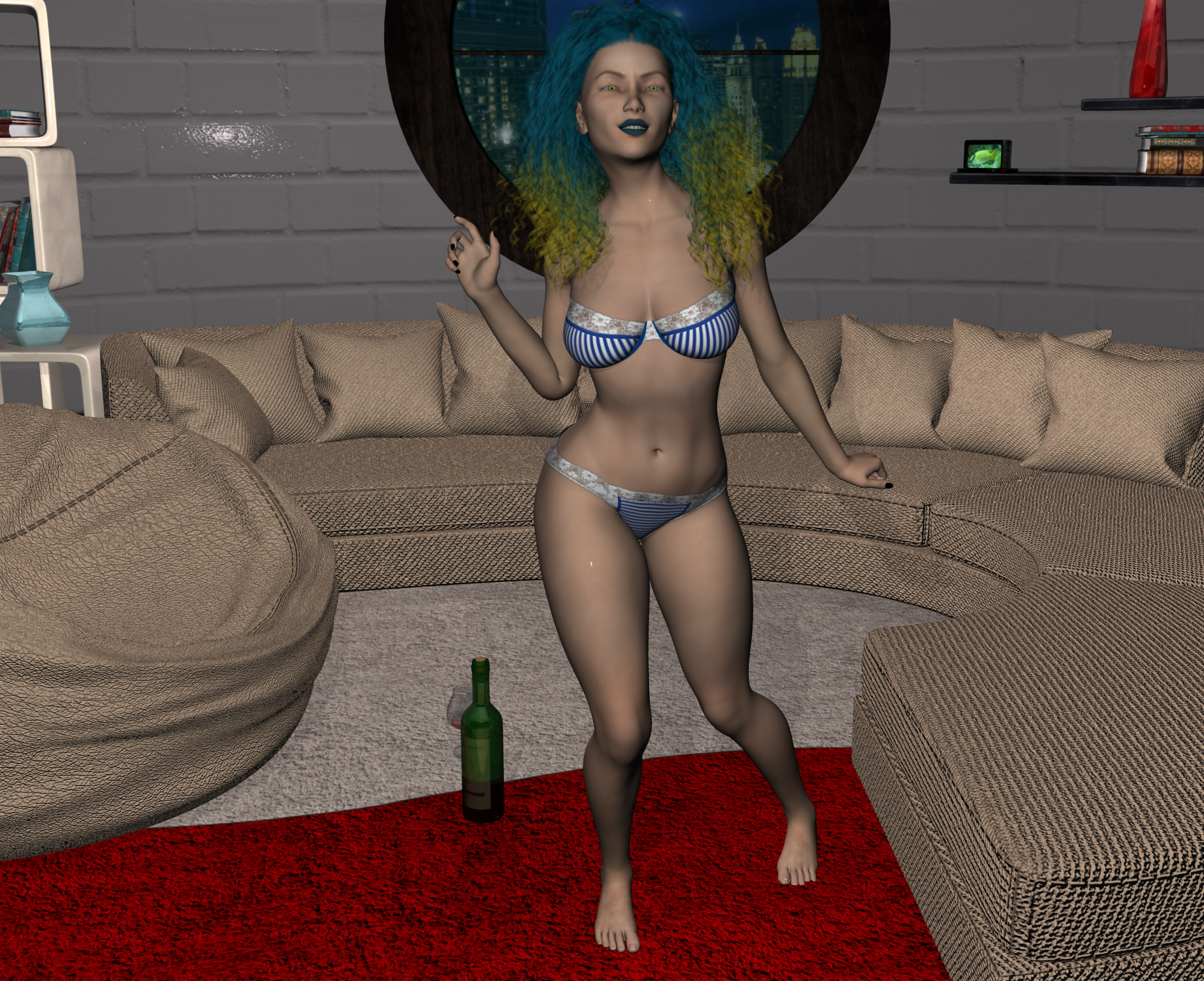
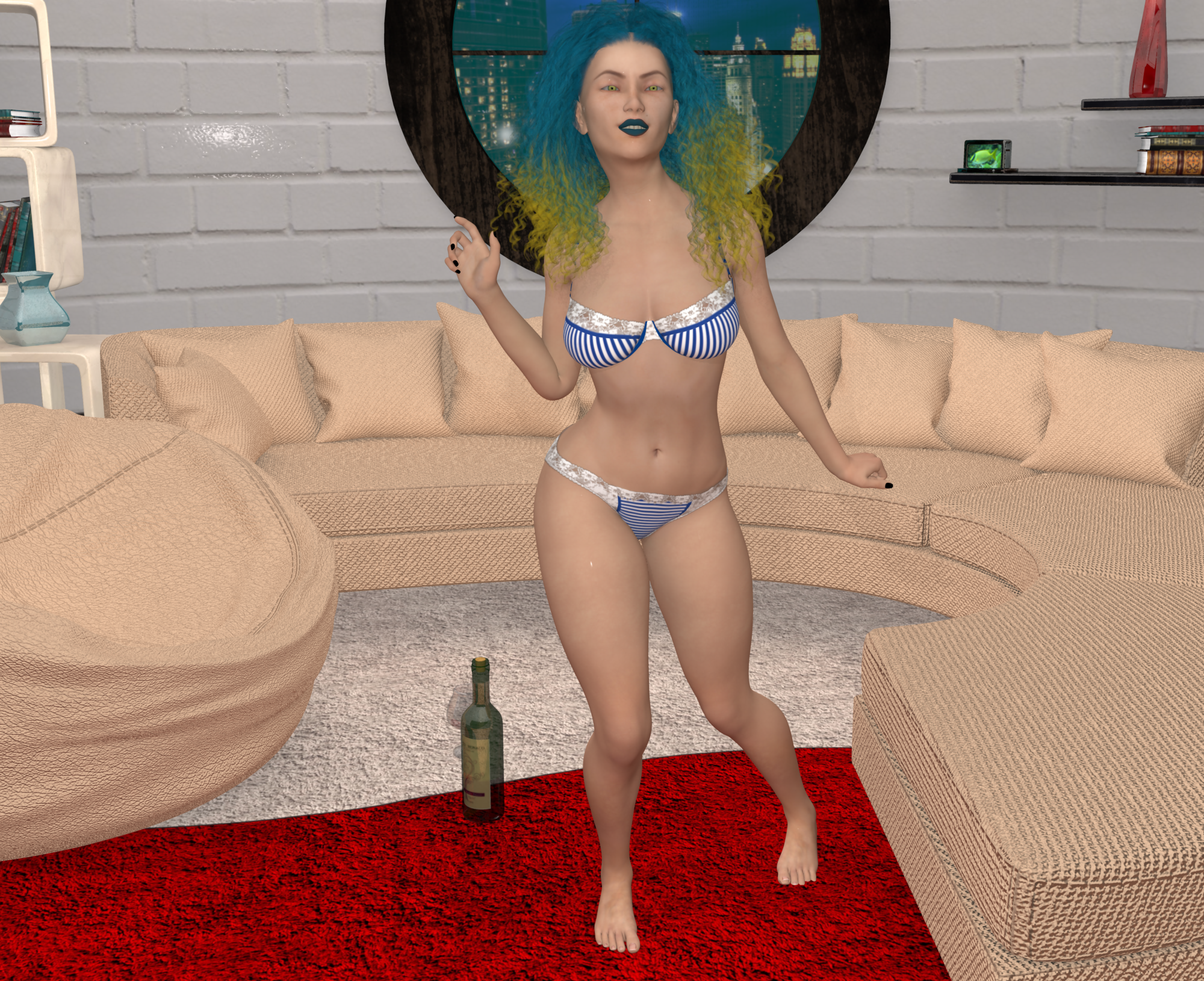
Misty, what is the room in your renders?
is the All Round Living by lilflame, rmp
woulda made for a sexi pinup room
sigh i'se still working on kapow entry.Me too. I wish time could sit still for a while when I'm in Carrara.
 Monique 8
Kudos to Daz for getting the character morph, skin, and promos right. I don't know why joelegecko isn't handling everything, but it's a nice change to have professional-looking promos that flatter the character rather than having to wait for users to post renders so we can see what the girls really look like. After Victoria & Olympia, I was about to check out. Thanks also for heeding our request to introduce Monique and Darius earlier than usual. Five months from Victoria to Monique is a huge improvement over a year plus.
A similar thing happened to me last week, HorusRa. I was charged $78 for a $27 purchase, but that amount never appeared in my cart or at checkout. Yes, Sales Support credited me the difference within 24 hours, but now I check my Orders page and card account after each purchase, which sucks really.
Released-Giovanni for the Genesis 3 and Genesis 8 Male(s) (Commercial)Coming soon....Or rather- Released! https://www.daz3d.com/giovanni-for-genesis-3-and-8-male-s
Giovanni is the eldest brother of Salvatore and Giuseppe, and a mature male for your runtime needs.
His head morphs are custom morphs; The Mature/Aged Head HD Morph Details were sculpted in Sculptris and shows best at 2+ SubD settings. The body morphs require Genesis 8 Body Morphs and Genesis 3 Body Morphs.
His skin base is a mix of skin photo resources as well as various merchant resources.
Giovanni's textures come with 5 eye colors, 2 Sclera and 2 Lash materials. He has a chest tattoo, an Upper arm tattoo and a small hand tattoo with a Torso Scar to mix and match with. There are 3 Brow options as well as a no brow and a Mature Brow Option to choose from.
I have also included 3 Skin Gloss Presets: Base, High, and Low Gloss (For the Base Model and the Anatomical Element Geograft to match).
Anatomical Elements are included; Circumcised and uncircumcised. Hierarchical Presets with the Lash/Tear and Anatomical Elements for Genesis 8 Male.
Materials are Iray only.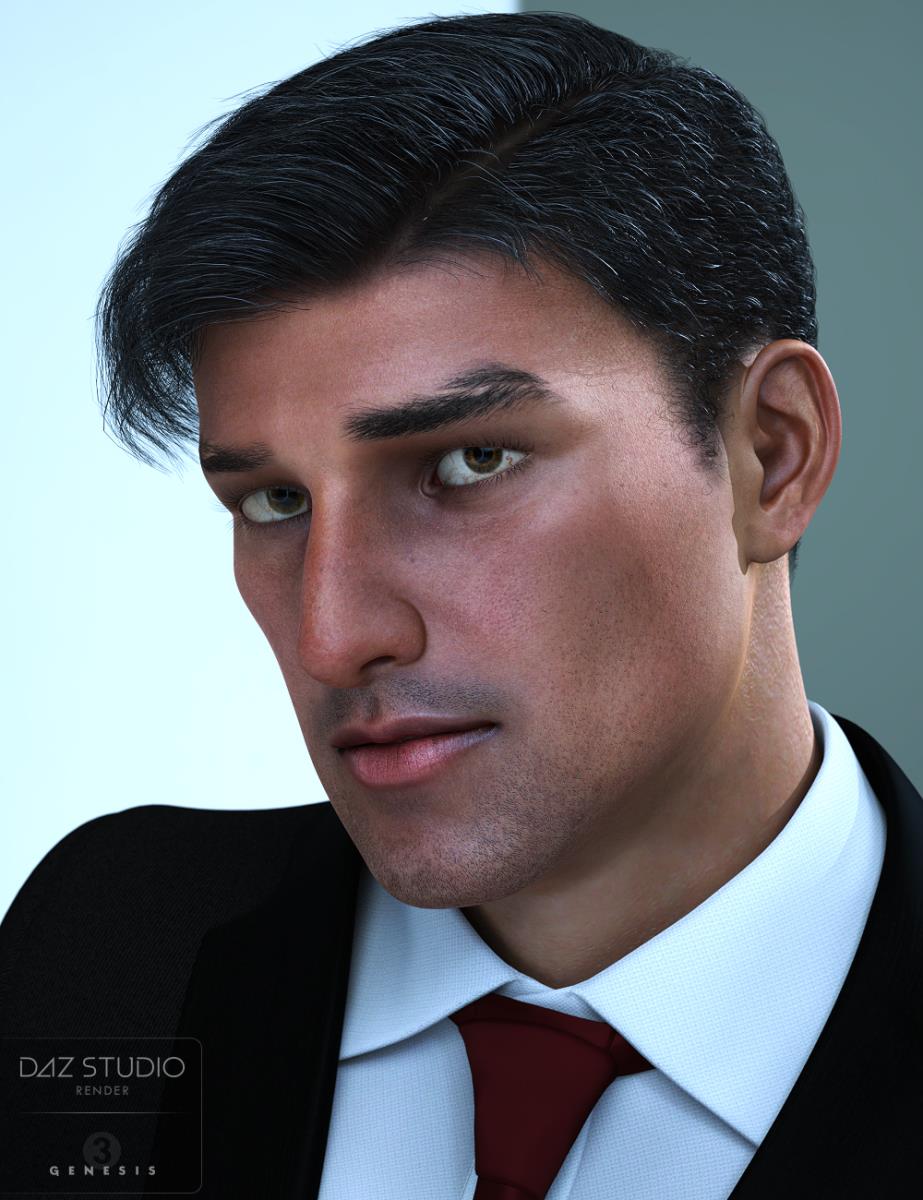 AIUTO...CHI CONOSCE L’ITALIANO? PARTE UNDICI
Ragazzi ho comprato questo prodotto:
https://www.daz3d.com/otherworldly-wonders-tanwen
E non funzona perchè chiama un INJ/DELTAS che non trovo.
Però nella descrizione ho notato questa cosa:
- Victoria 4.2 must be initialized for this morph add on to work
Però non ricordo come si fà. Qualcuno può darmi suggerimenti?
Daz to Maya questionAs you can see, if properly set up, you can have full articulation of the face. Here I am setting up a GUI interface for connection to bones and blend shapes, basically duplicating what is available in Daz with its morph sliders and Posemaster (or whatever it's called). It is meticulous work, which is why I lament that DAZ doesn't have acceptable animation capabilities. Such a waste.
Monique 8Bravo, Daz. Although I would not have considered it a stereotypical slight if her bum were rounder; plus, that would have added to the clothing morph options for dialed characters.
Monique 8Orange Banner probably tomorrow morning. The discount was showing in the cart for me, so I didn't wait. It was a steep discount, but then, I have both of the two previous Moniques. (Forgot to use the PC Coupon, which may be a mistake, if Darius doesn't follow before the end of the month.
As usual, I like the morph. The skin looks fairly all right in the promos, but the Curse of the Orange (which, in a perfect world would be mostly limited to banners) is almost certainly lurking. People are getting better at figuring out ways around it, but we really ought not to have to jump through those hoops.
And no Voodoo themes! Instead, we get an action heroine (in high heels *sigh*).
What do I need to take a morphed figure from M4 to G2/3?I'm curious, are these extra morphs from the morph dials? It's been my experience with GenX2 that not all morphs from dials will transfer, because G3 may not have the same morph dials.
My only success has been to convert the individual morphs (in my case, G1's DD Resource - Ears), and then I can apply those to G3 after the transfer.
Unfortunately, the PA who created GenX2, Dimension3D, has passed away, so there is no bridge from G3 to G8 with this product.
There is a free utility in this thread, but it is recommended that you get some experience with Daz Studio before trying it (it's a use at your own risk item). Just keep this bookmarked for later use.
https://www.daz3d.com/forums/discussion/comment/2707576/#Comment_2707576
mcjTeleBlender:Daz Studio scenes/animations w/Blender's Cycles Engineif the scene was exported/imported through teleblender it has no morphs no skeleton so i suppose you did the export/import through fbx or collada
i have a general idea of how this could be done but dont plan on writing the blender script to do this sorry. I didnt see existing scripts to do this
but i dont follow activities in the blender world, maybe if you search in the big blender forums for words like "morphs" and "combine" or "unify"
if you use mcjTeleblender to export the daz scene, all the materials should be in blender
The main purpose of teleblender is to transfer a frozen daz scene to blender and convert the materials into the type of materials that Blender wants ( ex: cycles materials )
in all versions of Blender, except 2.79 i think, when you exported a scene from Daz using Daz Studio's built-in exporter and imported it in Blender "manually", the materials for the Cycles renderer we basically blank ... that's why teleblender was created
with Blender 2.79 the obj importer now creates usable cycles materials, but not as good as the Teleblender ones , because teleblender transmits to blender more of the material parameters like tiling for instance
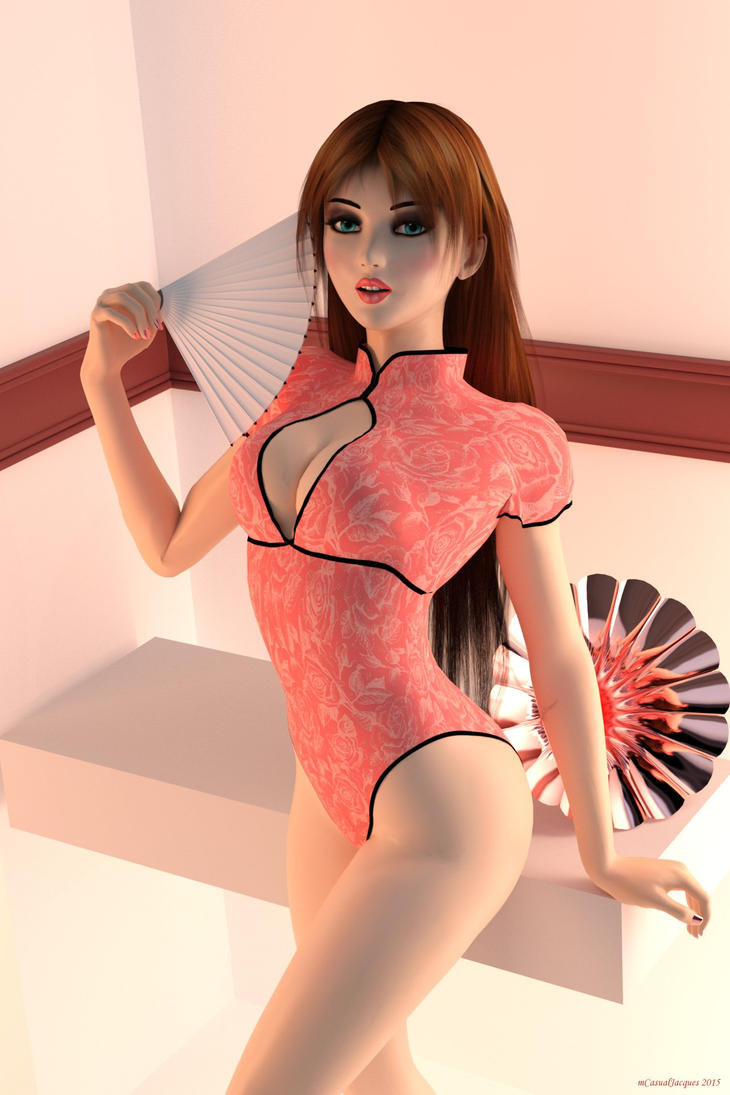
Say mCasual, I have a questions regarding a few things:
First one I have is about morphs (I apologize if this has already been answered before), but is there a way to get it so that DAZ imported morphs have the same slider values in Blender as they do in DAZ? I only ask because I've experienced some problems regarding facial morphs when it works only in one direction and not the other.
Secondly, is it possible to bring over all the materials used in a DAZ scene over to Blender? I've tried it with one of my characters, but noticed that the materials don't follow suit, only the textures. This character btw is supposed to have slightly tanned skin that I came up with by tweaking the material properties of the model itself.
Let's see your dForce renders/experiments/interesting results!How old are talking about, @evilded777? I've had some success with clothing for V4, but I'm using it on newer figures so I futz with the rigging and scale and anything else I can to make the clothing fit the newer figure as best I can, then hide everything but the item and export to a Wavefront OBJ. Then I import it and use the Transfer Utility to rig it for the figure it's going to be used on. I'll tweak some more, if necessary. (I have found I need to close DS and restart if I need to export more than once, or the obj loses all the material zones.)
There's probably a better way to do it, but that seems to work for me, just not on everything.
What robes are you tinkering with? If I have any of them, I'll be happy to see if I can figure it out, and get back to you.
Not even that old. I've tried the Medeival Cloaks for Gen3 and Gen8, a few things for Gen3...It all just explodes almost immediately.
I've tinkered with Medieval Cloaks, and I noticed that they don't conform to the T-Pose. I'll take a more in-depth look and see if I can find what makes them explode. With the Platinum Cocktail dress, it was a zipper pull on the back of the dress. Maybe there is something similar here. BBIAB.
Any thoughts on Headshop one click?I am tempted to buy it since it is on sale and much less pricey than facegen, and all I really want is the face morph shape. But my fear is that cheaper may mean more problems. Has any one tried it?
Let's see your dForce renders/experiments/interesting results!How old are talking about, @evilded777? I've had some success with clothing for V4, but I'm using it on newer figures so I futz with the rigging and scale and anything else I can to make the clothing fit the newer figure as best I can, then hide everything but the item and export to a Wavefront OBJ. Then I import it and use the Transfer Utility to rig it for the figure it's going to be used on. I'll tweak some more, if necessary. (I have found I need to close DS and restart if I need to export more than once, or the obj loses all the material zones.)
There's probably a better way to do it, but that seems to work for me, just not on everything.
What robes are you tinkering with? If I have any of them, I'll be happy to see if I can figure it out, and get back to you.
Not even that old. I've tried the Medeival Cloaks for Gen3 and Gen8, a few things for Gen3...It all just explodes almost immediately.
Let's see your dForce renders/experiments/interesting results!How old are talking about, @evilded777? I've had some success with clothing for V4, but I'm using it on newer figures so I futz with the rigging and scale and anything else I can to make the clothing fit the newer figure as best I can, then hide everything but the item and export to a Wavefront OBJ. Then I import it and use the Transfer Utility to rig it for the figure it's going to be used on. I'll tweak some more, if necessary. (I have found I need to close DS and restart if I need to export more than once, or the obj loses all the material zones.)
There's probably a better way to do it, but that seems to work for me, just not on everything.
What robes are you tinkering with? If I have any of them, I'll be happy to see if I can figure it out, and get back to you.
Space Explorer Uniforms matching male and female!With respect, which of these instructions was simple? Especially when one doesn't have "a modeller"?

Essnetially, from memory:
Export as OBJ and open in a modeller
Select the loop of edges or polygons (depending on the mdoeller) around the area with the emblem, delete the mesh inside it
Fill in the hole - the method will depend on the modeller, you may be able to select the edge loop, extrude once or twice, and then create a new polygon in the middle (the idea being to have enough polygons to follow the figure as it bends and morphs).
UV the new mesh so it fits into the existing maps (which you will then edit to have a flat colour, or whatever you like).
Delete all but the new mesh and export.
Import into DS and rig, using the Transfer Utility, then Fit To if it isn't
With the Geometry Editor select the polygons to be removed by the graft, right-click>Geometry Assignment>Set AutoHide faces for Attachment, and select the geoGraft.
With the Geometry Editor, select the loop around the area to be removed, right-click>Geomtery Assignment>Set Weld faces for Attachment, and pick the GeoGraft
Someone who does have a modeller could make a suitable GeoGraft - though they couldn't include modified maps so it would need new maps or to cheat by mapping the graft to a plainish area of the existing maps and hope that didn't create a visible discontinuity. Of course in the case of this outfit the whole idea may be superfluous, it depends how the emblem is implemented.
Space Explorer Uniforms matching male and female!Essnetially, from memory:
Export as OBJ and open in a modeller
Select the loop of edges or polygons (depending on the mdoeller) around the area with the emblem, delete the mesh inside it
Fill in the hole - the method will depend on the modeller, you may be able to select the edge loop, extrude once or twice, and then create a new polygon in the middle (the idea being to have enough polygons to follow the figure as it bends and morphs).
UV the new mesh so it fits into the existing maps (which you will then edit to have a flat colour, or whatever you like).
Delete all but the new mesh and export.
Import into DS and rig, using the Transfer Utility, then Fit To if it isn't
With the Geometry Editor select the polygons to be removed by the graft, right-click>Geometry Assignment>Set AutoHide faces for Attachment, and select the geoGraft.
With the Geometry Editor, select the loop around the area to be removed, right-click>Geomtery Assignment>Set Weld faces for Attachment, and pick the GeoGraft
Or wait for something better that suits the needs, maybe the PA or another PA will see this as one voice to many other voices that don't speak up to what is looked for.
To quote a friend of mine. "The true fun of such things is where you can go with it, not following the course that someone else has set."
Simplicity is what attracts people to use a product and make its use and value greater.
I appreciate the tutorial but I prefer and want a simple product that does the job the first time, you'd be surprised how many others are looking for the same thing when they sit down to this as a hobby. Modeling programs...I suck at those anyway. You should see what my day job is...
-Paul
Wish list: Updated Courageous and Valiant for G3 and G8.
Daz 3D is part of

Connect
DAZ Productions, Inc.
7533 S Center View Ct #4664
West Jordan, UT 84084Licensing Agreement | Terms of Service | Privacy Policy | EULA
© 2026 Daz Productions Inc. All Rights Reserved.