-
Victoria 4/Michael 4 Teens?
the Kids 4 share the same mesh all the Millenium 4 characters are Unimesh so it is in fact possible to create morph targets between them and use their morphs on each other
clothes can be fitted using transfer active morphs
Victoria 4/Michael 4 Teens?There's no pack similar to Growing Up that I know of, but it's totally possible to create a teen character from them.
For V4, Stephanie 4 morphs help a lot to get a younger character.
Here are a few examples of character packs including a teen or young teen morph for V4, I'm sure there are others:
https://www.daz3d.com/teen-ashley-character-and-hair
https://www.renderosity.com/mod/bcs/sabby-sisters-kimmi-amp-kyrsi/99725/
https://www.renderosity.com/mod/bcs/sabby-sisters-ii-carly-amp-chloe/101638/
https://www.renderosity.com/mod/bcs/p3d-sarah-and-serena/105446/
Victoria 4/Michael 4 Teens?Does anybody know if there is any way to do a full body morph in Victoria 4 or Michael 4 to look like a teen, almost similar to the Growing Up morph for Genesis 3?
dForce and Hexagonanother way of extending on what Cris says above: The original UV (surface) maps of your starting object meshes (e.g. clothes) are bound to the *exact* geometry (vertex/polygons) mesh that they were created for. As soon as you change (add, combine, or delete) any points or lines in any object mesh, you must also (somehow) regenerate the UV maps to match the new mesh. None of the mesh editors that I know of do this automatically (could be wrong), but a few tools can be finessed into doing what you'd like to do. (FWIW, Morphs have this same 'exact' geometry constraint - you move vertex points around when making morphs, but you cannot add, remove, or combine them when creating morphs - the ending count and order must exactly match the starting count and order, or the morph import process will fail.)
There are a couple of threads here in the DAZ forums that describe the use of Blender or UVLayout (i think) to load, regroup things, and then weld nearby points as you'd like to do, and save back the mesh with the desired changes also reflected in the UVmaps (which are now different from the originals, but will work as you expect in any rendering context, including D-force). Again, others may have magic tools that do this better. I'm hoping so! I don't believe Hexagon can do this, so any mesh changes like welding mean you have to remap the UVs, or make new ones in Hexagon, or a UV editor like UVmapper, UVLayout, 3DPainter, or most other mesh editors as well. (others who know better can advise as to the benefits of the various tools.)
There's also a good youtube tutorial (sickleyield?) on using DS and D-force tools to 'freeze' things (as if you welded them?). I have an interest in this as well, but no experience using any of it yet. I haven't gotten to that part of my project...
Let us know if you find anything that helps!
cheers,
--ms
(edited to clarify)
Addon side-part morph for Delphi HairFree additional side part morph and presets for newly released Delphi Hair is available here http://shop.aprilsvanity.com/delphi-hair.html

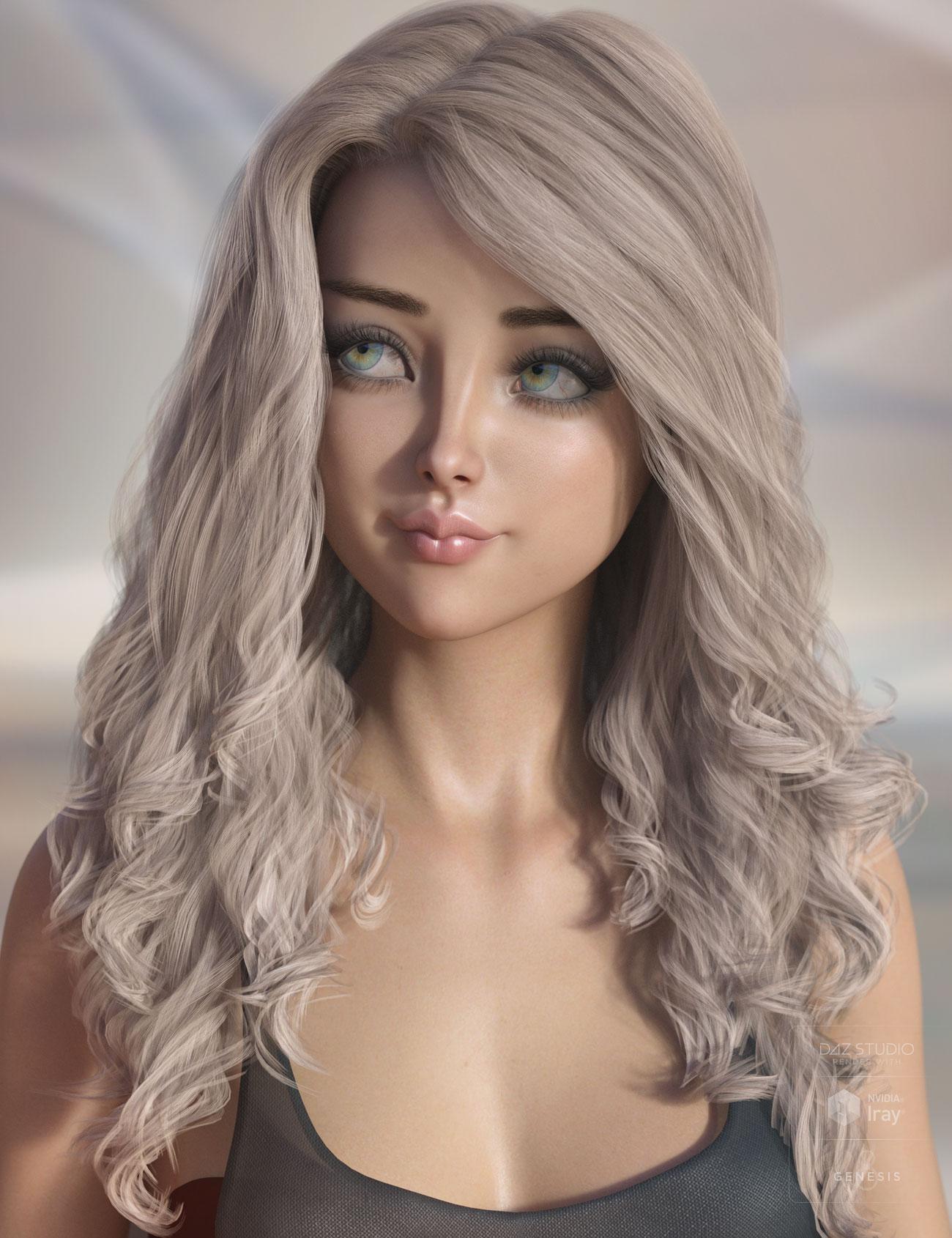 Bblythe Hair for Genesis 8
Nothing to do with the character query above, but I just got Bblythe Hair and noticed this rather obvious gap in the hair at the top when viewed from the side. Is there some adjustment morph I'm missing that would fix this, or should I just get a refund?

I just bought it and thought it looked very nice, thenI looked at it from the side and noticed the same issue.
Bblythe Hair for Genesis 8Nothing to do with the character query above, but I just got Bblythe Hair and noticed this rather obvious gap in the hair at the top when viewed from the side. Is there some adjustment morph I'm missing that would fix this, or should I just get a refund?
How do I make monster hands?Looking forward for this script geting released. This will ease up things with morph mixing and give new possibilitys.
I allready talked about some similar here:
While in the mean time I think it is all based on this Attenuate function of the MorphLoaderPro. These Tutorial Videos descripes this methods.
TUTORIAL - Creating a Genesis series Full Body Morph for DAZ Studio Pro 4.10 by RKane_1
Using a Mask when Importing Morphs - Xenic101
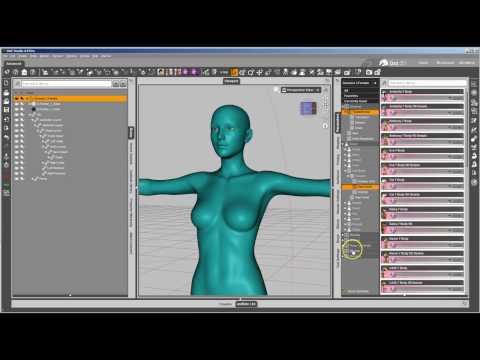
New Morph Tools Intro - Josh Darling
 Musings/Observation: Dazworld's male shortage... r.e. the female to male ratio.
George, Ollie, Edward, Old Chap and Base G8M + the two basic Morph packs... giving you some nice little wheels... 1000s of different males ready to roll... add to that a couple Freebie Figures or cheap ones to cover different skin tones and the number of possibilities increase exponentatially...
All the "different" females out there aren't really that different, with some exceptions, but there seem to be many, many, many users who lack something that would allow them to use some basics to make their own figures.
It's a bit like pre-made food. Some people only buy such stuff because they think it doesn't take so long to prepare as "proper" food (which is basically wrong...) and others because they think they can't cook (which is also basically wrong, given the number of recipes, cookbooks etc available - everyone could (!) learn to prepare tasty, healthy food).
And we shouldn't forget the one basic principle of a market: it gets produced what people are buying (or what the producers expect the people to buy...)
As one of the main markets for 3d figures in the more recent times isn't longer the artistically inclined clientel but the evergrowing market of web comics with more or less "adult" subjects, there is a need for way more scantilly dressed females than for ordinary looking males. Most parts of those males' bodies usually aren't even shown, except for their reproduction organs, and, like in most adult films, nobody bothers how they look like anyway, as they usually all look the same - muscular hunks - anyway.If I do not use DS is there some way to use G1, G2, G3, figures in PP11?Sure, so long at the runtime/DSON/auto_adapted folder is preserved. I used the DSON importer for years before I installed Studio about two years ago.
In fact, one can convert the saved figures into native Poser figures, although the use of the Transfer Active Morphs to clothing script is lost in the process (one can transfer the morphs in Poser Pro, but it's not as handy as the script)...
Noswen's CornerAmelia is cute! She will make a heck of a warrior if she is starting now. Keep an eye out for the morph packs for G3 to go on sale. They can discount pretty good. Also look for Sickleyields faces for G3f when her shop goes on sale. I believe she has Faces of Africa, Asia and Europe. Lolla Lane has some lovely body morphs for G3f as well if I remember correctly. Also, lyoness's morphs are always good.
wow, he might be able to pass without them even seeing him. Just a suggestion but maybe put something brightly colored on him so he stands out a bit from the floor. Really cool idea, can't wait to see where you go with it
Male Body morph for Genesis 3/8 Female@agent unawares has a Transgender morph linked in their signature: http://fav.me/dbyyndq for G8.
The preview show female breasts, I'm looking for something more masculine and less transgender.
But I will try it, thank you
the one sitting down in the preview is f2m, so it looks pretty good, IMO.
It's perfect, thank you very much !
Male Body morph for Genesis 3/8 Female@agent unawares has a Transgender morph linked in their signature: http://fav.me/dbyyndq for G8.
The preview show female breasts, I'm looking for something more masculine and less transgender.
But I will try it, thank you
the one sitting down in the preview is f2m, so it looks pretty good, IMO.
Male Body morph for Genesis 3/8 Female@agent unawares has a Transgender morph linked in their signature: http://fav.me/dbyyndq for G8.
The preview show female breasts, I'm looking for something more masculine and less transgender.
But I will try it, thank you !
Male Body morph for Genesis 3/8 Female@agent unawares has a Transgender morph linked in their signature: http://fav.me/dbyyndq for G8.
Male Body morph for Genesis 3/8 FemaleHi,
Some items can't be converted to G8M, for example I think about the body of System 50 and Borg so I'm looking for a Male morph for G3F/G8F because I doubt the vendors will make a male version of their products.
Request: Young Boy and Girl Hair and Wardrobe from 1950sI believe she was asking about 50s kids CLOTHES, not so much kids that age. That said... the Growing Up morph packs let you set age to 5or6, 9or10, or early-teen (which I'd equate to 13or14), I have used these extensively. Depending on the Growing Up morph pack you have, take any grownup Genesis 1, 2 , 3, or 8 character, apply the morph... instant kid.
But yeah, more kids 50s clothes (and 60s clothes, and 70s clothes, etc) would be welcome.
Adding more knuckles to fingers?Hmm. Something's not working there.
Memorize Figure Rigging: check
Apply Ciara morph to G3F: check
hand-> edit-> Adjust Rigging to Shape: comes up to a dialog box, with all the bones and face groups checked, and Adjust Center Points and Adjust End Points checked, but Adjust Orientation no checked. Accept and the figures in the viewport go crazy. Hmm.
Edit mode: check
rightclick near the parameter -> ERC Freeze: another dialog box.
Clothing parts with unwelded vertices?So I've realised lately that some (maybe many?) clothes are made a bit weird (atleast IMO). Like the arms and other parts aren't actually connected to the torso part for example. In these cases they seem to be separate elements and it maybe the weighting on connecting vertices is the same so when the character is moved you don't really ntoice. I guess for use in Daz it works ok but personally I hate this and it causes problems in my workflow which involves export from Daz Studio.
I'm looking for options on how to actually make them one piece of clothing (like most of the Daz clothing items I've encountered) so any help is appreciated.
One option I guess would be to export, weld the vertices, and reimport. But I don't know how I'd do this and still maintain the weighting of the old clothing item since this would be a new object.
Another would be to weld them after export but I have to export many iterations of each character so a fix closer to the source would be preferable.
Not to sure what other options exist.
One way, if you don't mind the mesh getting triangulated, is to buy the VWD dynamics solution (renderosity) along with the Daz Studio bridge, the bridge exports the item into VWD as a triangulated mesh which somehow gets all welded together (and hence doesn't ever fall apart in VWD even if it does in dForce) and when you send it back to studio it's a prop with the same UV maps but welded up. You lose rigging but that's easily fixable using the transfer function. This is intended for clothing you want to sim but theres no reason it wouldnt work on a hard surface model, just don't sim it before you send it back. Costs money though. So there's that.
free v4/ m4 faces for 2018I am fan of Your work too. Here is one picture I did today with Your Nina morph.

Daz 3D is part of

Connect
DAZ Productions, Inc.
7533 S Center View Ct #4664
West Jordan, UT 84084Licensing Agreement | Terms of Service | Privacy Policy | EULA
© 2026 Daz Productions Inc. All Rights Reserved.