-
Will There Never Be a Way to Transfer HD Morphs?
Yeah, just think If the Colonel hadn't had a secret recipe would he ever have sold as much chicken as he did?
[snip]And that is how Daz makes money. Anybody can create and render 3D models, but Daz Studio is the Jiffy Lube of 3D. The paint by numbers, ect. Just like millions of people don't wont to bother with oil changes, many people don't want to bother building everything in 3D. So Daz offers just about everything in a premade state for customers.
And that is why blocking access to HD for non PAs makes no sense. Opening it up would not cause some wild floodgate of people to stop buying content from Daz. If anything it could actually improve sales because think of all the new HD transfer products that could be sold. HD might attract more artists to Daz, like those who balk at the super low poly models offered here.Good points, except for one thing. By limiting the HD access to Daz PAs only, they are able to also require that all products made using the HD tools can only be sold at Daz. JiffyLube does not want their special tools to be used for products sold at Valvoline.
toon characterNo.... You'd have to import the base model (G8 for example) into ZBrush or Maya, create your morphs there, reimport them into DAZ Studio, use the "Create morph" funtion to create a morph that then has a slider if you tell it that it needs a slider.
EDIT: IF you create an original character, then you'd still have to go through the "Morph creation" stage, as far as I remember.
Will There Never Be a Way to Transfer HD Morphs?Yeah, just think If the Colonel hadn't had a secret recipe would he ever have sold as much chicken as he did?
A subdivided model is not a secret recipe. Everybody knows what HD models are and many people can build one. This purely about restricting access.The logic behind keeping it locked to specific people fails when you factor that anyone can become a PA. Its not exactly secret if anyone can become a PA and access it. KFC didn't even tell its own employees its secret.It makes even less sense when Daz happily advertises "model, render, animate" on its main page, and proudly boasts Hexagon alongside Daz Studio in order to push this. With Hexagon, a user could create everything they ever need and not spend a single dime in the Daz store.But of course people do buy things. This analogy is more like changing your own oil. Anybody can change the oil on their car, and yet in spite of that oil changes are big business. Everybody from Walmart to local garages offer the service, and there are companies whose entire concept is based on oil changes like Jiffy Lube.And that is how Daz makes money. Anybody can create and render 3D models, but Daz Studio is the Jiffy Lube of 3D. The paint by numbers, ect. Just like millions of people don't wont to bother with oil changes, many people don't want to bother building everything in 3D. So Daz offers just about everything in a premade state for customers.And that is why blocking access to HD for non PAs makes no sense. Opening it up would not cause some wild floodgate of people to stop buying content from Daz. If anything it could actually improve sales because think of all the new HD transfer products that could be sold. HD might attract more artists to Daz, like those who balk at the super low poly models offered here.That's a pretty good argument imo.
Will There Never Be a Way to Transfer HD Morphs?I don't see HD morph transfer ever happening to be honest. I'd like to see it too, but I'm also realistic ;) It's tech that Daz seems to want to keep very close to the vest.
Laurie
I agree, signs are they consider it something of a "crown jewel". I'm not sure why though. They don't make lo-res figures better (i.e. good for games) because you have to turn up sub-D to even see them. And hi res detail isn't a big deal on hi res meshes, lots of companies have hi-res figures that are highly detailed. I'm missing something but this isn't my job so clearly they have a better understanding of what the tech can do and why it's special enough to keep totally proprietary.
Will There Never Be a Way to Transfer HD Morphs?
A subdivided model is not a secret recipe. Everybody knows what HD models are and many people can build one. This purely about restricting access. The logic behind keeping it locked to specific people fails when you factor that anyone can become a PA. Its not exactly secret if anyone can become a PA and access it. KFC didn't even tell its own employees its secret. It makes even less sense when Daz happily advertises "model, render, animate" on its main page, and proudly boasts Hexagon alongside Daz Studio in order to push this. With Hexagon, a user could create everything they ever need and not spend a single dime in the Daz store. But of course people do buy things. This analogy is more like changing your own oil. Anybody can change the oil on their car, and yet in spite of that oil changes are big business. Everybody from Walmart to local garages offer the service, and there are companies whose entire concept is based on oil changes like Jiffy Lube. And that is how Daz makes money. Anybody can create and render 3D models, but Daz Studio is the Jiffy Lube of 3D. The paint by numbers, ect. Just like millions of people don't wont to bother with oil changes, many people don't want to bother building everything in 3D. So Daz offers just about everything in a premade state for customers. And that is why blocking access to HD for non PAs makes no sense. Opening it up would not cause some wild floodgate of people to stop buying content from Daz. If anything it could actually improve sales because think of all the new HD transfer products that could be sold. HD might attract more artists to Daz, like those who balk at the super low poly models offered here.Yeah, just think If the Colonel hadn't had a secret recipe would he ever have sold as much chicken as he did?
Everyday Books QuestionYep. There are 3 versions of the newspaper - unfolded, folded and open. The open version is flat by default, but has a close morph which brings it into the 'reading' position - ie semi-closed.
I made each newspaper out of 4 sheets, all slightly displaced, which makes it look more realistic, so they're not all just solid lumps. And whew.... it took me a long time to do all the text!
Genesis 8, is it Enough?If you are nervous about upgrading Daz, you can install the 4.10 beta and run it safely along side 4.7. 3dl is still there, and mostly unchanged. Blacksmith3d's Texture Transformer is cool, but far from perfect. Sometimes it glitches and fails to properly transfer some textures. Other times the transfers are just plain bad. The software itself is archaic and frustrating to use, with an interface that looks like it came from the 90's. You will want to use an editor to clean up the textures it creates, as the transfer will leave marks. For some reason the fingernails always get messed up for me. The ears look like horror shows. I could go on, but the idea here is that you will lose something in your transfers. It may not be noticeable in some cases, but in others it is.She's so cute! Dayse for Genesis 8This outfit seemed to suitably compliment her gorgeous tattoos.
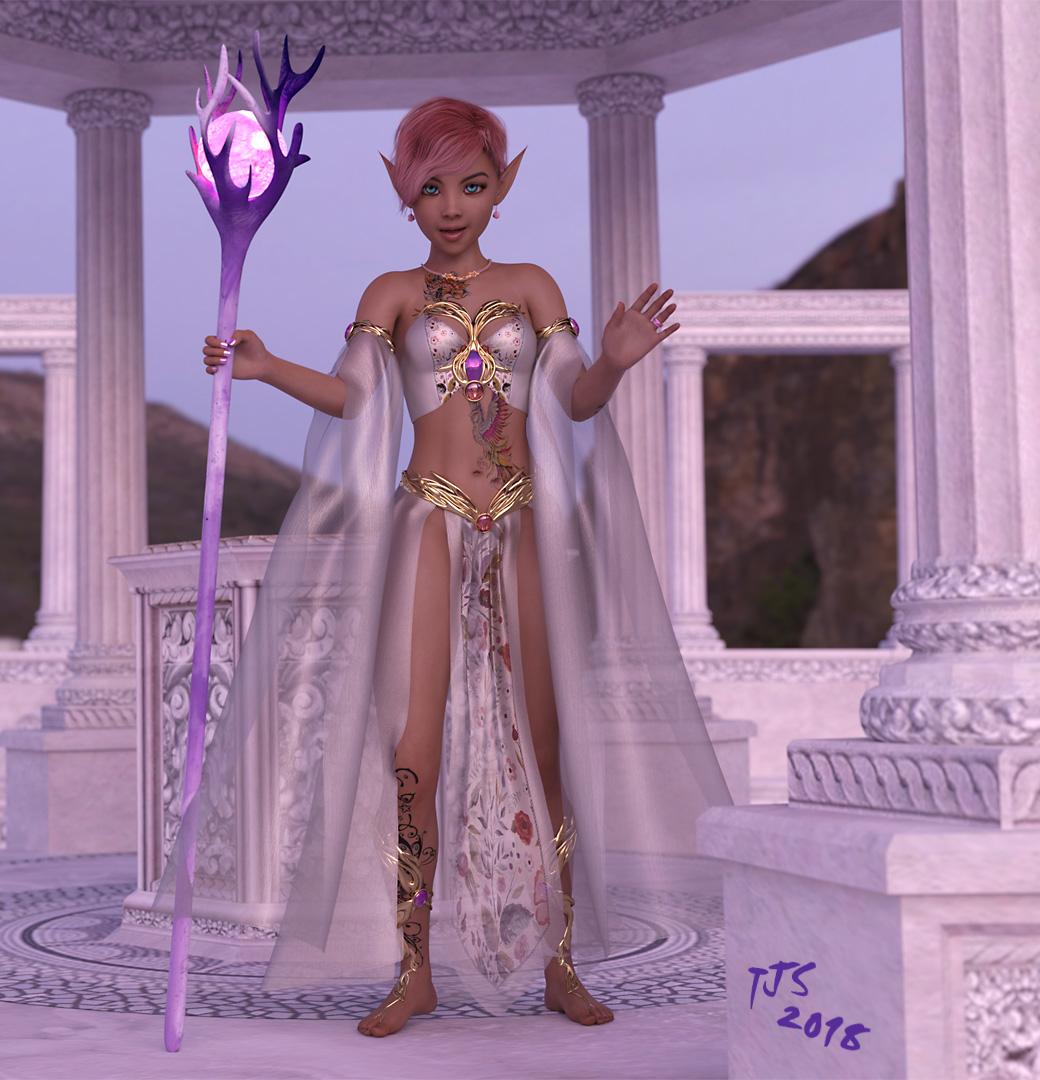
The Elf ears were the only morph dials change I made, and aren't the ones that came with the Alien version of Dayse.
Yep, definite cutie!
toon characterIn principle, yes - aside from HD morphs, which you wouldn't want for toons anyway I would think, all the tools you need to set up content in DS are prt of the applications. However, you would need other applications (modellers for creating now models, possibly sculpting applications for morph creation, image editor for texture creation). There are free options (Hexagon or Blender, Sculptris, GIMP) for those parts of the process, but most peole find it preferrable to use add-on content for at least part of the process. You can of course check the Freebies forum here to see what others have created and shared.
Genesis 8, is it Enough?@Singular3D: Is that you, TAFKASingularBlues?! Does your new moniker forebode a commercial release of your morph conversion tools? Whatever the case may be, it's nice to see you around, and I look forward to forthcoming in-depth loquaciousness.
Genesis 8, is it Enough?You'd want something like this for conversion, as G3 and G8 break compatibility to the older generations with a completely different UV layout:
These tools work, but they rely on geografts, which are annoying in other software than Daz Studio.So I'd love to see a tool that transfers the texture maps pixel by pixel from one UV layout to another.
This way you could reuse your G2 texture on G8 and mix it even with another G8 texture.Black Smith Texture Transformer does transfer pixel by pixel V4, M4, G2F, G2M, all to G3F or G3M and all the intermediaries forwards and backwards except oddly Genesis but I think Genesis can be applied to V4/M4 and saved in V4/M4 format by DAZ Studio (not sure though).
Then you can load G3M/G3F on G8M/G8F and save as G8M/G8F.
It will cost a but of money though to buy that program & all it's addons however if you just buy the G2F / G2M and transfer to G3F / G3M you'll save a bit of money buying addons. I think all together it costs less than $100 but it goes on sale from time to time.
Asymmetrical dialsThere are morph sets with assymmetric options, or you could use https://www.daz3d.com/x-morphs to make your own.
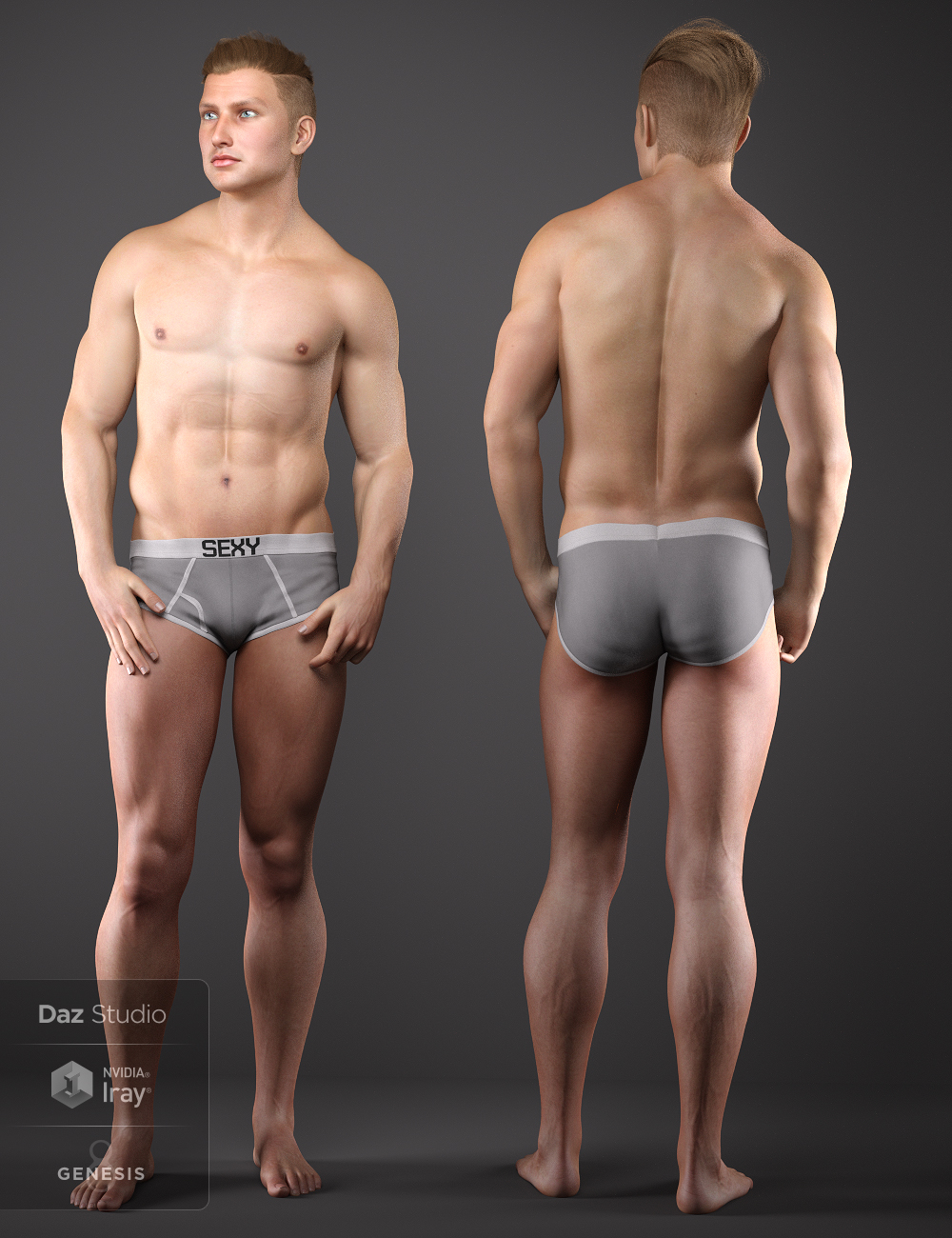
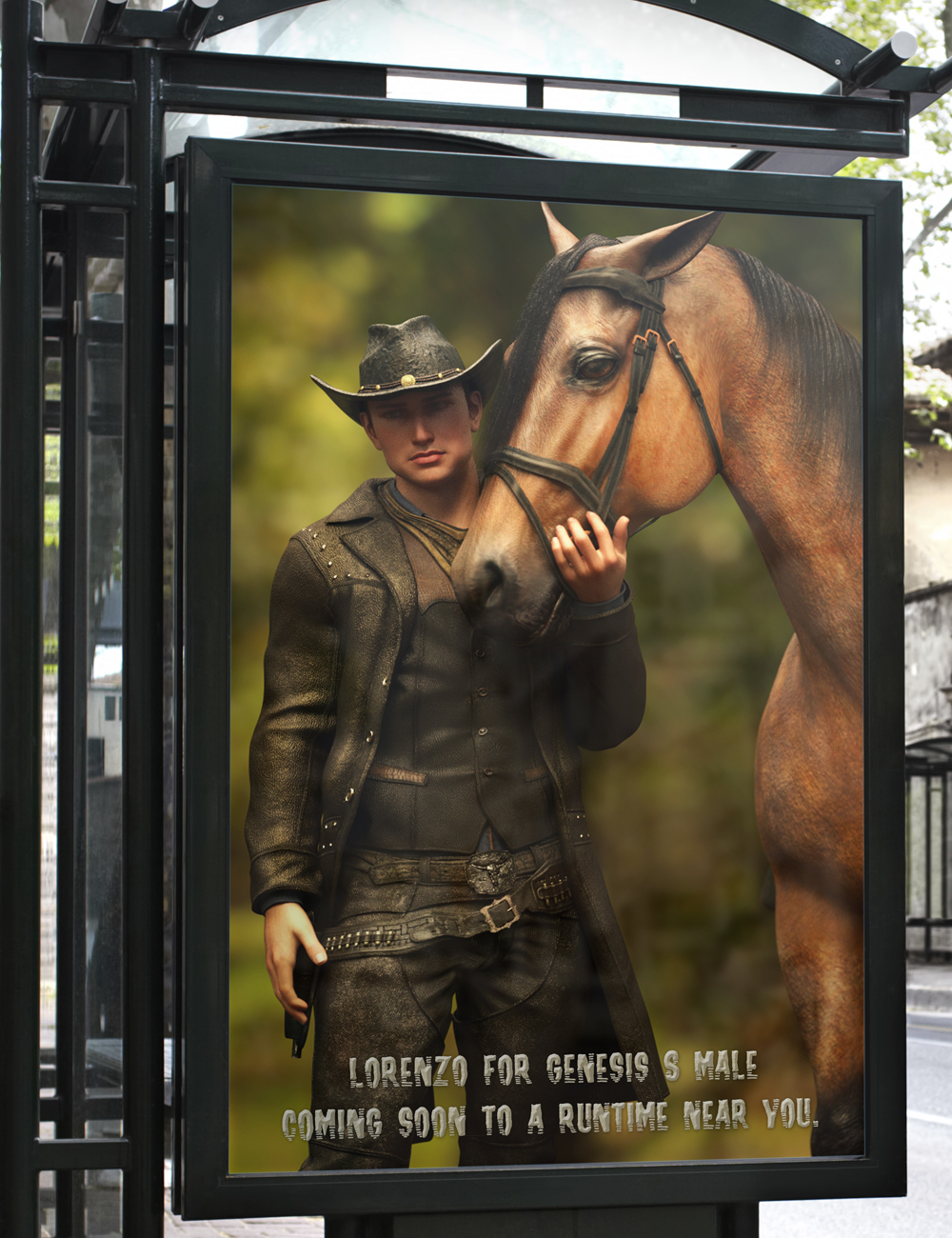
Released-Lorenzo for Genesis 8 Male (Commercial)Lorenzo is the Third Son of Liam and Rosa-another Irish-Italian to add to your Library!
In his character package there are Full, Body and Head Morphs that require no additional morph packs to work.
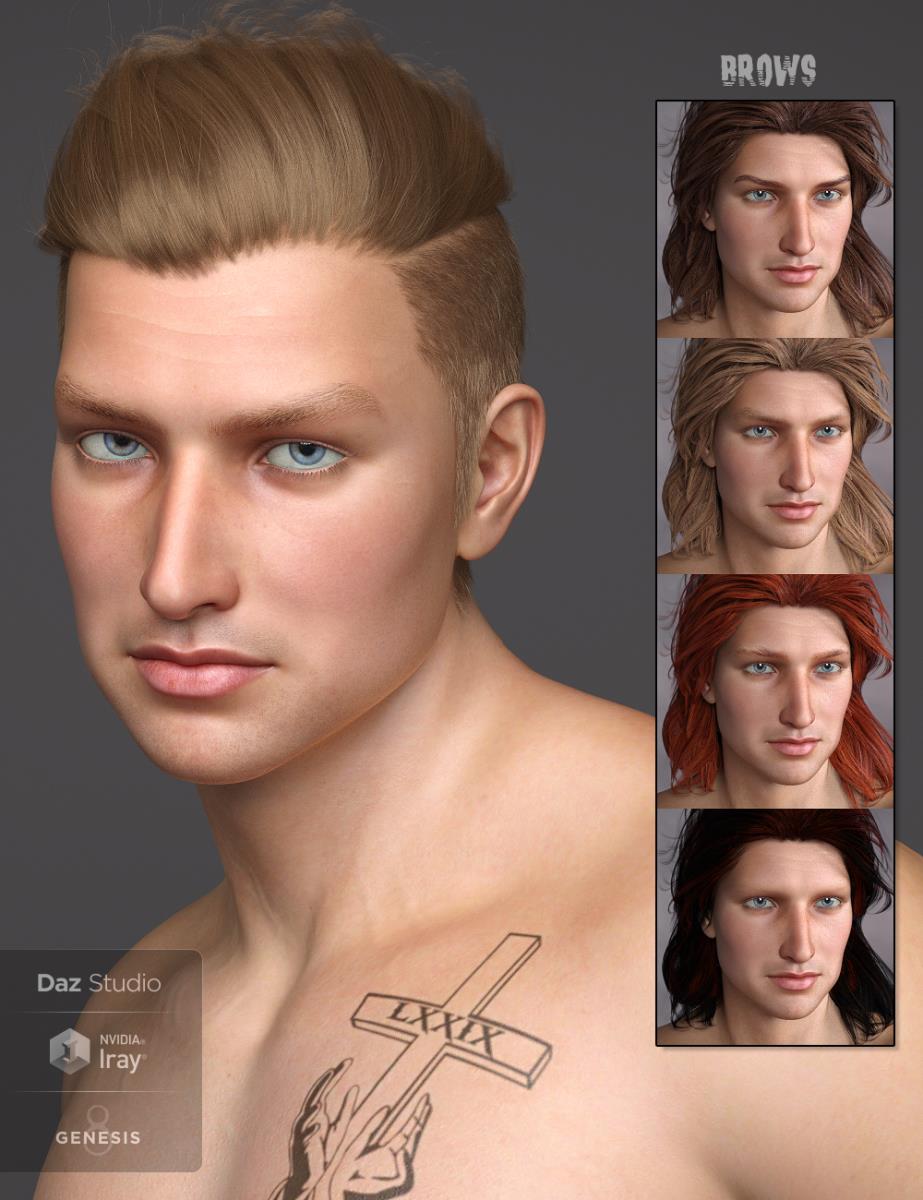
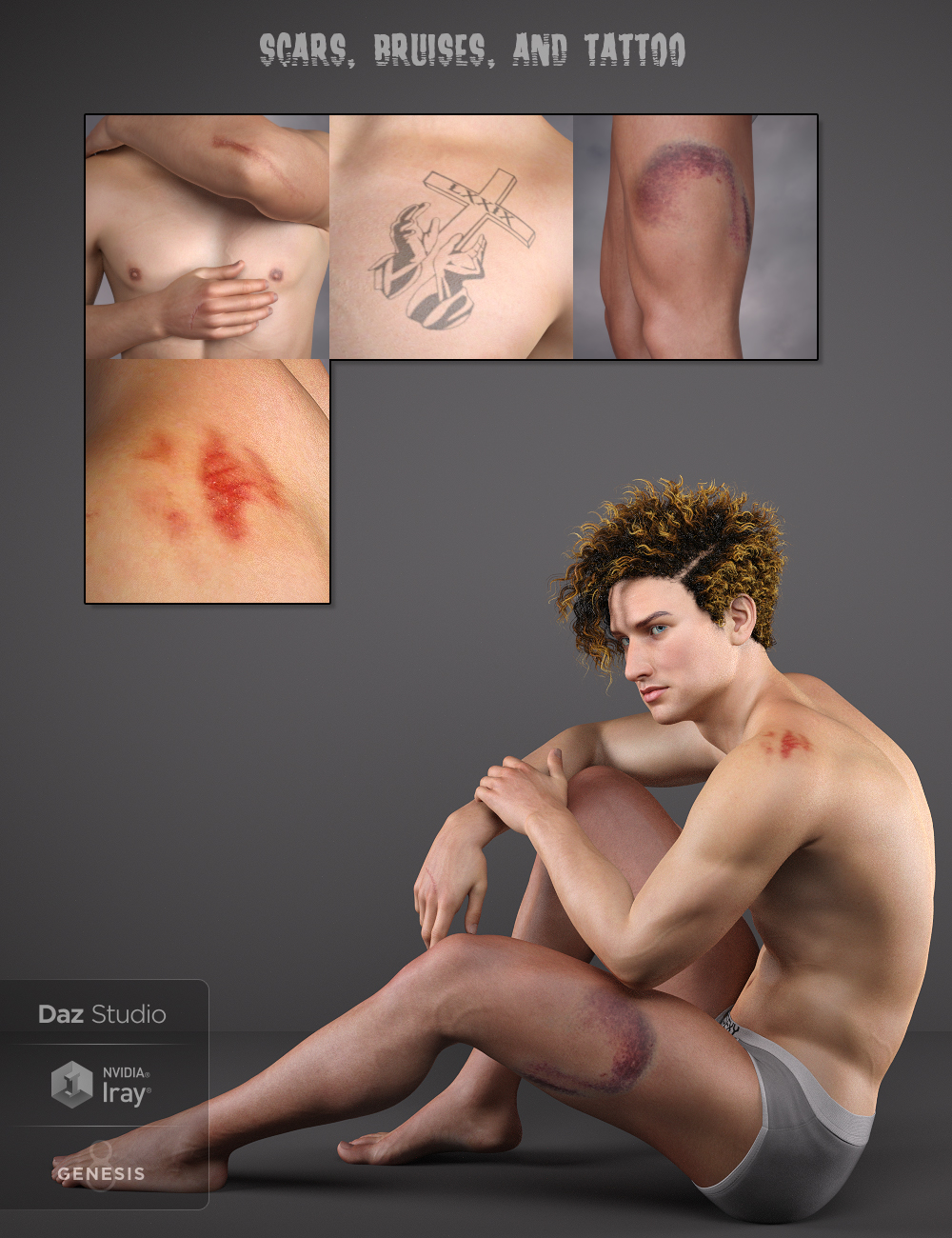
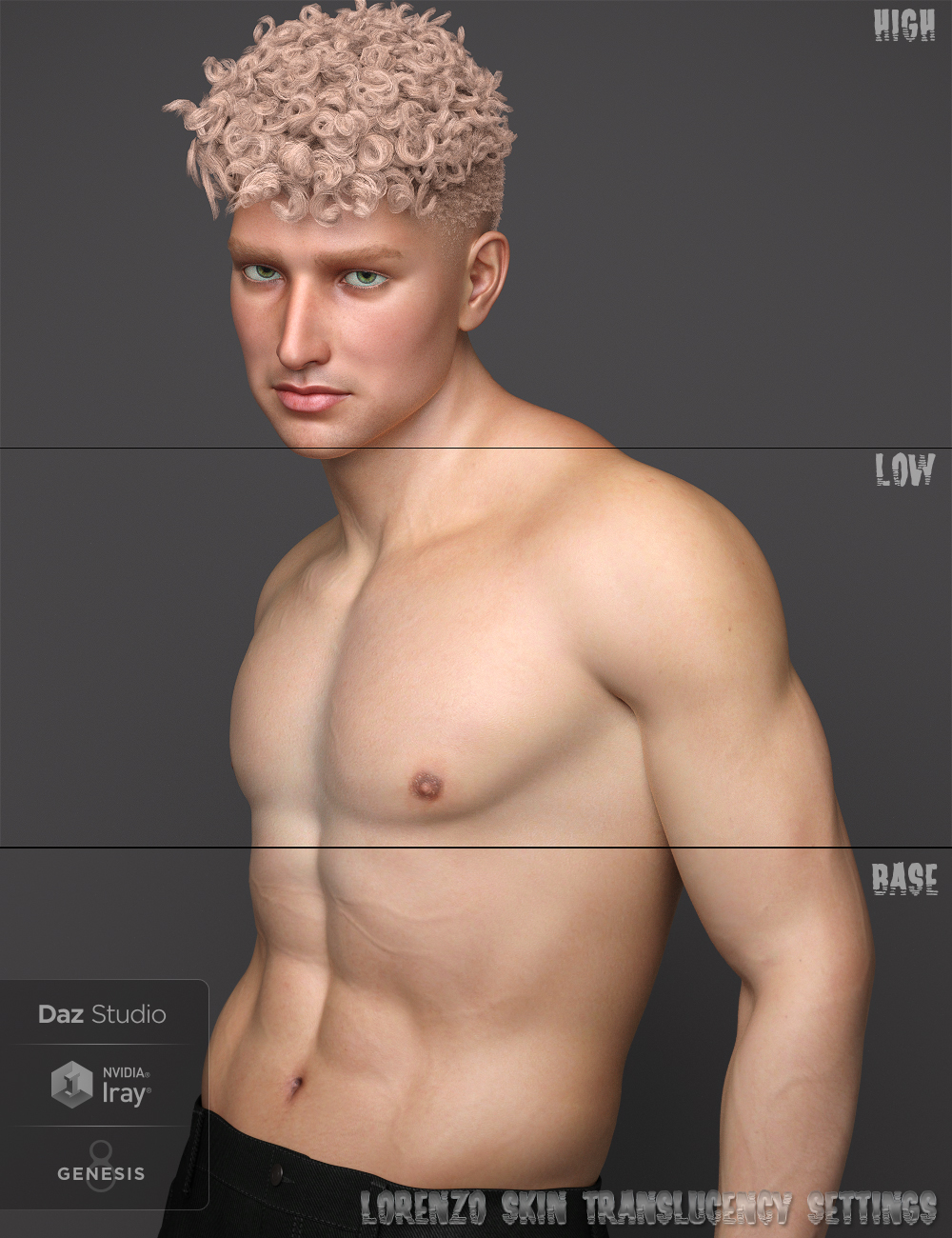
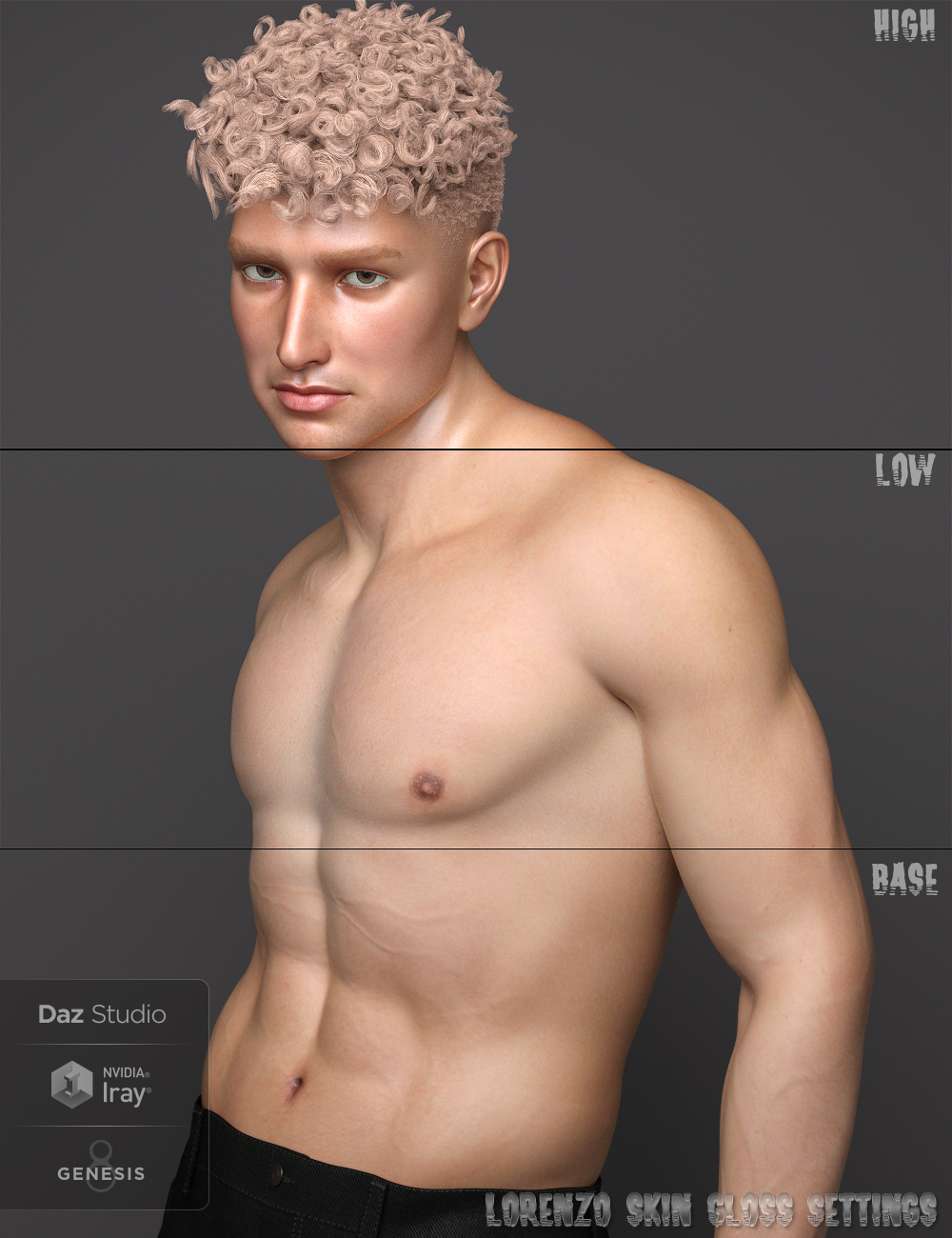
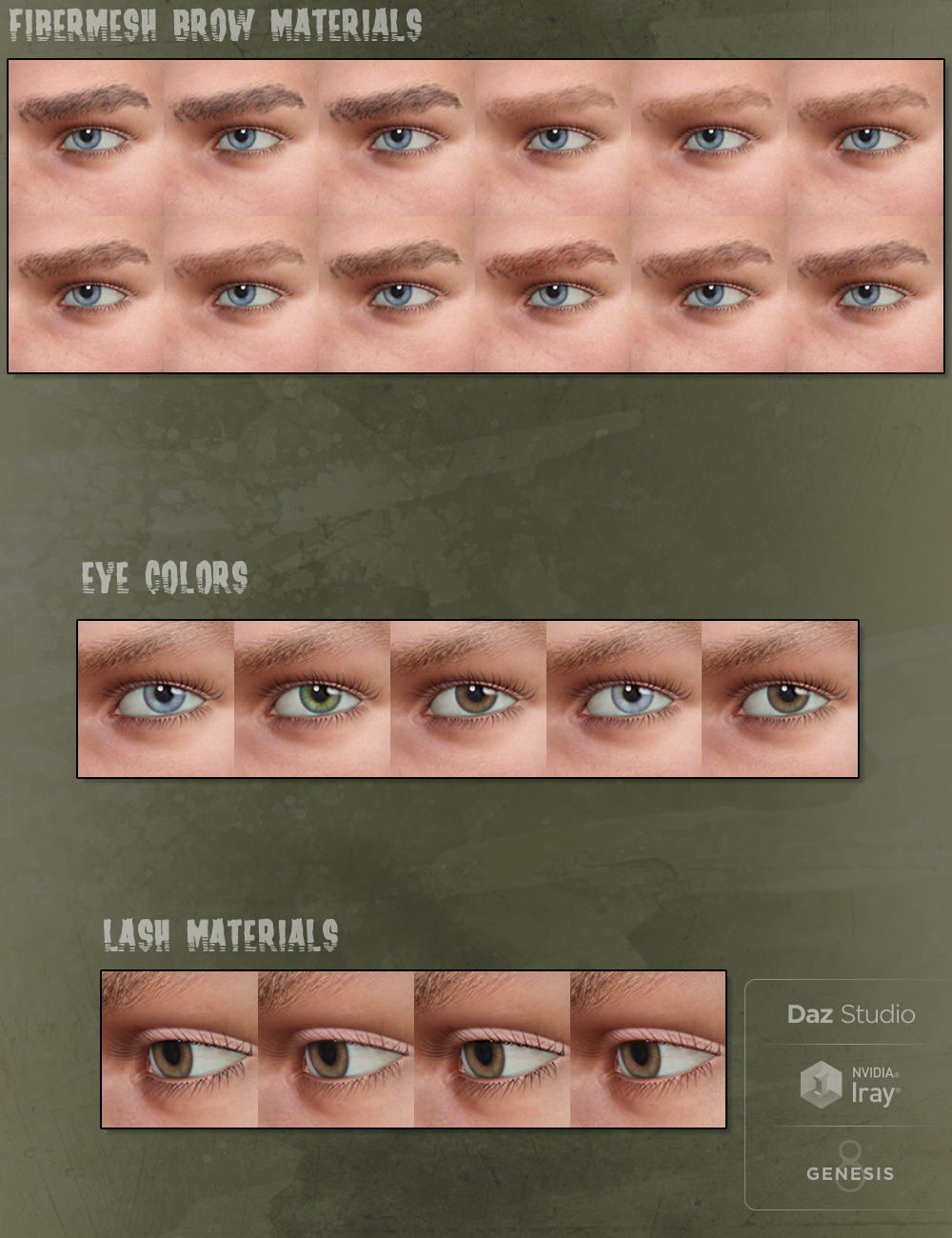
With Fibermesh brows that have 12 color choices, 5 Eye colors, 4 Lash colors, a "Switch" material setting inside of the Iray Eye Materials folder (for those renders that do not use HDRI environment maps/Draw Dome in the render settings of Studio), 3 Gloss and Translucency settings with anatomical element settings to match, circumcised and uncircumcised Property Settings for the anatomical elements, Arms, Legs, and Torso Base Materials with Arm Scars, a Chest tattoo, a Leg bruise, as well as a horse bite mark on the back of a shoulder...there's plenty to mix and match for just about any render.
Materials are Iray only.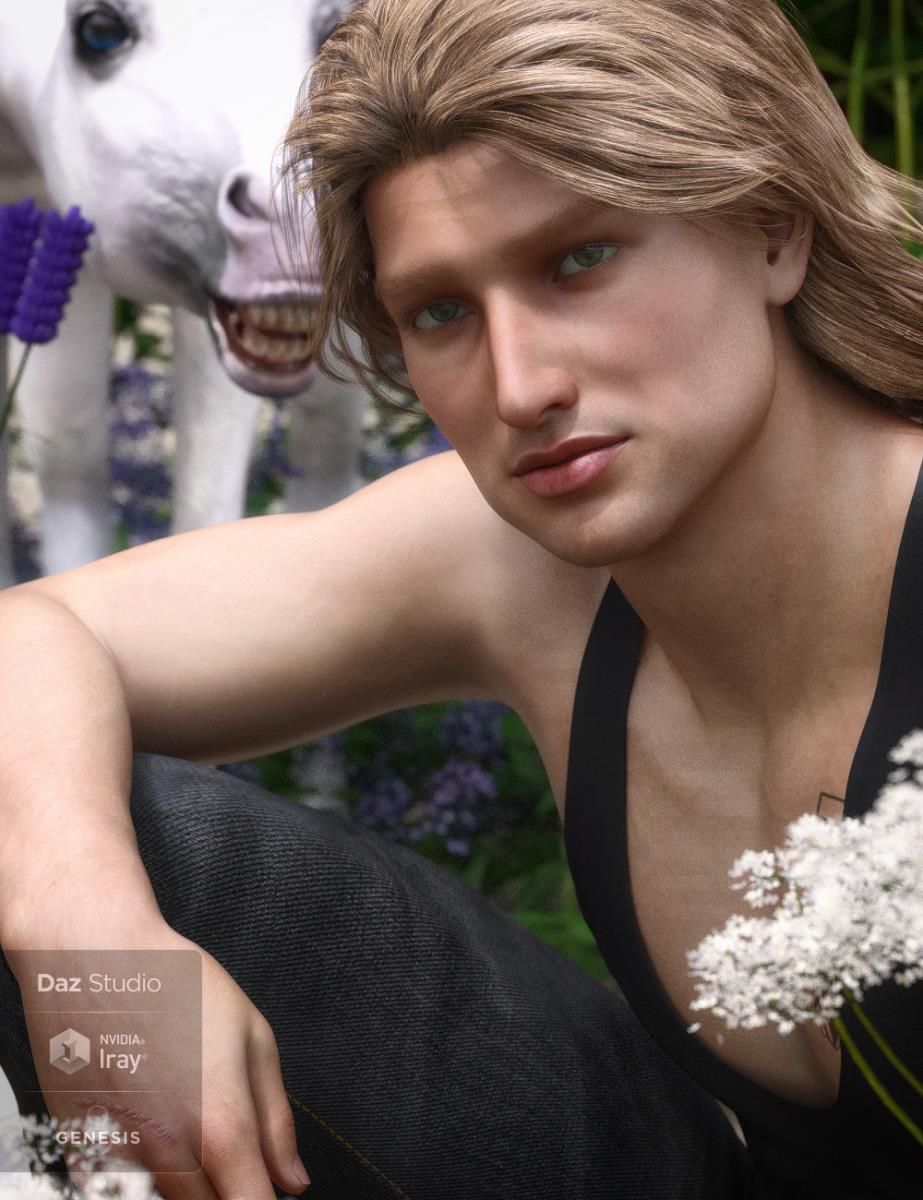

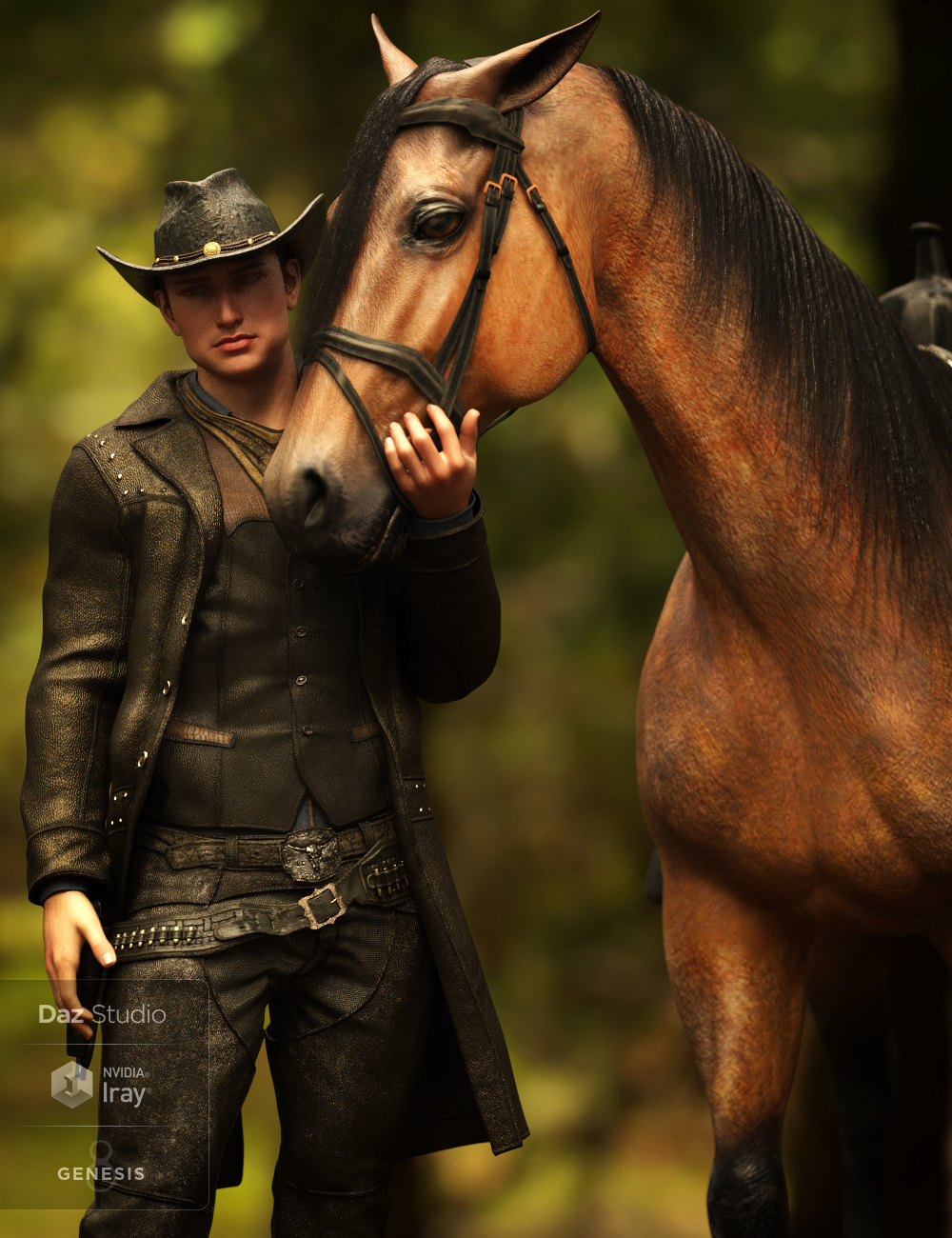
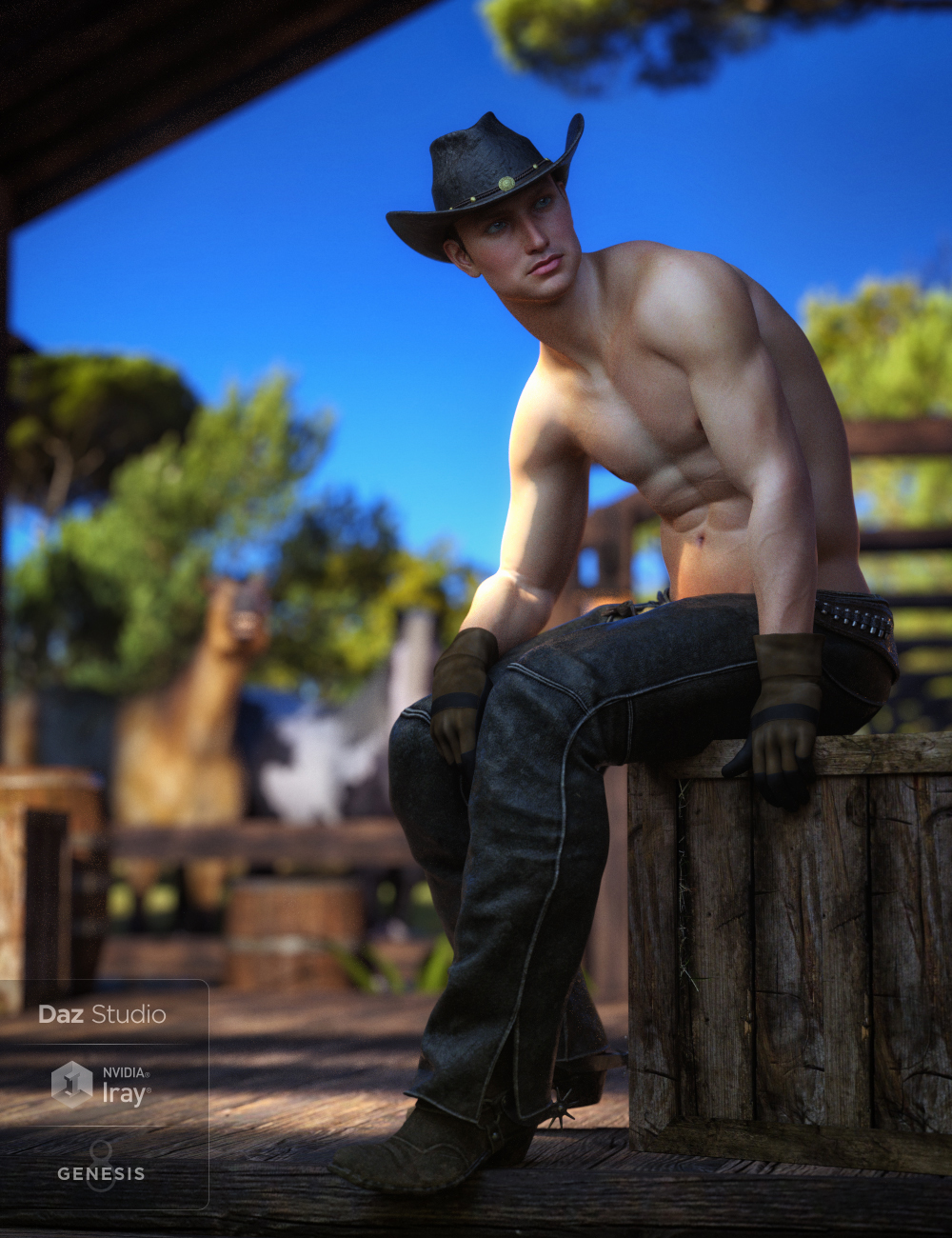
And not an official Promo, but just because I could:
 Misumi! WOW! BlueJaunte has done it again!
A little more expensive than average, but Misumi is very much above the average. Superb textures, shaders and modelling. I also thought she would be a great basis for a young man and I created this. The figure is still G8F but I mixed in the G8M morph to 50% and morphed the chest area myself in Blender. I could have just used the textures on G8M using UV Swap, but I liked the figure morph too much to waste it. It also makes fitting the costume (Myellin) that bit easier—and I could use Myellin's tooth and nail morphs and pose.

Excellent androgenous character!
dog 8 dog 8 woof woof we finally have a dog 8that's just gorgeous! honestly, there are days when I see your art and I just want to give up in despair LOL!
Thank you for all the kind words of encouragement and inspiration from all these great images.
I wanted to share some more fun with "Daz Dog 8" in DAZ Studio and Iray. This time I tried to create a crossbreed by applying the French Bulldog morph with the base DAZ Dog 8 figure. No post work
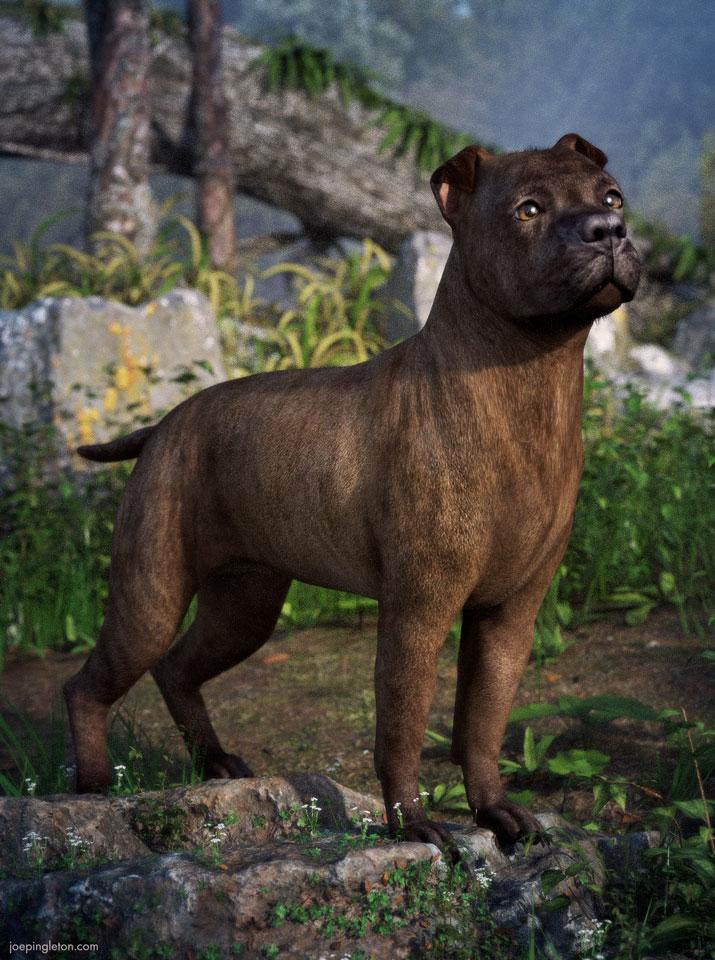
PS. I couldn't decide between this coat and a black and white version. So I attached an alternative version. Which one do you prefer?
Who's Next to Join the G8 Family?So now I'm guessing Cat 8 on this Thurday. Also as a bag of loose goodies with no bundles. It may be a significant updating of Big Cat 2 maybe that we could buy as morph update House Cat that at the same time updates the Big Cats?.That would be nice.
Disable keyboard shortcuts for camera?Hey folks,
I was just wondering if anyone knew an easy way to disable the keyboard controls for the camera inside of Daz Studio. Any number of times I've accidentally moved the camera while trying to type in a search term for a morph or item, and it's starting to really get on my nerves. I always use the mouse to move the camera anyway so those shortcuts are of little use to me.
Hope someone knows!
--A
Good question - it happens to me all the time too. I think there is a long standing bug (I'm talking years) in the text entry handling but I can't seem to pin it down. Sometimes I type and it appears in the text box, other times, like you, my camera does unwanted things and CTRL-Z doesn't undo what's been done.
dog 8 dog 8 woof woof we finally have a dog 8Thank you for all the kind words of encouragement and inspiration from all these great images.
I wanted to share some more fun with "Daz Dog 8" in DAZ Studio and Iray. This time I tried to create a crossbreed by applying the French Bulldog morph with the base DAZ Dog 8 figure. No post work
PS. I couldn't decide between this coat and a black and white version. So I attached an alternative version. Which one do you prefer?
Genesis 8, is it Enough?I can understand many peoples old love for V4/M4 or Genesis 2 stuff to a certain degree, but in my opinion Genesis 8 is so much better (even compared to Genesis 3) that it was not a real question for me to change. I was reluctant at first because I had so much G/G2/G3 stuff and the different base pose baffled me, but in the meantime I never use G3 again. Although I have some lovely morphs for G3 I could not replicate with G8 till now.
You should change to 4.10. I used a 4.9 version (I hate upgrading and perhaps losing settings) but had big problems with older stuff on G8, sometimes even G3 stuff. After changing to 4.10 all problems are gone, all Genesis, Genesis 2 and 3 clothes etc. work fine. Some Genesis and G2 clothing and props or at least parts of it are still not replacable.
The problem of the different G8 poses (why did they do such nonsense? to sell poses/props again?) compared to G3 was mostly solved for me with the installation of "The-world-greatest-pose-converter" from AgentUnawares for males and females, for G3F/G8F linked in jakiblue's post from June 18. The converter is not as great as the text tells, it is even greater.
I only have Edie 8 (and her Grandma option) from the G8 range but I can't see what is so much better about G8 than G3. Certainly I've seen nothing in the posted renders here that suggest a big improvement. Nor have I seen anything in the promo pictures that wouldn't be possible with G3. I have a bunch of morph packages for G3 (F&M) that I'd bet will produce almost anything that can be achieved with G8 plus I have add-ons (DAZ and 3rd Party) which just make it too expensive to switch once again for the slight - if any - benefits of the newer figures.
It is not the expense of buying new clothes (although that is a big consideration), it is rather the expense of replacing all of those morphs and add-ons. I have almost the whole catalogue of Zev0 products for G2 and then again for G3 so yet another round was too much to justify for too little gain.
Gen X2 help - nevermind. Solved.Nevermind. I found where I needed to switch things. The connect library wasn't setup correctly.
Greetings.
I want to move some morphs from Genesis to Genesis 2 male using Generation X2. However, it is looking in the wrong data folder for what figures I have available, and cannot find either genesis or genesis 2 male. I've poked around and changed directories where I could, but no change. At this point, I'm not sure where or how I can tell it to look in the right spot - especially since I've started using Daz connect (which I'm suspecting may be part of the issue.)
I've used it successfully in the past, so I know that at one time everything was set up correctly. But now... it pretty much only wants to transfer from Genesis 2 female to Genesis 2 female.
Daz 3D is part of

Connect
DAZ Productions, Inc.
7533 S Center View Ct #4664
West Jordan, UT 84084Licensing Agreement | Terms of Service | Privacy Policy | EULA
© 2026 Daz Productions Inc. All Rights Reserved.