-
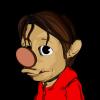
How could I render skin like this ?
We want to make an avatar for our game but the skin in Daz3D is too REALISTIC. How could I achieve an effect like this
I have tried various method but no success, for example....
- using different lighting
- Translucency in skin
- Diffuse in skin
Thank you in advance
Personally to get that effect I would use 3dl and pwtoon
3D Art Freebie Challenge-September 2020-"In the Sky" -Entries Thread OnlyOld story
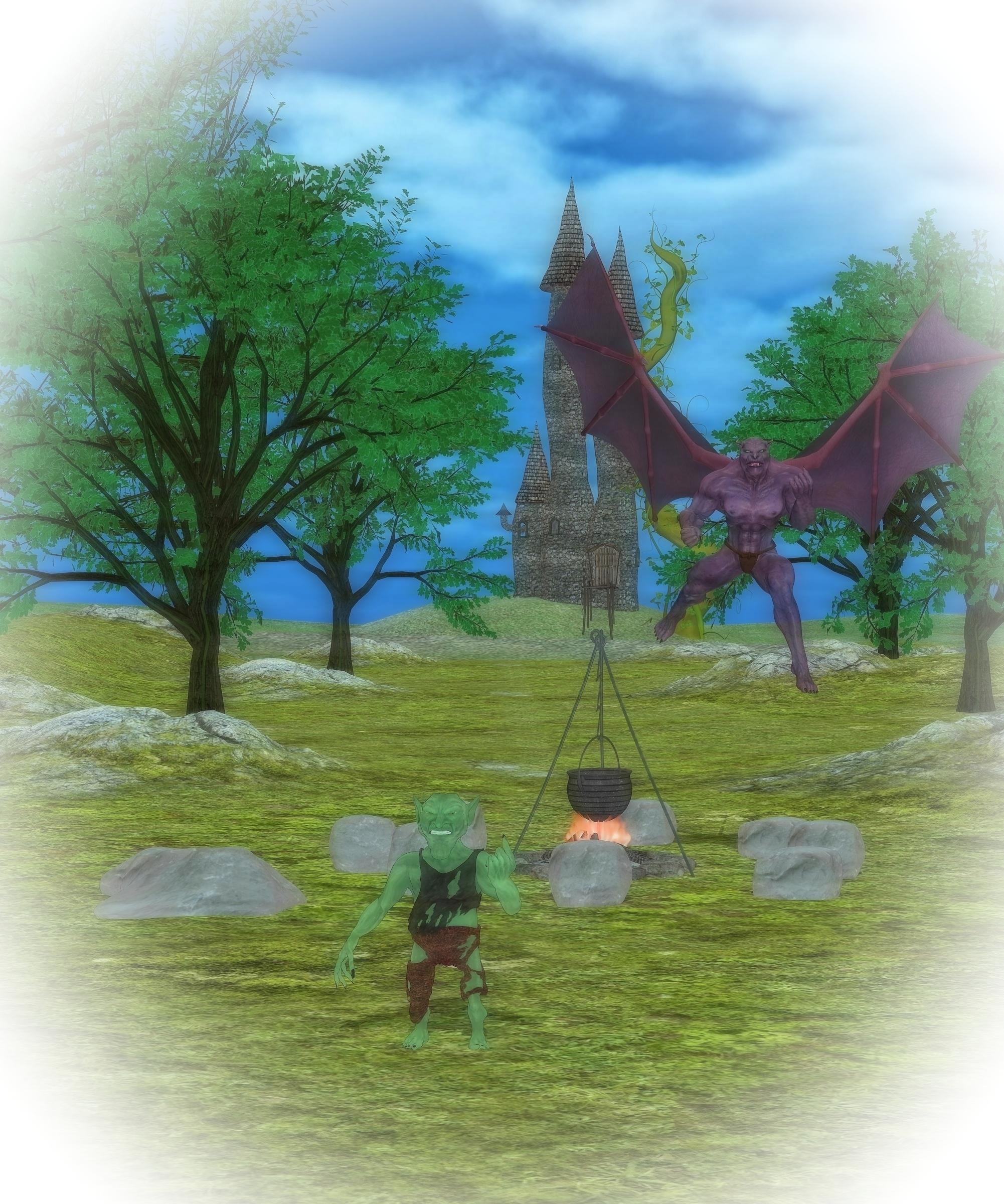
Freebies:
1. Beanstalk https://hivewire3d.com/shop/we-are-all-in-this-together/beanstalk.html
2. Fantasy Castle http://www.sharecg.com/v/71904/gallery/21/DAZ-Studio/Fantasy-Castle
3. Goblin https://www.sharecg.com/v/26101/poser/Goblin
5. Morphable boulder http://www.sharecg.com/v/46789/browse/11/Poser/Morphable-Boulder
Inactive freebies:
BSC Skies from DSC 3 http://issuu.com/philatdsc/docs/ds_creative_03 link 4eyes.code66.se/dsc/BWC_skies_DSC
Paid Products:
1. Genesis Gargoyle HD https://www.daz3d.com/genesis-gargoyle-hd
2. Versatile Terrain https://www.daz3d.com/versatile-terrain
3. pwToon https://www.daz3d.com/pwtoon
3D Art Freebie Challenge-September 2020-"In the Sky" -Main Thread OnlyAnd here is my entry. I hope I did everything good, I needed to redo part of it as my DS crashed.... Listened to this song by Miley Cyrus ...
Old story
Freebies:
1. Beanstalk https://hivewire3d.com/shop/we-are-all-in-this-together/beanstalk.html
2. Fantasy Castle http://www.sharecg.com/v/71904/gallery/21/DAZ-Studio/Fantasy-Castle
3. Goblin https://www.sharecg.com/v/26101/poser/Goblin
5. Morphable boulder http://www.sharecg.com/v/46789/browse/11/Poser/Morphable-Boulder
Inactive freebies:
BSC Skies from DSC 3 http://issuu.com/philatdsc/docs/ds_creative_03 link 4eyes.code66.se/dsc/BWC_skies_DSC
Paid Products:
1. Genesis Gargoyle HD https://www.daz3d.com/genesis-gargoyle-hd
2. Versatile Terrain https://www.daz3d.com/versatile-terrain
3. pwToon https://www.daz3d.com/pwtoon
All Freebies approved, please move to the entries thread
3D Art Freebie Challenge-September 2020-"In the Sky" -Main Thread OnlyAnd here is my entry. I hope I did everything good, I needed to redo part of it as my DS crashed.... Listened to this song by Miley Cyrus ...
Old story
Freebies:
1. Beanstalk https://hivewire3d.com/shop/we-are-all-in-this-together/beanstalk.html
2. Fantasy Castle http://www.sharecg.com/v/71904/gallery/21/DAZ-Studio/Fantasy-Castle
3. Goblin https://www.sharecg.com/v/26101/poser/Goblin
5. Morphable boulder http://www.sharecg.com/v/46789/browse/11/Poser/Morphable-Boulder
Inactive freebies:
BSC Skies from DSC 3 http://issuu.com/philatdsc/docs/ds_creative_03 link 4eyes.code66.se/dsc/BWC_skies_DSC
Paid Products:
1. Genesis Gargoyle HD https://www.daz3d.com/genesis-gargoyle-hd
2. Versatile Terrain https://www.daz3d.com/versatile-terrain
3. pwToon https://www.daz3d.com/pwtoon
Are we (daz/poser, virtual photography, stories, comics) such a niche today?With regard to comics and storytelling, IMO DS is a bit overkill with its huge character textures and Iray when you're going to postwork your images into a comic-like appearance anyway. After I put comics together I'm thinking why did I spend so much time with rendering realism when I just postworked it away into a comic-style image. I suppose I need to reduce the texture maps and lower my settings to speed things up. I guess that's what the sensible comic-makers do.
Maybe.
Personally, i always liked NPR (non-photorealistic rendering). http://www.red3d.com/cwr/npr/My first introduction to it was with Poser and it's Sketch render options.
There are NPR solutions for D|S, like these
https://www.daz3d.com/manga-style-shaders
https://www.daz3d.com/linerender9000
https://www.daz3d.com/sketchy-toon-edge-and-art-style-shaders-for-iray
While Carrara or Bryce have their own ways to do similar.
Resizing figures by measurements, height and weight based on standard or metric units?Didn't get the chance. No box to enter the serial number displayed by the red plug icon.
But could I still enter the serial number in the box despite the red plug icon?
I know for sure there was a zip folder with contents to add to the My DAZ 3D Library folder. However, I keep my DAZ library on an external drive in order to free up hard drive space on my PC.
I may have had the same problem when I installed pwToon after resetting my PC one time.
More Non-photorealisitic Renders (NPR II)Been playing with mixing PWtoon with Postwork again. Still giving said combo a bunch of extreme tests to see how well it works with a full gamut of skin tones.
3D Art Freebie Challenge-July 2020 - "...Only at the circus" - Entries Thread Only Winners AnnouncedOk here it is, something like fantasy arena, testing grounds, theatre and circus. I hope I didn't missed the theme, I just tried to expand on this scene I have been working for some time. Picture is called:
Ruuun...
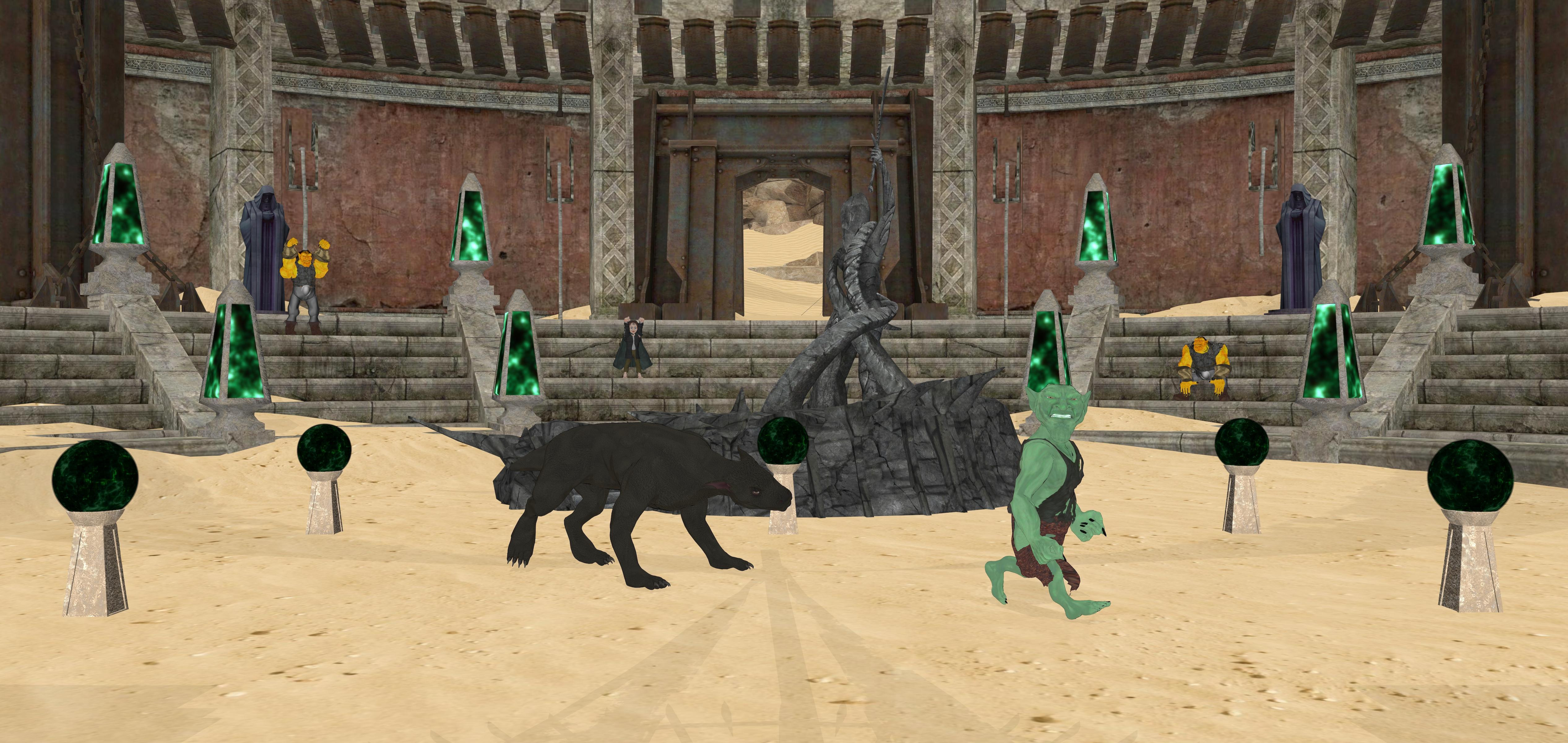
Done with DAZ Studio 4.7
Freebies:
http://freedom-of-art.ucoz.com/publ/3d_products/poser/the_desert_arena/2-1-0-42
https://www.renderosity.com/mod/freestuff/the-obelisk/83615
https://sharecg.com/v/95420/gallery/21/DAZ-Studio/Gazing-Balls
http://www.sharecg.com/v/21560/gallery/11/Poser/Orc-Base-Figure
https://sharecg.com/v/21563/gallery/11/Poser/Orc-Armour
http://www.sharecg.com/v/21642/browse/11/Poser/Scrum-Base
http://www.sharecg.com/v/21643/browse/11/Poser/Scrum-Duds-clothing
https://sharecg.com/v/26101/gallery/11/Poser/Goblin
Paid content:
https://www.daz3d.com/gargoyle-hound
https://fantasiesrealm.com/market/Designers/Summoner/Space-Center-Exclusive (Priest statue only)
3D Art Freebie Challenge-July 2020 - "...Only at the circus" - Main Thread OnlyOk here it is, something like fantasy arena, testing grounds, theatre and circus. I hope I didn't missed the theme, I just tried to expand on this scene I have been working for some time. Picture is called:
Ruuun...
Done with DAZ Studio 4.7
Freebies:
http://freedom-of-art.ucoz.com/publ/3d_products/poser/the_desert_arena/2-1-0-42
https://www.renderosity.com/mod/freestuff/the-obelisk/83615
https://sharecg.com/v/95420/gallery/21/DAZ-Studio/Gazing-Balls
http://www.sharecg.com/v/21560/gallery/11/Poser/Orc-Base-Figure
https://sharecg.com/v/21563/gallery/11/Poser/Orc-Armour
http://www.sharecg.com/v/21642/browse/11/Poser/Scrum-Base
http://www.sharecg.com/v/21643/browse/11/Poser/Scrum-Duds-clothing
https://sharecg.com/v/26101/gallery/11/Poser/Goblin
Paid content:
https://www.daz3d.com/gargoyle-hound
https://fantasiesrealm.com/market/Designers/Summoner/Space-Center-Exclusive (Priest statue only)
https://www.daz3d.com/strange-substances-pack-1
Oh those rascally Goblins always giving us a heart attack. You are good to transfer you image to the Entries Thread, MG.
3D Art Freebie Challenge-July 2020 - "...Only at the circus" - Main Thread OnlyOk here it is, something like fantasy arena, testing grounds, theatre and circus. I hope I didn't missed the theme, I just tried to expand on this scene I have been working for some time. Picture is called:
Ruuun...
Done with DAZ Studio 4.7
Freebies:
http://freedom-of-art.ucoz.com/publ/3d_products/poser/the_desert_arena/2-1-0-42
https://www.renderosity.com/mod/freestuff/the-obelisk/83615
https://sharecg.com/v/95420/gallery/21/DAZ-Studio/Gazing-Balls
http://www.sharecg.com/v/21560/gallery/11/Poser/Orc-Base-Figure
https://sharecg.com/v/21563/gallery/11/Poser/Orc-Armour
http://www.sharecg.com/v/21642/browse/11/Poser/Scrum-Base
http://www.sharecg.com/v/21643/browse/11/Poser/Scrum-Duds-clothing
https://sharecg.com/v/26101/gallery/11/Poser/Goblin
Paid content:
https://www.daz3d.com/gargoyle-hound
https://fantasiesrealm.com/market/Designers/Summoner/Space-Center-Exclusive (Priest statue only)
https://www.daz3d.com/strange-substances-pack-1
3D Comic Book Tips And Pictures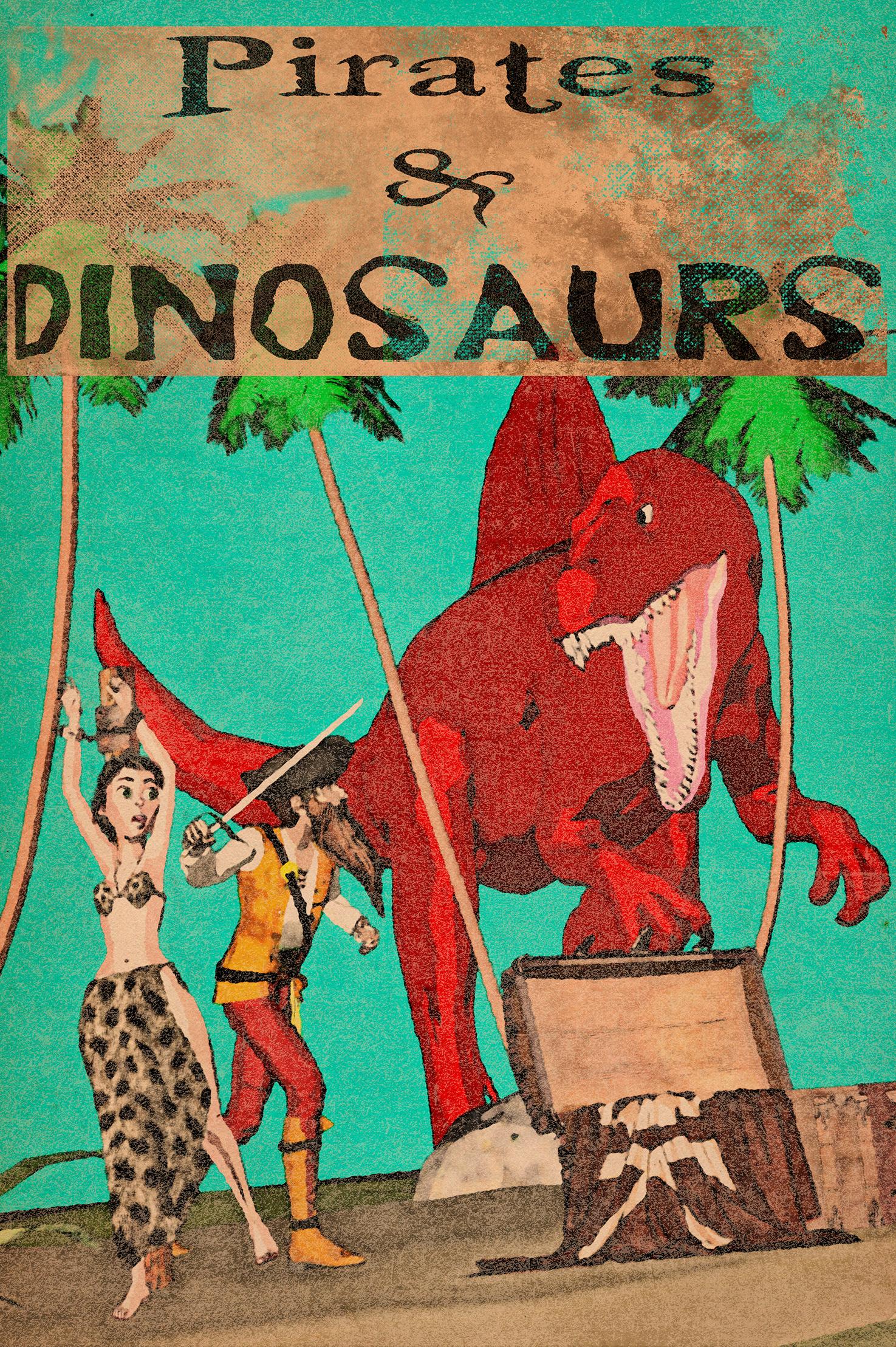
Comic book idea I had. PWtoon plus some Photoshop.
Sorry I missed this one before. It looks pretty good, but the colors are a bit flat. I do like the pointalism effect, though. It has a nice vibe to it.
AIUTO...CHI CONOSCE L’ITALIANO? PARTE DODICISalve
Anche io ho iniziato da poco a cercare di imparare DAZ (nel tempo libero) e voglio seguire questo gruppo che essendo in ITA mi risulta più semplice da seguire.
Colgo l'occasione per fare una domanda riguardo agli Shader.. nello store ho notato la presenza di shader per renderizzare contorni (tipo https://www.daz3d.com/manga-style-shaders). E' possibile programmare manualmente uno shader simile in DAZ attraverso lo Shader Builder ? Se si dove posso trovare qualche info su come utilizzarlo ? Graziehttp://docs.daz3d.com/doku.php/artzone/pub/software/shaderbuilder/start
Dovresti essere in grado di ricavare qualcosa da questa guida, anche se io personalmente non mi ci sono mai cimentato, preferisco modificare quelli che ho e non crearne di nuovi. In ogni caso, anche su Youtube puoi trovare parecchi tutorial.
Parlando di quello shader, puoi provare questo: https://www.daz3d.com/pwtoon E' un pò vecchiotto ma ancora molto versatile. Include molte opzioni e parecchi preset, lo applichi sulle superfici e poi regoli i parametri come preferisci.
Se poi hai il borsello con l'eco, c'è questo: https://www.daz3d.com/forums/viewthread/21273/ Fa la stessa cosa di quegli shader, ma senza appesantire il render. Può essere applicato a qualsiasi personaggio, prop o modello tu voglia, basta creare una Geometry Shell e applicarci quello shader. Per creare una Geometry Shell, seleziona il modello, poi vai sul menu Create->New Geometry Shell e tieni i parametri di base. Se lo utilizzi sui capelli, ricorda di aggiungere le Opacity map dei capelli anche alla Geometry Shell.
Ah raga dimenticavo, NON comprate MAI i colori per i capelli: è come buttare soldi in un tritarifiuti!
Tutto quello di cui avete bisogno sono gli shader di ColorWerks. Anche solo il primo set va benissimo, col secondo si possono fare le combinazioni:
https://www.daz3d.com/colorwerks-hair-shaders-for-iray
https://www.daz3d.com/colorwerks-extreme-hair-texture-blending-for-iray-and-dforce-hairAltri due prodotti di cui non posso fare a meno sono di CC, uno per la barba (non vi serve comprare figure per riceverla insieme a loro), e uno per i peli corporei:
https://www.daz3d.com/cc-beard-boss-for-genesis-8-males
https://www.daz3d.com/cc-shave-this--body-hair-for-genesis-8-malesNon devi comprare nemmeno quello... Ti basta cambiare il colore dal tab Surfaces nei loro stessi shader/materiali.
 Se poi non ti bastasse, puoi sempre utilizzare un qualsiasi programma di grafica per cambiare tonalità, luminosità, contrasto e via dicendo alla texture di base.
  Oppure applicare un qualsiasi pacchetto di "capelli" senza traccia UV, quei semplici "quadrati" di capelli orizzontali o verticali, a seconda di quello che serve.
Sì sì anche io uso molti personaggi già fatti come punto di partenza!
Però averne tipo 400 è deleterio: la libreria diventa lentissima a caricarsi, non puoi cancellarli perché li hai usati qua e là (ormai ho creato centinaia di personaggi, che ogni tanto riutilizzo). Quindi figure sì, ma con moderazione.Se usi Genesis1/2 puoi avere anche dodicimila morphs senza rallentamenti. Come dicevo, nuovo non significa meglio.
 More Non-photorealisitic Renders (NPR II)
I just started messing around with PWToon, after doing Iray only basically since I first started using DS. So far I'm mainly just fiddling with different settings to see what they do, and am nowhere near developing a style with it. Here is my first full render, along with the Iray original. The framing is slightly different because I was working in the current beta, which seems to have keyboard viewport navigation turned on no matter what you do. Also, I'll need to reapply her face scars since I didn't fully get how to retain maps while I was initially applying the toon shaders, and her expression is more intense because I didn't have AFE when I did the first render.

Your Iray version look very awesome to work with . Here my quickie edit to show sometimes work with IRAY > Photoshop is possible . Of course doing manual line art work like @tdkrobert always did , will enhance your end results
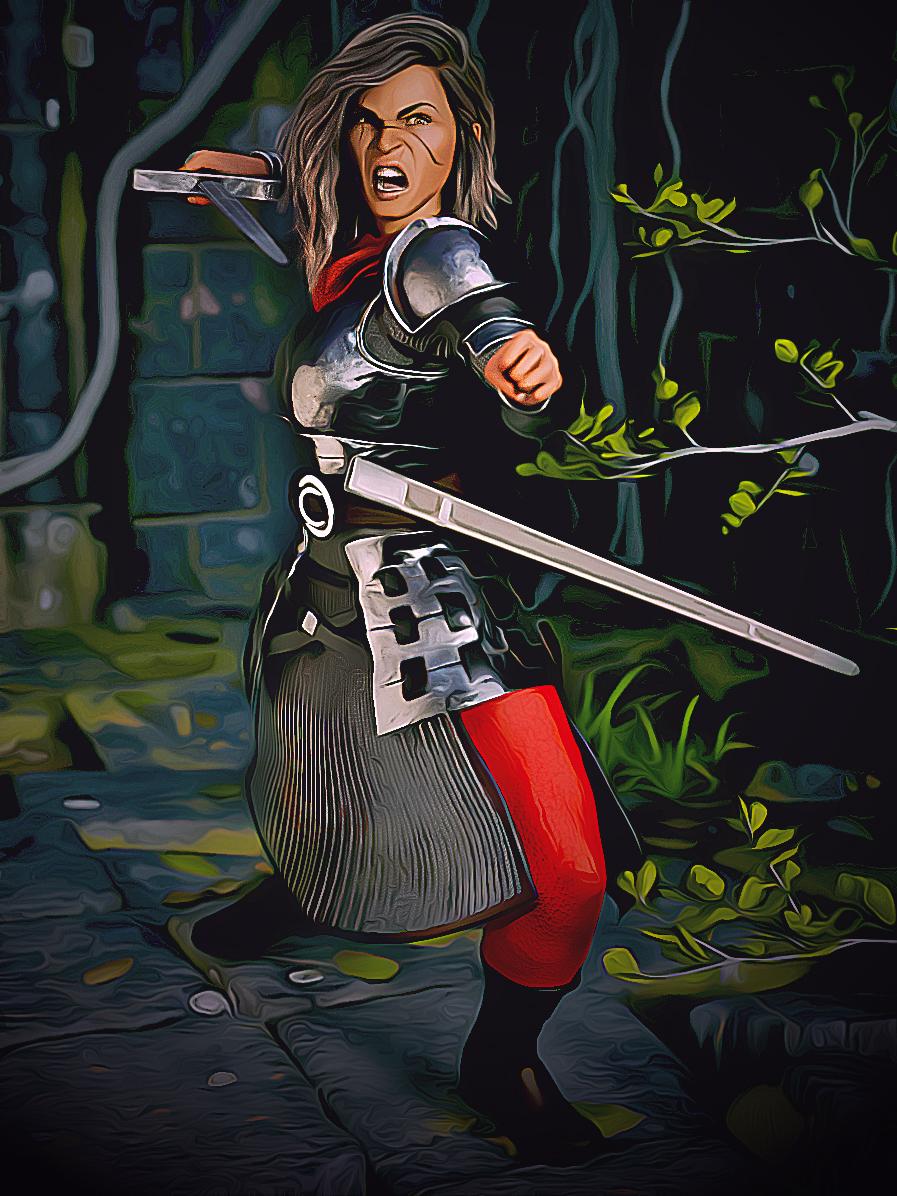
Gordig's Iray version turned out well, and the additional photoshop actions you tried really gave it a visual tweak. Any info on what you used?
All of my past products are now FREEHey there Milos,
FWIW, PwToon is a great DS shader (you prove that above!), but it does not transfer to Carrara.
Take a look at Carrara's native toon shaders, the (now free) DCG Toon-Pro shader, and/or the older but still-relevant YaToon shader - all for Carrara. Other folks may have some additional suggestions.
Also, please take a look at the amazing work in the DAZ/Carrara forum NPR thread and ask anyone there how they got certain effects. I'm sure they'll help you out - some are done in Carrara and others in Post (Topaz/PS/Gimp/etc.)
I hope this helps on your adventure!
--ms
Yes it does, thank You... I am set up to make that adventures actualy happen :)) again... If You can maube link those free shaders please (DCG Toon-Pro). I will try reading trough Carrara forums. Right now I have some exams at wednesday and friday and later next week one more, but I will try to do as much as I can :).
Here is the links with videos, they really work best for tutorials, I know forums and sites are also good but i just save them and watch, will have to do it too
 https://www.youtube.com/user/Dartanbeck/videosAll of my past products are now FREE
Hey there Milos,
FWIW, PwToon is a great DS shader (you prove that above!), but it does not transfer to Carrara.
Take a look at Carrara's native toon shaders, the (now free) DCG Toon-Pro shader, and/or the older but still-relevant YaToon shader - all for Carrara. Other folks may have some additional suggestions.
Also, please take a look at the amazing work in the DAZ/Carrara forum NPR thread and ask anyone there how they got certain effects. I'm sure they'll help you out - some are done in Carrara and others in Post (Topaz/PS/Gimp/etc.)
I hope this helps on your adventure!
--ms
3D Comic Book Tips And PicturesComic book idea I had. PWtoon plus some Photoshop. Downloaded pwToon using DIM, when clicking one of the icons it says "File Does not Exist"When going to the pwToon files, I'm unable to load any of them. It says "Resource Error, Could Not Open file: File does not exist."
Is this due to have Daz intsalled on the D drive? Have no idea why I can see all the PW Toon icons, but none of them load. All of them have the same resource error when clicking.
Daz Studio Pro BETA - version 4.12.2.60! (*UPDATED*)I have a dum-dum question ("dum-dum" bc it's probably been already asked somewhere, but I can't seem to Google it), so please excuse me if it's been asked/answered already...
I have the Beta, but how can I install any plug-ins to see if they work with the Beta?
I'm trying to use pwToon (on my Mac) to see if the new Beta fixes an issue I have where I can't select files from "Open..." menu choice. This makes it very awkward when I try to change texture or shader settings. Most of my files use the pwToon plug-in, so I can't open them in the Beta.
Any assistance would be greatly appreciated.
If pwToon is already installed, uninstall and reinstall it.
Does this mean that pwToon would then work for both the BETA and DS 4.12, or only for the BETA? Also, would I have to do this with any other plug-ins I have working with 4.12?
It should work for both. As for other plug-ins, it depends on the plug-in. For DAZ plug-ins I would uninstall and reinstall and see if it shows up in the beta. Which plug-ins are you thinking about?
pwToon is my main concern. I wanted to make sure ahead of time so I'm not making a pain of myself over and over again.
Thank you for your help, Doctor Jellybean!
pwToon is considered 'DAZ Studio' content so it will show up in both the public beta and release version of DAZ Studio if you have configured both versions of DAZ Studio to use the same CMS database and content library path names. Most people have them configured to be identical but check your DIM & the DAZ Studio preferences for both versions if you aren't confident that you've done that.
The plugins will work for both the public beta and release as their serials are shared in a comon serial database. You have to only enter the serial once but the plugins need to be upgraded for both anytime an upgrade is available in DIM.
All plugins except the CMS postgreSQL plugin. You can only install that one once so you should install the release version of that plugin and hide in DIM the public beta version of that plugin in DIM.
Daz Studio Pro BETA - version 4.12.2.60! (*UPDATED*)I have a dum-dum question ("dum-dum" bc it's probably been already asked somewhere, but I can't seem to Google it), so please excuse me if it's been asked/answered already...
I have the Beta, but how can I install any plug-ins to see if they work with the Beta?
I'm trying to use pwToon (on my Mac) to see if the new Beta fixes an issue I have where I can't select files from "Open..." menu choice. This makes it very awkward when I try to change texture or shader settings. Most of my files use the pwToon plug-in, so I can't open them in the Beta.
Any assistance would be greatly appreciated.
If pwToon is already installed, uninstall and reinstall it.
Does this mean that pwToon would then work for both the BETA and DS 4.12, or only for the BETA? Also, would I have to do this with any other plug-ins I have working with 4.12?
It should work for both. As for other plug-ins, it depends on the plug-in. For DAZ plug-ins I would uninstall and reinstall and see if it shows up in the beta. Which plug-ins are you thinking about?
pwToon is my main concern. I wanted to make sure ahead of time so I'm not making a pain of myself over and over again.
Thank you for your help, Doctor Jellybean!
Daz Studio Pro BETA - version 4.12.2.60! (*UPDATED*)I have a dum-dum question ("dum-dum" bc it's probably been already asked somewhere, but I can't seem to Google it), so please excuse me if it's been asked/answered already...
I have the Beta, but how can I install any plug-ins to see if they work with the Beta?
I'm trying to use pwToon (on my Mac) to see if the new Beta fixes an issue I have where I can't select files from "Open..." menu choice. This makes it very awkward when I try to change texture or shader settings. Most of my files use the pwToon plug-in, so I can't open them in the Beta.
Any assistance would be greatly appreciated.
If pwToon is already installed, uninstall and reinstall it.
Does this mean that pwToon would then work for both the BETA and DS 4.12, or only for the BETA? Also, would I have to do this with any other plug-ins I have working with 4.12?
It should work for both. As for other plug-ins, it depends on the plug-in. For DAZ plug-ins I would uninstall and reinstall and see if it shows up in the beta. Which plug-ins are you thinking about?
Daz 3D is part of

Connect
DAZ Productions, Inc.
7533 S Center View Ct #4664
West Jordan, UT 84084Licensing Agreement | Terms of Service | Privacy Policy | EULA
© 2026 Daz Productions Inc. All Rights Reserved.