-
Just got a notice about 3Delight being retired.....
Cam Fox said:
Does anyone know how this will affect purchased assets themselves? The stated reason for removing 3Delight is "due to the conclusion of our licensing agreement."
- Does that imply that 3Delight assets will disappear from the store?
- Will purchased assets disappear from My Account / DIM as well?
- What about assets that contain both Iray/3Delight versions?
- What is the recommended way to efficiently locate and backup any potentially affected assets? (I already back up all DIM downloads)
It won't affect your purchased items, you just won't be able to render with 3DL anymore in newer versions of DS.
It's already the case in DS2025 alpha, which doesn't have 3DL included : the products themselves still load, materials still apply, and the "3DL to Iray" automatic conversion for standard shaders still exists so you can render them with Iray or Filament for example.
Most 3DL items will likely remain available in the store since they can work with Iray with a bit of fiddling. Products like custom 3DL shaders (eg pw shaders) or lights (eg uber lights) won't work anymore since they only worked with 3DL, so those might be retired.
Daz Studio 6 Beta - version 6.25.2026.19821! (Updated July 23, 2026)Richard Haseltine said:
Is the camera/view away from world-centre? I find things go wonky quite quickly (dark, and the camera rotate/orbit doesn't work as expected until another move, such as mouse-scroll zoom, kicks it). The issue has been reported but I have no idea what dependencies fixing it may have.
No, I'm aware of that bug too and it has been extensively reported. These days I put the scene at world centre and the camera at the required distance. I don't use sports, or purient, photog focal lengths either; I typically aim for 80mm (35mm equivalent).
The issue might have already existed because turning "on" preview lights under the "Windows" menu would invariably zap the scene in a camera view. I don't do that (well, I've learned to turn off preview lights when it happens). What is happening now and is completely reproducible is that a scene with a camera with **no** headlight (none of my cameras have headlights, all my lights are in the scene) no longer renders in the "textured" camera view if the camera itself is not "visible in viewport".
It really is that simple. Simple. Simply a bug.
The same annoying insect bites in "Universal" view, whatever that is, but not in "filament" or "Iray".
Daz Studio 6 Beta - version 6.25.2026.19821! (Updated July 23, 2026)jbowler said:
Richard Haseltine said:
neilroy1965 said:
I noticed that the Texture view is black all the time. I noticed in this release that is partially fixed, but you have to either be using your normal viewport view, no camera, or, when you are using a camera view, the camera cannot have the visibility switched off. If you switch it off, as I prefer to do so I don't see it in the viewport or see the lines, the scene will appear black. Click the visibility icon in the scene view so it is visible, and when viewing through a camera, it will be okay, though it looks a little light now, with less contrast than it used to be.
Hiding the camera also hides its headlamp.
All, yes **all** my cameras have the headlamp switched off. The "texture" view is still lacking in illumination. There is plenty (somewhat excessive) with "Universal" and a lot (a little too much) with Filament but it is, of course, perfect with Iray (since I carefully adjusted it to be so :-)
Is the camera/view away from world-centre? I find things go wonky quite quickly (dark, and the camera rotate/orbit doesn't work as expected until another move, such as mouse-scroll zoom, kicks it). The issue has been reported but I have no idea what dependencies fixing it may have.
There are a plethora of view modes all of which seem to be slower than the original, crude and cartoonish, DS4 texture shading. Maybe just do a fast version of smooth shaded (texture shaded was always very much faster) and add a bit of computed colour from the way complicated texture maps? Interactive editing does not require or **benefit from** the darned lighting; I can fix that in Iray when I have everything in position! So just give be crude, undivided, surfaces that I can move round PDQ and call it "EDIT".
(c) John Bowler
Daz Studio 6 Beta - version 6.25.2026.19821! (Updated July 23, 2026)Richard Haseltine said:
neilroy1965 said:
I noticed that the Texture view is black all the time. I noticed in this release that is partially fixed, but you have to either be using your normal viewport view, no camera, or, when you are using a camera view, the camera cannot have the visibility switched off. If you switch it off, as I prefer to do so I don't see it in the viewport or see the lines, the scene will appear black. Click the visibility icon in the scene view so it is visible, and when viewing through a camera, it will be okay, though it looks a little light now, with less contrast than it used to be.
Hiding the camera also hides its headlamp.
All, yes **all** my cameras have the headlamp switched off. The "texture" view is still lacking in illumination. There is plenty (somewhat excessive) with "Universal" and a lot (a little too much) with Filament but it is, of course, perfect with Iray (since I carefully adjusted it to be so :-)
There are a plethora of view modes all of which seem to be slower than the original, crude and cartoonish, DS4 texture shading. Maybe just do a fast version of smooth shaded (texture shaded was always very much faster) and add a bit of computed colour from the way complicated texture maps? Interactive editing does not require or **benefit from** the darned lighting; I can fix that in Iray when I have everything in position! So just give be crude, undivided, surfaces that I can move round PDQ and call it "EDIT".
(c) John Bowler
Daz Studio 6 Beta - version 6.25.2026.19821! (Updated July 23, 2026)neilroy1965 said:
I noticed that the Texture view is black all the time. I noticed in this release that is partially fixed, but you have to either be using your normal viewport view, no camera, or, when you are using a camera view, the camera cannot have the visibility switched off. If you switch it off, as I prefer to do so I don't see it in the viewport or see the lines, the scene will appear black. Click the visibility icon in the scene view so it is visible, and when viewing through a camera, it will be okay, though it looks a little light now, with less contrast than it used to be.
Hiding the camera also hides its headlamp. In any event, see http://docs.daz3d.com/doku.php/public/software/dazstudio/6/change_log#6_25_2025_16207 - the active camera is not being drawn so it shouldn't get in the way.
I was using the filament view, which I like, but it doesn't seem to take into account any spotlights or even camera lights, which is annoying. If that alone was fixed, I would use it all the time. But with some fiddling with the Filament settings, you can get it to look pretty nice for scene building and it is plenty fast enough.
Oh, and one last thing, the reason why I recommended the Game Ready Drivers over the Studio Drivers, at least until the Studio drivers are updated, is because with certain CPUs, in my case, a Ryzen CPU, you can get a black screen and Windows is unusable. If you don't have a Ryzen CPU, you may be fine. I installed them, and had to jump through some hoops, go into safe mode and use some software to uninstall the Studio Drivers then install the Game Ready Drivers in order to even get back into Windows normally again. I have been keeping an eye on the Studio Drivers to get updated, then I will install them as I agree, they are the better choice, once they are updated.
If you do have the same issue I had with Windows going black on you, I used the ChatGPT app on my phone and asked it what to do, and it gave great, step by step advice on solving the issue without problems. I knew what to do, it's just been many years since I last had to.
Daz Studio 6 Beta - version 6.25.2026.19821! (Updated July 23, 2026)I noticed that the Texture view is black all the time. I noticed in this release that is partially fixed, but you have to either be using your normal viewport view, no camera, or, when you are using a camera view, the camera cannot have the visibility switched off. If you switch it off, as I prefer to do so I don't see it in the viewport or see the lines, the scene will appear black. Click the visibility icon in the scene view so it is visible, and when viewing through a camera, it will be okay, though it looks a little light now, with less contrast than it used to be.
I was using the filament view, which I like, but it doesn't seem to take into account any spotlights or even camera lights, which is annoying. If that alone was fixed, I would use it all the time. But with some fiddling with the Filament settings, you can get it to look pretty nice for scene building and it is plenty fast enough.
Oh, and one last thing, the reason why I recommended the Game Ready Drivers over the Studio Drivers, at least until the Studio drivers are updated, is because with certain CPUs, in my case, a Ryzen CPU, you can get a black screen and Windows is unusable. If you don't have a Ryzen CPU, you may be fine. I installed them, and had to jump through some hoops, go into safe mode and use some software to uninstall the Studio Drivers then install the Game Ready Drivers in order to even get back into Windows normally again. I have been keeping an eye on the Studio Drivers to get updated, then I will install them as I agree, they are the better choice, once they are updated.
If you do have the same issue I had with Windows going black on you, I used the ChatGPT app on my phone and asked it what to do, and it gave great, step by step advice on solving the issue without problems. I knew what to do, it's just been many years since I last had to.
Toon Eye ProblemYes, Macs do not get Filament in DS 4.
The toon characters are set up for Filament, so they won't work immediately in Iray and even with tweaking won't look as intended. If you want toons you could also look at using pwToon in 3Delight - though you would have to do all the material set up yourself, and probably not use the special toon eyes.
Toon Eye ProblemI am using a Mac and I am running DAZ 4.24.0.3. I believe Leana was saying that the DAZ 2025 Alpha is the first version where Filament is Mac compatible.
I guess the crux of the issue is: do the Genesis 9 Base Anime (M/F) characters require Filament to work properly?
Toon Eye ProblemLeana was probably asking exactly which version - 4.x.x.x, which you can see in Help>About Daz Studio. Also, is this Mac or Windows?
My render uses Filament, which is what the toons are set up for
Toon Eye ProblemSorry, I did not remember that I had already asked one of my eye questions, thus Richard had to merge the two post.
let me answer some of your questions to me:
Question from Leana: Which version of DS do you use? Filament is only available on Mac if you use the DS2025 alpha, it won't work in DS4.
Answer: I am using DS4. BTW: I just tried installing the DAZ 2025 alpha and my virus detector program flagged it with a problem. I am so paranoid about virus’, I went to erase that System partition. But in my haste, I erased all of the systems on that hard drive! grrrrrr! I will not try installing that version again until it has been out for a while and no one else has any virus alerts. Oh well.
Richard asked: What exactly are your steps?
Answer: After installing the Genesis 9 Toon Starter Essentials Expansion package, I went to: Smart Content/Figures/People/Stylized/Genesis 9 Base Anime Feminine. I then installed the character.
BTW: In comparing my render to yours, not only did I notice the black eyes, but I also noticed that yours looks like a flat 2D image while mine still looks 3D. (see enclosed image).
Are all of my questions related to the toons requiring Filament? If so, I guess I should ask for a refund on the two packages that I bought?
owners of The Last Vampire Hunter I need Feedbackhttps://www.daz3d.com/the-last-vampire-hunter-hd-dforce-clothes-and-weapons-set-for-genesis-9
I am asking here because I surely cannot be the only person who struggles to render this clothing set
yes I know it's heavy
8K textures, SubDiv4
however reducing both still is quite slow and with the full load it stills stays below 10GB VRAM rendering
it just takes 10 mins full, 3 mins reduced to SubDiv2 on my 2080Ti
I can load it fully in Filament however and set viewport SubDiv to 4
dforce simulated for my 1800 frame animation beautifully
it's the 2 and a half minute load time BEFORE it does any samples that seems the issue, each, frame
I posted this elsewhere but suggestions were all things I tried and made no real difference
not sure if any of the posters actually loaded and tried it
link to my posts, a moderator can move them and the replies here if they wish

https://www.daz3d.com/forums/discussion/comment/9237121/#Comment_9237121
owners of The Last Vampire Hunter I need Feedbacksetting subdivision to 2 on all the clothes instead of 4 does get it around 3 mins
however here is where it gets weird
letting it full converge (about 170 samples) only takes a minute longer than my FAST animation settings of 10 samples with denoiser kicking in at 8
it doesn't spend much time actually rendering but sits loading everything each frame
yes they are 3K x 3K but 1080 x1080 is not any faster
I use 3K for my full body png series so I can do close ups too zooming in in my video editor
I set resolution to 0 in the viewport
note Filament goes quite fast with subdiv 4 in viewport and honestly doesn't look too bad with my prefered environment settings,
a point light for shadows
Filament draw options
around 1K Environment intensity
scene light scale 350
I usually use a geoshell 0 Y scale drop shadow since no floor, didn't here
owners of The Last Vampire Hunter I need FeedbackMasterstroke said:
WendyLuvsCatz said:
felis said:
Have you tried scaling the textures down to 2k and see how it affects your render time?
well now that's been pointed out, I will use scene optimiser
just never expected it on clothes
props and buildings yeah, skins definitely but cloth??? well that's a first
Agree
Scene Optimizer is essential for bigger projects, no doubt about it.
I made a comic in 2017 with my old computer with 15 characters (as far as I remember) as extras in a scene.
Always use base resolution and 1k resolution on textures works just fine for background extras.
it didn't shave off much time
the 5X subdivision in render is more the issue

I ended up using Filament with Viewport Subdivision cranked up to 5 too

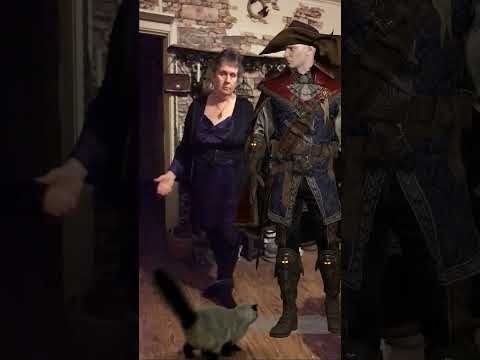
video
Toon Eye ProblemWhich version of DS do you use? Filament is only available on Mac if you use the DS2025 alpha, it won't work in DS4.
Regarding the other points, you already have a thread on your problems with G9 Toon, with several replies and questions to you: https://www.daz3d.com/forums/discussion/736776/toon-eye-problem#latest
Moreover the "daz studio discussions" sub forum is meant for discussions about the application, not content. So this thread will likely get moved to another subforum or merged with your other thread.
Toon Eye ProblemI bought the “Genesis 9 Toon Starter Essentials Expansion” and the “Genesis 9 Anime Base Expressions”. I am now testing them out. Right now I am about ready to ask for a refund.
BTW: If you are only going to answer one question or all three, please start with the question number so others will know that the remaining questions still need answered - thanks.
First off, this happens on both an Intel Mac and on an M4 Mac. — I don’t know if the Genesis 9 Toon Starter Essentials Expansion requires Filament or not, but it is my understanding that Filament is now Mac compatible (at least on the M4 Mac). Questions:
1. The floating iris is fine but it is sitting on a black eyeball (image 1 & 2 shows the eye with and without the Iris showing). I tried changing the surface texture but nothing works. Is there a fix for this?
2 There is a scratchy black outlining of the female eye (you can see it clearly when I hide the eyelashes in images 1 & 2). Image 3 was taken from the male. There seems to be a solid black line around his eyes. Is there a way to remove this outlining?
3. I used the sliders to make a G9 male toon (and later a female toon). The first thing I noticed was the eyes of both male and female go wonky, they bulge out from the eye sock. Notice (in image 4) the eyelashes float on top of the eyeball. Plus there is a gap between the eye socket and the eyeball. It is like the eyeball has shifted away from the nose. Is there a fix for this?
Please help.
Daz Studio 6 Beta - version 6.25.2026.19821! (Updated July 23, 2026)Iray preview performs slightly worse than 4.24 when using same draw settings on my 4090. I wish we could get near the same performance in Iray preview (or something of quality between Filament and Iray preview) that performs more like iClone.
Does filament work on Intel Macssolarview said:
Thanks for the update. Hopefully it will work on the Intel Macs as well as the M4 models.
To clarify, Filament works on my intel MacBook Air, but you have to use the 2025 Alpha version of DAZ Studio., 4.x versions will never, ever work on any Mac.
Does filament work on Intel MacsFrom what I've read the DS2025 alpha (with Filament) works with both Intel and M4 models.
You can ask in the Mac FAQ thread for more details from those who tried it: https://www.daz3d.com/forums/discussion/731016/the-new-mac-faq#latest
Toon Eye ProblemMoved to technical help as it is not a Daz Studio application topic.
What exactly are your steps? I am not seeing this loading the Genesis 9 Toon Female base, which renders better in Filament, do you see it then? If so it is probably an effect of another shape or character triggering something like a jointy adjustment or corrective morph when it shouldn't.
 Does filament work on Intel Macs
Which version of DS are you using? DS 4.x doesn't have filament on Mac, only the DS2025 alpha does.
Daz 3D is part of

Connect
DAZ Productions, Inc.
7533 S Center View Ct #4664
West Jordan, UT 84084Licensing Agreement | Terms of Service | Privacy Policy | EULA
© 2026 Daz Productions Inc. All Rights Reserved.








