-
Possible to convert V4 .pz2 morph to Genesis 8?
Hello,
I was wondering if it's possible to take a V4 morph (like the Utopian Head morph from the V4 Elite Body Shapes product) and convert it into a dial for Genesis 8 Female?
Thanks for your help!
Color Transform non sRGB color rendering options in Daz StudioIf you want to play with high dynamic range, you're going to want to start rendering Beauty canvases in Iray instead of normal images. This will give you an image that has a huge amount of dynamic range, more than you will ever actually want to use. Then, tonemap in Photoshop or Nuke or Natron or what have you, so you can get a result that flattens a lot of the dynamic range down into the final image. This can give you a result that lights a scene more closely to how your eye would "see" it versus how a camera would record it or how it renders by default.
I do not consider myself an expert in this field but I feel I can bring some light on the subject. Also, the video from Blender Guru is quite a mess. It does some major confusion between sRGB and sRGB EOTF. The same as it does some confusion between the CMS and the filmic view transform ..
1) sRGB is the color space of the monitor. That is, it's the "color palette" the monitor is able to use to show you any picture. It's not "bad" or "obsolete" at all.
2) sRGB EOTF is a transfer function from linear space to sRGB space. That is, it is a translation from "real colors" to the sRGB color palette of the monitor.
3) The filmic view trasform, that's the filmic option in Blender 2.79, is just another transfer function from linear to sRGB, the same as sRGB EOTF. The difference is that it's a better function. That is, it gives a better perception in the sRGB space of what the human eyes would see in the real world with real colors. In short. The filmic view trasform is better than sRGB EOTF because it translates better the human eyes perception from linear to sRGB.
In Iray there is an equivalent feature in the tone mapping panel. There you can set burn highlights and crush blacks to zero to achieve an effect similar to the Blender filmic view transform. Then you may want to adjust the contrast to "balance" the image back, the same as you do in Blender.
A very important point to consider though, is that there's not really a "better" or "worse" case. It all depends on what you want to "simulate" in your render. The standard parameters simulate better a real camera behaviour, where over-exposure may happen depending on the camera settings and lighting conditions. While the filmic view simulates better the human eye, that always adapt to the lighting conditions by adjusting the iris aperture, so it "never" gets over-exposed. So the human "mental" perception is some sort of normalized hdri. That's what the filmic view in Blender and burn highlights in DAZ Studio do.
EDIT. What suggested by @agent unawares is similar. You just do it in post instead of directly in the rendering. In my opinion working in post is better anyway because you can always "undo" if you change your mind.
You're in the few persons I've seen making correct answers about the video and the topic. The video is indeed a mess of many concept
I'll just add that I don't think photoshop is a good idea and I don't think Gimp is the best answer either
Best way would be to stick to a compositing software like nuke, natron, blackmagic fusion. However that would be offline tonemapping
The goal of filmic blender is to get a direct feedback before final render, so that you can adjust lightning and shading before running the full render
So really, if you want to stick to the spirit of fimic blender, you should use the integrated tonemapper
Mec4d once posted some settings for the Iray tonemapper. But I never checked if these were correct/useable.
What has to be found is blender's filmic color transform equivalent settings for the Iray tonemapper
Hell Princess HD for Genesis 8 FemaleJoLab the figure that you Demon Princess started cutting in half is that a morph or photoshop? If a morph is that character available as well? Great work!The gore effect is a combination of photoshop and a custom morph I made for the image. The character; The Aberration is available here: https://www.daz3d.com/the-aberration-for-genesis-3-male but the “gore morph” is not included.
mcjTeleBlender:Daz Studio scenes/animations w/Blender's Cycles EngineI sincerely appreciate your review of the script. I guess it was a couple of letters in the code, but it saves me a lot of time.
On "mcjObjsToMorphingProp", it only loads the first .obj, and the morphs, but in the animation, there is only the first .obj. It is not a question of a different scale. I think Daz's "Morph Loader Pro" works better ...
This only happens with dynamic clothing. In the same way, when you export, for example, genesis 3 with those clothes, to Fbx format, genesis is brutally deformed. I solve it with two fbx.
My case is quite particular, since I transfer from Daz to Blender to generate the glTF file, and there is no way to correctly accept the geometry, apart from a file size of about 100/200 Mb, totally unusable on the web with Three. js, etc ...
Anyway, thanks again. I'll tell you when I do the tests.Hell Princess HD for Genesis 8 FemaleJoLab the figure that you Demon Princess started cutting in half is that a morph or photoshop? If a morph is that character available as well? Great work!Alicia's WonderlandMore Mabels! She is so much fun to morph and work with!

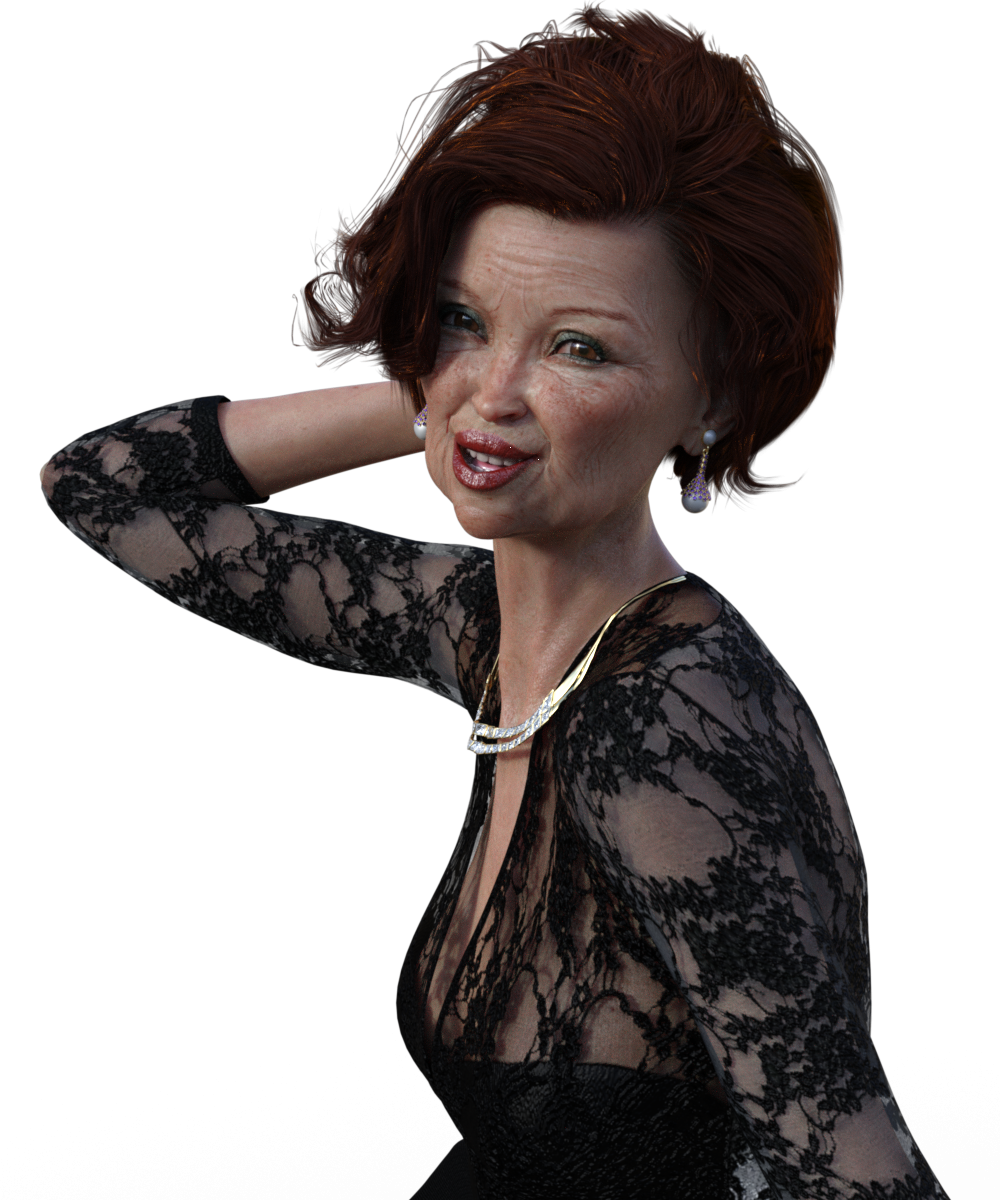
And this one has Dorothea skin for Edie on her.
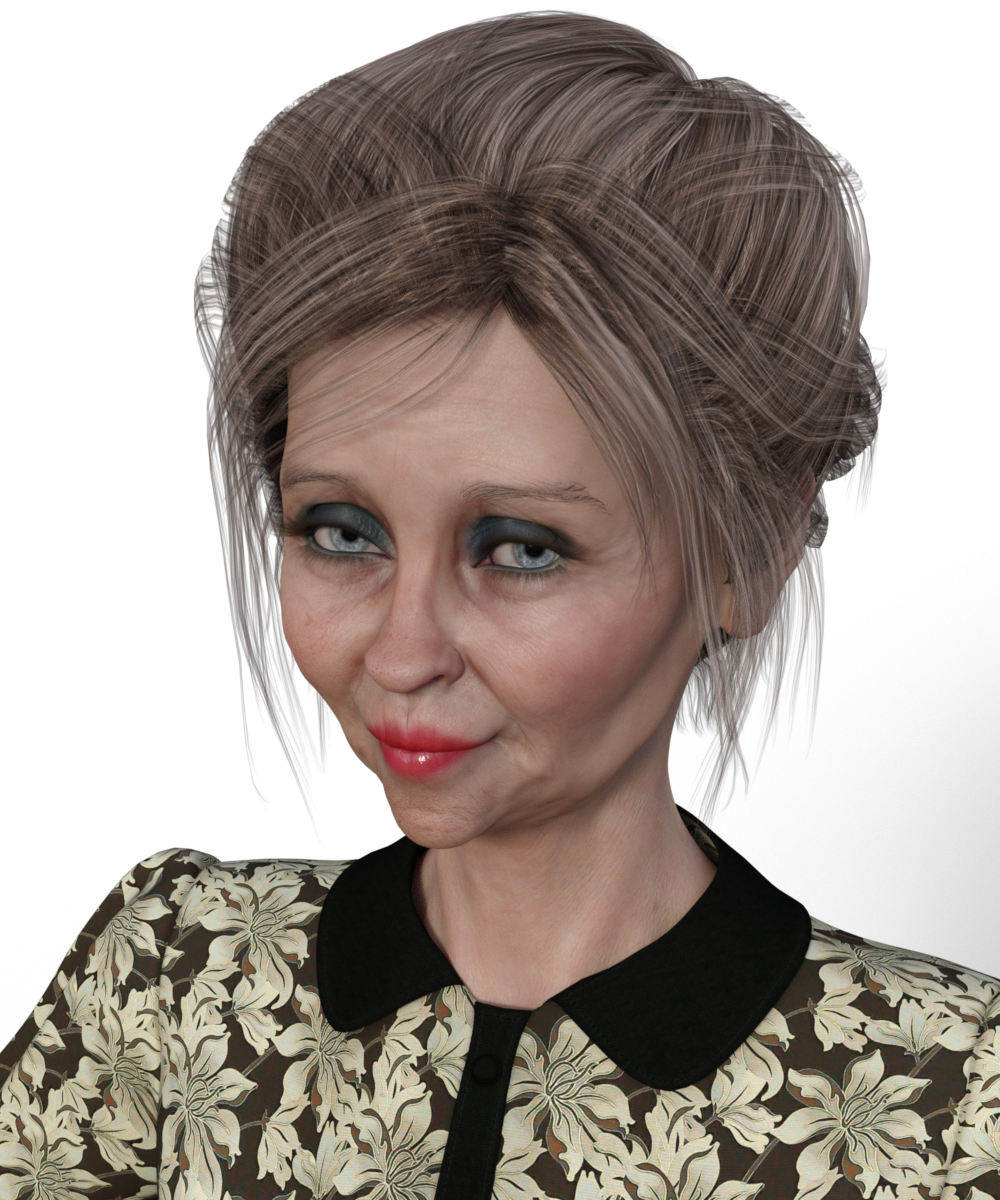 ISO history of Aiko 3
The original Aiko was based on stephanie 1.
She was avalable as a morph of S1 or a stand alone.
The morph changed the head only. So she could wear any S1 clothing.
S1 and Victoria 2 were very similar except in the breast so Aiko could wear a lot of V2 lower body stuff.
There was no Aiko 2 but one or two erroneously named items were released on other sites or as freebies.
Male equivalent of Victoria 8?Thank you all for chipping in.
Michael 8 it is then. According to the bible Adam is the basefigure and Eve is just a morph, Daz3d is heresy!
Alicia's WonderlandI am LOVING Mabel which is a big surprise to me because I usually do sexy pinups or fairies. But what is so great about Mabel is that although her skin is distinctive (and great except for the horrible application of blue eyeshadow), her face looks good with pretty much any morph! I have a feeling I will take her base skin into Photoshop and give her a ton more makeup!
Here I combined like 15-20 morphs and then used as a background a photo I took a few years ago at Forest Lawn (a huge cemetery in LA.) then played with expressions trying to convey the feeling of sadness and whistfulness held in behind an attempt of a smile or old grief trying to be squelched.
And don't forget, someone who is 70 now could have been a teen at Woodstock! I tried to give her a little ex-hippie vibe LOL.
 Mabel 8
I am LOVING Mabel which is a big surprise to me because I usually do sexy pinups or fairies. But what is so great about Mabel is that although her skin is distinctive (and great except for the horrible application of blue eyeshadow), her face looks good with pretty much any morph! I have a feeling I will take her base skin into Photoshop and give her a ton more makeup!
Here I combined like 15-20 morphs and then used as a background a photo I took a few years ago at Forest Lawn (a huge cemetery in LA.) then played with expressions trying to convey the feeling of sadness and whistfulness held in behind an attempt of a smile or old grief trying to be squelched.
And don't forget, someone who is 70 now could have been a teen at Woodstock! I tried to give her a little ex-hippie vibe LOL.
3D Art Freebie Challenge-July 2018-"Camping Blunders" -Entries Thread OnlyDAZ 3D Art Freebie Challenge July 2018
"Camping Blunders""The Great Outdoors"
(But not so great if you are that thirsty and can't find any water!)Starring: Demarcus
The tale:You can hang up a tarp like Ray Mears, wear clothing like shorts and sandals as Cody Lundin does, or carry a high tech survival knife, but if you are out of water and not able to find any then you are in big trouble faster than the blink of an eye!
"Blue are the life-giving waters taken for granted..." © Copyright by Jimi Hendrix – Bold As Love (1967)
Demarcus saw that there was only half a bottle of water left, he had to go hiking again in search of some fresh water, he already suffered from a severe dehydration because he was already rationing his watersupply. If he can't find any water today he has to break up camp, but because it didn't rain in weeks or even months his chances are not that big...
Soundtrack:Jimi Hendrix – Bold As Love (1967)
https://vimeo.com/230228225
COUNTABLE FREEBIES: (Alphabetic order)#01! 3D Glasses by inLite studio
http://inlitestudio.com/3d/product/3d-glasses/ **#02! Beach Towel by Ildanach
https://www.daz3d.com/forums/discussion/206316/free-beach-towel-updated-with-morphs-and-materials
[Dropbox download link]#03! Blue Tit by AdamThwaites (Most-Digital-Creations)
https://www.most-digital-creations.com/blue_tit.htm#04! Commando Sweater G3M by grinch2901
https://sharecg.com/v/91665/view/21/DAZ-Studio/Commando-Sweater-G3M **#05! Demarcus for G8M by RenderGuyNY
http://www.sharecg.com/v/89285/gallery/21/DAZ-Studio/Demarcus-for-G8M-some-nudity **#06! Drinks by klausdbg
http://www.sharecg.com/v/74240/gallery/5/3D-Model/Summer-IV-Drinks **#07! Fiberhair Goatee Beard for Genesis 3 Male by RedzStudio
https://www.renderosity.com/mod/freestuff/fiberhair-goatee-beard-for-genesis-3-male/75957 **#08! Genesis 2 Female Short Skirt & Jumper by Wilmap's Digital Creations
https://www.wilmapsdigitalcreations.co.uk/view_product.php?id=217 **
[Skirt used]#09! Genesis 2 Male Beard 03 by Laticis Imagery
https://laticis.deviantart.com/art/Laticis-Imagery-FREE-Genesis-2-Male-Beard-03-521807046#10! Kitchen Utensils Pack by inLite studio
http://inlitestudio.com/3d/product/kitchen-appliance-pack/ **
[Small pan and wooden salad spoon used]#11! Labeled Whiskey Bottle by Area-50
http://www.sharecg.com/v/24358/gallery/11/Poser/Botles **
[Retextured]#12! MicCable Set by MDP
https://sites.google.com/site/mdp6gdl/ (item 12)
[Used as ropes]#13! Morph Expansion Pack for Wilmap's G2F Short Skirt by BlackFeather1973
http://www.sharecg.com/v/76461/gallery/21/DAZ-Studio/Morph-Expansion-Pack-for-Wilmaps-G2F-Short-Skirt **#14! Morphing Garden Style Stone by Mapps Graphics
http://www.freewebs.com/mapps/downloads4.htm (Last item)#15! Spy Gear-Set 4: Combat Knife + Sheath by francis_2000
http://www.sharecg.com/v/33389/gallery/5/3D-Model/Spy-Gear-Set-4-Combat-Knife-%2B-Sheath **#16! Raccoon by AdamThwaites (Most-Digital-Creations)
https://www.most-digital-creations.com/raccoon.htm#17! Rusty junk set 1 by DryJack
http://www.sharecg.com/v/53012/gallery/21/DAZ-Studio/Rusty-junk-set-1 **
[Cans used, retextured]#18! WWII Tent City by Tryphon
https://www.renderosity.com/mod/freestuff/wwii-tent-city/71967 **
NO-COUNT ITEMS:--- Tshirt and Sandals for CasualOutfit by Tab [Sandals used]
--- Backpack for G3F & G3M by Tab
++ DAZ Studio Iray HDR Outdoor Environments by Daz Originals, DimensionTheory
++ Surf's Up Outfit and Board by Sarsa [Surf's Up Hat and Shorts used, retextured]
PURCHASED/PAID FOR ITEMS: none
** Registration required
#x! Countable Items
--- No longer available
++ Free with DAZ Studio (or the Essentials)
$x. Purchased/Paid For Item
Rendered with DAZ Studio 4.10.0.123 (Iray)
Other free software used: GIMP v2.8.18 and Irfanview 4.41
Postwork, used the AltaLux Image Enhancement Filter (Effect) by Stefano Tommesani that comes with Irfanview and the Lens Flare effect in GIMP.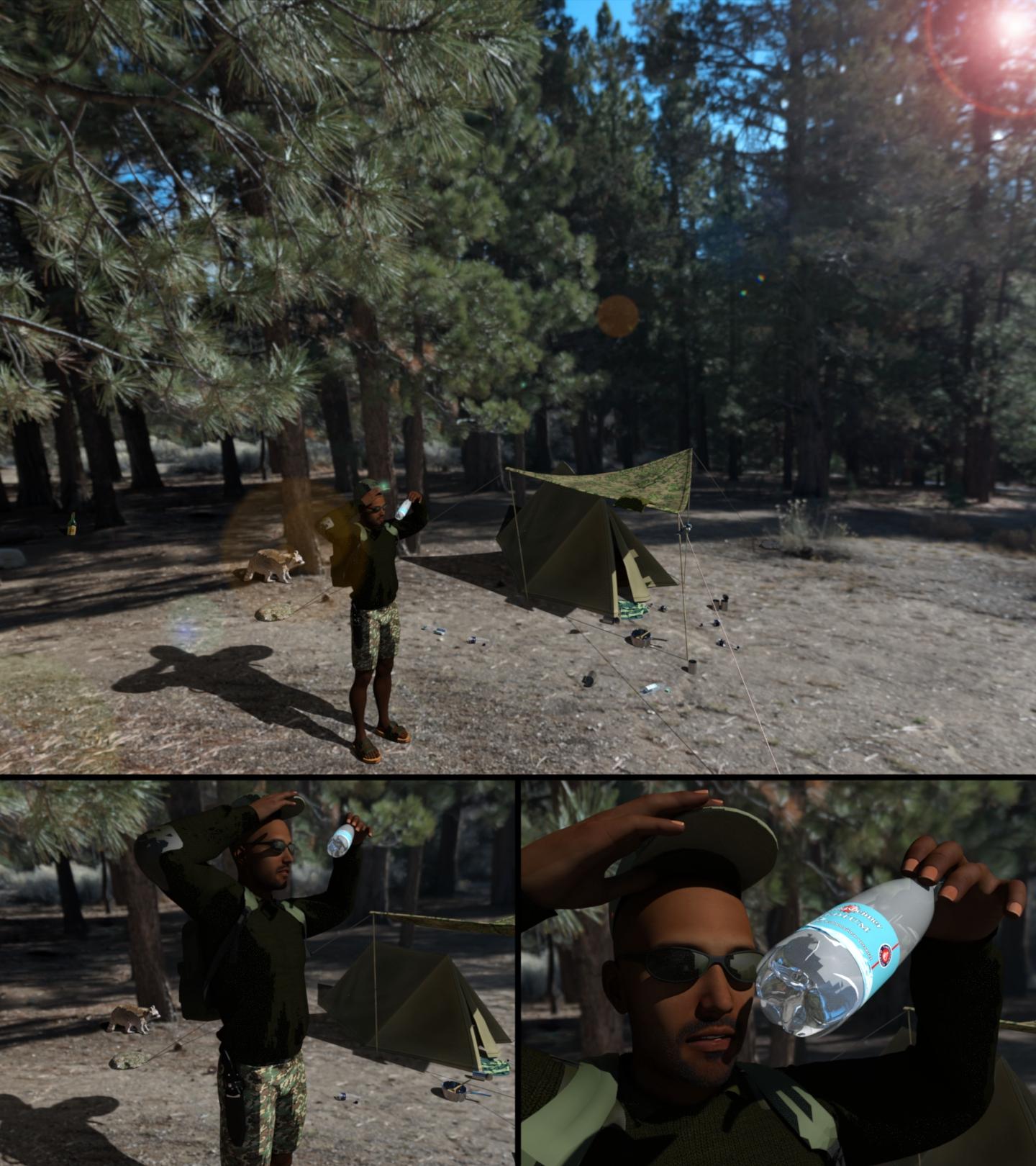
"The Great Outdoors"
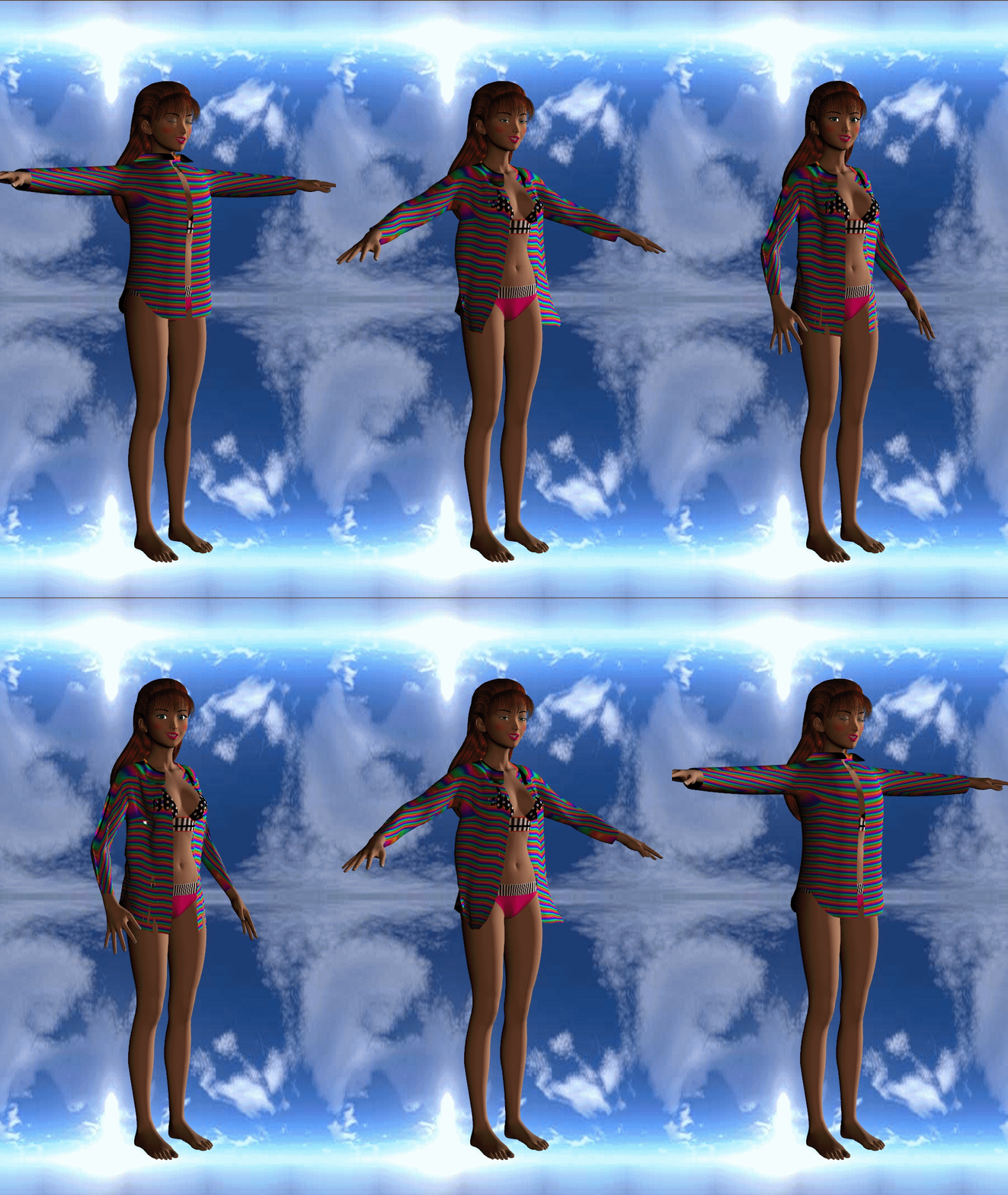
mcjTeleBlender:Daz Studio scenes/animations w/Blender's Cycles EngineJust now i updated my free script to export an animated scene as a series of nunbered obj files
https://sites.google.com/site/mcasualsdazscripts/mcjgeosender
it will now zero-pad those numbers with 4 zeros which will let scripts/apps like
https://sites.google.com/site/mcasualsdazscripts2/mcjobjstomorphingprop
... convert them into a morphing object which can then be animated just like the original
1395/5000
'I have a question about this ... I mean: I'm trying to make clothing animations, where there is no problem if we talk about render or 2D. I use the script "GeoSender" from Mr.Casual, but the indexing results as "X1.obj" and then, until the ninth, as "x9.obj". Then, we have the 2-digit decimals, up to frame 99. And, then, the "x100, x999.obj". They are not panned as "x00001" to "x01000". There is no logical sequence to load, in order of name, in "Morph Loader Pro". I do sequences of explanation from frame 0 to frame 9, with a prefix "Fliename.0000", followed by those of 2 decimals, with "Filename.000", etc.. Tedious and boring, but it does it. Well, but now that "object" is not animated if I do not load a script called "AnimMorph".
My destination is not render, but webGL formats, such as glTF (ascii or binary glb ..).
So as prop, the clothes are useless, because they remain in the first frame. I assign it to the "hip" parent of the person-model, genesisx, etc ... and yes, I can already make it a figure. But when exporting it to Blender, or Maya, like .fbx, I only get an animated file without respecting the different variations of the .obj, but something flat that moves, but far from the physical simulation offered by "dynamic clothing" in Daz.
The same goes for Marvelous designer. Both export in alembic, mdd or ps2, or in Maya, as a cache.
Can someone help me in this matter?Traditional question: what character was used for the promo image of...It's so funny that you asked that question, as I have been looking for the answer to this all day myself! This character intrigues me, as she is the closest I have seen to a Genesis 8 version of Kate Beckinsale. It really looks like something P3Design would make, but I couldn't find any matching models. My guess is that he may have tweaked the facial appearances of the base Victoria 8 model or that it may be included in some bulk facial morph package. I too am curious if this is a premade model that is available for purchase, for anybody in the know!
AIUTO...CHI CONOSCE L’ITALIANO? PARTE UNDICINo, Genesis 9 no.
A proposito di G2, ma dove si può trovare una ciuffa per fare le femminucce per bene? Qui alla DAZ pare non ci siano.
Sul Zozzorotica ci sono dei morph, ma fanno riferimento a un item che non trovo.
Ciuffa è il femminile di ciuffo? :D
Laticis ha una roba free qui: https://www.deviantart.com/laticis/art/Laticis-Imagery-Free-LI-G2F-Pubic-Hair-531370613 ;
Ha anche un bel po' di cose free su DA, fatti un giro sulla sua gallery
AIUTO...CHI CONOSCE L’ITALIANO? PARTE UNDICINo, Genesis 9 no.
A proposito di G2, ma dove si può trovare una ciuffa per fare le femminucce per bene? Qui alla DAZ pare non ci siano.
Sul Zozzorotica ci sono dei morph, ma fanno riferimento a un item che non trovo.
Ciuffa? Sarebbe a dire?
La citazione che fai mi fa presumere qualcosa... Per cui puoi risolvere con un geograft e photoshop...
mcjTeleBlender:Daz Studio scenes/animations w/Blender's Cycles Engine1395/5000
'I have a question about this ... I mean: I'm trying to make clothing animations, where there is no problem if we talk about render or 2D. I use the script "GeoSender" from Mr.Casual, but the indexing results as "X1.obj" and then, until the ninth, as "x9.obj". Then, we have the 2-digit decimals, up to frame 99. And, then, the "x100, x999.obj". They are not panned as "x00001" to "x01000". There is no logical sequence to load, in order of name, in "Morph Loader Pro". I do sequences of explanation from frame 0 to frame 9, with a prefix "Fliename.0000", followed by those of 2 decimals, with "Filename.000", etc.. Tedious and boring, but it does it. Well, but now that "object" is not animated if I do not load a script called "AnimMorph".
My destination is not render, but webGL formats, such as glTF (ascii or binary glb ..).
So as prop, the clothes are useless, because they remain in the first frame. I assign it to the "hip" parent of the person-model, genesisx, etc ... and yes, I can already make it a figure. But when exporting it to Blender, or Maya, like .fbx, I only get an animated file without respecting the different variations of the .obj, but something flat that moves, but far from the physical simulation offered by "dynamic clothing" in Daz.
The same goes for Marvelous designer. Both export in alembic, mdd or ps2, or in Maya, as a cache.
Can someone help me in this matter?StrangeFate's stuff: Wild Kelpie Battle Outfit!Thanks Worlds_Edge
Some more progress today, working window blinds, the Cord also has a morph to make it look like you're pulling on it. Curtains will come later.

Great detail. But usually these type of blinds are on the outside of the window and the cord obviously is on the inside. At least the last 44 years I remember in Germany :-)
AIUTO...CHI CONOSCE L’ITALIANO? PARTE UNDICINo, Genesis 9 no.
A proposito di G2, ma dove si può trovare una ciuffa per fare le femminucce per bene? Qui alla DAZ pare non ci siano.
Sul Zozzorotica ci sono dei morph, ma fanno riferimento a un item che non trovo.
Freebie: How to create a V4 clone (and transfer other figures) for G8F (now with video!)Does this method work on V4 character morphs? If so, if I just wanted the head morph, would I be able to do that with this?
Full Body Morph on Eg Dog 8That's probably because the dial you're twiddling isn't an actual morph, it's a control dial that affects one or more other real morphs. Either or both of the real and control dials can have limits set; if you change one limit but not the other, the result is what you describe.ahh well! That's a new one, thanks ! How did you learn that ? (and how do I find the other control dial(s) that are relevant ? )
Other way round, the one you're twiddling is the control dial, the real parameter dials are the ones being controlled.
Look at the dial as it appears in the Parameter Tab, click on the little cogwheel icon at far right, and select Parameter Settings from the menu that drops down. The bottom half of the settings dialog has a Sub-Components section which details the body part and parameter name you need to look for.
Once you've found the parameter being controlled, open its settings dialog and untick the Use Limits tickbox.
Note that control dials can control other control dials — e.g. on the Genesis figures, the Pose Controls for Arms Front-Back are linked to the control dials for Arms Front-Back Left and Arms Front-Back Right. Both of these directly control the real parameter dials for left and right Collar and Shoulder Bend body parts.
thanks so much for that explantion - I'll have a gander!!! sorry to be so tardy in replying - thanks to everyone for their help!
Daz 3D is part of

Connect
DAZ Productions, Inc.
7533 S Center View Ct #4664
West Jordan, UT 84084Licensing Agreement | Terms of Service | Privacy Policy | EULA
© 2026 Daz Productions Inc. All Rights Reserved.