-
How to apply Tranfer Utility on altered shapes?
Well, one option would be to rig to the zero state, then export the draped version as OBJ, import (using the same preset) via Morph Loader Pro and check Reverse Deformations - that would subtract out the pose and the morph, leaving just the draping. Rigging to a shape isn't that hard (set the Source Shape in the Transfer Utility, then check Reverse Source Shape from Target in the options), but rigging to a pose is tricky - you have to turn off JCMs, bake rotations, rig, then apply the reverse pose to the rigged clothing and bake its rotations at that - and I'm not sure how well it would work.
Can I use my 4.9 scenes and characters in 4.10?Can I use my 4.9 scenes and characters in 4.10? What about all the DAZ morph and lighting utilities I bought for 4.9?
Will they be recognized and work with 4.10?
I ask becausde I noticed that everything for sale on DAZ is now only compatible with 4.10, so I don't buy anything at all.
ITF Dev Kit G9 Out Now - ITF Freebies ThreadDante DMC5 Full Morph for Genesis 8 Male
Combined head and body morph. No textures or hair, no JCM.
Install directory: My Library\DAZ 3D\Genesis 8\Male\Morphs\InTheFlesh\Dante DMC5
Morph is called Dante DMC5 and can be found in Parameters\Genesis 8 Male\Actor\Full Body
DOWNLOAD: https://sharecg.com/v/91928/browse/21/DAZ-Studio/Dante-DMC5-Full-Morph-for-G8M
ITF Dev Kit G9 Out Now - ITF Freebies ThreadQuiet MGSV Morph for Genesis 3 Female
Created at the request of @Haruchai
Created referencing the XNALara model. Face morph only, no textures or accessories. Has some issues around the eyes, eyeleashes and waterline.
Install directory: My Library\data\DAZ 3D\Genesis 3\Female\Morphs\InTheFlesh\Quiet MGSV
Morph is called Quiet MGSV and can be found in Parameters\Genesis 3 Female\Actor\Head\People
DOWNLOAD: https://sharecg.com/v/91905/browse/21/DAZ-Studio/Quiet-MGSV-Morph-for-Genesis-3-Female
DS fails to de-allocate GPU memoryThe memory creep does happen on the beta as well for me. I canceled the first two renders early and the GPU memory was cleared down to 8% after the third it only went down to 14%. The difference between renders was camera changes and two morph changes before the third render. For this test, there didn't seem to be anything in the logs indicating a problem.
I still need to contact daz and try downgrading my driver.
Is there a way to do this in Poser like in DAZ?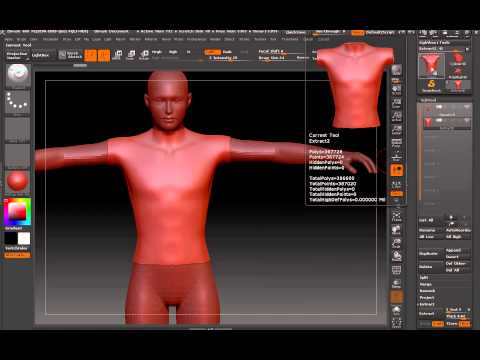
I want to make clothes and be able to connect it to Poser characters like this just as easy as this. I want something that if I morph the character will stay close to the character shape. I wanted to use DAZ 3d but the pipeline I'm trying to creating has just turned into a fight of weird thing after weird thing happening.
Can you please help?
nail and nail bed disagreement?in Carrara using Misty's fix the toe shoots right through the nail on some character morphs, she says its something DAZ did that DS has a fix for Carrara cannot read so maybe something is affecting that fixative morph, just guessing
nail and nail bed disagreement?It looks like there are morphs on still. Show hidden and select Currently Used in the parameters pane and see if *anything* is active whlie you have that. If not, you could have a morph on that defaults to on instead of being dialed in that you aren't seeing.
turn g8 models to g3?UH... can you do a "converting g8 to g3 for dummies, with pictures!" with this, please? half the things you said are unknown to me, like the TU
Hi!
As I said in my answer, there is a lot of sites were you can find the info I just gave you, and sometimes with pictures. In some cases, you'll get a procedure to convert G8 to G3. It just the reverse process.
are just a few exemples. But you'll have to read a lot, and try. I'm sure you'll succeed!
P.S. TU means Transfer Utility. I thought this was clear in my writing...
uh, yeah, i know TU is transfer utility, i shortened it. i just dont know what TU itself is.
but thank you for the links! ill go and checkk them. you just made my day!
turn g8 models to g3?UH... can you do a "converting g8 to g3 for dummies, with pictures!" with this, please? half the things you said are unknown to me, like the TU
Hi!
As I said in my answer, there is a lot of sites were you can find the info I just gave you, and sometimes with pictures. In some cases, you'll get a procedure to convert G8 to G3. It just the reverse process.
are just a few exemples. But you'll have to read a lot, and try. I'm sure you'll succeed!
P.S. TU means Transfer Utility. I thought this was clear in my writing...
Laura Hair and dforce Blooms of Lace [Commercial]Hehe a bit of a frankenstein,
The body is from Matrariel on shareCG. http://www.sharecg.com/v/91816/browse/21/DAZ-Studio/Simple-Toon-morph-for-GF3
I converted just the body to G8F as it so far is the best rendition of an anime character I've seen so far. Where the torso is slimmer than the hip. I'm also not a fan of huge comic booblies *lol* The head is well made as well but I wanted to use my tweaked creation. :)
The head is a mix of a number of morphs I've collected and converted going back to V4 but the primary morph is ironically Lara G8 sold here at 35%, that got the head and eyes proportions down, the rest are tweeks from like a billion add on morphs.
The skin is a combonation of Miya and Brynn both sold here, with some adjustments in G.I.M.P. and in the shader panel.
*edit* and when are you going to make us some huge Fox Ears for Genesis 3 or 8?!?!
 Lol, I've been dying to make a Kitsuni character!
  How to convert genesis 2 female clothes to genesis 3 female
I've been trying to convert an outfit to my morph and it doesn't give any options of supporting genesis 3 female just genesis 3 male. How can I make it work?
turn g8 models to g3?I know that G8 materials vendors will hate me for this, but the answer to your questioni s YES!
Actually, I do this systematically, ie converting G8 characters to G3. This allow me to use my G3's vast collection of clothes and shoes. Whenever I see a new G8 character that I like, I buy it, and convert to G3. The only limitation is with the HD apect of a character which can not be transfered. I'll give you the great lines, but there is a lot of tuto and treads about this already.
1) Load base G3. Navel and Mouth HD to 0. Resolution Level: Base, and SubDivision Level at 0. Pose arms down ±45 and legs ±6 (as a G8 base pose). Export to obj.
2) Load base G8, and apply the coveted head and body morph, This is the character you want to transfer.
3) Open Transfer Utility (TU). Morphed G8 as Source and G3 obj as target. Keep everything else as such. Make the transfer.
4) If everything went perfect, both characters are identical, ie look like only one. In the Scene tab, select G3, and unparent it from G8. Hide G8 and put morphed G3 in the T pose (G3 base pose). Export G3 as obj.
5) Start a new scene. Load base G3. Open Morph loader Pro. In Choose Morph files, find and select the morphed G3 obj. Accept. You should get a message that says "Created Morph Successfully". Now your morph is created and stored in the Genesis 3 hierarchy tree (in Morphs).
6) Finally, with your moph dialed at 100%,in Tool Settings Tab,open the Joint editor Tool. Now go to Edit> Figures > Rigging > Adjust Rigging to Shape. After, in the Scene tab, put morph in Edit mode, and do an ERC Freeze (Now, when you play with the dial, you should see the rigging adjusting automatically). Put slider back at 0% (important), and save your morph as a Morph Asset..
Et voila!
P.S. This method convert the whole G8 character to G3. For my part, I always prefer to save the head and the body separatly, as this gives me more flexibility (It allows me to use the head on another body, or vice versa). Good Luck!
I love you!
 Colorwerks
Moreover, as they require the 8 version of the morph, they aren't suitable for certain combinations. All in all, I haven't bought a single one of these G3 for G8 products, while I had a few of your old packages. And I wouldn't say no to a transfer of the G2 era iconic figures.
JOdel, I would be willing to consider a 3Delight version of ColorWerks, but know that it would be a separate product altogether. Honestly, the reason I didn't do 3DL for this is because doing test renders and promos takes so danged long, it would make me gray before I could finish. And then I would need Base Color 079 just to get back to my original color

Thanks for at least considering it. And yeah, obviously it would be a seperate product altogether. And I'd definitely buy it, too.
But I do gather that it probaby still qualifies as a niche product so hardly anyone's top priority. Although, really, with more and more wigs coming out with only Iray settings, a need is building among the people who are going to be stuck with CPU rendering, regardless.
I did start another thread on the subject and the response makes me wonder whether I ought not to be asking for a tutorial for building one's own hair shader presets instead.
Although paying for a commercial product would be *much* simpler.
This may be a bit involved, but one way to get a more-or-less package of 3delight shaders would be to do the following:
- Load the hair you want to modify and apply a material to it. We want to have the proper opacity maps loaded.
- Get the hair color you want on another surface. If you have a shader package (like Colorwerks) you want to apply, just apply it to a plane primitive, if it is the hair color of another wig, load it.
- Now, for the tricky part: get V3Digitimes map manager. It will allow you to transfer the maps from one property to another, regardless of whether one of the surfaces is 3delight and the other iray. It is not a one-click solution, but it's near it.
This will just help with map-driven properties, and other settings (like numerical values) would still need to be handled manually, but if you have a hair color that you like in your library that is near what you want to achieve, you can save it as a shader preset and apply without maps on the surfaces that you have already prepared. My apologies if all of this is something you already knew how to do and just found it too bohersome, it's just what I found most likely to give satisfying results and allow for plenty of customization (speaking of wich, the masked properties of Colorwerks won't work at all with this process, but UHT2 LIE maps would be flattened by Map Manager, which allows for almost infinite combinations).
I have NO ClueSome more things to add:
Free items: There are some free items, and the program is free, but depending on what you are planning to do, you most likely won't get things running on a "zero budget" level - unless you are able to model your own items (Hexagon or Blender are free), or find freebies that allow commercial render usage. You'll also need things like morph packs, unless you don't mind having similar looking characters. Oh, and be very careful about the generations of Genesis, and Michael4/Victoria4, and the even older ones. Because a Genesis 2 pose or character or morph will not work on Genesis 8, and vice versa. So, not every freebie might be useful to your character.
For book covers, there's this interesting thread: https://www.daz3d.com/forums/discussion/57390/book-covers#latest
There also was a free community webinar run by Digital Arts just his weekend with the topic of book covers; there probably will be another one in a month or two.
Results - I'm not sure what you are expecting, but be aware that Iray renders will take time, i.e. if you don't have an nVidea craphics card. Also, be prepared for quite some frustrations as you learn the program, because there's no 'instant art button'. Depending on your time frame for production of that book cover, be aware that you probably won't get perfect results after just a few hours.
Also, it is always a good idea to participate in the New User contents - you don't have to actually submit to the contest, but you'll get help, and the WIP threads of previous contests cover various topics that are useful: https://www.daz3d.com/forums/categories/new-user-contests-and-events
Exporting fitted clothesHide the figure, and all but one piece of clothing, make sure the clothing is at base resolution, and then set the morphs and export as OBJ. Then for each piece of clothing import the OBJs through Morph Loader Pro. Those morphs will not depend on the figure and so can be exported.
Looking for shirtwaist dress, G2 or G3The Audacious outfit is pretty darn close. I don't have many G8 assets, but for this project I can buy some 2" heels for a G8 character and see of some of the G3 hair I have will work. If not I can pick something up. For the fullness of the skirt part since it's dForce already I might be able to (ahem) blow a little bit of wind up there to open it up. I can save that shape as a morph. It doesn't say there's a morph to flip the back of the collar up, but I can live without that -- or finally learn how to edit a mesh.
Thanks again for the tip. I think this will do it.
If you have G3 hair that you want to use, all you need to do is to change the scene identification to Genesis 8/Female, then fit to G8F, then save as a new Figure/Prop asset, and it should work on G8 just fine. (Except maybe the Vertigo Ponytail, which apparently has issues with that process.) Glad to hear that Audacious might work for you.
3DCoat on Sale - thoughts other than sculptingWell you made me open up Silo for about the third time since I bought it. Now, I spent VERY little time on this, but you can see the results of trying to sculpt in Silo.
I loaded one of the starting figures I didn't know existed - I was looking for any primitive - and subdivided it a few times to make it high-poly. (The 'C' key subdivides; SHIFT+C makes the high polys permanent).
I chose 'Paint Displacement' from the left-hand panel and played with the settings on the right-hand panel.
As my images show, the displacement painting is crude compared to dedicated sculpting applications. No new polygons are created as you would get in Sculptris, etc. This puts it on a par with Hexagon (and Carrara, although Carrara can do 3d painting (etc.) over and above displacement).
Being able to displace-paint the mesh while keeping the polygon count of an original allows the creation of morphs. Sub-dividing beforehand will add polygons and prevent morph creation for the original.
turn g8 models to g3?I know that G8 materials vendors will hate me for this, but the answer to your questioni s YES!
Actually, I do this systematically, ie converting G8 characters to G3. This allow me to use my G3's vast collection of clothes and shoes. Whenever I see a new G8 character that I like, I buy it, and convert to G3. The only limitation is with the HD apect of a character which can not be transfered. I'll give you the great lines, but there is a lot of tuto and treads about this already.
1) Load base G3. Navel and Mouth HD to 0. Resolution Level: Base, and SubDivision Level at 0. Pose arms down ±45 and legs ±6 (as a G8 base pose). Export to obj.
2) Load base G8, and apply the coveted head and body morph, This is the character you want to transfer.
3) Open Transfer Utility (TU). Morphed G8 as Source and G3 obj as target. Keep everything else as such. Make the transfer.
4) If everything went perfect, both characters are identical, ie look like only one. In the Scene tab, select G3, and unparent it from G8. Hide G8 and put morphed G3 in the T pose (G3 base pose). Export G3 as obj.
5) Start a new scene. Load base G3. Open Morph loader Pro. In Choose Morph files, find and select the morphed G3 obj. Accept. You should get a message that says "Created Morph Successfully". Now your morph is created and stored in the Genesis 3 hierarchy tree (in Morphs).
6) Finally, with your moph dialed at 100%,in Tool Settings Tab,open the Joint editor Tool. Now go to Edit> Figures > Rigging > Adjust Rigging to Shape. After, in the Scene tab, put morph in Edit mode, and do an ERC Freeze (Now, when you play with the dial, you should see the rigging adjusting automatically). Put slider back at 0% (important), and save your morph as a Morph Asset..
Et voila!
P.S. This method convert the whole G8 character to G3. For my part, I always prefer to save the head and the body separatly, as this gives me more flexibility (It allows me to use the head on another body, or vice versa). Good Luck!
UH... can you do a "converting g8 to g3 for dummies, with pictures!" with this, please? half the things you said are unknown to me, like the TU
will V4 morph packages for Poser work in DS?fc2 are presets, they should work in DS provided the required morph packs work. The one you linked lists only standard morph packs as required, so it should be ok.
thaqnks i have the morph packs etc..will try them 1st to see what happens
yes ..they work...awesome awesome thanks
Daz 3D is part of

Connect
DAZ Productions, Inc.
7533 S Center View Ct #4664
West Jordan, UT 84084Licensing Agreement | Terms of Service | Privacy Policy | EULA
© 2026 Daz Productions Inc. All Rights Reserved.