-
Marvelous Designer - Script for Faux Dynamics
Hey. I've been playing with MD at a community college, as they only bought one license for one machine to try it out. I started out by using their avatars and just trying to draw my clothing. It is nothing like the real design phase of clothing, but you can fake that a bit. I found out only recently and tried it.
First, identify the type of garment. Then identify the body model. For me, I like to design around a real person. However, it takes a lot of time out of their schedule, and if you have a deadline for a theatre production, you need to innovate. So... ...I use software. The nuke foundry lab has facegen, so I use that to get their facial features into DAZ on a given model. Then I use Measure Metrics to put in the basics of their form and allow it to morph the figure. Another path... ...I can put their body characteristics into MD using the avatar editor and the tape measure feature. I can export the model to DAZ, but it won't have the head (this can take some of the creepiness out for some people). Using the tape measure, I can go back and forth between DAZ and MD to get the model just right in form. Then I use a photo to grab their general skin tone, and create a basic bumpmap (it takes time, but it's worth it; in about a day the digital model looks very much like the real deal). I can leave off hair for last. In MD, I then edit the avatar, with the wrap point and roll guides active in the 3d window, which will help when I try to simulate the garment. By adjusting these I can make sure the garment is properly wrapped on the model in the current pose. One these are finished I move on to making my garment guides.
Now to make it more realistic... ...By following the conventional bodice, pant\skirt, and undergarment sizing techniqures, I can use SEAMLY 2D to make a 2 dimensional photo to use as a guide in MD. By adding a box of set length, roughly 20cm, you can size your guide for use by matching that box to one you draw in MD. Then you just draw the rest on top of the other figures. By adjusting from the main guide, you can work like you would on a real garment. This will also work with Illustrator or other program, but you'll need a super large artboard. The image you draw should correspond to the values you calculate. Seamly 2d allows you to create the basic pieces, put in a few values and let the program adjust the sizing of the drawing so it will fit the sizing on your model. Either software you choose, make sure you give your guide a box for size matching.
Once you have your guide copied onto the 2d panel in MD, you can make it a garment. For symetrical garments, you only need trace half the piece, then unfold it or copy it as a mirrored instance copy. Changes to one side will be matched. For asymetrical garmens, start with the symetrical adjustments, then use the menu (right click on one of the copies, and then the option will be clear) to turn off symetry, then make the last adjustments. When I say symetrical adjustments, I also mean adding sewing. In the latest version this works rather well. Once your asymetry is finished you can move to the 3d window, adjust the placemtent of each piece to the wrap\point guides, and even tack it on in some points, using the model like a standing manequin for garments that don't hold up on their own or require more wrapping and tying. Tacking some areas into place will allow you to slowly adjust some towel or wrap garments, or making bows. You can even apply different fabric attributes to simulate real fabric, and it includes a muslin setting. When you finish you can export the garment to DAZ, and, using the same orignal base model with measure metrics for a quick readjustment to the understudy. Seeing both designs together allows a design director to comment on color, texture etc, which are easy enough to change in MD. Once the design is okayed, it's on to the sizing. First, I measure the lines for the first model, and redraw in seamly2d, making note of which lines from your original guide were moved or altered and how they were adjusted (some equation; this may not be evident, but occaisionally, a slight adjustment to an existing equation will be enough), so you can then make adjustments in Seamly2d to redraw a guide for your cutouts, and print it. You can refit your garment to the understudy and redraw in Seamly 2d, adding seams and determining which areas can be all one piece instead of sewn together. Then you print it for making your actual guides and cut your fabric.
The problem I have? I have a 3d setup, a stage, the whole scene, all designed in other software. But baking the whole thing together is tough. I need a way to export it like an OBJ, the actor\model and garments on them, all to a single object for import into another program. This program will show the 3d object with lighting and other values applied after rendering. So far, I haven't been able to get this to work right. OBJ is too limited. I'd like to be able to bake the surfaces together by linking the files inside the obj so textures and colors are linked at least and pulled in when I import the OBJ. I still haven't figured it out.
I've also tried Adobe Dimension, but I haven't been able to do as much with it. Vectorworks on the other hand... I'd love to use Dimension, but DAZ has more exacting measurements, along with MD. However, If I could get some help with baking it all together, I might be able to go into more on the usefulness of these programs in the live action field.
Geo Graft Gaps on MorphI tried this tonight, and momentarily had rigidity working, but when I tried to adjust the rigidity using a map, it all fell apart.
Actually... I'm not sure how I got rigidity working at all. I got it working once, but then when I tried it again, I couldn't reproduce it. Depending on whether I created the Rigidity group in Polygon Selection Mode, Vertex Selection Mode, or using the menu in the Tool Settings, I may or may not have the ability to create a Rigidity Group, or just had the option to create participants and references. Also, depending on what method I used to create it, the group may or may not appear in the Target Group options of the Grouping Tab in the Geometry Editor. Is it possible there is a defect around the UI in this area?
I'm thinking I need to reconsider morphs. I'm debating on whether I should do morphs by region (probably more reusable but might not always result in a smooth experience) or morphs per character (less resuable, but always have a nice clean option for a character if Ihave used them before). Based on this, I have two questions:
1. I'm assuming creating a morph for a graft must be similar to creating a morph for a figure... But I am struggling to get my head around the idea. I import the graft, convert it to a figure, export it again, and then when I import the change I just import it as a morph? Is that the gist of it?2. Let's say I do decide to make the morph specific to my character. I'm struggling at a high level to picture those steps as well. I apply the graft, add the character morph, export the whole thing (figure, with morph applied, and the messed up graft), make the fix... and then.... I guess I just import back in the graft as a morph? I believe I have seen on clothing and poses where morphs are automatically applied based on popular figures or shapes. How would I make the graft morph to always happen with it was applied to a figure with the same morph?
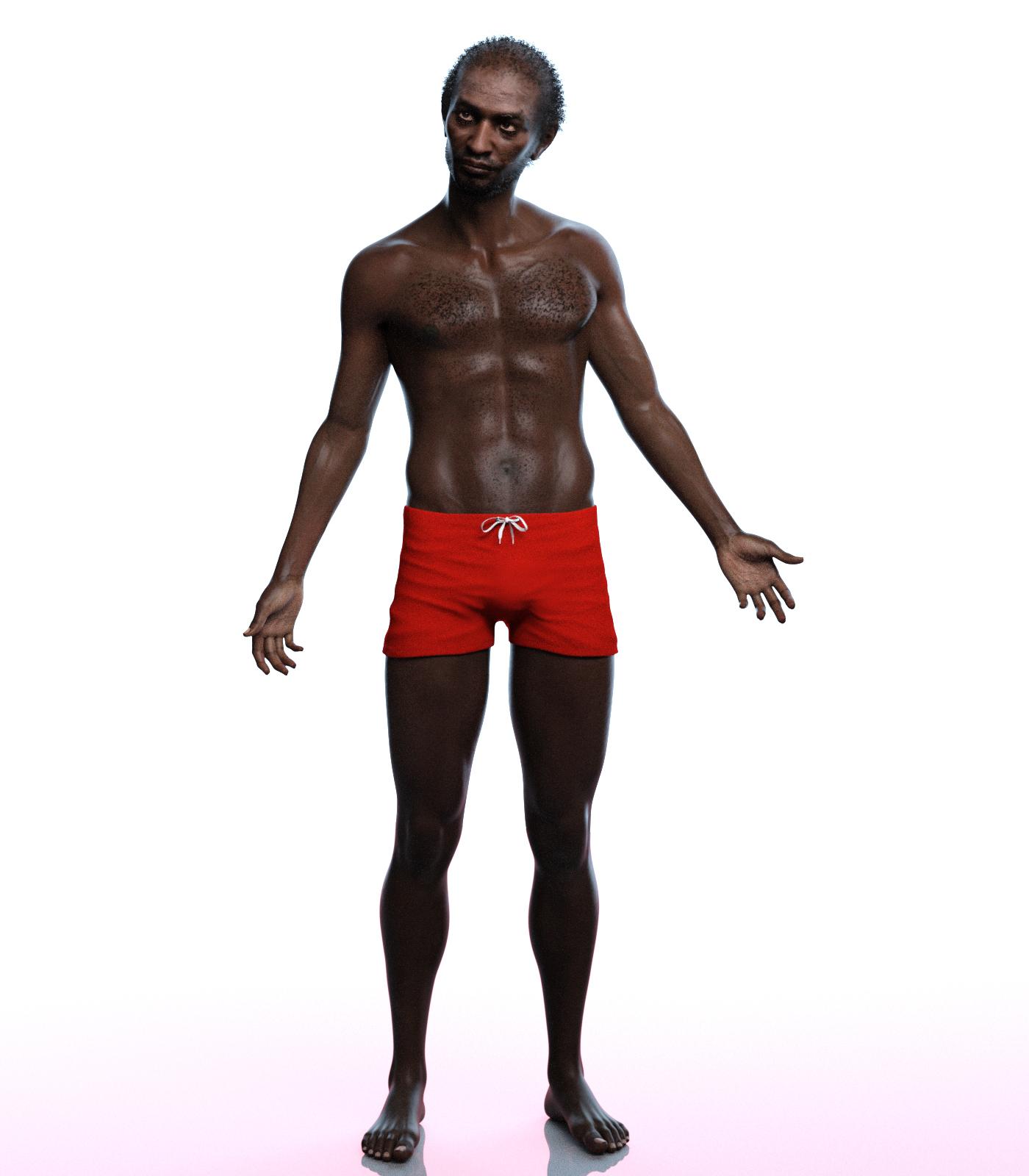
SereneNight's Sci-fi FunIf you haven't seen these, the shorts that came with EJ Anders are reallly good. They are a bit like the really nice ones that came with EJ Gregory but these are more like boxer briefs.. They have a nice tie and untie morph as well. Here I modeled them on Phx Joseph so you can see them from the front and back. =-)
 How to apply Old Morphs to new Figures
...well as I understand you sorta could if you had Generation X2 and the G3 expansion, by transferring the morph to G3 first, then importing it from the G3 version through the Transfer Utility
What's wrong with Blender?...objs that come with their own material files transfer fine. However, for a model converted from another format to .obj, that is where all the mapping information is lost when opened in Daz. This requires rebuilding the material zones manually using the polygon editor (in some cases for upwards of 100 individual mesh components that are often just labelled with numbers or labelled in a language I am not familiar with) before applying any textures (a very tedious process).
When I import a .lwo or .3ds file into Carrara, I get all the materials transferring over as well (though they do have to be adjusted to an extent). However saving a model as a .obj to import into Daz doesn't create a new compatible material file.
Ah, you mean materials rather than UV mapping.
Exporting texturesI am trying to convert the textures for a gen3 character to gen2. I was able to load the gen3 texures onto gen2 character by using https://www.daz3d.com/genesis-3-uvs-for-genesis-2-female-s , which makes geografts to fill in the seams.
It looks good in daz3d with the geografts, but I am trying to export those textures to the gen2 format so I can apply them on another gen2 character without using geografts. Is there anyway to export / make a texture map for this? I tried the map transfer utility, made a template and included the geografts in the template, but the areas the geografts filled are still blank when exported
What's wrong with Blender?...objs that come with their own material files transfer fine. However, for a model converted from another format to .obj, that is where all the mapping information is lost when opened in Daz. This requires rebuilding the material zones manually using the polygon editor (in some cases for upwards of 100 individual mesh components that are often just labelled with numbers or labelled in a language I am not familiar with) before applying any textures (a very tedious process).
When I import a .lwo or .3ds file into Carrara, I get all the materials transferring over as well (though they do have to be adjusted to an extent). However saving a model as a .obj to import into Daz doesn't create a new compatible material file.
formerly male content creation threadThanks for all this info, I'm in the process of trying to make a set of clothing to match that of the character Ciri in the Witcher 3 game. I've made stuff before but this is different becuase
- Will have to have straps and buckle
- Has a belt that I don't want to get all bent out of shape
- Needs boots and gloves, neither of which I've ever made
Usually when I make stuff I do a simple rig using the transfer utility but this time I want to really learn how to do JCMs and that sort of thing. It's not for sale but I'd like to finally make something I consider almost good enough to sell if it could be sold. Anyway, I may join the discussion from time to time, if that's okay. The title says "formerly male" so I am thinking a female warrior will be okay here.
Anyway here's what I've made thus far and what it's supposed to look like. This is the base model from Marvelous Designer. The rest will be done in Hexagon probably. The gloves are from an old V4 set, just for illustration purposes. I haven't figured out how to make my own yet.
Very nice.
More Musical InstrumentsYes :)
I think it'll include a morph for tenor also.
formerly male content creation threadThank you, @felis and @grinch2901, your insights and contributions are most welcome. If I read Felis correctly, it might be possible to have a mesh with edges that are not connected by faces? Free polylines? Am I interpreting correctly? That might solve a lot of problems. However, if run through the transfer utility, why are these excluded mesh pieces not acting as conforming and therefore ruining the drape? Obviously, I am not understanding something bout what is being tried. But whatever it is, the results migh5 be promising so please keep sharing. And the female warrior clothing is also most welcome. Trying to learn techniques! There are links to JCM videos earlier in the thread. Let me know if you need more specifics.
sorry for not being more detailed. Trying to monitor the thread while on vacation, and only have my tablet, not my ‘puter.
New Baby Figure?The most recent baby that I know about is the one for G8F, at Renderosity by Sixus1 https://www.renderosity.com/mod/bcs/sixus1---the-baby-for-genesis-8-female/123985/
There's also an older one here for first generation Genesis: https://www.daz3d.com/baby-for-genesis
And there's a freebie morph for first generation Genesis as well: http://www.sharecg.com/v/86513/browse/21/DAZ-Studio/Genesis-Baby and http://www.sharecg.com/v/75910/browse/21/DAZ-Studio/Baby-Gen-2014
Does anyone else do this? Play a game while planing a render or something?i organize my content libraries while conceiving scenes

everytime i do have to re-back it up to external drive and transfer to backup render puter
Basic File ManagementI have Daz on my system in the location it defaults--I've installed everything using the install manager with no modification to the default settings. This puts it in the Public Documents folder.
Suppose I have a folder in Documents (in my user) with all my scenes, imported props (I model props), clothing I've created, and presets for characters I made with, say, Genesis, using lots of DAZ morph dials. My scenes also have morphs applied from the Genesis morph dials, even including fancy Genesis morphs from packs I've bought and were installed in Daz through the install manager. This folder is mapped in the Content Directory Manager and things work just fine. Let's call this directory "Bob Content". The key piece of information about Bob Content is that I'm saving scenes with a DAZ figure's morphs in it.
QUESTIONS
1. Should I do it this way, or is there a recommended place to put stuff I've created so that it migrates easily to a new computer?
2. If I do migrate to a new computer, are there additional steps I need to take besides copying Bob Content to the new computer's Documents and reinstalling DAZ?
3. When you save a scene that includes your own morph dial settings, is there a place besides the .duf file where data is saved? There must be, because when I've migrated computers before, I've lost all the morph dial settings for a figure I saved in a folder of my own--when the scene is loaded, I get errors that they can't be found.
4. I also rig figures that I sculpt. All of that migrates just fine and seems to be completely independent of the DAZ install. I can just move the folder, map it with the DAZ Content Directory Manager and resume working as if nothing happened. Can't do that with a folder that includes stuff I created with a DAZ figure.
I know this is basic stuff, but any help is appreciated.
Is there a way to transfer only the morph of the V8 hands and feet on G8F?Well that is exactly what x-morphs is created for. There is a thread for the product here. https://www.daz3d.com/forums/discussion/248176/x-morphs-divide-combine-and-save-released-commercial/p1
However, the one thing that x-morphs cannot do is transfer a HD morph. So if you are talking about the HD morphs for those Vicky and Mike, you cannot do that. It is in fact impossible, as Daz Studio itself locks that out. But x-morphs will isolate base resolution morphs.
There are other options, though. there are products in the store just for hands, and maybe feet. I cannot locate a G8 version for some reason, but there must be something out there like this for G8 M and F. https://www.daz3d.com/real-hands-hd-for-genesis-3-female-s ; This would be the easiest solution.
A third option are certain characters that have their own seperate morphs for these things. For example, Misumi HD https://www.daz3d.com/misumi-hd--signature-smile-hd-expression-for-genesis-8-female has her own feet morph, and this morph is seperate, meaning it can be used on any character. When you look at the store page, you will find all the shapes listed. I cannot think of any characters that have a seperate hand morph, but there are probably a few. I know this isn't a perfect solution, you wouldn't want to buy a character just for that. However, Misumi is quite a nice character, one of the most realistic in the store.
And one last option could be normal, bump, and displacement maps. These are things that can be transfered by simply changing them in the surfaces tab. A really good bump or normal map could work. The trick will be getting it to blend with the other maps, or there may be a seam between the arm and torso. If you can edit them in photoshop or gimp you can work the features in that way. This can be done for free, but will require editing skill and time.
Geo Graft Gaps on MorphI should have known I would have another question...
Knowing from experimenting with the source graft that applying a modifier to the Genesis 3 figure would also morph the graft, I originally thought that I would just create a modifier for my graft for each face that I used it on. Maybe it's not as dificult as I am thinkin it would be (I'm struggling to get my head around how I would create a morph for a graft on a character that's morphed...), but I'm not really looking for fine tuned details on my "no-face" here...
Might there be a way to prevent the graft from being morphed based on closest vertext on the face, and instead be influenced by the graft faces for attachement? I'm thinking there would need to be some sort of weight mapping involved, but ideally if the face as a whole shrinks, then I just need my graft to shrink, or if the face as a whole become more shallow or elongated, I just need my graft to pull back or forward.
What to Save Custom Graft As?A logical follow up to my previous question...
Once I have created a Geo-graft, tested it, applied the shaders I want; I'll want to reuse it for future projects.
What do I save it as?
MimicMolly's Renders & WIPsHere is one of the first proper renders I did of this character. The only problem I had with him was that the first face, shown here, was too round. I re-did it and made him slightly thinner, so it could be much easier to mix. I ended up picking Vini's texture for him, because it just matches him better. Not sure if anyone wants this head morph. I cannot give away the original skin because I used the Growing Up adult skin for him.
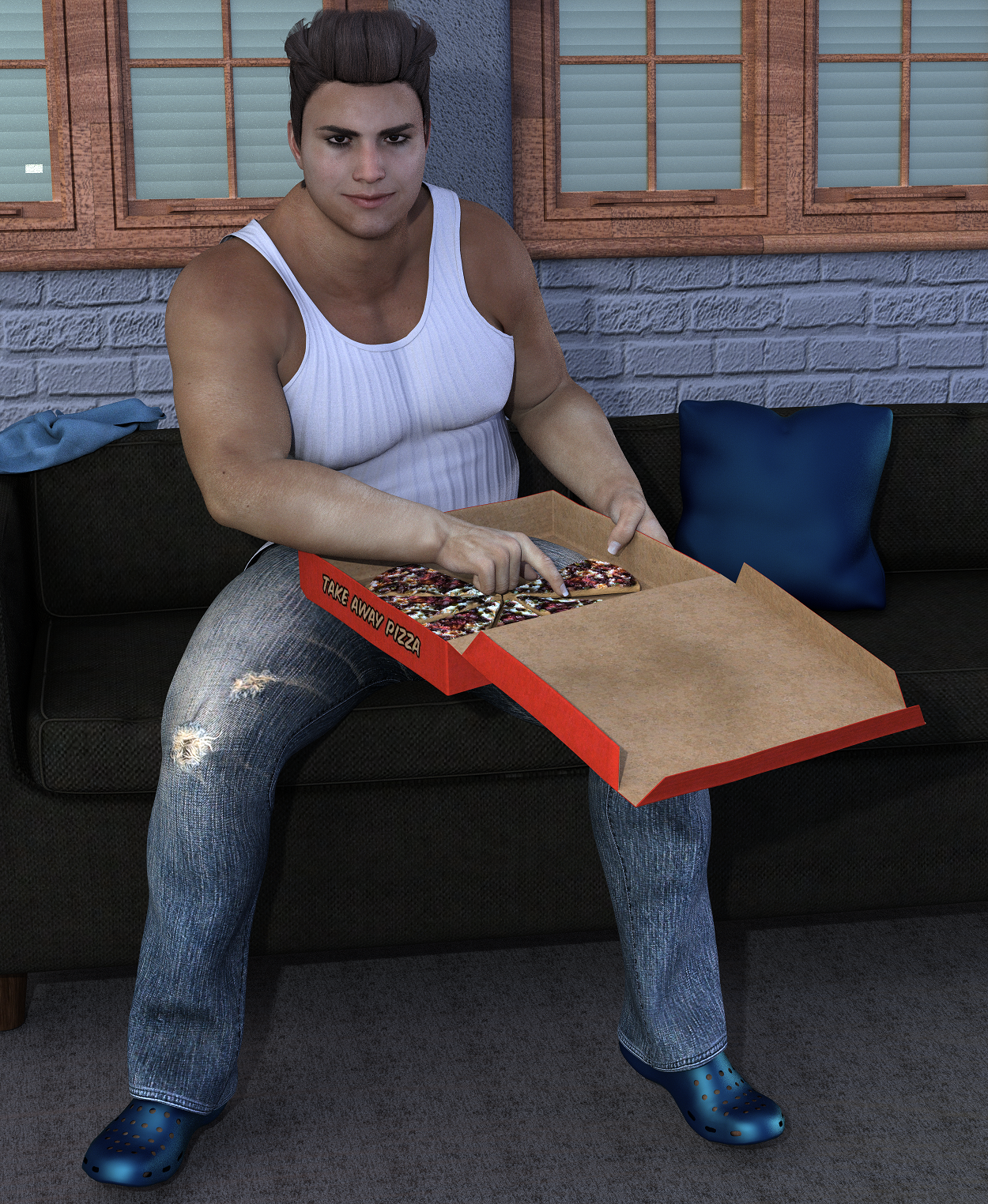
I forgot to postwork this before I uploaded it, but I cannot be bothered. It's not too noticable unless you really look for it. XD
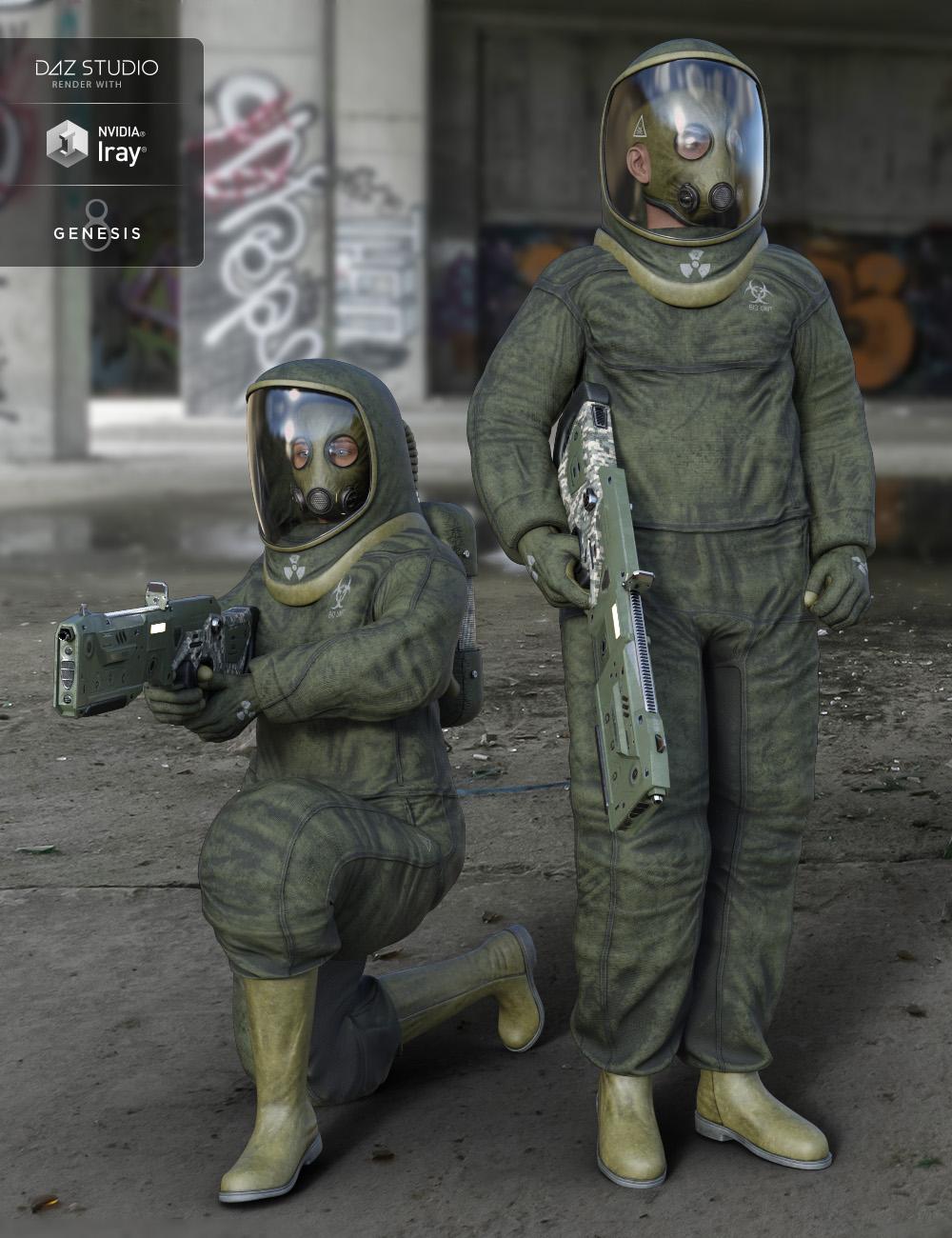
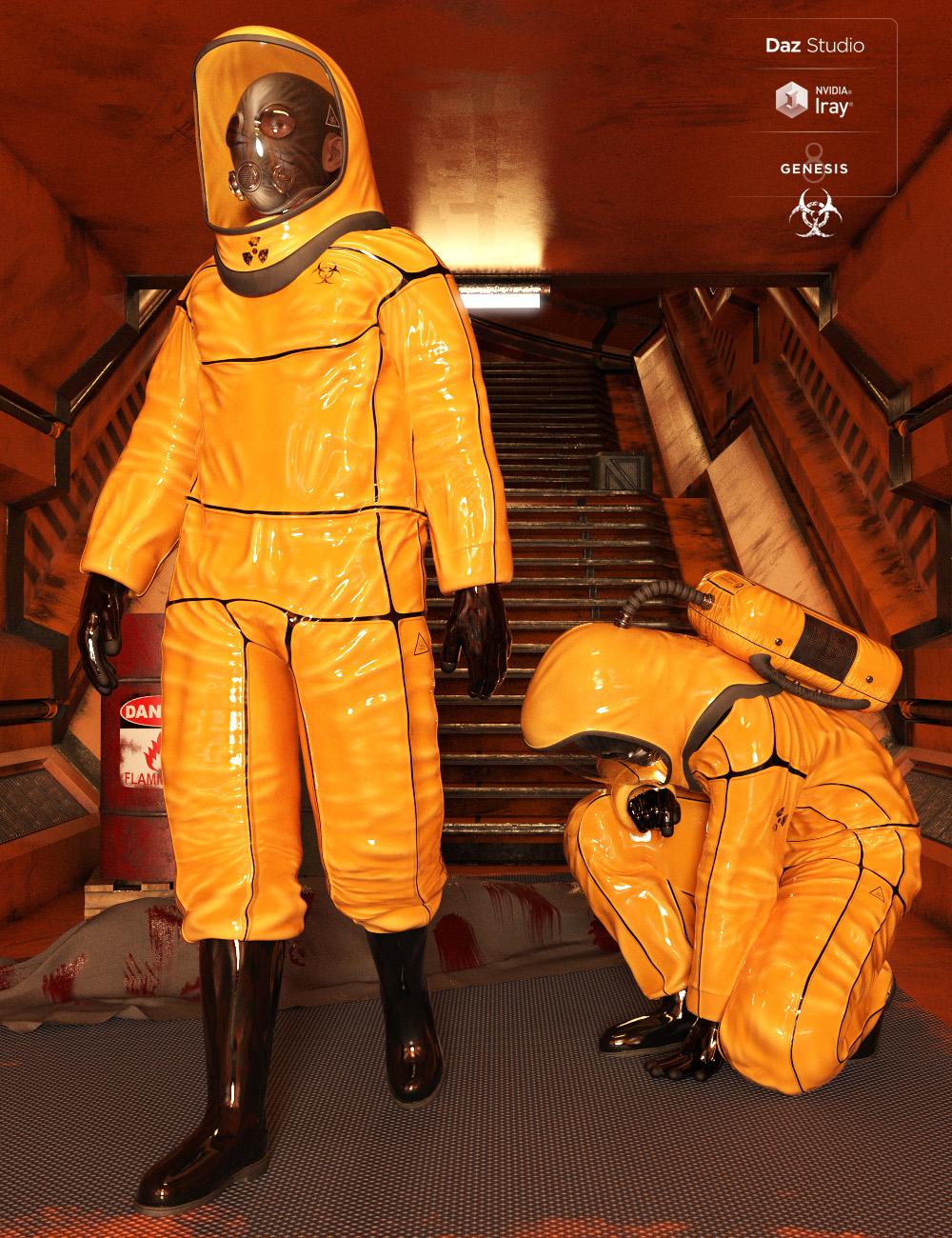
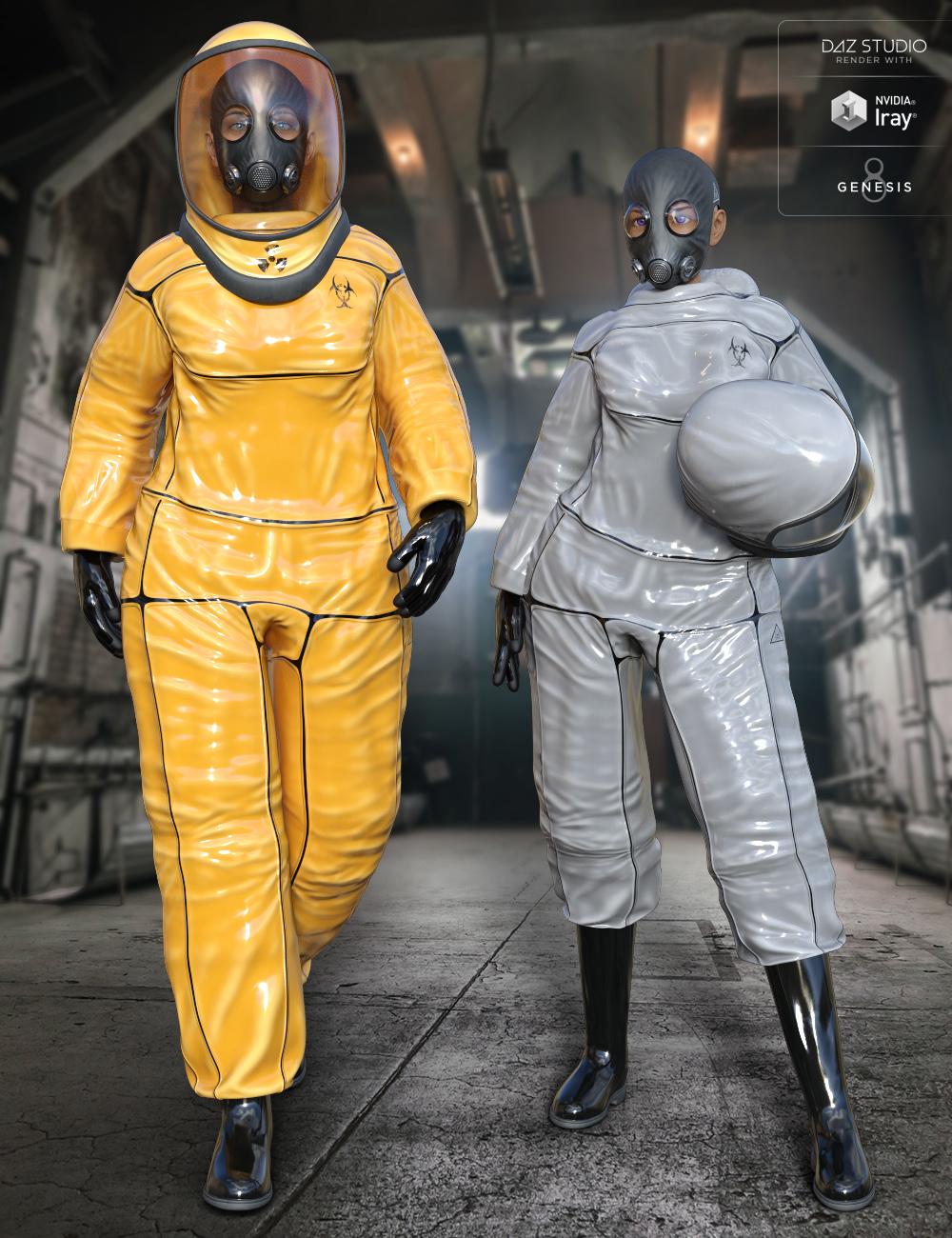
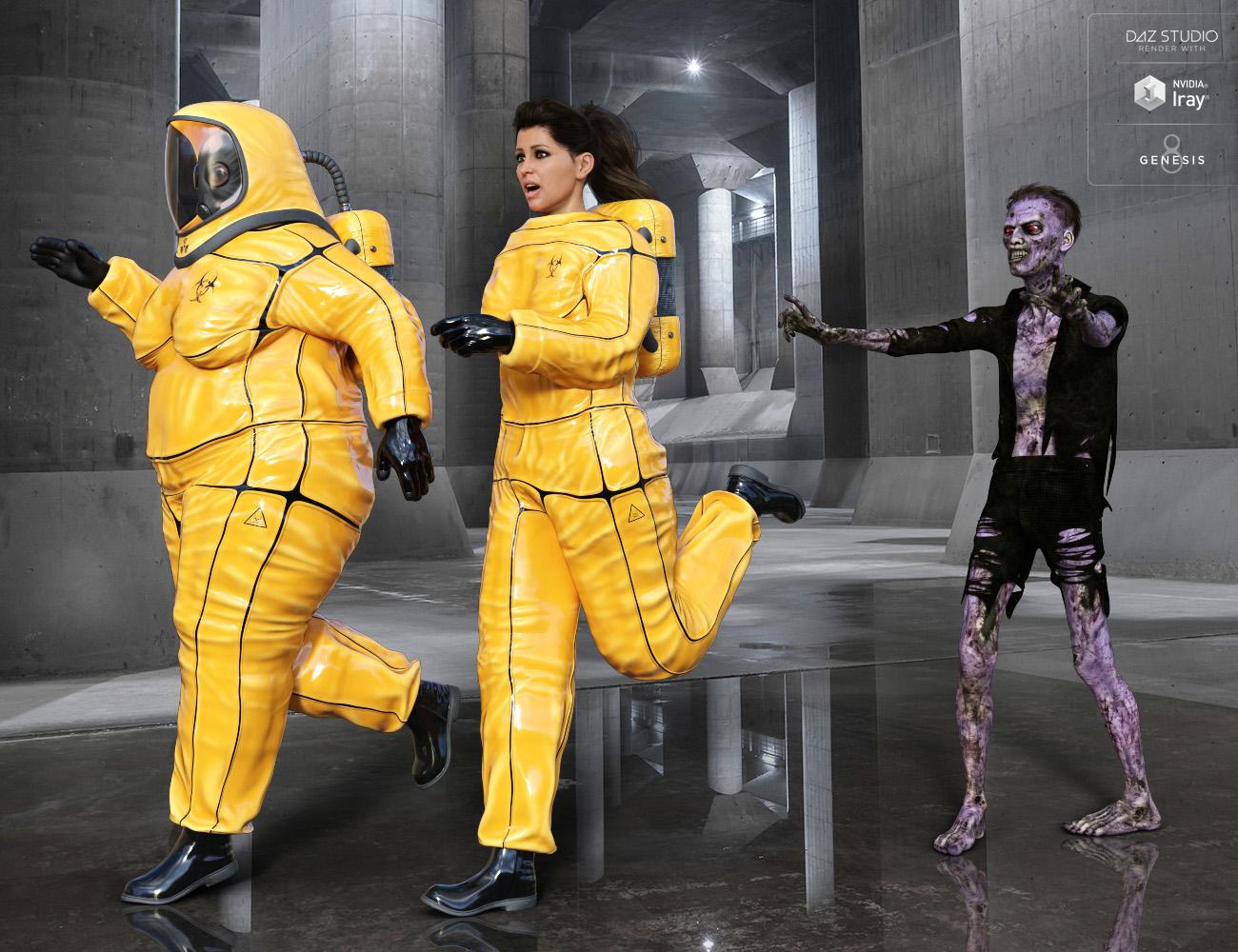
(Released) BioHazard Suit for Genesis 8 and Expansion Pack [Commercial]“ BioHazard Suit for Genesis 8 Males” is the new suit from Midnight_stories. Perfect for all your zombie apocalypse and resident evil scenes. Comes with a full body Suit with a trousers up morph, rubber Gloves and Boots, Bio Helmet and Backpack, and Gas Mask. There are 5 material presets. Plus 2 conforming light props, to light the face in dark places. And 5 pose sets to get your scene started. Be on the look out the texture expansion pack and the BioHazard Waste Center environment.
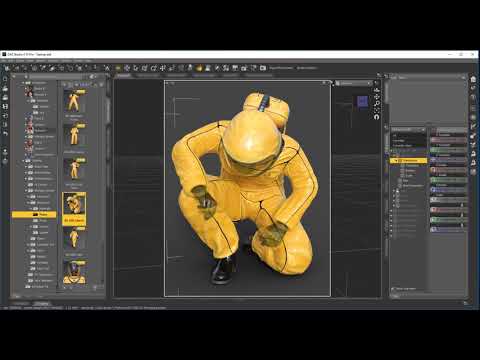
Click to Play
“BioHazard Suit for Genesis 8 Females” is the new suit from Midnight_stories. Perfect for all your zombie apocalypse and resident evil scenes. Comes with a full body Suit with a trousers up morph, rubber Gloves and Boots, Bio Helmet and Backpack, and Gas Mask. There are 5 material presets. Plus 2 conforming light props, to light the face in dark places. And 5 pose sets to get your scene started. Be on the look out for the texture expansion pack and the BioHazard Waste Center environment.
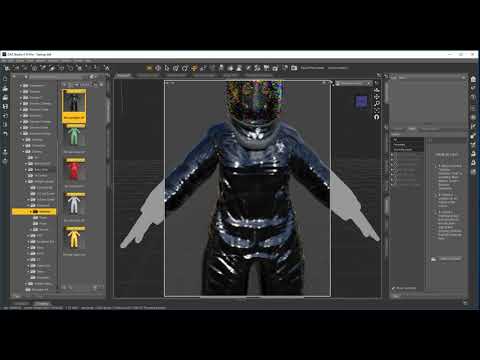
Click to Play

 Is there a way to transfer only the morph of the V8 hands and feet on G8F?
Hey, thanks for the reply.
I took a look at X-Morphs some time ago, but unfortunately I'm not interested in it, and it does not seem appropriate to spend $ 40 just to transfer the morph of hands and feet. Also, I'm not even sure if it can be done, and I was hoping for a method using the features of Daz.
In any case I can do as in movies, and make tight shots when I have to frame hands and feet without including the character in the picture.
How to restore base G3 teeth?Sometimes, after morphing G3 characters, I get deformed teeth. Is there a way to transfer, put or restore base G3 teeth on my new character without altering anything else?
Daz 3D is part of

Connect
DAZ Productions, Inc.
7533 S Center View Ct #4664
West Jordan, UT 84084Licensing Agreement | Terms of Service | Privacy Policy | EULA
© 2026 Daz Productions Inc. All Rights Reserved.