-
Can you identify this Genesis 8 character?I think that's Victoria 8.1 https://www.daz3d.com/victoria-8-1Can you identify this Genesis 8 character?
That's Victoria 8.1 and you can browse only G8F if you either use the blue bar at the top of the store page or use the "Figure" dropdown, though obviously in this case searching G8F won't do you any good.
"Why it’s so hard to make CGI skin look real" - VOXJonstark said:
I've never seen this approach used by any other PA in any other texture set I own, so it was a little surprising. I couldn't figure out what those maps were for, until I loaded up the texture in Studio to find out where they go.Well, that by irself is clever. I would have never thought of it.
I 100% agree, Elite maps are terrific and I'm very glad to have them. Shame that DAZ did away with the Elite series. I would argue that some of the flagship characters of Genesis1 were likely made in the same process and with the same quality, such as Philip(Michael 5) and Bree (Victoria 5), likely as well as David 5, Aiko 5, Freak 5Fortunately, there are some other great maps in Genesis besides the flagship ones.
BTW is that Moda hair? There's one 'bob' type hairstyle in the Moda sets that's quite appealing, just needs some loving to add some more segments to the hairs and even them out, so they don't look too jinky at the bends
You have a great eye for Carrara hair! Yes, that is a Modacut. First time I ever loaded it. I just wanted to cover her head, so I didn't attempt to adjust it, other than color.
Regarding rimlights, this is the exact same hair as before (this one's unchanged, I was tinkering with a duplicate version in another Carrara window for my experiments), but this render is without the rimlights:
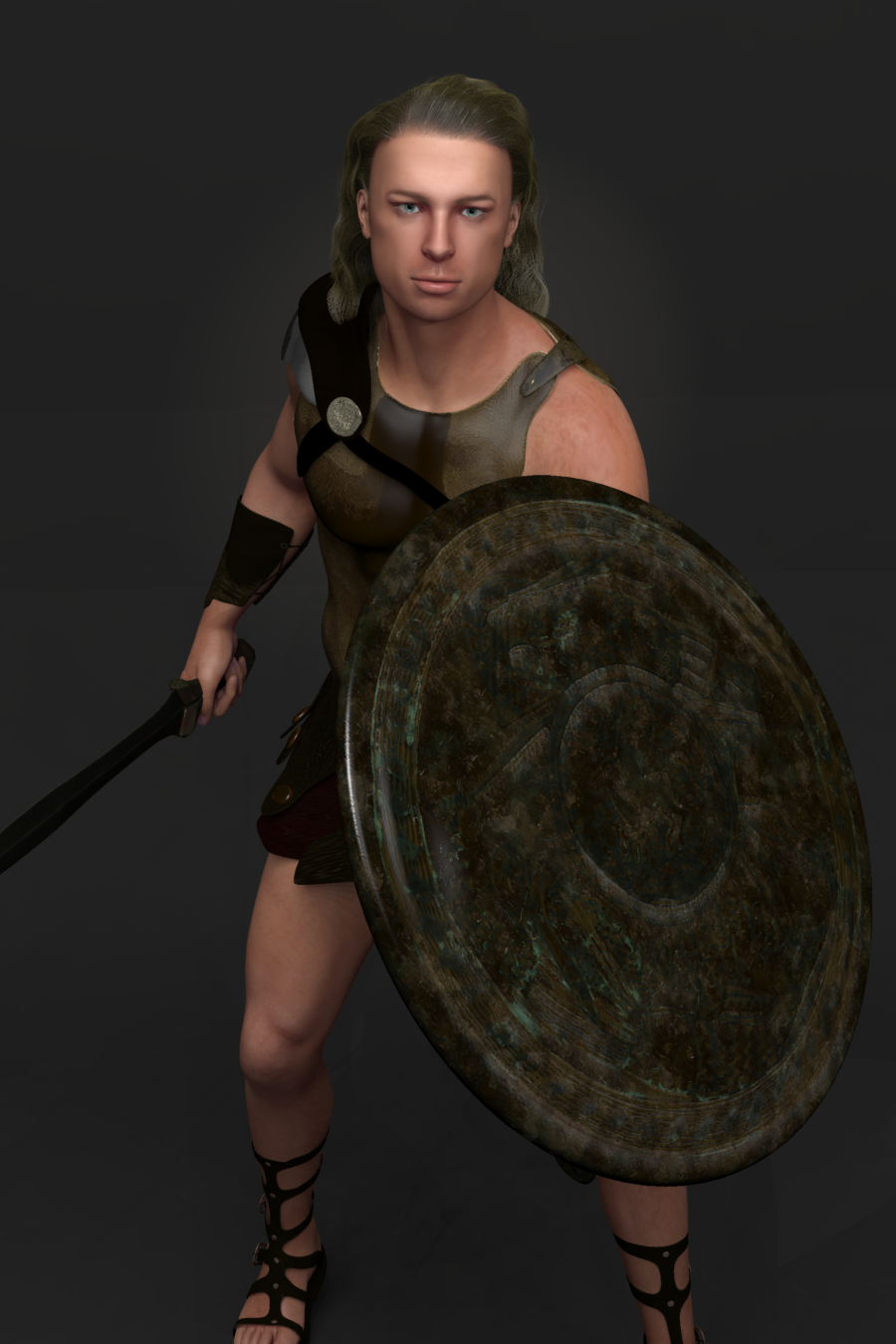
I like this one better. To my eye the hair is more natural.
"Why it’s so hard to make CGI skin look real" - VOXUnifiedBrain said:
Jonstark said:
Basically instead of putting just the diffuse map into the color channel, the method is to put a multiply operator in, and in the first channel put the diffuse map, while in the second channel put the diffuse multiplier map. The diffuse multiplier map looks mostly white (I mistook it for a displacement map at first). When multiplied by the normal texture map, it darkens the skin (well not just darkens, as it does contain its own colors as well) in specific places, as well as overall. The idea is to enhance the color of the skin.I don't see any color information in the diffuse multiplier map. When I use it, it looks the same as when you used it. It darkens the skin.
I loaded up one of the diffuse multiplier maps in Gimp to take a closer look, and I think you're right. I don't really see any color information (there's probably a way to use Gimp to find out for sure), it looks completely grayscale to my eye, so the purpose must only be to add details by darkenening specific bits of the color map. It's a little bit of a quandry, because for some of the characters I think it goes a little too dark, but without the multiplier it's a little too light. Fenric's Color Balance plugin will let me get to 'just right', if I want to spend the time, I guess.
I've never seen this approach used by any other PA in any other texture set I own, so it was a little surprising. I couldn't figure out what those maps were for, until I loaded up the texture in Studio to find out where they go.
One might ask: why not just make the diffuse map as good as possible in the first place, without needing any other map to enhance it? I don't know the answer for sure, but I did see one of the old timer PAs complaining about how difficult/expensive/time-consuming it was to make the Elite maps, and that was why DAZ eventually stopped making them. So maybe this was an easier/less expensive way to enhance the rendered texture? Not sure, but it does make a difference when using them.
I can believe that those Elite maps where hard to make. They are excellent, and vastly underrated, IMO.
I 100% agree, Elite maps are terrific and I'm very glad to have them. Shame that DAZ did away with the Elite series. I would argue that some of the flagship characters of Genesis1 were likely made in the same process and with the same quality, such as Philip(Michael 5) and Bree (Victoria 5), likely as well as David 5, Aiko 5, Freak 5, and even the ultra-ugly (because of the face shape that not even a mother could love lol) Steph5. Which makes sense, because as far as I know the Elite series ended in that generation, with M5 Elite Dave, V5 Elite Valerie, and S5 Elite Joanie.
I agree 100% that Liquid Rust goes for the airbrushed 'clean' look. Of course lots of other PAs go for that look too, so Rust isn't alone on that. Always reminded me of 'glamour photos' from the 80s and 90s, just a very smooth look, and I'm sure its intentional. Liquid Rust does not give 'good acne', lol.
My main objective is realistic closeups. The LR maps aren't great, but they are better than I thought. I just wasn't pushing the textures enough. Yesterday, I loaded in a LR map from Bailarin-del-fuego, and was able to get some differentiation. The cheeks were good, but It was a little uneven around the nose area. And the ears were weird (blotchy), but I hid them with hair. Nothing fancy here regarding lighting. Lit with a single distant light, ambient on 20, and HDR for the eye reflection.
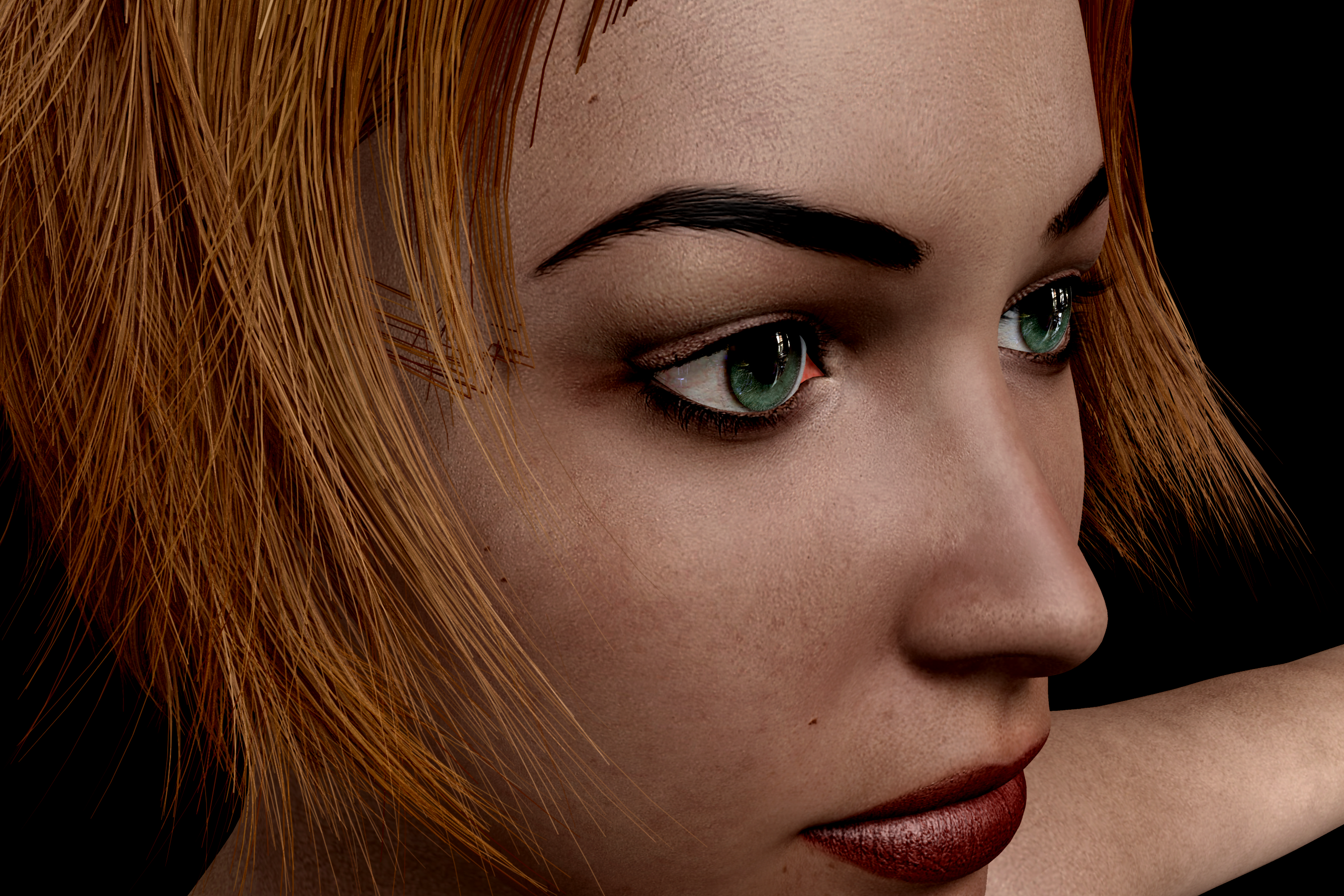
I just Bailerin del Fuego in that sale, she looks quite good in that render. I'm interested to open it up and give it a whirl, to see the ears like you mentioned. When I zoom in on the bigger picture, I can see the nose is a smoother than I would like. However now that I've got my hands on Materialize thanks to Dart's recommendation, I'm excited about the ability to add normal maps (heck, I think I might prefer to make my own Bump and Specular maps just from the base diffuse textures rather than rely on the whims of the PAs).
Really nice render, actually, proves you don't need to have Full GI and wait 2 hours for calculations to get a decent render. One distant light and 20 for ambient gets the job done, bet it was blink-and-you-missed it quick.
BTW is that Moda hair? There's one 'bob' type hairstyle in the Moda sets that's quite appealing, just needs some loving to add some more segments to the hairs and even them out, so they don't look too jinky at the bends
On the other hand, since I quite like the 'beautified' look, I'm ok with that. Surreality texture sets are the ones I remember seeing so many falling down to compliment on their beauty, and to me most of the Surreality ones are kinda ugly/weird. (Still, I picked up a few last night, the ones that were only $1 in the sale, so I'll give em a try to find out in real life how they perform)
I have a couple of unused Surreality characters, so I will try them out as well.
All of the LR sets I've opened have spec maps though,
Of the 12 I have, 6 don't have specular maps - Brooke 2, Jamie, JM 2, Kittie, Sin, and Wendy.
Yup, those were all ones I didn't own previously, but I just opened up Wendy to take a look. Sure enough, no spec maps. From the render quality of the promos, I'm guessing that all of Liquid Rust's earliest products don't have spec maps. Maybe it goes back so far that spec maps weren't in common use back then? Interesting to speculate. Speculating on specularity, hah. :)
Seriously, though, I'm impressed with Materialize, what a great freebie to play with. For instance my impromtu Achilles, the texture I'm using is from an incredibly old M4 texture set that didn't even come with spec maps, just kinda crappy bump maps, which I used in the specularity channel anyway just to make do. But there's just no real spec detail at all, it looks pretty bad. But now with Materialize I can make my own spec maps, and better bump maps, and add in some normal maps to really tune this shader up.
The mullet you posted above looks good. The outer edge, however, looks outlined. Is there some reason for that?
There's 2 rimlights in the studio that are focused right on the hair, this was from PhilW's setup of the studio product. I wanted to see the edges of the hair, you can also see it edging the specularity on the limbs too. I don't like the rimlights and usually have them off, but I wanted to make sure I could see all the edges of the hair as I was refining it. I'm still not happy with it, ended up spending a few hours last night tinkering with it. Humbling to realize how much I have to learn about hair shadiing sadly.
Regarding rimlights, this is the exact same hair as before (this one's unchanged, I was tinkering with a duplicate version in another Carrara window for my experiments), but this render is without the rimlights:
Post your DAZ to Unity rendersVictoria 8.1 with some dramatic indoor lighting and the work-in-progress New Skin Shader.
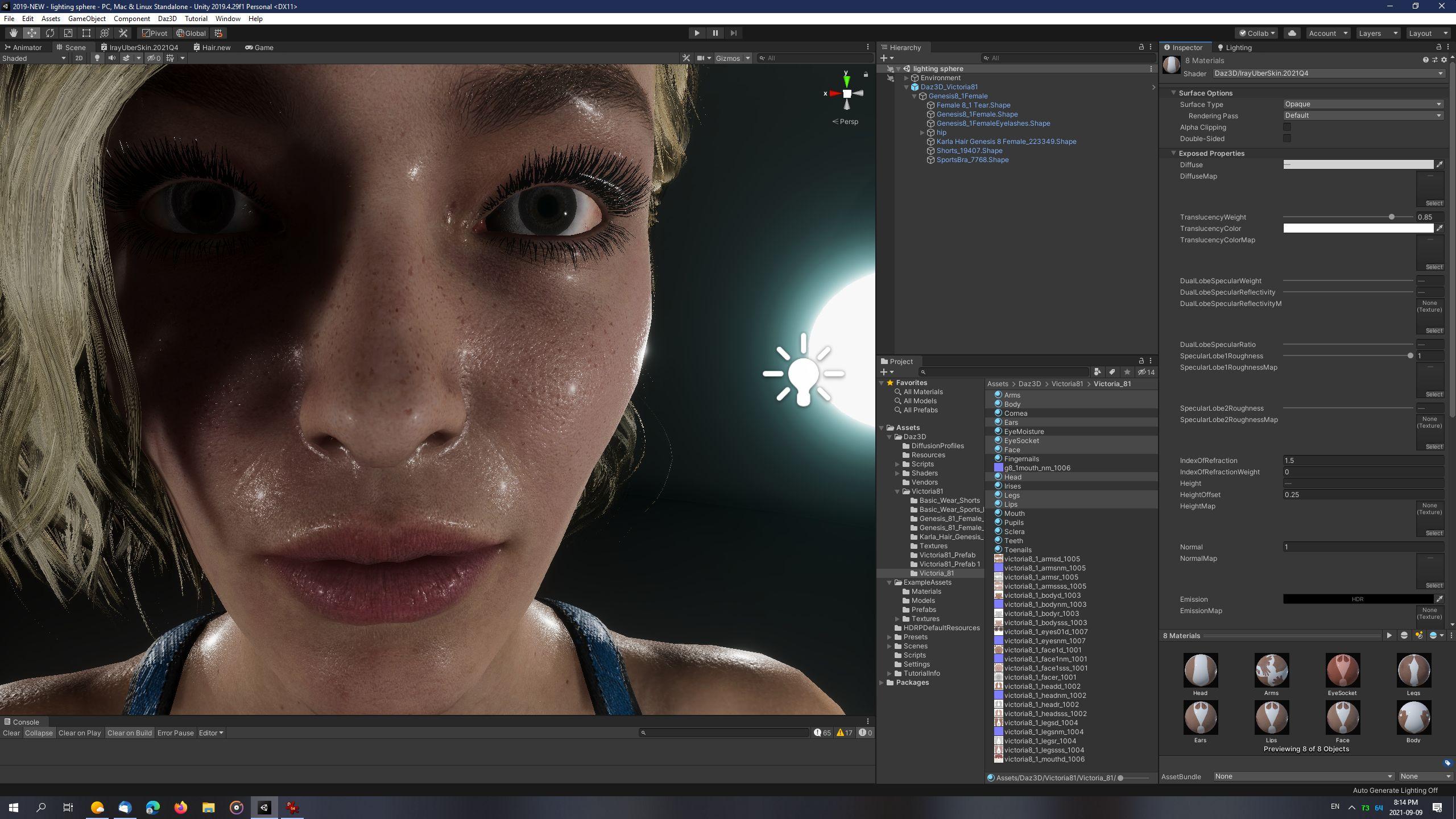
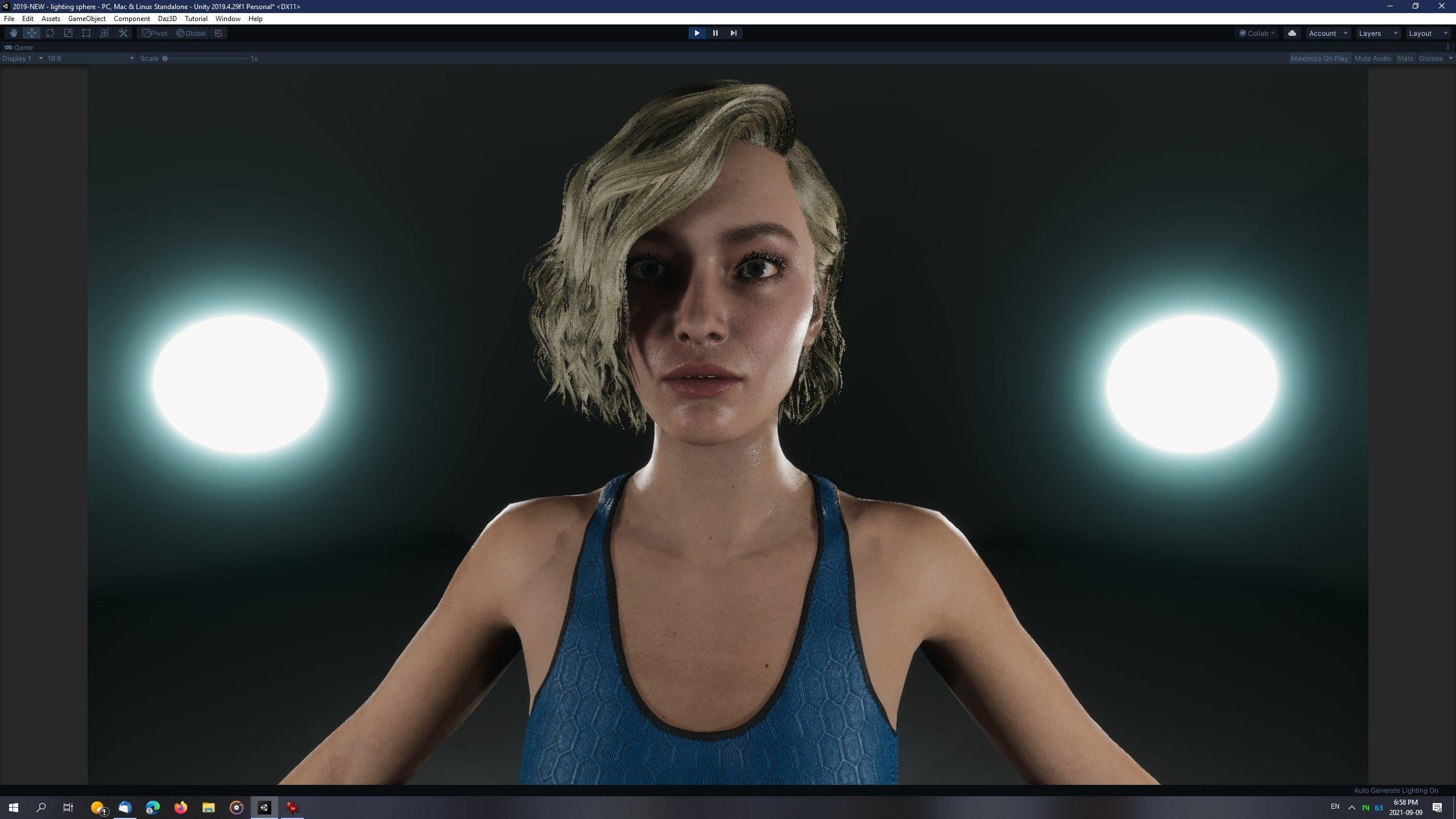
LightBalls recipe:
- Create GameObject -> 3D Object -> Sphere.
- Scale x,y,z of Sphere to 0.25.
- Create new Material and assign to Sphere.
- Material Settings: "Use Emission Intensity" - checked, Emission Color: Hexademical: 469EB0, Emission Intesity: 22 (EV100).
- Duplicate as many times as desired and place in scene.
Point Lights recipe:
- Create GameObject -> Light -> Point Light
- Type: Point, Mode: Mixed
- Intensity: 5000 Lux, At 1, Range 5, Indirect Multiplier 1
- Volumetrics: Enabled - checked
- Shadows: Enabled - checked, Update Every Frame, Resolution: High (1024), Near Plane: 0.001, ShadowMask Mode: Distance ShadowMask, Contact Shadows: Medium
Light Probes:
- Create GameObject -> Light -> Light Probe Group
Reflection Probe:
- Create GameObject -> Light -> Reflection Probe
Project Settings:
- Quality->HDRP, HDRenderPipelineAsset: Shadows: Filtering Quality: Medium (Unity 2019 has bug where High quality causes bad aliasing)
Sky and Fog Volume Settings:
- Visual Environment: Type: None, Ambient Mode: Dynamic
- HDRI Sky: HDRI Sky unchecked
- Exposure: Use Physical Camera
- Add override: Bloom, Shadows-Midtones-Highlights: Shadows 0.54
Camera Settings:
- Clipping Planes: Near: 0.01
- Anti-Aliasing: FXAA
- Dithering: Checked
- ISO: 100
- Shutter Speed: 1 / 60 seconds
- Focal Length: 50, Aperture 8
Ground and walls:
- Plane and Sphere
- Plane scaled to x: 2, y: 1, z: 2, position set to 0
- Sphere scaled to 10.5 and position set to 0
- Set Sphere Material to double-sided, Flipped Normals
- Both:
- Lighting: Cast Shadows On
- Contribute Global Illumination - checked
- Receive Global Illumination: Light Probes
- Static - checked (found on same line as GameObject's name, at the very top of the Inspector tab)
Light Baking recipe:
- Click Menu: Window -> Rendering -> Light Settings
- Environment (HDRP): Profile: Sky and Fog Settings Profile, Static Lighting Sky: None
- Lightmapper: Progressive CPU
- Lightmap Size: 1024
- Compress Lightmaps - unchecked
- Ambient Occlusion - checked
- Auto Generate - unchecked
- Manually click "Generate Lighting" after setting up all lights, ground and walls of scene.
New! Novica & Forum Members Tips & Product Reviews Pt 14AgitatedRiot said:
What about Blakely for Victoria 8.1?
If a character is for a specific Daz named character then using it wothout that character will not yield the intended shape. With Genesis 8 that is likely to be the only issue - with older generations it is possible that the textures use the UV set from the named character and so won't apply correctly to the plain base.
[Released] LSF Hornet [Commercial]The Griffin finally has some cover for landing operations when the LSF Hornets have now arrived to the scene!
The LSF Hornet is a light space fighter that can operate both in and outside the atmosphere, thanks to its 2 sets of engines. It's fast and agile and can outmaneuver heavier opponents with the aid of its several maneuvering and braking thrusters. Hornet is armed with 4 cannons, and it can be equipped with up to 6 heavy missiles designed especially against capital ships. The set also includes ladders for the pilots. Pilot and climbing ladders poses are included for Genesis 8 Male, Genesis 8 Female, Michael 8, and Victoria 8.
Out now!: https://www.daz3d.com/lsf-hornet
New! Novica & Forum Members Tips & Product Reviews Pt 14What about Blakely for Victoria 8.1?New! Novica & Forum Members Tips & Product Reviews Pt 14mayfield_deltic said:
Do you need to own Victoria 8.1 to use any other Gen 8.1 Female product (e.g. Bonnie 8.1) or are any prerequisites to use 8.1 already in Daz3d or Bonnie? I have only been using Genesis, Genesis 2, 3 and 8 as they are so far.
No, Gensis 8.1 Female is the base for the other characters, none of which depends on any of the others.
New! Novica & Forum Members Tips & Product Reviews Pt 14Do you need to own Victoria 8.1 to use any other Gen 8.1 Female product (e.g. Bonnie 8.1) or are any prerequisites to use 8.1 already in Daz3d or Bonnie? I have only been using Genesis, Genesis 2, 3 and 8 as they are so far.
Bonnie 8.1 Bundles
One can like Bonnie but still wish for a true 1920s style character. There is nothing contradictory about it. And Topsey has toonish eyes and nose. That is not normal. A more realistic skin does not change that. Additionally the 1920s flapper was nothing like Victoria at all. I'm sure there are some characters that can be fit into this mold, but I don't know if Daz actually has anyone that truly defines the look of that era. It was not unusual for women to intentionally flatten themselves, and several of the big stars of the day were naturally quite lacking there (to put it mildly). This single aspect alone is about as anti-Daz Victoria as you can possibly get! But beyond that these ladies had body shapes that were completely different than "standards" are today. Hell, I'd say in this respect the 1920s were more fair towards women's bodies than the 2020s. I don't know how many stars from that time would make it today. They'd probably be told to lose some weight and get a boob job to get more roles.Gordig said:outrider42 said:
3D Vitality said:
Oh my .... there's so much diversity out in the world, and we get here a polished-up Topsy 8 character (which we get around last xmas).... I'll never understand that.
I know, I know, there are many, many other repeating artists out there (example: iSourceTextures). This doesn't make it better.
I fail to see it. Like at all. They are both females of smaller stature, this much is certain. But not a single person mentioned Downs with Topsey, and Topsey is basically a toon. Nothing about Bonnie is toonish. And besides that, there are a million and one super models in this store who could be twins, we have two smaller woman that might look *very mildly* similar and this is what bothers you? Really?
Honestly, I don't even agree that Topsy is a toon, but you're absolutely right about the rest of it.
While I think Bonnie is interesting, I do wish they had gone all in on the 1920s theme with a silent movie starlet with a signature bob hair.
That sounds a little contradictory to the rest of your post. Wouldn't this theme make us more likely to get another Victioria-like?
Convert V4 UV Maps for G8F not workinghttps://www.daz3d.com/legacy-uvs-for-genesis-8-victoria-4 has stopped working for me. Should it be set up in a different directory from the equivalent product for converting Genesis 2 skins to G8F?
Post your DAZ to Unity rendersHDRP Victoria 8.1 with Original Dual Lobe Specular and with New Dual Lobe Specular:
The new skin shader has more definition in highlights around the skin pores. These would probably be stronger if I had placed a directional light instead of using just HDRI lighting. However, you can still notice the most difference in the fine highlights on the ears and on the sides of the scalp and cheeks. The new skin shader also has preliminary Top Coat support with hardcoded values to mimic Daz Studio settings. Glossy Roughness and Glossy Specular are completely disabled in this skin shader, so the only specular component comes only from Dual Lobe Specular values. In my opinion, the Original Dual Lobe Specular looks a little flatter and slightly washed out -- probably because the specular component is heavily weighted towards the Glossy Specular and and Glossy Roughness properties, which are not used by Victoria 8.1 and defaulted to white.
Also: I've made several project changes to better reproduce the Iray render output and enhance overall image quality (applied to both images):
- Increased Max Size of all textures from default 2048 to 4096.
- Replaced the default HDRP Sky image map with the default Iray HDRI lighting map from Daz Studio.
- Modified the HDRP Sky and Fog Volume settings to better match the physically-based Iray render settings from Daz Studio, including: HDRI Sky Intensity 3500 Lux, disabled Fog, changed Exposure to "Use Physical Camera", added "Shadows, Midtones, Highlights" component and configured it to mimic Iray's default Crush Shadows and Burn Highlights settings: Shadows 0.58, Midtones off, Highlights 1.36, Highlight Start 0.
- Disabled the default HDRP Directional Light.
- Modified the default camera to physically based settings to match default Iray render settings: ISO 100, Shutter Speed 1 / 128, Focal Length 65 + Aperture 8.126 (equivalent to F/Stop 8), checked "Link FOV to Physical Camera", changed Near Clipping to 0.03, enabled "Temporal Anti-Aliasing", TAA Sharpen Strength 2.
- IrayUberSkinDiffusionProfile modified: Thickness Remap Values: Y changed from 25 to 3.
There is also an additional DazToUnity converter script modification to automatically map eyelashes to the DazToUnity Hair shader, btw the DazToUnity Hair shader already uses the underlying Unity HDRP Hair shader engine.
Free Poser ItemsFP said:
How useful are these freebie items if I only use Daz?
https://www.daz3d.com/night-time-for-idl-studio
https://www.daz3d.com/essentials-sweater-for-v4
For the sweater there are several texture sets one of which has DAZ mat files (redeyecat) here: Essentials: Sweater - Poser and Daz Studio Free Resources Wiki (miraheze.org)
I am a DAZ person but I do keep a copy of Poser installed for cases like these. This is what I get when I render Midnight03 in poser I am using the IDL Studio for this. I bought it two days ago for just under 4 dollars.
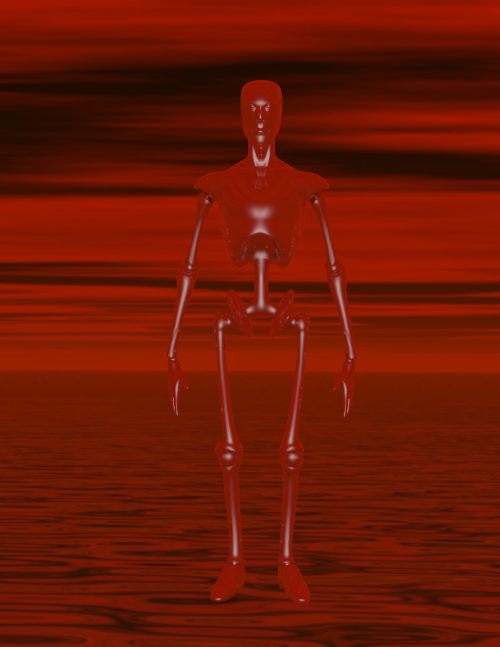
Using it in DAZ Studio required rendering in 3Delight because of the dome. I used Simple Soft Lighting Freebie by InaneGlory on DeviantArt. Which is Uber lighting and I used Subsurface Shader Base | Daz 3D for my surfaces. Using Midnight01 I got this
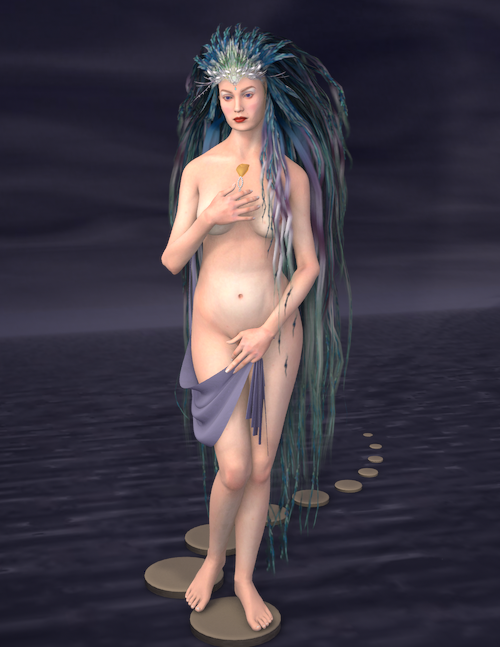
This is Victoria 2, Kelp Hair, Fabrina stepping stones, Coco textures, Melaku character and a pose from this freebie 6 poses inspired by painting of Hajime Sorayama - Poser and Daz Studio Free Resources Wiki (miraheze.org). (All of the freebies are listed in the Poser and Daz Studio Free Resources Wiki as well) I guess I am saying that for me these older products have gems that make me learn a little more about creating images in 3D. I don't think it would be as much fun if all I had to do was click the make art button.
My Renders, Now I can go to bedyeah, again, it's been a while since I last did a render
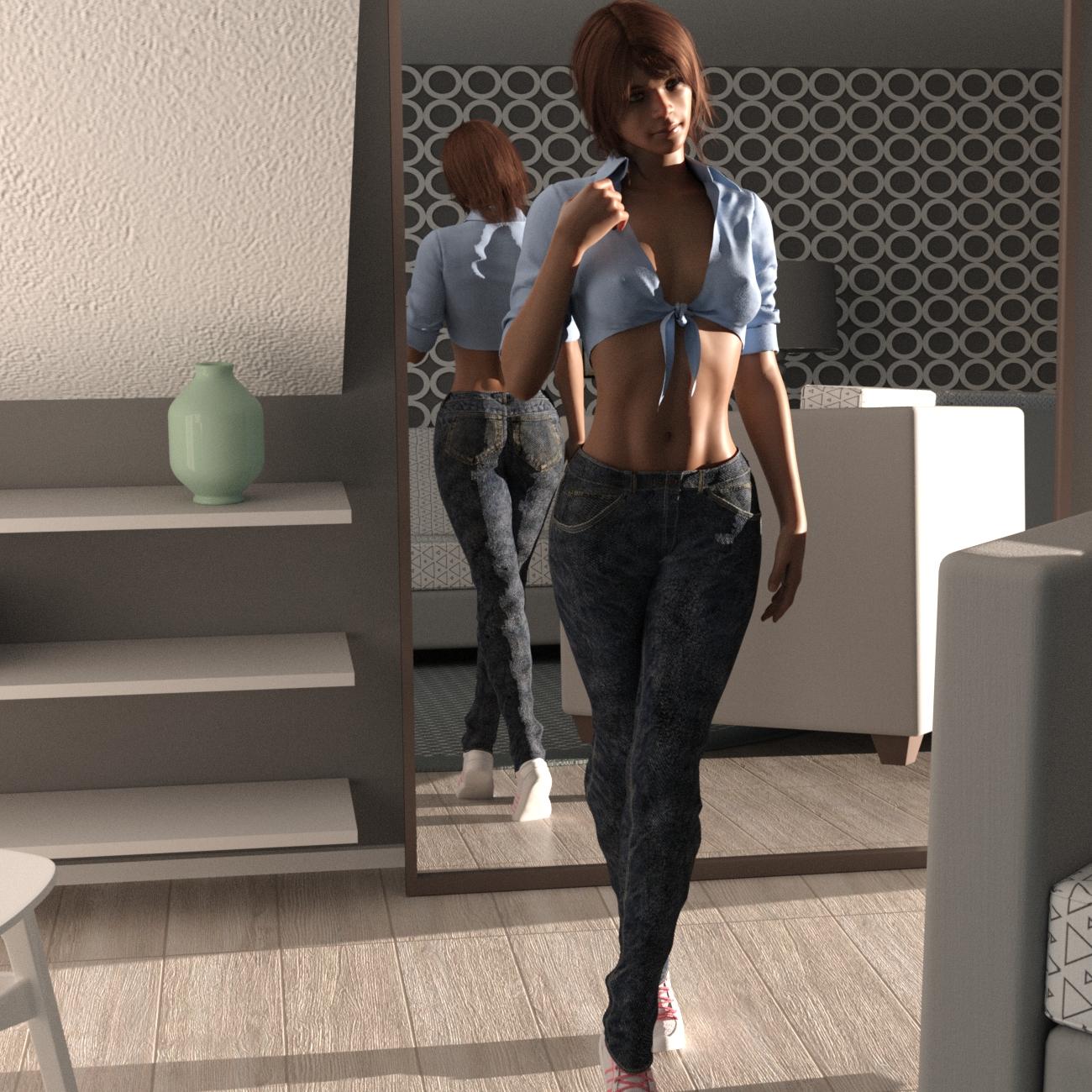
so I did this one,
I don't place names on any models I dial up.just letters, this one is G8F cC, 5'4", did have 3 hair choices, the one in the render Ruo XI Hair, from the Ruo Xi Collection for Genesis 8 Female(s), shirt from
the Summer Outfit For Victoria 8, pants Graybro Jeans , shoes from the dforce Kitten Dress , the room used was TheSimpleRoom .
.
 "Why it’s so hard to make CGI skin look real" - VOX
Dartanbeck said:
 Just a quick FYI:
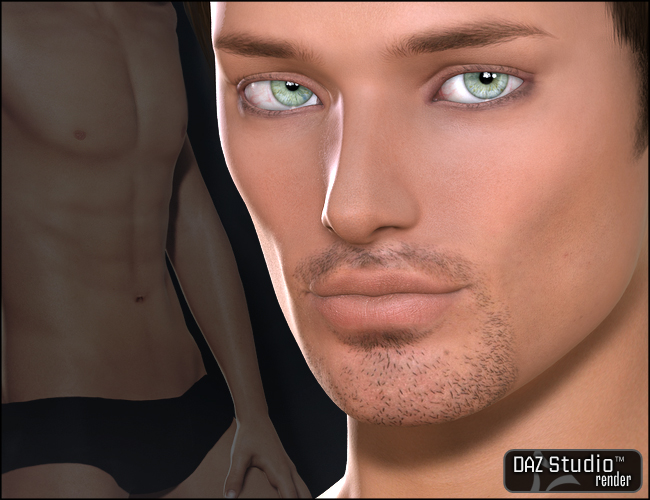
While on the subject of Liquid Rust stuff on sale, I'd just like to point out that we can use products like Calvin for V4 for Genesis.
Simple method:
Load in the Genesis Basic Female character preset and dial off the Basic Female morph and shape Genesis however you'd like.
Now it's just a simple process of setting up the shaders with Calvin for V4's maps ;)
Yes, and he's not the only male built for V4 UVs, in fact I was surprised to find a lot of them as I was going through my character sets and saving out a shader set for each one. V4 was the queen of crossdressing UVs, lol. Here's the ones I found:
The GW bundle is probably pretty obvious:
https://www.daz3d.com/victoria-4-gw1-male-texture
https://www.daz3d.com/victoria-4-gw2-male-texturehttps://www.daz3d.com/victoria-4-gw3-male-texture
https://www.daz3d.com/victoria-4-gw4-male-textureThere was Vittorio, although I don't own that one and it isn't in the store anymore, there are still some textures built to fit Vittorio, which is V4 UV, the ones Morris did for Vittorio:
https://www.daz3d.com/zere-for-vittorio-4
https://www.daz3d.com/jinn-for-v4-male-vittorio
Also Xavier by Morris, but apparently that's no longer available in the store.
Calvin, as you mentioned, by Liquid Rust: https://www.daz3d.com/calvin-for-v4But then I found some that were suprising:
Aaron for young teen Justin: https://www.daz3d.com/aaron-for-genesis-young-teen-justin
Edward Odd by Silver/Jessai: https://www.daz3d.com/emelie-and-edward-odd ; (probably not surprising that Emelie from that bundle is a V4 UV too)
Also there was Paul by 3dream over at Rendo
And I'm not sure how to classify this, but the Genesis Baby also uses V4 UVs.
I also found a lot of other oddities, strangest perhaps of all was that Stephanie 5 is a crossdresser too!Hayden for young teens is built on a Steph5 UV: https://www.daz3d.com/hayden-for-young-teen
On the other side of the coin, I could only find one female texture that was built for an M4 UV, which was Mina by pdxjim, apparently no longer available in the DAZ store.But the weirdness didn't stop there. I found several products that were advertised as being Michael5 exclusives, but found that the UV was actually Michael4:
Ohia: https://www.daz3d.com/ohia-for-michael-5
Nigel: https://www.daz3d.com/nigel-for-m5
Tyrese: https://www.daz3d.com/tyrese-for-m5
In the same vein, I found a lot of Michael 6 products that were actually built with Michael 5 UVs, here's some examples:Ash for teen Jayden: https://www.daz3d.com/fw-ash-character-and-accessories ;
Dan for M6: https://www.daz3d.com/fw-dan-megapack
Ja-long for Lee 6: https://www.daz3d.com/fw-ja-long-hd-for-lee-6
There were even more on the female side that use different UV maps than the figure they advertise, such as V6 characters actually built with V5 uv maps, but I kind of ran out of oomph to go find and list them all (maybe later I'll edit to add more).
Btw, I don't think of it as false advertising, since in each case the character does actually require the advertised morph, even if it's built using a different UV. It's just odd that they don't advertise it as also being compatible with the character of the UV it's actually using.
Free Poser ItemsSempie said:
richardandtracy said:
FP said:
Byrdie said:
The sweater will probably work well enough though you may need to adjust the materials because they're set up for Poser not iray. The other product however would be useless in Daz because Studio and Poser have completely different lighting systems. That said, they're both free so you've nothing to lose but your time should you decide to download and play around with them.
Why offer a useless or difficult item to use? That's like my next door neighbor giving me a bicycle tire when I don't own a bike. They may have good intentions but it's ultimately pointless.Possibly because Poser users still come to DAZ for Victoria 4 and accessories, and they are still customers.
You bet. I almost exclusively buy old Poser compatible stuff. Stuff for V4, M4, Poser compatible sets and lighting sets. Don't have a big nVidia card, don't have a fancy new computer, can't use the recource hungry Genesis 8 generation. So I don't buy it. I have a 15 year old dual quadcore Xeon workstation with 36 GB RAM and a GTX 1050ti, and no budget to upgrade it.. Good for Poser 11, not for DS 4.12 with iRay. .DAZ started out as a Poser content website, you know. Before there even was a DAZ Studio. There would not even have been a DAZ if not for Poser. Happy that Jack Tomalin, David Brinnen, Forbidden Whispers & co still make some new Poser compatible stuff. Keep it coming. Most big sales are almost exclusively DS only, I see no reason to complain too much.
And don't worry; DAZ is putting most of its old Poser content in clearance, Soon, we'll all be gone...
Your old computer has the same graphics card as mine and three times as much RAM as I've got. I try to use Iray and it does work sometimes but it is a bit of a struggle. I keep looking for alternatives, Octane is just as bad on my PC, filament might be good if I can work out how to get Iray materials to look OK in it. I'm going to have a go at Unity and/or Unreal Engine, since they are designed as game engines I expect the renderers should be more speed optimised. But I keep coming back to Poser, I'm on version 12 and it renders nicely on my computer.
Nifty Iris shader trick (mini tut?)Just gorgeous eyes on Rosie there.
I'm chuckling in a bit of a chagrin; sounds like a lot of people already noticed this effect before me and were already using various techniques to emulate it in renders. lol I didn't really invent anything new here at all, just re-invented a technique others were already using and claimed it was mine in typical villain fashion (muhahahah) :)
The Eyedeas+ product is definitely an excellent way to go, looks like it's still available in the DAZ store (for now, who knows what the future holds): https://www.daz3d.com/eyedeas-3-for-victoria-4-and-michael-4 ; For anyone who doesn't have it in their toolkit, I recommend picking it up before DAZ vanishes it.
I don't know if it was one of the morph pack add-ons I bought way back when, or whether this is a morph that comes with Genesis1 by default, but it is important to make your Iris at least flattened, if not concave. If using Genesis1 native eyes instead of a replacement, I recommend always using the morph 'eye cornea bulge' or 'eyes cornea bulge' (I just looked and saw I have 2 similarly named morphs that do the same thing), as well as the Eye Iris Correction morph and the AoA Iris Depth morph (looking at that name, I'm guessing it came with the Subsurface Toon product: https://www.daz3d.com/subsurface-toon-shaders ; which is well worth picking up).
Without an adequate cornea bulge, we can't get realistic refraction to enhance the iris color and look, and without the iris at least being flattened, if not a little concave, then it won't look right, imo.
Free Poser Itemsrichardandtracy said:
FP said:
Byrdie said:
The sweater will probably work well enough though you may need to adjust the materials because they're set up for Poser not iray. The other product however would be useless in Daz because Studio and Poser have completely different lighting systems. That said, they're both free so you've nothing to lose but your time should you decide to download and play around with them.
Why offer a useless or difficult item to use? That's like my next door neighbor giving me a bicycle tire when I don't own a bike. They may have good intentions but it's ultimately pointless.Possibly because Poser users still come to DAZ for Victoria 4 and accessories, and they are still customers.
You bet. I almost exclusively buy old Poser compatible stuff. Stuff for V4, M4, Poser compatible sets and lighting sets. Don't have a big nVidia card, don't have a fancy new computer, can't use the recource hungry Genesis 8 generation. So I don't buy it. I have a 15 year old dual quadcore Xeon workstation with 36 GB RAM and a GTX 1050ti, and no budget to upgrade it.. Good for Poser 11, not for DS 4.12 with iRay. .DAZ started out as a Poser content website, you know. Before there even was a DAZ Studio. There would not even have been a DAZ if not for Poser. Happy that Jack Tomalin, David Brinnen, Forbidden Whispers & co still make some new Poser compatible stuff. Keep it coming. Most big sales are almost exclusively DS only, I see no reason to complain too much.
And don't worry; DAZ is putting most of its old Poser content in clearance, Soon, we'll all be gone...
V2/M2 mesh breaking on joint bendsbelieveinhumans said:
FSMCDesigns said:
It's very possible it's due to changes in Daz Studio over the years. Rigging has changed, properties have changed, lots of older products have issues or don't work at all in newer versions of DS. Any particular reason you can't use a newer figure?
Honestly Im just interested in the history of Daz and their products. Thanks to a friend of mine who had V1/V2 on an old machine and shared them with me, I now have every version of Victoria 1 through 8 and its been fun to load each one in and see the progress that has been made with each version. In all fairness its kind of hard to even find much information on the older models, probably due to the internet being in its early years and that it was just a long time ago. I have so many questions........Questions like who actually modeled the first victoria? was it one person or a group effort.....who makes any of the victoria models? I know its 'Daz Originals' but I often wonder who the actual Genius is? .
I realise I may not ever get the answers to some of these crazy questions, and im ok with it, its just been fun searching and exploring the world of Daz (and Poser)! :)
fair enough. Enjoy the journey
Make sure your friend knows they can't share any DAZ assets, it's against the EULA (illegal)
Daz 3D is part of

Connect
DAZ Productions, Inc.
7533 S Center View Ct #4664
West Jordan, UT 84084Licensing Agreement | Terms of Service | Privacy Policy | EULA
© 2026 Daz Productions Inc. All Rights Reserved.