-
FilaToon / Cell shaded rendering with Filament
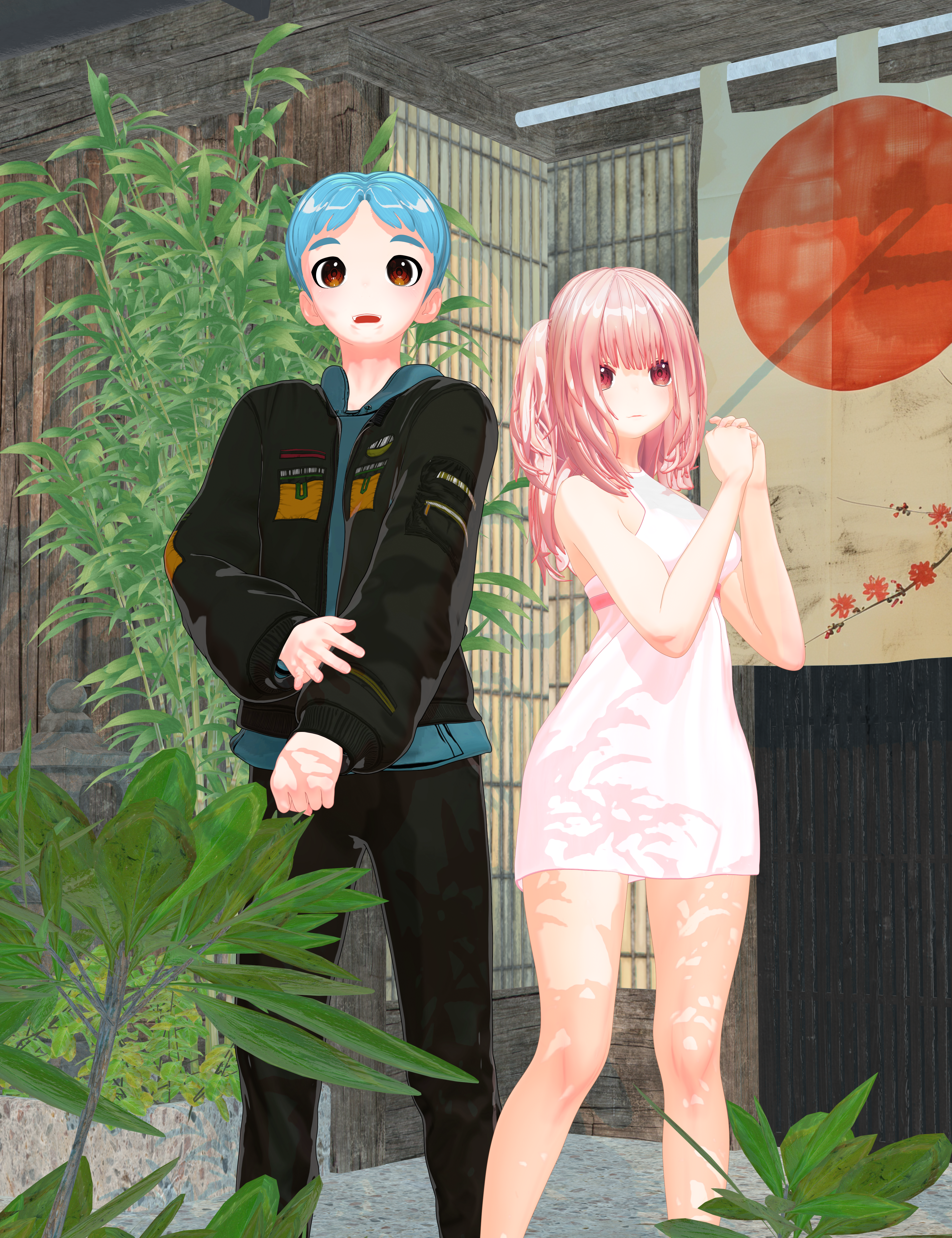
I had to see if I could make a male counterpart to Nirvana's Zero. The morph works well on the male anime base.
 Face Transfer 2 - Can't Get it Right
Yea, that'll still depend on the 2D image you use... as well as you have to tweak a lot in terms of head morph by using PHM properties or sculpting. At least this plugin is not a one-click solution / workflow.
As for the textures, it also depends on the 2D image... sometimes the generated texture maps are really awful. I never use the generated ones.
Daz to Blender bridge not showing.I have install Daz Studio 4.23 and i have install too plugins daz to blender, every this say succseful, but not showing to daz studio when i want to transfer.
Anyone this problem and how has solved ?Face Transfer 2 - Can't Get it RightSome videos in Youtube shows that Face Transfer 2 can result resemblance of 3d character out of 2d photos.
But when tried, it's so much diifferent experience.
Is Face Transfer 2 can only achieve good result occasionaly?
Or, is there something with the 2d photo?Celebrity Look-a-Likes for 3D figures Part 4xyer0 said:
HID Candy as Abbie Cornish. This is a case where a signature smile could've been morphed to nail the personality.
It appears to come with a smile morph, seen in the sixth image on the product page.
Poser 13 - anyone using it?Genesis 2 was my go-to Poser figure, so I stopped at Poser 11 since the DSON importer was no longer supported in later versions.
However, I built a new machine, and never have gotten around to installing Poser. Studio works OK for me, but i miss the Material Room and the Morph Brush...Let's appreciate/discuss today's new releases - more ongoinger threadSilverGirl said:
Hylas said:
https://www.daz3d.com/kelly-hd-for-genesis-9
https://www.daz3d.com/aurelio-hd-for-genesis-9-masculine
this is not how black peoples palms look like. You really need to include some LIE or overlay solution if you're gonna do stuff like this.Yeah, had been contemplating getting her for the skins since her non-closing lips make her a nope for any other use for me... but looks like not the skins, either.
Something about the mouth being open and general face shape somehow makes her look really dumb. But I do bimbo renders on occasion in a semi-satirical way and a partial morph mixed with other characters could be interesting. I don't think the skins or navel look very realistic either but could look good FilaTooned. For $1.94 I will probably get her though.
Transfer Utility Problemscolcurve said:
You are right. I think I found the root cause: the g3m I had used contained unused vertices. Removing those and all went fine. @Richard: Maybe transfer utility could display a warning that it cannot handle these.
If it is crashing then it would first ned to spot and handle the issue - if you still have the OBJ that triggers it please upload that with a Technical Support ticket so that the devs canm look at it.
Transfer Utility ProblemsYou are right. I think I found the root cause: the g3m I had used contained unused vertices. Removing those and all went fine. @Richard: Maybe transfer utility could display a warning that it cannot handle these.
Down syndrome morphA morph that blends with existing character shapes to give them the typical proportions of a person with down syndrome would be useful, but I've been unable to find one. If it exists somewhere, does anyone have a link? If not, I would like to encourage one of the great artists creating characters and morphs here to create one. Thanks!
Transfer Utility Problems1. export g3m with subd 0 as obj.
2. import the obj
3. use transfer utility
A) check the "uv space" option, run utility => crash
B) run transfer utility with default settings => works. run transfer utility again, using the new figure as target (overwriting it) => utility hangs at 22%, studio has to be force-closed
C) run transfer utility, using copy morphs option (all or some favorites) and check the "sub components" option. => utility hangs at 22%
Transfer Utility ProblemsWhat are you trying to achieve by rerigging an exported mesh? Transfer Utility isn't expected to be a final, fire-and-forget solution - it just gives a very good starting point. Bits of mesh thata re very close to two (or more) areas of influence are always going to be tricky.
tips to make this hair messy and sweaty looking?one way is to add the dual lobe specular weight in the surface shader, which adds a lot of gloss aka sweat. For the messy, if the usual morph oftions (I don't know which ones that hair has) don't do the magic, you can use a d-former on the hair to mess it up
Transfer Utility ProblemsQuestions to the transfer utility
- Exporting genesis 3, importing as a prop and using the transfer utility (mapping genesis 3 on itself) will not give a real good result; E.g. some vertices of upper/lower lip and upper/lower teeth receive the same weight map values and rotating the lower jar will then move vertices from the upper teeth producing distortion. Is there any way to let transfer utility handle this better?
- Genesis 3 expressions seem to not transfer because they are not morphs. Is there any other way to transfer these?
- Is there a solution to the 22% crash? E.g. if I use the transfer utility again on the transferred figure the utility will hang/crash and also on other occations it hangs at 22%, e.g. when I select to transfer morph sub components.
Thanks :)
Saving Morph Assets has disappeared from DAZ 4.23.0.1 (64-bit)J'essaie de sauver un morphe que je viens de faire en utilisant la procédure habituelle.
L'épargne en tant que Biens Morph n'est plus accessible.
La fonctionnalité est-elle toujours là ? Si ce n'est pas le cas, un revers majeur
Daz to Maya Bridge - Meet the TeamLooking for someone to create a video of a screen recording for me. Simple. Without the need for voiceover. Or special edits. And give me instructions on how to transfer from Daz Studio to Maya. Properly. With the bones connected to them as if they were in Daz. In 4 different sections: Poses. - Daz to Maya Animations. - Daz to Maya Morphs - Daz to Maya Shapes - Daz to Maya Transferring. Maps and textures. Without defects. - Daz to Maya I use the Daz to Maya bridge. There is no such option there. But I know that if there is someone who understands the field. He knows how to do it. Through a bridge. Or outside the bridge. Or a combination. Willing to pay any amount if you can do thisCharacter TextureHi,
I wanted some help trying to find a texture of a model that I found, the store page is on another site, sooo not sure if I can link it but the Creator does not list the Texture used for it.
Isla Character MorphImporting facial animation from iClone 8 to Daz3DHello guys, for those of you who have IClone 8 - can it export facial animation data recorded via "iPhone Live Face Profile” (or some other plugin) into Daz 3D Genesis 2 (possibly also Genesis 8, but it’s not a priority) as a timeline of morph keyframes?
I am interested in their programs exclusively for capturing facial animation with subsequent export to Daz3D. Maybe someone has already dealt with them.
Looking for an ExpressionIf you still have the morph installed, click on the gear on the slider and go to Parameter Settings. You'll see the full file path, which should provide at least some indication of where it came from.
I want to return the "New" Scene menu item to the old behavior. How?Richard Haseltine said:
ctrl n, followed by enter, is only two key press actions.
This currently hangs and crashes daz. I don't know why, but this new menu is busted.
Have you considered telling the programmers to look up the advertising information out of context and not just when I press 'new'? Also, if there's no ads there, then dont hang and crash? This is really substandard work. You know people will press new, so why not just preload? (This is how I do things with firmware that I develop. I preload communications messages that I know are coming in order to speed up message transfer.)
Daz 3D is part of

Connect
DAZ Productions, Inc.
7533 S Center View Ct #4664
West Jordan, UT 84084Licensing Agreement | Terms of Service | Privacy Policy | EULA
© 2026 Daz Productions Inc. All Rights Reserved.