-
mcjCollider plugin Pc/Mac - Get the New Genesis 3 / 8 crashproof version
second script to use the now-MAC-compatible plugin
mcjHatsAreTheFashionOfTheDay tonight or tomorrow
version 1 may or may not work only for T-Posed figures
though once the hair morph is created you can (re)pose the figure as you want
Link Will be Here :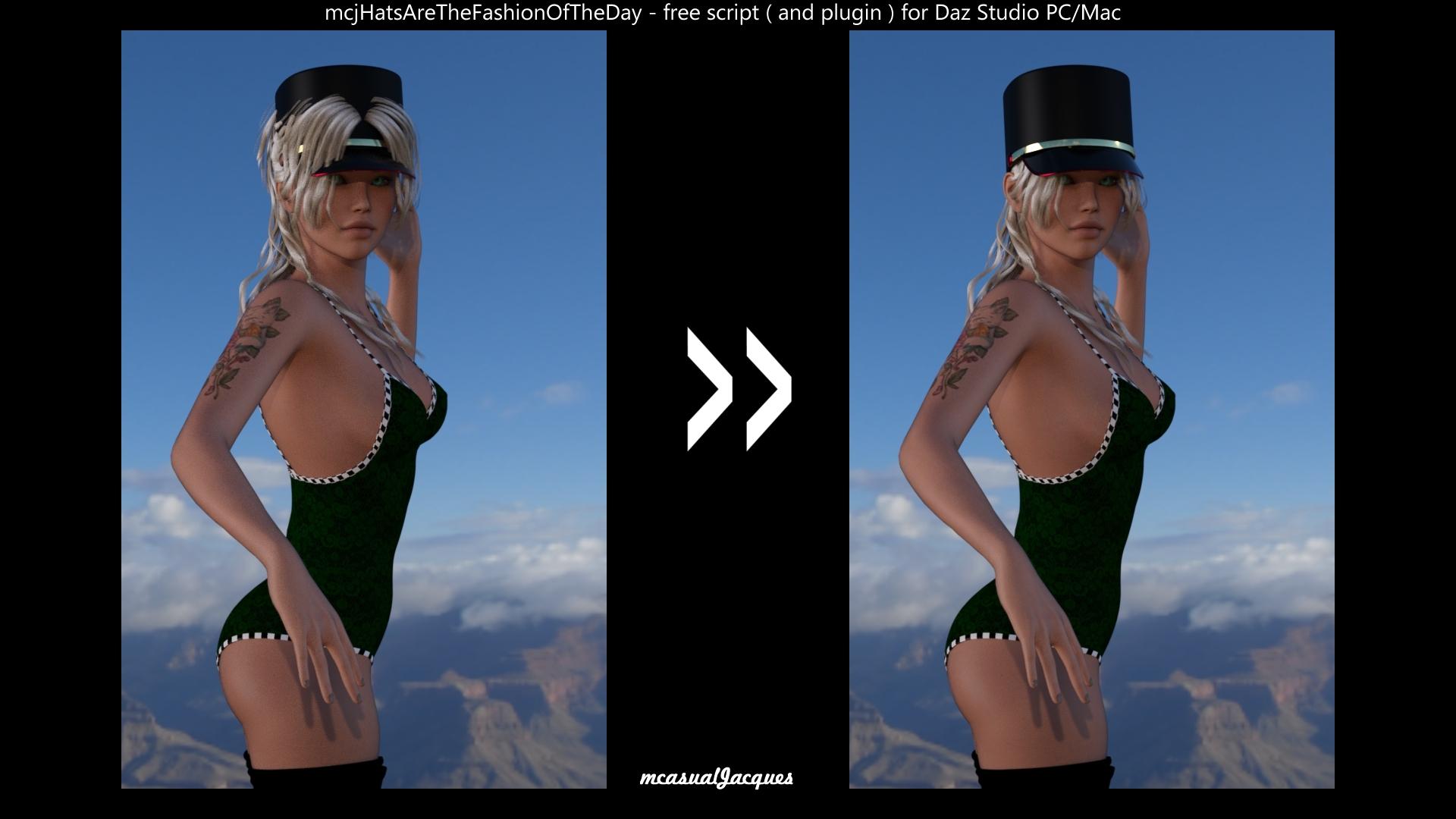 Morphs from G3 to G8
I'm back!
The computer you generaously bought me runs like a dream. A dream that weights 2 pounds more than the old one, but dream none the less. Beleive me, that extra weight is no complaint compared to no working computer at all.
I was able to conduct the tests I was working toward when I busted the other computer. I determend two things. One, I had made a small change to fix a small error in the script, and it had effectively disabled the code that makes the new method go. Two, for reasons I can't figure out, the second test morph I had thrown at the new method just doesn't work properly. So I did a whole lot of tests and found that nearly everything I tried worked just fine. Everything that fialed, save one morph, came from the same vendor.
My guess is that the majority of morphs aren't extreme enough to show the problem, but some of the morphs that worked fine were rather quite extreme. I tried to test using the most radical morphs I had. I'll have to try to come back at the problem tomorrow. But I am super, totally, massively happy to be able to look at the problem, at all. Thank you.
I know I owe a couple of PM replies, too. I've just been kinda emotionally drained, and then busy getting the computer working. (It involed a lot of backing up and a whole lot of installing drivers). I will get back to you this week.Finding the assets with missing materials filesGlad it helped. The reference you're showing looks like the "Material' definition section of the duf. You'll need to finds the 'Nodes' section. If you search for the 'Geometry' name, geometry-102 in your example,you should find a URL for Data in the search results. Double click that line in the results box, it should take you to that data reference. Above that reference, depending on item complexity, you should have a reference section offset to the left, there will be a 'Label' in that upper section that is what the object is named in the scene. Thus is one of the weird things in studio where names in files don't equal names in scene. You'll find it in almost everything, morph dials are the most fun. I'll swing back by later to see if that helped[Released] Glutes Utilities for Genesis 8 Female(s) [Commercial]Hi!
I´m happy to announce the companion to Breast Utilities, my best selling product ever: Glutes Utilities.
Very similar to Breast Utilities, this set includes a big set of options to customize your character´s glutes.
Details
A huge set of options to enhance Genesis 8 Female(s) glutes.
This set includes:
SHAPES:
36 full glutes shapes, from flat to big sized, from firm to gravity, from realistic to idealized... Combine them and create your own looks.
ADJUSTMENTS:
Detailed morphs to enhance specific details.
HD CELLULITE MORPH:
HD shape for detail and realism.
RANDOMIZER SCRIPT:
Script to randomize shapes and details in many ways: Select small shapes, big shapes, details, or all at once. And as a bonus, the Cellulite HD morph to add that final touch when needed. All randomizer options come with a control dial to adjust the desired strength, allowing you to go from very subtle, to extreme shapes.
STRETCH MARKS:
Diffuse Overlay stretch marks to enhance your character textures.
MERCHANT RESOURCE:
The set is also a Merchant Resource; you can use the included morphs to enhance your own Genesis 8 Female characters. Please, mix and match between them and blend them with your final character shape, but don´t include them in their original form and/or in a way that competes with this product.
 .OBJ or .FBX or some other format?
So my questions is - is there any popular format which will preserve the items separated if I import the whole house to DS?
The 3D industry is not yet mature enough to have established a reliable data transfer standard.
An example of a reliable data transfer standard would be something like a PNG file. You can create a PNG file in any image program, and it is then viewable by anybody on any platform using any image app or browser.
How far modification/morph can be made to Genesis characters via GoZ in ZbrushDo you always have to start morphing from genesis base models?
No you can use a morphed character shape as base for your own ZBrush sculpt.
I would skip using the GoZ plugin and instead export the character as OBJ. Once you'e done your sculpt in ZBrush export another OBJ from there and import it into DazStudio with the Morph Loader Pro where you have the Reverse Deformation setting. With Reverse Deformation the morphed character shape of the figure in the scene gets removed from the OBJ shape you load with Morph Loader Pro. You end up with a morph slider that containes only the deformations you've sculpted on top of the character morph. Keep in mind that while using Morph Loader Pro with Reverse Deformation the character morphs on the figure currently in the scene have to be set the same as you have exported them otherwise Reverse Deformation can't work properly. Its best to save a Shape Preset or a Scene file of the Character morph in Daz Studio if you plan to continue your work in ZBrush another day and you need exactly the exported character shape again in DazStudio with Morph Loader Pro.
Are we 'ONLY" allowed to use moved brush in zbrush, and dials in daz studio to make morphs?
In general you can use all brushes that moves the mesh around. But don't use brushes that alter the mesh topology the vertex count has to be the same. I guess in your example with "delete parts of nose or mouth" you meant to use the smoothing brush until the nose and mouth is flat and use it as a base to start sculpting. Thats OK also using brushes like claybuildup and damstandard, actualy there are only a few brushes that will change the mesh like the dynatopo ones. If you are not shure press Shift+F Draw Polyframe and see if the brush does change the mesh there is also a polycount info in the top titlebar.
Please help on Sandals fit to feetWhere a morph is not diectly supported in a fitted item, such as these shoes, DS will project it in - broadly, it looks at how the fitted item's vertices are positiong relative to the base figure's, then adjust their position to have the same relationship to the morphed figure. A Rigidity Map can be used to restrict the effect, cuasing the affected area to move as a unit (or not at all). I think the shoes probably have a rigidity group or groups on the straps, causing them not adapt well to he chnaged shape, and not on some other areas, causing it to buckle due to the irregular movement of the morph. You could try removing the Rigidity Group from the straps (if I'm right) with the Geometry Editor tool, or you could use one or more dForms to pull the strap out as needed.
Updated HeadShop now on DAZ [Commercial]It is possible to fix the texture yourself in an image editor. You can take your target texture, or the default face texture for your model, and clone the missing area around the texture. Honestly this is more annoying than anything. The morph issues are quite serious. But the issue is the user should not have to do that if HS performed this step correctly. I think I will try out Xmorphs on the shape to see if it can separate the morphs. That might provide a short term answer.dForce Attitude Dress for G8F.. without dForce?Here's what it looks like with and without dforce. The first pic is with no included morph adjustments, second is with just the sit and third is dforce.wow thanks a lot for the detailed info+pix! :))
the 2nd looks quite good already.. ^^
How far modification/morph can be made to Genesis characters via GoZ in ZbrushA morph is an adjustment of the existing mesh. So with a morph you cannot change vertex count or vertex order, and thereby limited to moving of existing vertexes.
If you want to replace something, then you can make an geocraft, where you essentially have some reference vertexes, and then can build on from that.
I think Sickleyield has some tutorials for both on YouTube, although she uses Blender instead of Zbrush.
Hi. ah thank you for stopping by and for awesome info and the comment. I was thinking about making face morph like the pros doing it and selling it here in daz store. Didnt know i can do geocraft thing. looks like fun. Thank you @felis
Please help on Sandals fit to feetIt is Elin Sandals for G8F (53037) from DAZ shop, don't know made for whom.
See this pic, for morph adjustment. Adjust to the bottom, it magically fits! But see the leg, is it still Ms SWOLE? No, it is not, it is a slim girl. Can not believe we must adjust people's body to suit a shoe. Tried adjust the sandals morph, even can not make the sole flat.
Guess there must be a reasonable way to fit, otherwise this Ms SWOLE is a waste model.
 Please help on Sandals fit to feet
Are you placing them on Mei Lin and then changing to Swole? You might try that if you haven't. Otherwise, it may need a morph to fix it.
Sorry, don't understand how to 'changing to Swole'? You mean apply both Mei Lin and Swole, first let Mei Lin wear the sandals, then fit her sandals to Swole? If so, it is still the same result, deformatted, and fit back to Mei Lin, good look again.
Wonder why G8 sandals can not easily fit a G8 Female.
Problems setting up rigidity maps for buttons (nothing happens)Depending on the way the morphs are saved into the clothing it could be that they don't get deleted with Clear Generated Morphs. In this case you can do this manualy.
I would unfitt the clothing, select it, in Parameters right-click Edit-Mode, right-click on eg. the bodybuilder morph and Delete Selected Property.
Once done fit the clothing to the figure again and a new bodybuilder morph gets generated in the cloth if the morph is turned up on the figure.
Can't remember exactly but there was a flaw about rigidity groups, I think it prevents distortions by morph shapes but does't help you with distortions while posing where weight maps are involved.
Another method of dealing with buttons is to delete them from the clothing, seperate one button object as an independent prop, create instances and stick them to the clothing with Rigid Follow Nodes.
Here is a tutorial about that: Setting up items with rigid follow nodes tutorial
Another one: Saving a figure with rigid follow nodes intact?
Please help on Sandals fit to feetAre you placing them on Mei Lin and then changing to Swole? You might try that if you haven't. Otherwise, it may need a morph to fix it.
Tasha 8P3d morphs are gorgeous

Sorry Daz but I usually think PA characters and user morph mixes look better than Daz Original characters out of the box...
LOL and I'm the opposite. While some PA's are really good with realisim (hello Raiya, bluejaunte and Saiyaness ;)), I think most PAs tend to make a figure look more stylized and away from realistic to me. But some people really like stylized. I prefer realistic tho...most of the time :). Then again, some use this hobby to escape and want beautiful faces all the time which is perfectly fine. I tend to find beauty even in odd looking faces (melancholy or sadness or whatever) that gets something in me. I think whoever does the DO sculpts does a pretty terrific job most of the time :).
Laurie
I think several PAs are creating beautiful and realistic characters. It doesn’t have to be one or the other.,. Here are just a few that I find exceptionally gorgeous as well as not cookie cutter beauty but also very realistic. The only DazOs that I personally believe can compete are Victoria 7, Rune 7, Genevieve 7 (with almost any skin EXCEPT for the one she came with!) I’m probably one of the few that liked Genevieve 7 but I think she really has an editorial model style morph that looks great (and different!) with almost any skin texture you put on her except the awful one she came with. Anyway, here are some samples of some PA characters that I find truly gorgeous and realistic and in my opinion better quality and more reasonably priced than Daz O’s... There are tons more in the store from various PAs, but here are some recent ones I find exceptional from Mousso, Addy & P3D...
is rigidity in armor possible?This is one reason for re-rigging figures in Blender. But, depending on how the armor is designed, there may be workarounds in DS. For example adding extra bones may help.
Also, if the armor is simple, it may be done as props parented to a bone. Then, in this case, scaling the pieces may be enough to fit different character sizes and proportions.
But in general having rigid pieces trying to adapt to any possible character morph is of course troublesome.
Updated HeadShop now on DAZ [Commercial]I hate to say it, but Headshop 11 still has problems. I mentioned several of these in my initial review of HS11 back when it first released, so it is disheartening to see these still remain. I am going to explain these issues in more detail. The neck wrinkle is indeed gone, but the morph that HS11 creates still effects other areas that it should be not effecting. I hope that since you fixed the neck issue, these can be fixed as well.
The first problem is very basic. The texture that HS11 creates is simply too small. It is only a matter of a few pixels around both the ears and face UV, but these will show up in any render where hair does not cover that line. This is an easy fix, and I can edit the texture myself. But many people might not find that so easy, plus this step should not be needed anyway. I tested all generations, and they all have this issue.

This is a small close up section of the texture that HS11 created, with the base UV on top. If you look close you will see that the texture HS creates does not completely fill that outline. It is literally a matter of a couple pixels, but this is why you have a visible line on every head! Again, this effects all generations.

Now for the ugly parts. On Genesis 8, the eyelashes are totally uneffected by the head shape. I noticed that HS11 tries to mask this issue by making the lashes invisible. While some people might want the lashes baked into the texture, this is not optimal. The absense of lashes will show up in any pic from an angle. Plus the painted on lashes may not be straight anyway. I have no answer on how to fix. This only effects G8, I assume it is because G8 has lashes parented, but that is not a proper excuse. If the shape cannot take the lashes, this also shows it will not take to hair, either. Indeed, this is true, hair does not conform to HS11 generated morphs. I tried adjusting rigging to shape, this does not help. So this issue needs to be fixed, not just for the lashes, but so hair will fit properly. Short tight hairs are a challenge for HS11 morphs. Balding hair pieces will not fit right.
Next up, teeth. I found that the teeth are effected by HS11 morphs. The more you dial in the morph, the thinner and more...hillbilly the teeth become. This may not be an issue if you leave the mouth shut, but then you try to smile, and oh no. Pics: I tested and found this issue on all 3 generations. Though Genesis 2 is not as badly effected as G2 and G8, it still has the issue.
This is at 0%, default G3.

Here is the HS11 morph dialed to 70%

It is not super dramatic, but it is clearly noticeable. This becomes more pronounced if the morph is dialed up to 120%

This is trouble, but perhaps not the end of the world. However, in my testing I found something I had not noticed before (in large part because I sat HS11 aside waiting for fixes). That problem is that the Headshop morph effects THE WHOLE BODY. This is an urgent issue that needs to be addressed.
Default G8

With the morph at 70%, the issue is not quite so noticeable, but if you look you can spot the differences. You can open these pics in a new window to view them full size. Take notice of the feet, legs, and shoulders. Actually everything thins down a bit.

At 100% the effect is a bit stronger. Also notice how the top of the skull flattens in.

Just in case anyone is having trouble spotting the effect, I cranked the morph all the way up to 400%. Obviously nobody would use 400%, but this demonstrates the problem, and the head morph should never effect the body at all.

Just about every part of the body is effected by the morph.
I looked at the heads I created before Headshop was updated, and it turns out they all do this.on G3 and G8. I also tested G2 and found it effected as well, however, like the teeth, G2 is not as badly effected as the more recent models. But the feet and hands get thinner, and the body loses it tone a bit. It is very odd.
The skull shape needs to be adjusted as well, the way the skull flattens needs to be reduced, and the whole head seems to squish a bit.
As I said, I mentioned most of this in my review. I talked about the teeth and the texture UV not quite lining up, and you even responded to my post at the time.
So, here is a list:
UV mapping; skull collapsing too much; teeth; body shaping; and props do not conform to the morph geometry...that includes all hair, jewels, and G8 eyelashes.
These issues remain and still need to be addressed. If you correct these issue I would have no problem recommending Headshop 11 to people. Maybe even more than Facegen. But you have to get these fixed. My hope is that the morph issues are all similar fixes to the neck blending. And certainly having the UV cover just a few more pixels would fix the texture. HS11 has some pretty good ideas going for it, but these issues are holding it back. If you get these fixed you will be able to truly claim HS as the best software of its type for Daz Studio.
Zero out morphs?One quick caveat to the previous replies. Sometimes presets change the default parameters, min/max or default/value, of a morph dial and require manual zeroing. These types of changes don't appear on "Currently used". You'll have to click on the gear icon and change the values in the popup to zero manually.dForce Attitude Dress for G8F.. without dForce?Here's what it looks like with and without dforce. The first pic is with no included morph adjustments, second is with just the sit and third is dforce.Tasha 8P3d morphs are gorgeous
Sorry Daz but I usually think PA characters and user morph mixes look better than Daz Original characters out of the box...
LOL and I'm the opposite. While some PA's are really good with realisim (hello Raiya, bluejaunte and Saiyaness ;)), I think most PAs tend to make a figure look more stylized and away from realistic to me. But some people really like stylized. I prefer realistic tho...most of the time :). Then again, some use this hobby to escape and want beautiful faces all the time which is perfectly fine. I tend to find beauty even in odd looking faces (melancholy or sadness or whatever) that gets something in me. I think whoever does the DO sculpts does a pretty terrific job most of the time :).
Laurie
Daz 3D is part of

Connect
DAZ Productions, Inc.
7533 S Center View Ct #4664
West Jordan, UT 84084Licensing Agreement | Terms of Service | Privacy Policy | EULA
© 2026 Daz Productions Inc. All Rights Reserved.