-
Diffeomorphic DAZ Importer version 1.7.0 released
Hey Padone,
I saw that you and Thomas had added the armature transformation technique.
Thanks for that!
I haven't had a chance to try it out yet, but if I can get the corrective pose exported to Unreal Engine, it might make it possible to keep just one mesh, like we discussed.
For the moment, I've opted for several baked meshes, as indicated in my previous post, and I swap them at runtime in Unreal Engine when necessary.I've also recently switched to the HD import, which seems to produce a slightly better mesh than the standard import, even at subdivision 0 (particularly at eye/mouth level).
As expected, having to maintain several meshes has added more work for me in Blender.
What's more, the HD import sometimes works strangely and seems more complex than the standard import.
So I've automated my workflow to make my work easier, and in doing so I've noted a number of points that I'd like to pass on to you and Thomas.
Note that I'm still using version 1.7.2.1935 of Diffeomorphic.
1/
There is an error in the "Convert Morphs To shapekeys" function when it is called by a script.
Line 1047, replace the line:items = dict([(key, key) for key in rig.keys() if not self.specialKey(self, key)])by :
items = dict([(key, key) for key in rig.keys() if not self.specialKey(key)])(just remove "self, ")
Also, if the mesh has no shapekeys (ob.data.shape_keys is None), the script will fail.
I think there's also a problem with the drivers, but I'm not sure if it's linked to the Convert Morphs To Shapekeys function.
It seems that when converting morphs to shapekeys, some drivers end up pointing to invalid shapekeys.
You can see this kind of message in the console:ERROR (bke.fcurve): C:\Users\blender\git\blender-v400\blender.git\source\blender\blenkernel\intern\fcurve_driver.cc:170 dtar_get_prop_val: driver has an invalid target to use (path = key_blocks["pJCMAbdomen2Fwd_40"].value)2/
There are a few Diffeomorphic functions that I haven't managed to call via script without first modifying them.
I'm not a python developer or a plugin developer on Blender, so maybe it's just me that hasn't figured out how to use them.
For example :
Convert to shapekeys: I don't get the impression that you can convert shapekeys "by label" as you can via the popup.
In my case, I've duplicated what's done in GeneralMorphSelector.invoke() in a function so that I can call it and fill in the variables that are used by the code and then fill in the "items" variable with the morph labels.
Perhaps it would also be interesting to be able to provide a list of morph names (so as not to convert everything).Import Custom Morphs: I don't know if it's possible to specify the file(s) to import?
I didn't see if it was possible to override "LS.theFilePaths" directly, so I've added a parameter to do this.Transfer shapekeys: I don't get the impression that you can transfer all the shapekeys (the equivalent of the popup when everything is ticked).
It might be interesting to update these functions so that users can call them in their scripts.
For my part, I've made some quick changes to make it work, but they're more workarounds than anything else, so it's not worth submitting a patch.
3/
I had a lot of trouble getting the HD import to work.
I have the impression that there are differences with the standard import that I can't explain.One of the most important is that I can't get the morphs imported properly for the HD mesh with Easy Import.
I've done a lot of tests and in the end I'm not sure what's going on, but it seems to be linked to the HD mesh transforms.
Indeed, if I do an HD import and keep the base mesh ("keep base meshes" in global settings), the two meshes are perfectly aligned in Blender, but the HD mesh doesn't have its transforms applied.
I think that's why the shapekeys aren't transferred correctly, because the functions that do the transfer in Diffeomorphic return an error when the transforms aren't applied.
It's just a guess, maybe I'm wrong, but it's the most logical explanation I've come up with for why morphs imported during HD import are causing a problem.
Finally, I got round the problem by not importing any morphs with Easy Import during an HD import.
I then manually call up the standard and custom morph import functions on the HD mesh after applying the transforms to all the meshes, and it seems to work fine.I've also had the odd case of some shapekeys being duplicated (with .001 .002 in their names).
At first, I thought this was due to changes I'd made to the python code but even after reverting everything, I still had the problem.
Unfortunately, I couldn't find the cause of these duplicates. The strange thing was that the shapekeys that were duplicated didn't all work, so it was necessary to check which one was right and delete the others.
If I have any more information about this, I'll repost a message.Royal Eastern - The Asian Dragon QuestionIf you have the full version of look At My hair you can export the hair as OBJ, then import that for rendering - but of course that will add a lot of data to the scene.
[Released] RSSY Clothing Converter from Genesis 8 to Genesis 9 [Commercial]RiverSoftArt said:
wildbillnash said:
I have a problem with the RSSY clothing converter for gen 8- gen 9. Actually, several. I bought it today and came up with a problem similar to the RSSY Hair conversion (haven't tackel that one yet).
First, thanks to a Dutch made video (I don't speak Dutch) I was able to figure out to assign the destination folder. Again, thanks to the video, I "think" I found out how to get to the source folder. I did find the folder with my Gen 8 clothing. I went through the process (I won't go into the shoes/posing problem yet) and the program stopped at 90% done. That was close to 45 minutes before it froze up. Daz worked fine. And I could easily close out of the program. But it refused to convert around 20-25 of the last items.
So, I went to my smart content and found only a small percent of the items made it under 'wardrobe'. If I go into my "Content Library" folder under the "Content Library" tab I find all of them there. Why don't they show up in the folders in the wardrobe folder?
I check the Dress folder and saw only 30 out of 60 had made it. Any ideas?
Oh, I forgot to mention. I was doing a batch conversion of all my clothes.
It is hard to diagnose a batch run as errors can build up. If you post a Daz log (not the log shown in the script dialog), I can try and tell you what might be happening. For Smart Content, it is usually something wrong with the metadata of the original clothing.
I hate to ask this, but where will I get that log? I"m not a programmer and know enough to be dangerous with Daz.
BTW, something I would like to point out as well. In your instructions you mentioned about assigning the destination folder and the source folder. I had NO idea how to find the source folder. Your instructions assumed everyone knows how to do it. For those who don't are left behind. I had to watch that Dutch video to figure out all I had to do is click on an item in my content folder to browse to the folder's location. That helped a lot once I saw it. You might want to add that little tip to the instructions.[Released] RSSY Clothing Converter from Genesis 8 to Genesis 9 [Commercial]wildbillnash said:
I have a problem with the RSSY clothing converter for gen 8- gen 9. Actually, several. I bought it today and came up with a problem similar to the RSSY Hair conversion (haven't tackel that one yet).
First, thanks to a Dutch made video (I don't speak Dutch) I was able to figure out to assign the destination folder. Again, thanks to the video, I "think" I found out how to get to the source folder. I did find the folder with my Gen 8 clothing. I went through the process (I won't go into the shoes/posing problem yet) and the program stopped at 90% done. That was close to 45 minutes before it froze up. Daz worked fine. And I could easily close out of the program. But it refused to convert around 20-25 of the last items.
So, I went to my smart content and found only a small percent of the items made it under 'wardrobe'. If I go into my "Content Library" folder under the "Content Library" tab I find all of them there. Why don't they show up in the folders in the wardrobe folder?
I check the Dress folder and saw only 30 out of 60 had made it. Any ideas?
Oh, I forgot to mention. I was doing a batch conversion of all my clothes.
It is hard to diagnose a batch run as errors can build up. If you post a Daz log (not the log shown in the script dialog), I can try and tell you what might be happening. For Smart Content, it is usually something wrong with the metadata of the original clothing.
[Released] RSSY Clothing Converter from Genesis 8 to Genesis 9 [Commercial]Eboshijaana said:
So a minor but very amusing bug;
The converter tends to assign the dress template for coats or jackets.It all depends on the list of conformers, and the metadata of the coats/jackets, to which gets matched
New install problems with DIMBelow Daz Studio Formats, Poser Formats, and Other Import Formats you will see a products "folder" - these are not folders on disc so we call them Containers, which is what I referred to above. If you epand the Products container, then the G container within that, you should find a container for Genesis 3 Starter Essentials - right-click that and there should be an Uninstall option, select it. Having done this the Connect-installed files will have been removed, but the ones placed by Install Manager will remain. Click Connect>Work Offline, if it isa vailable, to make sure you are not connected to the store. Now go up to Daz Studio Formats>My Daz 3d Library>People>Genesis 3 Female and try loading the base figue by double-click - does that now work, or Daz Studio log-in again and start downloading the files?
Diffeomorphic daz to blender tips for beginners?I am not the creator of Diffeomorphic, Thomas Larsson is he does all the coding, I just help Thomas here and there in my free time for what I can.
It is not clear what you mean by "collision". If you mean a deformation visible in the viewport then it is exported with the mesh. If you mean a dforce animation then dforce properties are exported but then you have to simulate in blender.
https://bitbucket.org/Diffeomorphic/import_daz/wiki/Advanced/Simulation
Importing extra outfits and hair into a figure is possible but not recommended because this way the figure gets heavy. The ideal workflow in blender is to import a separate figure for each variation.
http://diffeomorphic.blogspot.com/2021/07/changing-outfits.html
Aiko 8 & Many Other Genesis 8's Mouths Glowing [SOLVED]FenixPhoenix said:
Have you tried un installing and reinstalling the Genesis 8 essentials? I can't imagine why the mouth is loading like that in so many characters for you. That would mean that something is amiss with you install. Perhaps sending a ticket in to Daz could help.
I recently had just done that several days ago. I loaded an 8.1 dev character and Daz Studio complained the eyelashes were missing, so I reinstalled Genesis 8 Female Essentials and all was well. At that point I checked for missing files in other packages and there were actually quite a few, but I know how that happened. It occurred when I migrated my installed products from my C drive to a much larger D drive (before I knew anything about metadata). So DIM was complaining about missing files, but the files weren't actually missing, DIM was just looking for them in the wrong place because that's where the manifest files installed them to, and said they were. Daz Studio wasn't looking for them in the wrong place, and the products worked just fine which is why I never noticed the issue. But, I still fixed it. I just did a mass reinstall of all the products who's manifest's said they installed to C to clear that up.
I'm having a lot of other odd issues with Daz Studio though. Like clothing items clipping, but they're only clipping in the render. They don't clip in the viewport or the Iray preview mode. It's quite maddening to have to spot render to adjust clipping issues. The amount of clipping problems I've had has pretty much quadrupled too. Whereas I used to have little to no clipping issues with clothing, now pretty much everything clips somewhere or another on almost all my characters. Well, at least the ones I've tried anyway.
Just earlier yesterday I had another forum topic up about a bloodstain LIE changing the color of things its applied to. The only thing on the LIE is red, and yet it was turning items a cloudy white. I don't see why a LIE should be doing that. But it was changing the gamma of items it's applied to. I need to check some others now that I think about it...
Earlier today I had a geoshell repeatedly toggling it's visibility to "On" without any interaction, despite my toggling it off multiple times. This one is a new one to me, as this issue only started today, and rather frustrating to have to untoggle like 20 or 30 different buttons so your character's skin goes back to looking normal.
So I really don't know what's up with Daz Studio but it's been grinding on me for weeks now, and I've been getting rather fed up with it. Every couple of days I'm faced with troubleshooting or working around some new issue that crops up out of nowhere and wasn't present prior.
I've considered reinstalling Daz entirely, I just dread reinstalling the more than a thousand products. I'm up to around 1500 products now (not including custom content), or somewhere in that range. I did install Daz Studio Beta to see if that helped clear up any issues, and a few days ago even updated my nVidia Drivers hoping that might help (while keeping the old ones in case I need to rollback). Beta gives me a whole different set of issues, although I just checked and there seems to be an update so maybe that will solve some of them... or if it at least solves the most frustrating one (has to do with Beta locking up when loading Smart Content sometimes), I'll go back to using that.
Conforming QuestionIf you mean a Character rather than a Genesis Base figure, you need to fix FBM / bs (full body morph on G8, base shape on G9) on the socks by using a modeling / sculpting software, e.g. Blender, Hexagon. Then import the fixed morph to update FBM/bs.
Well, adding more smoothing iteration or using Mesh Grabber to fix it can also be quick alternatives... For instance, fix it with Mesh Grabber then save as a morph or use the morph to update FBM... etc.
Diffeomorphic daz to blender tips for beginners?If you are the creator or Diffeomorphic, I first want to thank you for creating such an amazing tool! It seems to be a result of crazy amount of hours and brainpower

I don't know how I missed the presets dropdown in the importer, thanks!
No matter what I tried, I could not get the collisions to import to blender. Only tried G9 characters and the 1.7.4 version of Diffeomorphic. The collisions were fairly easy to recreate in Blender with Shape keys so it's not the end of the world but would love to know what I'm doing wrong.
One more question: is there a workflow to bring new hair or clothes to a character already imported in blender? I guess in the rest pose they would be easy to align when importing but would need to be linked to the original armature.
Thanks for the answers! I really really appreciate it!
Diffeomorphic daz to blender tips for beginners?1. For animation G8 G8.1 is better because G9 is inherently heavy and HD based.
2. If possible avoid HD especially for animation, HD is only good for closeups in still pictures.
3. Easy import has presets for G8 G8.1 G9.
4. Diffeomorphic bakes from the viewport, so everything visibile in the viewport will be transferred in blender. For the smoothing modifier to be exported you need to enable interactive update.
FBX in latest BetaI am still trying to determine what actually works

or rather why some files and programs do or don't, so far the results are confusing TBH
I have gotten everything to eventually import but some files have needed to be imported and exported from all 3 programs
 Diffeomorphic daz to blender tips for beginners?
I'm late to the party and only now experimenting on exporting characters from Daz To Blender. My wofklow is that I make all the posing in Daz, then I export them to Blender, do tweaking and rendering images there. I'm currently doing only static renders with no animations but would like to do animations at some point too.
I've succesfully imported characters but do have some issues, for example that the bone limits do not seem to work in Blender and I can rotate the bones to unnatural positions. I'm struggling on finding up to date tips or tutorials, so any tips from experienced users would be very welcomed!
1) Should I use G8, G8.1 or G9 characters? Should I use or avoid HD characters? I'm currently doing closeup shots of hands holding objects, so all the extra skin and muscle details would be welcomed.
2) Any optimizations I should do in Daz before importing them to blender
3) Any recommendations on what options should I check in the Easy import Daz?'
4) Is there any ways of keeping skin collisions when exporting? ie. when the hand is grasping a smartphone and it makes a nice dent for the fingers palm
Any other tips, resources or good tutorials? Thanks!
FBX in latest BetaI decided to start a separate thread as most in the beta thread are not interested in FBX import but many animators are and may be unaware of updates
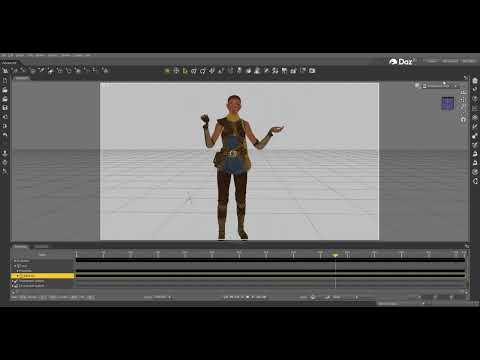
video
now it is a bit hit and miss still but vastly improved
some like Echo from Unreal Engine with an animation added in iClone 3DX6 import perfectly out of the box as long as the animation take is chosen
(you do need to hide bones and add a few texture maps manually)
others are still a jumbled mess but can be fixed with a few other programs
many just opening and saving with Ultimate Unwrap3D will fix them for me
others needed to be imported into for me Carrara first
those are my 3 main FBX fixing programs (3DX6, UUW3D and Carrara)
is likely quite a few programs can fix them maybe even Blender
the point is don't give up right away, try a few different FBX files and programs
Daz Studio BETA - version 4.23.0.4! (*UPDATED*)WendyLuvsCatz said:
FBX import has greatly improved
some stuff needs zeroing and LOD's removed but generally not an animated jumbled mess anymore
Yeah, I'm over the moon about how the FBX exporter works now.
Daz Studio BETA - version 4.23.0.4! (*UPDATED*)FBX import has greatly improved
some stuff needs zeroing and LOD's removed but generally not an animated jumbled mess anymore
How to bring Unreal Engine 4/5 characters to Daz3DRichard Haseltine said:
It may be worth trying the FBX import in the current beta - the chnage log showed a lot of updates to that.
thanks, it was
 DAZ to blender hair position issue
marquism said:
Daz to Blender has this issue. Not diffeo. When I import it appears at the feet...
Really need help over this issue since I already have a pipeline with the other addon, but if there's no solution I might have to change....
EDIT: NEW SOLUTION FOR ME:
I ended up moving any objects that were attached inside the bone layers (example: name's hair hidden in the 'head' bone layer), and move them outside of the hip bone, but still be parent to the genesis model. When I send the model to Blender, it doesn't reappear at the feet anymore. It doesn't work 100% but at least works.
yep works greatly !
[Released] ManFriday's Seamster (clothes rigging for Daz Studio) [Commercial]chriscox said:
Is there a option for scaling OBJs for Rigid Follow Nodes?
I import my garment's OBJ in at 10000% but I havn't found the option to match that for the RFN OBJs
I'm afraid I forgot about adding an option there. Looking at the code, it always loads the OBJ at default scale. I'm sorry, I'll add this to the list of fixes for the next release, but I can't say yet when that is going to happen.
[Released] ManFriday's Seamster (clothes rigging for Daz Studio) [Commercial]Is there a option for scaling OBJs for Rigid Follow Nodes?
I import my garment's OBJ in at 10000% but I havn't found the option to match that for the RFN OBJs
Daz 3D is part of

Connect
DAZ Productions, Inc.
7533 S Center View Ct #4664
West Jordan, UT 84084Licensing Agreement | Terms of Service | Privacy Policy | EULA
© 2026 Daz Productions Inc. All Rights Reserved.