-
Your Genesis 8 hair...
You can just parent any models hair set to any other generations head, then make adjustments accordingly and you should be good to go .I learned along time ago that if you parent the hair it will retain all the morph dial values of the hair set. when you use fit-to or autofit tool that seems to wipe out all the morphs and wind dials most of the time during autofit process.
I Parent v4 hair to genesis 8 all the time most of my pretty 3d hair sets are generation v4 that i have converted over to genesis8 by parenting instead of auto fitting & then resaving the hair as a wearable preset for the generation character i am working on for future uses . I save a ton of money from not buy the same hair style over and over for every new generation character.
Celebrity Look-a-Likes for 3D figures Part 2https://www.most-digital-creations.com/g3_g8_celebrity_series_40.htm
Jennifer Aniston. Good likeness, though I would have liked a morph of her from her Friends / Rachel Green years.
*Released* Beautiful Brows [Commercial]Hey there :)
1. Create your character and all dials
2. Add your brow shape and choose a material ( the materials that came with these are also distributable) Fit to the generic G8 Figure ( not your morph )
3. Rename your brow - So that it isn't a generic brow name in your scene. Run transfer utility. Click on the show options to select the content type. Transfer from Genesis 8 Female to Your Brows.
4. File: Save as: Support asset: Figure/ Prop Asset - and save to your anatomy folder / People: Genesis 8 Female: Anatomy: Your Character.
5. Remember to include all data files when you pack up your character: Data: Your vendor name: Product name
Customers have to load in the brows. They will not just load attached to the figure.
Loading in as a character preset requires an extensive knowledge of studio. Im more than happy to help with that via IM with this but I will not be able to troubleshoot should you miss steps.
OMG god bless you, you just became a goddess in my heart, I've searched high and low for how to use them, I just bought them and they are amazing thank you so much for making them a merchant resource! *hugs* you solved my brow problems forever.
Morphs from G3 to G8I am not giving up on them. All of the figures will require careful positioning of individual vertices to make it work (which was going to be the case anyway, since the clone has to be substantially different from any figure's base shape). The results of the test show that the individual placement of vertices is going to be in the range of thousands for the dissimilar geometries. (G8 and G3 are largely the same, and the cross gender differences don't matter for the fidelity question. That is, they are so different that close is the best you'll get.) It's just going to take a while to get working clones for G1 and G2.
Allow me to illustrate:
Here we have G8 wearing my custom toon shape. I made this for G3F, and never got 'round to making a male version. What you see on G8M (right) is the first test of this shape on that figure transferred using a new method and new clones. (The method isn't wholly new. It just does things in a different order and uses one more clone figure.) Notice the pectoral distortion on G8M. That's just something you have to live with (learning to model is useful here, as it allows you to fix these things). Also, note the jaggies on G8M's nails. Overall, not bad for a first run, but needs improvement.
There are tradeoffs to be made when working on a transfer method. The tradeoff I made here was accuracy in nipple morph transfer:
Why? Because if you bake the G8 shape into the target, the nipples will not be squished. These distortions are the result of not baking in shapes. Shape baking is optional, and not recommended for anything but the main body/head morphs. The other tradeoff would have been accuracy of shape, but with placement distortions. You can see the root cause of this in the clones, noting how sparse the gemoetry is around the lower pectorals on G8M.
Since I don't yet have G1 and G2 clones, I can't illustrate further, but each place where the gemometry differs between the figures, substantially, is a place that might see distoritions. Because they have denser gemometry, they should be easier to smooth out but it's still going to require exact placement of key verts to make that work. Thousands of them. It's going to take time. With G3, I'll only need a few hundred corrections at most.Whao! That sounds incredibly complex! It blows me away that people know how to do this stuff - I had trouble even just following your explanation of it. lol You're awesome! I Hope you're able to work with Daz and get the script so that all parties are happy with it. :) I actually wish it could be available in the Daz store as well - that way more people can see it and know about it. I think it would help boost sales of older figures that way as well. :D
Morphs from G3 to G8The good news is, my crazy idea works. It's just fiddly. I'm going to have to look at clone accuracy very closely to figure out what's going on. (The tests were a series of successes until the full up run, which seems to have gotten everything right but the fingernails.)
Since accuracy isn't necessary to test the legal issues, I'll be shipping an exemplar off to Daz to look at or ignore, and moving on.
I will get to the ERC thing when I'm over tis hurdle. Unfortunately, it's looking like a lot of fiddly fiddling. So, my plan is to get as far as working clones for G8 and G3, then re-release. They represent the biggest demand, and te fact is, it's harder to get the fiddly bits for G2 and G1. On the upside, G2F and G2M have the exxact same topology, so I only have to do that clone once. After I get the fiddly bits nailed down for G8, G3 should come fairly quickly (since their clones are basically the same shapes as G8's). I am actually on track to have this much finished before I got offline Sunday. I doubt I'll get to G1 and G2, but it's a slim possiblity.Please, don't give up on Genesis1/2 I would really love to use old figures!
 I can totally understand that, but I think getting G3 to G8 should be the prime focus. G2 and other figures can come later. We still have GenX after all. It would certainly be awesome to see other figures supported, but I think those would be a great bonus.On a side note I have missed out on this script both times it was uploaded. I'm really kicking myself for that.
Even if you have it, it's likely that you shouldn't be using it as it violates the EULA in it's current state. At least in the way it was distributed. I am not using the script anymore and won't until it's fixed and EULA compliant. It's an amazing script and it pains me to not be able to use it, so hopefully it's something that can be worked out between Daz and SingularBlues. He's put in an insane amount of work into this, so hopefully his hard work will be able to be enjoyed by the community soon. :)
I think it also would be a boost to older figure sales if we knew we could transfer them to G8. :D
Morphs from G3 to G8I am not giving up on them. All of the figures will require careful positioning of individual vertices to make it work (which was going to be the case anyway, since the clone has to be substantially different from any figure's base shape). The results of the test show that the individual placement of vertices is going to be in the range of thousands for the dissimilar geometries. (G8 and G3 are largely the same, and the cross gender differences don't matter for the fidelity question. That is, they are so different that close is the best you'll get.) It's just going to take a while to get working clones for G1 and G2.
Allow me to illustrate:Here we have G8 wearing my custom toon shape. I made this for G3F, and never got 'round to making a male version. What you see on G8M (right) is the first test of this shape on that figure transferred using a new method and new clones. (The method isn't wholly new. It just does things in a different order and uses one more clone figure.) Notice the pectoral distortion on G8M. That's just something you have to live with (learning to model is useful here, as it allows you to fix these things). Also, note the jaggies on G8M's nails. Overall, not bad for a first run, but needs improvement.
There are tradeoffs to be made when working on a transfer method. The tradeoff I made here was accuracy in nipple morph transfer:Why? Because if you bake the G8 shape into the target, the nipples will not be squished. These distortions are the result of not baking in shapes. Shape baking is optional, and not recommended for anything but the main body/head morphs. The other tradeoff would have been accuracy of shape, but with placement distortions. You can see the root cause of this in the clones, noting how sparse the gemoetry is around the lower pectorals on G8M.
Since I don't yet have G1 and G2 clones, I can't illustrate further, but each place where the gemometry differs between the figures, substantially, is a place that might see distoritions. Because they have denser gemometry, they should be easier to smooth out but it's still going to require exact placement of key verts to make that work. Thousands of them. It's going to take time. With G3, I'll only need a few hundred corrections at most.First attempt at a Beagle for Daz Dog 8People need the Dog8 base, as well as the Dachsund morph. (Yes, I know that's self-evident, but if you don't cross the 't's and dot the 'i's somebody will kick up a stink.)
If you upload it to someplace like ShareCg you might want to just upload the clay render and *tell* them that the Bully skin would work.
Your Genesis 8 hair...And you don't need that product, if you're just transfering one or two; a couple of simple steps will transfer to G3
Female, female, female!!Speaking of underrepresented niche. I was hugely hyped up when i saw these mostrosities
https://www.daz3d.com/forums/discussion/comment/3784526/
I've no idea if author will finally become PA here, though. Any news, @shawnmarms?
or you learn to model
For example: one can learn of modelling props, but never be good with human characters. So... not always a way
I would love more male content, but what I like and want is niche-within-niche, and if I created my own content it would probably be of limited interest even to the potential market (although I've definitely considered it!). Reaching out to expand the potential pool of buyers is almost always more useful than asking the content provider to change their behavior, even if it's a long shot.
Well, about expanding pool... https://www.daz3d.com/forums/discussion/279051/about-expansion-of-demographics/p1
All that situation was one of reasons when there was a time i got tired of dazverse and went into The Sims modding communities. (That was before iRay/Dforce, though, which brought more variety to some niches perhaps.)
As you (mostly) can't sell anything there, content makers for Sims are 99% hobby driven enthusiasts, and therefore they create what they want without restrictions of "will it sale enough".
Though Sims (modding, as i say specifically about those who create custom content for it - from characters and props to textures and interiors) community also has very different demographics. If DAZ/Poser users might mostly be "more men than women" who are interested in pinups/fantasy/scifi etc. and mostly >30 yo (i have no idea, but), Sims CC creators, on contrast, are mostly "more women than men", and more like young adults and late teenagers, and they have interested in trendy fashion or "aesthetics", hence their creations are very modern and current in terms of style, and look like something that - fear - won't be interesting at all to DAZ's demographics.
However, as Sims is a videogame with character creation/house building abilities and option to import your own models, textures, etc. mostly through modding rather than suit specified in character/environment creation, there are many uncomfortable moments regarding how things work, ergonomics, etc. etc. As half of those possibilities are forced onto game by modders, it's very tedious in many ways. Like you have to install a hack to overcome limit of shape morph sliders, you can't see name of skin texture when you choose it from list, there are no subfolders for clothing and items so you have to browse huge long lists to see what you have etc. etc. etc. etc. Also majority of creative Sims CC (CC as custom content - anything that was not in original game, but user made instead) creators refuse to post their creations of centralised hubs and instead post it on blogs like tumblrs which die very often (dead links dead links dead links) and also have horrible UIUX navigation, or some limitation like "i only post my freebies to my subscribers"...
...so returning to DAZ after that in some way feels like "god i missed so much good old daz studio with all comfort of use it has".
...but sometimes i wish that demographics between these two communities would cross, and i'd see clothes, characters, cosmetics and hair in style like what i saw among sims CC authors.
-
Some examples what they (sims modding community creators) do (don't pay attention to base meshes/graphics, i talk more about style, design and approach - though ofc it's pretty lowpoly) there (i reduce images but open them to fullsize if needed):
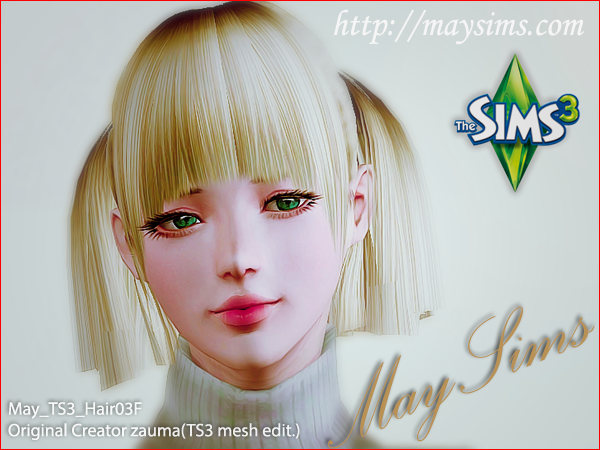
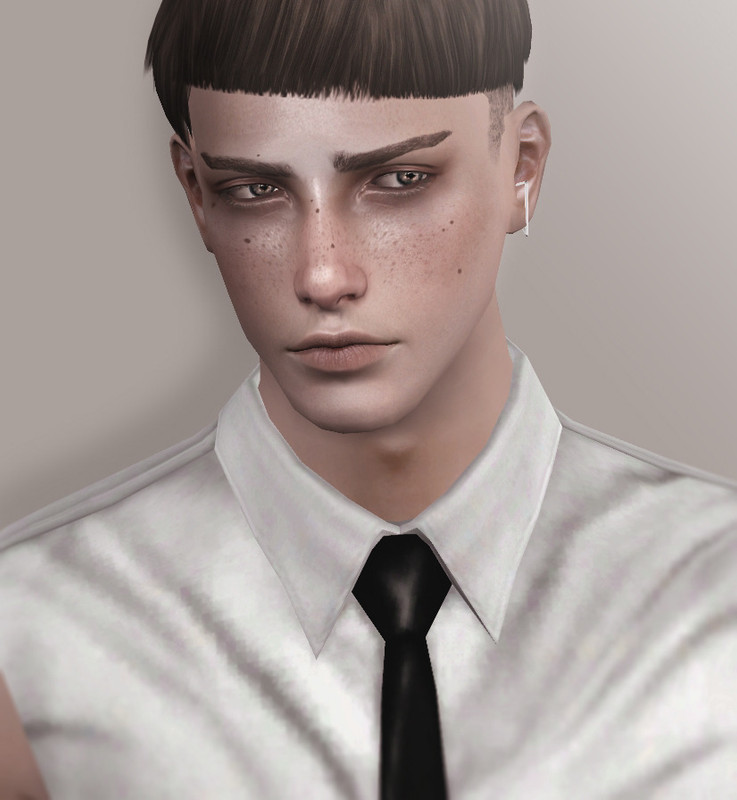
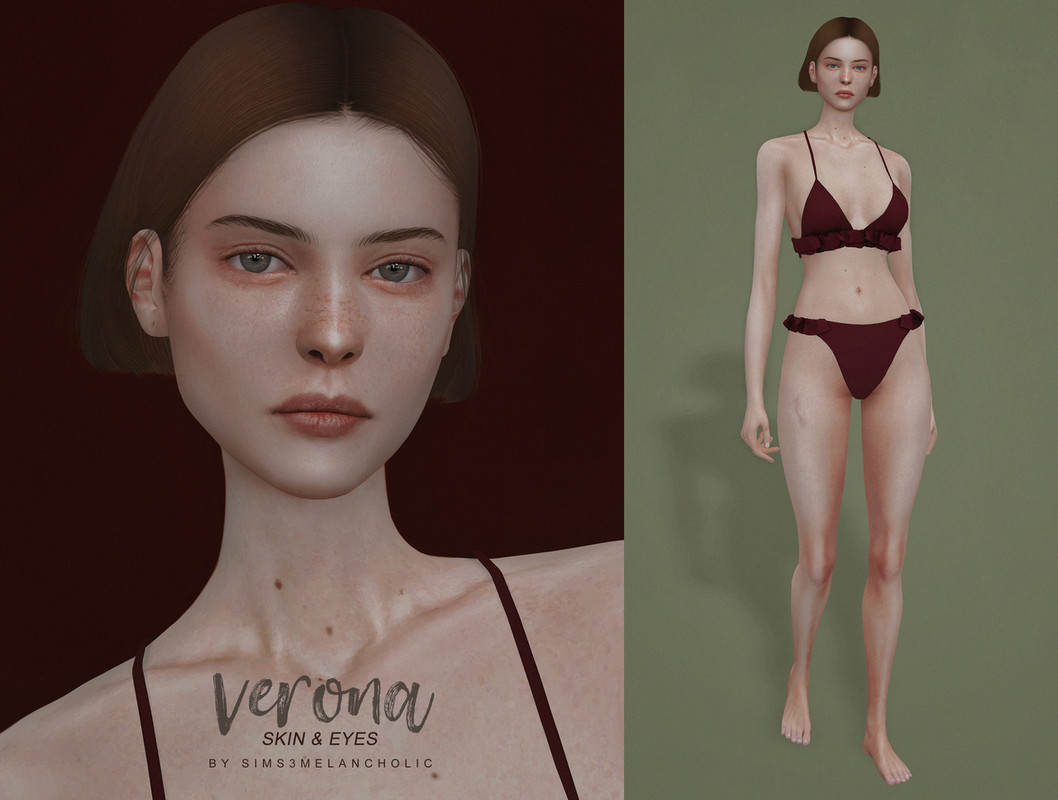
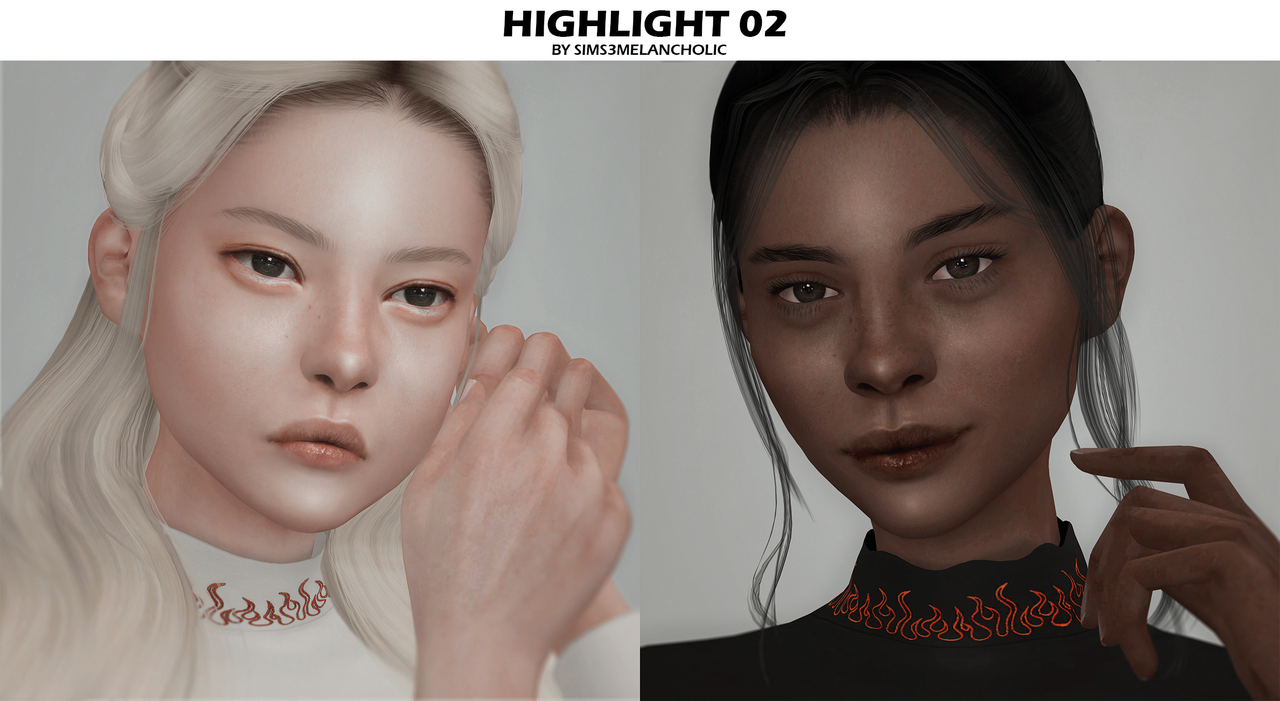
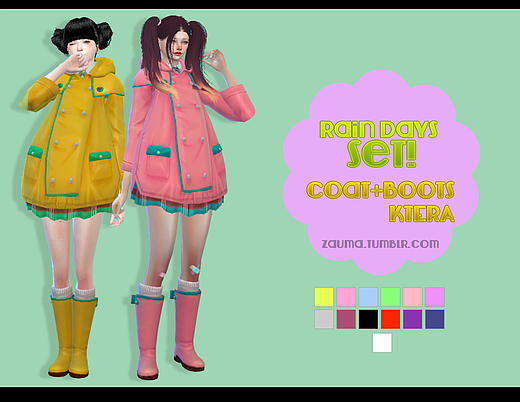
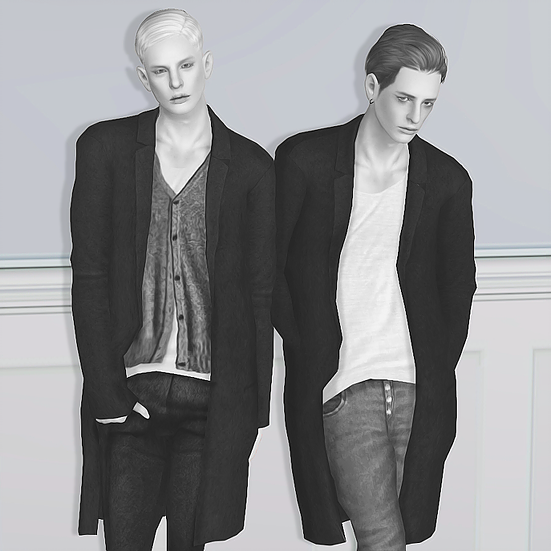
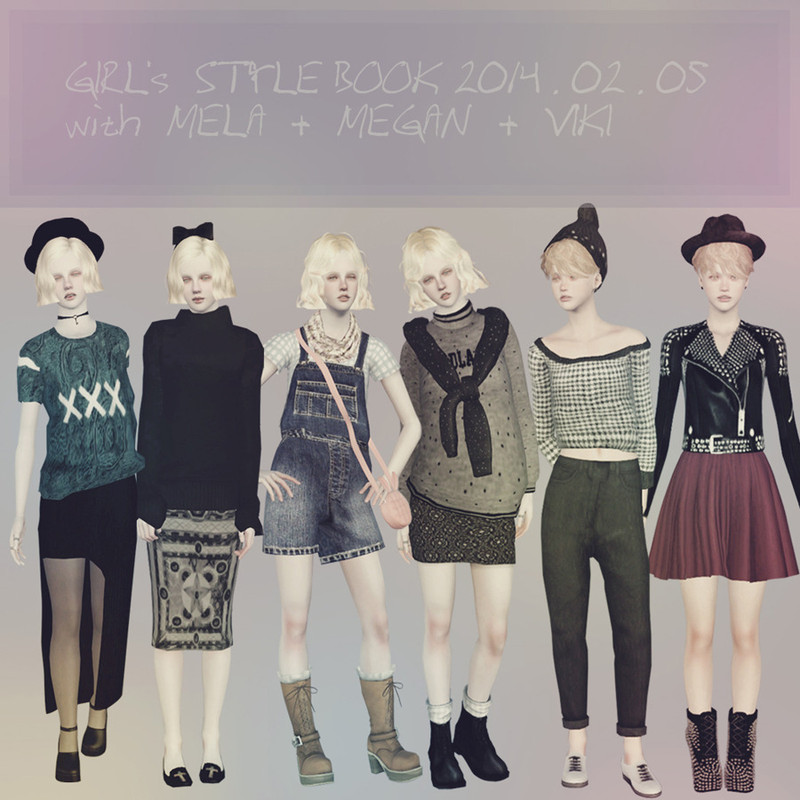
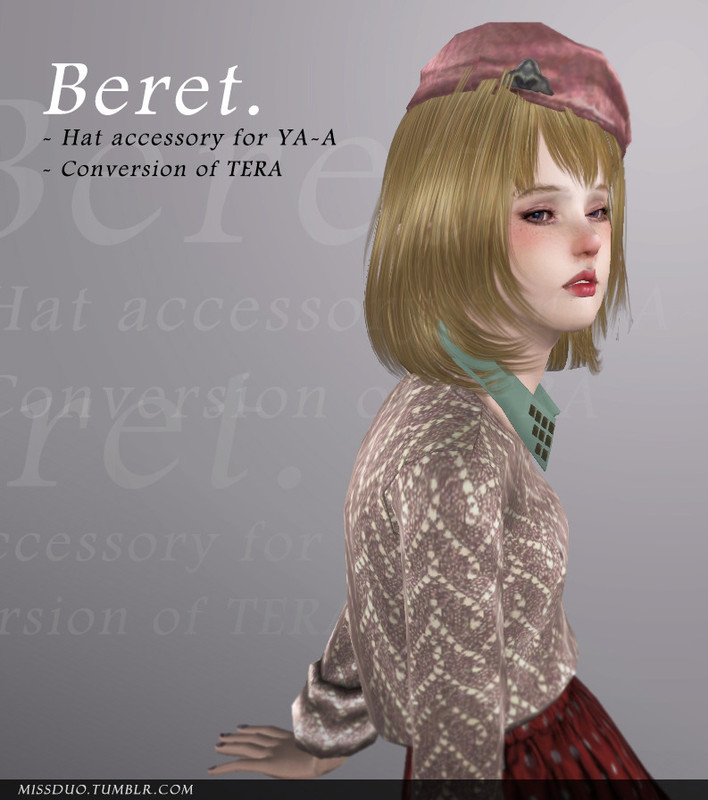
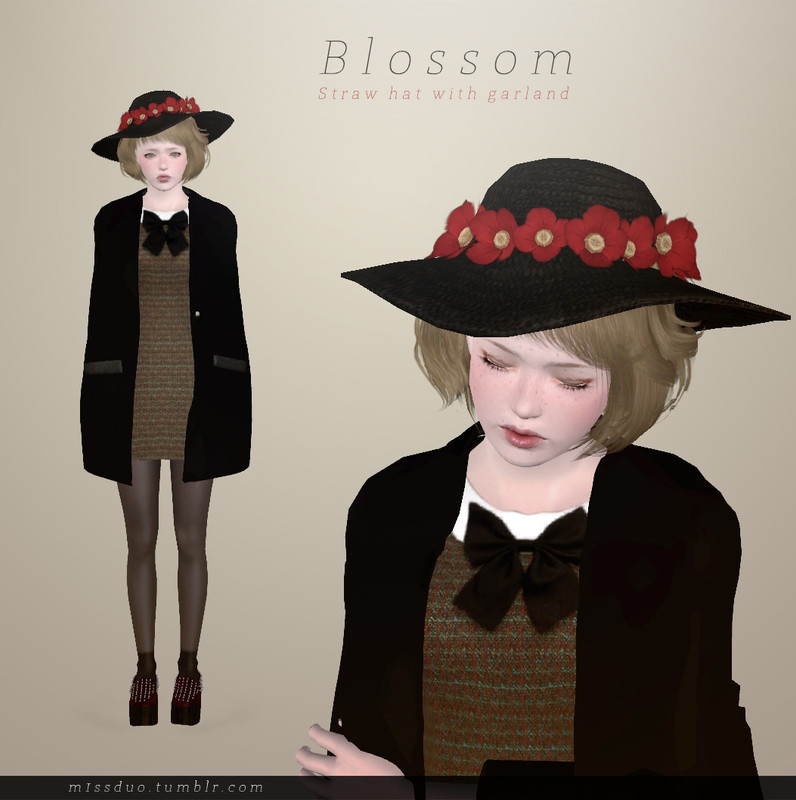
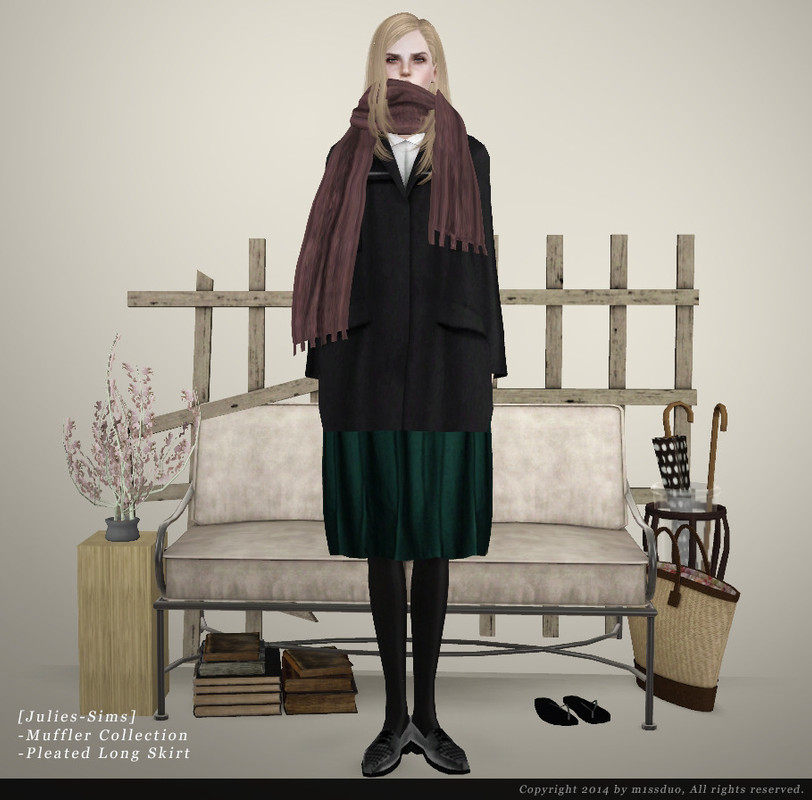
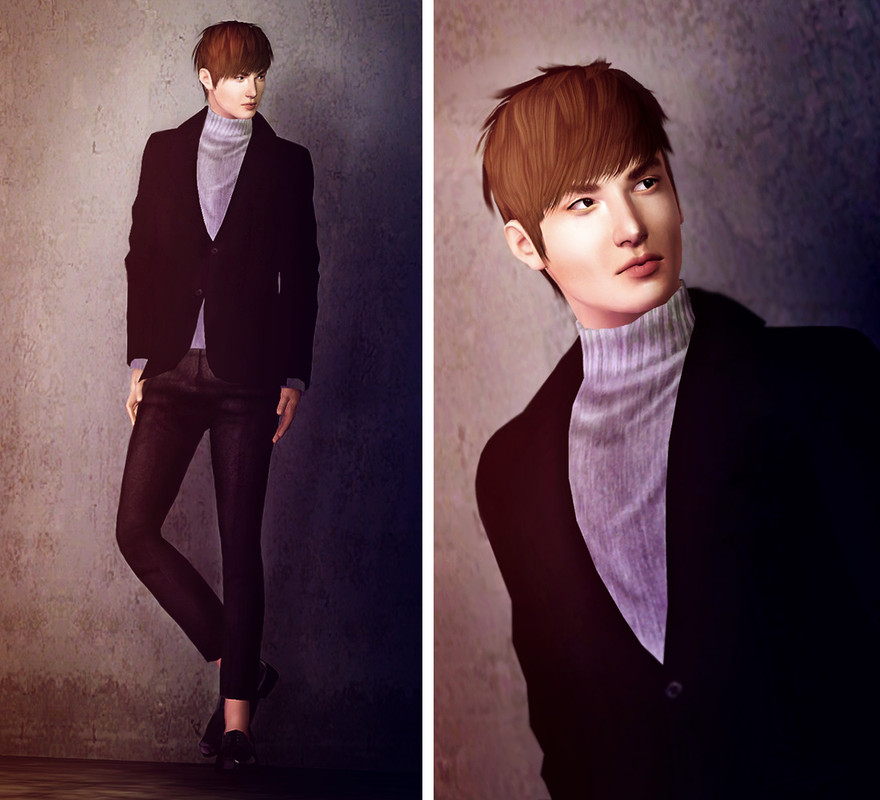
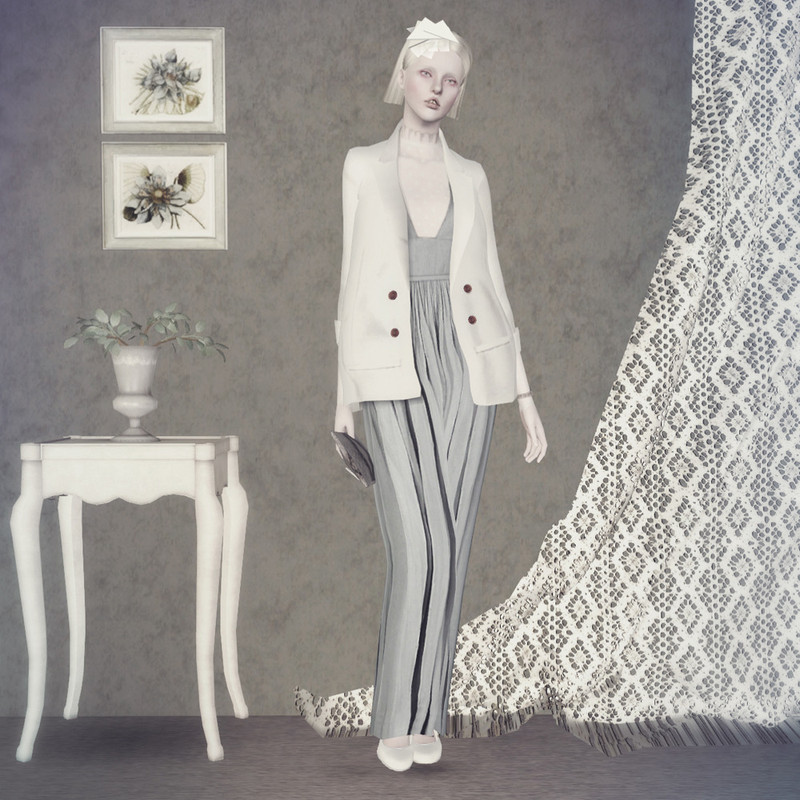
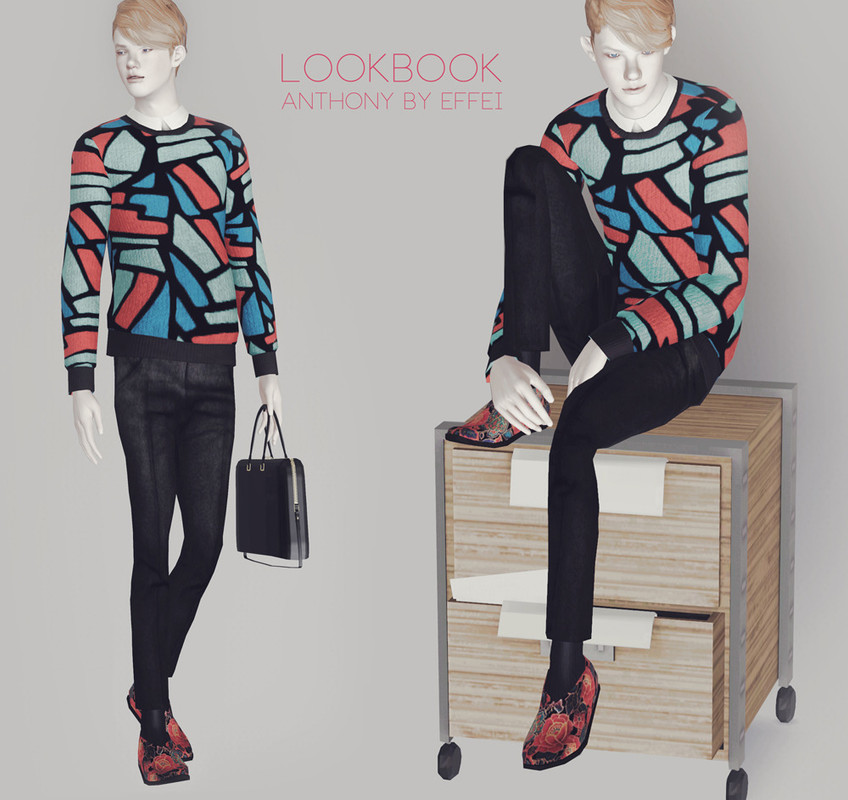
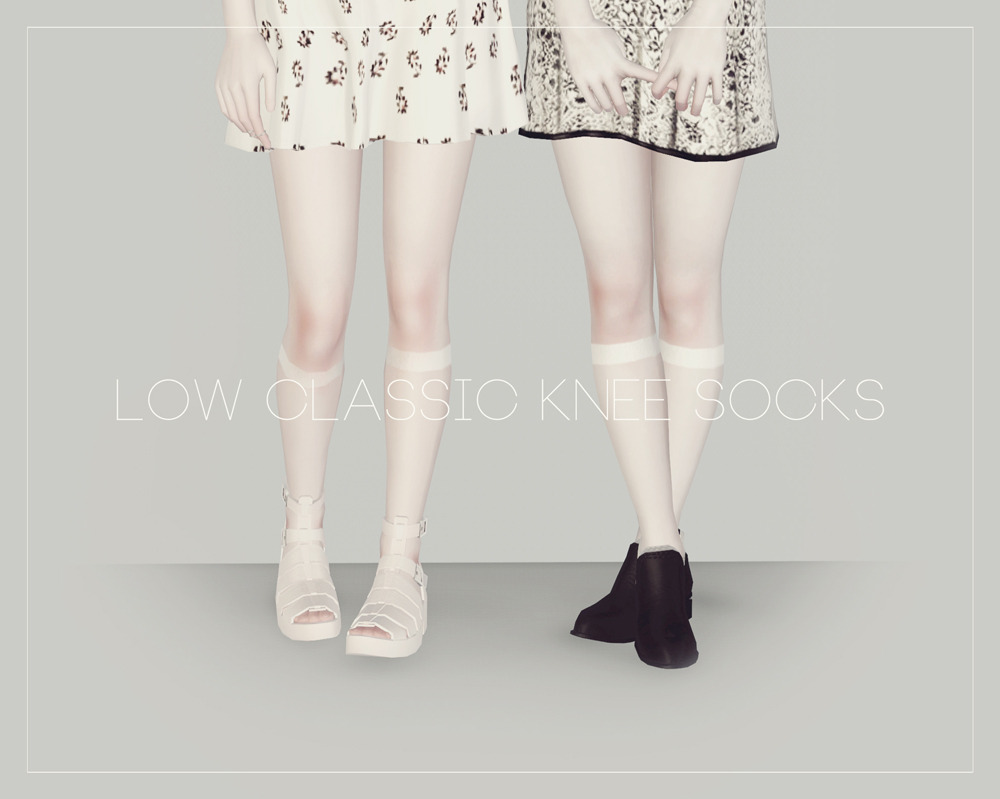
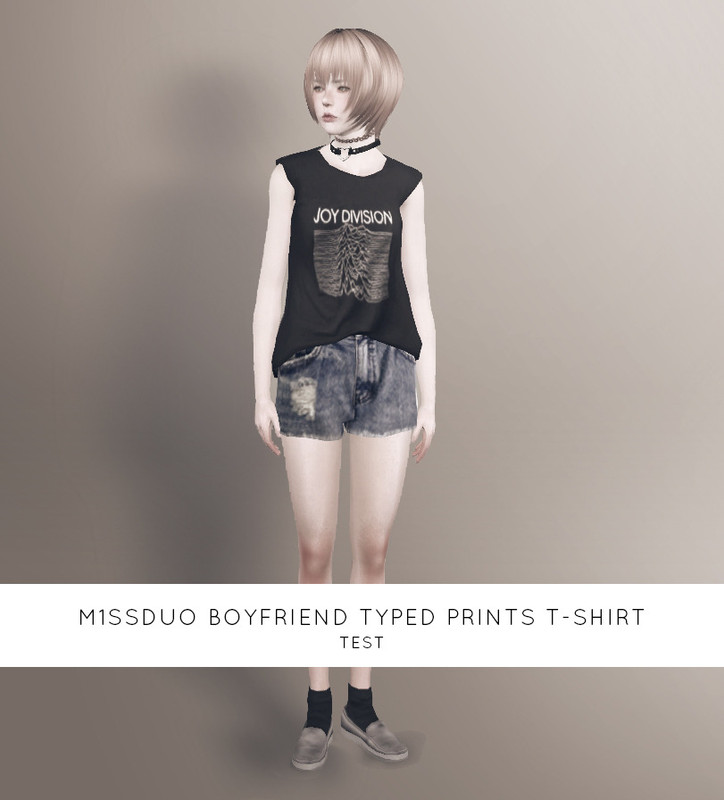
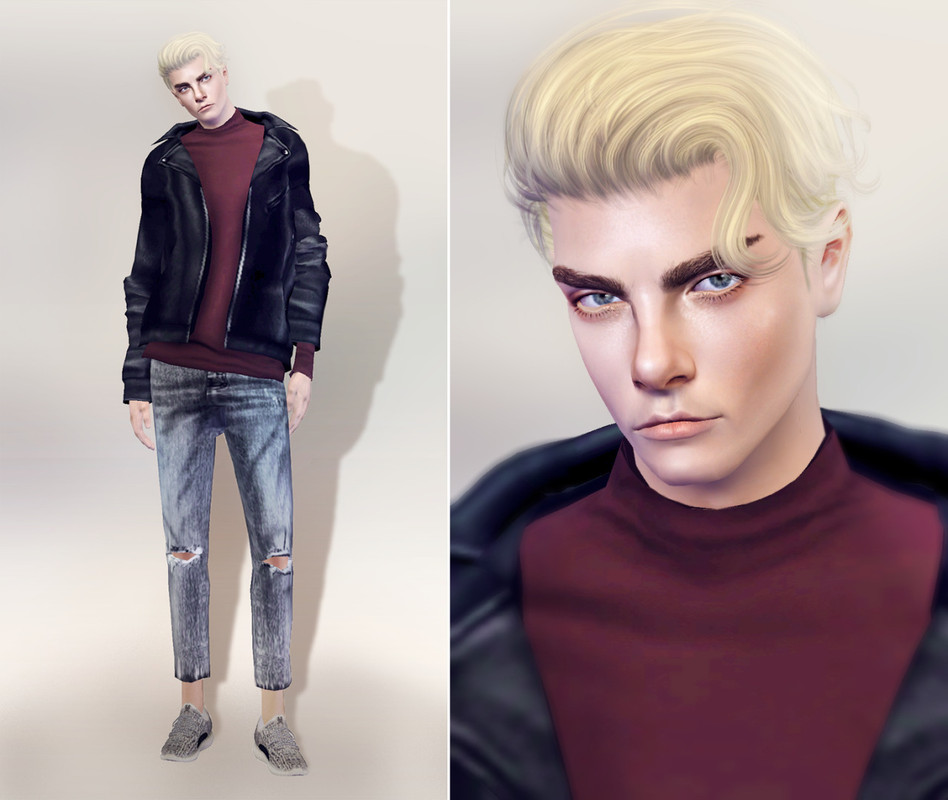
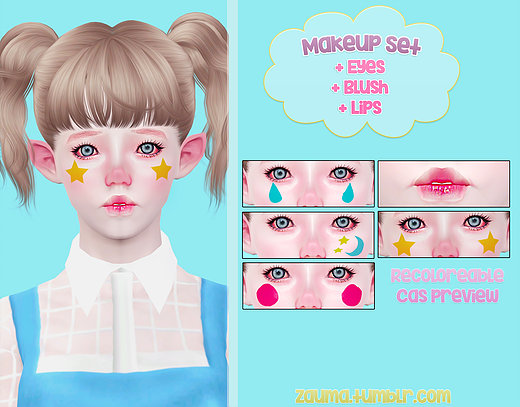
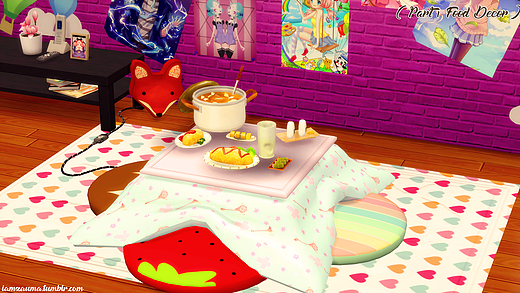
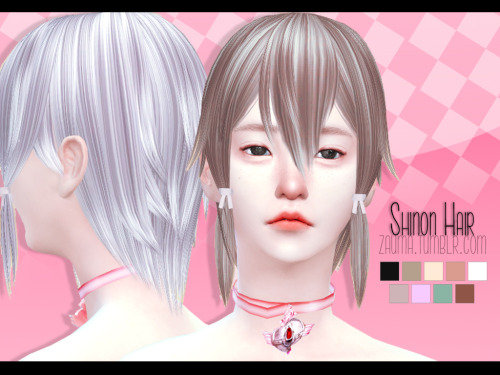
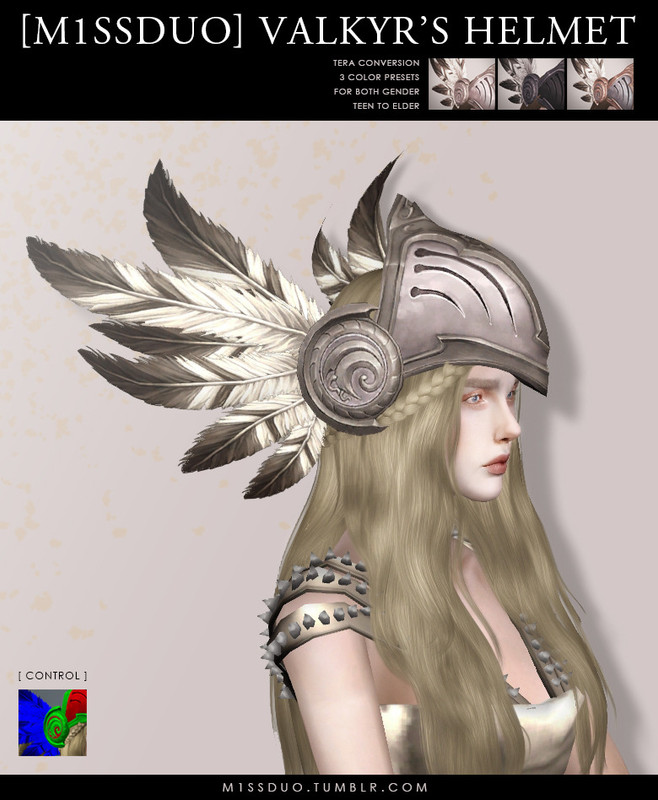
And especially interiors, wow:
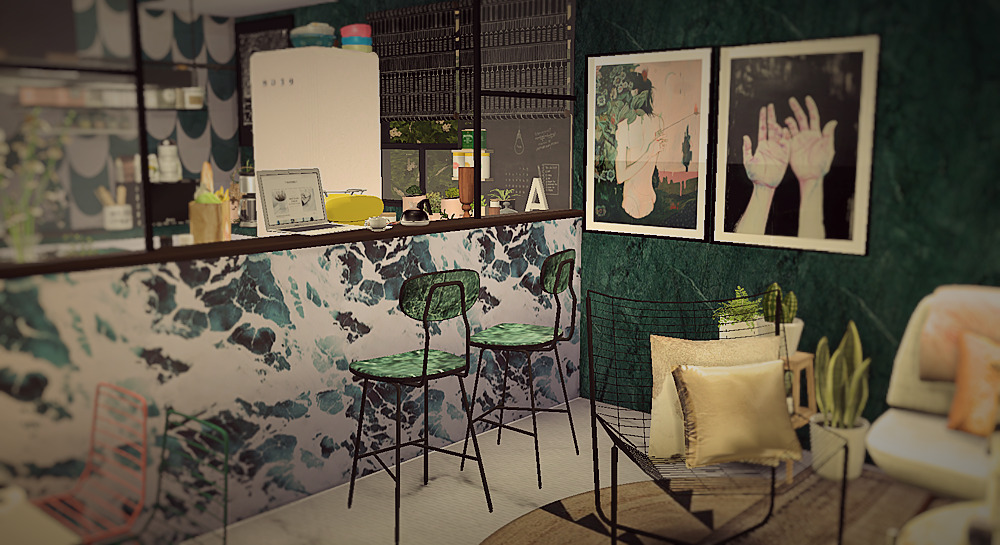
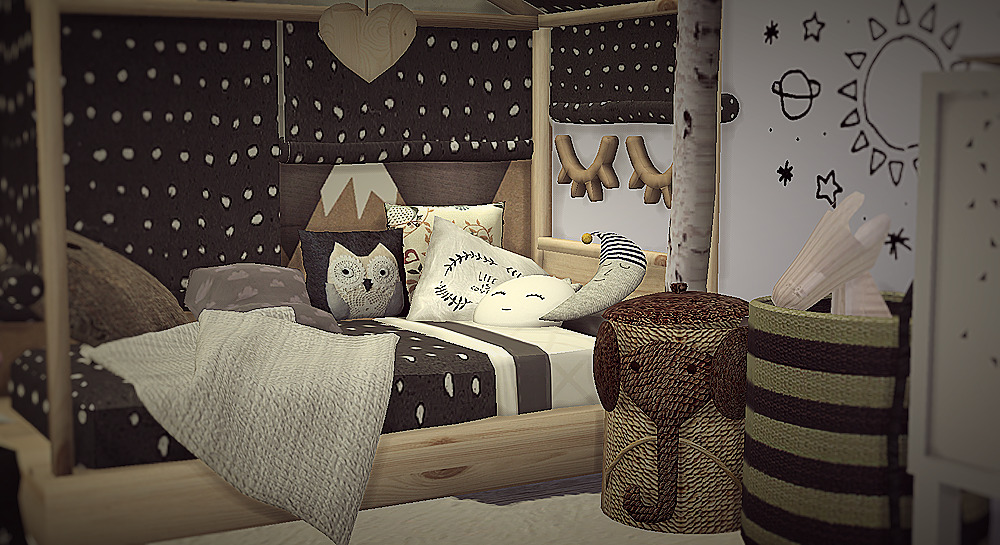
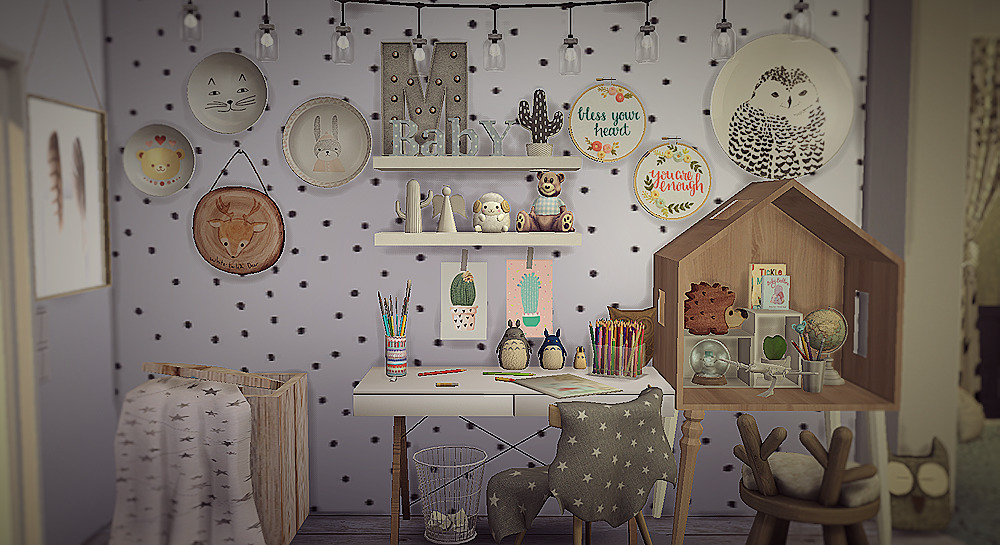
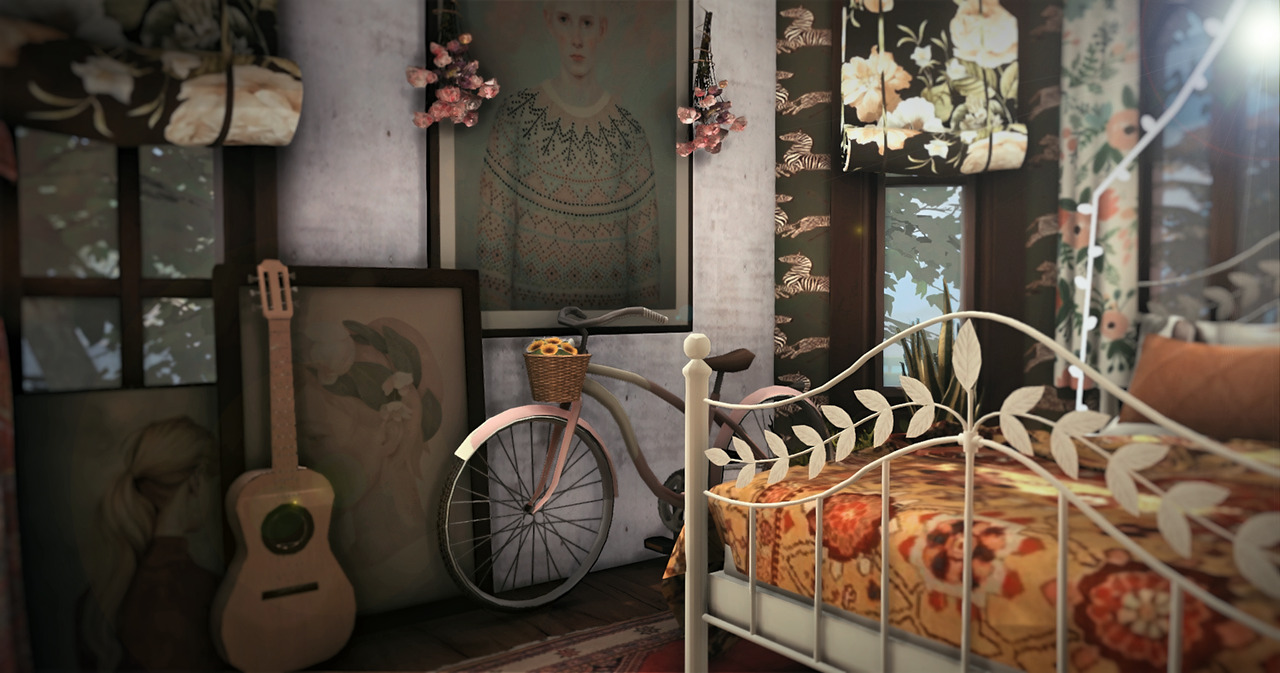
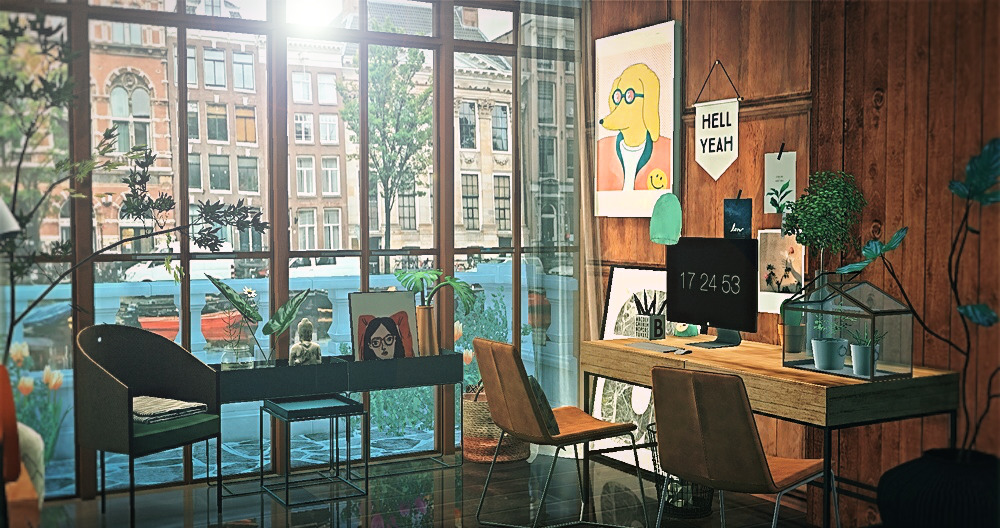
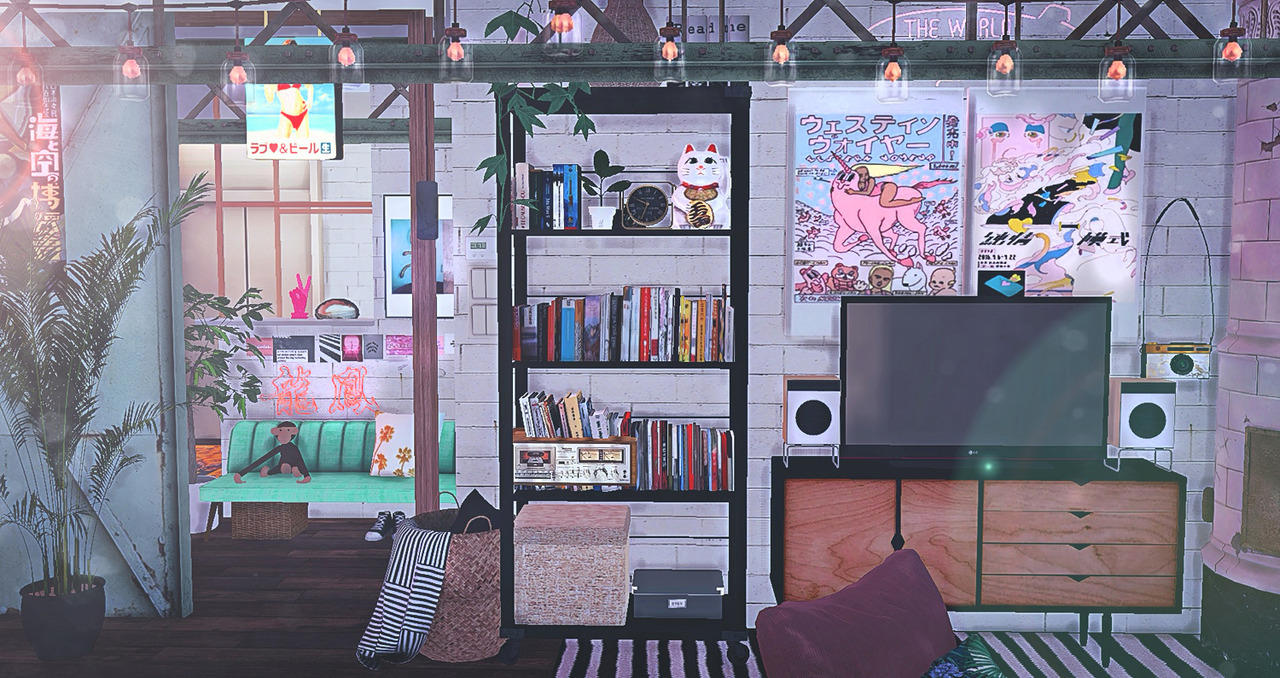
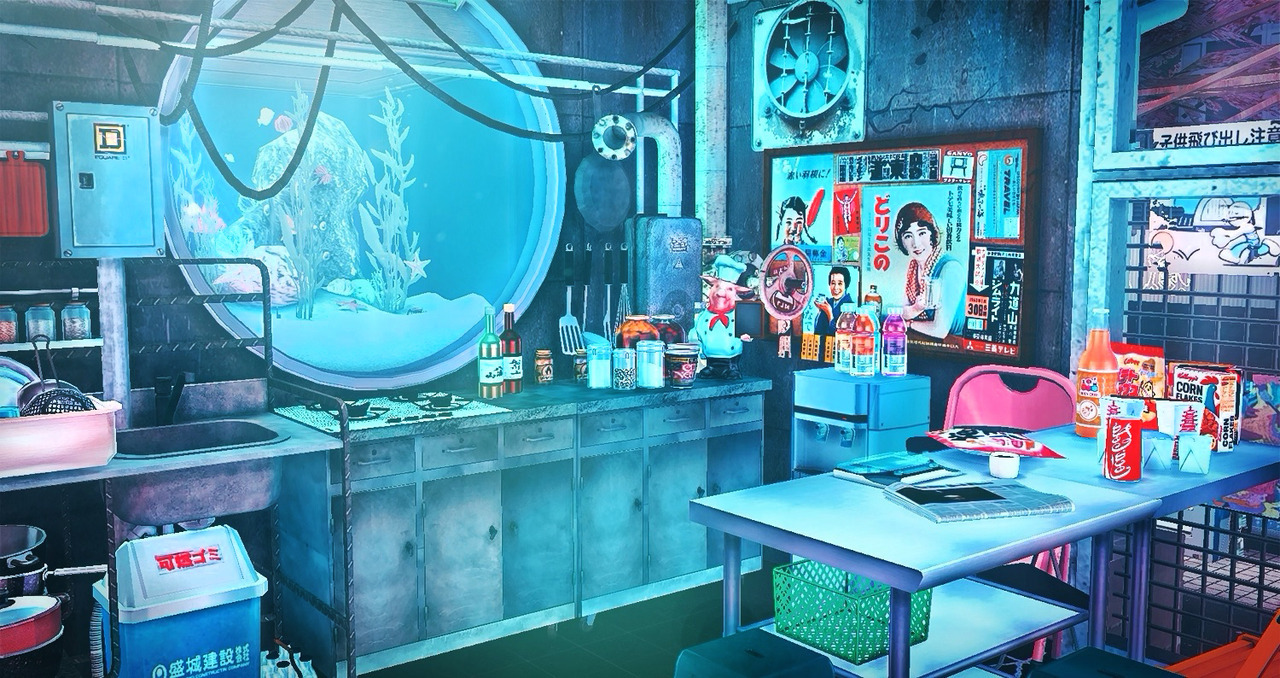
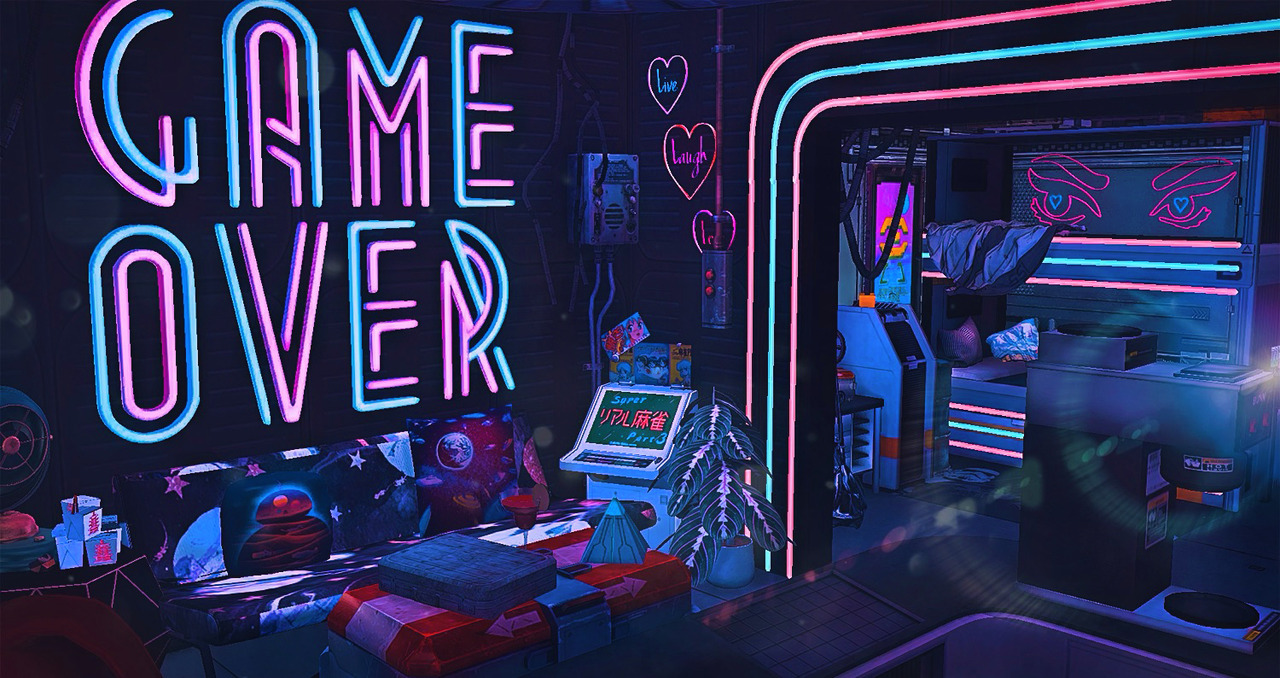
Then again, need to say that as community there is younger usually, there is plenty of unneeded drama comparing to here... Anyway, some more points. As you see, there it's more about stylish/beautiful rather than sexy (dont get me wrong, there are adult stuff lovers over there too).
Also what i noticed, huge love for albino skin. While here it's rare
https://www.daz3d.com/forums/discussion/263081/white-pale-skin
Also might mention that among Sims CC creators they were paying attention to "imperfect beauty" like moles and freckles on skin, which only started to get more popular within DAZ crowds only recently or so (well though that also goes in hand with assymetrical morph discussions here).
And yes, male to female clothing/acc ratio is different there.
Morphs from G3 to G8I find when I run into the ERC hang-up issue is when I'm trying to convert more than one morph at a time. When I went back and only select one morph the problem morph transferred without issue.
OBJ files save the morphs used?I would skip the idea of using your "all in one" merged character morph, instead use the Reverse Deformation in the Morph Loader Pro to load your ZBrush morph. Or another method: you could export your all in one morph from DS as OBJ again - load a shape/character preset with all individual morphs your character is made of (maybe you have an older scene with the individual morphs dialed up on the figure from where you can save a shape preset), then load the OBJ with Reverse Deformation in the Morph Loader Pro onto the figure to end up with a morph that only containes the additons you sculpted in ZBrush.
Daz Studio conforming figures can have issues following the shape especialy with those morphs that change the figure scale. If your custom character shape is made out of idividual morphs its much easier to detect the morph(s) that produce deformations and you can deal with them individualy.
Well if you insist to use the merged character morph or otherwise Daz Studio failes to generate a fitting morph you could export those generated morph as OBJ load both the hair and the character into ZBrush and fix the deformations there. Then back in DS delete the generated morph from the hair (Parameters pane in Edit-Mode - right-click morph Delete Property), load the fixed morph with Morph Loader Pro with the same name to replace the generated one.
Morphs from G3 to G8Were M5 based morphs tested on the previous GitHub iteration? Every M5 morph I've attempted looks like it's missing something, and dialing in the separate M5 shape almost gets it there but still not there.
Attached file is SAV Alpha Male M5, Conversion to G8M, and Conversion to G8M with M5 added. Non-Daz, I know.
I suspect the CNTRL morphs aren't activating. As khorneV2 said you will probably need to transfer the base M5 Genesis morphs, if you haven't already, as when you dial in Michael 5 on Genesis it activates a lot of those.
A lot of the G3 to G8, and vice versa, work because the base morph packages are very similar in content and naming.
Morphs from G3 to G8Were M5 based morphs tested on the previous GitHub iteration? Every M5 morph I've attempted looks like it's missing something, and dialing in the separate M5 shape almost gets it there but still not there.
Attached file is SAV Alpha Male M5, Conversion to G8M, and Conversion to G8M with M5 added. Non-Daz, I know.
did you add/convert the M5 Base SHapes ?
OBJ files save the morphs used?Thank you for your answer! I did not know anything about conforming figures, autogenerated morphs and transfer utility. Very helpful and informative ; I thought nobody had any answer for me here.
Altought, This does not explain why a freshly loaded hair gets distorted when my created morph is applied. After further observations, I noticed that the hair bangs stay at their initial point in space when i apply the morph. In other words, while dialing the created body morph, the hair follow the head going down but the bangs stay in place (the morphed character is smaller than G3f model).
First attempt at a Beagle for Daz Dog 8That's really cute. I think you've got the face dead on. In the profile the upper portion of his back is dipping down, but it should go up in that area. I'd smooth out the line of the belly too. Maybe shorten the legs just a hair or bring his chest out just a little. That skin is spot on for him though. Nicely done :D
Thanks! Great points. Going to have fun with this. I didn't expect to get this far with just the morph dials. Wish I knew a little bit more about modeling software so that I could really push it further, but just this is exciting to me.
What's the best way to reset a figure so that another can be loaded?Heya!
So I've figured out that you want to keep using the same file / scene / figures so that you can retain your favorite paramaters and access them quickly...
Is there a way to easily reset:
-pose
-paramaters such as scale, morph dials
-wearables (remove all) such as hair, clothing, jewelery
-materials including anything layered
-locked nodes/pins/joints
Right now I'm reseting them all one at a time and... manually removing all wearables. This is a pain because some of them are difficult to find and access through the scene menu.
Any advice is appreciated!
First attempt at a Beagle for Daz Dog 8I just spent an hour or so building a Beagle out of the Dachsund for Daz Dog 8 with the morph dials and referring to https://www.dummies.com/pets/dogs/beagles-the-akc-breed-standard/. What do you think? What's working? What still needs work?
P.S. I used the skin from Bully. Obviously, I'd like to do something custom.
Morphs from G3 to G8Were M5 based morphs tested on the previous GitHub iteration? Every M5 morph I've attempted looks like it's missing something, and dialing in the separate M5 shape almost gets it there but still not there.
Attached file is SAV Alpha Male M5, Conversion to G8M, and Conversion to G8M with M5 added. Non-Daz, I know.
Poses take long to apply/transitionHas anyone else seen this? When I apply a pose from a PA, the figure translates fairly quickly. However, my own custom poses can take anywhere between 25-45 seconds to transition (talking Genesis 8 Female mostly, but I've had similar issues in the past with Genesis 3 Female). Genesis 8 Male isn't as bad, but it's not instant either (unlike the days of Genesis and Genesis 2, which were both instant)!
I just want to know why it's taking so long for my custom poses to apply/transition (I suspect morph amount is the issue, as like I said, I saw a similar problem with Genesis 3 and Genesis 8 wasn't like this when it first released) and how come PA (or purchased/downloaded) poses happen so much quicker?
Note: To clear up confusion, I don't mean slow posing when creating the pose (as can happen when Interactive Update is selected on a figure/prop), I mean the pose itself taking long after it has been saved and why purchased/downloaded poses don't have quite the issue).
Algovincian Non-Photorealistic Rendering (NPR) 2019/2020It's looking amazing, Algovincian Greg — that pipeline you've been developing for NPR processing must be pretty complex at this point!
I've been experimenting with many 'off-the-shelf' apps and filters for post-processing 3d renders, photos, and videos... but nothing quite comes close to what you're creating. Many of the latest AI technologies for style-transfer and image processing algorithms for non-photorealistic render output are interesting, but suffer from undesirable artifacts — much of the visual appeal can get lost in convolutional neural networks and image processing algorithms that rely too heavily on edge detection and 2d smearing, without using depth information to create lines that follow the 3D contours of a form.
It's so cool how you've been algorithmically 'teaching' your computer to draw, adding a level of simplification and abstraction to your work that remains both aesthetically pleasing and natural looking. These works feel less like they've been processed by a computer, and more like interpretations by a human artist... they retain much of the same visual mechanics that a traditional artist would use. Keep up the good work!Very insightful comments, @Kaleb242 - both about the style transfer AI, as well as the big picture goals of non-photorealistic rendering. I've been at this for a long time, and having some mature & flexible tools has really freed me to focus on exactly these types of concepts.
Thanks for taking the time to comment. It's always nice to hear that the output is enjoyed, but maybe even more satisfying when others recognize and appreciate some of the more technical aspects. I absolutely love talking shop about this stuff and getting into the weeds!
- Greg
BTW, do you have a thread here going for your work?
Daz 3D is part of

Connect
DAZ Productions, Inc.
7533 S Center View Ct #4664
West Jordan, UT 84084Licensing Agreement | Terms of Service | Privacy Policy | EULA
© 2026 Daz Productions Inc. All Rights Reserved.