-
17 year old characters
17 old characters. I'm not an expert but i bought a young morph and some character morps and its possible to mix up some sliders together to get into a 17 years old result.
keep in mind 17 is an age there you can't be realy sure about the age since some look like 18 with the age of and some 26 years old still need to show their pass to buy some booze.
just looked up emma. Age 10 till 11? i must be really bad at guessing ages. and the body size... well
Get Version 4 ! mcjHatsAreTheFashionOfTheDay : Fit Any Hair in Hats Pc/Macbelow the hat line, the hair-shrinking effect goes from 0 percent and reaches 100 percent at the altitude of the plane and above. you may solve some issues by moving that plane lower od higher than the level where the hat meets the head, then tweaking the strength of the hat-fit morph. Also by adding collision objects to what the collider collides against.:::Favourite Genesis 2 CharactersI think my all-time favorite character for G2 has to be LY Trini. I love her and have used her a lot. Sometimes, I use her as is or I'll partially dial in her morph to something else I'm using. I love her cute little body type. I think she exudes pure spunk. My second favorite is FW Ashley. There's just something about her I like, and I've used her in a lot of renders.
I'm not sure what it says about me that my all-time favorite G2 character for the males is Ogora the Orc HD by RawArt. I've probably rendered him more often than any other male.
Exporting a rigged prop from Daz to Blender and backI was able to save the rigging using the transfer utility so I guess that's the proper workflow if you need to edit the topology of a rigged model.
After making the changes that I needed to in Blender, I reimported the model to Daz as an OBJ using the figure setup tab. With both models on top of one another the transfer utility tool was able to transfer all the weight maps and the orientation values for the bones so everything is working now. The only thing missing at this point are the ERC Freezes that I have already built. There are only a few but it would be helpful if there is a way to transfer them as well.
Anyone know a way to transfer custom properties/erc freezes between models that are basically the same?
Teen Jane 8The skin on Sara is very nice. But I don't care for the character without Jane 8Yes, I love the skin. I might pick Jane up at some point. I might feel differently about the character once I have the full morph. Can anyone look to see how much of Jane is actually dialed into the Sara character?
In the meantime, another one of Sara without the Jane morph. Minimal postwork. I like how it turned out.

The Sara character dials in Jane @ 100% (head and body)
Thanks, @dkgoose!
CAT girl G8Sadly, there's no practical way to make scripts that apply a skin matching texture on the ear patches, at least not on the actual ear part. The ear patches use the same UV map areas as the G8F ears UVs. So, if scripts put the human skin on there, they'd be putting little pictures of ear textures in that spot. You might look into some of the morph packs and characters available that have no ears morphs. These stretch the surrounding area and pinch the circumference into a vertex dot while stuffing the ear mesh into the head out of sight. It can cause some mild texture stretching and distortion but it's probably preferable to having a little picture of an ear on the side of the head. The scripts included with Catgirl were intended for cosplaying characters type scenerios.
I did get the ear picture off by basically making a blank skin texture over the part where the ear would be (as the patches use the same texture template as a head) but some other settings don't match up, not sure if it's bump, glossiness, specularity, transparency or whatever.
I am not sure if it would be the same technique, but certain 3rd party genitalia, which names I probably am not allowed to mention, have skin matching functions included, but again, I am too much of a noob to know if it's the same principle.
Teen Jane 8The skin on Sara is very nice. But I don't care for the character without Jane 8Yes, I love the skin. I might pick Jane up at some point. I might feel differently about the character once I have the full morph. Can anyone look to see how much of Jane is actually dialed into the Sara character?
In the meantime, another one of Sara without the Jane morph. Minimal postwork. I like how it turned out.
The Sara character dials in Jane @ 100% (head and body)
Teen Jane 8The skin on Sara is very nice. But I don't care for the character without Jane 8Yes, I love the skin. I might pick Jane up at some point. I might feel differently about the character once I have the full morph. Can anyone look to see how much of Jane is actually dialed into the Sara character?
In the meantime, another one of Sara without the Jane morph. Minimal postwork. I like how it turned out.
Figure prop, rigging anomaly while posing bone rotationsThe issue SEEMS to have been with GoZ. I created this prop in Zbrush at a larger scale, and it seems that despite having downscaled it and fixing rot/scale in blender, then bringing it into Daz, when I used GoZ Zbrush pulled the prop from its cache file or something and was exporting it with the wrong scale data, even though visually everything looked fine. When I exported the morphs to OBJ and imported them into blender to check, I didn't realize at first that my blender scale was correct already (which means 1% to daz) and Zbrush was trying to export a 1:1 ratio of something that wasnt 1:1.
@ Above post - Yes it makes sense now that I know the base geo had changed in the transfer somewhere. Probably in Blender during some edit.
Ellithia 8Those are hidden morphs - they are triggered when the morph is set and (for most of those) an expression is applied so that the expression works with the Elithia shape. They do their stuff in the background, they aren't something you need to set. There are a lot of hidden morphs adjusting for posing and the interaction of two shapes - if you enable Show Hidden Properties in the Parameters pane option menu (the lined button in the top corner, or right-click the tab) you will be ablet o see them.
How can this be done on a genesis figure...If you talking about Genesis (1), there is this product to make the ears disappear, if you're able to place the horns just in place of the ear, this will work.
https://www.daz3d.com/wicked-fairytale-morphs
You can even turn the limits off for the "Ears Size Morph" of the Daz Head Morph product and scale the ears down.
For the horns you could use something like this:
https://www.daz3d.com/seven-demon-horns , or horns from the Creature Creator Add-on.
Here's a pic, Genesis (1), ears scaled down, horns from G2 Creature Creator:
Can Mika 8 and The Girl 8 be merged?1) Yes they can.
2A) Sounds like you own Aiko 7 and Mika 7 already. It's not that difficult to transfer their morphs to Genesis 8 using this tutorial: https://www.deviantart.com/sickleyield/journal/Tutorial-Transferring-Character-Morphs-G1G2G3G8-409437916
2B) However for the Aiko 7 and Mika 7 skin to work on Genesis 8, you'll need a certain product... sorry, can't recall what its called right now, maybe someone else can chime in?
Exporting a rigged prop from Daz to Blender and backThanks for taking the time! :)
I tried out the plugin that you linked but it kept giving me errors so Ill have to read some more and see what I was doing wrong. I was able to import the rigged model back into daz as an FBX, but it imported with a bunch of random translations that broke the model and of course all the orientations are broken. The bones are properly parented, and the weight mapping is correct, but something is literally just lost in translation. After reading around a bit it looks like I could use the transfer utility to save the rigging after editing what I need to. I guess the workflow would be, export model to blender as an obj, fix the whatever problems that I need to fix, import the fixed model to daz, rebuild/parent the bones in Daz, and then finally transfer the missing parts of the rigging with the transfer utility from the old model to the new one. Im gonna try that in the morning.
CAT girl G8Sadly, there's no practical way to make scripts that apply a skin matching texture on the ear patches, at least not on the actual ear part. The ear patches use the same UV map areas as the G8F ears UVs. So, if scripts put the human skin on there, they'd be putting little pictures of ear textures in that spot. You might look into some of the morph packs and characters available that have no ears morphs. These stretch the surrounding area and pinch the circumference into a vertex dot while stuffing the ear mesh into the head out of sight. It can cause some mild texture stretching and distortion but it's probably preferable to having a little picture of an ear on the side of the head. The scripts included with Catgirl were intended for cosplaying characters type scenerios.
Knittingmommy's LaboratoryI'm up in the air about the new Teen Jane character. I haven't decided if I'll pick her up at some point or not. It won't be right now. I did, however, fall in love with Sara for Teen Jane 8 by @Cherubit. I don't have very many products by this vendor, but that might change if they put out more characters like this. Her skin looks awesome. I have a weakness for freckles. Her morph is really cute. I went ahead an got her so I could see how she looked without Teen Jane. If she looked good without her, I'd wait to pickup Jane another day when money wasn't so tight. If she didn't, well, I still wouldn't be getting Teen Jane right now, but I'd consider getting her in the future just for Sara. Fortunately, I like her morph without Teen Jane just as much and she still looks like a really young person.
I might have gotten a little carried away with the postwork. This is just a first test render, but I really like how she looks.
Sara

Gallery Linkedit: fixed gallery link
Render up some "character"My lastest dial spin. Trying to use the ladies more since I have so freakin' many of them ;). Sooo many morphs in this one, I couldn't even begin to list them all. The skin is Zelara's and the eye textures are Kala's.
What render subD is she at?
Id really like the morph list for your dial spin, if you want to share that is. If I saw her in the store id purchase her for sure. Perhaps there could be a gift card in exchange for a morph list?
 Teen Jane 8
just thought i'd share a quick pic of jane + growing up youth morph... for some reason i think Jane looks even more cute as a little kid.... This is Shenequia/Jane plus Growing Up Youth morph
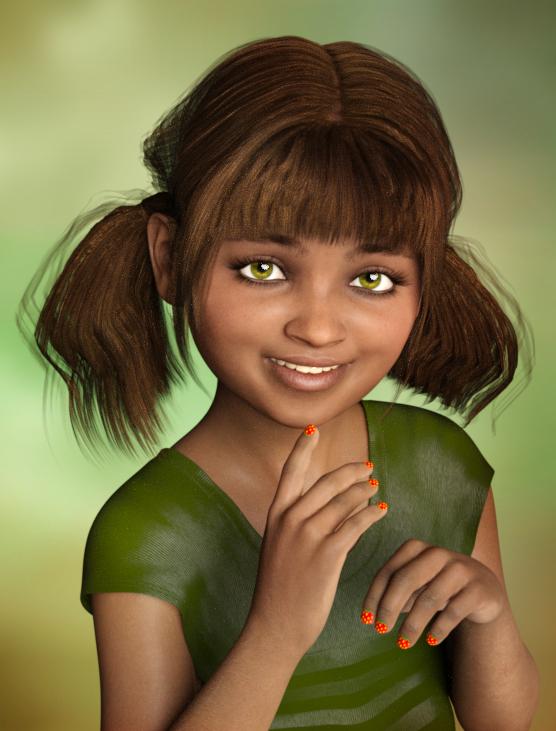
Well, that is much cuter than the original! As cute as she looks there I have a bunch of morphs and don’t really see a need for this character. She doesn’t really bring anything new to the gene pool, but instead can be made to look better with other morphs as above...
SereneNight's Sci-Fi Fun Thread 2Here's the two I seem to have. The front Runner is Urban Survivors. This is a nice hoodie, and it autofit well from Genesis 2 Male.
The black one is Truancy. It does include an up down morph but it looked dorky.
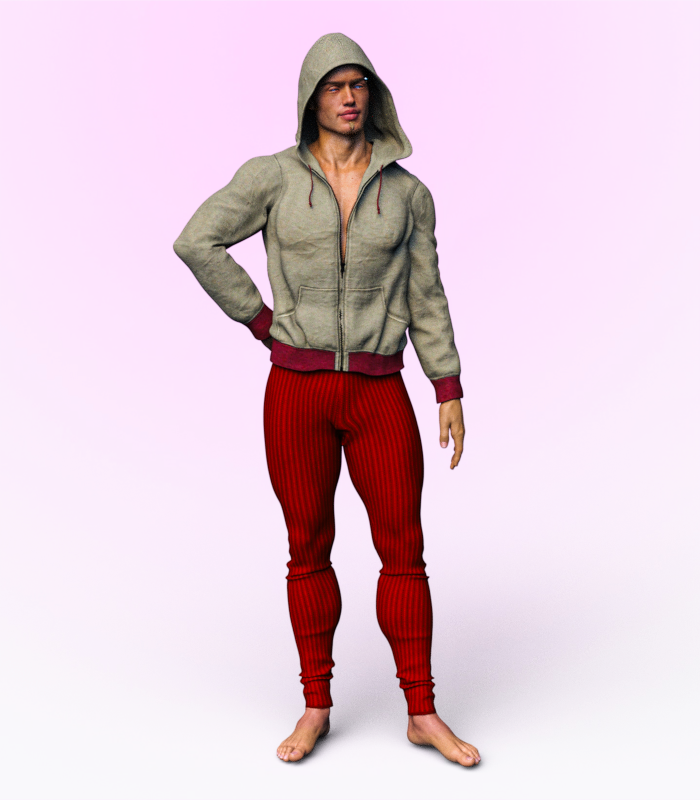
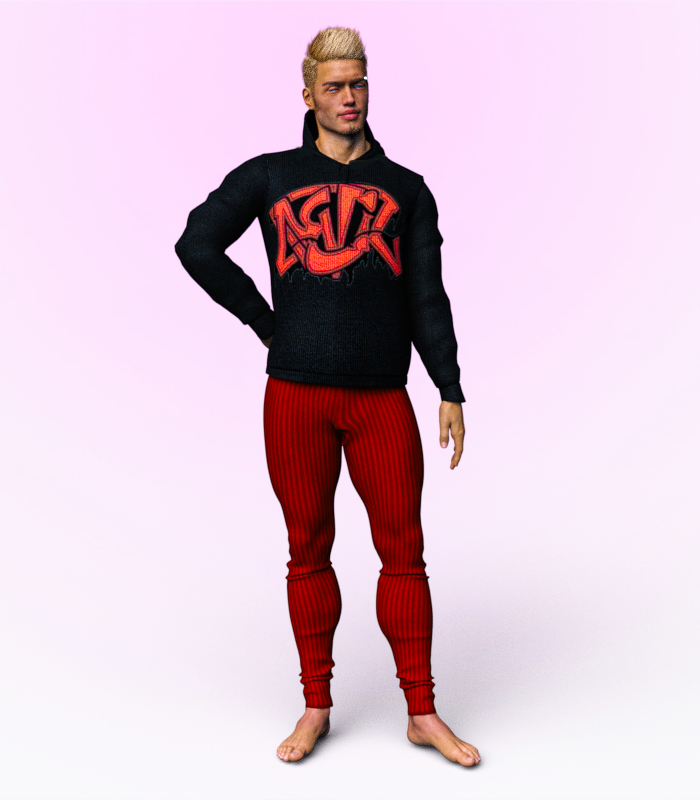 Figure prop, rigging anomaly while posing bone rotations
I do have reverse deformations ticked when I import the morph, if that is what you mean, and the pose is zeroed when I import.
Figure prop, rigging anomaly while posing bone rotationsI'm not following what you are doing here, but one thing to check is that you are using Reverse Deformations to subtract the effect of the pose from the morph, leaving just the correction.
Daz 3D is part of

Connect
DAZ Productions, Inc.
7533 S Center View Ct #4664
West Jordan, UT 84084Licensing Agreement | Terms of Service | Privacy Policy | EULA
© 2026 Daz Productions Inc. All Rights Reserved.