-
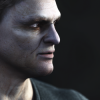
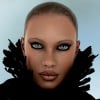
Predatron Goblin Cleric
The different materials are in the Content Library, in the Poser Formats section under Poses/P3DA_GoblinCleric. You can locate assets in DIM by selecting the product and using the right-click -> Show Installed Files... You can see the full path of all the files that were installed. Or, you can browse the product archive to find it much the same way.
About the ears, you actually have a choice. You can make the hood fit over the ears, or hide the ears. Select the Robes hood, or the Goblin Cleric head, and look for the approriate morph in the Parameters tab.
I'm surprised that you have Smart Content for the Goblin Cleric, it has no metadata, unless you added it. The base Goblin figure has metadata, but nothing you are looking for is in there.
Perfect, robes materials found
Perfect, ears hide, the slider is "Ears Gone"
Thanks and kind regards, Xavi
Predatron Goblin ClericThe different materials are in the Content Library, in the Poser Formats section under Poses/P3DA_GoblinCleric. You can locate assets in DIM by selecting the product and using the right-click -> Show Installed Files... You can see the full path of all the files that were installed. Or, you can browse the product archive to find it much the same way.
About the ears, you actually have a choice. You can make the hood fit over the ears, or hide the ears. Select the Robes hood, or the Goblin Cleric head, and look for the approriate morph in the Parameters tab.
I'm surprised that you have Smart Content for the Goblin Cleric, it has no metadata, unless you added it. The base Goblin figure has metadata, but nothing you are looking for is in there.
Purging face transfer data?Where is the FT data being held? I would like to try to purge it or remove it completely since I strongly suspect that it is what is causing G8F to beraly load. It takes 10 minutes figure alone and now over 20 so far to merge to a large scene. I never tried FT with G8M and it loads normally.
Daz inc. innovating,imitating or stagnating??I understand the quote, I've read about the instances behind it. That's not really the point, would Daz use this quote if it didn't have 3 big Hollywood movies listed in it??? I rather think not. I think Daz likes that tie in to Hollywood. And the irony I mention is that now they use game engines to achieve this, like in that movie. Using Unreal like they did was all about accurate character and lighting tolerances, and getting that feedback in real time. Being able to do that in real time is the game changer. I'm also sure that many people chose not to learn new things as they use Daz, mainly because they don't want to for a variety of reasons. They pay for the convenience Daz offers. Thats really why most of us are here, like I said, Studio's ease of use is one of its best perks. Still, its almost unavoidable to learn something. And regardless, many also get to a point to where they have tons of the same thing, and decide they don't need to get anymore. Once you have so many models, its only natural to get picky over what you buy. Its like food and wine, the more wines you drink, the more discerning you become over what wines you buy. But wines are consumable, 3D assets do not disappear after use. Once you have a large collection of assets, it takes something truly unique to catch your eye. We've had Iray for a while now, so it takes more than just a pretty face to get noticed. Dforce is sort of the new thing, and a bunch of clothes are dforce now which gets some to buy new clothes. Dforce hair seems to be not so adopted, with the exception of animals and creatures, and I'm not sure how popular animals are at Daz. I'm still agitated we couldn't get a brand new Cat 8. But video games can do physics for everything, not just cloth or hair. You can tie your character down to the ground properly. This stuff doesn't just help animation, it can be used for single frames, too. As game engines get better and better, people will be looking at them for their rendering needs, even still pictures. Can Daz tackle that demand? I think Daz should strike up as many partnerships as possible here, so that they can get their models more adopted in this growing field, and the Daz Genesis can become its own industry standard. Didn't Genesis 8 use new weight mapping that was more of an industry standard for a similar reason? I think Daz should work on a skeleton that is primed for export to Unity and Unreal (not just FBX export, but more like a primer before the export), and this skeleton can be applied to any Daz figure through the transfer tool. That would mean people can choose which they use. Daz could also have a better system for importing models into Daz. It would be great if people could import models into Daz with their rigging intact.No Face Transfer PaneFrom Rob:
The Face Transfer plugin failing to load on some machines may be due to a dependent library (e.g., msvcp140.dll) that does not exist on the user's machine. If this is the case, until we update the package to either include the VS 2015 redistributable or we can get a 3rd party library compiled with an earlier version of the compiler, users that experience this issue can download/install "Visual C++ Redistributable for Visual Studio 2015" from Microsoft @ https://www.microsoft.com/en-us/download/details.aspx?id=48145 and this should resolve the issue.
This fixed it for me.

Thank you, Richard, for forwarding that information!Is GenX worth it?Next problem: The Agnes morph uses some sort of scaling, causing her to float above the ground. Probably because the original root node is not at ground level. Tried to fix it with the joint editor, selected the Genesis hip and tried to transform it to make the feet touch the a ground, but nothing happens when I transform the hip centerpoint. How do I use the joint editor?
Moving the centre point chnages where the centre point is relative to the model, it doesn't chnage the location of the model in space. You probably need to translate the figure to stand on the floor, then use ERC Freeze (being careful to apply ERC Bake first if therea re existing links) to tie the translation to the morph.
Ok, will look into it. So do I translate the figure node or the hip node?
Fawne Figure QuestionI don't have this one, but I have a character or two of his. She's just like any G8 figure, so any G8 morph and skin will apply. If you have a morph to change eye size, that could work. You could also try dialing her shape to less than 100%. I bet using bluejaunte Sina skin on her would look incredible, or mixing them a bit. Apply Sina preset, then replace the color texture with Fawne's, and maybe the translucency maps. This tactic works extremely well with a lot of skins.Sina is great, and do like her skin. Plus her makeup is subtle so would be ok for a kid, and she's on sale!
Is GenX worth it?Next problem: The Agnes morph uses some sort of scaling, causing her to float above the ground. Probably because the original root node is not at ground level. Tried to fix it with the joint editor, selected the Genesis hip and tried to transform it to make the feet touch the a ground, but nothing happens when I transform the hip centerpoint. How do I use the joint editor?
Moving the centre point chnages where the centre point is relative to the model, it doesn't chnage the location of the model in space. You probably need to translate the figure to stand on the floor, then use ERC Freeze (being careful to apply ERC Bake first if therea re existing links) to tie the translation to the morph.
Is GenX worth it?Next problem: The Agnes morph uses some sort of scaling, causing her to float above the ground. Probably because the original root node is not at ground level. Tried to fix it with the joint editor, selected the Genesis hip and tried to transform it to make the feet touch the a ground, but nothing happens when I transform the hip centerpoint. How do I use the joint editor?
Fawne Figure QuestionI don't have this one, but I have a character or two of his. She's just like any G8 figure, so any G8 morph and skin will apply. If you have a morph to change eye size, that could work. You could also try dialing her shape to less than 100%. I bet using bluejaunte Sina skin on her would look incredible, or mixing them a bit. Apply Sina preset, then replace the color texture with Fawne's, and maybe the translucency maps. This tactic works extremely well with a lot of skins.DAZ Studio 4.12 ... Face creation abilities????There are rules to follow to get the most out of it, which mirror those of Facegen.
-No toothy smiles, or smiles in general. Keep the expression neutral.
-Use as even lighting as possible.
-Keep hair out of face
-Keep the face level and pointed at the camera. If the face is tilted to the side, just use photoshop or something to straighten it out first.
-Using clear and higher resolution pics will help.
-FOV is important. If you are too close to the face, this distorts the result. Keep the camera back. You want a high quality pic, but not zoomed right up on the subject.
That is a lot of stipulations to consider, and even then, there may still be issues depending on the subject's face. This software can do some things, but Facegen is better. However Facegen is also a lot more expensive, and it certainly is not perfect, either. Facegen allows you to use any texture set as a base. The Pro version sold at Daz can export to ANY Genesis base 1-8, while Face Transfer only does G8. That's cheap Daz! You could at least support G3 since they are so similar.
I am surprised we haven't got to a point where we can use some deepfake AI like tech for this. It has to be possible, did you guys see that Chinese app "Zao" bringing deepfakes to phones. Phones! At the very least, it should be able to create a texture, which is a big part of the battle.
Anyway, I got curious, I do not have this yet since I have not updated Daz yet. But I wanted to see what I could do with one of the images posted here.
Sooo, not having much luck... Margot Robbie Face Transfer and then with Mousso's Ryleigh texture....
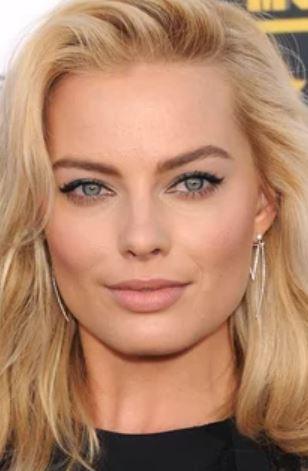
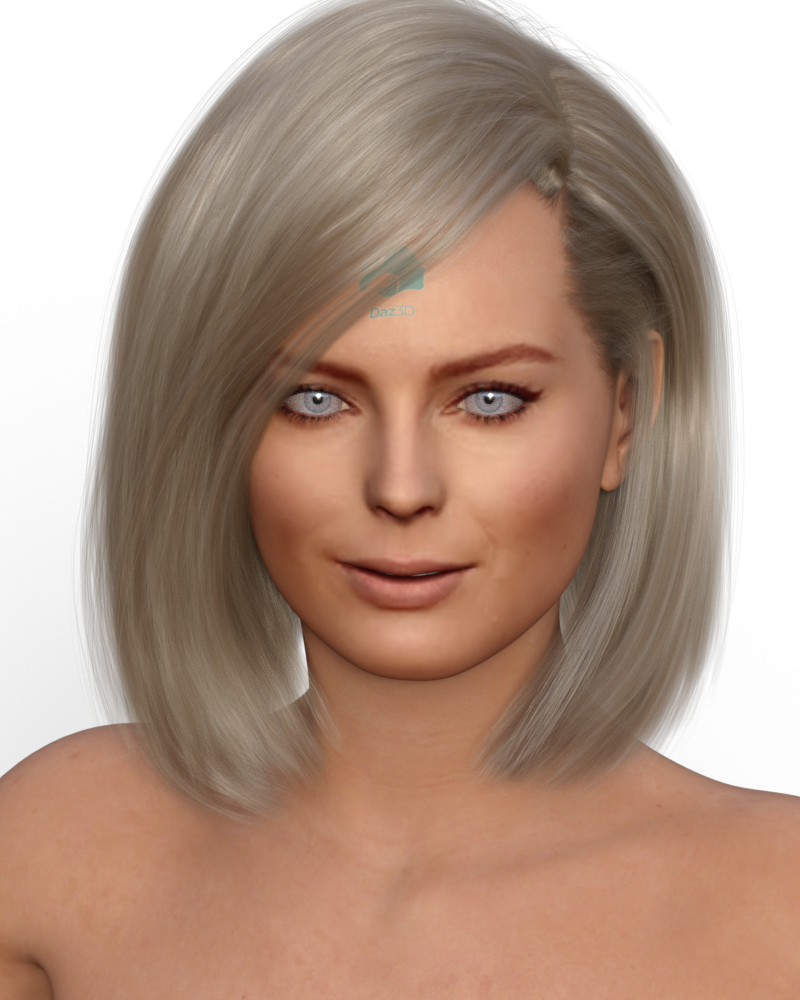
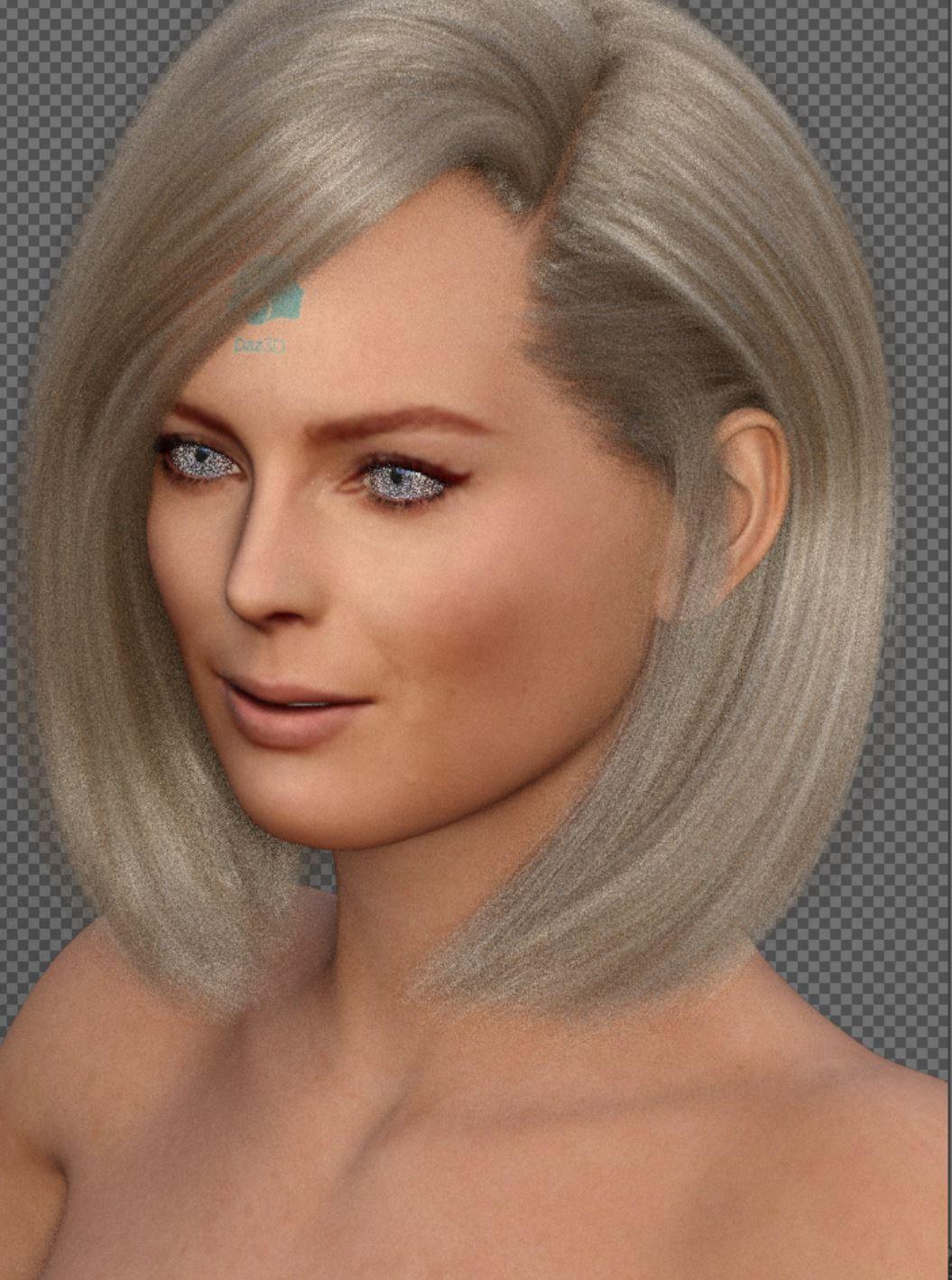
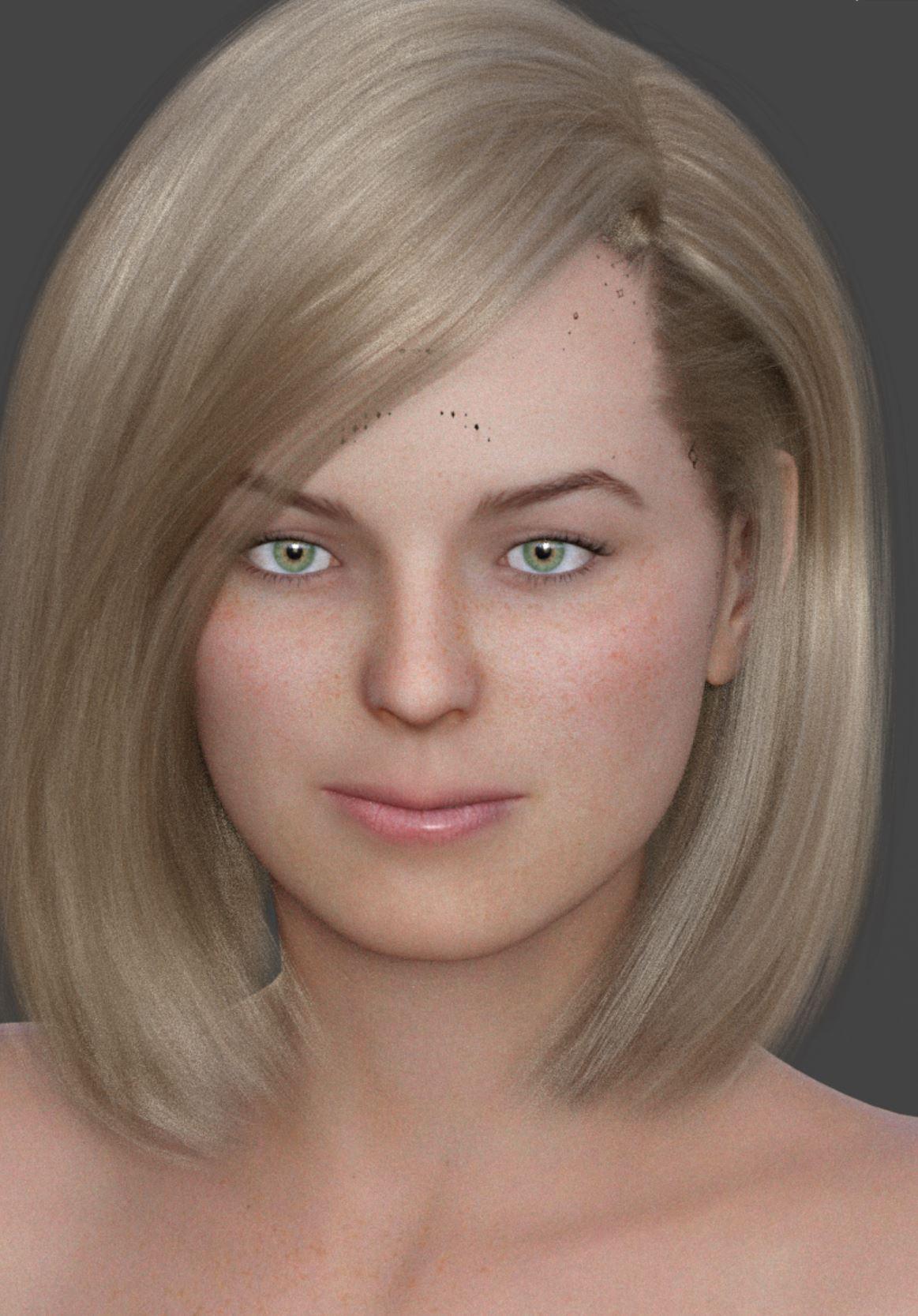
So what I did was first do a reverse image search to see if I could find a larger pic. I found the exact image at 1600x994. Not huge, but bigger than what was posted here. I then went by my rule and rotated the image a bit until her eyes were level. Then I fired up Facegen, and exported to G8. Of course, with Facegen you must manually apply the textures. I applied them to the default G8 female. She turned out super red, a combination of the generated texture being a bit red plus Daz's strange fetish with orange people. So turned the trans map color to pure white, and the SSS color to white as well. I placed the Facegen textures in both the color and translucency sections. I gave her bluejaunte Amira green eyes, and that is all. I made no texture edits. Even with so little effort, she turns out OK.

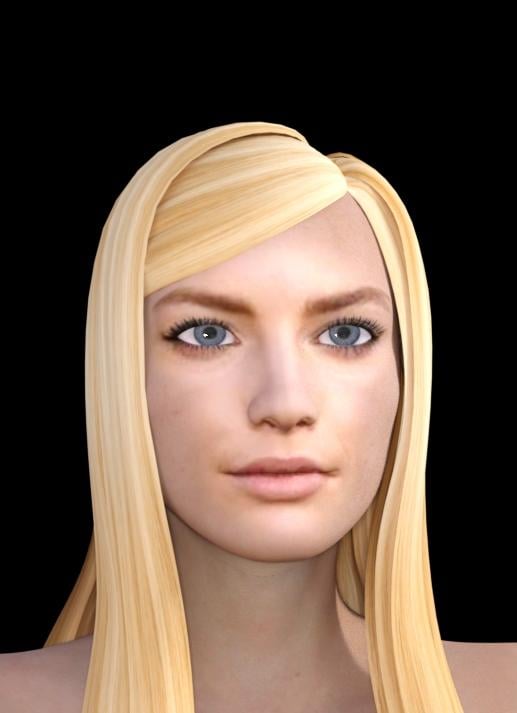
So, after this many tweaking, there's another Photo-to-3D software, HeadShop 11. Without any tweaking, dialing or Photoshop, it produced the head below. Repeat, no tweaking, just one click export.
To help visualize the morph that FG created, I rendered a clay version. The is the FG shape dialed in to 100% and nothing else.

You can see the shape looks alright. I am actually surprised just how well it worked. I wanted a better image, so I applied bluejaunte Amira's full material preset and gave her a LIE eyeliner. I then replaced the color textures with the textures Facegen created. I also gave her Super Natural Brows, which the default brow fit Margo's face almost perfectly. I made her lashes a bit longer, and that is all I did to make this.

Comparing this Facegen version VS Daz Face Transfer is IMO a no contest. Daz needs to get the lips fixed urgently, and the face contour for that matter. It doesn't seem like Face Transfer is applying much of a morph at all here. The nose is about the only thing it gets sort of right.
Here is my list of things to improve.
-Lip detection, head shape, eyes, eh, all of that.
-add options to use side view pics as well as front pics for better accuracy.
-add options to adjust skin output color, level of blending (to avoid clown faces), and choice of a general skin map. For example, clean shaved necklines or not for men. Basically a few things that Skin Builder might do.
-support for multiple generations. I think its pretty bad that G8 is the only supported model.
There's another Photo-to-3D product called HeadShop 11. The enclosed pictures were made with HeadShop 11 - straight out of the box, one click. No dial spinning, Photoshop, nothing.
DAZ Studio 4.12 ... Face creation abilities????where do i find the plugin for this
The pane should be in Window>Panes(Tabs)>Face Transfer if you are using 4.12.0.86 Windows 64, if not check Help>About Installed Plug-ins - if it's disabled you may need (for now) a separate isntall of the required Visual C++ Distributable:
The Face Transfer plugin failing to load on some machines may be due to a dependent library (e.g., msvcp140.dll) that does not exist on the user's machine. If this is the case, until we update the package to either include the VS 2015 redistributable or we can get a 3rd party library compiled with an earlier version of the compiler, users that experience this issue can download/install "Visual C++ Redistributable for Visual Studio 2015" from Microsoft @ https://www.microsoft.com/en-us/download/details.aspx?id=48145 and this should resolve the issue.
Kanade Hair on Luna misaligned what to do?That's probably down to the way the morph is being projected into the hair from the figure - the head is bigger relative to rthe rest of the body so there's an abrupt chnage when the projecting mesh goes from head to neck. You probably need a custom morph, though you might be able to use a dForm or two with weight maps to pull the tails straight.
The Arrival of Genesis 9 is lateFor one I do not want G9 .. or G whatever for what it's worth. It is nonsense to reiterate the same assets again and again just to fit a new generation that has nothing new for real. For example what we see in G8 could have been done with a simple G3 update. Nothing stops from adding new templates for the transfer utility or a better facial powerpose to G3 itself.
Then if G9 will have real new features that would be another story.
Daz Studio 4.12 Face Transfer issues?Hi,
Thanks! I have uninstalled the 2017 redistributable packages and installed the 2015 ones (x64 and x86). I also have installed the necessary Nvidia drivers.
The Face Transfer plugin shows up in the installed plugins list, but it says it is disabled. What serial do you need to type in for the trial version?
Face Transfer cannot edit the registration[Face Transfer cannot edit the registration] Its just blank where I should be able to enter a number and I cant seem to run as admin?
Just cannot get face transfer utility to workNot sure what I am doing wrong here. I have tested both the beta version of Daz Studio as well as the non-beta version, and I get the same error message. "Face Transfer failed to generate. Try a different source image"
I have tested a lot of different images, but with no result.
What am I missing?
Daz Studio 4.12 Pro, General Release! (*UPDATED*)Every time i want to save a Face Transfer my DAZ Crashes - What is that all about?
What are your system specifications, and what security software are you using?
Im only using Microsoft Default Security.
DAZ Studio 4.12 ... Face creation abilities????Here is what I am talking about this is Deanna Lund as Valerie Scott on late 60's show Land Of The Giants 1st is face transfer second is Facegen nedless to say Facegen rules!
An older 3DL render of face genned Shemar Moore.
Face Transfer UnlimitedHere's a tool (if I used it to post my image as a 3D character with the program) that would crash the internet, drive everyone else insane/panic, cause the collapse of society and increase the price potato chips.
Daz 3D is part of

Connect
DAZ Productions, Inc.
7533 S Center View Ct #4664
West Jordan, UT 84084Licensing Agreement | Terms of Service | Privacy Policy | EULA
© 2026 Daz Productions Inc. All Rights Reserved.