-
G9 character Rigging randomly broke
Duck Dumble said:
Okay, I found out what it was. Totally my mistake (shocker.) For whatever reason I tried to save a character morph the other day and for whatever reason it overwrote all the base morphs for G9. Many of them translated just fine, but a good few were completely broken like the ones I was having issues with. Going in and deleting them seems to have fixed it. Hope this helps whoever makes the same mistake!
Had you perhaps used File>Save As>Support Assets>Save Modified Assets, instead of File>Save As>Suport Assets>Save Modifier Asset? I think that is an easy misfire, but it will save everything that has been altered from its default state (potentially including stock morphs) rather than just the new morph you wanted.
Custom Gens Morph... HELP!Quote:
"2: Hide all unused geometry (eyelashes, tear ducts, eyebrows, etc.)"
I think hiding is not enough.
You'd better work ONLy with the geograft or use "Primary Figure from Graft" in the roll down menue of Morph Loader Pro.Art, the arts, CGI comics, Graphic Arts, AI and everything else.Griffin Avid said:
Corrections. Part of the clean-up process for CG artists using 3D models (and the CG environment) is checking for errors.
These are some of the common errors to look for.
Floating feet - It can be difficult to see where your character's feet meet the ground. There is a function to move your character's feet to the ground.
Edit/Figure/Move to Floor
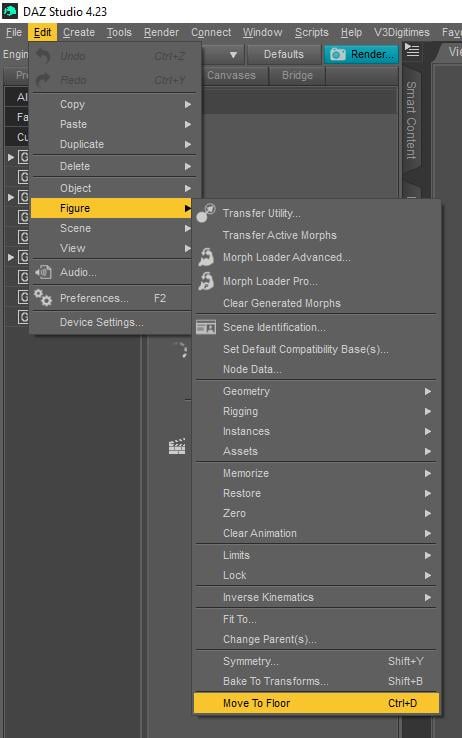
You can make adjustments and re-render or move the shadow under the feet using post work.
Arched feet/Flat Feet- Many pose presets place the character's feet in a high heeled foot position. It's a giveaway when your character is standing flatly but the feet are still in the high-heeled pose. Also happens in reverse. Character wearing heels and a non-matching foot pose. Fixes include choosing the ankle and ...
Edit/Figure/Zero/Zero Selected Item(s) Pose
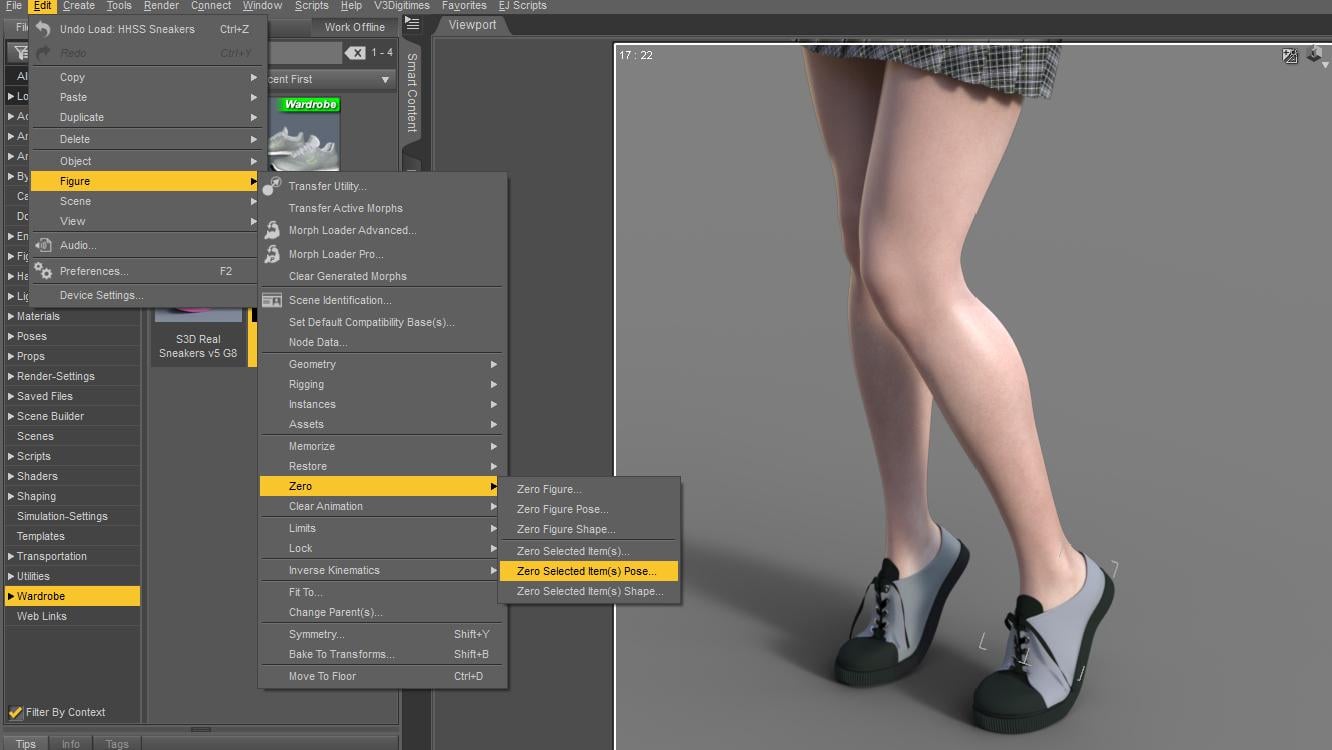
* You can also choose Zero Poses from your library and add them to favorites to reset hands and feet for fast edits.
(Most pose products in the store will have a Reset or Zero pose included among the poses) OR just pick a foot pose matching the wear of the character.
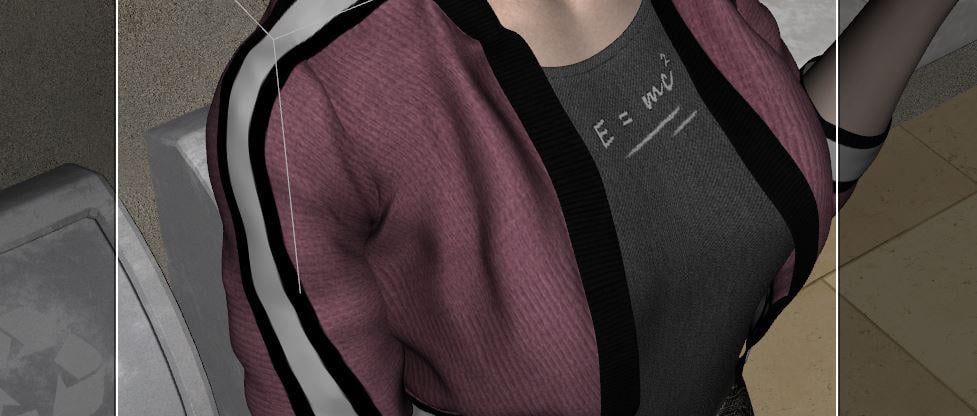
Poke Through- Occurs when overlapping clothing layers 'poke through' in certain places. A shirt sleeve may poke through a jacket. A foot or sock may poke through a shoe. There is usually an adjustment morph on the two items which can be adjusted to pull the shirt tighter and make the jacket "looser" by expanding. Sometimes it makes the outer clothing item balloon out and not fit nicely. This can be fixed in Post or, if all else fails -a drastic measure for the advanced is to make a second copy of the shirt (add it twice) and use the Geometry editing tool to cut out the poking polygons. Always SAVE before you try this. lol The reason you'd make a duplicate of the worn shirt is, once you cut the shirt you can't undo the edit. One shirt is made invisible and is still there in case you need to show the shirt later on. Almost NEVER cut the polygons of figures as they are high-poly and will almost always tax your system.
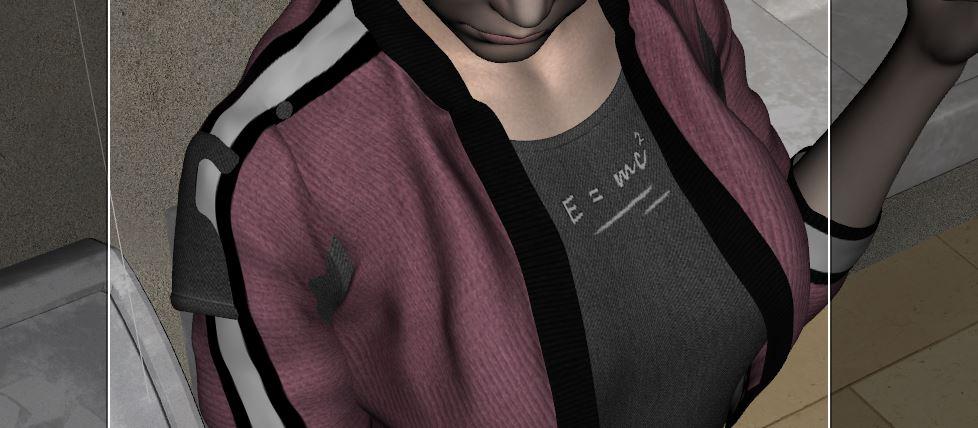
Using Tool/Geometry Editor (Marquee selection to choose the shirt parts the poke through), then right click to...
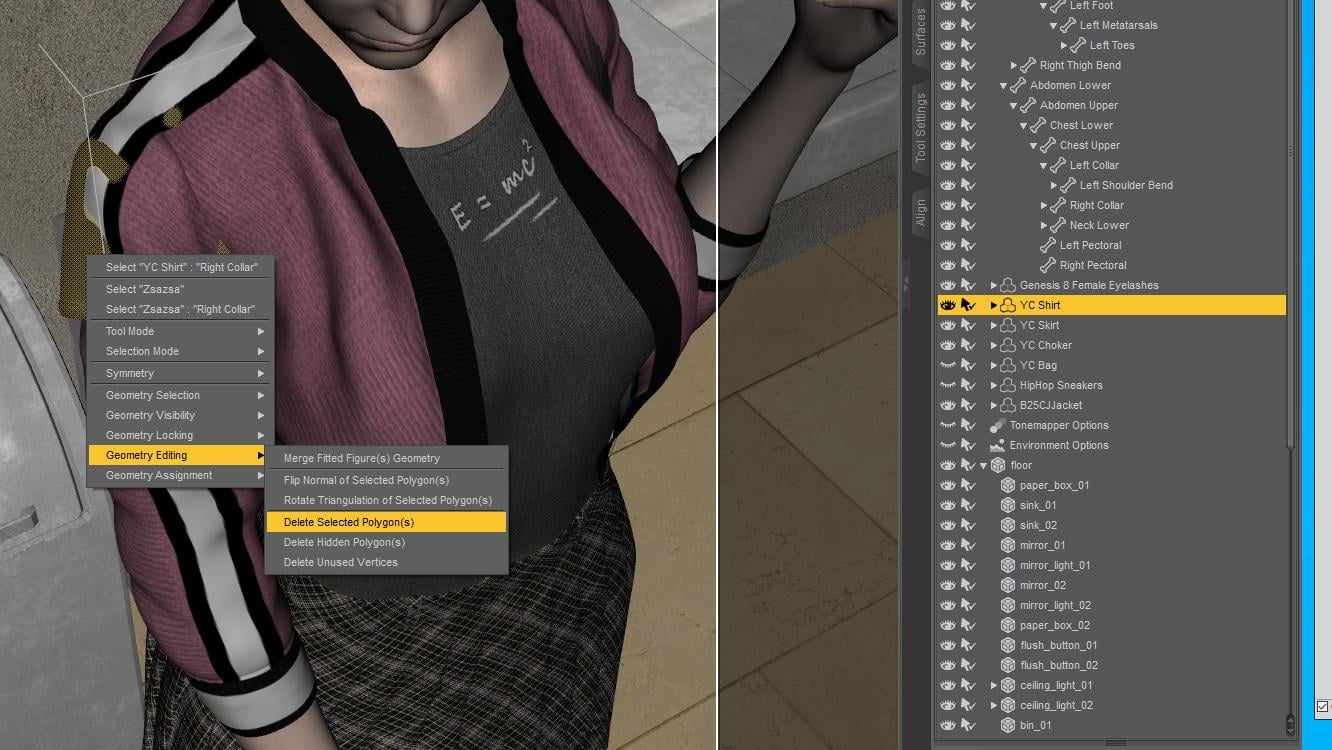
Shirt parts are cut away.
Eye Sore - Characters not looking at each other or the right object. I've used two products to sort this out over the years.
https://www.daz3d.com/look-at-me-ii-pose-control
https://www.daz3d.com/eye-clock-pose-control-for-genesis-3-and-8-male-s-and-female-s
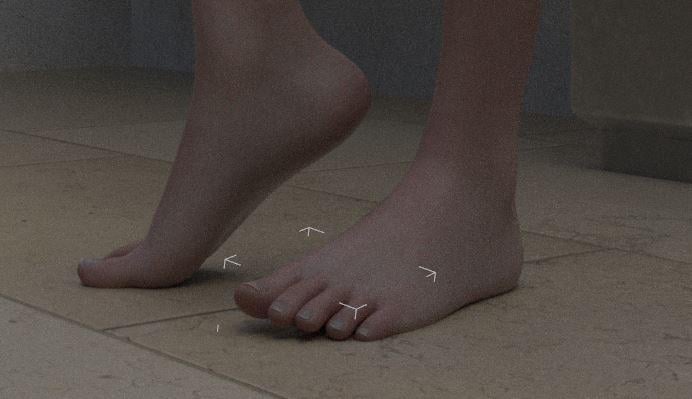
Intersecting Objects - Getting hand poses (holding things) correct and getting characters to sink into objects. Body parts squish on impact. There are morph products to flatten and compress. At worst, sink your character into the surface a small amount (usually feet flatten when supporting weight) . Make sure fingers, feet and items do not overlap.
Feet are sunk a little into the floor.
More later.
Excellent tips. Many thanks for sharing and so kind of you...
G9 character Rigging randomly brokeOkay, I found out what it was. Totally my mistake (shocker.) I tried to save a character morph the other day and for whatever reason it overwrote all the base morphs for G9. Many of them translated just fine, but a good few were completely broken like the ones I was having issues with. Going in and deleting them seems to have fixed it. Hope this helps whoever makes the same mistake!
Unwanted Genesis 8 parameters appearing in Genesis 9Actually, problem solved as there were a number of G8M morph files in the folder data>DAZ 3D>Genesis 9>morphs>(my name)>product> ...and then files starting with CTRL and RSSY. I quarantined them and all's well.
Custom Gens Morph... HELP!Is it adding geometry in the sculpt part, or just moving vertices and adding a normal/bump/displacement map for the detail? Adding geometry will make it fail.
Are you unchecking sub-d (viewport and render) before exporting (not sure if that matters when using 'base resolution' but I do it anyway.
Also make sure you've got the alignment right for export and import (x,y,z - which one is 'up' and which is 'forward') - it should still import the morph but it'll go all wonky if you get the y and z mixed up - I recall that the default options aren't good for Blender.
^That's all I can think of.
Custom Gens Morph... HELP!I'm sorry if this isn't in the correct area, I'm trying to create a custom sculpted morph for Genesis 9 Male Anatomical Elements, but no matter what I do the dreaded " Geometry does not match, failed to create morph" error come up on using Morph Loader Pro to import the OBJ... Here's a breakdown of what I'm doing:
DAZ EXPORT:
1: Ensure Base level resolution in Parameters/General/Resolution level: Base
2: Hide all unused geometry (eyelashes, tear ducts, eyebrows, etc.)
2.5: MAKE SURE IGNORE INVISIBLE NODES IS SELECTED!
3: OBJ Export Options: Scale @ 1% (Sculpting in Blender, so 1% is needed)
BLENDER IMPORT
4: Geometry: “Split by Object” disabled
5: Sculpt morph
BLENDER EXPORT
6: Geometry: “Keep Vertex Order” enabled
7: Limit to: Selection Only
7.5: Scale @ 100%
DAZ IMPORT FROM MORPH LOADER PRO
8: Create Control Property: Yes
9: Property Group: Choose appropriate location
For context, I'm trying to create a dorsal vein morph as there doesn't seem to be any purchasable merchant resourses anywhere for that specific need. I've sculpted it and it looks good in blender, but getting it back into DAZ is proving to be a mission... Thanks for any help with this!
G9 character Rigging randomly brokeThis resembles my problem with a G2M figure. His only shaping morph is Genesis 3 Male for Genesis 2 Male(s).
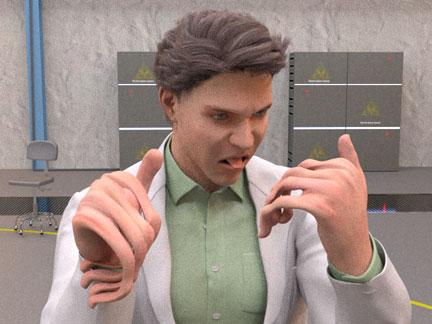
He's been assigned several poses as keyframes along his timeline. At some frame the pivot points of the joints are dislocated, because the deformity increases as the time advances, but I see no user way of finding or correcting these values. I'll try reinstalling the morph and G2M. Thanks for the advice.
Hallelujah!
DiscipleEverett 9 HD - Discussion ThreadI also got some Tommy Lee Jones vibes from some of the promos.
Some play renders, with the big versions attached.
His HD:
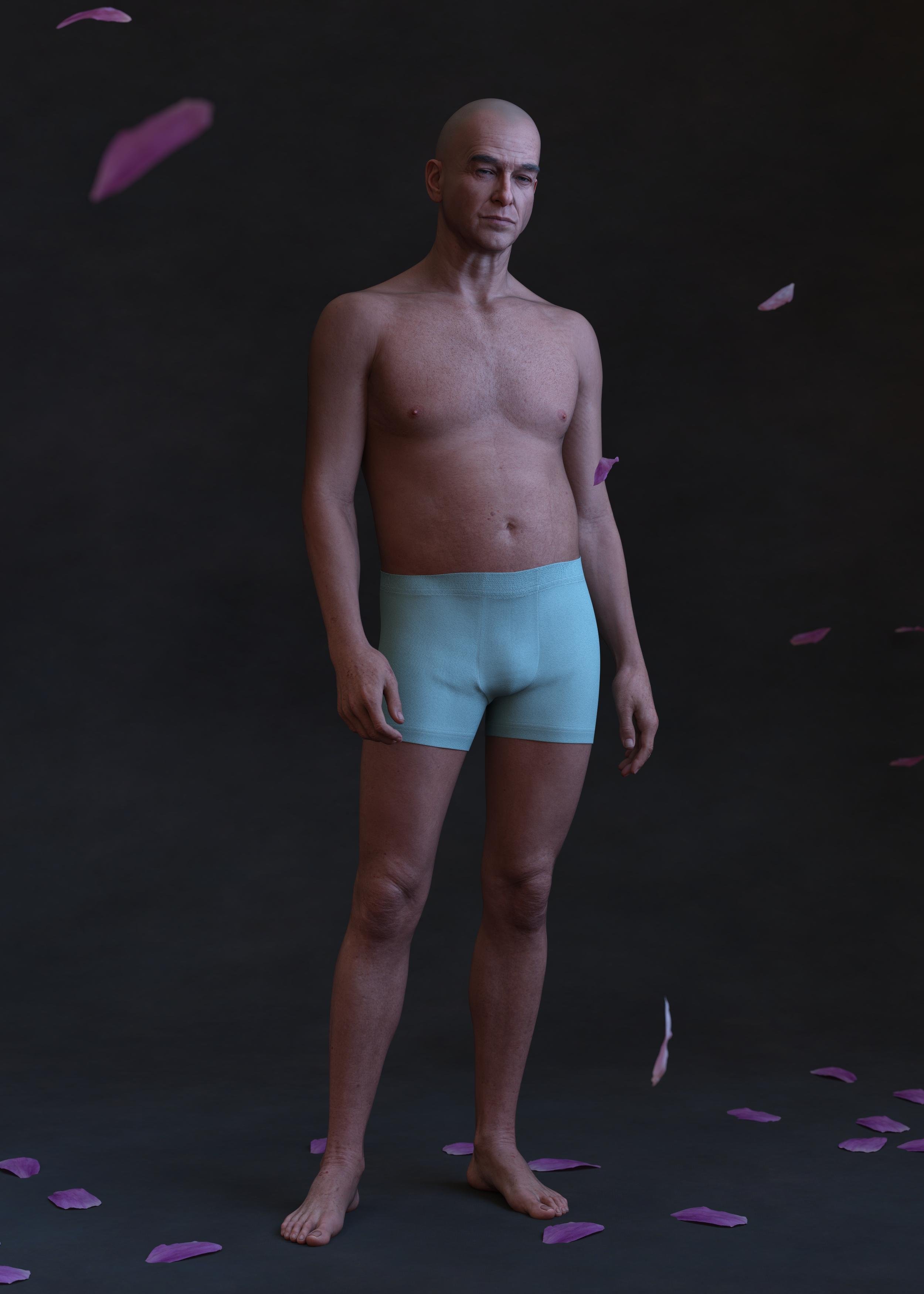
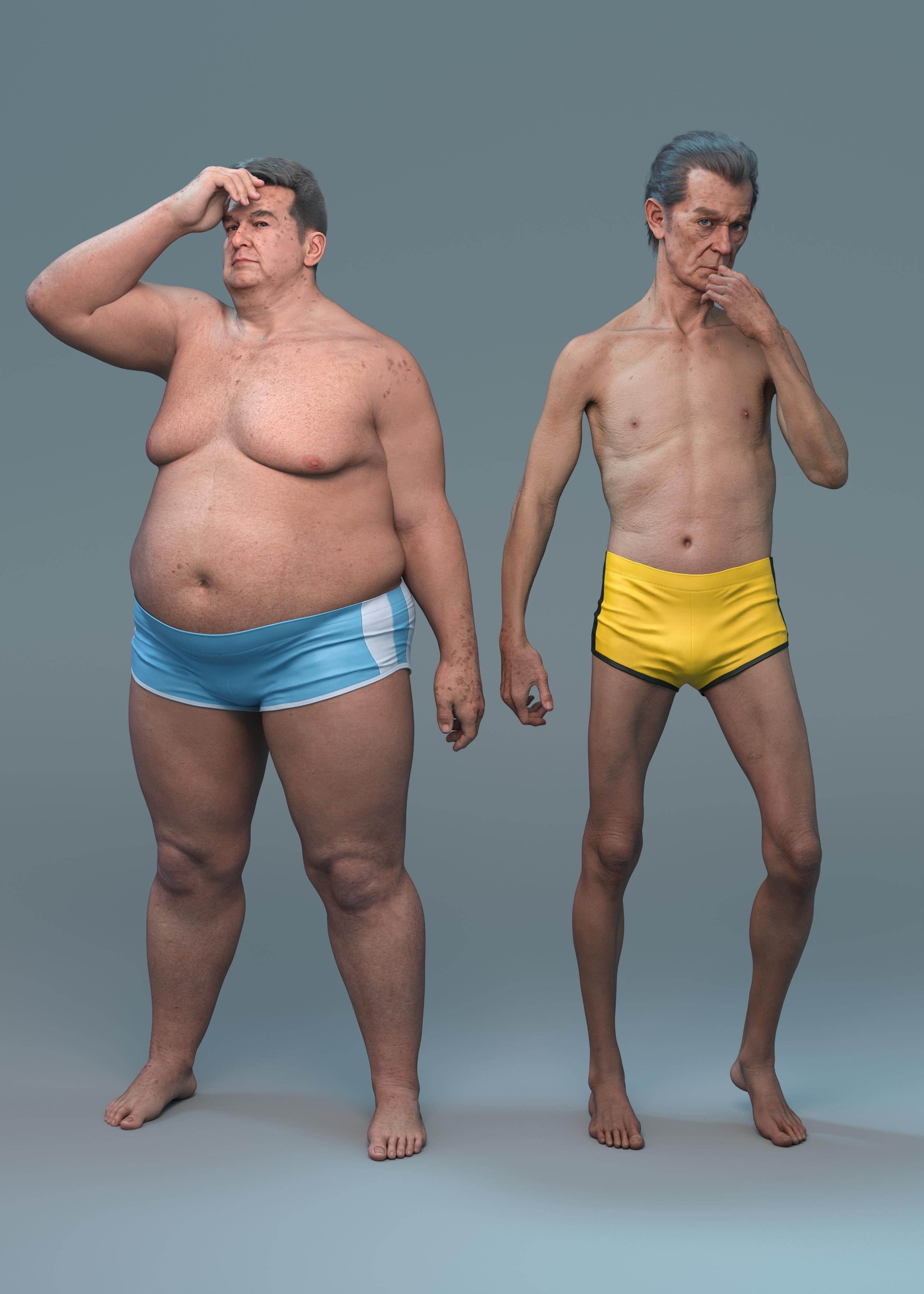
Eric for Everett next to Walter 9 HD. I've applied Walter's age spots to both. Walter here is wearing the hair that came with the bundle but I think that was a 3rd party omni shader I rendered it with. I doesn't appear to have any movement morphs, but the groom is nice enough.
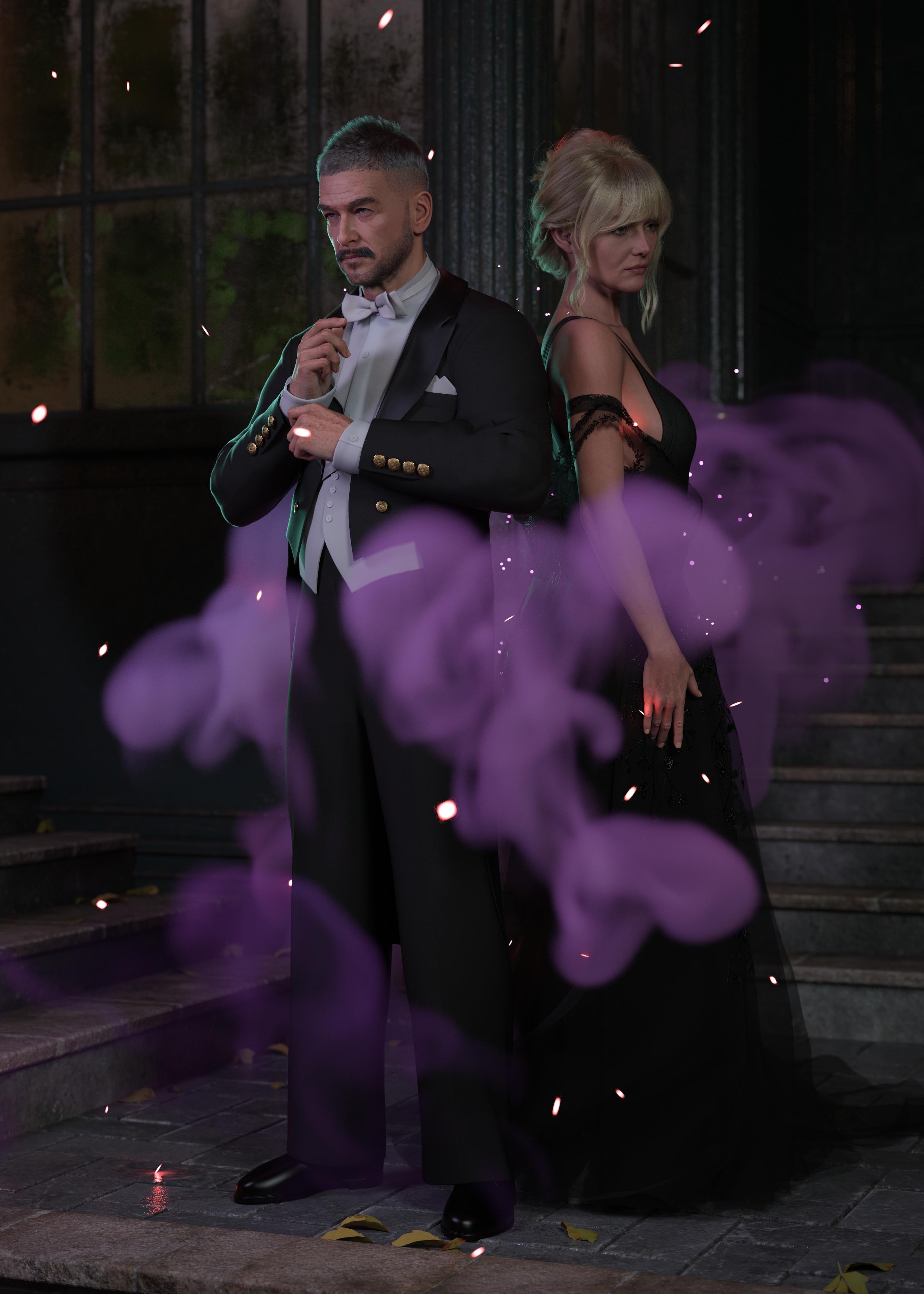
Everett in the the suit! The few simple poses I tried it in simulated well with no dforce explosions. I haven't tried it with a character sitting down yet.
Walter 9 HD in background withs his own materials and a 3rd party tattoo layer applied. (Eyebrows swapped out). In the foreground is a 50% mix of John 9 and Walter 9 with John's base material. Hey presto, an almost Javier Bardem inspired charactere. Walter seems to work ok as an age morph.
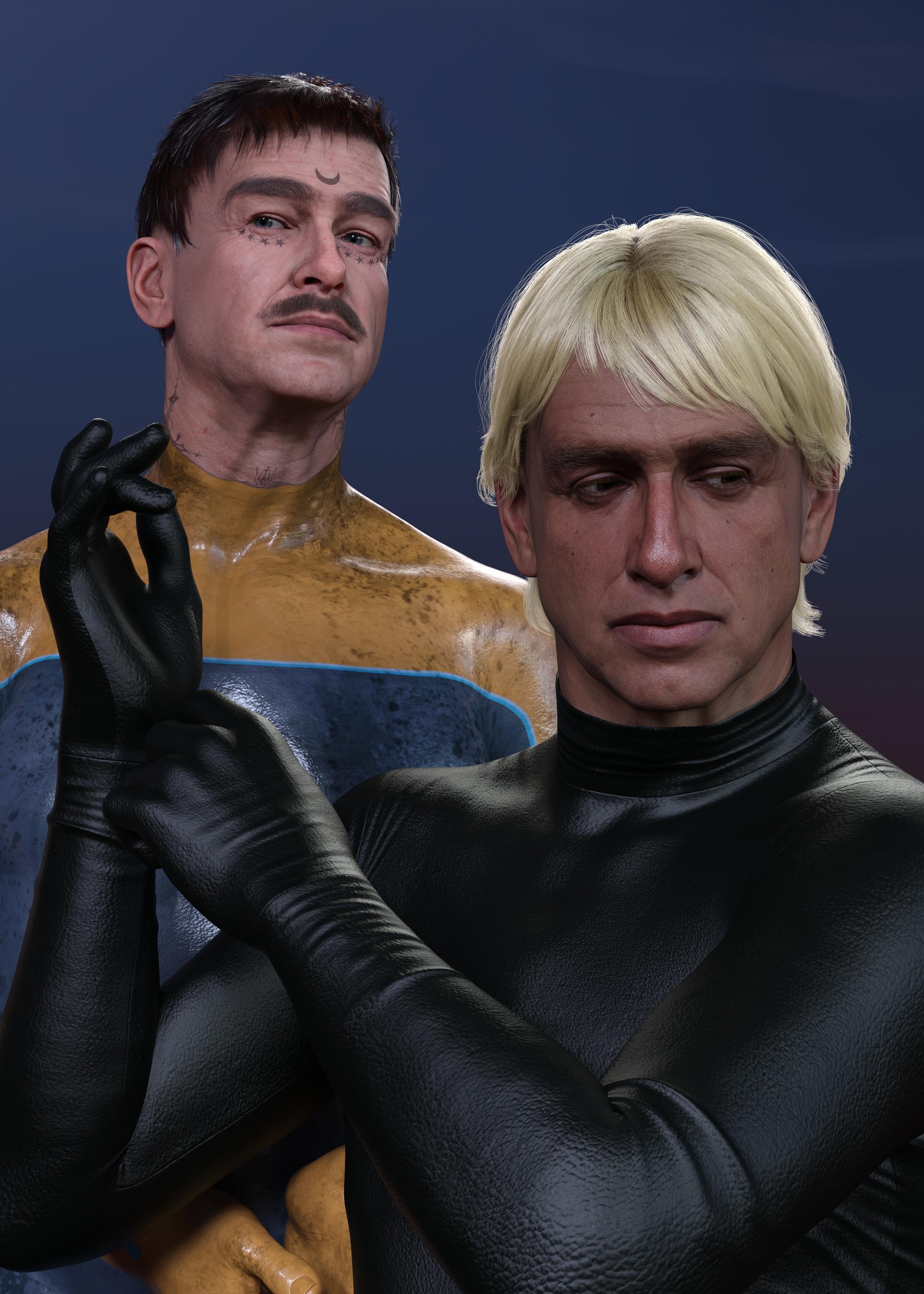
Compliments to the people that worked on him. It's rare to get wrinkles that render without immediately looking uncanny.
dForce ArchmageIs this just happening to me, or is it a bug?
Whenever I extract a morph, all geograft settings in geoshells are reset back to their default values.Reproduction steps:
Load G8F default figure.
Add G8F anatomical elements (or any other geograft).
Add a new geoshell.
Turn off anatomical elements (or your chosen geograft) from surfaces in geoshell.
Add a dforce item of clothing and simulate.
Extract morph using Archmage.
Look at the geoshell - you will see that the added geografts surface has been turned back on.This happens to ALL geoshells in the scene, even if on other characters. It resets all geografts to their default values after every morph extraction.
dForce versus movement morphsQuick demo.
Here I used that at start the character was partly rotated to help with the cape flowing after the character.
If you want a stiff cape like for Batman, you might be better of with a morph.
 Unwanted Genesis 8 parameters appearing in Genesis 9
felis said:
Have you used some kind of morph conversion?
I have some custom morphs but they are not part of these morphs...they're standard DS products intended for G8 but appear in my parameters tab when working on G9...
Geometry Shell breaking after rigging❗Padone said:
you can try to join the geometries before conversion.
object > join
Tried that before; didn't work. But I think I figured out (2) workarounds that may work... The only problem is, how?
Solution 1
-
In Daz, Export the character as a OBJ. {This should nullify the geoshell.}
-
Import the OBJ into Daz with the original model.
-
Convert the OBJ using Convert Prop to Figure.
-
Extract the skeleton from the original model using Extract Donor Figure.
-
Transfer Rigging not working!
Solution 2
-
In blender, delete the original model; leaving only the skeleton.
-
Import the OBJ.
-
How do I merge the skeleton & OBJ!?
Tried searching yt for both mergers, but none were helpful.
Padone said:
p.s. Of course more details about what you're doing can help,
Converting Daz skeleton to a [proper] UE5 skeleton. Of course I can using any Non-geoshell clothing, and be done with it. But I want to use these!
Unwanted Genesis 8 parameters appearing in Genesis 9Have you used some kind of morph conversion?
Can scenes saved in Daz 2026 still be opened in 4.24?Are scenes saved in Daz 2026 backwards compatible with 4.24? My understanding is that older Mesh Grabber plugins that work in 4.24 won't work in Daz 2026 (assuming the author does not create an update). I'm thinking of a scenario like this...
1) Working on a scene in 20262) I realize that I need to make an adjustment with Mesh Grabber
3) Can I open this scene in 4.24, make the Mesh Grabber modification and then save it as a morph?
4) Open in Daz 2026 and render.
Thank you.
Let's appreciate/discuss today's new releases - more ongoinger threadI am guessing Male-M3dia is the PA behind it as looks like his style
it's appropriately priced for a morph
Let's appreciate/discuss today's new releases - more ongoinger threadvwrangler said:
Leana said:
vwrangler said:
You know ... given the price paid, I don't actually mind that much, but Daz should have mentioned SOMEWHERE on the individual Shooting Star character pages that those characters are morphs/shapes-only. At 2.99/4.99 for gold/silver stars, it seems reasonable.
However, if I'd paid the actual list price -- even the new-item Daz-O discount price for club members (allegedly $9.30 as a new item for Daz+ members without stars upon thars, 18.99 for everyone else) -- and had no warning that was what I was getting, I would be FURIOUS.
Are they using the textures from the starter essentials? There are no textures listed on the product page though there are material files, and the promo pictures mention using some of the G9 base textures.
Yes, exactly. For example, https://www.daz3d.com/garrett-for-genesis-9 loads with Base Masculine 01 texture. And if you look at his readme, he has absolutely nothing in runtime/textures in the file list.
I think the idea behind using promos with these characters having only base materials on them is to quietly signal what's going on, but they should just straight up say, "This character is a morph/shape-only item, and the default load uses the materials from the starter essentials." It's very easy to miss that small text down in the corner of the image, and even so, there's one image unlabeled, one image with a fair labeled texture, one image with a dark texture labeled, and one untextured image. The unlabeled image gives the impression that the character comes with its own texture, and that's not the case.
I agree, they should make that more clear.
Let's appreciate/discuss today's new releases - more ongoinger threadLeana said:
vwrangler said:
You know ... given the price paid, I don't actually mind that much, but Daz should have mentioned SOMEWHERE on the individual Shooting Star character pages that those characters are morphs/shapes-only. At 2.99/4.99 for gold/silver stars, it seems reasonable.
However, if I'd paid the actual list price -- even the new-item Daz-O discount price for club members (allegedly $9.30 as a new item for Daz+ members without stars upon thars, 18.99 for everyone else) -- and had no warning that was what I was getting, I would be FURIOUS.
Are they using the textures from the starter essentials? There are no textures listed on the product page though there are material files, and the promo pictures mention using some of the G9 base textures.
Yes, exactly. For example, https://www.daz3d.com/garrett-for-genesis-9 loads with Base Masculine 01 texture. And if you look at his readme, he has absolutely nothing in runtime/textures in the file list.
I think the idea behind using promos with these characters having only base materials on them is to quietly signal what's going on, but they should just straight up say, "This character is a morph/shape-only item, and the default load uses the materials from the starter essentials." It's very easy to miss that small text down in the corner of the image, and even so, there's one image unlabeled, one image with a fair labeled texture, one image with a dark texture labeled, and one untextured image. The unlabeled image gives the impression that the character comes with its own texture, and that's not the case.
G8F model thumb segments bend sidewaysmust be the Ehlers-Danlos thumb morph
G8F model thumb segments bend sidewaysI dont know where this character came from, how youve been saving it, etc. But however you ended up here, the thumb bone rigging is wrong.
use joint editor tool to adjust orientation of faulty thumb bone in Tool Options pane.
As for how to save out permanent fix... you would usually update rigging by going to Paramaters>Edit Mode>click relevant morph with linked rigging changes > ERC Bake add etc > (this unlinks the rigging changes from your character morph) -> correct the rigging -> ERC Freeze (this links the rigging adjustments to your morph so theyre dialled in with morph)
Daz 3D is part of

Connect
DAZ Productions, Inc.
7533 S Center View Ct #4664
West Jordan, UT 84084Licensing Agreement | Terms of Service | Privacy Policy | EULA
© 2026 Daz Productions Inc. All Rights Reserved.