-
Auto Face Enhancer [Commercial]
This is my top favorite product in the store right now, I like how the eyes change shape when looking around. It's much more natural now.
However, there is a bug when turning on HD details for Kala 8. It makes her all wrinkly: (gif)

Any idea why this is happening? I disabled AFE bump, morph, and powerpose controllers and even uninstalled the smoother from your dropbox.
3D Art Freebie Challenge-February 2020-"Natural Love" -Main Thread Only
Title: The Dance
DAZ Studio, Adobe Photoshop
Version before postwork attached below:Freebies:
1) Dryad by Aboran Tourist Council: https://www.renderosity.com/mod/freestuff/v4-dryad-conforming-figure-forposer/75975
2) Tree by Design Anvil: https://www.daz3d.com/forums/discussion/379371/da-super-morphing-tree-2020-cherry-blossom-and-oak-tree/p1
3) HDRI by valzheimer: https://gumroad.com/l/DXEPj
4) Flower by printable_models: https://free3d.com/3d-model/anemone-flower-v1--764792.html
5) Flower by dacosta: https://free3d.com/3d-model/flower-25-99404.html
6) Flower by dacosta: https://free3d.com/3d-model/plant-04-58791.html
7) Hair by April's Vanity: http://shop.aprilsvanity.com/free-items/ciri-hair.html
8) Morph by bu_es: https://www.renderosity.com/mod/freestuff/saud-for-g3m-g8m/78849
9) Hair Texture from Mane Concern: Allessa (DAZ Bi-Weekly Freebie)
10) Outfit from Lion War Bundle (DAZ Bi-Weekly Freebie)
11) Shrub by Tyro Smith: https://free3d.com/3d-model/bush-84314.html
12) Shrub by Yughues aka Nobiax: https://www.sharecg.com/v/76031/related/5/3D-Model/Free-Hedges
13) Boulder by 3-d-c: https://sharecg.com/v/46789/gallery/11/Poser/Morphable-Boulder
14) Ground Texture by StruffelProductions (Lennart Demes): https://cc0textures.com/view?tex=Ground37
Purchased:
1) Rex for G8M
2) Horns from Primordial Barbarian
3) Atmocam 2
4) Flutter of ButterfliesNo Count Items:
- G8M Head Morphs
- G8M Body Morphs
- Victoria 4.2
- Monochromatic Shader (2018 XMas Freebie)
- Sakura Blossom (2019 XMas Freebie)[ETA 18.FEB: added links to my No Counts to avoid any confusion.]
Mystique for Genesis 8 Female(s) [Commercial]Apologies if this isn't appropriate, but given the burlesque nature of the outfit, would it make sense to consider a variety of "undressing" morphs and accompanying poses? There are certainly plenty of buckles, straps, and wardrobe edges for a character to interact with.
I agree, this needs to happen.
Quick render with combined CJ character morphs that I haven't tried before either... Pretty great, but a slight funky issue going with a void between the stockings and heels.
(Checked with the Angels Secrets stockings, problem's entirely on the character)
Great render! Are you talking about space between the stocking and heel. If so can you provide just a quick screen grab/render of the issue so I know how to fix with a morph I can add later.
This is the best Mystique render yet!
Cheers,
Alex.
Thanks! There's more on my Artstation page if you care to peek.
A mesh can be very easilly done using a Geometry Shell, with lot more success than a conforming mesh... like in Linday's Dark Fantasy Outfit. Not sure if that is a good idea. My personal favorite would be a real corset with hooks and a proper lacing system, not zippers. Normally, for preventing the deformation of the buckle, you have to use the Rigid Follow Node, but may be, you have investigate this area.
So far, the best stocking mesh and shader, thank for the wrinkle.
All good points. The buckles hold up well in form but can still be deformed so apply them as a rigid follow node can easily happen and should. For the stockings overlapping and conforming to pantyhose, you just simply have the stockings conform and fit to the pantyhose instead, and not the figure... (that's what I did with the above render) otherwise you would indeed have many issues with both wanting to conform to the figure. I will play around with a geometry shell and see what the better option will be.
- - - - - - -So far, I plan on adding:
- Strappy style Garter
- 1-2 new bra tops
- A partial veil
- Larger, more complex choker
- More fitting and newly added undressing morphs
- Corset buckles to be made into rigid follow nodes
- Underlying pantyhose (maybe a few styles as well)
- More material options
Things I'm still debating:
- Fishnet stockings
- A new corset with lacing and hooks (like JPiat mentioned)
- Corset lacing stiletto boots (either knee or thigh high)
- A new top (like the one in my Infernal Succubus outfit) with corset lacing sleeves
- Jewelry
Please feel free to still comment on what you would like to see and thanks for all the feedback already!
Anybody tried using Wrap3d to convert 3D characters to Daz format and between Daz generations ?if you mean Ultimate Unwrap 3D repaint
I do this quite often
you need to have matching clone shape on both meshes
the lashes, eyeballs, mouth parts moved out, there is a morph on shareCG
or hidden
and the DS U3D exporter is useful as it saves resaving an obj as a u3d to use repaint
sadly as a third party product I cannot link any tutorials
a forum thread here but Facebook breaks image links after a while so are missing
https://www.daz3d.com/forums/discussion/151431/ultimate-unwrap-3d-repaint-option-solved
Geometry does not match???If it at anytime you are taking this into ZBrush per se' and smoothing, deforming via the move Gizmo options or do any mirroring it will cause that upon loading it up via Morph Loader Pro.
Welcome to Hatsune Miku Anime Manga Cafe ☕And here's her male counterpart. A blend of G2M Animated Shapes "boy" and Hiro 5.
Because Hiro 5 is part of a morph package you can get for Genesis 2 male, there was no need to convert that morph from Genesis 1.
Face Transfer plugin fails to loadThis bit, I think:
Face Transfer pane
- Fixed an issue with requisite libraries (on Windows) missing on some user's machines, causing the plugin to fail to load
- "Microsoft Visual C++ Redistributable for Visual Studio 2015, 2017 and 2019" is now included with the standard distribution
I have to download "Microsoft Visual C++"? It says its already included. Im still not sure what to do. Maybe if i upgrade to Windows 10?
Mr. Woo character (G8M) and Oso cartoon shader?I tried loading "Mr. Woo" onto the Genesis 8 male base figure and... it didn't seem to morph into a little old man. Hmmm!
When I click on the character in the content pane I don't see any body or head geometry, just materials are located one step down.
I wonder if I am missing something here?
P.S. very little experience (as in zero) with G8 series characters up until now.
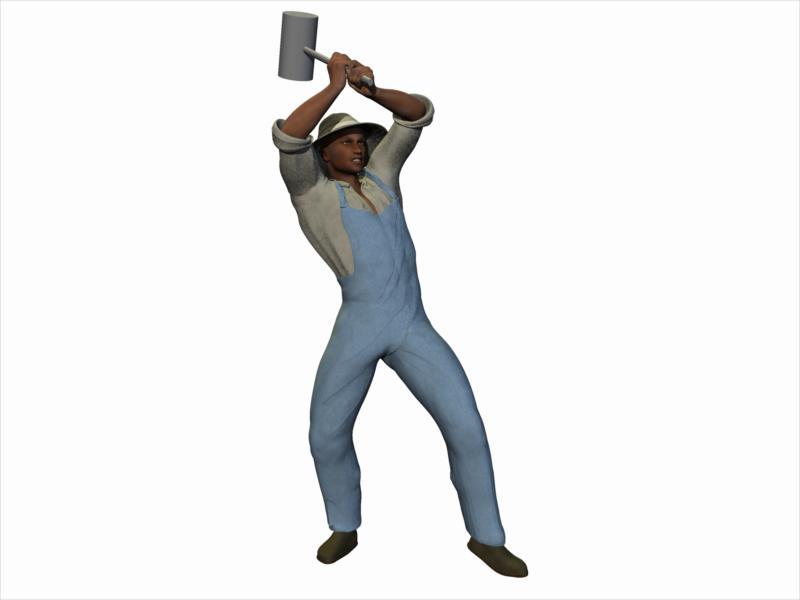
Carrara Challenge # 51 - Here There Be Dragons! Folk/Fairy Tales WIP thread - Brilliant ImagesTest of the character and clothing figures for John Henry. I used Genesis 1. The body is a mixture of Michael 5 and bodybuilder morphs. The head and texture maps are from a character called Benjamin for M5 https://www.daz3d.com/benjamin-for-m5. The Benjamin character comes bundled with Carrara 8.5 Pro. https://www.daz3d.com/carrara-8-5-pro
Clothing items modeled in Carrara and used the transfer utility in the Daz Studio plugin to make conforming.
 Face Transfer plugin fails to load
Do i have to dowmnload a new NVIDIA driver? Otherwise im not sure what youre pointing me to
Thanks
This bit, I think:
Face Transfer pane
- Fixed an issue with requisite libraries (on Windows) missing on some user's machines, causing the plugin to fail to load
- "Microsoft Visual C++ Redistributable for Visual Studio 2015, 2017 and 2019" is now included with the standard distribution
Auto Face Enhancer [Commercial]I have Zbrush, but I'm just a beginner. Is there a tutorial you could recommend to show how to do this? Or would you be able to do a quick tutorial?
+1 on quick tutorial. Just record your screen while doing those adjustments add some basic commentary and upload to youtube. That of course would be super helpful.
Here's a quick video then. https://youtu.be/5Dm0cc0FtDA I have no mic so no commentary unfortunately. Sorry.
So step 1, Load your G8 Character, delete any attchmets, hair/eyelashes/brows/anatomical elements etc. Add any morphs you want included. I use D.Masters Auto Shape Enhancer and Zevos Skin Crease Controller so have included both. (this would also be a good time to set a material preset if you havn't already) Set mesh resolution base resolution and open the figures mouth to 50% (following D.Masters recommendation below) and export as on OBJ using Daz default settings.
Step 2, Add AFE attachment so it follows the shape of your charcter. Loads of mesh artifacts as the higher res AFE is following the base resolution of G8. Turn off the visiblity of G8, set the resolution of AFE to 0 and export as OBJ, again using Daz default settings. (DO NOT CLOSE HER MOUTH)
Step 3, In Zbrush import the G8 obj you saved first. Open the 'Geometry tab in the tools menu and click 'Divide' 2 times to get SubD level 3. Open the subdivision tool tab and click copy.
Step 4, import the AFE OBJ.
Step 5, In the subtool tab click paste. The G8 mesh should be visible in the layer below the AFE mesh.
Step 6, Scroll down the Subtool tab and open the 'Project' tool. I used the settings in the video, not sure if they are the best, but the worked ok enough for me, Click 'ProjectAll'
Step 7, In the subtool tab, turn off the visibility of the G8 subtool and inspect the resulting AFE Mesh. If you encounter any issues with the ears or eye sockets defroming, CTRL-Z and adjust the Project settings by making SMALL adjustments to the Distance/Mean/PABlur sliders until you are happy.
Step 8, Export AFE mesh as OBJ.
Step 9, Back in DAZ, select AFE, Edit>Figure>Morph Loader Pro. Select the AFE mesh you've just exportd from ZBrush. In the advanced options set Reverse Deformations to 'Yes' and Accept.
Step 10, In the properties tab, select Morphs and dial the morph in to see how it works.
Step 11, (optional) Click the properties gear icon and open the Parameter Settings tab. Set the minimum limit to zero, change the morph location. I used Actor>People.
Step 12, File>Save as>Support Assets>Morph Assets. Expand the selction tree until you find your new morph, and tick the check box to save the morph to AFE so you can dial it in manually whenever needed.
Step 13, Add meterials and enjoy.
How to make morphs correctly?Thanks for the help, feel so stupid now :)
Took 4 hours to fix the morph to get it permanently set on autofollow, had copies and renames of the morph all over the place trying to get it to work in the first place.
Quick question, if I had a standard instal and I just saved it as a morph asset, would daz see it straight away or would I need to move it somewhere like I do now?
Real quick questions about Zbrush to StudioYou can import as a new object. The few times I've done it (it happened to be clothing for me), I had to use the transfer utility to get the face groups back and then I was able to just copy/paste all the materials right over.
Guide to different formats of Daz, past and present.sea is the format for the key files used by Connect to decrypt content when it installs it.
.duf is the format used for DS content since DS4.5.
.daz was the format used for DS scenes before DS 4.5, while .dsa, .dsb and .dse were used for scripts and presets (dsa is the basic format, dsb the binary equivalent and dse the encrypted version)
.dsf is used for technical files in the "data" folder, like the geometry or morph files.
Face Transfer plugin fails to loadHi, i recently bought Face Transfer Unlimited. I followed the driections for manual installation and its keeps saying Plugin Failed to Load. Its says the plugin isnt a Daz studio product or not compatible with this version of Daz studio. I have it updated to 4.12. What am i doing wrong?
Real quick questions about Zbrush to StudioI don't have Zbrush (well I have Core, but Core is a glorified trial), and just wanted to ask a few simple questions to anyone who uses it regularly in their work here.
- Does GoZ still work with the latest versions of Studio?
- This is a little more complicated, but probably has an easy answer. I know you have to keep the polygon count the same between programs for a morph to work, but if you no longer need to pose or adjust the figure in Studio, can you go nuts sculpting in Zbrush and send it back to Studio as a static object while retaining all the detail? And if so, is there also a way to retain the material settings on the new static version?
Thanks for any information.
Geometry does not match???I have a figure for whom I am unable to save an OBJ file that will load wit morph loader without the "geometry does not match" error. I do this all the time, so it isn't because of failing to set base resolution or not deleting eyelashes. I have searched the G8 file to see if there is anything in it that might alter the geometry but I see nothing. I have not done any modifications that I know of that would change the geometry. Is there any way to check or (if need be) fix the geometry? I need this figure!
How to make morphs correctly?Yes, you'll need to resave the morph asset with autofollow checked if you want it to work for newly loaded figures.
How to make morphs correctly?I tried that it didn't work on the morph I made (and saved as a morph asset then moved to the correct directory).
But after some playing I found if I check the 'autofollow' save and load the file back in, it does work. Is that what they mean by 'preload'?
Maybe I saved the morph asset wrong and needed to check the 'autofollow' before saving it? I'll try it anyway. Thanks for the info.
What IS this?!I can definitely narrow the time frame to the past couple of weeks. And I can't really tie it to any newly installed product, since I cannot see why installing a character, or a prop, or a texture set would affect the program's ability to open a previously saved file without adding a lot of gibberish.
I could see that possibly messing with the morph of a character in a saved file, or having something load as a grey box, because something went screwy with the data file, but taking over a half hour to load a saved scene of a dressed and posed single human figure, and having it come in with about 40 of these fake data items makes no sense at all.
It's even added these things to a scene which was built in the past couple of weeks -- and definitely has no Reality associations in it.
I DO remember a particularly nasty program crash shortly before all this started up, and am more inclined to suspect that as having skewed something. But the fact is that I've reinstalled the program and there has been no improvement in performance. If there's something somewhere else I haven't found it. I checked the DAZ stuff in my User account and saw thothing related to Reality.
The scenes that have been most affected by the gibberish are for the most part saved character scenes created over the past 3-4 months. All but one has come in with the garbage. Also various illustration scenes for the current project created over the past 2 and a half weeks. I've only reopened a couple of them since I rendered them one came in with the garbage, the other not.
Frankly, I suspect it has nothing whatsoever to do with the Reality Plughin, but is merely idenifying it as being related to the Reality Plugin.
And, as annoying as it is, it's vastly to be prefered to having everything load as grey boxes.
Daz 3D is part of

Connect
DAZ Productions, Inc.
7533 S Center View Ct #4664
West Jordan, UT 84084Licensing Agreement | Terms of Service | Privacy Policy | EULA
© 2026 Daz Productions Inc. All Rights Reserved.