-
Daz Studio Pro BETA - version 4.15.0.30! (*UPDATED*)
cannot find the Filament thread but it is a DAZ studio issue and I am using the beta
so
Filament apparently is limited in how much of a filename it reads for the environment dome
if I use any with the same first word it doesn't replace it
none of Dimension theory's domes with the same prefix as the default ruins will show up as it defaults back to that
or it just has an issue with his strange substances files,they are HDR format
Carrarappy New Year !!Happy New Year to all Carrara users!
I use other 3D software but frankly I find that Carrara remains very efficient in modeling, texturing and animation !
Of course it is starting to have some lacks compared to the competition but it remains very fun and pleasant to use. Despite the shameful absence of an update from Daz for Carrara 3D, its technical and ergonomic bases make it a software that could still have a future!
Although Daz sovereignly ignores our pleas, I still dream of a Carrara Z (Da ... Z) which would put him back on track for success :-)
What handicaps him horribly are the slowness of the renderings. They are no longer relevant at all. It would be necessary to create a bridge towards Filament or Iray to give it a second wind.
Let's be positive and bet that Daz will come to his senses in 2021 ;-)
Sincerely, Carrara Friends
olivier turbet
Daz animation to BlenderTheMysteryIsThePoint said:
marble said:
TheMysteryIsThePoint said:
marble said:
Padone said:
@marble As for Diffeo vs Sagan.
Diffeo is primarily designed to import daz assets then animate and render in blender. Then there's support to import daz poses and animations, but this doesn't include dforce simulations. As for geografts and shells they are supported fine, but yes, it requires some manual work to import them. Then diffeo is limited with HD figures, since it supports the HD shape, but not the HD jcms.
Sagan is primarily designed to animate in daz studio then export the animation to blender, and it relies on Diffeo for materials. Sagan correctly bakes both HD figures and dforce simulations, so it is the best choice if you want to animate in daz studio then render in blender with cycles or eevee.
Yep, that just about sums up my conclusions perfectly. Either way, there are drawbacks. It is a great pity that Filament is not the DAZ Studio equivalent of Eevee. It is a great pity that the DAZ Studio animation implementation has feet and limbs jerking about instead of staying where they are pinned. Otherwise, I'm getting quite used to working with my old investments in Keymate and Graphmate (I'm not sure that the DAZ versions of those are ready yet).
I have saved for a new GPU but am waiting for the prices to stabilise and the rumoured RTX 3080ti 20GB to make an appearance. Or, better, a 3070 with 16GB. I can't afford the prices they are demanding right now and I'm not going to pay all that for another 8 or 10GB GPU if there are better options waiting behind the curtain.
@marble Export your zeroed figure as BVH and import it into Blender. Adjust the bone shapes to make eye-balling animation easier, especially the fingers, add IK, and animate it with Blender's tool. Then merge the BVH back onto your figure in DS (don't forget to turn of locks and limits) and export back to Blender with Sagan. Boom.
How clever .. I would not have thought of that. I have never attempted animation in Blender so a bit to learn there but that's a really good option, thanks. I'm not sure what you mean by "adjust the bone shapes" though.
There are options for how Blender displays bones. You can change them so that there is less difference between looking at your armature and looking at the skinned character for when you have close interaction between the character and objects or between characters. BVH, of course, doesn't bring the skin with it. You could, of course, bring in your character's skin as an obj and rig it with default weights, which would give you a decent visual reference, but I find that just looking at the skeleton is usually enough to get an animation looking perfect and the viewport is much more responsive if Blender doesn't have to deform the skin mesh.
Ahh, right. Trouble is that I'm not only animaring bones. I'm trying for some soft-body effects too which involve morphs. For example, I use muscularity morphs quite a lot as well as many of the Zev0 shaping and posing morphs which mostly work on the "fleshy" bits.
Daz animation to Blenderbrainmuffin said:
TheMysteryIsThePoint said:
marble said:
Padone said:
@marble As for Diffeo vs Sagan.
Diffeo is primarily designed to import daz assets then animate and render in blender. Then there's support to import daz poses and animations, but this doesn't include dforce simulations. As for geografts and shells they are supported fine, but yes, it requires some manual work to import them. Then diffeo is limited with HD figures, since it supports the HD shape, but not the HD jcms.
Sagan is primarily designed to animate in daz studio then export the animation to blender, and it relies on Diffeo for materials. Sagan correctly bakes both HD figures and dforce simulations, so it is the best choice if you want to animate in daz studio then render in blender with cycles or eevee.
Yep, that just about sums up my conclusions perfectly. Either way, there are drawbacks. It is a great pity that Filament is not the DAZ Studio equivalent of Eevee. It is a great pity that the DAZ Studio animation implementation has feet and limbs jerking about instead of staying where they are pinned. Otherwise, I'm getting quite used to working with my old investments in Keymate and Graphmate (I'm not sure that the DAZ versions of those are ready yet).
I have saved for a new GPU but am waiting for the prices to stabilise and the rumoured RTX 3080ti 20GB to make an appearance. Or, better, a 3070 with 16GB. I can't afford the prices they are demanding right now and I'm not going to pay all that for another 8 or 10GB GPU if there are better options waiting behind the curtain.
@marble Export your zeroed figure as BVH and import it into Blender. Adjust the bone shapes to make eye-balling animation easier, especially the fingers, add IK, and animate it with Blender's tool. Then merge the BVH back onto your figure in DS (don't forget to turn of locks and limits) and export back to Blender with Sagan. Boom.
I'm not afraid to admit I don't understand what that means.Blender can understand a BVH exported from DS, and DS can understand a BVH exported from Blender. So you can export an armature (a single frame BVH) to Blender, do your animation with all of Blender's bells and whistles, and then merge it back onto your character in DS. Once back in Daz, you can export back to Blender with Sagan.
After all the silly things that should work but don't, we deserved something that is actually as easy as it should be.
Daz animation to Blendermarble said:
TheMysteryIsThePoint said:
marble said:
Padone said:
@marble As for Diffeo vs Sagan.
Diffeo is primarily designed to import daz assets then animate and render in blender. Then there's support to import daz poses and animations, but this doesn't include dforce simulations. As for geografts and shells they are supported fine, but yes, it requires some manual work to import them. Then diffeo is limited with HD figures, since it supports the HD shape, but not the HD jcms.
Sagan is primarily designed to animate in daz studio then export the animation to blender, and it relies on Diffeo for materials. Sagan correctly bakes both HD figures and dforce simulations, so it is the best choice if you want to animate in daz studio then render in blender with cycles or eevee.
Yep, that just about sums up my conclusions perfectly. Either way, there are drawbacks. It is a great pity that Filament is not the DAZ Studio equivalent of Eevee. It is a great pity that the DAZ Studio animation implementation has feet and limbs jerking about instead of staying where they are pinned. Otherwise, I'm getting quite used to working with my old investments in Keymate and Graphmate (I'm not sure that the DAZ versions of those are ready yet).
I have saved for a new GPU but am waiting for the prices to stabilise and the rumoured RTX 3080ti 20GB to make an appearance. Or, better, a 3070 with 16GB. I can't afford the prices they are demanding right now and I'm not going to pay all that for another 8 or 10GB GPU if there are better options waiting behind the curtain.
@marble Export your zeroed figure as BVH and import it into Blender. Adjust the bone shapes to make eye-balling animation easier, especially the fingers, add IK, and animate it with Blender's tool. Then merge the BVH back onto your figure in DS (don't forget to turn of locks and limits) and export back to Blender with Sagan. Boom.
How clever .. I would not have thought of that. I have never attempted animation in Blender so a bit to learn there but that's a really good option, thanks. I'm not sure what you mean by "adjust the bone shapes" though.
There are options for how Blender displays bones. You can change them so that there is less difference between looking at your armature and looking at the skinned character for when you have close interaction between the character and objects or between characters. BVH, of course, doesn't bring the skin with it. You could, of course, bring in your character's skin as an obj and rig it with default weights, which would give you a decent visual reference, but I find that just looking at the skeleton is usually enough to get an animation looking perfect and the viewport is much more responsive if Blender doesn't have to deform the skin mesh.
Filament help please. Fixed by uninstalling everything and reinstalling.I recently upgraded both my low low spec laptop and low spec desktop to DS 4.14. As expected the laptop cannot use Filament, it can't go above opengl 4.0 so so far so ok. The desktop can and should be able to use Filament, the video card is a GT 1030 with OpenGL 4.5 the video driver 456.71 (iray is rendering just fine now with the driver update). However, when I choose the Filament draw style I get a big fat nothing white screen no matter what is in the viewpoint. Iray scene, 3dl scene, a random primitive, zip, nothing, not a thing. I use 3dl 99% of the time and thought to use Filament as a substitute for the textured draw style. Any help on this issue would be appreciated.
Lorraine
Specs: i7, 20G ram, GT 1030
Daz animation to Blender
I'm not afraid to admit I don't understand what that means.TheMysteryIsThePoint said:
marble said:
Padone said:
@marble As for Diffeo vs Sagan.
Diffeo is primarily designed to import daz assets then animate and render in blender. Then there's support to import daz poses and animations, but this doesn't include dforce simulations. As for geografts and shells they are supported fine, but yes, it requires some manual work to import them. Then diffeo is limited with HD figures, since it supports the HD shape, but not the HD jcms.
Sagan is primarily designed to animate in daz studio then export the animation to blender, and it relies on Diffeo for materials. Sagan correctly bakes both HD figures and dforce simulations, so it is the best choice if you want to animate in daz studio then render in blender with cycles or eevee.
Yep, that just about sums up my conclusions perfectly. Either way, there are drawbacks. It is a great pity that Filament is not the DAZ Studio equivalent of Eevee. It is a great pity that the DAZ Studio animation implementation has feet and limbs jerking about instead of staying where they are pinned. Otherwise, I'm getting quite used to working with my old investments in Keymate and Graphmate (I'm not sure that the DAZ versions of those are ready yet).
I have saved for a new GPU but am waiting for the prices to stabilise and the rumoured RTX 3080ti 20GB to make an appearance. Or, better, a 3070 with 16GB. I can't afford the prices they are demanding right now and I'm not going to pay all that for another 8 or 10GB GPU if there are better options waiting behind the curtain.
@marble Export your zeroed figure as BVH and import it into Blender. Adjust the bone shapes to make eye-balling animation easier, especially the fingers, add IK, and animate it with Blender's tool. Then merge the BVH back onto your figure in DS (don't forget to turn of locks and limits) and export back to Blender with Sagan. Boom.
Daz animation to BlenderTheMysteryIsThePoint said:
marble said:
Padone said:
@marble As for Diffeo vs Sagan.
Diffeo is primarily designed to import daz assets then animate and render in blender. Then there's support to import daz poses and animations, but this doesn't include dforce simulations. As for geografts and shells they are supported fine, but yes, it requires some manual work to import them. Then diffeo is limited with HD figures, since it supports the HD shape, but not the HD jcms.
Sagan is primarily designed to animate in daz studio then export the animation to blender, and it relies on Diffeo for materials. Sagan correctly bakes both HD figures and dforce simulations, so it is the best choice if you want to animate in daz studio then render in blender with cycles or eevee.
Yep, that just about sums up my conclusions perfectly. Either way, there are drawbacks. It is a great pity that Filament is not the DAZ Studio equivalent of Eevee. It is a great pity that the DAZ Studio animation implementation has feet and limbs jerking about instead of staying where they are pinned. Otherwise, I'm getting quite used to working with my old investments in Keymate and Graphmate (I'm not sure that the DAZ versions of those are ready yet).
I have saved for a new GPU but am waiting for the prices to stabilise and the rumoured RTX 3080ti 20GB to make an appearance. Or, better, a 3070 with 16GB. I can't afford the prices they are demanding right now and I'm not going to pay all that for another 8 or 10GB GPU if there are better options waiting behind the curtain.
@marble Export your zeroed figure as BVH and import it into Blender. Adjust the bone shapes to make eye-balling animation easier, especially the fingers, add IK, and animate it with Blender's tool. Then merge the BVH back onto your figure in DS (don't forget to turn of locks and limits) and export back to Blender with Sagan. Boom.
How clever .. I would not have thought of that. I have never attempted animation in Blender so a bit to learn there but that's a really good option, thanks. I'm not sure what you mean by "adjust the bone shapes" though.
Daz animation to Blendermarble said:
Padone said:
@marble As for Diffeo vs Sagan.
Diffeo is primarily designed to import daz assets then animate and render in blender. Then there's support to import daz poses and animations, but this doesn't include dforce simulations. As for geografts and shells they are supported fine, but yes, it requires some manual work to import them. Then diffeo is limited with HD figures, since it supports the HD shape, but not the HD jcms.
Sagan is primarily designed to animate in daz studio then export the animation to blender, and it relies on Diffeo for materials. Sagan correctly bakes both HD figures and dforce simulations, so it is the best choice if you want to animate in daz studio then render in blender with cycles or eevee.
Yep, that just about sums up my conclusions perfectly. Either way, there are drawbacks. It is a great pity that Filament is not the DAZ Studio equivalent of Eevee. It is a great pity that the DAZ Studio animation implementation has feet and limbs jerking about instead of staying where they are pinned. Otherwise, I'm getting quite used to working with my old investments in Keymate and Graphmate (I'm not sure that the DAZ versions of those are ready yet).
I have saved for a new GPU but am waiting for the prices to stabilise and the rumoured RTX 3080ti 20GB to make an appearance. Or, better, a 3070 with 16GB. I can't afford the prices they are demanding right now and I'm not going to pay all that for another 8 or 10GB GPU if there are better options waiting behind the curtain.
@marble Export your zeroed figure as BVH and import it into Blender. Adjust the bone shapes to make eye-balling animation easier, especially the fingers, add IK, and animate it with Blender's tool. Then merge the BVH back onto your figure in DS (don't forget to turn of locks and limits) and export back to Blender with Sagan. Boom.
Daz animation to BlenderPadone said:
@marble As for Diffeo vs Sagan.
Diffeo is primarily designed to import daz assets then animate and render in blender. Then there's support to import daz poses and animations, but this doesn't include dforce simulations. As for geografts and shells they are supported fine, but yes, it requires some manual work to import them. Then diffeo is limited with HD figures, since it supports the HD shape, but not the HD jcms.
Sagan is primarily designed to animate in daz studio then export the animation to blender, and it relies on Diffeo for materials. Sagan correctly bakes both HD figures and dforce simulations, so it is the best choice if you want to animate in daz studio then render in blender with cycles or eevee.
Yep, that just about sums up my conclusions perfectly. Either way, there are drawbacks. It is a great pity that Filament is not the DAZ Studio equivalent of Eevee. It is a great pity that the DAZ Studio animation implementation has feet and limbs jerking about instead of staying where they are pinned. Otherwise, I'm getting quite used to working with my old investments in Keymate and Graphmate (I'm not sure that the DAZ versions of those are ready yet).
I have saved for a new GPU but am waiting for the prices to stabilise and the rumoured RTX 3080ti 20GB to make an appearance. Or, better, a 3070 with 16GB. I can't afford the prices they are demanding right now and I'm not going to pay all that for another 8 or 10GB GPU if there are better options waiting behind the curtain.
[Released] RSSY 3Delight And Iray To Filament [Commercial]Thomas63 said:
Looking forward to this. I currently do most of my rendering in 3Delight, but Filament is just so blazingly fast it's got to be worth a try! I have always found your products to be extremely useful and easy to use. Thank you.
You're welcome! I think you'll like this one too.
[Released] RSSY 3Delight And Iray To Filament [Commercial]Looking forward to this. I currently do most of my rendering in 3Delight, but Filament is just so blazingly fast it's got to be worth a try! I have always found your products to be extremely useful and easy to use. Thank you.
[Released] RSSY 3Delight And Iray To Filament [Commercial]Artini said:
Now we are talking. Looks very interesting. Maybe finally, I will test filament renders in Daz Studio.
Thanks! I hope you will like it.
[Released] RSSY 3Delight And Iray To Filament [Commercial]Now we are talking. Looks very interesting. Maybe finally, I will test filament renders in Daz Studio.
Daz Studio Pro BETA - version 4.15.0.30! (*UPDATED*)Does the latest beta resolve the transparancy issues in Filament?
I see a quick blurb of it on the change log (under: 4.14.1.34)
-
Fixed a type casting issue on the OpacityStrength control in Filament
If so, this would get Filament closer to being usable with hair products that heavily use opacity maps.
Genesis 9 delayed until at least 2020. Will you be buying it?ragamuffin57 said:
Think we will get QT5 daz studio with genesis 8 upgrade including the skin shader iray and filament IMO the new art director brought in by daz is going to drag or encourage push whatever daz from lagging behind in the backwaters like poser to get to grips with the likes of blender. As you know once a customer leaves the daz eco system because they have outgrown the capabilities of the software, they will look for resources to use from the vendors who have geared themselves to sell to that particular shotware customer base. Also the purchaser of the assets know that they do not have to jump through hoops asa it is with daz to make the assets work in their new choice of software
So yes changes are on the horizon whether the update is Geneis 9 in all but name we will see but I am hopefull that a lot of issuses bugging genesis 8 and Daz will start to be ironed out under the guideing hand of the new art director
We can only hope
QT5 upgrage will not be coming until at the earliest mid 2021 in DS 5.0 because that is tied to BigSur compatibility and it will render all the old plugins unusable for all users, unless there is still someone available/willing to update those plugins.
[Released] RSSY 3Delight And Iray To Filament [Commercial] The RSSY 3DL and Iray to Filament script is an incredibly quick way to prepare your scenes for the new, blazingly fast, Filament renderer in Daz Studio.
The new Filament renderer is a fantastic addition to Daz Studio. However, old scenes designed for 3DL and Iray can be difficult to render Filament, with lighting issues (either washed out or dim because of missing emissive lights), or with various materials difficulties. The RSSY 3DL and Iray to Filament script sifts through your scene and prepares it quickly for Filament.
Take your productivity to the next level with the Filament Renderer – and use the RSSY 3DL and Iray to Filament script to get you started. The RSSY 3DL and Iray to Filament script will convert your scene in seconds!
- Convert 3DL and Iray Materials to make them look better in Filament
- Update Environment settings to keep your scene from being washed out
- Restore directional shadows by adding a Shadowcaster Light and lengthening Spot Light rays
- Add “Flame” Lights – i.e., add Point Lights to replace emissive flame materials so that candles, flames, and fires will cast light and shadows (this can even work to update old 3DL scenes to Iray!)
- Replace Ghost Lights* with Point Lights
- Update settings for Point Lights and Spot Lights to render better in Filament, such as converting light temperature (which Filament ignores) to its color approximation in the light color (which Filament renders)
- See your changes in real-time depending on the complexity of the scene!
*For the purposes of the script, Ghost Lights are objects with one emissive material that has a Cutout Opacity less than 0.0005.
Tutorial
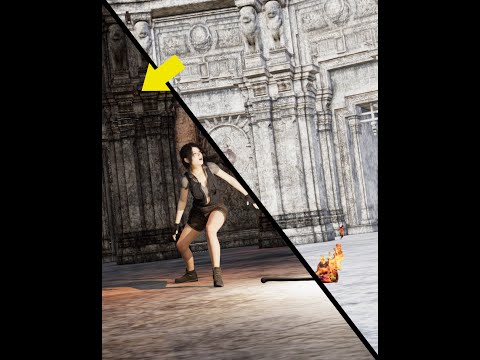 Genesis 9 delayed until at least 2020. Will you be buying it?
Think we will get QT5 daz studio with genesis 8 upgrade including the skin shader iray and filament IMO the new art director brought in by daz is going to drag or encourage push whatever daz from lagging behind in the backwaters like poser to get to grips with the likes of blender. As you know once a customer leaves the daz eco system because they have outgrown the capabilities of the software, they will look for resources to use from the vendors who have geared themselves to sell to that particular shotware customer base. Also the purchaser of the assets know that they do not have to jump through hoops asa it is with daz to make the assets work in their new choice of software
So yes changes are on the horizon whether the update is Geneis 9 in all but name we will see but I am hopefull that a lot of issuses bugging genesis 8 and Daz will start to be ironed out under the guideing hand of the new art director
We can only hope
I Need Couples AnimationsThis request may be way ahead of its time but I will toss it out there anyway...
In my case, I need particularly "male" couple animations.
In my experience, no one wants to see one person doing an animation.
They want to see two people interacting.
That is where the real drama and power is... Questions and answers...
I need male on male animations for my YouTube channel. Lots of them.
Guys walking down the beach hand in hand.
2 guys on the couch, one guy tousling the other's hair.
Guys dancing together "closely" slow dancing and waltzing.
I have a gay audience on YouTube of 100,000 people.
This is what they want, not singles.
If I did an animation of a single guy dancing, they would turn it off.
But all the Daz figures have different heights, shapes and sizes.
These animations would need to address that so somehow, they would sync up. (save me some work)
Perhaps, I could just change the skin textures on them and the faces, hair, eyebrows, clothes...
You could base them all on the Genesis 8 body or specify exactly which bodies they are made for might be helpful.
Faces and skin could maybe be changed in some cases.
Genesis 8 body is a bit plain compared to some other bodies that have a tiny bit more definition.
Guys running together in slow motion and hugging in a field.
Guys rolling over in bed and kissing goodnight or morning.
Guys looking at each other with cute expressions.
I can't do anything with most of the singles animations, they are too solo. I need "male" couples interacting and a lot of it.
It is very complicated making this myself, but someone with a studio who could choreograph actors to do these animations would be VERY helpful
I would probably buy as many as you could make...
A guy getting down on his knee and proposing to another man.
Placing rings on fingers.
A guy cutting a wedding cake and feeding the groom/husband some cake.
Guys laying on a blanket with sunglasses in the sun and looking over at each other and smiling.
Scenes that I could render into clips, clips that I could assemble into a story drama with a love song.
Guys in a tub together washing the other's back.
All of the classic moments from gay/straight romance films.
A guy crying on another guy's shoulder.
And then making up... saying, "I'm sorry. I love you."
Snuggling on the couch eating popcorn.
Talking to each other with loving hand gestures.
Like, "The Sims". Just think, The Sims and how they interact. That is the best animation... "Interaction and contact".
Lips moving, expressions but not saying anything in particular just indicating conversation, flirting, wooing. Exaggerated hand gestures, the stove is on fire! Call 911!
The toilet just overflowed. It did? Did you look for a job? Yes! I got a promotion! Yay!!!
Sitting together on a park bench, hand goes on the leg. Playing footsies. lol
Fingers walking...
I now have Filament but no gay couples animations... :(
Of course, the same goes for hetero couples but my gay audience would not go for that at all.
Try some couple’s animations please, at least if we had the basic templates, we could alter them to fit.
A lot of times they would not need to even touch, just respond to each other, "mirror or reactive animations".
Responsive.
Couples is where the genuine practical interest lies.
Dforce clothing, hair and getting it to work smoothly across an animation is also a logistical consideration/concern.
Thanks. :)
Your ART on my last year 2020 video on my YT Channel [Deadline Dec-29]Misselthwaite said:
Well, I only use 3DL, but if you want pictures...
3DL, Filament, iRay, Octane, all is fine.
I close to midnight, if you want to add more pictures you still can do

Daz 3D is part of

Connect
DAZ Productions, Inc.
7533 S Center View Ct #4664
West Jordan, UT 84084Licensing Agreement | Terms of Service | Privacy Policy | EULA
© 2026 Daz Productions Inc. All Rights Reserved.