-
Paige Dressus Buttus Stickoutus
Have you tried to apply a dForce modifier and run a simulation?
If it will drape nicely then the stretching matter should iron itself out. If not, one way to fix up a stretch is via making a morph on it to smooth out the uvmap over that area.
If it does not drape nicely, then again one could make a morph.
Got a question about Sachra's tail.Let me rephrase my question, could G8F and G3F look fine in the scenes together? Or would they be like real actresses who fight. 0.o I mean would the technological differences be obvious if G8F is in the same scene as G3F, or it is no big deal?
I know the difference will not be like Victoria 1/2 with G8F, but still.
Should answer your question...G8F on the left, G3F on the right...both same character (G3F was the original) -

The biggest difference between G8F and G3F is that G8 has much more (and better) facial emoting capabilities. Everything else is pretty much the same considering you can get nice bend morphs for both, so even that difference can be rendered moot. If it wasn't for the superior emoting, I wouldn't have felt the need to transfer all my G3 characters to G8.
Got a question about Sachra's tail.And yes, you can render a Vicky 7 and a Vicky 8 within the same scene without problem. It's just the Sachra tail will fit perfectly to the Vicky 7, no idea whether it's even possible to use a G3 geograft on a G8 character on the other hand. The UVs are nearly identical, but that's the problem, that the word "nearly" is still there.
Silas3D was kind enough to demonstrate how to use the Laguna Mermaid Tail on G8 in this thread; no reason to think it wouldn't work on the tail in question here.
I'll have to try this because I've been trying to transfer Twi'lek for G3F to G8F and was sad that the lekku graft didn't work right. Not Lekkulion...this one is from another place that was only put out for G3F.
How to make good JCM with MD?I`m trying to make JCM with MD. I'm doing pJCMAbdomenFwd_35 and with only this one morph it looked great, but in any other position it has ugly poke through.
I wached tutorials, but everyone explain how to do one hand morph or one leg in pants, but no one explain how to make skirt with both legs used.
Can anyone pls help? or nudge me in right direction? Is it even posible at all?
pictures:
1 - without custom JCM
2 - with custom JCM
3 - different pose (Base Pose Sitting B from base poses)
Novica & Forum Members Tips & Product Reviews Pt 13Ok, so here is my first try at this.
The before mentioned Aurore combined with some of my less used and less known morphs.
I tried first all the morph packs and special morphs and afterwards stopped after the A letter as I had already seen so many faces that I couldn't decide which would be interesting and which could not anymore.
I chose mostly faces that I thought looked really good or were really different from the rest.
If you want to see more combos of Aurore, I will continue the series after I cleanse my eyes of seeing her face so I can start fresh.
So here it goes:
Aurore 100%:
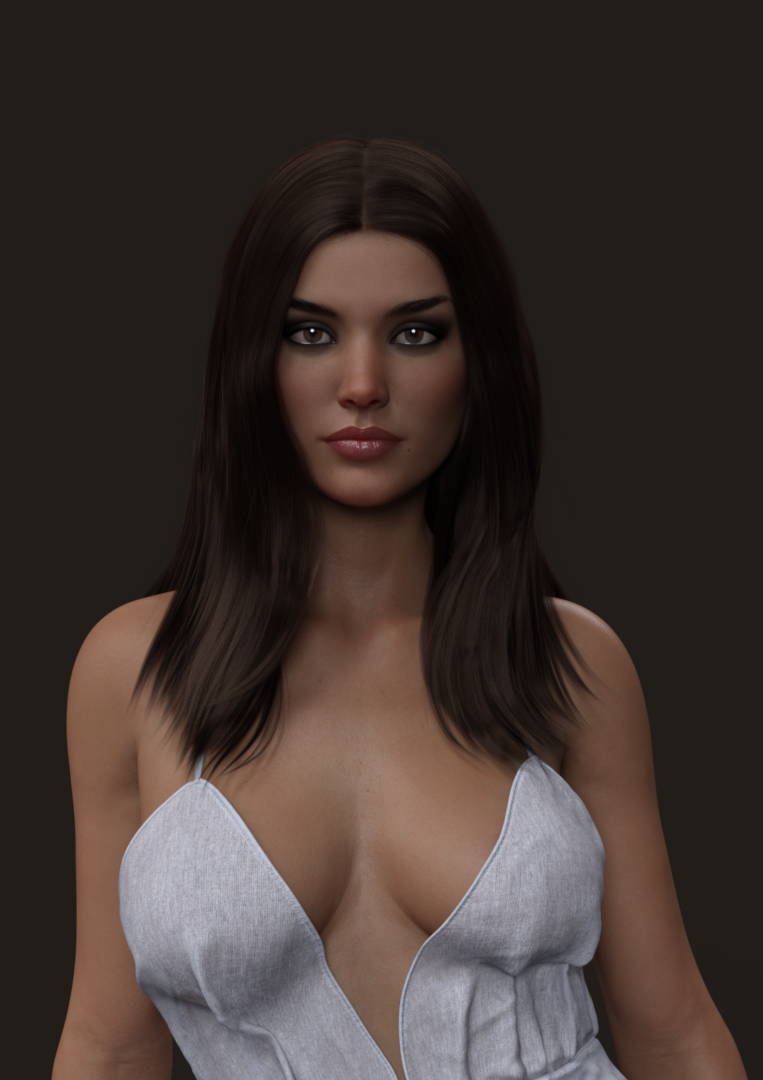
Aurore 75%:
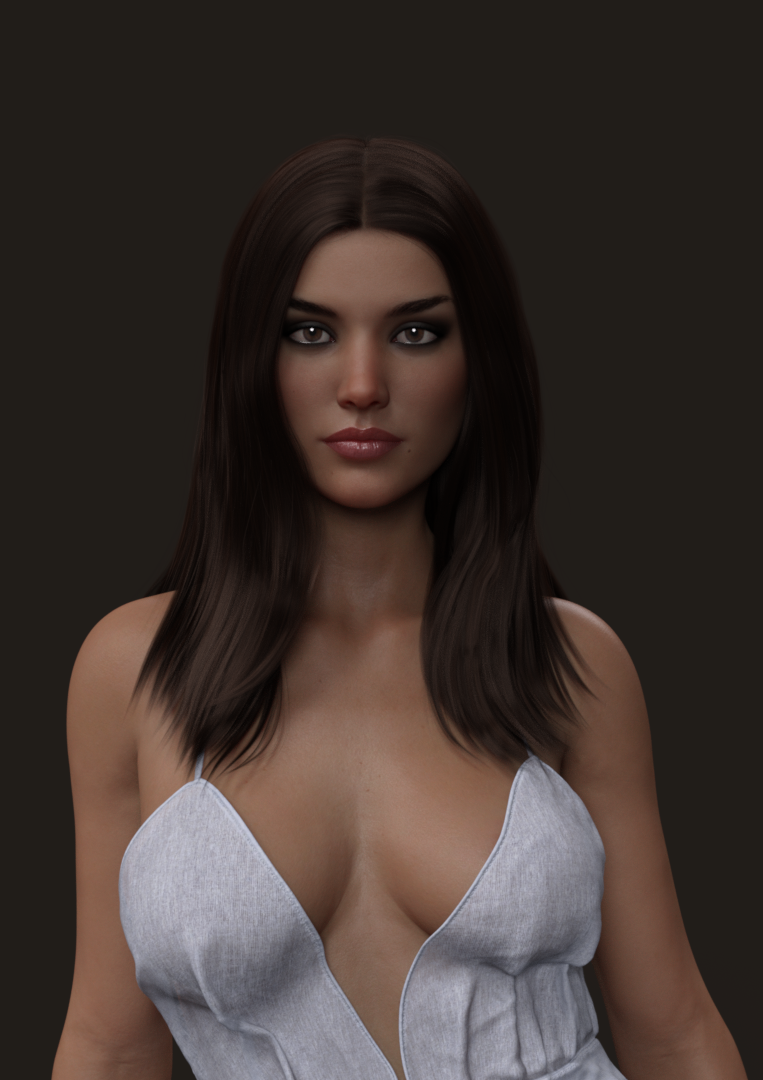
Aurore 50% HFS Shapes Elf 50%. I thought I'll give a try with some fantasy shapes as well. The elf combo ended looking really good in my mind so I thought I'll share it here.

Aurore 50% Yuka 50%:

Aurore 50% Kensington 50%:
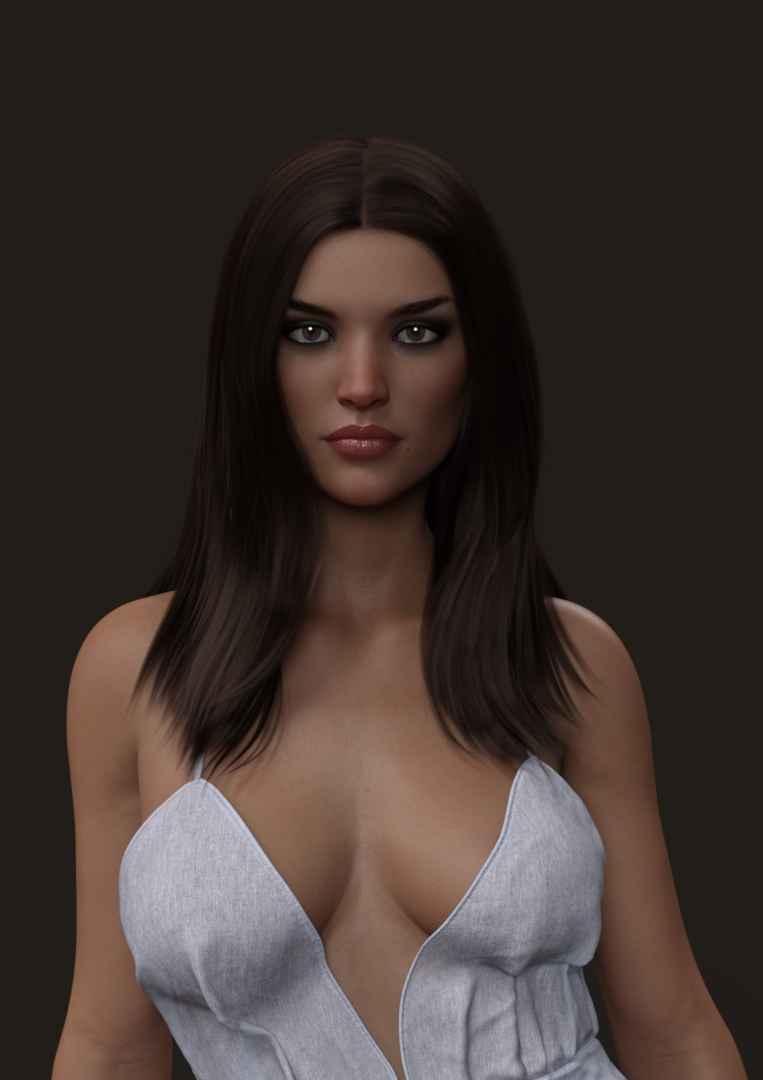
Aurore 50% Sybill 50%:
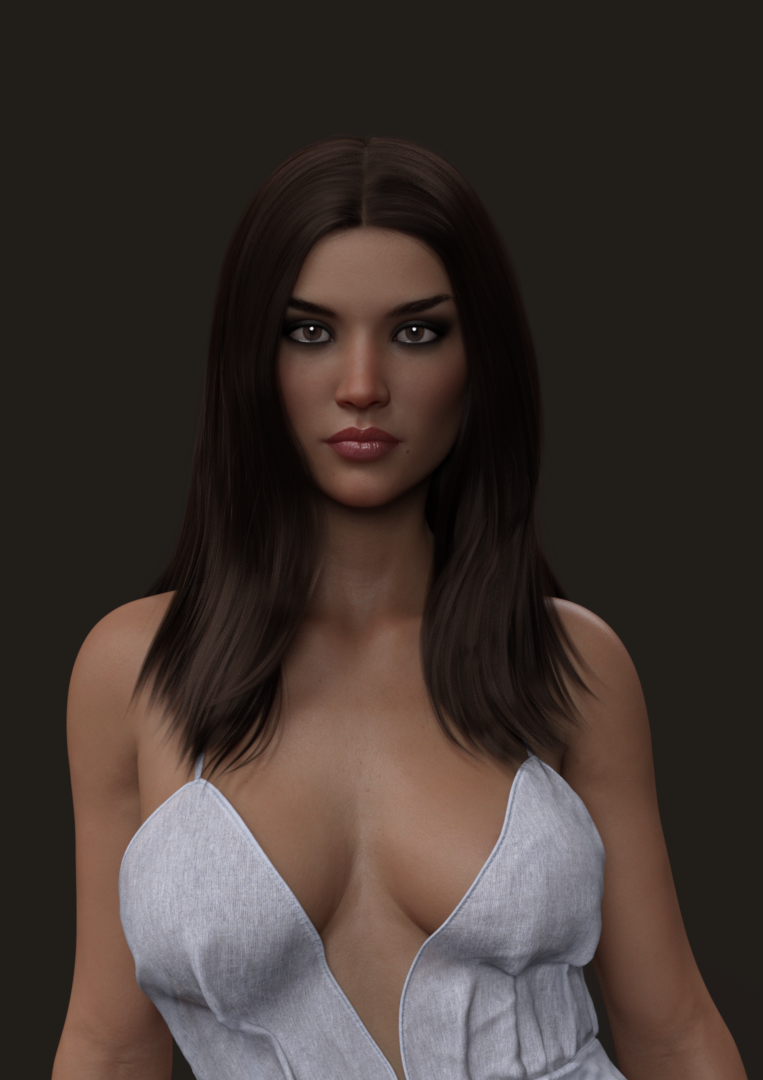
Aurore 50% Face no4 from MCH:
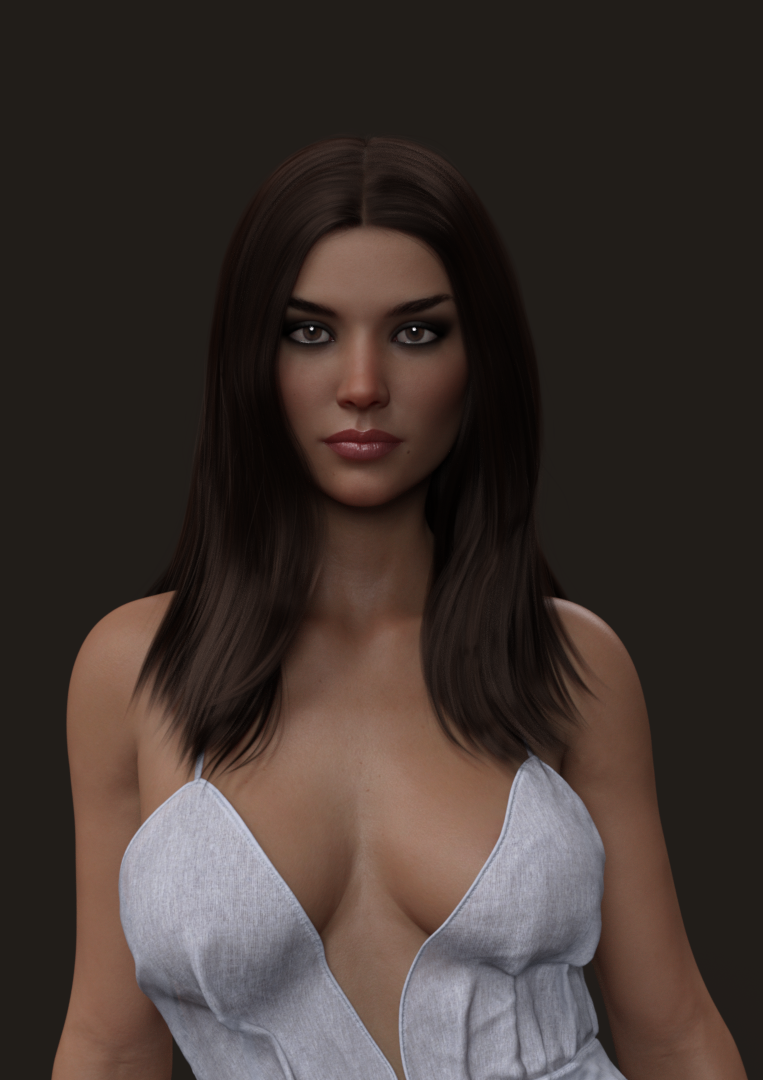
Aurore 50% Face no2 from Variety Character Morphs:
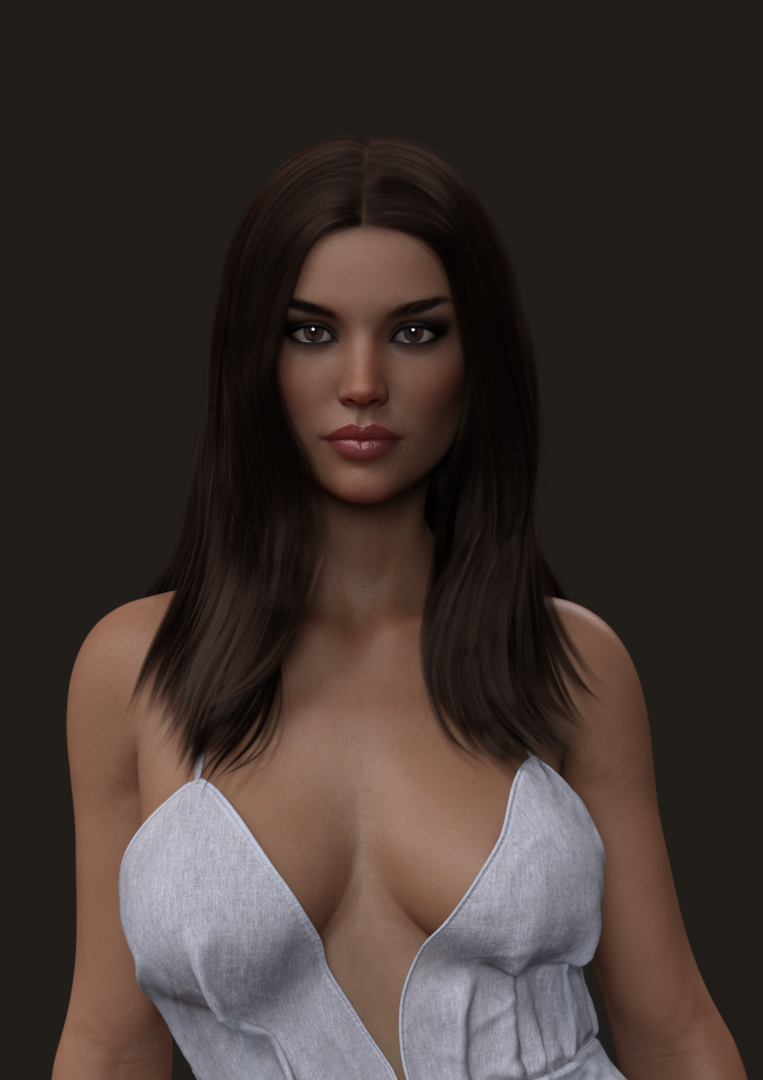
Aurore 50% Noomi Rapace 50%. This is a free face morph from Tritium. He does very good celebrity face morphs. I have them all downloaded but only had 2 of them installed and this one looked good for me. I encourage you to take a look at what he does. Especially since they are free.
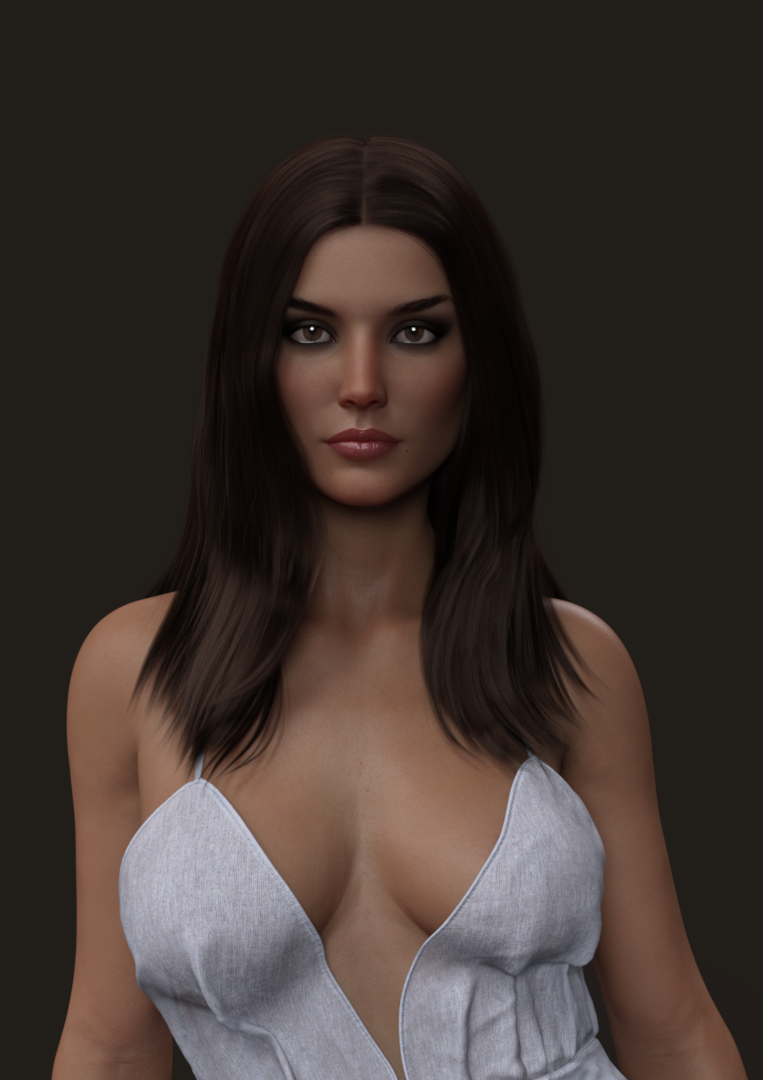
Now comes a series from https://www.daz3d.com/sy-beautiful-faces-genesis-8-female:
Aurore 50% Tegan 50%:
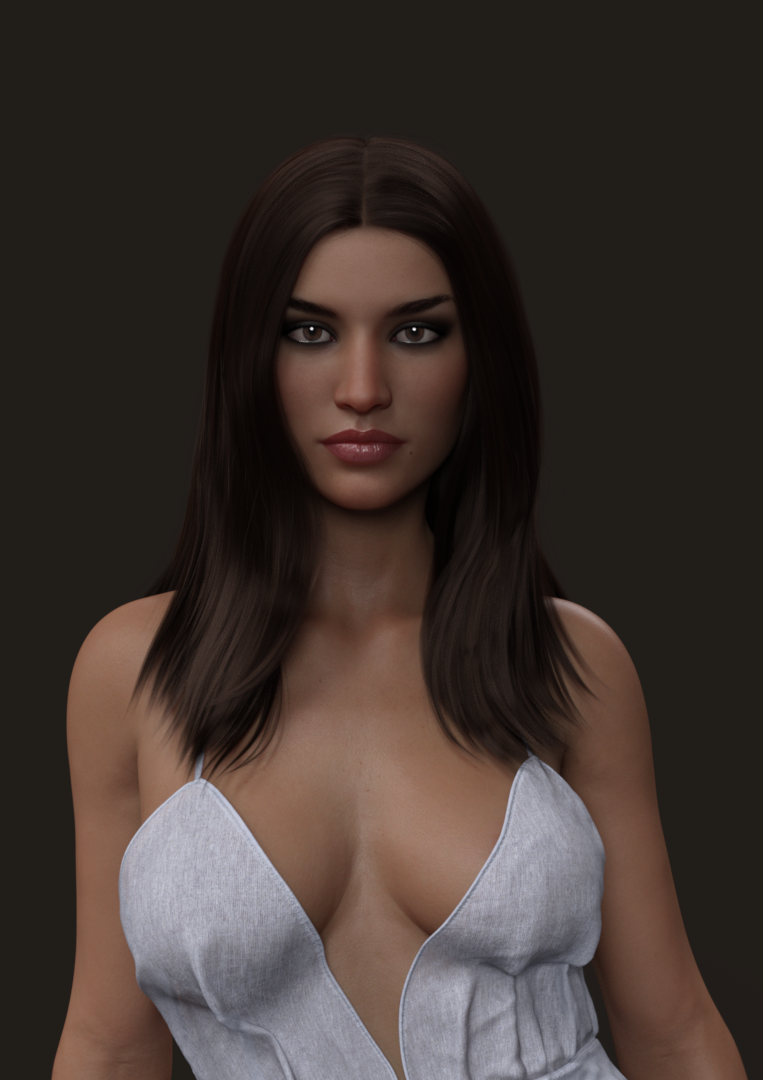
Aurore 50% Madeline 50%:
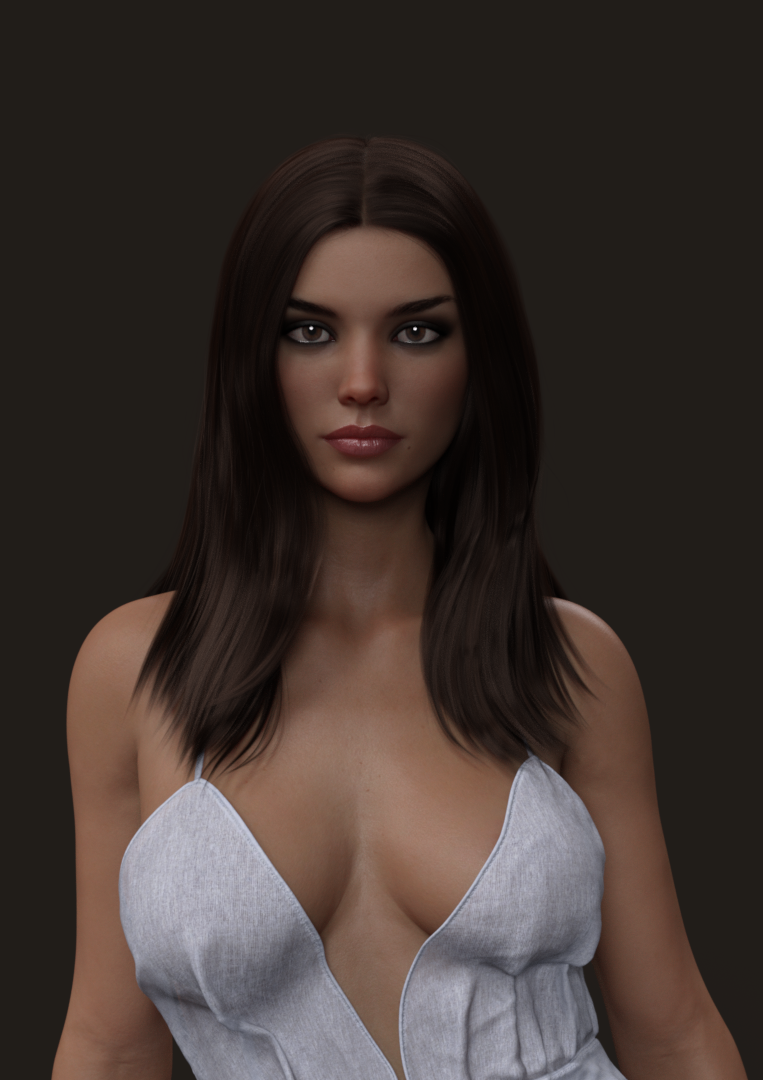
Aurore 50% Laura 75%:
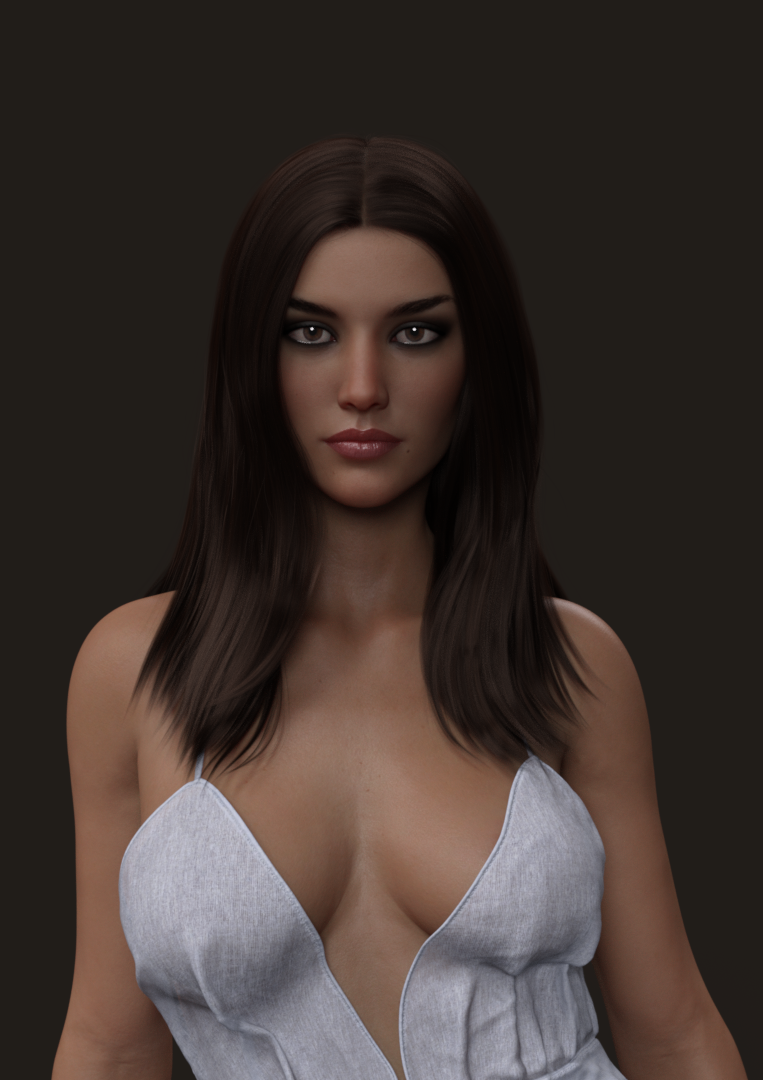
Aurore 50% Jaclyn 50%:

Now the A morphs start:
Aurore 50% Akira 50%:
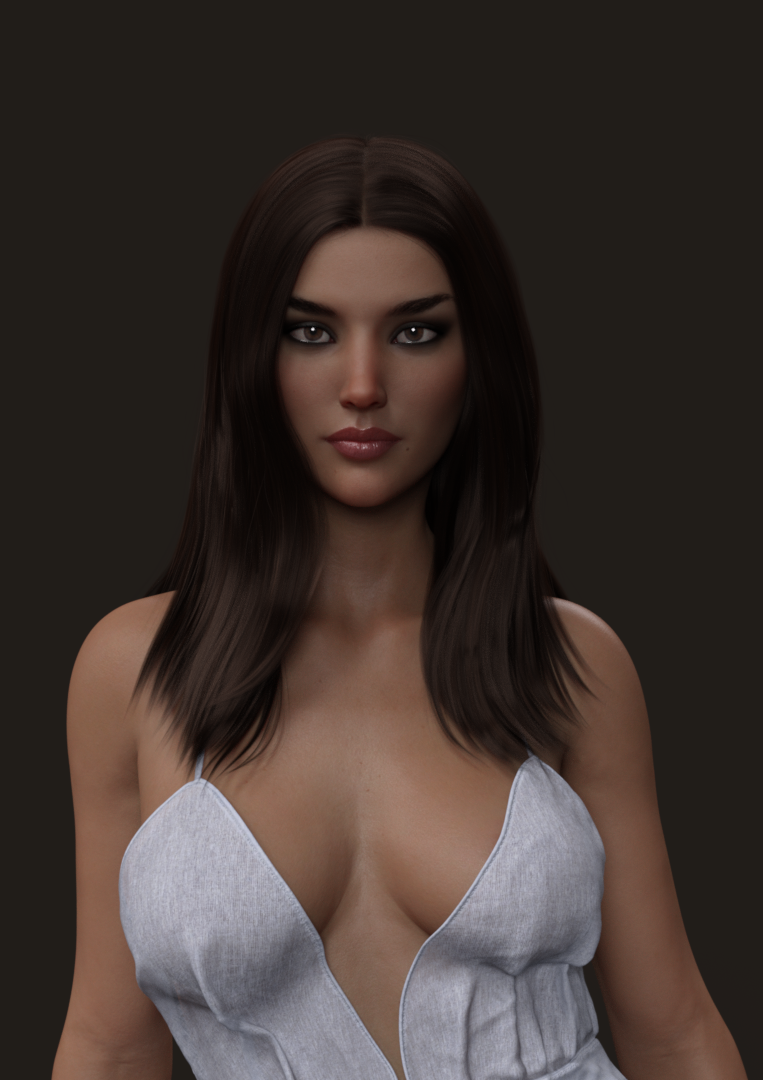
Aurore 50% Anissa 50%:
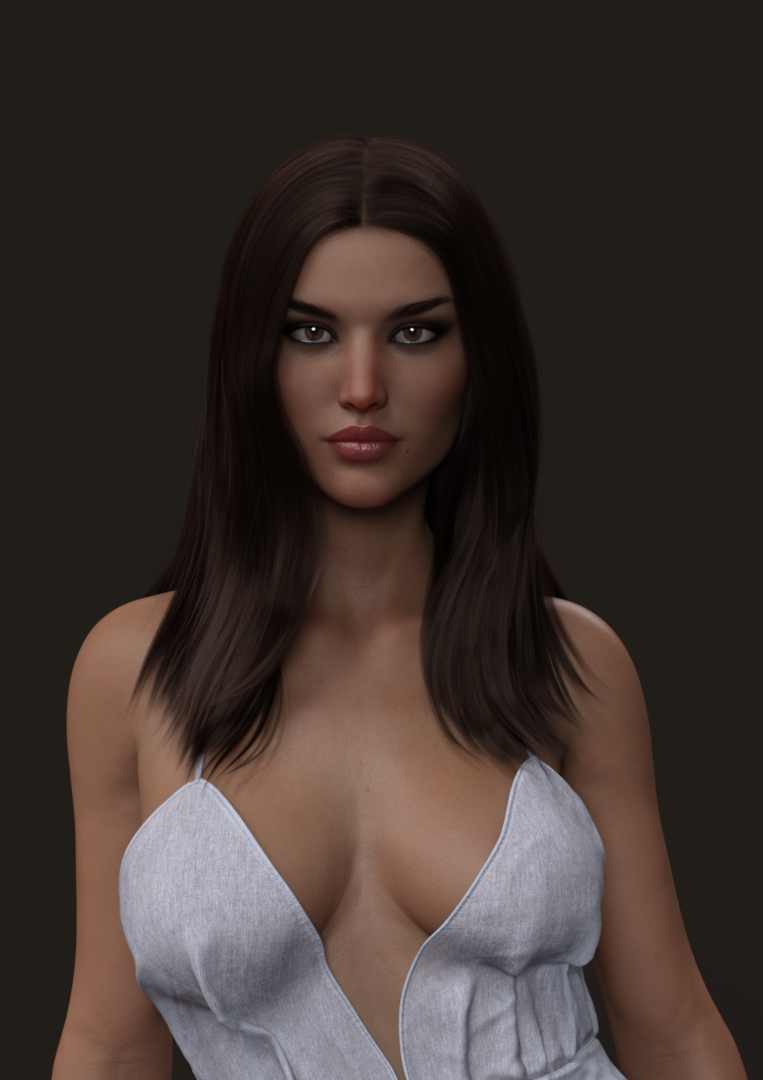
Aurore 50% Audrey 50%:
 [Released] ManFriday's Mesh Grabber [Commercial]
Thank you so much for the replies!
 I didn't have plugin checked in Dim so Meshgrabber showed up at once when I clicked it, I installed it but it's still the old version I think, it doesn't say the 2.0.0 version number anywhere. I closed dim and opened it again hoping for an update but there was none. I then tried your advice, I downloaded Mesh Grabber from the product library using manual download and I still get a virus warning. I downloaded anyway but the file is an installer, when I place it in that Downloads folder and open dim nothing happens, I clicked sync but still nothing and the Meshgrabber is still the old one. If I click the install program inside the Downloads folder will it still show up future updates in Dim? or do I have to get it to install through Dim somehow?
Edit: is there a separate file without the installer program so it installs through Dim? the MeshGrabber is a program with an installer: this is how it look like:

Why is this is this so complicated?
 . How do I get Dim to install this? No matter what I do it doesn't show up. If this doesn't get resolved I guess I have to watch this thread closely for updates. I'm hoping for a spawn morph option.
 Edit 2: I would be grateful if someone can help me with this, I would rather not open up a help ticket.
[Released] ManFriday's Mesh Grabber [Commercial]I found a new use for Mesh Grabber in my render today. I've been using it mostly to fix clothing poke through or to squish down chair cushions, etc. Today it came in very handy to push hair back behind some fingers. Before Mesh Grabber the hair was running through the finger flesh, and I couldn't find a morph that would move it back out of the way.
yeh, sadly it doesn't work for strand hair, although not normally an issue
HeadShop 12 HelpAll these Face transfer Softwares are just horrible, I buy them all and they have no good tutorials Video or reading, Like WTF !!! for a newbie like me I am just wasting money and tons of time, if they come out with new stuff shouldn't they have "GOOD" reading material tutorials to learn about the software, they show these video's on youtube with very little about the software and thats it, I bought the Unlimted and upgrade to Face Transfer that came with Daz 4.12, then I bought FaceGen, everyone looks like a Monster in there, cant figure it out, no good tutorials to learn, now a new HeadShop 12 comes outr, I buy that , one again no Good Tutorials to learn, for a newbie to the PC world like me this is horrible, I don't mind reading and learning but THERE IS NOTHING TO READ !!!!!!!!
so I use this new HeadShop 12, and this is what I get, Take a look at the pic..... no where in the Help section, no where in tutorials no where at all does it tell you how to adjust getting the eyes to match up with the Morph on the right, so you export the morph and you have this FREAK LOOKING MORPH !!!!!!!!
So, Please tell me people, ...is it me, ...?? I mean should I not be doing this type of stuff, or should this stuff come with more directions and tutorials, am I just to dam stupid and can't find how to adjust this stuff..??
I am wasting so much time trying to figure this stuff out, I JUST WANT TO MAKE A F#$KING MORPH OF MY DAUGHTER SO I CAN PUT HER IN COOL FUN OUTFITS AND PRINT PICS OUT AND MAKE HER HAPPY !!!!!!!!!!!!
Jubie, the issue with G8 eyelashes is something of a DAZ problem (they made them separate for G8). What you can do is erease the eyelashes and load new ones that can be adjusted. And as the developer of HeadShop, we do bend backwards to explain how the app works (teach panels, how-to videos, 35 page manual). I am happy to skype/screen share with you and walk you through your issues. PM me.
A little FYI: we just released HS12.5 FREE update. You can download it at abalonellc.com, it has better blending and works better on HR screens.
Modify existing clothes from Daz3D Studio in HexagonIt shouldn't be a morph. I want to create a new clothing item from an existing, with a slightly different geometrie. Nothing added, so there should be no problems with groups or UV mapping or rigging. I thought of loading geometry, edit it and reload it again.
You will need to rerig it after importing back into DS if you remove or add to the geometry.
Genesis 8 figures loading times.You should start by checking out your log.txt ( You can find it in C:\Users\*YOURCOMPUTERUSERNAME*>AppData>Roaming>DAZ 3D> Studio4
After a fresh start to DAZ, and before you load any assets into a scene, open the log up. This will tell you what conflicts you have just starting DAZ up. Save the log as... i dunno "DAZ-START.txt.Then add a GF8 Character into an empty scene. Go make a cuppa coffee or something if you have extremely long loading times. When it is finally done, take a look at the newly created log.txt file again... now you have it just with loading a charater, not all the start up stuff.
My guess is, you have a crap ton of warnings... duplicate references etc etc.
That is where you can start trimming up you assets. USUALLY, you will find a lot of morph stuff can't find an assets it is looking for. Auto Face/Shape enhancer is one, but there will be a lot. I just unitstall the products that I don't use often that are clogging up the works.
I've read that when you load a character... DAZ runs a thourogh check of all the assets to see if everything is working as it should... which is what you can get WARNINGS (and thus, load slow times) from assets you NEVER touch...
I am a newbie myself, so if anyone has anything to add/correct, don't hesitate to chime in....XTransfer Module 1- Genesis 3 to Genesis 8 Morph Converter (Commercial)"One annoying issue is that when openning gen 8 character, body and head morph dial always go to 100% for some converted characters. I wonder if there is anything I can do to prevent this."
I need to see a screenshot please of the dialed morphs.
export "ALL" Morphs...? HOW..?hi there,
actually i have "Fawne" open as Figure in DAZ3D.
i wish to export "ALL" Morphs from here as FBX...
as shown in the attached Image, there are a lot of Morphs, but they are not exported!
attached too you see my export rules...
which kind of "morph export rules" i need for "ALL" Morphs..?
THANK YOU!
Using Gen 8 Female Head Morph on a Gen 8 Male Body - Possible?Hello~here is my way to use Sasuke morph on Genesis 8 male~
1.Export Obj of Genesis 8 female with morph.( Revolution turns to 0 )
2.Export Obj of Genesis 8 male.( Revolution turns to 0 )
3.Retopo the female as the male in Maya. Only a few faces in chest are different betwwen male and female characters. You could copy a female obj, then make it live, using Quad Draw in maya could be efficient. It will be easy for you to draw lines by attaching a UV Shot of male obj as a texture to female obj.
4.Transfer vertex order from male obj to female in Maya.
5.Now you can export the new Obj ,use Morph Loader Pro in Daz to make a new morph for Genesis 8 male.
XTransfer Module 1- Genesis 3 to Genesis 8 Morph Converter (Commercial)XTransfer is working great. I had Daz Studio crashed when running the script after marking favorite on Actor -> Full Body -> People -> Real world -> (Character name), I should've marked favorite on Actor -> People -> Real world -> (Character name). After doing that, the crash never happened.
One annoying issue is that when openning gen 8 character, body and head morph dial always go to 100% for some converted characters. I wonder if there is anything I can do to prevent this.
How to apply morph group changes to other scenes?The issue is the characters are already posed and have custom adjustments in each scene, so it's probably more trouble than it's worth to transfer them over. If that's the only solution it's not the end of the world, I was just hoping for an easier fix.
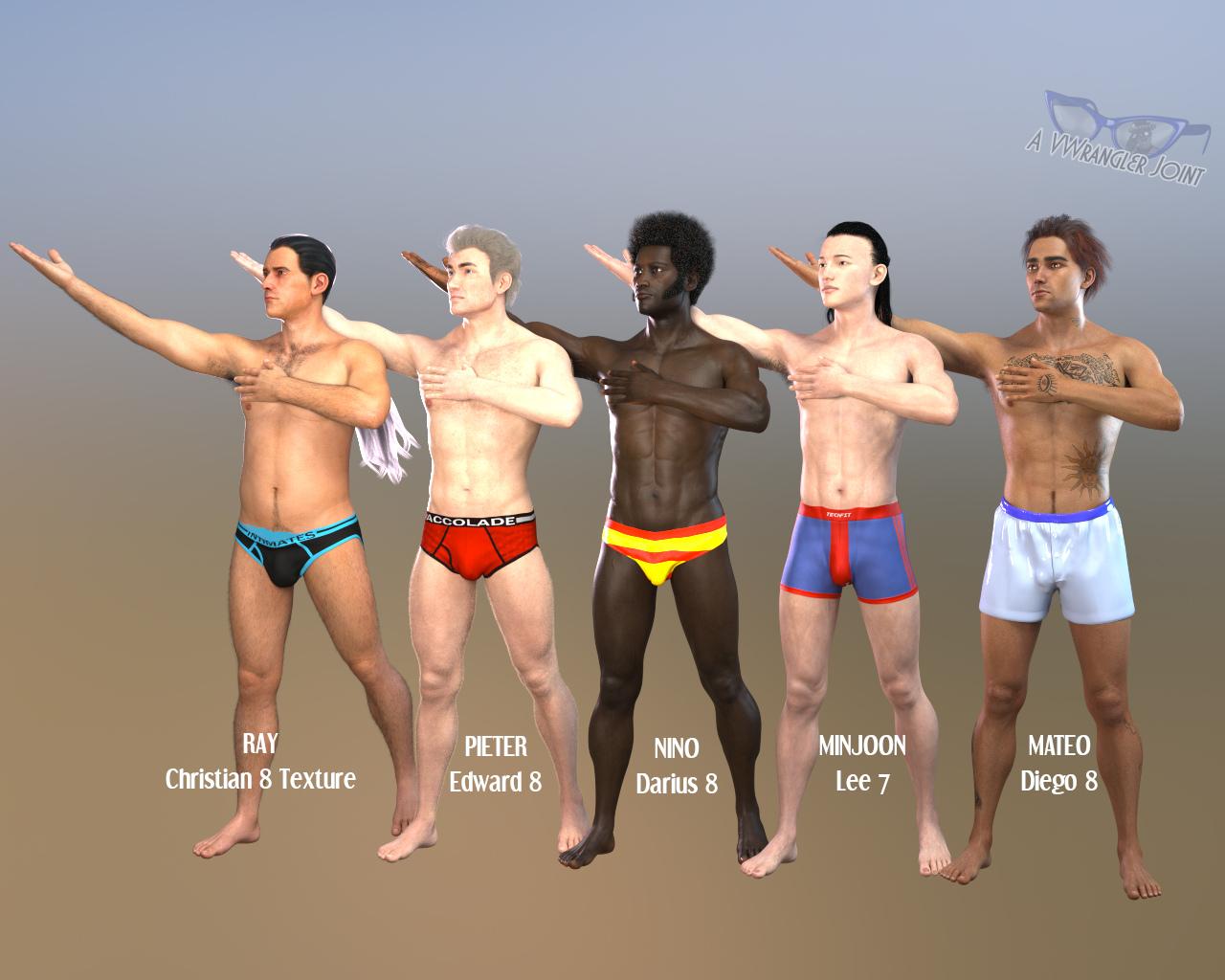
Darwins' Schtuff Pt DeuxWe briefly interrupt this thread for a few Leading Men 2 dudes
First, the defaults, full body (and the pose is for something else I'm working on that's supposed to be sort of Russian Constructivist):
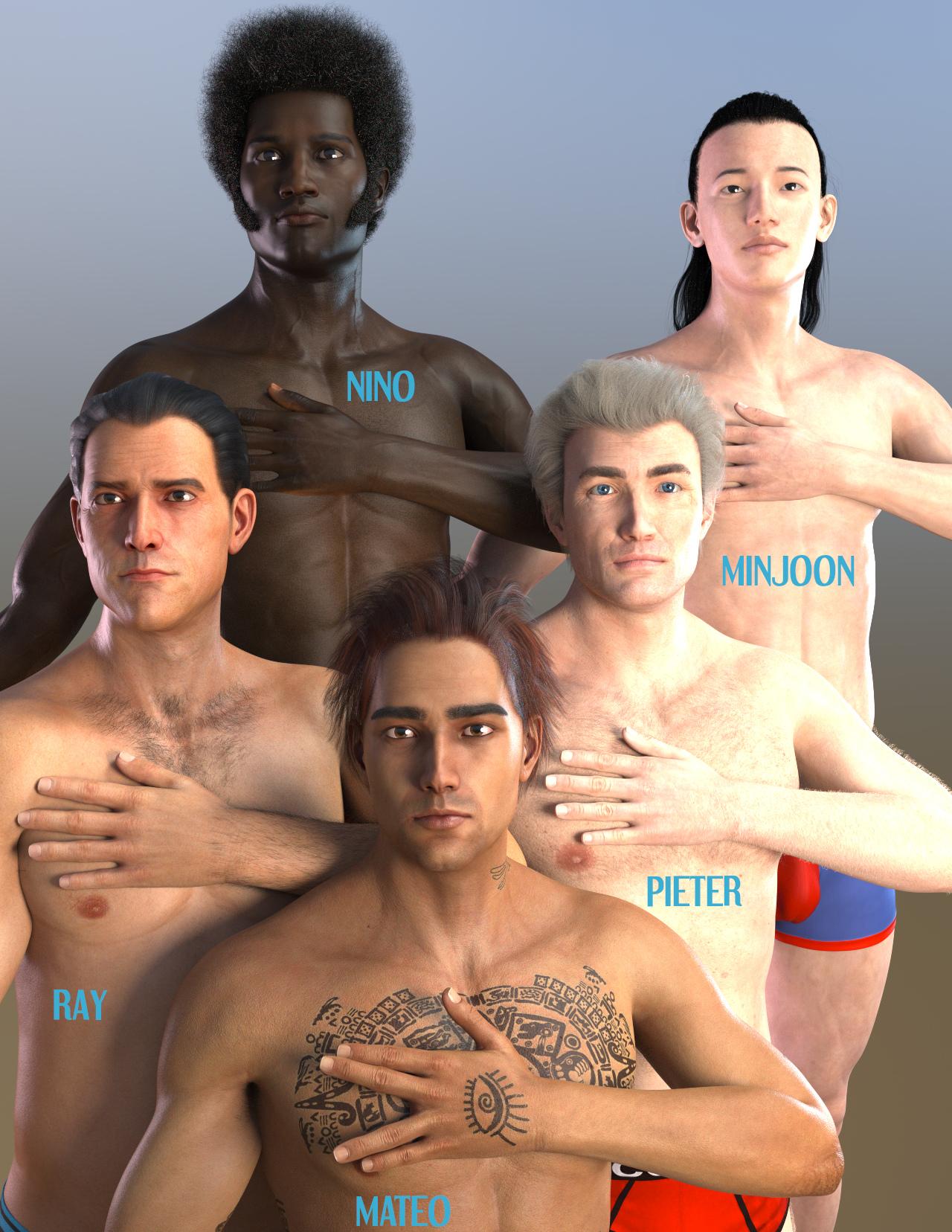
And the headshots:
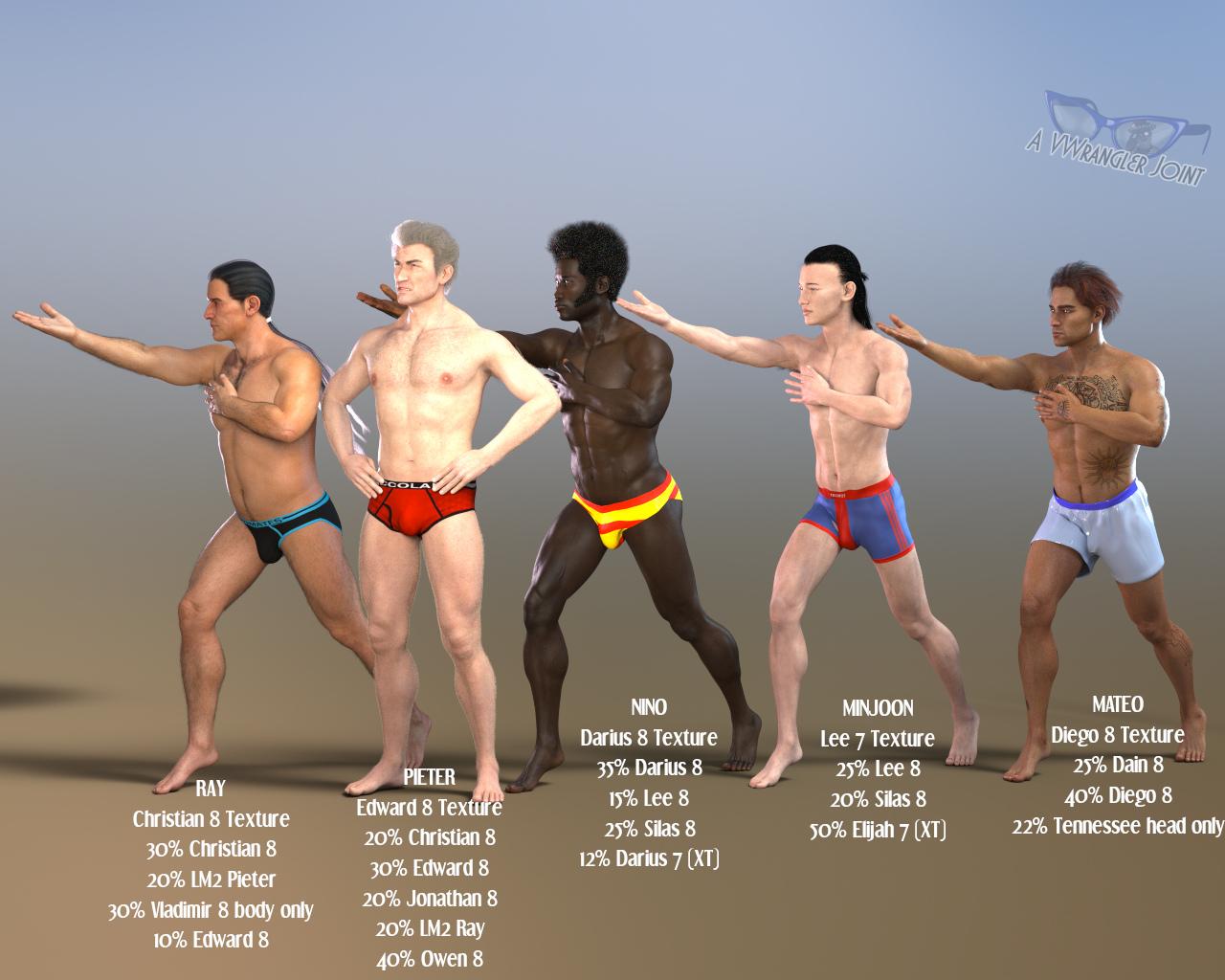
And now with some tinkering:
and headshots:
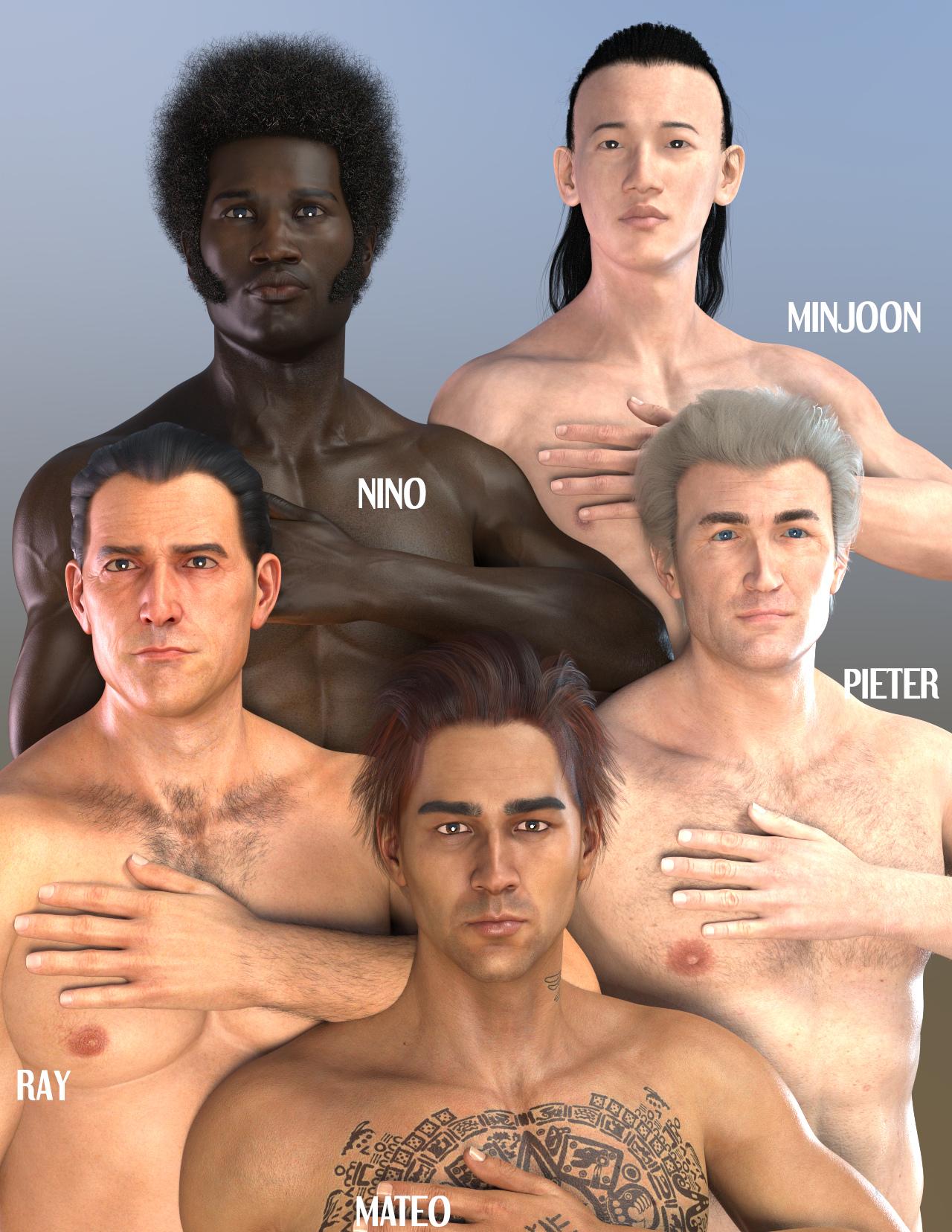
For the lower two images, with Pieter and Ray, I was trying a little to make them look like they might be brothers, which is why they have some similar morphs, as well as each other's. (In the third image down, Pieter is in character as the disapproving older brother.) The Christian and Edward textures are so different that they fight trying to do that, I think. I was a bit surprised that each of those morphs made Ray a bit stockier -- I didn't think of any of them as all that beefy, but that's what happened. And I think I accidentally made Pieter look a lot more like the middle aged version of the person who inspired him, which was absolutely not what I was aiming for. With Minjoon, I was trying to make him longer and leaner (he looks kind of improbable, actually). And with Mateo, I just leaned into the Diego texture with his morph, and I also wanted to see how well Dain would combine with ... well, anyone, really. The one issue that popped up there was that Mateo actually had fairly substantial trapezius muscles already, and when Dain got added into the bunch, his neck basically disappeared, so I wound up dialing those out.
(Complete side note: the Backlight hair shaders appear to be well-named, judging from what they did to Pure Hair Sleek on Ray.)
Error Creating G3 MorphI used Transfer utility and it worked. Thank You very much.
Well we all like to learn new things. How did you make a morph for G3 out of G8 using the transfer utility?
HeadShop 12 HelpJust a couple of Facegen morphs using the default G8F textures and Belfry hair. [served purpose, I have now removed them]
To make them one simply follows the directions one step at a time, selects the figure it is for and the appropriate saving place {where the base figures are kept} and exports it. The nifty thing with Facegen is that one can export out the same morph for each of the Genesis figures!
Oh yes, for Headshop I trust you found this video {was linked to on the product page}.
https://www.youtube.com/watch?time_continue=141&v=vdBFoxlNwto&feature=emb_logo
G8 Male Alien Creator MorphsI'd love to see something similar to the EJ Alien Creator Morph pack for G8 Female but for G8 Male *OR* a mega pack for both male and female :)
Error Creating G3 MorphI used Transfer utility and it worked. Thank You very much.
Daz 3D is part of

Connect
DAZ Productions, Inc.
7533 S Center View Ct #4664
West Jordan, UT 84084Licensing Agreement | Terms of Service | Privacy Policy | EULA
© 2026 Daz Productions Inc. All Rights Reserved.