-
How to fix graft?
crosswind said:
You export the figure with the geo-graft, sculpt what you want. When import OBJ, in Morph Loader Pro dialogue box, select Primary Figure from Graft (Facet Order) from Load Morph for: (ss1)
In this way, if you select the figure, it'll create the morph on the figure. If you select the graft, it'll create morph on the graft.
I did not know that.
GREAT, thank you :-DHow can I make this model look curvy withe her existing morph without adding extra one on topMoved to Art Studio as it is a technique, rather than technical or Daz Studio application, question.
Try an inhale morph, to reduce her waist, try posing her more sway-backed (though the inital pose doesn't look that natural). Try an angled light to exaggerate the shadows from her bust. I am not sure what you want if you want to make her look curvy without changing the shape.
Is it possible to make a JCM for more than one joint at a timesickleyield has a video on youtube.
for JCM controlled by multiple properties, e.g., two joints or two single JCMs, you can put one in Stage 1 controller and the other single JCM under Stage 2 multiply controller.
In properties heirarchy there is a lot of different ways you can control morphs. You can have unlimited Stage 1 and Stage 2 controllers. Just a case if figuring out how they should drive your morph.
Is it possible to make a JCM for more than one joint at a timeI tried searching this on google but the only one that matched seems to have been deleted, then the other results didn't answer the question I'm asking. I've been both making my own clothing and also converting my older content to use on other figures, (for personal use of course). And to fix a lot of the distortions that clothing tends to have when using auto-fit or the transfer utility, I've been making JCMs, so that they look at least decent without dforce, (though I use dforce with most the items, unless it just doesn't work on the older items) and that's worked out pretty well. Though one issue I always have with dresses, skirts and tunics is that when I put the figure in a sitting pose, the JCMs don't look good, since they were morphed when only one leg was bent, and even in pants it's created issues before, though not as often as the aforementioned items. So I've been wondering how to fix that, since while dforce can help with that sometimes, it doesn't always fix the issue, and there are some things that I can't use dforce on, (like the items that aren't welded or have completely detached parts, so they just break apart, which dforce modifier weight maps can't always fix). I would greatly appreciate any advice.
How can I make this model look curvy withe her existing morph without adding extra one on topI really like this models original morph, how I can make her look curvy/thicc without adding extra morph on top??
Free Toon Characters coming July 1st, early download available nowHavos said:
wsterdan said:
Havos said:
If DAZ does not give you permission to distribute the clones than one solution is to supply the reverse clones, by which I mean clones of your toons for G3 and G8. These are your shapes, so you can re-distribute them.
Whilst that may seem unhelpful, as the idea is to get the G3/G8 clothing onto the your toons, not vice-versa, it is however very useful since other users can easily (and I believe legally, as long as they are for personal use) create G3/G8 clones for your figures by using the clones you supply.
I'm not an expert but I don't think I could. Richard could explain better but in the current situation, the G3 and G8 clones are made by taking the Toon meshes and reshaping them to match the shapes of Genesis 3 and Genesis 8, and it's just copying those shapes – with my own mesh – that's the issue. Your way would mean taking G3 and G8 meshes and reshaping them to match the Toon shapes, and if distributing the *shapes* of Genesis 3 and Genesis 8 are a no-go, distributing actual Genesis 3 and Genesis 8 meshes would not be allowed.
Unless, of course, I've got things backwards.
I understand that. But if you already have G3 and G8 clones for your toon figures, then it is just a few steps in Daz Studio to create Toon clones for G3 and G8.
Basically you export out a base resolution G8 figure as an object, re-import it, then use the transfer utility to fit that object onto your toon figure using the G8 clone as the source shape. This should result in the G8 skin having the shape of your toon. You can export this to obj, then re-import into G8 using Morph Loader Pro so that G8 has a morph of your Toon. This can then be used by other users to create a G8 clone for your toon by doing the whole thing in reverse.
I believe distributing a G8 morph is allowed, as indeed many commercial products and freebies do just that.
I honestly have no idea what's allowed or what I'll be able to give away at this point. If I understand you correctly, I'd have a G8 or G3 morph that I could distribute and people could use *that* to make their own G3 or G8 clones. Got it... I think. Yeah, that might work, unless I can't distribute the Toon characters at all based on what Richard said about rigging.
Hopefully we'll hear from DAZ "soon" about what's allowed (it's only been a week so far); I honestly didn't think I'd have this much trouble giving something away for free, I thought finding a site to host it was the hard part.
Thanks for taking the time to explain it simply enough for me to understand it, much appreciated.
Free Toon Characters coming July 1st, early download available nowwsterdan said:
Havos said:
If DAZ does not give you permission to distribute the clones than one solution is to supply the reverse clones, by which I mean clones of your toons for G3 and G8. These are your shapes, so you can re-distribute them.
Whilst that may seem unhelpful, as the idea is to get the G3/G8 clothing onto the your toons, not vice-versa, it is however very useful since other users can easily (and I believe legally, as long as they are for personal use) create G3/G8 clones for your figures by using the clones you supply.
I'm not an expert but I don't think I could. Richard could explain better but in the current situation, the G3 and G8 clones are made by taking the Toon meshes and reshaping them to match the shapes of Genesis 3 and Genesis 8, and it's just copying those shapes – with my own mesh – that's the issue. Your way would mean taking G3 and G8 meshes and reshaping them to match the Toon shapes, and if distributing the *shapes* of Genesis 3 and Genesis 8 are a no-go, distributing actual Genesis 3 and Genesis 8 meshes would not be allowed.
Unless, of course, I've got things backwards.
I understand that. But if you already have G3 and G8 clones for your toon figures, then it is just a few steps in Daz Studio to create Toon clones for G3 and G8.
Basically you export out a base resolution G8 figure as an object, re-import it, then use the transfer utility to fit that object onto your toon figure using the G8 clone as the source shape. This should result in the G8 skin having the shape of your toon. You can export this to obj, then re-import into G8 using Morph Loader Pro so that G8 has a morph of your Toon. This can then be used by other users to create a G8 clone for your toon by doing the whole thing in reverse.
I believe distributing a G8 morph is allowed, as indeed many commercial products and freebies do just that.
How to fix graft?You export the figure with the geo-graft, sculpt what you want. When import OBJ, in Morph Loader Pro dialogue box, select Primary Figure from Graft (Facet Order) from Load Morph for: (ss1)
In this way, if you select the figure, it'll create the morph on the figure. If you select the graft, it'll create morph on the graft.
How to fix graft?How to fix graft?
If I just export the graft alone, the shape is the default. not the one that has been adjusted to the body.
If I export the whole body and the graft, and sculpt the graft, it can't be imported back as a morph.Adding Dual Quaternion support to UnrealEngine4 (Images inside)nabe said:
I downloaded UE54win.zip from the URL below and moved "DTU_DQS_Deformer" to my project, and it worked properly!
Thank you very much!https://github.com/daz3d/DazToUnreal/releases
However, when I changed the Morph Target values, the normals became strange and weird shadows appeared. So I combined "DTU_DQS_Deformer" and "DG_TEST." Since I did this intuitively without proper knowledge, other problems might arise, but the normals are now working correctly.
I don't recommend that version, it is very outdated. The fork by David Vodhanel, the original author of the plugin, is updated regularly and the last was just 3 weeks ago. The mainline version from Daz is over a year and a half old and missing a lot that David has done since.
Link to David's fork: https://github.com/David-Vodhanel/DazToUnreal
Follow the tutorial I linked earlier to install it correctly. You don't need to edit anything, just enable the Deformer on the character and it works. There is no performance hit if you are on the newest versions of Unreal, the Deformer has gone through major updates in recent versions. It may take time to process the first time you apply the Deformer, because it is making all the calculations, but once done and cached it is good to go. It does not do all the calculations on the fly as suggested.
AlienRenders said:
If it works for you, great! It's just unfortunate that it's so badly implemented (slow). For every vertex, it converts all the LS matrices to DualQuaternions and then applies the weights. So if you have 100 bones and 100k vertices, you have 10 million conversions. In my branch, it converts it once (100 conversions) and sends it to the video card. So 100 conversions vs. 10 million. Now, there is the conversion back for the result, but that part is the same for both. It's been a while since I've checked the code in those graphs. Hopefully, if you have limited bone influences, it'll only convert 8 matrices per vertex. But that's still 800,000 vs 100.
I'll try to create a good branch for 5.5 soon. I'm just working on something else right now and don't need DQS atm. The problem is getting the deformer graphs installed. You'll have to manually copy them since UE has a separate script for downloading and installing engine content.
What you say may have been the case in 5.1 when it was Experimental, but have you tested it in recent versions? Deformer works great now and shows no performance impact. In fact it reduces my frame times by 1ms when applying DQS.
I made a fresh example to demonstrate. It has Kat, Laura, and Ty for G9 all subdivided at level 2 when exported from Daz. Unlimited Bone Influences enabled. Using the MetaHuman Lighting project on the Portrait_RT level. VT used to keep original texture quality with everything still default 4k. You can see enabling the DQS_Deformer somehow improves performance here. You can tell when it's disabled by the pointed deformity between the legs and flattened glutes during the jump landing. Then when enabled those issues are gone and it matches how it looks in Daz using the same animation.
Here is a raw screen recording with DQS Deformer off then on:
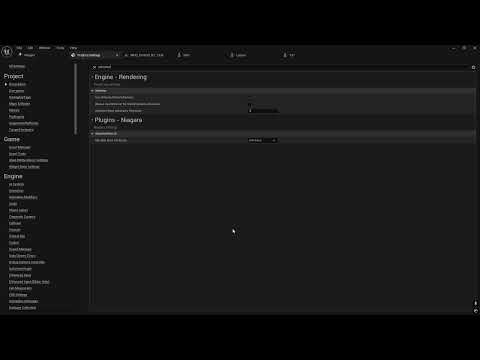
As you can see, I'm also running on older mid-range hardware as shown at the end- i5-9600k + RTX 2070. It would run even better if I wasn't screen recording.
And did you ever submit a pull request for your branch so Epic could included it in the engine? If you've got good code changes Epic will incorporate it, there is plenty of code attributed to users. If you did, it may have been implemented and could be why it runs better now.
Render your buys! Use buys from the current month and the previous month of salesI'm really quite cross about the gallery image embedding being broken, but I've gone a little bit nuts with the new version of Mechasar's Beverly (although I've mixed the morph around a little and thrown on Tara 9's Succubus materials) and have a load of renders that need posting, so let's struggle through with the attachment upload.
Most of these also have other stuff that I've not yet rendered properly (some recent purchases, others less so), so I'll link those too.
(I will note in the name of openness that I've also used some of my normal tricks to improve the fit of clothing; what you see here is not using the included solutions and isn't representative of them).
~~~~~
Miserable Weather

https://www.daz3d.com/dforce-su-sexy-slip-dress-for-genesis-9-81-and-8-female
https://www.daz3d.com/1960s-college-for-daz-studio
https://www.daz3d.com/Umbrelli-Girls-Poses-and-Props-for-Genesis-3-and-8-Females~~~~~
Another Pub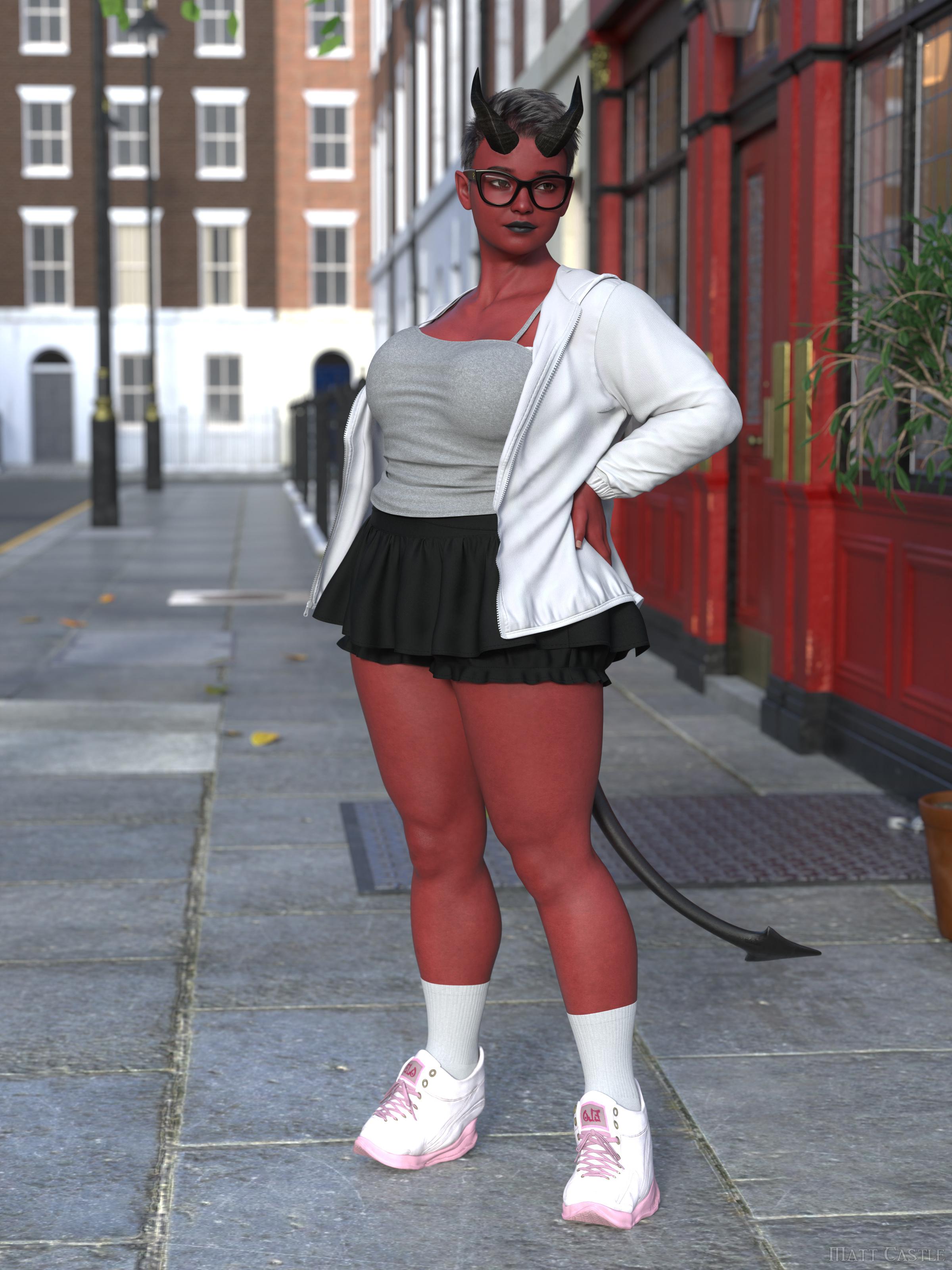
https://www.daz3d.com/dforce-su-daily-suit-for-genesis-9-81-and-8-female
https://www.daz3d.com/the-white-lion-london-pub
~~~~~
Breaking the law
https://www.daz3d.com/x-fashion-nostalgia-lingerie-for-genesis-9-and-8-female
https://www.daz3d.com/condominium-locker-room
~~~~~~
Impatient
https://www.daz3d.com/pixie-winter-outfit-for-genesis-9
https://www.daz3d.com/snowy-london-street~~~~~
Technical Issues
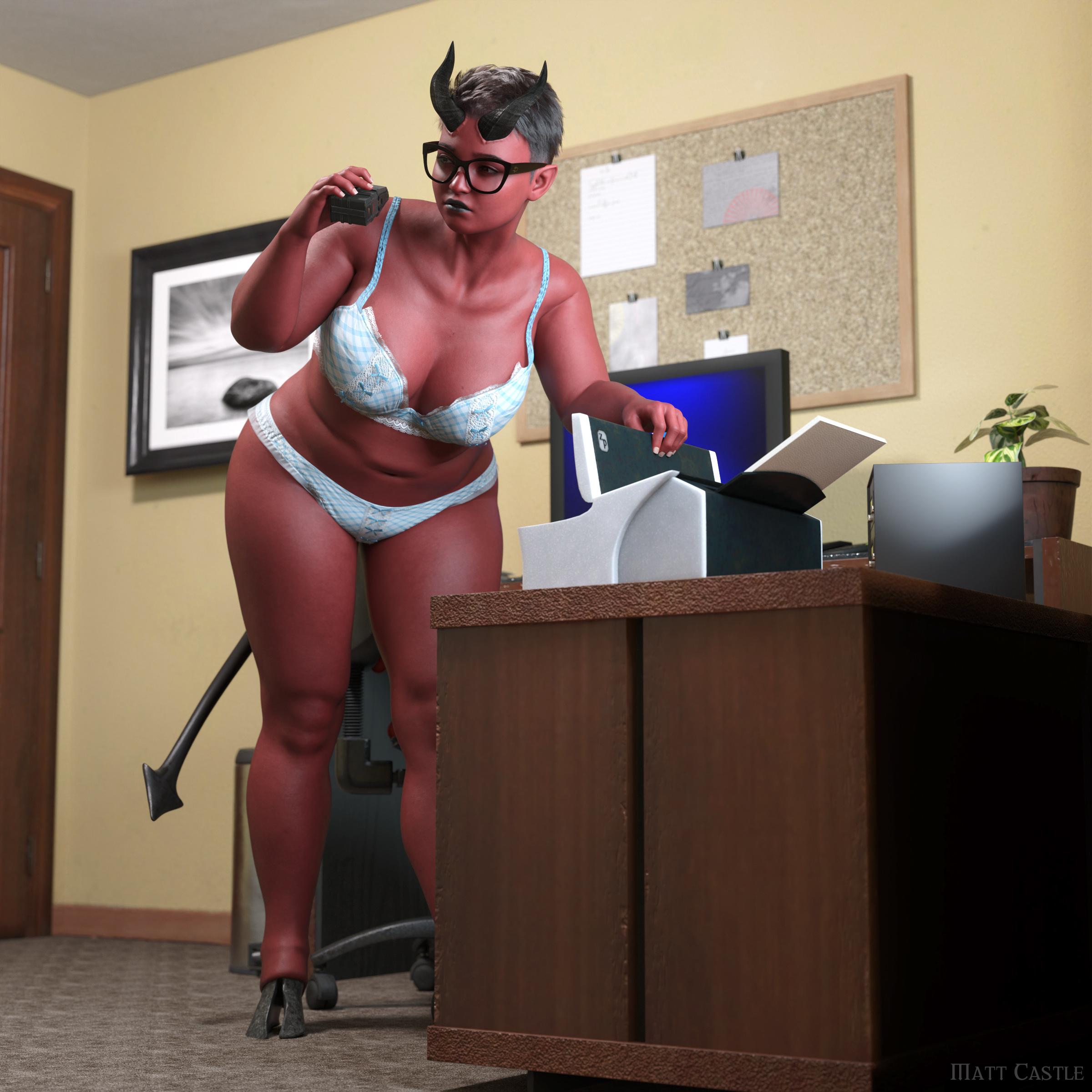
https://www.daz3d.com/x-fashion-cute-bows-lingerie-for-genesis-9
https://www.daz3d.com/european-style-apartment (Note however that I've added most of the props)
~~~~~Burning Rage
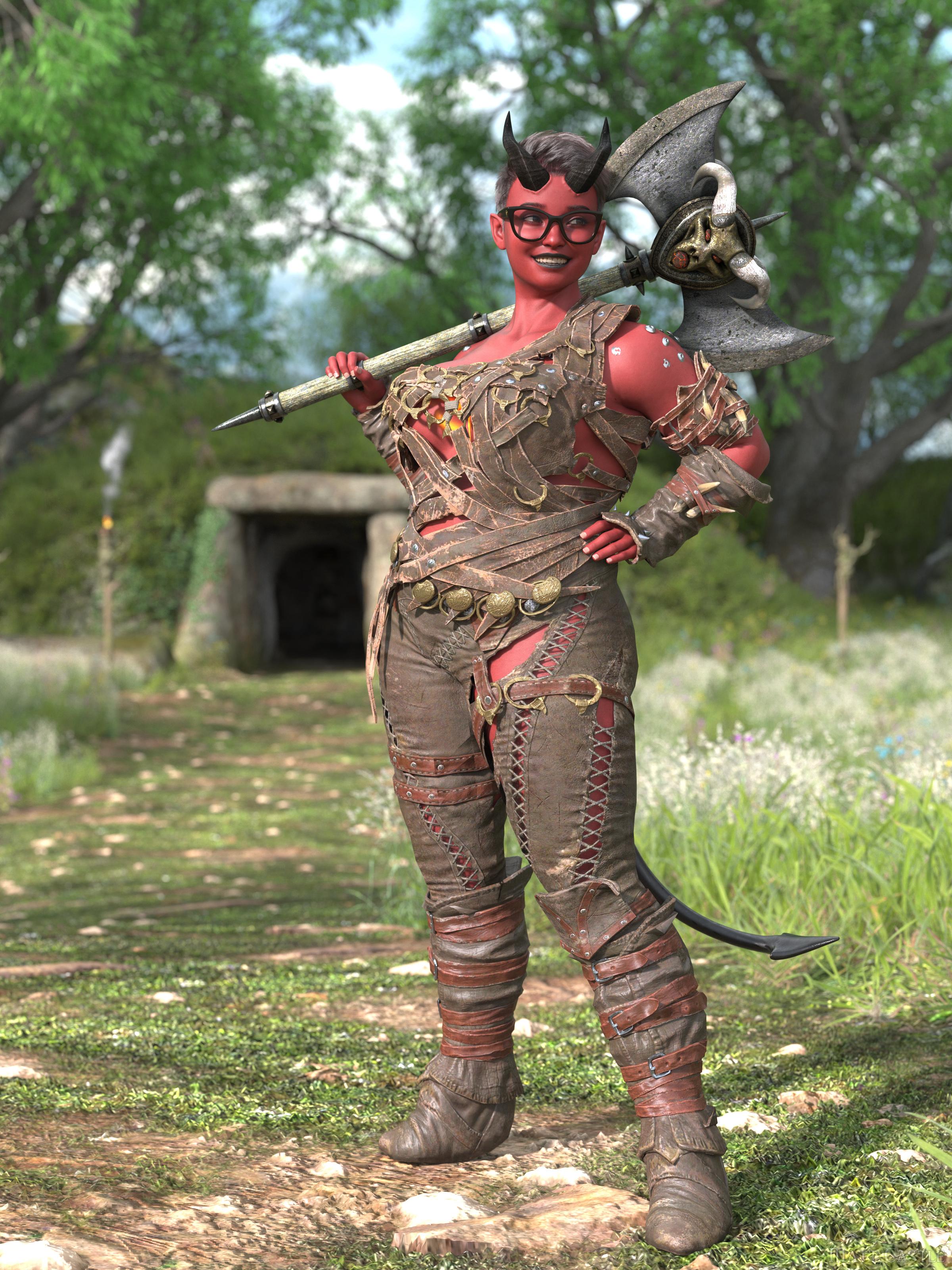
https://www.daz3d.com/round-barrow-for-simple-grasslands-expanse
(Plus some DA user's version of Karlach's outfit that I specifically sought out because I thought it would be funny)UE5.4 - Daz to Ureal (2024)You don't need the exact plugin version for the transfer to work. Whenever you want to use Daz to unreal: In the daztounreal pop up window, at the very bottom, make sure you select the daztounreal destination folder in your unreal engine project (You can actually just create one yourself in your unreal content folder) and make sure the plug in is enabled in unreal engine (The plugin VERSION DOES NOT MATTER) I never select the plug in version in the daztounreal pop up window. All that matters is that the destination folder is selecfed and that daz and unreal are both open.
Diffeomorphic & Blender 4.4 - Exporting Daz Facial Animations to Blender (Solved)I was able to figure it out in case anyone else has the same issue!
Diffeo does not import custom morphs, so if you used any expressions from vendors that are outside of the FACS, then you simply need to check off "load missing morphs" when importing an action or pose.
I was using a morph didn't touch any of the morph sliders in the Daz pose tab which was my issue.
How to make the back of a woman very curvy?In most of the cases, that curve comes from a pose rather than morph(s)... e.g. when Adbomen Lower Bend negatively, Pelvis Bend positively (both within Limits...)
If a Genesis figure (or even a human being) straightly stands in A-pose, you shouldn't be able to see that sort of curve ~~ unless that figure or human being has a pretty big butt and slim waist, or sort of "handicap" like Wendy said, etc...
How to make the back of a woman very curvy?Increasing Glute size would possbily meet your needs.
AFAIk,all the Body Morph packs for the various genesis series include that morph.
If you want something more specific, you could look into Glute control, or the metric ton of other glute morphs availble from various vendors and websites.
If you just mean to increase the lordosis curve, you can just tilt the pelvis back and adjust the legs acordingly. Though this may give the figure a strange look, referred to as 'swayback'.
AIUTO...CHI CONOSCE L’ITALIANO? PARTE QUATTORDICIvangelrise said:
Ah, ottimo! Ma meglio dischi interni o anche hard disk esterni?
Poi riprovo allora con il Transfer Utility, per ora sto usando il metodo che ha scritto Silvhe, cioé mettere prima tutto in posa e solo per ultimo caricare il vestito. In effetti, per quanto poco comodo, funziona.
Non vorrei restituire il prodotto perché mi piace, è perfetto per quel che devo fare, preferirei salvarlo.Meglio interni in quanto le librerie saranno sempre disponibili, ma se proprio non hai scelta vanno bene anche esterni, basta che ti assicuri che siano sempre "in linea". E in questo caso, disattiva il risparmio energetico, nelle sessioni lunghe il disco potrebbe andare in pausa e rallentare il caricamento delle librerie.
Io per esempio ho la libreria principale su un SSD M.2 PCIE, anche con lo script per togliere il limite dello smart content ci mette solo tre secondi a caricare tutto.
AIUTO...CHI CONOSCE L’ITALIANO? PARTE QUATTORDICIImago said:
Certo che puoi, devi solo impostare tutto nelle opzioni di DAZ Studio o nel DIM. Io ho librerie personalizzate in più dischi per cui funziona tutto.
Quanto al transfer, lascia perdere i video su youtube, segui le istruzioni che ti ho dato io.
 Le opzioni potrebbero essere un pò diverse da una versione di DAZ ad un'altra ma quelle di base sono sempre le stesse.
Ah, ottimo! Ma meglio dischi interni o anche hard disk esterni?
Poi riprovo allora con il Transfer Utility, per ora sto usando il metodo che ha scritto Silvhe, cioé mettere prima tutto in posa e solo per ultimo caricare il vestito. In effetti, per quanto poco comodo, funziona.
Non vorrei restituire il prodotto perché mi piace, è perfetto per quel che devo fare, preferirei salvarlo.AIUTO...CHI CONOSCE L’ITALIANO? PARTE QUATTORDICIvangelrise said:
Ho provato anche il Transfer Utility, ma non ho concluso nulla, nel video che ho usato come guida lo facevano su G9 e c'erano tutta un'altra serie di opzioni. Su G8 c'è pochissimo e comunque non è cambiato nulla.
Ho aperto un ticket con DAZ, vediamo che rispondono.
Nel frattempo mi è sorto un altro problema, stavolta di natura hardware. Praticamente ho esaurito la memoria sull'hard disk del pc, la libreria di DAZ ne mangia un sacco di Giga, ma proprio tanti. Stavo pensando di espanderla con un SSD, ma poi mi è venuto il dubbio: mica posso spaccare in due la libreria di DAZ? Deve stare tutta nello stesso posto, giusto?
Certo che puoi, devi solo impostare tutto nelle opzioni di DAZ Studio o nel DIM. Io ho librerie personalizzate in più dischi per cui funziona tutto.
Quanto al transfer, lascia perdere i video su youtube, segui le istruzioni che ti ho dato io.
Le opzioni potrebbero essere un pò diverse da una versione di DAZ ad un'altra ma quelle di base sono sempre le stesse.AIUTO...CHI CONOSCE L’ITALIANO? PARTE QUATTORDICIHo provato anche il Transfer Utility, ma non ho concluso nulla, nel video che ho usato come guida lo facevano su G9 e c'erano tutta un'altra serie di opzioni. Su G8 c'è pochissimo e comunque non è cambiato nulla.
Ho aperto un ticket con DAZ, vediamo che rispondono.
Nel frattempo mi è sorto un altro problema, stavolta di natura hardware. Praticamente ho esaurito la memoria sull'hard disk del pc, la libreria di DAZ ne mangia un sacco di Giga, ma proprio tanti. Stavo pensando di espanderla con un SSD, ma poi mi è venuto il dubbio: mica posso spaccare in due la libreria di DAZ? Deve stare tutta nello stesso posto, giusto?
AIUTO...CHI CONOSCE L’ITALIANO? PARTE QUATTORDICIvangelrise said:
Cos'è il drape?
Il il termine chic per il DForce, immagino.
 In ogni caso, il Transfer Utility lo trovi sotto Edit-> Object, dovrebbe essere in cima alla lista. Ci pigi sopra e nel menu a tedina a sinistra scegli la base (G8) e in quello a destra il bersaglio (Il costume). Le impostazioni di default vanno bene nella maggior parte dei casi, se dovesse creare problemi cambia il tipo di proiezione (projection) su BodySuit Loose o Tight a seconda di come ti serve. Per avere un pò più di libertà, allarga la finestra con Show Options e attiva Add Smoothing, poi lo regoli come serve. Fatto questo, nel 80% dei casi hai risolto.
@ Silvhe
Purtroppo quello va bene solo se fai still o se sei arcisicuro della posa del personaggio e dei capelli. Diversamente ci diventi matto con un prodotto rotto come quello.Daz 3D is part of

Connect
DAZ Productions, Inc.
7533 S Center View Ct #4664
West Jordan, UT 84084Licensing Agreement | Terms of Service | Privacy Policy | EULA
© 2026 Daz Productions Inc. All Rights Reserved.