-
Scalable Triangle Primitive
Here's some more complex ones.
never saw the point of those since not a merchant resource, one could just import mesh from Blender, Hexagon etc.
The point is that they morph. Yes, if you have the know-how, you can do it all in a modelling app, but adding dozens of morphs to each primitive is extremely time-consuming. Hence the pack.
New Bluejaunte character alert - Ensley HDIn the description it is stated that she is an assymetric HD morph, which is welcome. I like it that Bluejaunte created a realistic character. And don't have any character from this PA yet. This might be the first (did consider Faye & young Lyra). I agree with Sevrin, I also don't make a big deal of the feet normally, but those feet are a plus. Might be good for some swimming pool shots.
Can anyone already comfirm that this character has pointy breasts? In the promo shots it looks like that. I would like if this character has, since 99% off the characters in the store have the normal shape. some variation in shape is welcome.
Who said Blender was hard?
I find Many advantages to modeling my own content.So I’ve been playing around with Blender and I bought Auto Rig Pro. It actually does a really good job of rigging a high-resolution (subdivision 1 or 2 if your feeling gutsy) obj export from Daz.
Rigging the eyes (at least on G8) is a little tricky. I ended up seperating each eye into its own object, setting the origin to center of mass (surface) and then tracking it to the appropriate eye IK bone thing. Expressions are much harder to do here, but one thing that you can do is export the ones you know you’ll want to use from Daz as separate OBJ's and then use blend-shapes to animate facial expressions.
I like this becaue Blender gives me a lot more control over animation and a lot more ability to have things like references in the viewer. I may even purchase the X Muscle System add-on and start playing around with muscle deformation and fat jiggling.
EDIT: I forgot to mention that it's a neat alternative to Dforce, too. Since your character exists in the A-pose (or T-pose for earlier generations) you can basically just export clothes from Daz and then use the cloth simulation to drape them on your character. If you do your posing on frame 12 or so, you’ll get pretty nice results.
Might I ask how you're getting the cloth simulation to work a little more? This has been the only thing I can't get to work in Blender. I have a kimono on a character and I have her arm raised, but every time I try the cloth sim, it either explodes or falls off. I've figured out the pinning thing to keep it from falling off, but now it just inflates or fully explodes and I don't know what's going on. I know without seeing my settings it's hard to guesstimate what's going on with me, but what's your process for getting it to work if you don't mind me asking?
Is that kimono a bought product or something you have made yourself?
I have seen objects falling off, or disappear into the body, but I don't recall any explossions.
The Kimono is actually this one:
https://www.daz3d.com/dforce-kimono-outfit-for-genesis-8-females
I'm going to delve into learning how to make my own clothes here during this quarantine just to learn something new. Yeah, most times they don't fall off for me, but when I use the kimono, it's on the floor in 20 frames lol.
I try the cloth sim, it either explodes or falls off. I've figured out the pinning thing to keep it from falling off, but now it just inflates or fully explodes and I don't know what's going on. I know without seeing my settings it's hard to guesstimate what's going on with me, but what's your process for getting it to work if you don't mind me asking?
- Make sure your character is scaled correctly, or the settings will not work reliably.
- In all your objects, got to the Viewport Overlays in the upper right of the 3d viewport, and turn on Face Orientation. The outside of objects should be blue, not red. If you see red, your normals are flipped. But from your description, you seem to be OK.
- In the physics tab for the kimono object, select a cloth preset to get reasonable physical values.
- The default collision distances are way to high. Under object collisions, set the Distance to 0 and let Blender bump it up to the minimum value. Disable Self Collisions for now (but when you get the sim sorta kinda working and want to enable it, set its Distance to 0 as well).
- Got to your character object's Physics tab, and set it as Collision. Under Softbody and Cloth, set both the Thickness Outer and Inner to zero, and let Blender set them to the minimum value. The effective distance is the sume of the cloth's distance and either the inner or outer distance of the collision object.
- Hit the space bar to see the sim. Adjust the Collision's Quality parameter upwards if there's still penetration due to fast movements, etc. If the Kimono gets stuck in any object, try selecting Single Sided on that object's collider.
- If it explodes, try changing the Damping parameter on the cloth object as well as the collision objects.
Good luck!
@TheMysteryIsThePoint, many, many thank you's! This looks to be exactly what I was looking for :) Also, I signed up for Quixel and have been loving the textures there, you pointed me in their direction a month ago or so, just wanted to say thank you for that tip as well!
For modeling your own clothes, in my opinion there are only a few reasons to do it:
1. You want something really unique and can't find it anywhere so you decide to do it yourself.
2. You want to eventually become a PA so you want to learn how to do it
3. You enjoy modeling and/or making everything yourself
I don't think it is worth modeling your own clothes just to not buy them. Even for people that are very proficient and making them (the PAs that sell them), for the clothes to be worth their time, they have to sell them to a lot of people. I don't think the time creating a good item of clothing is worth it if it's just for one person.
For example and to show I speak from experience I attached a screenshot of a dress I made when I had just started out with Daz and decided I'll make almost everything myself (At that point I even wanted to make the hair). I have not really finished the dress. This is just modeled and moved to Daz. There I autofitted it with the transfer utility to G8 and that's it. It has no corrective morphs (other from the autofit ones) nor weight maps, rigging or anything. I just applied smoothing modifier on it and dForce and than used the Fit control to correct a minor pokethrough on the left hip and one on the breast area. I have also just made this dress when I modeled it purely from imagination with no design in mind.
I'm actually going to have to change the scale I work at in Blender - it's fine for modelling but running any cloth-sims / rigid-body sims is much easier if you're working at the right scale within Blender.
I actually never scale anything when importing into Blender. I use the huge scale that Daz has and almost always have to adjust my view to be able to see more than the original 1000m. It's a little annoying at first that you have to scale everything else in Blender to that size but I got used to it. The huge scale also helps with simulations.
Oh no, I'm not going to delve into it so I don't have to buy anything anymore, it's so worth it to just pay the 10, 15 bucks or whatever for an item here in the store. But I figure with all the extra free time right now, I should learn something I don't understand at all and maybe I'll learn something I didn't know before that could help in something else as I'm seeing so many things are tied together.
Particularly if one needs more than just another tight mini-dress (As in Alex86's example),for the G8 females
I work in the MALE oriented sci fi genre.where I need future tech ,armors weapons etc as well as Sci-Fi environments.
I am also an animated film maker who not only needs purpose built content for my narratives
But will also need that content OPTIMIZED to be both animated and rendered in realtime environments( like EEVEE,Iclone) where 4K textures are not the best approach for animation.
Also the ability to support the older Genesis models with custom content is a huge advantage as the The G3/8 models present certain well documented challenges with external Character animation system such as Mixamo.
The older G1/G2 models have far less problems in this regard IMHO and based on my experience making a 93 minute feature length, animated film with Daz content&figures.
The attached image is a conforming Sci fi armor for the G2 male created in Blender 2.82
very low poly with blender procedural materials ,and converted to an Iclone realtime avatar for animation and Alembic export to Blender for EEVEE rendering
This is my advantage.Long load time for G8F -- Stumped on log fileThere is about a 4-minute wait for G8F to load. The log file shows the following output. The delay appears right between the WARNINGS and just before the "Begin Loading Character Addons..."
Anybody have an idea what/where this problem is occuring?
Thank you in advance.
Log file:
2020-04-11 23:00:06.465 WARNING: ..\..\..\..\..\src\sdksource\fileinput\dzassetdaz.cpp(7848): Failed to add user alias property to node.
2020-04-11 23:00:06.465 WARNING: ..\..\..\..\..\src\sdksource\fileinput\dzassetdaz.cpp(1451): Failed to create alias!
2020-04-11 23:00:06.465 WARNING: ..\..\..\..\..\src\sdksource\fileinput\dzassetdaz.cpp(7848): Failed to add user alias property to node.
2020-04-11 23:00:06.465 WARNING: ..\..\..\..\..\src\sdksource\fileinput\dzassetdaz.cpp(1451): Failed to create alias!
2020-04-11 23:00:06.465 WARNING: ..\..\..\..\..\src\sdksource\fileinput\dzassetdaz.cpp(7848): Failed to add user alias property to node.
2020-04-11 23:00:06.465 WARNING: ..\..\..\..\..\src\sdksource\fileinput\dzassetdaz.cpp(1451): Failed to create alias!
2020-04-11 23:04:26.752 Begin Loading Character Addons...
2020-04-11 23:04:27.368 Loaded Morph Deltas in 0 min 0.0 sec.
2020-04-11 23:04:27.382 Loaded Morph Deltas in 0 min 0.0 sec.
2020-04-11 23:04:27.382 Loaded file: FHMErevan Airy.dsf
2020-04-11 23:04:27.387 Loaded file: thightside in both.dsf
2020-04-11 23:04:27.392 Loaded Morph Deltas in 0 min 0.0 sec.
2020-04-11 23:04:27.392 Loaded file: pJCMThighSide_26_R.dsf
2020-04-11 23:04:27.403 Loaded Morph Deltas in 0 min 0.0 sec.
2020-04-11 23:04:27.403 Loaded file: pJCMThighSide_26_L.dsf
2020-04-11 23:04:28.040 File loaded in 0 min 1.2 sec.
2020-04-11 23:04:28.040 Loaded file: Genesis 8 Female Eyelashes.duf
2020-04-11 23:04:28.052 Loaded Morph Deltas in 0 min 0.0 sec.
2020-04-11 23:04:28.052 Loaded file: Vagina_SupPenet-Tight_key.dsf
2020-04-11 23:04:28.052 Loaded Morph Deltas in 0 min 0.0 sec.
2020-04-11 23:04:28.052 Loaded file: Vagina_Penet-Tight_key.dsf
2020-04-11 23:04:28.052 Loaded Morph Deltas in 0 min 0.0 sec.
2020-04-11 23:04:28.063 Loaded file: default-shape.dsf
2020-04-11 23:04:28.063 Loaded Morph Deltas in 0 min 0.0 sec.
2020-04-11 23:04:28.063 Loaded file: !Tight Vagina.dsf
2020-04-11 23:04:28.063 Loaded Morph Deltas in 0 min 0.0 sec.
2020-04-11 23:04:28.063 Loaded file: PHMEyelashesLengthUpper.dsf
2020-04-11 23:04:28.063 Loaded Morph Deltas in 0 min 0.0 sec.
2020-04-11 23:04:28.063 Loaded file: PHMEyelashesLengthLower.dsf
2020-04-11 23:04:28.063 Loaded Morph Deltas in 0 min 0.0 sec.
2020-04-11 23:04:28.070 Loaded file: PHMEyelashesCurl.dsf
2020-04-11 23:04:28.212 Loaded Morph Deltas in 0 min 0.0 sec.
2020-04-11 23:04:28.212 Loaded file: PHMEyelashesLengthUpper.dsf
2020-04-11 23:04:28.215 Loaded Morph Deltas in 0 min 0.0 sec.
2020-04-11 23:04:28.215 Loaded file: PHMEyelashesLengthLower.dsf
2020-04-11 23:04:28.215 Loaded Morph Deltas in 0 min 0.0 sec.
2020-04-11 23:04:28.215 Loaded file: PHMEyelashesCurl.dsf
2020-04-11 23:04:28.215 Loaded Morph Deltas in 0 min 0.0 sec.
2020-04-11 23:04:28.215 Loaded file: PHMEyelashesExpand.dsf
2020-04-11 23:04:28.688 File loaded in 0 min 0.0 sec.
2020-04-11 23:04:28.693 Loaded file: Base MAT Eyelashes.duf
2020-04-11 23:04:28.693 Finished Loading Character Addons
2020-04-11 23:04:29.018 File loaded in 5 min 1.1 sec.
2020-04-11 23:04:29.018 Loaded file: Genesis 8 Basic Female.duf
2020-04-11 23:04:37.541 Loaded image G8FBaseLegsMapD_1003.jpg
2020-04-11 23:04:37.586 Loaded image G8FBaseEyes01_1007.jpg
2020-04-11 23:04:37.744 Loaded image G8FBaseArmsMapD_1004.jpg
2020-04-11 23:04:37.792 Loaded image G8FBaseMouthMapD_1005.jpg
2020-04-11 23:04:37.953 Loaded image G8FBaseFaceMapD_1001.jpg
2020-04-11 23:04:38.114 Loaded image G8FBaseTorsoMapD_1002.jpg
2020-04-11 23:04:38.164 Loaded image G8FBaseEyelashes_1006.jpgFBX - C4D - Morphs - eyelashes and head combineHello guys,
I tried to be as short as possible in my title but I will explain here in details.
I am working with a Genesis 8 female that I Tposed. I would like to export all the morphs for the head in order to animate in Cinema 4D.
I know I have to add the Morph rule "head export" in FBX export settings, it is working great and I can find back my morphs in Cinema.
My problem is that it generates a morph tag for each geometry elements, including the eyelashes...
I don't get why the eyelashes is a separated element from the head but it seems counter productive to have to keyframe both eyes and then eyelashes to animate a "eyes closed" morph. It makes things so much more annoying and time consuming.
I saw 2 or 3 threads on the forum where people have the similar issue, but every time no solutions were provided. Note that I am not talking how to export the eyelashes, I know I have to thick the "merge Clothing into Figure Skeleton".
Basically, is there a way to combine eyelashes and head morphs so that it come with only one track of blendshapes in Cinema 4D ?
Thanks a lot for your help ! :)
Jeremy
Who said Blender was hard?Something to keep in mind as far as clothes and hair go is that box modeling such items is really the worst possible way you could do it. Yes, you can do it and make it look good but in the time it takes you to make a single dress someone who uses a sculpting tool such as Zbrush or even Blender sculpting tools will make many dresses. Clothing is organic so you are better off using a tool that lets you create items in an organic fashion, By far the easiest workflow is to simpy copy the section of the body your clothing item will go on, smooth it out a bit and remesh it and then use that as a sculpting base to mold into a perfectly fitting clothing item. You just cannot do that with traditional box modeling.
I think that actually sewing is the fastest way to make a dress and most pieces of clothing. I heard Marvelous designer is very good and popular with people making clothing for Daz. https://www.youtube.com/watch?v=cvxQWUw24Ro . Sewing is available in Blender as well, btw.
Anyways, I find that getting the rough good shape is not that time consuming any method you use. I think you can do it in a few hours even with box modeling.
The time consuming is getting it back into daz, starting to rig it and creating the correction morphs so that it fits properly however you pose your character.
So I’ve been playing around with Blender and I bought Auto Rig Pro. It actually does a really good job of rigging a high-resolution (subdivision 1 or 2 if your feeling gutsy) obj export from Daz.
Rigging the eyes (at least on G8) is a little tricky. I ended up seperating each eye into its own object, setting the origin to center of mass (surface) and then tracking it to the appropriate eye IK bone thing. Expressions are much harder to do here, but one thing that you can do is export the ones you know you’ll want to use from Daz as separate OBJ's and then use blend-shapes to animate facial expressions.
I like this becaue Blender gives me a lot more control over animation and a lot more ability to have things like references in the viewer. I may even purchase the X Muscle System add-on and start playing around with muscle deformation and fat jiggling.
EDIT: I forgot to mention that it's a neat alternative to Dforce, too. Since your character exists in the A-pose (or T-pose for earlier generations) you can basically just export clothes from Daz and then use the cloth simulation to drape them on your character. If you do your posing on frame 12 or so, you’ll get pretty nice results.
Might I ask how you're getting the cloth simulation to work a little more? This has been the only thing I can't get to work in Blender. I have a kimono on a character and I have her arm raised, but every time I try the cloth sim, it either explodes or falls off. I've figured out the pinning thing to keep it from falling off, but now it just inflates or fully explodes and I don't know what's going on. I know without seeing my settings it's hard to guesstimate what's going on with me, but what's your process for getting it to work if you don't mind me asking?
Is that kimono a bought product or something you have made yourself?
I have seen objects falling off, or disappear into the body, but I don't recall any explossions.
The Kimono is actually this one:
https://www.daz3d.com/dforce-kimono-outfit-for-genesis-8-females
I'm going to delve into learning how to make my own clothes here during this quarantine just to learn something new. Yeah, most times they don't fall off for me, but when I use the kimono, it's on the floor in 20 frames lol.
I try the cloth sim, it either explodes or falls off. I've figured out the pinning thing to keep it from falling off, but now it just inflates or fully explodes and I don't know what's going on. I know without seeing my settings it's hard to guesstimate what's going on with me, but what's your process for getting it to work if you don't mind me asking?
- Make sure your character is scaled correctly, or the settings will not work reliably.
- In all your objects, got to the Viewport Overlays in the upper right of the 3d viewport, and turn on Face Orientation. The outside of objects should be blue, not red. If you see red, your normals are flipped. But from your description, you seem to be OK.
- In the physics tab for the kimono object, select a cloth preset to get reasonable physical values.
- The default collision distances are way to high. Under object collisions, set the Distance to 0 and let Blender bump it up to the minimum value. Disable Self Collisions for now (but when you get the sim sorta kinda working and want to enable it, set its Distance to 0 as well).
- Got to your character object's Physics tab, and set it as Collision. Under Softbody and Cloth, set both the Thickness Outer and Inner to zero, and let Blender set them to the minimum value. The effective distance is the sume of the cloth's distance and either the inner or outer distance of the collision object.
- Hit the space bar to see the sim. Adjust the Collision's Quality parameter upwards if there's still penetration due to fast movements, etc. If the Kimono gets stuck in any object, try selecting Single Sided on that object's collider.
- If it explodes, try changing the Damping parameter on the cloth object as well as the collision objects.
Good luck!
@TheMysteryIsThePoint, many, many thank you's! This looks to be exactly what I was looking for :) Also, I signed up for Quixel and have been loving the textures there, you pointed me in their direction a month ago or so, just wanted to say thank you for that tip as well!
For modeling your own clothes, in my opinion there are only a few reasons to do it:
1. You want something really unique and can't find it anywhere so you decide to do it yourself.
2. You want to eventually become a PA so you want to learn how to do it
3. You enjoy modeling and/or making everything yourself
I don't think it is worth modeling your own clothes just to not buy them. Even for people that are very proficient and making them (the PAs that sell them), for the clothes to be worth their time, they have to sell them to a lot of people. I don't think the time creating a good item of clothing is worth it if it's just for one person.
For example and to show I speak from experience I attached a screenshot of a dress I made when I had just started out with Daz and decided I'll make almost everything myself (At that point I even wanted to make the hair). I have not really finished the dress. This is just modeled and moved to Daz. There I autofitted it with the transfer utility to G8 and that's it. It has no corrective morphs (other from the autofit ones) nor weight maps, rigging or anything. I just applied smoothing modifier on it and dForce and than used the Fit control to correct a minor pokethrough on the left hip and one on the breast area. I have also just made this dress when I modeled it purely from imagination with no design in mind.
I'm actually going to have to change the scale I work at in Blender - it's fine for modelling but running any cloth-sims / rigid-body sims is much easier if you're working at the right scale within Blender.
I actually never scale anything when importing into Blender. I use the huge scale that Daz has and almost always have to adjust my view to be able to see more than the original 1000m. It's a little annoying at first that you have to scale everything else in Blender to that size but I got used to it. The huge scale also helps with simulations.
Oh no, I'm not going to delve into it so I don't have to buy anything anymore, it's so worth it to just pay the 10, 15 bucks or whatever for an item here in the store. But I figure with all the extra free time right now, I should learn something I don't understand at all and maybe I'll learn something I didn't know before that could help in something else as I'm seeing so many things are tied together.
The best part about it will be that at the end you will have enough of an understanding that you could easily create morphs for the pieces of clothing you already own to make them look good and fit every pose/body type.
Who said Blender was hard?So I’ve been playing around with Blender and I bought Auto Rig Pro. It actually does a really good job of rigging a high-resolution (subdivision 1 or 2 if your feeling gutsy) obj export from Daz.
Rigging the eyes (at least on G8) is a little tricky. I ended up seperating each eye into its own object, setting the origin to center of mass (surface) and then tracking it to the appropriate eye IK bone thing. Expressions are much harder to do here, but one thing that you can do is export the ones you know you’ll want to use from Daz as separate OBJ's and then use blend-shapes to animate facial expressions.
I like this becaue Blender gives me a lot more control over animation and a lot more ability to have things like references in the viewer. I may even purchase the X Muscle System add-on and start playing around with muscle deformation and fat jiggling.
EDIT: I forgot to mention that it's a neat alternative to Dforce, too. Since your character exists in the A-pose (or T-pose for earlier generations) you can basically just export clothes from Daz and then use the cloth simulation to drape them on your character. If you do your posing on frame 12 or so, you’ll get pretty nice results.
Might I ask how you're getting the cloth simulation to work a little more? This has been the only thing I can't get to work in Blender. I have a kimono on a character and I have her arm raised, but every time I try the cloth sim, it either explodes or falls off. I've figured out the pinning thing to keep it from falling off, but now it just inflates or fully explodes and I don't know what's going on. I know without seeing my settings it's hard to guesstimate what's going on with me, but what's your process for getting it to work if you don't mind me asking?
Is that kimono a bought product or something you have made yourself?
I have seen objects falling off, or disappear into the body, but I don't recall any explossions.
The Kimono is actually this one:
https://www.daz3d.com/dforce-kimono-outfit-for-genesis-8-females
I'm going to delve into learning how to make my own clothes here during this quarantine just to learn something new. Yeah, most times they don't fall off for me, but when I use the kimono, it's on the floor in 20 frames lol.
I try the cloth sim, it either explodes or falls off. I've figured out the pinning thing to keep it from falling off, but now it just inflates or fully explodes and I don't know what's going on. I know without seeing my settings it's hard to guesstimate what's going on with me, but what's your process for getting it to work if you don't mind me asking?
- Make sure your character is scaled correctly, or the settings will not work reliably.
- In all your objects, got to the Viewport Overlays in the upper right of the 3d viewport, and turn on Face Orientation. The outside of objects should be blue, not red. If you see red, your normals are flipped. But from your description, you seem to be OK.
- In the physics tab for the kimono object, select a cloth preset to get reasonable physical values.
- The default collision distances are way to high. Under object collisions, set the Distance to 0 and let Blender bump it up to the minimum value. Disable Self Collisions for now (but when you get the sim sorta kinda working and want to enable it, set its Distance to 0 as well).
- Got to your character object's Physics tab, and set it as Collision. Under Softbody and Cloth, set both the Thickness Outer and Inner to zero, and let Blender set them to the minimum value. The effective distance is the sume of the cloth's distance and either the inner or outer distance of the collision object.
- Hit the space bar to see the sim. Adjust the Collision's Quality parameter upwards if there's still penetration due to fast movements, etc. If the Kimono gets stuck in any object, try selecting Single Sided on that object's collider.
- If it explodes, try changing the Damping parameter on the cloth object as well as the collision objects.
Good luck!
@TheMysteryIsThePoint, many, many thank you's! This looks to be exactly what I was looking for :) Also, I signed up for Quixel and have been loving the textures there, you pointed me in their direction a month ago or so, just wanted to say thank you for that tip as well!
For modeling your own clothes, in my opinion there are only a few reasons to do it:
1. You want something really unique and can't find it anywhere so you decide to do it yourself.
2. You want to eventually become a PA so you want to learn how to do it
3. You enjoy modeling and/or making everything yourself
I don't think it is worth modeling your own clothes just to not buy them. Even for people that are very proficient and making them (the PAs that sell them), for the clothes to be worth their time, they have to sell them to a lot of people. I don't think the time creating a good item of clothing is worth it if it's just for one person.
For example and to show I speak from experience I attached a screenshot of a dress I made when I had just started out with Daz and decided I'll make almost everything myself (At that point I even wanted to make the hair). I have not really finished the dress. This is just modeled and moved to Daz. There I autofitted it with the transfer utility to G8 and that's it. It has no corrective morphs (other from the autofit ones) nor weight maps, rigging or anything. I just applied smoothing modifier on it and dForce and than used the Fit control to correct a minor pokethrough on the left hip and one on the breast area. I have also just made this dress when I modeled it purely from imagination with no design in mind.
I'm actually going to have to change the scale I work at in Blender - it's fine for modelling but running any cloth-sims / rigid-body sims is much easier if you're working at the right scale within Blender.
I actually never scale anything when importing into Blender. I use the huge scale that Daz has and almost always have to adjust my view to be able to see more than the original 1000m. It's a little annoying at first that you have to scale everything else in Blender to that size but I got used to it. The huge scale also helps with simulations.
Oh no, I'm not going to delve into it so I don't have to buy anything anymore, it's so worth it to just pay the 10, 15 bucks or whatever for an item here in the store. But I figure with all the extra free time right now, I should learn something I don't understand at all and maybe I'll learn something I didn't know before that could help in something else as I'm seeing so many things are tied together.
Who said Blender was hard?So I’ve been playing around with Blender and I bought Auto Rig Pro. It actually does a really good job of rigging a high-resolution (subdivision 1 or 2 if your feeling gutsy) obj export from Daz.
Rigging the eyes (at least on G8) is a little tricky. I ended up seperating each eye into its own object, setting the origin to center of mass (surface) and then tracking it to the appropriate eye IK bone thing. Expressions are much harder to do here, but one thing that you can do is export the ones you know you’ll want to use from Daz as separate OBJ's and then use blend-shapes to animate facial expressions.
I like this becaue Blender gives me a lot more control over animation and a lot more ability to have things like references in the viewer. I may even purchase the X Muscle System add-on and start playing around with muscle deformation and fat jiggling.
EDIT: I forgot to mention that it's a neat alternative to Dforce, too. Since your character exists in the A-pose (or T-pose for earlier generations) you can basically just export clothes from Daz and then use the cloth simulation to drape them on your character. If you do your posing on frame 12 or so, you’ll get pretty nice results.
Might I ask how you're getting the cloth simulation to work a little more? This has been the only thing I can't get to work in Blender. I have a kimono on a character and I have her arm raised, but every time I try the cloth sim, it either explodes or falls off. I've figured out the pinning thing to keep it from falling off, but now it just inflates or fully explodes and I don't know what's going on. I know without seeing my settings it's hard to guesstimate what's going on with me, but what's your process for getting it to work if you don't mind me asking?
Is that kimono a bought product or something you have made yourself?
I have seen objects falling off, or disappear into the body, but I don't recall any explossions.
The Kimono is actually this one:
https://www.daz3d.com/dforce-kimono-outfit-for-genesis-8-females
I'm going to delve into learning how to make my own clothes here during this quarantine just to learn something new. Yeah, most times they don't fall off for me, but when I use the kimono, it's on the floor in 20 frames lol.
I try the cloth sim, it either explodes or falls off. I've figured out the pinning thing to keep it from falling off, but now it just inflates or fully explodes and I don't know what's going on. I know without seeing my settings it's hard to guesstimate what's going on with me, but what's your process for getting it to work if you don't mind me asking?
- Make sure your character is scaled correctly, or the settings will not work reliably.
- In all your objects, got to the Viewport Overlays in the upper right of the 3d viewport, and turn on Face Orientation. The outside of objects should be blue, not red. If you see red, your normals are flipped. But from your description, you seem to be OK.
- In the physics tab for the kimono object, select a cloth preset to get reasonable physical values.
- The default collision distances are way to high. Under object collisions, set the Distance to 0 and let Blender bump it up to the minimum value. Disable Self Collisions for now (but when you get the sim sorta kinda working and want to enable it, set its Distance to 0 as well).
- Got to your character object's Physics tab, and set it as Collision. Under Softbody and Cloth, set both the Thickness Outer and Inner to zero, and let Blender set them to the minimum value. The effective distance is the sume of the cloth's distance and either the inner or outer distance of the collision object.
- Hit the space bar to see the sim. Adjust the Collision's Quality parameter upwards if there's still penetration due to fast movements, etc. If the Kimono gets stuck in any object, try selecting Single Sided on that object's collider.
- If it explodes, try changing the Damping parameter on the cloth object as well as the collision objects.
Good luck!
@TheMysteryIsThePoint, many, many thank you's! This looks to be exactly what I was looking for :) Also, I signed up for Quixel and have been loving the textures there, you pointed me in their direction a month ago or so, just wanted to say thank you for that tip as well!
For modeling your own clothes, in my opinion there are only a few reasons to do it:
1. You want something really unique and can't find it anywhere so you decide to do it yourself.
2. You want to eventually become a PA so you want to learn how to do it
3. You enjoy modeling and/or making everything yourself
I don't think it is worth modeling your own clothes just to not buy them. Even for people that are very proficient and making them (the PAs that sell them), for the clothes to be worth their time, they have to sell them to a lot of people. I don't think the time creating a good item of clothing is worth it if it's just for one person.
For example and to show I speak from experience I attached a screenshot of a dress I made when I had just started out with Daz and decided I'll make almost everything myself (At that point I even wanted to make the hair). I have not really finished the dress. This is just modeled and moved to Daz. There I autofitted it with the transfer utility to G8 and that's it. It has no corrective morphs (other from the autofit ones) nor weight maps, rigging or anything. I just applied smoothing modifier on it and dForce and than used the Fit control to correct a minor pokethrough on the left hip and one on the breast area. I have also just made this dress when I modeled it purely from imagination with no design in mind.
I'm actually going to have to change the scale I work at in Blender - it's fine for modelling but running any cloth-sims / rigid-body sims is much easier if you're working at the right scale within Blender.
I actually never scale anything when importing into Blender. I use the huge scale that Daz has and almost always have to adjust my view to be able to see more than the original 1000m. It's a little annoying at first that you have to scale everything else in Blender to that size but I got used to it. The huge scale also helps with simulations.
Old cr2 to Duf - ERC subcomponents lost in conversionI hacked at it a bit more, and managed to get a little progress, if you can call it that. First, the figure is one mesh with several bones for the head, eyes and eyelids (and a lot for the tail). The original has the deformer attached to the head, but after conversion to weight-mapped, Studio will only allow the D-Former to be applied to the top-level figure, not any of the bones, i.e., the head. Adding a new D-Former to the figure and copying the exact parameter settings from the original D-Former (translation and scaling) gives the desired morph when dialing in the top-level D-Forms parameter setting. The red circles for the field position are way down the body, but the highlighted mesh is in the proper place. Problem is, anything influenced by the D-Former retain their deformed shape when applying any of the expression morphs (eyes, eyelids, eyebrows, top of the head) even when they should be moving away from the field. I guess that's what the controller did, adding/subtracting the influence of the D-Form on the morph. Now, I'm in over my head. No pun intended...
Dial Control for Genesis to Genesis 8 (Commercial)Dial Control is a product for people who dial spin and mix morphs and this product gives you the power to easily list the used morphs in many ways, eg via alphabetical and dial strength or product etc. You can also instantly jump to a used morphs location with one click and it will show and highlight exactly where it is located on figure in studio parameters tab.
In a nutshell you can see all morphs used on your figure/character, shaping or pose, and choose to list only ones from specific body parts and they will populate, and you can arrange them to display the way you want. If a morph isn't present on a specific area the script will dynamically not list its group.
Here are some promos.
Latest version - 1.3
Dial Control 1.3 Update: When folder button on sliders is clicked, folder on hard drive opens with item highlighted Fixed issue where script would not be added to Scripts menu in rare cases Improved some MacOS GUI issues.
Which are the most fit female models?I agree with @DustRider. Morph sets are good!
April 2020 - Daz 3D New User Challenge - Open Render Challenge
Yep that will be very helpful. If only I had calmed down and thought a bit before I went crazy on manual adjustments. This much work isn't too hard compared to re-shadimg dream home and bar. This time I felt like it was too easy. I felt like everything was already made for me to just connect with each other. Then again i paid for all these stuff so I should get a use out of them even if it felt too easy. Anyway using primitives and timeline is great ideas. I will try it next time.@TristanQEverett, Re: dforce. One thing you can do is create primitives to help guide the drape. For example, a plane between the scarf and the figure's feet can be used to prevent the scarf from coming into contact with the feet. And a cube could be used, a bit higher and forward of the fence, to keep the scarf from intersecting the fence.
I also prefer simulating using the Animation Timeline with 60 frames or more, At Frame 0 the figure is in the default pose, though frequently not at world center, (Start from Memorized Pose: Off,) adding a keyframe at Frame 0 because it isn't done automatically, then applying the final pose at Frame 30. That allows me to make tweaks along the timeline before the fiinal pose, if necessary. The fabric will "settle" during those last frames, but you can choose to use the results anywhere along the timeline.
Depending on what you're doing, it may be best to create a morph of the simulation at the frame you like best. Here's a how-to on creating morphs from dForce Sims.
MimicMolly's Renders & WIPsI wanted to render Min Joon, the one character I wanted the most from Leading Male Morph Collection 2 for Genesis 8 Male(s). DAZ Galleries Link [x]
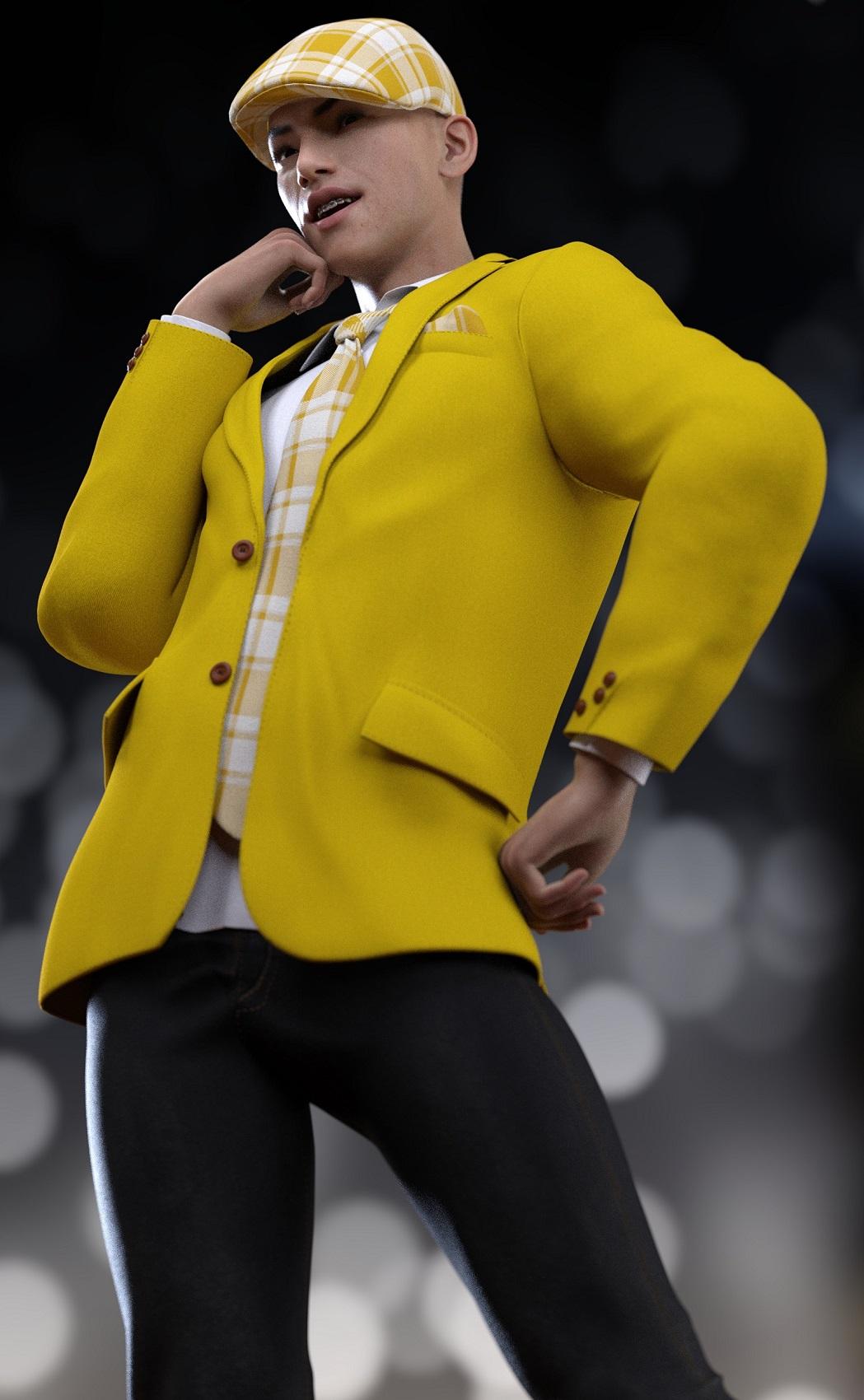 His teeth material is from Teen Josie 8.Expression Set for Genesis 8 Expressions
Pretty much the only expressions I use these days are the base Genesis 8 Expressions - these and these - because they are HD and look way better than most morph expression packs (and they work specifically with this). I love the results I get with combining these expressions together. However, sometimes I'm lazy. Can anybody recommend any specific expression packs that use the Genesis 8 Expressions as a base and requirement? I'm not interested in being told to use Power Pose...I get a lot of people love it but I can't seem to get a handle on it. And I'm not interested in Auto Face Enhancer either. I just really love the Genesis 8 Expressions specifically and how they interact with the HD Visemes, so that's what I'm looking for additional stuff on. Thanks!
Which are the most fit female models?https://www.daz3d.com/genesis-8-female-body-morphs
Free today with good saturday coupon.

I use at least a little of the fitness and bodybuilder morphs from the Genesis 8 Female Body Morphs on almost every character. I also use https://www.daz3d.com/muscularity-morphs-for-genesis-8-female-s on virtually every character. One thing I have noticed with some of the muscle definitions in HD characters is that when the figure is posed, often the details that should mo longer show (i.e. the muscle/skin is extended/stretched) are still there. The only way to remove it is to reduce the HD effects, or in some cases the figure morph. I find morph sets like Muscularity Morphs for Genesis 8 Female, that have individual muscle morphs more useful because you can control exactly how you want you figure to look (I think there are others in the store as well, some already mentioned). That's just me 2 cents worth.
I'm not sure what we're doing here. Any figure can be easily morphed any way we like. Also, there are variations in the idea of "fit."
But the big question is, exactly what "look" does the OP really want, because everyone's definition of what "fit" looks like can be much different. It would help to have some visual examples from the OP. If muscle definition is what is wanted, then IMHO the various morphs sets mentioned are a much better way to approach this. You simply pick a model with the general body type you are looking for, then add the morphs to fit what you want. Of course, you can also use morph sets to make the desired body type from just about any figure. for my money (and I'm cheap), morph sets are the best way to make the most out of your character purchases. But that's just me,
Just a quick example. I really like Sahel by Bluejuante, but she is a bit overly thin to me, however I'm sure for many people she has the perfect body type (and may actually be close to what the OP really wants, thin and obviously fit). For my needs however, she can be easily fixed with a few morphs. See the comparison below.
Sahel Promo by Bluejuante

My version of Sahel (gallery link)
 Shape Rigger Plus(Commercial)
OK, so I bought Shape Rigger Plus and to test it on something ultra simple (for me, not you that can runs circles around such a task in DS) I just used one of the FaceGen Artist Pro morphs in my DAZ Library.
1) So I load the G8M Base, delete the eyelashes, and set the eyelash upper, eyelash lower, and eyelash curl all from 100% to 0%. I'm not sure what those 3 dials do as the eyelashes I deleted and they (eyelash upper, eyelash lower, and eyelash curl) are actually located on the G8M Base.
2) I set the viewport subD & render subD both to 0. I set the resolution from high to base.
3) I favorite the morph. I leave it set at 0%
4) I leave G8M in A pose.
5) I start Shape Rigger Plus. I read the User Guide.
6) I check the radio box to select the FaceGen Artist Pro favorited morph for Shape Rigger Plus. It says the morph is already rigged but as I know that and as just testing I ignore that. I set tolerance from 10 to 0, per the instructs it will re-rig all the bones. I also set align.
7) I click the button to re-rig the FaceGen Artist Pro morph. It finishes pretty quick.
8) I go to the Save tab and because it was a pre-existing rigged morph the auto-path it's using is already existing the option to save is denied. I un-check the Custom Path to save so that I have the option of overwriting the old morph file.
9) I click to save the auto-rigger work that Shape Rigger Plus had done. The save dialogue says "Processing Morphs" and it quickly gets to 50% and has now been at 50% for 25 minutes and 20 seconds and counting. So something has went wrong, what?
When I look into the DAZ Studioi (DAZ Studio 4.12.0.76 public beta) lots of DEBUG messages regarding traversal through vert #s & bone names. Last message from Shape Rigger Plus seems to be the ERC was successful.
...
...
...
2020-04-09 17:12:43.091 Vert 254
2020-04-09 17:12:43.095 Vert 255
2020-04-09 17:12:43.099 Vert 256
2020-04-09 17:12:43.102 Vert 257
2020-04-09 17:12:43.106 Vert 258
2020-04-09 17:12:43.645 DEBUG: neckLower
...
...
...
2020-04-09 17:12:44.138 DEBUG: rLipUpperOuter
2020-04-09 17:12:44.144 DEBUG: lEye
2020-04-09 17:12:44.150 DEBUG: rEye
2020-04-09 17:12:44.161 DEBUG: lEar
2020-04-09 17:12:44.166 DEBUG: rEar
2020-04-09 17:12:44.944 DEBUG: ERC Freeze Successful for Gap 3.0
2020-04-09 17:13:24.025 WARNING: ..\..\..\..\..\src\sdksource\cloud\dzcloudtasknotifier.cpp(178): peer performed orderly shutdown errno=0
2020-04-09 17:16:28.145 WARNING: ..\..\..\..\..\src\sdksource\cloud\dzcloudtasknotifier.cpp(178): peer performed orderly shutdown errno=0
2020-04-09 17:19:36.598 WARNING: ..\..\..\..\..\src\sdksource\cloud\dzcloudtasknotifier.cpp(178): peer performed orderly shutdown errno=0
This was an existing morph. And it may of been ERC'ed and even saved as a 'pseudo-personal' product before I tried using Shape Rigger Plus on it but I really have no other clues as to why the save is stalled at 50% for over 30 minutes now. I read this entire thread before purchasing and Zev0 stated a save after using Shape Rigger Plus shouldn't last any longer than any other typical DAZ Studio save.
After 1 hour 5 minutes plus, I use the Windows Task Manager to end the DAZ Studio task as the Shape Rigger Plus save dialogue still hadn't progressed beyone 50%.
+++++
After restarting DAZ Studio and trying several different ways of saving that Shape Rigger Plus rerigging of that existing FaceGen Artist Pro morph there isn't a way that works really. The Shape Rigger Plus product has a bug in keeping track of what it has done or not done it seems and so seems to be unable to save what it has done with regards to rigging on an already existing morph like this one.
I just tested on a FaceGen Artist Pro morph that had no ERCs associated with it & Shape Rigger Plus still hangs at 50%.
Thanks for posting. Will be extremely helpful, if you will find the solution to your issue and post it here.
I am also collecting Zev0 assets, in hope, that some day, I could use them.
So far, my knowledge is far behind the abilities of content creators, like DMaster.
I can only admire, that other people have so much fun with Shape Rigger Plus.
Oh, I am only hobbyist having fun like you. I have only even box modeled and never sculpted! Shape Rigger Plus amounts to being able to quickly setup & utilize morphs you make in Hexagon or Blender in DAZ 3D using one of the the DAZ Genesis rigs. It's really good for that. I'm sure you'll get there when you are good & ready. I like testing new SW I get with simple cases so I can make sure problems are either the SW or my lack of understanding how to use them as both happen. I would not like to discover after a month's work that the SW I bought to help isn't up to the task. It is something maybe unique to FaceGen Artist Pro but what the problem is, he is investigating. Zev0 has already replicated the problem and is working on a fix.
I am hobbyist too, as well, but it is hard to predict, what could be useful in the future.
ik chains explainedWhen you adjust the pose DS has to check through the dependancies to see if there are any morphs, straight JCMs, or morph corrections that need to be updated - and with an IK adjustment multiple joints will usually need checking.
Scalable Triangle PrimitiveI'm doing some architectural designing for a pool equipment room to get approval from our Home Owner's Assoc. Does anyone know how to purchase, create or morph a scalable triangular primitive for Daz? I know that if one uses a cone primitive and flattens the x or z scale it becomes a triangle, but that reduces it to a 2D with no depth. Does Daz sell any products that has an object included that might work? Thx!
Shape Rigger Plus(Commercial)OK we found the problem regarding Facegen Morph saving. Normally a morph is saved with an artist and a product name. So structure is normally Vendor/Product. Shape Rigger is designed to look for that structure. Now.... Facegen saves face morphs in only Facegen, eg no product folder or sub folder, hense the freeze because its searching for the sub directory. We will fix it so it can dynamically adjust itself to recognise if a morph is saved with only Artist\Primary Folder. So only solution for now until update is released is to select the Facegen morph, manually re-save it with an artist and product name somewhere else, delete the source facegen morph from facegen folder so you don't have a duplicate, and then use Shape Rigger to rig and save it.
Hospital Wear for G3, Poses?It would fit so-so, but would definitely fit better with the morph. There are adjustment morphs that can be used for other poses, but sometimes that can take a lot of work to get a realistic fit. Again, try it, and you will see the difference.
Daz 3D is part of

Connect
DAZ Productions, Inc.
7533 S Center View Ct #4664
West Jordan, UT 84084Licensing Agreement | Terms of Service | Privacy Policy | EULA
© 2026 Daz Productions Inc. All Rights Reserved.