-
"Duplicate Formulas Found" is KILLING me!
I would think that DAZ would have a repository of assets, and ANY PA, regardless of their Vendor affiliation, could submit their upcoming creation to DAZ to be checked against their database to see if there were any confilcts, or for that matter, have a web portal to upload a file and have it automatically checked. Results spit out to say, "hay, we already have a file that says "Ann_Eybrow_Menacing,duf" etc etc...
At the end of the day, it helps DAZ overall. I know there is a lot of "you stay in your sandbox", or "its a XYZ product so its out of our hands". The reality though is a if RO, RE or whaterver is doing well, that kind of means DAZ overall is doing well."
Just my two cents.I can see others have the same thoughts.
but i have a new one for you. I don't understand this:
2020-06-25 16:58:57.854 WARNING: ..\..\..\..\..\src\sdksource\fileinput\dzassetdaz.cpp(5995): Duplicate formula found linking xOrigin & MCM_RS_Kala8_Navel_HDLv4 in /data/DAZ 3D/Genesis 3/Female/Morphs/DAZ 3D/Genesis 8/MCM_RS_Kala8_Navel_HDLv4.dsf.
is this referencing a Genesis 3 female morph or genesis 8 morph?
This one would need to read the codei inside "MCM_RS_Kala8_Navel_HDLv4.dsf", it may have become corrupted - Reinstall the file, and correct the /Genesis 3/ in the path
I'll look at the original install- I don't like changing file paths with morphs. I only do that for the content library b/c some author pathways make no sense.
Again, I'm talking about the paths specified inside the code, inside the morph files.
Since the filename specifies "Kala8", the code inside the file should not make any references to Genesis 3 paths, the wrong path may even be inside an other Kala8 related file.
Usually these are due to the PA making manual editing of the code and/or copying code from an other morph that was meant for different generation (G3)
Or you can write a ticket and wait if the PA fixes the code
"Duplicate Formulas Found" is KILLING me!Not understanding the basic issue does call into question the usefulness of suggestions for a fix or workaround.
What is happening is that you have two characters named "Daphne" installed, and both use ctrldaphne for (I guess) the full morph and (again guessing since you don't specify) FHMdaphne for the head morph (and possibly other names in common too). As a result when Daz loads both it is asked to create, and then to llink, two ctrldaphne sliders with two FHMdaphne sliders and doesn't know what to do. Installing either without the other will not generate an error, it's only when both are installed that there is a name conflict and an error is reported. If one or both of the PAs had in some way complicated the names (adding their initials to the morph name, or adding something like "forO8" at the end of the Olympia one) then there would be no clash. Now, I don't see another Genesis 8 Daphne in store so I suspect the other party to the clash is from another store or is a freebie - it is a pity the log doesn't list both files contributing to the clash - but that shouldn't stop you from opening a support ticket to ask Daz/the PA to do something to make the names on the sliders more unique.
I was calling into question what the exact issue was, because i was confused as to why Daz studio was looking inside the file when it was simply a naming issue of the file itself.
The issue is not with the name of the file, but name of the morph - Which is defined inside the code found inside the file
Not according to Richard up there... unless of course, he didn't explain it well enough.
It's the property name, which seems to be what I said. "As a result when Daz loads both it is asked to create, and then to llink, two ctrldaphne sliders with two FHMdaphne sliders and doesn't know what to do. "
But the daphne issue was; it got installed in two different locations- one of which was completely false.
I would think that DAZ would have a repository of assets, and ANY PA, regardless of their Vendor affiliation, could submit their upcoming creation to DAZ to be checked against their database to see if there were any confilcts, or for that matter, have a web portal to upload a file and have it automatically checked. Results spit out to say, "hay, we already have a file that says "Ann_Eybrow_Menacing,duf" etc etc...
At the end of the day, it helps DAZ overall. I know there is a lot of "you stay in your sandbox", or "its a XYZ product so its out of our hands". The reality though is a if RO, RE or whaterver is doing well, that kind of means DAZ overall is doing well."
Just my two cents.I can see others have the same thoughts.
but i have a new one for you. I don't understand this:
2020-06-25 16:58:57.854 WARNING: ..\..\..\..\..\src\sdksource\fileinput\dzassetdaz.cpp(5995): Duplicate formula found linking xOrigin & MCM_RS_Kala8_Navel_HDLv4 in /data/DAZ 3D/Genesis 3/Female/Morphs/DAZ 3D/Genesis 8/MCM_RS_Kala8_Navel_HDLv4.dsf.
is this referencing a Genesis 3 female morph or genesis 8 morph?
This one would need to read the codei inside "MCM_RS_Kala8_Navel_HDLv4.dsf", it may have become corrupted - Reinstall the file, and correct the /Genesis 3/ in the path
I'll look at the original install- I don't like changing file paths with morphs. I only do that for the content library b/c some author pathways make no sense.
G8 UVsAs far as a workaround that does not involve personally remapping the figures or buying the UV swap product...
Each of G8M and G8F have a clone shape that will (fairly) match them to the other figure's shape - it's used for the auto-fit process. If you dial this morph in to one of the figures, and export both matching shapes to a 3D editing program such as Blender, it is possible to do a texture bake from one figure to the other that will permanently transfer the texture layouts from one UV to another.
However, while this process is cheap and not especially difficult, it is definitely tedious. (And a darn sight more so than just using DS's integrated Map Transfer option, but that relies on having both UVs on the same figure).
So far, I've only really done it for cross-generational stuff or similar* where the Map Transfer cannot be used. (Although there are UV geografts that allow the use of older generation textures, and I have used them... sometimes there are reasons you need the maps on the default layout, such as when you need to use other geografts, LIE textures, things like Skin Builder or just mix textures between materials).
So I don't really recommend it. Unless you're really broke, I'd get the UV swap product.
* For example, I used it for this piece, where I found a Spiderman suit for XPS on DeviantArt, and posed/morphed its shape closely enough to G8F that I could bake the textures over to the G8F UV (including some processing to get a workable displacement map). The suit itself is a modified G8F mesh; I probably could have done it with a geoshell, but I wanted to use some dForce contraction to give it an elasticated look.
"Duplicate Formulas Found" is KILLING me!Not understanding the basic issue does call into question the usefulness of suggestions for a fix or workaround.
What is happening is that you have two characters named "Daphne" installed, and both use ctrldaphne for (I guess) the full morph and (again guessing since you don't specify) FHMdaphne for the head morph (and possibly other names in common too). As a result when Daz loads both it is asked to create, and then to llink, two ctrldaphne sliders with two FHMdaphne sliders and doesn't know what to do. Installing either without the other will not generate an error, it's only when both are installed that there is a name conflict and an error is reported. If one or both of the PAs had in some way complicated the names (adding their initials to the morph name, or adding something like "forO8" at the end of the Olympia one) then there would be no clash. Now, I don't see another Genesis 8 Daphne in store so I suspect the other party to the clash is from another store or is a freebie - it is a pity the log doesn't list both files contributing to the clash - but that shouldn't stop you from opening a support ticket to ask Daz/the PA to do something to make the names on the sliders more unique.
I was calling into question what the exact issue was, because i was confused as to why Daz studio was looking inside the file when it was simply a naming issue of the file itself.
The issue is not with the name of the file, but name of the morph - Which is defined inside the code found inside the file
Not according to Richard up there... unless of course, he didn't explain it well enough.
But the daphne issue was; it got installed in two different locations- one of which was completely false.
I would think that DAZ would have a repository of assets, and ANY PA, regardless of their Vendor affiliation, could submit their upcoming creation to DAZ to be checked against their database to see if there were any confilcts, or for that matter, have a web portal to upload a file and have it automatically checked. Results spit out to say, "hay, we already have a file that says "Ann_Eybrow_Menacing,duf" etc etc...
At the end of the day, it helps DAZ overall. I know there is a lot of "you stay in your sandbox", or "its a XYZ product so its out of our hands". The reality though is a if RO, RE or whaterver is doing well, that kind of means DAZ overall is doing well."
Just my two cents.I can see others have the same thoughts.
but i have a new one for you. I don't understand this:
2020-06-25 16:58:57.854 WARNING: ..\..\..\..\..\src\sdksource\fileinput\dzassetdaz.cpp(5995): Duplicate formula found linking xOrigin & MCM_RS_Kala8_Navel_HDLv4 in /data/DAZ 3D/Genesis 3/Female/Morphs/DAZ 3D/Genesis 8/MCM_RS_Kala8_Navel_HDLv4.dsf.
is this referencing a Genesis 3 female morph or genesis 8 morph?
This one would need to read the codei inside "MCM_RS_Kala8_Navel_HDLv4.dsf", it may have become corrupted - Reinstall the file, and correct the /Genesis 3/ in the path
I'll look at the original install- I don't like changing file paths with morphs. I only do that for the content library b/c some author pathways make no sense.
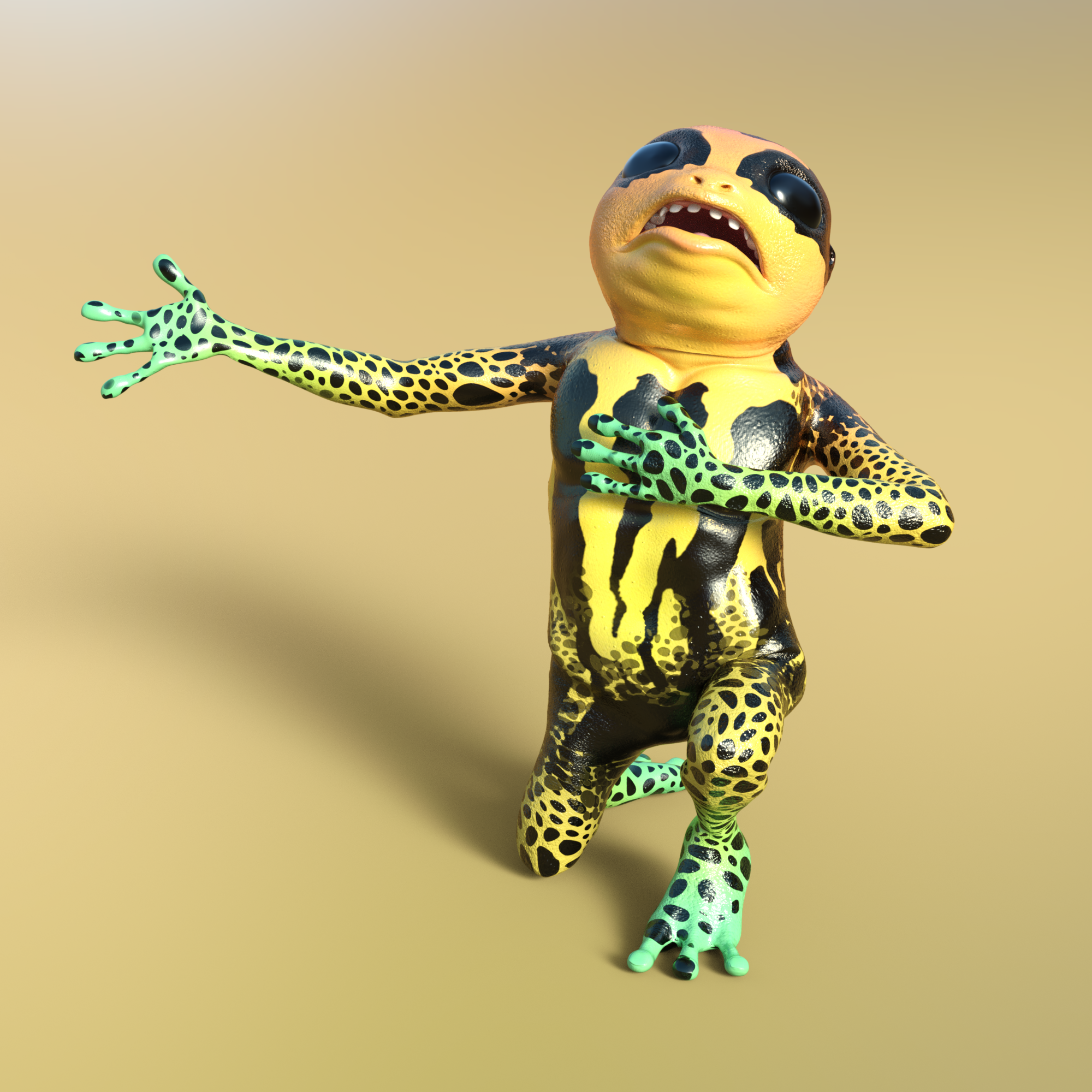
AIUTO...CHI CONOSCE L’ITALIANO? PARTE DODICIUna domanda sempre ai nostri PA, levatemi una curiosità, ma quando esce un personaggio nuovo, tipo l'uomo rana uscito oggi, la DAZ contatta gli altri PA per fare le pose e le texture, voglio dire come funziona?
Ad esenpio, oggi esce questo https://www.daz3d.com/bullwarg-hd-for-genesis-8-male
Però già ci sono, contemporanee all'uscita, questi:
https://www.daz3d.com/bullwargs-hd-alternate-skins
https://www.daz3d.com/cdi-poses-for-bullwarg-hd
https://www.daz3d.com/z-woodland-adventures-poses-and-expressions-for-bullwarg-hd
https://www.daz3d.com/servant-of-the-yellow-king-outfit-for-bullwarg-hd-and-genesis-8-male

https://www.daz3d.com/frog-life-poses-for-bullwarg-hd
Che sono fatti da altri PA, non da quello che ha creato il character. Come funziona, la DAZ vede il character, poi contratta altri PA per lavorarci sopra? E poi sempre la DAZ decide la data di uscita?
Si chiama collaborazione fra noi e la DAZ ;) ho fatto pure io un prodotto per la ranocchietta ;)
Hai fatto un bel morph aggiuntivo chiamato "Never Skip Leg Day" e gli hai fatto delle gambe degne di questo nome?

Non capisco perchè tutti (ma proprio tutti) fanno i "colossi fantasy" con braccia e pettorali che nemmeno Franco Colombu ma con delle gambine misere e secche...
 600 Pages in Content Library - gah...
221, myself.
One of the biggest hurdles I have now is finding the target model that a pose set, a morph, or an outfit/accessory package is supposed to be used on. Many of the products DON'T describe that in their listings or titles and it is especially a problem when those products are no longer in the DAZ store.
Before DAZ Install Manager came along, I used to manually put new items into folders under/associated to their target models. I'm almost tempted to go back to doing that (especially for the nearly useless "Lost & Found" folder), but I don't know how much trying to manually sort anything will hopelessly fuck up the DIM database.
"Duplicate Formulas Found" is KILLING me!Not understanding the basic issue does call into question the usefulness of suggestions for a fix or workaround.
What is happening is that you have two characters named "Daphne" installed, and both use ctrldaphne for (I guess) the full morph and (again guessing since you don't specify) FHMdaphne for the head morph (and possibly other names in common too). As a result when Daz loads both it is asked to create, and then to llink, two ctrldaphne sliders with two FHMdaphne sliders and doesn't know what to do. Installing either without the other will not generate an error, it's only when both are installed that there is a name conflict and an error is reported. If one or both of the PAs had in some way complicated the names (adding their initials to the morph name, or adding something like "forO8" at the end of the Olympia one) then there would be no clash. Now, I don't see another Genesis 8 Daphne in store so I suspect the other party to the clash is from another store or is a freebie - it is a pity the log doesn't list both files contributing to the clash - but that shouldn't stop you from opening a support ticket to ask Daz/the PA to do something to make the names on the sliders more unique.
I was calling into question what the exact issue was, because i was confused as to why Daz studio was looking inside the file when it was simply a naming issue of the file itself.
The issue is not with the name of the file, but name of the morph - Which is defined inside the code found inside the file
I would think that DAZ would have a repository of assets, and ANY PA, regardless of their Vendor affiliation, could submit their upcoming creation to DAZ to be checked against their database to see if there were any confilcts, or for that matter, have a web portal to upload a file and have it automatically checked. Results spit out to say, "hay, we already have a file that says "Ann_Eybrow_Menacing,duf" etc etc...
At the end of the day, it helps DAZ overall. I know there is a lot of "you stay in your sandbox", or "its a XYZ product so its out of our hands". The reality though is a if RO, RE or whaterver is doing well, that kind of means DAZ overall is doing well."
Just my two cents.I can see others have the same thoughts.
but i have a new one for you. I don't understand this:
2020-06-25 16:58:57.854 WARNING: ..\..\..\..\..\src\sdksource\fileinput\dzassetdaz.cpp(5995): Duplicate formula found linking xOrigin & MCM_RS_Kala8_Navel_HDLv4 in /data/DAZ 3D/Genesis 3/Female/Morphs/DAZ 3D/Genesis 8/MCM_RS_Kala8_Navel_HDLv4.dsf.
is this referencing a Genesis 3 female morph or genesis 8 morph?
This one would need to read the codei inside "MCM_RS_Kala8_Navel_HDLv4.dsf", it may have become corrupted - Reinstall the file, and correct the /Genesis 3/ in the path
Felldude's Freebies for G8 and G8.1A new morph is available.
Scale Eyes (Anime Eyes Improved)
Is there a guide to general weight mappingI suspect your issue is the joint centres, not the weight maps.
I spent most of the day redoing the weight maps now that I better understand the process of general weightmaps. I have gotten the distortion issue 99% percent in check. There's just one trouble area where I dial in a morph near that area and the morph applies without tearing, but the area swells a little bit (almost like it was dialed in at 105%).
Richard, what would you suggest I do for the joint centers, anything in the joint editor I should be looking for?
Novica & Forum Members Tips & Product Reviews Pt 13Gero with Youth Morph.
Still need to explore more with facial expressions though.
 Help with missing files and unusable materials
Can you post a link to an item that gives errors, and a copy of the errors?
Missing Files: The following files could not be found : data/daz 3d/genesis/base/uv sets/daz 3d/base/aiko 5.dsf
this is the item
If you look at the Azumi product, you can see that it says 'Required Product: Aiko 5', meaning that it is using Aiko 5 morphs, and if you do not have that you will get the listed error.
Azumi also uses the A5 UVs apparently, not just the morph.
After 20+ years...As a newcomer, it's "interesting" (ie, horrifying) to see people with 20 years of experience having to struggle with the same file issues I'm running into. People seem to be going out of their way to be gentle with Daz developers here, but after 20 years there really is no excuse for this kind of nonsense. The deeper I get into Daz, the less I like it, and at this point I'm thinking that it won't be much more than a support element for making minor characters for my projects to be realized in Blender. There seem to be some areas in which setting up characters for facial animation could be facilitated in Daz, but transferring these elements into Blender appears to be even more problematic than building them there to begin with.
I suppose I was looking for some shortcuts to speed up workflow, but creating a useful Daz-Blender pipeline has proven difficult so far. Overall, it doesn't look like there's much pay-off in mastering Daz's idiosyncracies.
Of course, the kinds of projects I'm working on are outside what the typical Daz user seems to be interested, so I don't represent the core market, but if Daz were better organized, and transfer issues were smoothed, I know I'd be buying various kinds of assets when it was just too inconvenient to make them myself. Right now that seems unlikely- and I think there are more and more people like myself trying to find/make cross-application pipelines for producing a wide variety of projects.Stacking character morphs. Why?I don't think there's any benefit to the customer, necessarily... in fact I looked at it as a ploy to sell more of the base character until I found out that you could at least try to use the second morph without the base character. Probably comes down to what tools or abilities the PA's who make the add-on morphs have at their disposal more than anything. They'd make their own base characters if they could, I'd imagine.
Pretty much what I was thinking.
Genesis 3 males and all of that generation load as blocksA similar thing happened to me https://www.daz3d.com/forums/discussion/320636/my-genesis-3-f-model-has-gone-awol-solved#latest.
I think it was a character or morph that I was working on and saved improperly. Anyway, there was an extra Genesis3Female.dsf that was causing issues for DS.
"Duplicate Formulas Found" is KILLING me!Not understanding the basic issue does call into question the usefulness of suggestions for a fix or workaround.
What is happening is that you have two characters named "Daphne" installed, and both use ctrldaphne for (I guess) the full morph and (again guessing since you don't specify) FHMdaphne for the head morph (and possibly other names in common too). As a result when Daz loads both it is asked to create, and then to llink, two ctrldaphne sliders with two FHMdaphne sliders and doesn't know what to do. Installing either without the other will not generate an error, it's only when both are installed that there is a name conflict and an error is reported. If one or both of the PAs had in some way complicated the names (adding their initials to the morph name, or adding something like "forO8" at the end of the Olympia one) then there would be no clash. Now, I don't see another Genesis 8 Daphne in store so I suspect the other party to the clash is from another store or is a freebie - it is a pity the log doesn't list both files contributing to the clash - but that shouldn't stop you from opening a support ticket to ask Daz/the PA to do something to make the names on the sliders more unique.
I was calling into question what the exact issue was, because i was confused as to why Daz studio was looking inside the file when it was simply a naming issue of the file itself.
I would think that DAZ would have a repository of assets, and ANY PA, regardless of their Vendor affiliation, could submit their upcoming creation to DAZ to be checked against their database to see if there were any confilcts, or for that matter, have a web portal to upload a file and have it automatically checked. Results spit out to say, "hay, we already have a file that says "Ann_Eybrow_Menacing,duf" etc etc...
At the end of the day, it helps DAZ overall. I know there is a lot of "you stay in your sandbox", or "its a XYZ product so its out of our hands". The reality though is a if RO, RE or whaterver is doing well, that kind of means DAZ overall is doing well."
Just my two cents.I can see others have the same thoughts.
but i have a new one for you. I don't understand this:
2020-06-25 16:58:57.854 WARNING: ..\..\..\..\..\src\sdksource\fileinput\dzassetdaz.cpp(5995): Duplicate formula found linking xOrigin & MCM_RS_Kala8_Navel_HDLv4 in /data/DAZ 3D/Genesis 3/Female/Morphs/DAZ 3D/Genesis 8/MCM_RS_Kala8_Navel_HDLv4.dsf.
is this referencing a Genesis 3 female morph or genesis 8 morph?
Is there a guide to general weight mappingBut General Weightmapping also has a scaling built into it, right? Or is there not scaling included in the general weightmap, it's just xyz rotation?
The issue I'm having is that the prop I'm working on has 6 joints and to increase the size of the whole shape the morph scales all 6 joints up to make the object bigger. If I build morphs after exporting the object scaled out, I've never had an issue importing the morph back into the scaled out object using reverse deformation. I was under the impression is that it looks at the two object's vertex positions and makes the target obj look like the source obj.
I'm just really confused because it seems like when I try to reverse deformation load an obj that came from a scaled obj back to the scaled obj, it seems to be taking cues from the weight map for how it should load the morph.
Daz to Maya questionI suppose it depends on your skills with the rendering options in Maya. I'm using arnold which is quite similiar to iRay, but all of the shader options are not identical. I'm curious to see how well the transfer of textures happens from iRay -> Arnold.
"Duplicate Formulas Found" is KILLING me!Easy to fix. Remove the morph or edit the DUF file by replacing the ID.
Were you replying ot me?
Fury the piglet- Appreciation thread. Nice comments only.... edited ...
I'm sorry to hear that, It must be very hard on everyone. *Hugs*
... edited ...
On a much lighter note, Fury looks adorable in butterfly wings, somehow they looks natura on him.
 And yes, I had to include a curly tail morph or it wouldn't have been a proper pig.
Thank you.
I tried making a slot morph for a Piggy Bank but it didn't work well with all the poses so back to the drawing board [for me]. Might go with using a mask on the cutout dial.
Female anatomy for gen 8 default figure ?I have an existing gen 8 figure, custom modelled (even the skin customized).
Is there any way to add anatomy to the existing female gen 8 figure? Maybe via third party products?
Or is the only way via Victoria?
If so, can I transfer the complete custom gen 8 model (morph, skin etc.) to Vic8?
Not sure what you are trying to do, but as pointed out, victoria 8 is simply a morph for genesis 8 female. All you have to do to transfer your genesis 8 character to victoria 8 is to turn a dial in the morphs section
As for the anatomical elements you can use the ones that come with any adult pro bundle (IF you have the specific textures for the anatomical elements) or you can use a 3rd party addon from renderotica that will use the torso maps and offer better looks and functionality
Daz 3D is part of

Connect
DAZ Productions, Inc.
7533 S Center View Ct #4664
West Jordan, UT 84084Licensing Agreement | Terms of Service | Privacy Policy | EULA
© 2026 Daz Productions Inc. All Rights Reserved.