-
Some of the Render Settings can't be saved
Render settings were offloaded to the two new Filament nodes thay are created for every scene now. Did you delete those?xueyt9518 said:After I updated the DAZ to 4.15, some of my render settings cannot be saved when I save as a scene. Like the environment map, max samples and max time, etc. I changed the value and saved the scene but next time I openned the scene, these parameters will change back to the default value. I want to know how to solve this problem. Thank you!
3D Art Freebie Challenge-March 2021-"Chasing Your Golden Dreams" -Main Thread OnlyThis challenge is just brilliant; not only does it help one find hidden gems, but you also get the chance to see old assets in recent renders - assets you might ignore due to their promo pics, without realizing it's more than a decade old render. Cheers for hosting it and linking the previous editions.
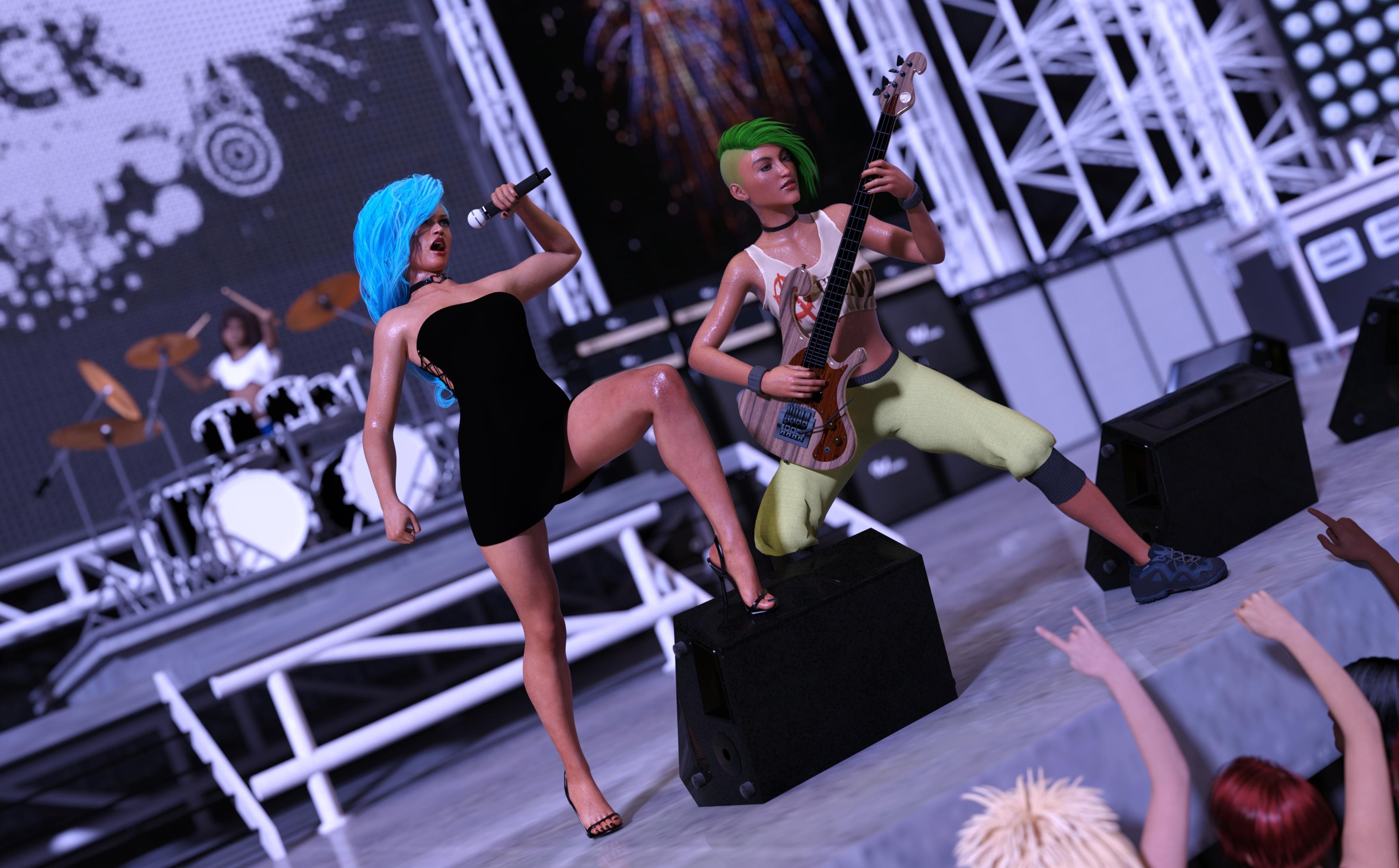
The Big Live
Most musicians dream of a chance to play on a big stage in front of a giant crowd. The girls finally got their big break and gave it their all.
Vocals:
Chameleon ROse 2 - https://www.renderosity.com/rr/mod/freestuff/chameleon-rose2-for-genesis-8-female/85859
Side Swept ROse Hair - https://www.renderosity.com/rr/mod/freestuff/side-swept-rose-hair-g3f-g8f-update/79641
Side Lace Minidress - https://www.deviantart.com/lustravias/art/Side-Lace-Minidress-for-G8F-Daz-Freebie-838893503
Minimalist Sandal Heels - https://www.deviantart.com/tritiumcg/art/Minimalist-Sandal-Heels-for-G8F-Daz-Studio-DL-778130191
Greendragon's Lycra Shader - https://www.deviantart.com/greendragon-gecko/art/Greendragon-s-Lycra-Shader-656776865
Heart Choker - https://drive.google.com/drive/folders/1gzE9S7CdKWtBMpNvEpSGlDKh9HJs0-W9
Mic Set - https://sites.google.com/site/mdp6gdl/Bass:
Pachyderm Bass - https://www.renderosity.com/rr/mod/freestuff/les-claypools-pachyderm-bass/85427
Tayanna - https://www.renderosity.com/rr/mod/freestuff/tayanna---free-character-for-g8f/81342
EA Sidecut Hair - https://www.renderosity.com/rr/mod/freestuff/ea-sidecut-hair-for-genesis-3-amp-8-female-s-/82972
Jenn Choker - https://www.renderosity.com/rr/mod/freestuff/jenn-choker-for-genesis-3-female/77152
80's Style Workout Outfit - https://www.renderosity.com/rr/mod/freestuff/80s-style-workout-outfit-for-g8f/77666
dForce Pants - https://www.renderosity.com/rr/mod/freestuff/dforce-pants-for-g8-female/84382
Zephyr Shoes - https://sharecg.com/v/96782/gallery/21/DAZ-Studio/Zephyr-Shoes
Mechanized Infantry Girl - https://www.sharecg.com/v/79427/gallery/21/DAZ-Studio/141594
Natural Dyes - https://sharecg.com/v/49664/gallery/6/Texture/Natural-Dyes-Digital-ClothDrums:
Chloe - https://www.renderhub.com/reizibarrientos/chloe-filipina-character-for-genesis-8-female
Wild Curls - https://www.renderosity.com/rr/mod/freestuff/?item_id=86422
Drum Kit - https://www.renderosity.com/rr/mod/freestuff/the-rockstage/69933
Shorts And TShirt 2 - https://www.most-digital-creations.com/g8f_shorts_and_tshirt_2.phpStage & Crowd:
Stage - https://www.renderosity.com/rr/mod/freestuff/concert-stage/78067
Aliza Hair - https://www.sharecg.com/v/77084/browse/21/DAZ-Studio/Aliza-Hair-for-Genesis-2-Female-DS-only
Skin tones for G2F - https://www.sharecg.com/v/78505/gallery/21/DAZ-Studio/Skin-tones-for-G2FNo count:
G2 with basic hair and clothes in the crowd.
Purchased Items:
Studio Light PRO HDRI Iray Wow Lights - https://www.daz3d.com/studio-light-pro-hdri-iray-wow-lights
Iray HDRI Reshade - https://www.daz3d.com/iray-hdri-reshade
Iray Ghost Light Kit - https://www.daz3d.com/iray-ghost-light-kit
FSL Realistic Hair Shaders for Iray and Filament - https://www.daz3d.com/fsl-realistic-hair-shaders-for-iray-and-filament
Short Wet Hair (for wet skin) - https://www.daz3d.com/short-wet-hair-for-genesis-8-male-s-and-female-sHow to turn off Shadows?lights in Filament can have no shadows but the HDRI will unless its strength is 0 in Filament Draw options
How to turn off Shadows?I thought some type of lights in Filament could have their shadow casting off? Think I had to turn them on last time I tried working with Filament.
Any way to reduce size of overall Daz library without just uninstalling content?The biggest source of delay for loading figures is all the morphs that need to be initialized that really slows things down, if you have a lot of them.
The bitmaps can be used for any render engine, they are not specific to 3DL or Iray, and they are usually the same set of files (don't know about Filament or PBR). Maybe you deleted the presets, but that is miniscule compared to the size of the bitmaps. Large bitmaps will not slow down the process that much, and they have to be loaded anyway, so unless you want to resample them, there's not much you can do about it.
(There are utilities for Studio that will optimize and re-sample, but won't delete the orignals, so it ends up taking more space. They were intended to make the scene fit into the VRAM for rendering, not for loading speed. Easier to use some external graphic utility like IrfanView to re-sample then delete the originals. You can always back them up or just retrieve a new copy if you want them again.)
Also, you can have more than one library, and more than one disc, for all your content. That can be configured in Studio with Content Directory Manager and DIM (if you use that to install).
Help with Laptop Suggestions PleaseChange the termal paste on your gpu and cpu and get a laptop cooler. Otherwise you do need a desktop for Iray. Otherwise use use filament or Opengl. I have a cheap laptop that works great with daz studio but it only does OpenGL renders Iray and 3Delight are too demanding on system. I do most of my renders on my desktop.
How to turn off Shadows?I have to use Filament and need the object visible at all times in the scene.
Face Transfer plugin fails to loadFYI - I installed the 2015-2019 Microsoft Redistributable package (VC_redist.x64) after downloading it from tokoy1's link. After rebooting and restaring DAZ Studio (Ver 4.15.0.2), I saw that several issues I had (Face Transfer plugin, Daz to Unreal plugin, Filament workspace display) all went away. The plugins loaded fine and worked okay and the filament draw style in the viewport began displaying characters and objects properly instead of just a gray blank screen. Thanks for the info.
How to turn off Shadows?I want to make this piece of geometry not cast any shadows, especially in the Filament viewport. Turning off "Cast Shadows" doesn't do anything. Is there a way to achieve this?
Curious as to what GPUs everyone is using.takezo_3001 said:
Silver Dolphin said:
I have a 3090 and I spend most of my time gaming and playing with Blender and Evee. Daz just takes too long to get things done in Iray. I do like Daz filament and Opengl renders and mostly use these renders to make my comics. My 3090 gets too hot in iray so I run the fans at 100%, so when gaming I run fans at 70% using MSI afterburner. If you have one of these new cards they are fast but run too hot. Unless you have the means to get a 3000 series card I would suggest waiting till the mining craze blows over to get one.
Did you get the AIB or FE? My FE hasn't yet hit the 70c mark as of yet, via gaming or rendering...
Right. My understanding is the FEs are cooler and quieter (distinctly why I'm getting that one).
Toyen Cute Braids -- Does it have to be cartoonish in the viewport?yeah as I use Filament a lot I have been seeking out all the Fibermesh hairs ( and making my own in Zbrush)
because that engine hates opacity maps but is excellent with mesh
The Mac FAQWell, I don't think you have to go to a PC. DAZ does want people to keep up with their versions of DS; I think that's why it's hard to get an earlier version. Also, I think the new Macs are going to provide a lot in terms of speed and resolution. And, if you notice, DAZ is getting set to provide more ways of rendering besides iRay. Octane-X has just released a version for Apple. Filament should be available soon on the Macs. And look at all the Bridges DAZ is providing.
It's all up to you, of course, but my preference is to keep up with the DS versions (currently on 4.15.0.2, and Catalina 10.15.7), and I'm looking forward to buying a new Mac with the M1 (or whatever named chip) Apple will provide.
You wrote From responses I hear that Hi Sierra is the last OS to run Nvidia before Apple pulled the plug on that graphics card. Now, I'm not trying to have an argument, but from my point of view this means reverting to the past and getting an older version of DS (if you can) which, while it may render faster with iRay, won't let you keep up with the latest DAZ figures and features.
Yes, you could, of course, try a PC, but the PC users are having problems, too. Do you want to get into a whole new set of problems? Nvidia would probably love for you to become dependent upon them.
But, again, do as you choose. And I wish you the best of luck with whatever choice you make.
Curious as to what GPUs everyone is using.Silver Dolphin said:
I have a 3090 and I spend most of my time gaming and playing with Blender and Evee. Daz just takes too long to get things done in Iray. I do like Daz filament and Opengl renders and mostly use these renders to make my comics. My 3090 gets too hot in iray so I run the fans at 100%, so when gaming I run fans at 70% using MSI afterburner. If you have one of these new cards they are fast but run too hot. Unless you have the means to get a 3000 series card I would suggest waiting till the mining craze blows over to get one.
Did you get the AIB or FE? My FE hasn't yet hit the 70c mark as of yet, via gaming or rendering...
Sell me on Blender animation over Studio'sI think a more relevant question is :
What are the quality Levels of animated productionsthat have been done within Daz studio
compared to Blender?And before you say "those Blender films were made with large teams, Ask yourself Why thoseTeams are using Blender instead of Daz studio..both are free yes??
The "posing for portaits" features of Daz studio are great... for that purpose
But what happens when you need a characters Feet to stay firmly to the floor for root locomotion
or squatting as in the first 30 seconds of "Peaches" by Benniewoodelle.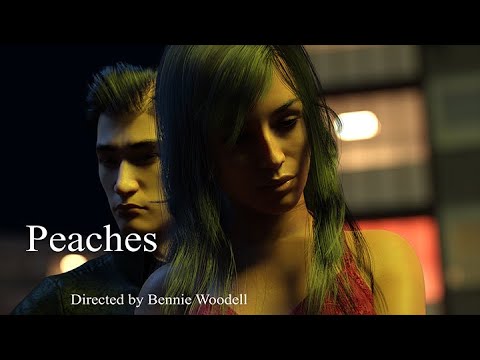
Daz studio has no native abilty to cull keyframes down to a managable level
after baking an aniblock to keyframes or importing some mocap data-BVH-Blender can.The Daz studio dopesheet and graph editor has No
tangent handles for the individual keys- Blender doesThe Daz studio graph editor has No Filtering for keys such as cycling/pin pong etc for repetive actions-Blender has several filters
Animate2 does not even fully support Genesis 3/8 for partial body part filtering
Blenders motion clip system automaticly fully supports whatever character rig you are using including imported daz,Iclone,Maya figuresThe Daz Studio timeline cannot be peeled off from the dope sheet and placed over onto a second monitor-Blenders UI customization across multiple monitors is truly unlimited
A Daz figure being used in Blender can be reviewed fully rendered in near realtime
in the view port with SSS/Ambient occlusion, reflections etc.
this makes scene building/look dev a joyHow is Irays viewport performance/speed and how Does "Filament compare to EEVEE in terms of realism??
Iray has no motion blur, depth of field or volumetric lighting effects(Haze ,Fog) thus your Daz studio animations will never have a truly cinematic quality to them.
And before anyone mentions 3Delight ask what level of support does 3DL materials have with NEW Daz studio content these days.
Filament PBR - Distant Light issueI'm trying to get two distant lights to work in Filament but one of them does not do anything. In order to make the second to show I have to close the first one. I can use multiple spotlights no problem but Distant Lights don't render simultaneously. Is this a limitation of Filament or is there a fix for this?
New DS Filament Render EngineI only have a 980ti and have yet to see these crashes,
I would run out of memory if I had both the viewport AND an iray render going but that's with Filament and iray as both using my card, I set my viewport to bounding for renders
don't think it would crash though just go to CPU
New DS Filament Render EngineI just noticed that, with a 16k HDRI map, as soon as I switch to Filament, DS crashes, every time.
Might be new, or I haven't noticed before.
Looks like the current version cannot handle 'out of memory' gracefully(?)
@Honghong: I'd double check that Filament has a light source. Maybe you have a headlamp that only works in texture shaded mode, or Filament render setting is "Dome only" while there is no HDRI in the scene.
Many settings on the Render tab are also active for the preview.
New DS Filament Render Engine
nv 1070.it seems ryzen have problems. my first generation i7 and gtx750 work fine.RHatch said:honghongf84 said:
the viepwort is blank while select filament mode in 4.15 beta. please help.
What kind of GPU do you have?
New DS Filament Render Enginehonghongf84 said:
the viepwort is blank while select filament mode in 4.15 beta. please help.
What kind of GPU do you have?
Curious as to what GPUs everyone is using.I have a 3090 and I spend most of my time gaming and playing with Blender and Evee. Daz just takes too long to get things done in Iray. I do like Daz filament and Opengl renders and mostly use these renders to make my comics. My 3090 gets too hot in iray so I run the fans at 100%, so when gaming I run fans at 70% using MSI afterburner. If you have one of these new cards they are fast but run too hot. Unless you have the means to get a 3000 series card I would suggest waiting till the mining craze blows over to get one.
Daz 3D is part of

Connect
DAZ Productions, Inc.
7533 S Center View Ct #4664
West Jordan, UT 84084Licensing Agreement | Terms of Service | Privacy Policy | EULA
© 2026 Daz Productions Inc. All Rights Reserved.