-
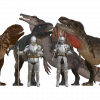
Dragonborn/Half Dragon/Dragonkin morph for the Daz Dragon 3
Paleo Miles, the Paleo Knight said:
The Daz Dragon 3 has a ton of morphs, but what if someone wants to make a humanoid version of a dragon they put together? I am not talking about the generic humanoid dragon assets we have for some genesis figures, I am talking specifically for the Daz Dragon 3 in case someone wants, for example, to make a scene depicting the offspring of one of his or her dragons in human form with a humanoid mortal. Maybe edit the neck, chest and hip to make them more humanoid. It would be pretty cool.
You're right ~ Actually the primary skeletal structure of Dragon 3 is pretty much like Genesis figure, so you can easily make a "more humnoid morph" for a certain Dragon 3 (with or without shape addons...) by scaling / morphing / posing... (better plus a sculpting software like Blender so that you can shape the partial body morph to make it even better... or even make wings / tail a disappear morph ~). For example:
1) I made a delta morph of humanoid on a raw Dragon 3 by just posing and shaping firstly, sculpted its shoulders and other body parts a bit in Blender. Then created a humanoid morph + ARtS.
2) I re-rigged an armor for G9 on the Dragon ~ In fact you can tailor rig any Genesis clothing to a Dragon 3 with this sort of humanoid shape by using Transfer Utility, as well as create corrective morphs as needed. (ss1)
3) You even can rename the Node Name of Dragon 3's bones (with Joint Editor) so as to apply Genesis poses to it. Load a Pose Preset then finetune bones rotations. (ss2)Edit: In practice, you can do these on any breed of Dragon 3.
Dragonborn/Half Dragon/Dragonkin morph for the Daz Dragon 3The Daz Dragon 3 has a ton of morphs, but what if someone wants to make a humanoid version of a dragon they put together? I am not talking about the generic humanoid dragon assets we have for some genesis figures, I am talking specifically for the Daz Dragon 3 in case someone wants, for example, to make a scene depicting the offspring of one of his or her dragons in human form with a humanoid mortal. Maybe edit the neck, chest and hip to make them more humanoid. It would be pretty cool.dForce Princess Petra's Graceful Bun - not so much dforce?Of course there is a difference: No dforce settings at all.
And since the hair is Strand Based it is not editable by me. Neither can I add a bone or morph. Only the Vendor can "dforce" it or add at least a simple Movement morph.
I have a couple of dynamic Strand based Hair and all of them simulate perfectly fine or have some styles and Morphs Parameters included.
This hairstyle looks unfinished and I wonder how it could have passed quality control.
Textures not working in Daz via Blender via MeshyHey everyone,
I have been using Meshy to make uniforms and miscellaneous items for my Daz scenes
As you can see by the first image, Meshy does a pretty good job with not only the shape but the texturesEDIT: Meshy gives you the ability to take any object and split it into parts, which allows me to manipulate these parts in Blender
From there I take the obj file into Blender so that I can align all the parts with a G8F model that I had exported from Daz
As you can see with the second image, I can apply the Transfer Utility and the obj file can move right along with G8F
Where I have the issue is with the textures. Sometimes I have very little issues, I go to the Surfaces tab, select all the "parts" and change the base color image to include the texture file that Meshy made
I know that when you look at it, that it seems like it is a mess but that is the file that obj file is using to create what you see in the first image which is what you see when you open the obj file in 3D viewer
How is it possible to be so accurate in the 3D viewer and then turn out like the second image
I have tried in Blender to bake the textures, but it just creates these black and white base color images - see the forth image
As usual, thanks in advance
Installing Mesh Grabber in Studio 6Option 4: use Mesh Grabber in DS 4, bake to morph (or base mesh), save, and open in DS 6.
Chopsticks Poses: Sushi, Noodles, etc.Not as far as I know, though if Space Elsa keeps expanding her current restaurant it might be a possibility. Beyond that, it's all G8 or earlier, most notably Ansikio's and the standing poses that come with the Yamachan Ramen 1961 - Food Truck G9 has yet to come anywhere close to the much large library of props and poses that were made for G8, which was the longest running figure series in the Genesis line by a considerable margin, and the number of eating pose sets here is actually stunningly small when one considers how many kitchen/dining rooms and restaurants are for sale. So, if you're dead set on using G9, the easiest course is to buy the existing G8 poses and convert them to G9 using one of the many available converters while manually placing the chopsticks and other props. (note; I've found that it's usually easier just to load a G8 figure in the same scene position with the smartprops in place and then duplicate them to transfer to G9.)
An annoyanceA Group's transform values are calculated based on the holistic bounding box of all of its 1st level children nodes, i.e. the exact center of the lowest position of the "whole bounding box". If just Grouping a G9, the data is only calculated based on that G9's bounding box.
However, a bounding box per se is calculated based on the node's geometry, i.e. the vertex positions. So better not touch any DSF / DUF by modifying the related XYZ values (actually they're all 0...) ~
So, if you DO want to "fix the issue" from an experimental perspective, a simple way is to set XYZ values on Ally 9 (in OP's case) by adopting the negative values from the Group's XYZ, export Ally 9 to OBJ, zero Ally 9's XYZ, import OBJ as a delta morph with Morph Loader Pro, ARtS. Then group her again, Group's XYZ will be all 0 ~~
Edit: Ctrl to Hide is already a good way on a single figure with children nodes, IMO ~
[Released] Now-Crowd Billboards - School Life and Asian School Life (2 Products) [Commercial]Hi folks,
I've been setting up a number of new film sets with various Riversoft Now-Billboards but now its time to sort the camera movement and angles etc, I'm getting errors when clicking on any of the 3 Now Billboard scripts. Having wasted almost a day trawling various forums, websites, YouTube etc etc, I finally landed on this forum. Would anyone happen to know where I can find working scripts for Daz Studio6 version 6.25 (running on MacOS Sequoia, and Windows 11 Pro) ?
Hoping we can get this resolved before Monday 10th August as we have the studio Execs coming in to catch up on the set builds :-). Many thanks for any help.
Jon
Here is a dump of the errors in the latest logfile:
Loading script: /Volumes/PROD004_CGI/DAZ 3D/Applications/Data/DAZ 3D/My DAZ 3D Library/scripts/riversoft art/now-crowd billboards/now-crowd move away.dse
2026-08-06 17:33:38.764 [WARNING] :: Script Error (/Volumes/PROD004_CGI/DAZ 3D/Applications/Data/DAZ 3D/My DAZ 3D Library/scripts/riversoft art/now-crowd billboards/now-crowd move away.dse): Line 39
2026-08-06 17:33:38.764 [WARNING] :: ReferenceError: Could not load module at: data/RiverSoft Art/2025Common/RSConstants.dsa
2026-08-06 17:33:38.764 [WARNING] :: Error in script execution: /Volumes/PROD004_CGI/DAZ 3D/Applications/Data/DAZ 3D/My DAZ 3D Library/scripts/riversoft art/now-crowd billboards/now-crowd move away.dse
2026-08-06 17:34:30.413 [WARNING] :: /src/sdksource/fileoutput/dzassetoutfile.cpp(11618): No geometries match the vertex count of morph "PHMEyelashesCurl"
2026-08-06 17:34:30.419 [WARNING] :: /src/sdksource/fileoutput/dzassetoutfile.cpp(11618): No geometries match the vertex count of morph "PHMEyelashesCurl"
2026-08-06 17:34:30.426 [WARNING] :: /src/sdksource/fileoutput/dzassetoutfile.cpp(11618): No geometries match the vertex count of morph "PHMEyelashesCurl"
2026-08-06 17:34:30.433 [WARNING] :: /src/sdksource/fileoutput/dzassetoutfile.cpp(11618): No geometries match the vertex count of morph "PHMEyelashesCurl"
2026-08-06 17:34:30.441 [WARNING] :: /src/sdksource/fileoutput/dzassetoutfile.cpp(11618): No geometries match the vertex count of morph "PHMEyelashesCurl"{Diffeomorphic} HD Import Results in Blender Not Responding, More Often Than NotOk. This may be the right question, that I can not figure out the answer to.
Certain "HD" morphs do not seem to transfer. Or at least, they don't seem to effect the mesh the way I expect them to once it is in Blender.
For instance: Auto Muscle Enhancer HD For Genesis 8 Male(s), Vascularity HD for Genesis 8 Female and Male. I use these a lot. I can't figure out why they are not showing up when I transfer a character that uses them.
New Year, New Sales Thread: Report Issues Here 4 "Reporting Only"nemesis10 said:
barbult said:
nemesis10 said:
barbult said:
I bought the Iray Interior Speed Lights. The only documentation in the product is a single TIP file. It refers to a "culling slider added to the camera". I can't find any such slider. Does anyone know where it is?
are you able to load the culling camera? It is basically a camera with section panes attached.
Yes, the camera loads with section planes attached. It seems to work well. But I can't find any "culling slider" that the tip says can be used to adjust how much of the scene is culled. I made a screenshot of the tip message, but of course it won't upload.
I have purchased it but haven't installed it yet... but the readme describes
/data/KindredArts/KAHDRMSHDAT/ISpeed Lights Culling Camera/Camera.dsf
/data/KindredArts/KAHDRMSHDAT/ISpeed Lights Culling Camera/Morphs/KindredArts/Base/Culling.dsf
so it is a morph... try selecting the camera, expand it in the library so you can see the section planes, and with them all selected and the camera, search for "culling" in the shaping pane and library pane. I suspect it is a morph for the shaping panes.
Thanks for your help! Those dsf files are in my content library's data folder, just as you described, but I cannot for the life of me find the morph in the Daz Studio interface.I've turned on Show Hidden Properties. I've looked in the Parameters pane and the Shaping pane. When you get time to try the new product, if you find the slider (morph), please tell me how to find it. I've submitted a help request, too.
One thing I see is that the camera's DUF name in the Content Library is "ISpeed Lights Culling Camera" but in my Scene pane, the loaded camera is "ISpeed Lights Light Camera". I don't know if those label differences matter or not. The camera's Scene ID is "/data/KindredArts/KAHDRMSHDAT/ISpeed%20Lights%20Culling%20Camera/Camera.dsf#Camera".
Hello. Your post above is from a thread that was closed quite a while ago so I could not quote copy it to ask whether your issues with Kindred Arts’ Iray Interior Speed Lights (https://www.daz3d.com/iray-interior-speed-lights) were ever resolved. Iray Interior Speed Lights is in a group of products that can be discounted today with code LOVE-ARTISTS.
Thanks.
Pose Copy/Mirror Scripts for G9, G8(.1) & G3I am currently putting together a series of sign language letter poses (British/Australian/New Zealand (BANZSL) and American(ASL), possibly venturing into French (LSF), Spanish (LSE) and German (DGS) which are similar to ASL). I'm doing all 26 of each language for both G8 & G9. While converting the sign language poses from G8 to G9 I thought it'd be useful to only copy the poses on the relevant bones from G8 to G9, and I tweaked my 'G8 to G9 Pose Transfer Script' to make this easier. This made me think that it might actually be useful to adapt the 'Pose Copy' script so selected G8 limb poses (and possibly face poses) could be copied/mirrored onto G9 as per the Copy scripts earlier in this thread.
Would anyone find this useful? I'd be only doing G8 to G9 and trying to use the G9 controllers where possible. This is going to be a mammoth task to correlate the controller movement to G8 bone movements, so I'd like to check that someone might use it before doing a heap of nugatory work.
Additionally, sorry to ask - I'm having trouble finding photos of American sign language letters. Most of the letters are shown as drawings of disembodied hands on a chart and I'm not sure if I'm getting them right. Does anyone know of photos of someone doing the ASL letters? Preferably a complete torso so that I know where the hand is relative to the torso. I will say that ASL, being derived from but not exactly the same as LSF, using only a single hand is a lot quicker to do poses for than BANZSL which uses both hands.
Regards,
Richard
AA's Toon Face For G9I released a custom face for use with the Genesis 9 Toon head morph. It also includes some expression morphs and materials.
https://www.renderosity.com/freestuff/items/100329/aas-toon-face-for-g9
Stitchesz_stefani said:
Is it possible to rearange the staples on this genesis 9 M3D Lysandra HD for Genesis 9 | Daz 3D in a different order/layout? Those staples look amazing but they dont match the layout of the cuts i have. I bought all the Esid FenixPhoenix wounds for the face & body, but i really need staples. I'm hoping its possible to rearange, but if not, does anyone know where i could get staples like THAT (they look so good) that i could rearange? Also, is it possible to make the Esid FenixPhoenix cuts any deeper or bigger? Thankz
You can always take off the limits of the morphs (go to the wound dial, then use the little gear icon in the corner to open the parameter settings). Then uncheck "Use Limits". That will allow you to dial the wound past its limit. That's useful when you are also using the wound on an extreme morph.
BJ Rapid Pose - Faster posing better IK in/out of Daz Studio
Uninstall and install again, set the installer to the actual folders you want.crosswind said:
bluejaunte said:
crosswind said:
bluejaunte said:
crosswind said:
bluejaunte said:
Try it for yourself. It's the exact same software but you can't send the poses to Daz Studio. Your customized settings will carry over to the full version.
Thank you for having deployed the new features as well as fixed the bugs !
Then do I have to uninstall the 0.3.2 first of all ? The installer tells me tiral version cannot be installed ~
Yeah I'm preventing overwriting a full version with a trial. Did you wanna try the new features or something? You could uninstall the full version first, that should probably work.
Yep, I uninstalled the full version and I'm playing with the trial one. So far so good, thanks ! BTW,
1) The plugin doesn't mean to work in Public Build of DS 4/6, correct ?
2) When sending a figure, better send the figure's current status as well as without the hidden nodes... (pls see the table in screenshot 1... )
3) Better be able to send Props with which Genesis figure can interact when being posed.Props aren't even supported yet. How did you manage that?
 Is that that table a figure or something? I just tried with some random furntiure and couldn't get it transfer over.
1) The plugin doesn't mean to work in Public Build of DS 4/6, correct ?
It should work, but you need to change the folders in the installer to point to those instead. Or copy the BJ_RapidPose.dll and dsp_BJ_RapidPose.dll afterwards.
Yes, I copied the plugins (0.3.2) to the same folders under DS 4 / DS 6 Public Build, then I got the error message when pressing Send... button, in both DS 4 and 6 Public Build. Pls check the attached ss.
Edit: ah yes, I see it in the outliner. The tables and chairs are set up like a figure. Cool. Proper props support is something that I'll be working on fairly soon. It's often needed for posing. Chairs to sit on, swords to hold etc.
2) ...without the hidden nodes...
Agreed, or transfer them but make them invisible by default with a proper visibility toggle. There's already a list of figures (later props) where each could have such a toggle.
Yea, that'll be great ! Thanks for the consideration !
BJ Rapid Pose - Faster posing better IK in/out of Daz Studiobluejaunte said:
crosswind said:
bluejaunte said:
crosswind said:
bluejaunte said:
Try it for yourself. It's the exact same software but you can't send the poses to Daz Studio. Your customized settings will carry over to the full version.
Thank you for having deployed the new features as well as fixed the bugs !
Then do I have to uninstall the 0.3.2 first of all ? The installer tells me tiral version cannot be installed ~
Yeah I'm preventing overwriting a full version with a trial. Did you wanna try the new features or something? You could uninstall the full version first, that should probably work.
Yep, I uninstalled the full version and I'm playing with the trial one. So far so good, thanks ! BTW,
1) The plugin doesn't mean to work in Public Build of DS 4/6, correct ?
2) When sending a figure, better send the figure's current status as well as without the hidden nodes... (pls see the table in screenshot 1... )
3) Better be able to send Props with which Genesis figure can interact when being posed.Props aren't even supported yet. How did you manage that?
Is that that table a figure or something? I just tried with some random furntiure and couldn't get it transfer over.1) The plugin doesn't mean to work in Public Build of DS 4/6, correct ?
It should work, but you need to change the folders in the installer to point to those instead. Or copy the BJ_RapidPose.dll and dsp_BJ_RapidPose.dll afterwards.
Yes, I copied the plugins (0.3.2) to the same folders under DS 4 / DS 6 Public Build, then I got the error message when pressing Send... button, in both DS 4 and 6 Public Build. Pls check the attached ss.
Edit: ah yes, I see it in the outliner. The tables and chairs are set up like a figure. Cool. Proper props support is something that I'll be working on fairly soon. It's often needed for posing. Chairs to sit on, swords to hold etc.
2) ...without the hidden nodes...
Agreed, or transfer them but make them invisible by default with a proper visibility toggle. There's already a list of figures (later props) where each could have such a toggle.
Yea, that'll be great ! Thanks for the consideration !
BJ Rapid Pose - Faster posing better IK in/out of Daz Studiocrosswind said:
bluejaunte said:
crosswind said:
bluejaunte said:
Try it for yourself. It's the exact same software but you can't send the poses to Daz Studio. Your customized settings will carry over to the full version.
Thank you for having deployed the new features as well as fixed the bugs !
Then do I have to uninstall the 0.3.2 first of all ? The installer tells me tiral version cannot be installed ~
Yeah I'm preventing overwriting a full version with a trial. Did you wanna try the new features or something? You could uninstall the full version first, that should probably work.
Yep, I uninstalled the full version and I'm playing with the trial one. So far so good, thanks ! BTW,
1) The plugin doesn't mean to work in Public Build of DS 4/6, correct ?
2) When sending a figure, better send the figure's current status as well as without the hidden nodes... (pls see the table in screenshot 1... )
3) Better be able to send Props with which Genesis figure can interact when being posed.Props aren't even supported yet. How did you manage that?
Is that that table a figure or something? I just tried with some random furntiure and couldn't get it transfer over.1) The plugin doesn't mean to work in Public Build of DS 4/6, correct ?
It should work, but you need to change the folders in the installer to point to those instead. Or copy the BJ_RapidPose.dll and dsp_BJ_RapidPose.dll afterwards.
Edit: ah yes, I see it in the outliner. The tables and chairs are set up like a figure. Cool. Proper props support is something that I'll be working on fairly soon. It's often needed for posing. Chairs to sit on, swords to hold etc.
2) ...without the hidden nodes...
Agreed, or transfer them but make them invisible by default with a proper visibility toggle. There's already a list of figures (later props) where each could have such a toggle.
Is there a helpful tutorial on converting non-DAZ characters to G8?barcgwcc said:
Hi,
A non-DAZ modeling site recently had a great sale so I picked up a nice set. The items are in fbx, obj, and blend. However, whenever I import either fbx or obj rigged A-pose characters, the bones are separated from the body mesh (which is laying 90° off the bone rig). And the bones can not be selected or tranformed. I'd really like to use these characters for G8 in DS. The collection that I bought has a dozen or so pre-posed sets for each character as well, but when I import them, there are no bones at all that are imported with them. Is there a way to successfully import them into DS.
1. OBJ format figures have no bones with which you can pose them.
2. FBX format figures have bones, but depending on the software / the way that the content creators used when they exported FBX files, the imported figure in DS may vary.
The common way is to wrap a non-Daz figure with a G8 base mesh, then creating a head and body morph. Better take a look at these tutorials to understand the typical workflow first of all:R3DS Wrap: from Body Scan to Genesis 8
But if you don't want to go for the more complex workflow to get a final result of G8 + morphs, well FBX figures can still work well in DS esp. if they were made with Blender. Better post a screenshots of how they look in DS and Blender.
PS, I tried importing them into Blender (both fbx and obj as well) and then back out but that didn't work (but I'm not a blender guy, so I just accepted the defaults for both the import and export).
You mentioned they have blend files... so you should've opened the blend files firstly for a try. Usually the figures work well as expected in Blender.
Is there a helpful tutorial on converting non-DAZ characters to G8?You can't really convert like that. You could use a modelling/sculpting application to shape Genesis 8 to match the figure shape, then load that into DS as a morph; there would most likely be a lot of joint adjustments to make, and probably some extra morphs to make the new shape play nicely with posing and other morphs. You would be unlikely to be able to transfer the psoes, though you could load the posed figure as guide to posing the morphed Genesis 8 to match.
[Diffeomorphic] an you change the name of a morph's categorywhat the tittle says, lets say that I load a series of morphs and I accidentally misspell the name of the category and want to fix it, or I import some custom morphs into a new character but I want to change the name of the imported categories to fit with the new character, can that be done?
Hitchens: A DAZ Studio to Blender Live LinkYo TheMysteryIsThePoint, Let me help with your marketing...
 (in case anyone is getting notifications from this thread)!
Hitchens, the (roughly) "bring animatable scene elements back from Blender into DAZ Studio 4.x" feature addition of TheMysteryIsThePoint's latest Sagan Alembic Export Tool is now released for use and feedback! Follow this link to get Sagan 5, and maybe keep an eye on this nearby-forum-thread relating to Sagan itself (a working alembic format exporter plugin for DS 4.x) for comments, details, bug reports, etc.
The best description I've found (back in this forum topic's pages) looks something like (from a while back):
It is intended to get just enough into Blender so that one can animate with IK and layers, and be able to have characters interact with each other, precisely. That means the mesh is at base res for speed, and the JCMs are only needed at certain frames, say, one character is touching another. Then, get the animation back to DS, precisely as it was in Blender. Once the animation is back in DS, I can export it through the usual ways, i.e. Diffeo or Sagan, or the upcoming LotP at render time.
Rather than re-invent some of the key transfer/conversion elements, TheMysteryIsThePoint has wisely leveraged the brilliance of Thomas Larson 's (w help/support from Padone) nearby diffeomorphic tool to take care of many of the fine-tuned conversion functions in a symbiotic manner.
Not having work through the new Hitchens release yet, I believe this tool can (or will someday) run DS in the background, to take advantage of DS specific capabilites (like a plugin, just kind of bigger-ish), then those results can be moved forward in a way that supportseach user's project needs.
Let us all know how you get along with it if you check it out. I'm just starting to dive in and figure out how the gears work together, so i'm not at all useful for feedback yet, but my goal here is to help get the word out and let folks know it's live and ready to play with. A lot of work went into this, so it would be great to see those efforts result in cool outputs and time-savings for those that dive in!
I'm hoping that my experiments will enlighten me enough to result in a quick use-case/tutorial that will shine a spotlight on the end-to-end use-case and ultimate value of this project.
Note that Sagan, Hitchens, and Diffeomorphic are all open-source volunteer projects that make DS a better tool for all of us. In that spirit, please share your experiences (good or bad) so we can all benefit, trading hacks and ideas, making these tools more useful and used by everyone.
TheMysteryIsThePoint, thanks again, and, if I've missed anything or gotten any of it wrong here, let me know ASAP and I'll edit/tweak things until our info is correct/complete.
best,
--ms
Daz 3D is part of

Connect
DAZ Productions, Inc.
7533 S Center View Ct #4664
West Jordan, UT 84084Licensing Agreement | Terms of Service | Privacy Policy | EULA
© 2026 Daz Productions Inc. All Rights Reserved.