-
More Non-photorealistic Renders (NPR III)
Well to make a preset, you get the shader set up how you want it to be, have the surface selected then you go to File-Save-> Material Preset, then tick surfaces you want saved. Though I tend to go with saving it as a Shader preset, so its not dependant on a specific figure. And on that note, here's the recipe for how I use PWToon to do skin.
You can swap out the shader color for black if you want a more comic noir effect.

For postwork, I reccomend gaussian blur of two, then fade that to Darken 100, and then adjust vibrance to +100. Really gives a richer look!
 More Non-photorealistic Renders (NPR III)
juvesatriani said:
Guys , Already posted the new stylized pw Toon preset in freebie Sub Forum , you can get in here
Maybe this is offtopic, but where can I read about how to make material presets like the ones you did?
More Non-photorealistic Renders (NPR III)Martirilla said:
mdk1960 said: Daz Studio >save OBJ file > import .obj in Poser > render cartoon w/line > Clip Studio Paint > Photoshop
juvesatriani replied: This DAZ > Poser Cartoon line is something I need to learn, thanks for sharing
There is a free set of helper scripts that work from the Daz Library, which you click one after the other and which basically automate the steps for a Daz - Poser transfer, called Automatic OBJ Exporter. You can also use Atangeo Balancer with these, part way through the process, to get the Genesis mesh reduced as part of the automation.
Also, when you get the figure to Poser the ideal would be to run with the new Comic Book feature, which would give you much more artistic lines to then work on in Clip Studio. Rather than using the ancient Cartoon w/Line display mode. You can see from the bottom two examples how superior Comic Book is.

Cool Tips about exporter !! Do you have tips how to match camera between DAZ and Poser? The reason I`m asking because I want to mashup pwToon and Poser outline if possible . It just easier and I`ve already have bunch of preset of it
With Blender freestyle and Diffeo I can get match camera solution and work flawlessly if I need custom outline setup , but still not find wokaround for Poser and DAZ camera
Show us more of your 3Delight rendersSven Dullah said:
Gordig said:
Posting this here because it's probably the best place to get answers for this. I just started experimenting with pwToon on a G8F Centaur, and I'm finding that the geoshell torso surface seems to be inseparable from the actual figure's torso surface. Is that the normal behavior for pwToon? Or maybe even 3Delight in general? I'm almost strictly an Iray user, so I don't know if this is just some weird bug or if it's normal and I've just never experienced it.
I don't own pwToon so can't be of much help. It's certainly not a general 3DL thing, and I've never had that happen. Could it be product specific? Did you create the geoshell or is it part of the product?
The geoshell is part of the product, which includes 3DL mats that work just fine. I was able to get it to work eventually, though I couldn't retrace my steps exactly because I did my usual thing of frantically trying things until something took.
More Non-photorealistic Renders (NPR III)Honestly, when I can get results that are this nice, with what I already own, it does make it harder to want to use a new standard that is going to take a lot more coaxing to produce anything similar. Even if those new figures do offer attractive quality of life improvements.

I've also solved the PWToon transparent hair lines problem. Just set the interior line spacing to a high number, in this case 3000.
Show us more of your 3Delight rendersGordig said:
Posting this here because it's probably the best place to get answers for this. I just started experimenting with pwToon on a G8F Centaur, and I'm finding that the geoshell torso surface seems to be inseparable from the actual figure's torso surface. Is that the normal behavior for pwToon? Or maybe even 3Delight in general? I'm almost strictly an Iray user, so I don't know if this is just some weird bug or if it's normal and I've just never experienced it.
I don't own pwToon so can't be of much help. It's certainly not a general 3DL thing, and I've never had that happen. Could it be product specific? Did you create the geoshell or is it part of the product?
More Non-photorealistic Renders (NPR III)Guys , Already posted the new stylized pw Toon preset in freebie Sub Forum , you can get in here
!JS Stylized - pwToon Presets
!JS Stylized is a collection of PwToon Shader - Material - Lighting and render preset that I used to produce Non Photo Realistic rendering.
The output of this collection is inspired by the styles I`ve seen in many fantasy storybooks as well as my favorite comics.
You need to have and installed list below to use these presets
- pwToon Shader or just ask DAZ STORE about how to get pwToon product only ;)
- Free IRAY>3ddelight Converter
- Free Geoshell Outline Shader
- Get and unzip !JS Stylized Folder in your content library
Optional but recommended pwToon Presets
To expand Diffuse - Shading Color and Shading type via !JS LOCK Preset
- CelShader V2 pwToon Presets by Crescent ( Freebie)
- Soft pwToon Presets by Davin Moloney ( Freebie) or here
NOTE : These preset work in 3Delight only . No Postwork in all images in JS Stylized promo banner
Have fun , Juvesatriani
EDIT 24/9/2021 as found by @mollytabby there is broken preset for G2F NTRL . Download the fix version in here
What the hell is Gordig doing now?I'm still mostly at the "move sliders until it does kind of what I want it to" phase of experimenting with pwToon.
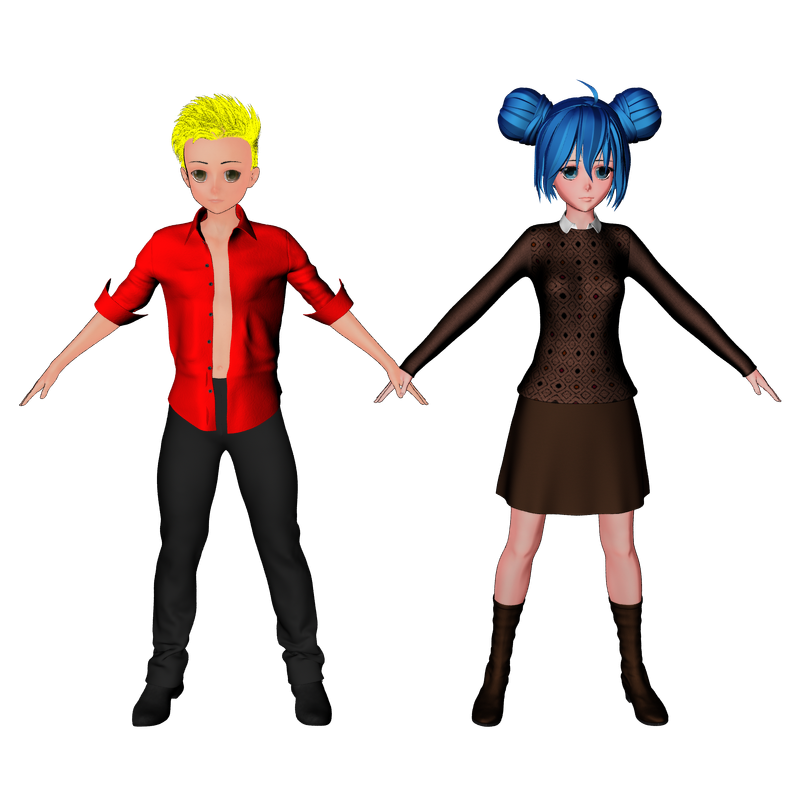 Welcome to Hatsune Miku Anime Manga Cafe ☕
I'm still mostly at the "move sliders until it does kind of what I want it to" phase of experimenting with pwToon.
Show us more of your 3Delight rendersPosting this here because it's probably the best place to get answers for this. I just started experimenting with pwToon on a G8F Centaur, and I'm finding that the geoshell torso surface seems to be inseparable from the actual figure's torso surface. Is that the normal behavior for pwToon? Or maybe even 3Delight in general? I'm almost strictly an Iray user, so I don't know if this is just some weird bug or if it's normal and I've just never experienced it.
What it looks like so far:
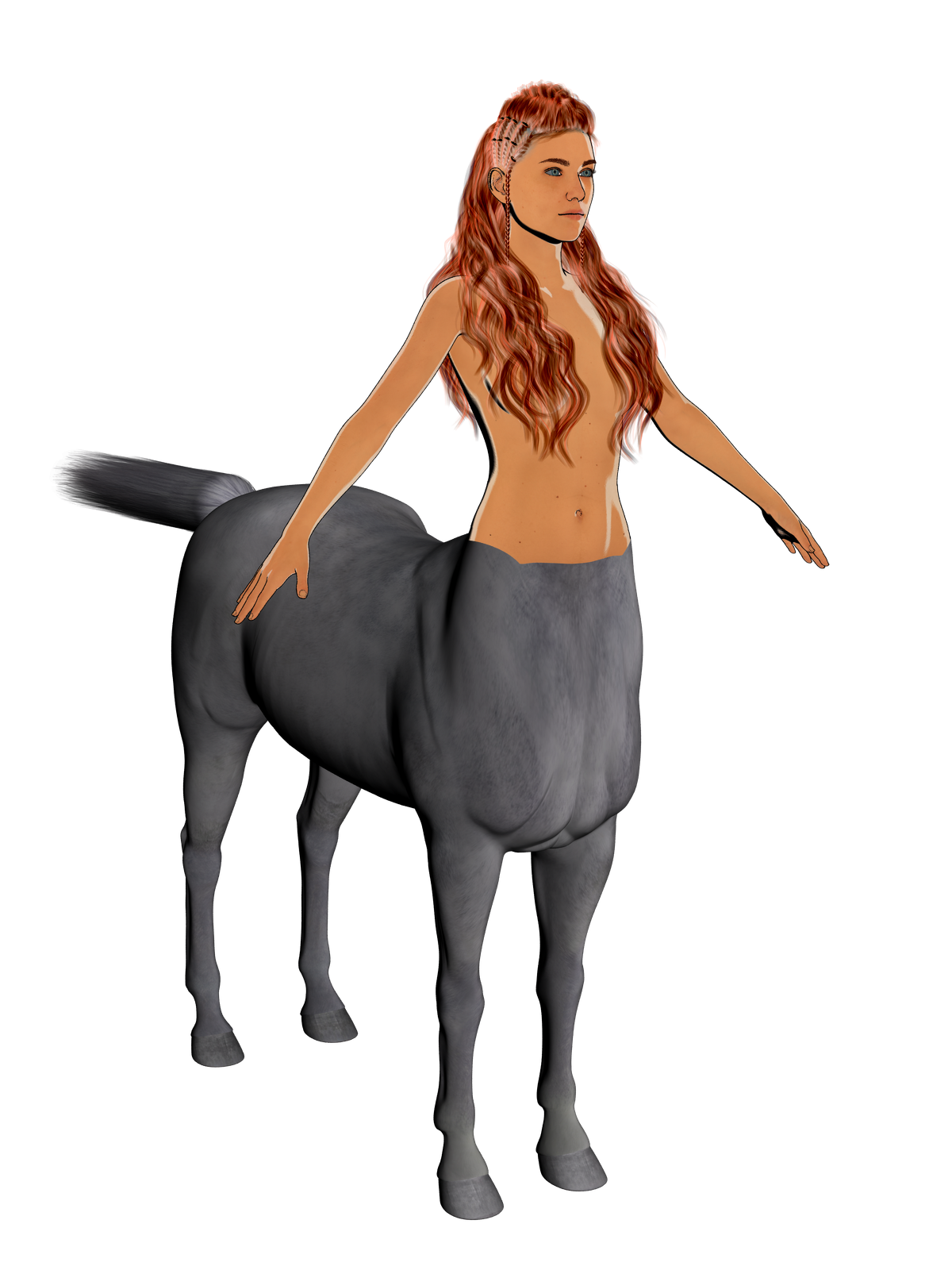
If I apply the opacity map and centaur UV to the geoshell:
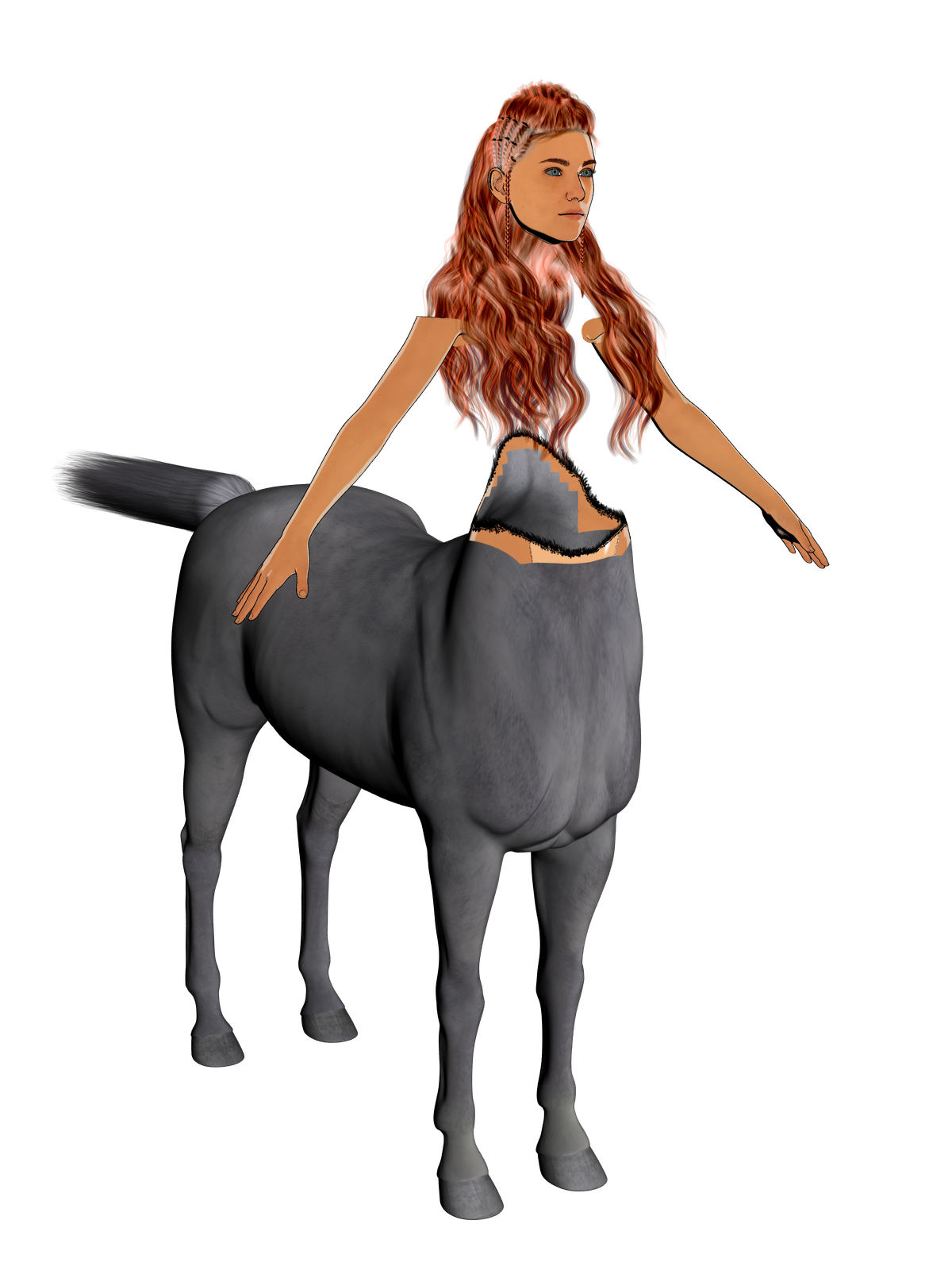
Any change I make to one surface affects the other, so applying an opacity map to the geoshell adds it to the figure, and removing it from the figure removes it from the geoshell.
More Non-photorealistic Renders (NPR III)juvesatriani said:
Testing new pwToon preset and check how easy to get look i wanted in Photoshop
Superb! Metal and rubber are perfect. Are you planning to share those presets?
More Non-photorealistic Renders (NPR III)juvesatriani said:
Testing new pwToon preset and check how easy to get look i wanted in Photoshop

Very, very cool. It has a nice, illustrated look. Which motorcycle is this? It looks very familiar (in other words, I think I have it or one very like it).
Is this in service to a story, or are you just doing it for the thrill of it?
More Non-photorealistic Renders (NPR III)juvesatriani said:
Testing newV pwToon preset and check how easy to get look i wanted in Photoshop
Very niceley done. Machines look great w/a cartoon edge. I haven't tried PWToon yet, but the look is nice and clean here.
More Non-photorealistic Renders (NPR III)Testing new pwToon preset and check how easy to get look i wanted in Photoshop
AIUTO...CHI CONOSCE L’ITALIANO? PARTE TREDICIKainjy said:
Che ne pensate di lei ?? Potrebbe interessarvi ? E' una G8F. Ancora devo finire di aggiustare seno, mani e piedi (ho coperto di raggi che i sandali si intersecano coi piedi). E si è la mia vecchia Lightning (anche se ne rimane poco visto che molte parti sono state "interpretate" perchè sotto i vestiti il modello originale non aveva nulla)
Creare uno stile da manga e riportarlo nella realtà è difficile...i personaggi sono molto astratti.. infatti di solito appaiono dei come dei pupazzi (vedi Hiro 5 - https://www.daz3d.com/hiro-5 ) perchè troppo estranianti... di solito ho visto fare due tipi di soluzioni:
- Usi Aiko, Hiro, ecc.. e poi usi i prodotti DAZ per ricreare l'effetto disegno come https://www.daz3d.com/oso-toon-shader-for-iray , https://www.daz3d.com/forums/discussion/195231/new-pwtoon-cel-shader-presets , http://docs.daz3d.com/doku.php/artzone/pub/tutorials/dazstudio/studio-toonshaders , https://www.daz3d.com/manga-style-shaders . In questo modo anche con personaggi meno manga, lo shader aiuta molto a render l'immagine da anime.
- Oppure crei dei modelli che sono a metà tra il reale e il pupazzo.. come ad esempio fa la Square Enix coi suoi giochi (FF10, FF12, FF13, FF14, FF15, il remake del 7 dove li crea quasi umani o Kingdom Heart dove invece sono più pupazzosi e dunque finti). Ci sono anche molti altri giochi a cui fare riferimento (Scarlet Nexus, Code Vein, ecc..)
Un po' come il discorso delle narici di Imago... se le togli il naso diviene palesamente finto e ottieni l'effetto pupazzo di plastica. Il modello di Lightning che ho renderizzato mi piace perchè è un buon equilibrio: mento a punta e piatto ma non eccessivo, occhi grandi ma non esagerati, figura magra e slanciata ma non troppo irreale.
Chiaramente, visti gli stili a cui ti ho indirizzato, il look "pupazzoso" nello specifico mi va bene; se mi serve qualcosa di un po' più realistico sono abbastanza i modelli stile "ultimi Final Fantasy" e quindi le varie Kanade, Kenji, o altri che trovi già sullo store - anche se, torno a sottolineare, così stilizzati tendenzialmente li fanno solo con personaggi adoloscenti o poco più. Ma siccome mi piace personalizzare, per quanto possibile, i miei personaggi, continuo a preferire i set di morph liberamente mixabili che non i character preconfezionati. Sono una rompina, lo so XD.
La tua Lightning, in ogni caso, è venuta molto bene, l'equilibrio che dici di cercare è, direi, centrato.
EDIT: aggiungo che sarebbe un buon modello di partenza per una Lady Oscar fatta bene (se qualcuno realizza dei capelli all'altezza è un instant-buy!)
AIUTO...CHI CONOSCE L’ITALIANO? PARTE TREDICIChe ne pensate di lei ?? Potrebbe interessarvi ? E' una G8F. Ancora devo finire di aggiustare seno, mani e piedi (ho coperto di raggi che i sandali si intersecano coi piedi). E si è la mia vecchia Lightning (anche se ne rimane poco visto che molte parti sono state "interpretate" perchè sotto i vestiti il modello originale non aveva nulla)
Creare uno stile da manga e riportarlo nella realtà è difficile...i personaggi sono molto astratti.. infatti di solito appaiono dei come dei pupazzi (vedi Hiro 5 - https://www.daz3d.com/hiro-5 ) perchè troppo estranianti... di solito ho visto fare due tipi di soluzioni:
- Usi Aiko, Hiro, ecc.. e poi usi i prodotti DAZ per ricreare l'effetto disegno come https://www.daz3d.com/oso-toon-shader-for-iray , https://www.daz3d.com/forums/discussion/195231/new-pwtoon-cel-shader-presets , http://docs.daz3d.com/doku.php/artzone/pub/tutorials/dazstudio/studio-toonshaders , https://www.daz3d.com/manga-style-shaders . In questo modo anche con personaggi meno manga, lo shader aiuta molto a render l'immagine da anime.
- Oppure crei dei modelli che sono a metà tra il reale e il pupazzo.. come ad esempio fa la Square Enix coi suoi giochi (FF10, FF12, FF13, FF14, FF15, il remake del 7 dove li crea quasi umani o Kingdom Heart dove invece sono più pupazzosi e dunque finti). Ci sono anche molti altri giochi a cui fare riferimento (Scarlet Nexus, Code Vein, ecc..)
Un po' come il discorso delle narici di Imago... se le togli il naso diviene palesamente finto e ottieni l'effetto pupazzo di plastica. Il modello di Lightning che ho renderizzato mi piace perchè è un buon equilibrio: mento a punta e piatto ma non eccessivo, occhi grandi ma non esagerati, figura magra e slanciata ma non troppo irreale.
More Non-photorealisitic Renders (NPR II)Tugpsx said:
juvesatriani said:
Another over proceesed pwToon render in photoshop
Your art style is great and your compositions and poses definitely add to the energy in the projects. Thanks for sharing.
Thanks for nice words , this thread really give me inspiration .
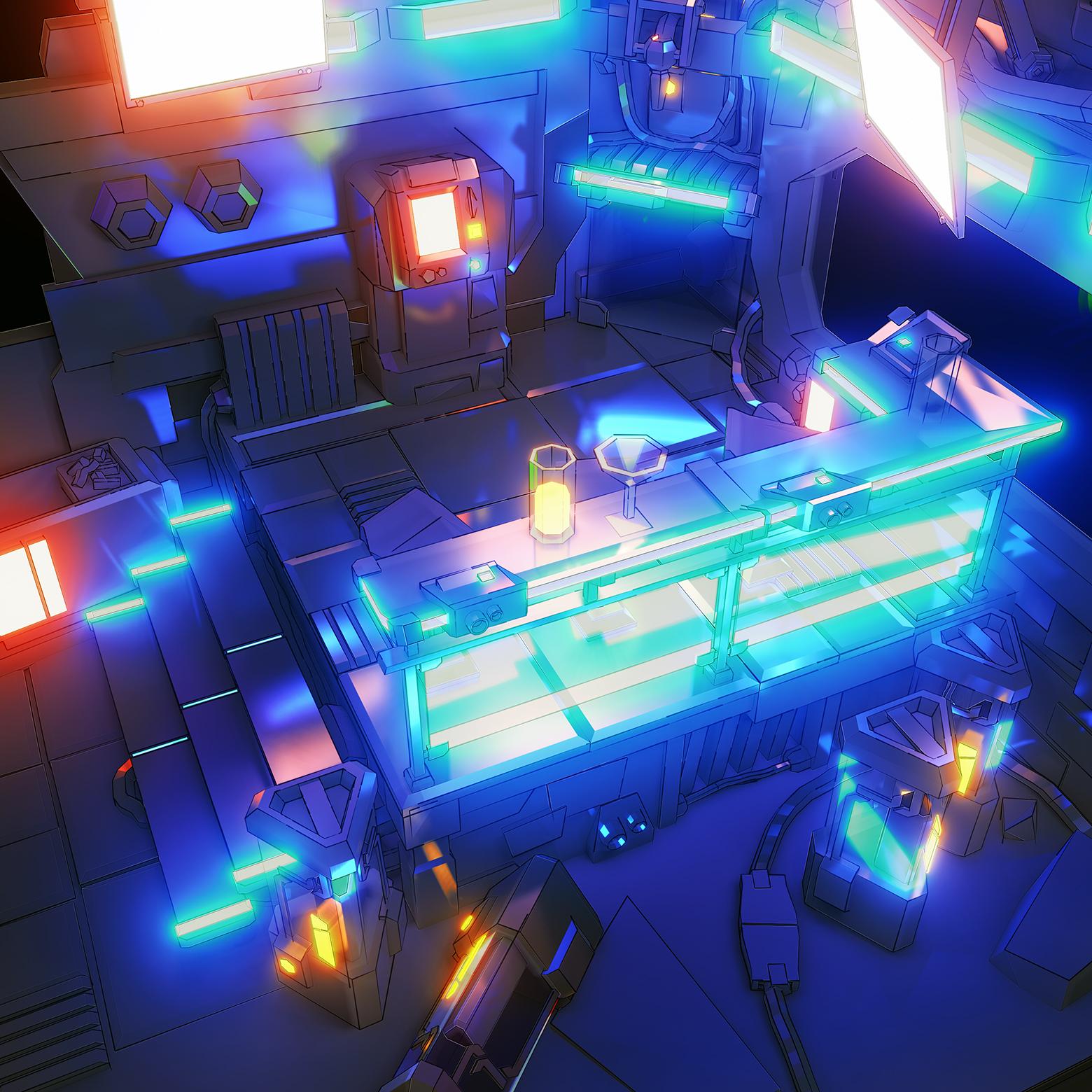
Here another experiment using Blender EEVEE EXR Multipass and run my experimental photoshop action
 More Non-photorealisitic Renders (NPR II)
juvesatriani said:
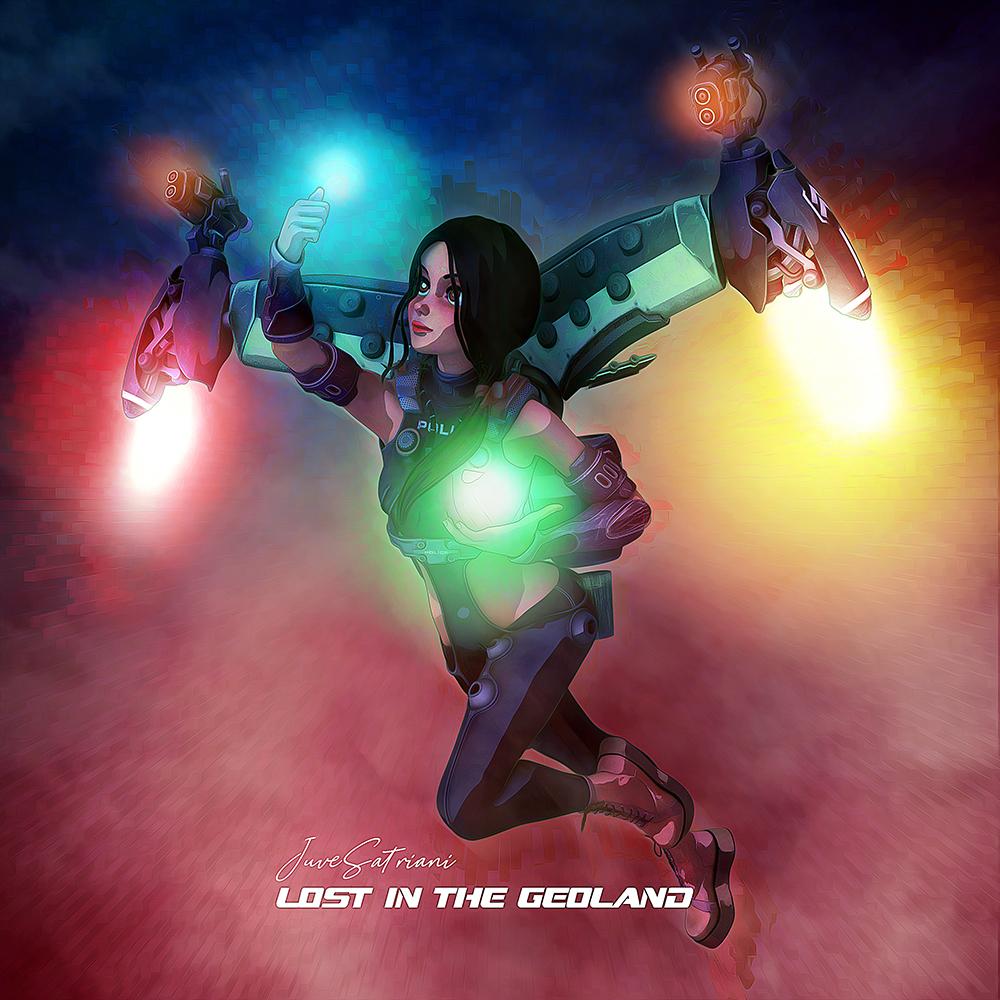
Another over proceesed pwToon render in photoshop
Your art style is great and your compositions and poses definitely add to the energy in the projects. Thanks for sharing.
More Non-photorealisitic Renders (NPR II)Another over proceesed pwToon render in photoshop
Daz 3D is part of

Connect
DAZ Productions, Inc.
7533 S Center View Ct #4664
West Jordan, UT 84084Licensing Agreement | Terms of Service | Privacy Policy | EULA
© 2026 Daz Productions Inc. All Rights Reserved.










