-
I'm a sucker for...
Stonemason sets.
Its not just that they look fantastic - which they do, But they don't get nearly enough praise for how resource efficient they are. Most of them take barely over 1gb memory on my gpu which is straight up witchcraft.
Aprilysh Hair
Again I'm going to praise some hidden engineering. Have you ever noticed how Aprilysh hair magically doesn't ever get distorted? If you take one of their hairs with pigtails or braids and then put it on a super stylized character a lot of hairs of similar styles not by them will get giant distortions but aprilysh hairs magically don't? - Its not magic. Actually Aprilysh hairs tend to come with multiple rigidity groups which fix morph distortion. also their hair is always fully rigged with bones for movement which is less prone to distortion than movement supplied via morph.
Mada and Lady Littlefox for clothing (also LLF's hair is great too)
Again I'm going to praise the engineering. Their stuff has great topology and has had great topology going back to the pre-genesis days. There's lots of stuff that looks great but has messy and/or dense topology - now messy/dense topology can work especially if the creator added jcms - the problem is a soon as you transfer the clothing to another generation those jcms stop working. good clean topology is just so much easier to work with especially if you're trying to make it do something it wasnt directly designed for. also both of them have had super clean topology for generations - I've converet some of LLF's content for Aiko 3 wand it holds up incredibly well, bends well without setting the smoothing super high, takes subdivision even thogh it was created before there was subdivision in studio.
Linday and AS
Their sci-fi stuff just looks so cool - I always considered myself more of a fantasy/historical person, but their sci-fi stuff just looks super cool and I have bought way too much of it. (they also have pretty good topology fwiw but a bit denser than Mada and LLF's stuff tends to be so it can take a bit more effort transferring across figures)
Arryn and Onnel
Their jewelry alone is worth the price of the entire outfit as far as I'm concerned. They're so pretty. If they ever want to release a jewelry bundle I will jump on that so fast. Also the normal maps on their clothes are magical. They are just ridiculously good at making flat dforce meshes look solid
And down the artist rabbit hole I go. thanks...thanks a LOT! (hehe) (Edit: I've pretty much ran out my welcome on 3DCollective, i13, Z, Stonemason, Mousso...need to check out the rest though.)
I'm a sucker for...Stonemason sets.
Its not just that they look fantastic - which they do, But they don't get nearly enough praise for how resource efficient they are. Most of them take barely over 1gb memory on my gpu which is straight up witchcraft.
Aprilysh Hair
Again I'm going to praise some hidden engineering. Have you ever noticed how Aprilysh hair magically doesn't ever get distorted? If you take one of their hairs with pigtails or braids and then put it on a super stylized character a lot of hairs of similar styles not by them will get giant distortions but aprilysh hairs magically don't? - Its not magic. Actually Aprilysh hairs tend to come with multiple rigidity groups which fix morph distortion. also their hair is always fully rigged with bones for movement which is less prone to distortion than movement supplied via morph.
Mada and Lady Littlefox for clothing (also LLF's hair is great too)
Again I'm going to praise the engineering. Their stuff has great topology and has had great topology going back to the pre-genesis days. There's lots of stuff that looks great but has messy and/or dense topology - now messy/dense topology can work especially if the creator added jcms - the problem is a soon as you transfer the clothing to another generation those jcms stop working. good clean topology is just so much easier to work with especially if you're trying to make it do something it wasnt directly designed for. also both of them have had super clean topology for generations - I've converet some of LLF's content for Aiko 3 wand it holds up incredibly well, bends well without setting the smoothing super high, takes subdivision even thogh it was created before there was subdivision in studio.
Linday and AS
Their sci-fi stuff just looks so cool - I always considered myself more of a fantasy/historical person, but their sci-fi stuff just looks super cool and I have bought way too much of it. (they also have pretty good topology fwiw but a bit denser than Mada and LLF's stuff tends to be so it can take a bit more effort transferring across figures)
Arryn and Onnel
Their jewelry alone is worth the price of the entire outfit as far as I'm concerned. They're so pretty. If they ever want to release a jewelry bundle I will jump on that so fast. Also the normal maps on their clothes are magical. They are just ridiculously good at making flat dforce meshes look solid
*Released* Porefectionist for Genesis 8 Females- CommercialThanks guys :)
Zelara right out of the box. Didn't remove any maps.
Thanks for the comparison. It looks like it doesn't add much visually if you already have the HD morph, but looks to be worthwhile if you don't.
Daz Studio Pro BETA - version 4.12.2.60! (*UPDATED*)Favorites saving were not working 2 versions before, that was also a problem as rendered favorittes nearly useless. One version ago they were fixed, and was possible to do something in animation. Now the current version breaks a basic animation feature, save morphs.No sure a new key editor should have been added when breaks a core feature that makes impossible many types of animation, specially when the version before was working fine. Feels rather a downgrade.
I have spend several hours tryign to figure out why was not saving the morphs . At least I know now.
I feel you. I spent a lot of time trying to see why it wasn't saving the morph animations and ended up giving up. it wasn't anything wrong from what I was doing, it was the recent daz version that has a bug of not saving custom morph animations. Which for now makes it impossible for me to use it for character animation. I have to downgrade to older version which is fine in that regard. oh well.. we will just wait. : )
Any recent builds with fix for morph not saving available yet? (I'm not checking every new build)
How do I add more vertices to a geometry selection?There are a number of reasons why the number of vertices in a mesh must remain constant in Daz Studio.
Daz Studio has an overarching concept called "geometry modifier". Every morph is one, so is Mesh Grabber, and the D-Formers and push and smoothing modifiers built into Daz Studio are too. What they have in common is that they can displace vertices (move them around in 3D space), but they cannot add or remove vertices. There is some machinery inside Daz Studio for subdivision and HD meshes which interpolates between the vertices of a mesh, but it does not add or remove vertices from the original (the "base") mesh, which is always there.
The other reason (and this is the part I'm less familiar with) is rigging, i.e. the bones of a Daz Studio figure. The rigging also references the vertices of a mesh, and since much of the Daz ecosystem is based on the Genesis figures, all of that would break if the mesh is changed. (Which it did when Daz moved from one Genesis generation to the next, and they needed to add features to Daz Studio to convert assets between them.)
With geometry that is not rigged, like your scenery, this is less of an issue so Daz could theoretically add more modeling features to Daz Studio, but then Blender and other modelers can do all that already so the incentive for Daz to do that is just not there I guess.
hear ye hear ye true HD characters for diffeo@marth_e I believe not. You have to load the HD morphs you need in daz studio then export to blender. That is, you cannot use HD morphs the same as regular morphs in blender.
-It's a pitty that as far as I know the multiresolution modifier in Blender can't support shape keys. There is no way to create shape keys on the higher resolution levels unless you apply the modifier first.
-If the multires modifier could support shape keys then it would be possible to load HD morphs in Blender by:-Importing the HD geometry with the HD morph loaded in Blender
-Creating the shape key on the multires modifier with the "join as shape key" option
-Having the possibility to have shape keys with a multiresolution modifier could open a whole new world of possibilities. Like creating driven HD morphs directly in Blender for expressions (wrinkles) or complex muscle movements. It would be very similar to what DAZ Studio does right now by allowing PAs, by using a propertary addon, to load morphs on different subdivision levels and not only on the base level like everyone else.-On the other hand it would be very similar to what Zbrush do, by allowing the creation of layers on different subdivision levels. Having this funcionality on Blender can also open the possibility to sculpt on layers on different subdivisions levels. I just hope Pablo Dobarro could include this option too in the near future.
-Here is a petition to add this funcionality on Blender but, as far as I understand, this has not been implemented yet. If someone can create an addon for this it would be super useful.
https://blender.community/c/rightclickselect/Hdbbbc/More versatile tongue for Sobek and Bullwarg?My first attempt at using lickalicious with Sobek...
uhm, yeah, gonna need some work cause this definitely does not work out of the box.
Off the top of my head I suspect this is some weird glitch due to how the Sobek HD morph crushes and distorts the base tongue rig.
Any suggestions on a quick fix? I suspect if there was just some easy way to tell DAZ Studio, "hey, when dialing in the sobek hd morph, leave the tongue alone" that would be most of the way to fixing it.most popular types of character?I've made two freebies and based on the downloads from those the answer is overwhelmingly pretty women.
1) One freebie was a scene that requires the use to have some DAZ products purchased plus download and install freebies from two other people that made freebies so it's a bit of money and work to pull what you need to use the scene together. The scene is of an opening cartoon credits of a 60s television show. In 3 years it has 783 views, 141 downloads, 6 comments, and oddly only 5 ratings, one less than number of comments.
2) The other freebie is much less work as it is just a FaceGen Artist Pro morph the user unzips & places in their DAZ Content Library & restart DAZ & it's ready to go. It's a face morph, geometry only, approximating a famous female pop band singer from the late 70s through mid 80s. She is still well known and very pretty. In 2 days that freebie has 336 views, 66 downloads, 1 rating, and no comments.
So if you can model gorgeous realistic woman I think you would make a lot of money.
I guess to be fair and negate the often stated claim in the forum that if one don't offer male 3D model products how can you state that they wouldn't sell as good as they aren't given equal opportunity to sell as the female 3D models?
Anyone have suggestions on what male celebrity I should use? Should it be someone that's mascilinely handsome? Someone that's generally well known to be behaviorally a heroically known man? Should it be some unknown male I use the random function to generate in FaceGen Artist Pro until one gets generated that 'strikes me as uniquely interesting'?
Should I do the same with randomly generating a uniquely interesting female in FaceGen Artist Pro as a freebie as that's more in line with the expectations for new female characters in the DAZ 3D Store?
You can probably assume because I am not a modeler or a prolific maker of freebies and have no followers any downloads got then would be on the desirability of the morphs and for no other reason. A PA in the DAZ Store would by weight of passing the DAZ 3D QA process would immediately carry more wait regarding general product desirability, but at a monetary price.
If you noticed and did the math for the ratio of views to downloads for both the "Bewitched" scene and the "Deborah Harry" morph it's about 1 in 5 or 20% (18% and 19% respectively).
Then I will post the results here.
=====
OK, the female freebie I uploaded is a likeness of Deborah Harry. I just made a likeness of Elvis Presley with FaceGen Artist Pro and seeing as Elvis Presley is arguably the most famous man in western history his downloads relative to Deborah Harry's would be a gage as to what will sell in the DAZ Store.
As luck would have it the Genesis 8 Male Essentials that come free with DAZ Studio's G8M skin materials and Armani hair is ballpark range for Elvis' hair and complexion were in real life (although I never realized they wore so much makeup on TV, stage, & movies back then!). They are easy enough to find if you search shareCG.com but unless you actually want them you shouldn't get them or view them as the ideal is the random shareCG.com user's interests indicating what sells but us forum goers. Big collectors there are likely big collectors in the DAZ Store.
And look at the female character ratio to male characters in the DAZ Store & at shareCG. Its lopsided.
For pretty female characters Mousso, Rarestone, and Bluejunte are already excellent so it'd be pretty hard to compete and even if someone gets that good so many great characters are already here. There's actually way more room for more environments. There are so many potential cities that just haven't been done here yet
As for male celebrities Yeonjun, Cole Sprouse, James Charles, Jungkook, Chris Hemsworth, and Henry Golding are worth looking at for inspiration
So I'm breaking down what I got so far as an experiment
I like to use sliders to mix different characters
But beautiful female character models are beautiful no matter which PA makes the character, including the PAs you list there. If the OP really is motivated and enjoys making female characters then that's what they should do. I'm planning on buying the Marvelous Designer Perpetual License before they go to subscriber licensing only and if I do make model products it apt to be traditional clothing.
....but, personally, I'm not a PA and am not trying to specifically become one either. It's a hobby and what comes from it comes from it. I have no plan. If I did make models or code that I though were worth selling or other might want I'd do so although I'm apt to thoroughly investigate the Unity Asset Store and the UE4 Asset store as avenues for sales in addition to the DAZ 3D Store.
Horse2GoatThat's weird as I thought I had zeroed any morphs not related to the products listed above. Doubly weird in that the Llama and Unicorn morphs should load if you have both Lovable Llamas and SF Unicorn for DAZ Horse 2 in your library. I'll try to correct the error and fix the issue. Apologies for the inconvenience and thank you for making me aware of it.
I should probably have mentioned that I don't own those, but thought I'd see how they looked anyway.
Thanks for clarifying. I thought I really messed something up. How did the morphs turn out without those products, BTW?
Awesome! Thanks so much!
+1!

Thank you! Mind if I ask which combinations of fur/textures you used in your renders?
For the goat, I used the Llama's white material for the body; Tane the Old Deer's body, head, neck, and tail fibermesh fur with an off-white diffuse color; and hoof materials from HD Dark Knight for DAZ Horse 2. For the Big Horn, I used Tane the Old Deer's textures and fur, and applied DestinysGarden's DG Iray Fur, Flocking, Scales Shader Presets to a geoshell set to 50% opacity for additional fuzz (with an opacity map created in GIMP for the head to make fur around the muzzle shorter). The horns are from Michael 4 Creature Creator Add Ons.
If I owned Gnu for DAZ Horse 2 by AM, I definitely would have utilized either it's LAMH of dForce fur for my renders. If I ever get the GNU, I'd love to try morph/ kit-bashing Mouflon and Marco Polo sheep.
most popular types of character?I've made two freebies and based on the downloads from those the answer is overwhelmingly pretty women.
1) One freebie was a scene that requires the use to have some DAZ products purchased plus download and install freebies from two other people that made freebies so it's a bit of money and work to pull what you need to use the scene together. The scene is of an opening cartoon credits of a 60s television show. In 3 years it has 783 views, 141 downloads, 6 comments, and oddly only 5 ratings, one less than number of comments.
2) The other freebie is much less work as it is just a FaceGen Artist Pro morph the user unzips & places in their DAZ Content Library & restart DAZ & it's ready to go. It's a face morph, geometry only, approximating a famous female pop band singer from the late 70s through mid 80s. She is still well known and very pretty. In 2 days that freebie has 336 views, 66 downloads, 1 rating, and no comments.
So if you can model gorgeous realistic woman I think you would make a lot of money.
I guess to be fair and negate the often stated claim in the forum that if one don't offer male 3D model products how can you state that they wouldn't sell as good as they aren't given equal opportunity to sell as the female 3D models?
Anyone have suggestions on what male celebrity I should use? Should it be someone that's mascilinely handsome? Someone that's generally well known to be behaviorally a heroically known man? Should it be some unknown male I use the random function to generate in FaceGen Artist Pro until one gets generated that 'strikes me as uniquely interesting'?
Should I do the same with randomly generating a uniquely interesting female in FaceGen Artist Pro as a freebie as that's more in line with the expectations for new female characters in the DAZ 3D Store?
You can probably assume because I am not a modeler or a prolific maker of freebies and have no followers any downloads got then would be on the desirability of the morphs and for no other reason. A PA in the DAZ Store would by weight of passing the DAZ 3D QA process would immediately carry more wait regarding general product desirability, but at a monetary price.
If you noticed and did the math for the ratio of views to downloads for both the "Bewitched" scene and the "Deborah Harry" morph it's about 1 in 5 or 20% (18% and 19% respectively).
Then I will post the results here.
=====
OK, the female freebie I uploaded is a likeness of Deborah Harry. I just made a likeness of Elvis Presley with FaceGen Artist Pro and seeing as Elvis Presley is arguably the most famous man in western history his downloads relative to Deborah Harry's would be a gage as to what will sell in the DAZ Store.
As luck would have it the Genesis 8 Male Essentials that come free with DAZ Studio's G8M skin materials and Armani hair is ballpark range for Elvis' hair and complexion were in real life (although I never realized they wore so much makeup on TV, stage, & movies back then!). They are easy enough to find if you search shareCG.com but unless you actually want them you shouldn't get them or view them as the ideal is the random shareCG.com user's interests indicating what sells but us forum goers. Big collectors there are likely big collectors in the DAZ Store.
And look at the female character ratio to male characters in the DAZ Store & at shareCG. Its lopsided.
For pretty female characters Mousso, Rarestone, and Bluejunte are already excellent so it'd be pretty hard to compete and even if someone gets that good so many great characters are already here. There's actually way more room for more environments. There are so many potential cities that just haven't been done here yet
As for male celebrities Yeonjun, Cole Sprouse, James Charles, Jungkook, Chris Hemsworth, and Henry Golding are worth looking at for inspiration
So I'm breaking down what I got so far as an experiment
I like to use sliders to mix different characters
Bone Transference PresetAny weight-mapped figure can be set as the Source in Edit>Figure>Transfer Utility
Horse2GoatSo you I need all those morphs for Daz Horse 2 in order to use your presets?
Yes, it is recommended you have these items to achieve the goat and big horn morphs. I have no skills at creating scratch morphs myself, so I used the creatures available at Daz3D to "morph-bash" creatures I need for my book project. I apologize for having such a big list of recommended items and hope a professional content creator will create these animals sometime in the near future.
Your list of required products is incomplete. Here is the error message I get when loading the presets:
data/daz 3d/daz horse 2/base/morphs/linday/dark knight/dark knight hd details.dsf
data/daz 3d/daz horse 2/base/morphs/midnight_stories/llama/llama-ears-back.dsf
data/daz 3d/daz horse 2/base/morphs/midnight_stories/llama/llama.dsf
data/daz 3d/daz horse 2/base/morphs/rawart/raw_toypony/raw_toypony.dsf
data/daz 3d/daz horse 2/base/morphs/sickleyield/dh2unicorn/fbmunicorn01.dsf
data/daz 3d/daz horse 2/base/morphs/sickleyield/dh2unicorn/fbmunicorn02.dsf
edit: off-topic, but why does the horse have a "Roman nose" morph?
That's weird as I thought I had zeroed any morphs not related to the products listed above. Doubly weird in that the Llama and Unicorn morphs should load if you have both Lovable Llamas and SF Unicorn for DAZ Horse 2 in your library. I'll try to correct the error and fix the issue. Apologies for the inconvenience and thank you for making me aware of it.
Coffee Break - April 13 2022This is heartwarming and very imaginative in how the problem was solved...lol

Awwww, we need Cat 8, or whatever.
This video should inspire those who like to make poses or simply want a new idea for a render. Sofie has a youtube channel so you can see more of what she does at this link.
https://www.youtube.com/user/SofieDossi/videos
Also Sophie is adorable, probably make a good character morph.
This was my first introduction to Sophie and since this video is 16 minutes long, might be best to wait for lunch break to watch it.

The video below is a small bio, just the right size for a coffee break.
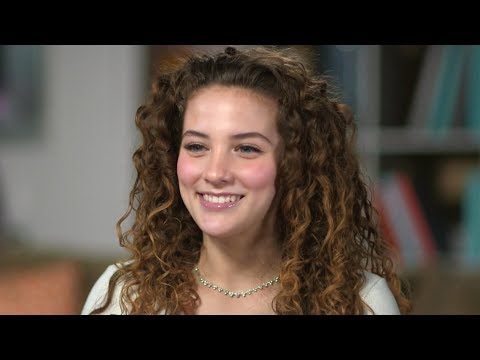
Bloody hell, she's amazing, but is a tough watch, due to being bloody scary.
Horse2GoatYour list of required products is incomplete. Here is the error message I get when loading the presets:
data/daz 3d/daz horse 2/base/morphs/linday/dark knight/dark knight hd details.dsf
data/daz 3d/daz horse 2/base/morphs/midnight_stories/llama/llama-ears-back.dsf
data/daz 3d/daz horse 2/base/morphs/midnight_stories/llama/llama.dsf
data/daz 3d/daz horse 2/base/morphs/rawart/raw_toypony/raw_toypony.dsf
data/daz 3d/daz horse 2/base/morphs/sickleyield/dh2unicorn/fbmunicorn01.dsf
data/daz 3d/daz horse 2/base/morphs/sickleyield/dh2unicorn/fbmunicorn02.dsf
edit: off-topic, but why does the horse have a "Roman nose" morph?
most popular types of character?I have always been a sucker for Sliver now @Jessaii characters going all the way back to when she and Countess had their own site. Most of the characters I create have at least one element from her characters, either a face morph, skin texture, eye color or nail morph. :)
No Pose Controls on Import [SOLVED]I can't quite get the finer controls/finesse that pose morphs seem to offer. I've been moving the face rig with axis controls. I would much prefer the pose morph tags. Thanks for your input!
beginner questionsWhat files exactly are reproted as being missing? How did you install?
Are you referring to my missing gen 3 female? It does not say missing file then, I just cannot find it anymore. For example when I start up Daz studio, I can choose from scenebuilder, interactive tutorials etc. if I choose scenebuilder, then choose male character, I am asked to choose between gen 3 and gen 8. But if I choose female character instead, I am only asked to choose gen 8. Also in the library when I search for "female", it only shows gen 8 female, not gen 3. If you understand what I mean :)
That sounds as if you have Genesis 3 Male Starter Essentials installed, but not Genesis 3 Female Start Essentials
When I am trying to add the morph of Alysha, as one of the links I shared, I get plenty of missing files. alysha_eyes ref.jpg, Alysha--legs__1003.jpg, alysha--faceb_1001.jpg, alysha--torso_1002.jpg and maybe 20 more. I really dont understand what I am doing wrong here.
When I access the area on the left, content library, some of the files\morphs or what they are called, have a small picture as a preview, while many of them have a triangle with an exclamation mark in it. For example Alysha Body, Alysha Face and Alysha nails have this exclamation mark, while Alysha skin and Alysha Eyes have small preview pics. None of them work when I try to apply them. There is no error code either. In the logfile it says: 2020-09-14 13:19:21.871 Loaded file: !Petra Head inj.duf. (this is a different morph, but has the same result)
When looking in the Content Library do you see the /data folder, possibly /content/data/? You shouldn't, having that (or Runtime) visible as a folder in the Content Library means that the product was unzipped with an extra sub-folder (usually Content) containing its files, in which case the fix is to take the stuff out of the sub folder and merge it with the matching folders in the main content directory (e.g. /Daz 3D/Studio/My Library/ in the documents folder).
Does Sweet home 3D export OBJ? Does it have an option to export textures/maps?
I do not think so, I believe it exports in a .sh3d.
That sounds like its native format - does it have File>Export as well as File>Save, and if so what formats does it offer?
You can see the log through Help>Troubleshooting>View Log File. The error you report often means that you are trying to apply a preset of some kind without having the target object selected in the scene.
Thank you, helps alot. Now I saw through it, and I believe most of the times I am told to look at log file is when I try to apply a morph or pose without selecting the character. However, it did say many times : Could not resolve : "/Runtime/Textures/EmotionalDreams/Genesis8F/Ebony/Alysha/Iray/Skin--Alysha--LegsB_1003.jpg" repeatedly for similar jpg files. I have no idea what it means.
That again sounds like a bad path - either in the file for the product or in the installation.
Also what does this mean: 2020-09-14 13:11:07.700 WARNING: ..\..\..\..\..\src\sdksource\fileinput\dzassetdaz.cpp(5617): Could not find modifier definition.
That may be another bad path, or for some other reason the content DS is reading says "go here" and Ds can't go there or the file it finds is in some way corrupt.
beginner questionsWhat files exactly are reproted as being missing? How did you install?
Are you referring to my missing gen 3 female? It does not say missing file then, I just cannot find it anymore. For example when I start up Daz studio, I can choose from scenebuilder, interactive tutorials etc. if I choose scenebuilder, then choose male character, I am asked to choose between gen 3 and gen 8. But if I choose female character instead, I am only asked to choose gen 8. Also in the library when I search for "female", it only shows gen 8 female, not gen 3. If you understand what I mean :)
When I am trying to add the morph of Alysha, as one of the links I shared, I get plenty of missing files. alysha_eyes ref.jpg, Alysha--legs__1003.jpg, alysha--faceb_1001.jpg, alysha--torso_1002.jpg and maybe 20 more. I really dont understand what I am doing wrong here.
When I access the area on the left, content library, some of the files\morphs or what they are called, have a small picture as a preview, while many of them have a triangle with an exclamation mark in it. For example Alysha Body, Alysha Face and Alysha nails have this exclamation mark, while Alysha skin and Alysha Eyes have small preview pics. None of them work when I try to apply them. There is no error code either. In the logfile it says: 2020-09-14 13:19:21.871 Loaded file: !Petra Head inj.duf. (this is a different morph, but has the same result)
Does Sweet home 3D export OBJ? Does it have an option to export textures/maps?
I do not think so, I believe it exports in a .sh3d.
You can see the log through Help>Troubleshooting>View Log File. The error you report often means that you are trying to apply a preset of some kind without having the target object selected in the scene.
Thank you, helps alot. Now I saw through it, and I believe most of the times I am told to look at log file is when I try to apply a morph or pose without selecting the character. However, it did say many times : Could not resolve : "/Runtime/Textures/EmotionalDreams/Genesis8F/Ebony/Alysha/Iray/Skin--Alysha--LegsB_1003.jpg" repeatedly for similar jpg files. I have no idea what it means.
Also what does this mean: 2020-09-14 13:11:07.700 WARNING: ..\..\..\..\..\src\sdksource\fileinput\dzassetdaz.cpp(5617): Could not find modifier definition.
AIUTO...CHI CONOSCE L’ITALIANO? PARTE DODICIScusate, ho notato una cosa strana su Sharecg, ma è possibile distribuire i scene subset? Cioè non memorizzano nulla all'interno a parte dove s trovano i vari "pezzi" che li compongono?
Mi spiego meglio, è possibile distribuire ad esempio un scene subset in cui ci sia Genesis 8 che indossa un determinato vestito?
In quel caso è meglio usare un Character Preset, salva tutto quello che ti serve e di sicuro non ci sono geometrie dentro.
No a questo ci arrivo ancio, ho vistoun freebiee su ShareCG salvato con il Scene Subset, e mi chiedevo se non andasse contro il (C). Anni fa successe una cosa antipatica per VS, un tizio salvo un morp con l'export del CR2, e praticamente salvo un character con tutti morph che aveva, morphs++, Creature Creator e cosi via. Fu segnalato alla DAZ e fatto rimuovere. Non vorrei che questa fosse una cosa simile.
Crooked teeth due to mouth morphs
Thank you very much jesusaramenes !hi CHWT ;)
there are many ways to do it with shape splitter but in my case,
first follow the tip above
secondly open shape splitter
in the first tab "divide" in step 1 under "easy" choose "head"
in step 2 choose the morph concerning
in step 4 launch the "preview"
in step 5 save the morphthen once done in the third tab "save asset(s)" click at the bottom on "save morph asset"
voila ;)
Daz 3D is part of

Connect
DAZ Productions, Inc.
7533 S Center View Ct #4664
West Jordan, UT 84084Licensing Agreement | Terms of Service | Privacy Policy | EULA
© 2026 Daz Productions Inc. All Rights Reserved.