-
SereneNight's Sci-Fi Fun Thread 2
Not sure it will do smoothing and collision since it's not weightmapped. The fitting it to a GM8 cap has helped greatly, so far I have been able to reduce the Hiro 4 morph which fixes the ear weirdness a considerable bit. Mesh Grabber is on my list so if I don't catch it before PA sale ends I'll surely have it when PC Anniversary starts. Thanks for all the help so far!

Are you using the Hiro4 morph for the head size? If so maybe you could usr the Head Propagating dial instead ,if not then just ignore me ....
 CC#54 WiPs ~ What is it that you truly desire? after party Chit Chat
Stezza - The speed at which you model always amazes me. Super Duper!

Here we have a try...
Might not be totally political correct...
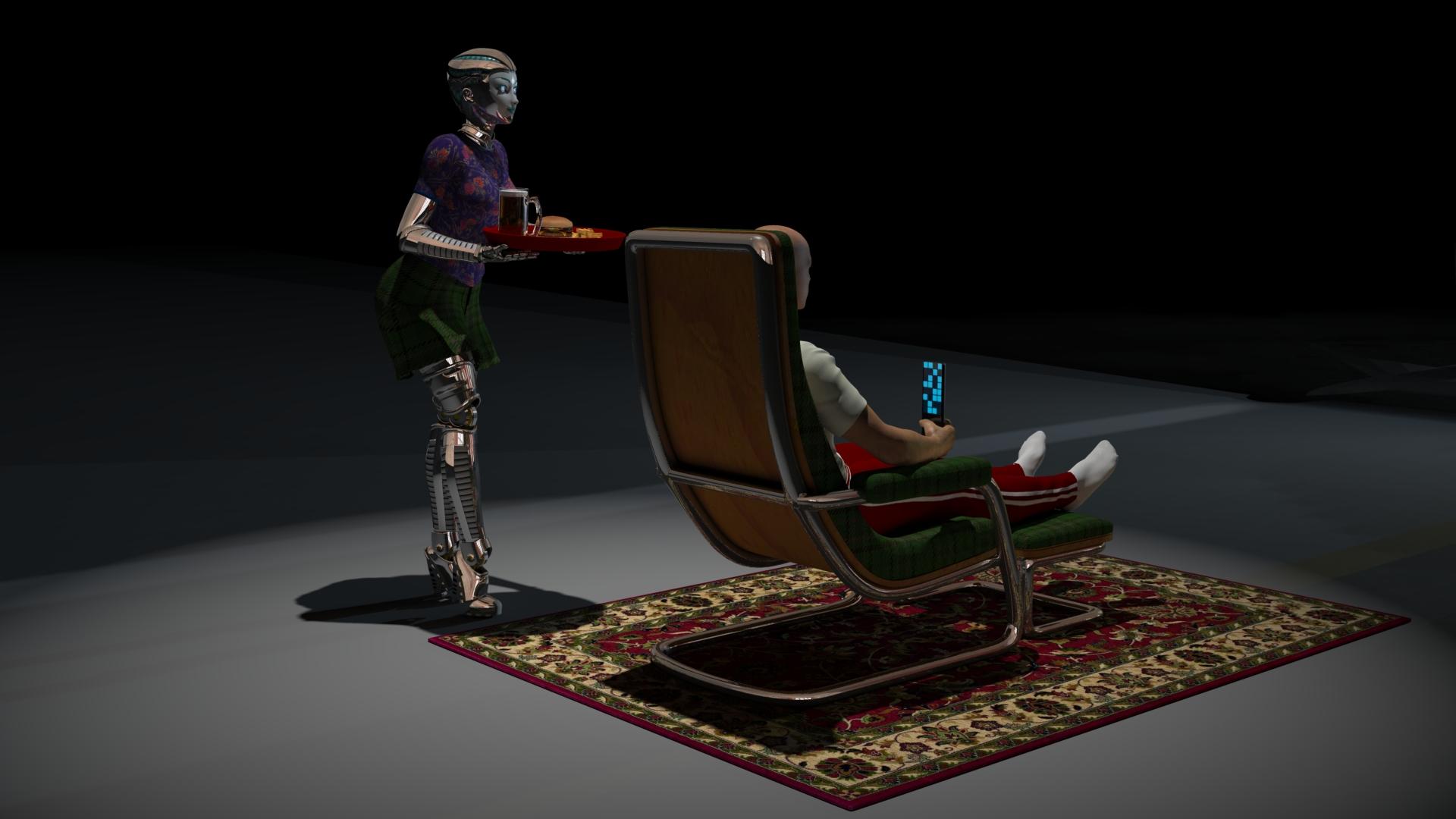
Very clever image Varsel. I like the sense of that large empty space.
Wish my cats would treat me that way.
Some tips for correcting poorly rigged and badly weightmapped figures like the DioMonster
The DioMonster comes with some BLANK morphs for the body. To improve a pose, you have several choices that can be found in the modeling wrench room under in animation mode (looks like a torso, arms, and head middle option at top right).
1) After posed, in modeling room animation mode, under bone tab, can select individual vertex, or groups of polygons, and use sliders to adjust bone weights.
2) After posed, in modeling room animation mode, select the weight brush from the top menu, and select the bone from properties tray on right to increase or decrease weights on figure
3) After posed, in modeling room animation mode, under morph tab, select morph area and specific morph, click EDIT and the morph area turns green, use modeling selection and translation/rotation tools to adjust model as desired. Click validate when finished. Morph is set to zero, return to assemble room and slide morph as desired up to one for fix.
4) Like (3), except use the Displacement Brush tool from the top menu to do the correction. The displacement brush has a SMOOTH options which is very sueful.
With left thigh bone rotated forward up and knee bent, the left leg crumples undesireably. I used the tips above to edit the MOR LThigh 01 morph to smooth the crumples.
Correction morph at 0
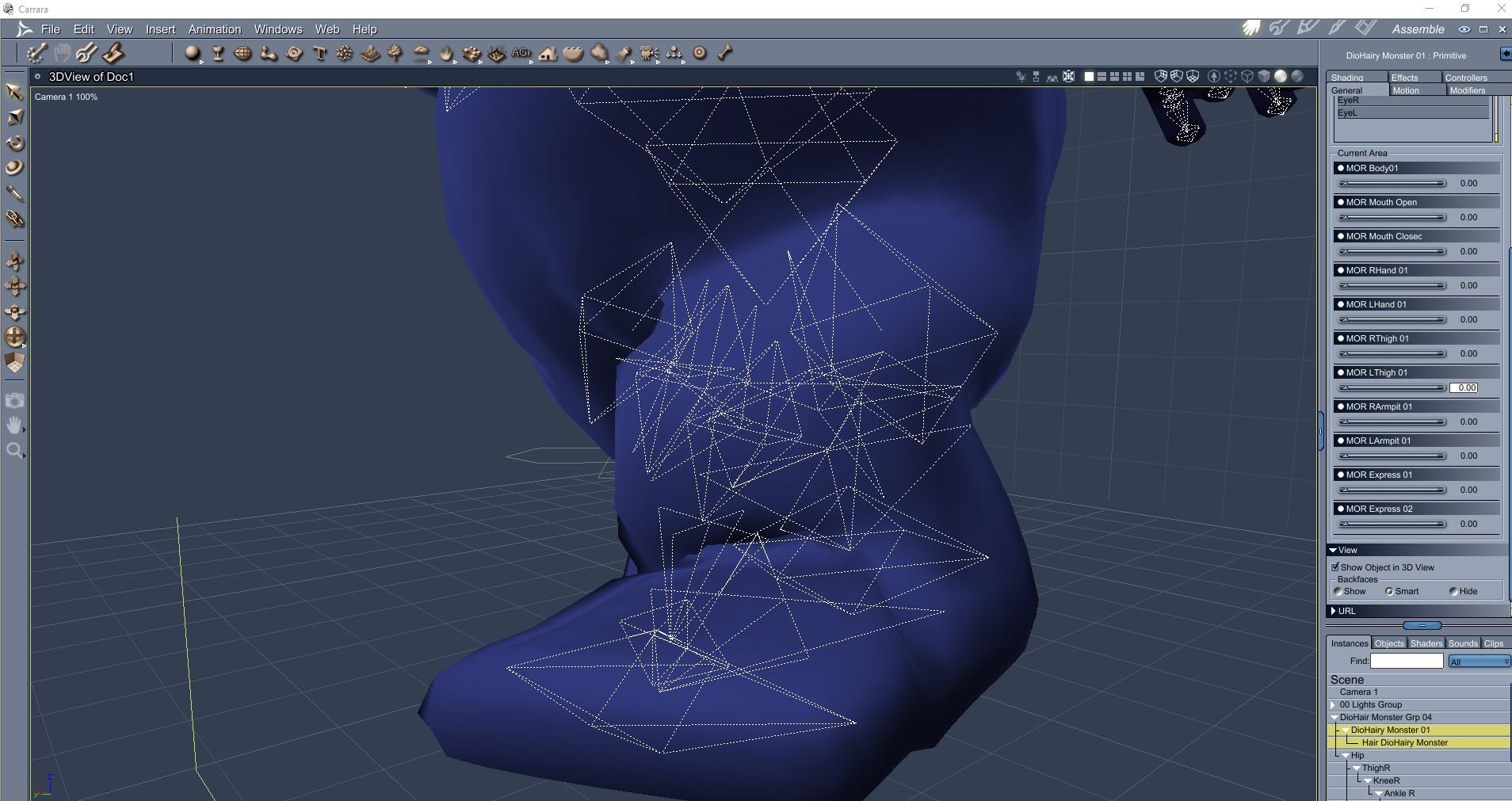
........................................................................
Correction morph at 1
DioMonster is awesome Diomede!
The tip for smoothing out wrinkles using a Morph and Displacement is so awesome. Thanks for explanations. Another great tip to explore.A Sudden Desire to Rip a Bodice

This is another one for the ladies... although you never know. :)
Haha UnifiedBrain, perfect encapsultion of a paperback 'dimestore' romance cover. Water refletions are awesome.
I worked for about 4 years in my teens as a page at our local library and, paperbacks like these weren't catalogued. Hundredds passed through, lol. And yeah, you never know...Custom Morphs from Daz into BlenderOkay, so I have been researching all day and have come up with very little, so I don't know if no one has run into this or if there's a term that I don't know about that I should be googling, I really, really hope someone out there has an idea. Okay, so I have Facemotion which takes an fbx file and turns that into facial movements on a Daz character. The keyframes show up under properties, morphs, FaceCap and then there's a bunch of settings for the entire face like shapes_cheekpuff for example. Since these are not bones, if I export a pose animation, they do not get saved in the pose file and won't show up in Blender through diffeomprhic if I import pose action. Now I just discovered that in diffeomorphic, if I clicked on import custom morphs, I can bring in all of the morphs from Facemotion and they show up on the bottom. So now how would I go about getting the keyframes from daz with all of these morphs to get written into keyframes that would be importable to diffeomorphic through the import action option (or something else that I might not be aware of) in order to get it to read the keyframes and use the custom morph for the facial animation? I hope this makes sense.
Now I have tried this at length with FBX's, so I don't think that is an option. Thank you so much for any and all help!
SereneNight's Sci-Fi Fun Thread 2Not sure it will do smoothing and collision since it's not weightmapped. The fitting it to a GM8 cap has helped greatly, so far I have been able to reduce the Hiro 4 morph which fixes the ear weirdness a considerable bit. Mesh Grabber is on my list so if I don't catch it before PA sale ends I'll surely have it when PC Anniversary starts. Thanks for all the help so far!
Buy Something That Doesn't Work in Carrara? Post your Questions and Workarounds here. (please)I installed Studio 4.12 and when I openend it it gave me an error, "a valid Postgre CMS connection could not be established". I know DAZ changed their database after 4.8. I stuck with it because I'm afraid that it will break content in Carrara. So, I'm giving up with Incognito and asking for a refund. Thanks everyone for your help!
Did you also update Postgre and such?
Wow. My workflow for that clothing issue is quite different.
I only convert to blended weights and save to my own library. Then in Carrara I go:
- Edit > Fenric > Unlock Figure
- Animation > Detach Skeleton
- Drag Actor out of the hierarchy and rename Actor to the name of the clothing
At this point the clothing is just a static prop. Now I bring in my character and use the modeling tools in the Assemble Room to shape the clothing how I want it on my figure - then save it to my browser.
After animating the character (I always begin animations at 1 second, leaving the default T-Pose on frame 0, and make an intermediate pose half a second along the timeline) I use VWD to attach the rigid bits, set the cloth dynamic properties and friction of the character, etc., and run the simulation. It's been so much less of a headache for me to work in this way lately that I think I may actually be getting younger! LOL
Anyway, I have a bunch of information regarding the kinds of things you're working on.
- Modeling for Genesis - Getting used to the process of going back and forth between Carrara and Daz Studio, etc.,
- Content Creation Tools - From Basic to Advanced procedures in Daz Studio to prep clothing and other items - getting familiar with the tools
Since I've also been trying to get Genesis 2 and 3 clothing to work on Genesis, I've also purchased several of SickleYield's clone, etc., tools. She provided some amazing info in her included tutorials that come wih those products - info that helps the whole process even further.
One that I don't forget anymore, for example, is to save the clothing item immediately after using the Transfer Utility. If we happen to maneuver a morph dial or a bone before saving/reloading, we'll often have to delete and start from scratch. For certain things, of course. But whenever I use the Transfer Utiliy, I always save as figure asset, delete, and reload before testing my work.
New Parameter Property"any and all answers" ... what if I'm wrong? [I hope not]
... number 2. Will I be doing this for both the Male and Female or will it be fine to CREATE under one and SAVE as both?
The morphs are made for the wings. IF you are putting the exact same figure on the male as on the female, then a normal saved morph would still work on either 'cause it's the same wing. But control morphs are different.
Safest bet would be to create 2 wing sets. One for the female and one for the male. Then make the control morphs for one of the figures and save the morphs. While making those morphs keep aside the .obj used for creating the morphs. When done with the wings on one figure; work on the next figure loading their wings on. Make the control morphs for that figure [whether or not the previous .obj for morphs will be adequate or not you'll soon enough find out].
{disclaimer: I have not created ERCs since ever learning enough about them to know that if one doesn't know what they're doing one [as in me] could really mess up their figures [and I don't want to do that].} [I'm working on a project now bravely hoping to get a handle on making pJCMs]eta: VERY important if saving the same model [i.e. the wings] for two different figures, save them to DIFFERENT data folders or one will overwrite the other.
((I somehow complete messed up this thread))
So a part b question to this is:
If I create the morphs for the individual wing, not as part of the figure, does this also create issue for the Data folder re: G3/8/M/F?Morphs for the individual wings have nothing to do with what goes into the data folder for any figure.
Where control morphs come into play - has something to do with when morph A kicks in, it triggers morph B to work. I hope these are fantastic wings :-)
Now, if/when the wing is posed/morphed [to do whatever] and that action makes the figure's body do something strange. Then one makes a morph to that figure, a correction morph, and one could connect the pose/morph of the wing to trigger that new morph that was made for the figure [not a law that one has to]. That morph for the figure would be stored under the the morphs folder for the concerned figure [main folders are selected by D/S, we just name the folders "vendor" and for "product" ...
[and given the number of shapes the Genesis clan can have, the above method can be limiting obviously. Hence some products are sold aimed for certain characters of the clans. Like if you were making wings specifically for the Yeti they'd be a lot different than wings for the faeries ;-) ]
Note: Before making any correction morphs and connecting them, all these new morphs must first be saved. After making changes, save them again to the SAME subfolders.
If posing the figure makes the wings do something strange, then one finds the hidden morph of the figure that's in play, find on the Parameters Tab the same morph that was autodialed into the wings, and dial it down or whatever. Again one needs to make a morph to correct the appearance when that particular hidden morph of the figure is used. Before bringing the correction .obj back into D/S to make the morph, on the Parameters Tab make note of the EXACT name of the naughty morph, and change the name of that morph and its label [something like "delete this" so you remember which morph not to save] ... then you can bring in the correction .obj and make the morph naming it EXACTLY the same as that hidden morph in the figure. Put all the figures back to default poses, i.e. zero out the morphs, Save the New Correction morph.
Might want to reload the figure and wings to be sure everything is working as expected before making more. As you pose the figure to trigger that hidden morph that caused issue, it will automatically dial in the correction morph that was made for the wings!
Hope this helps, my eyes are getting fatigued too.
Oh yes, in making morphs, if they move the mesh away from the bones, morph dialed in 100% - then one uses the geometry editor brush, right-clicks on a bone, select the option to adjust rigging to the mesh, then over on the Parameters Tab [in edit mode], on the concerned slider get the Parameters options appearing and click on ERC. I usually have all three of the bottom options selected and touch NOTHING else, click accept. Then zero the morph and save it.
To make one morph control another morph ... well I have nothing for examples right now. It's not super hard. Maybe someone else has a ready example.
(Solved, hidden morphs OP) Models having weird looking mouthsThis is weird because only these 3 models have that issue, and I've checked all the morphs, they're all at 0 right nowIt might be a hidden morph that's normally auto-controlled by a visible one. Go up to the top of the Parameters pane, open the Options menu, and select Show Hidden.
It's in a Preferences sub-menu now
Oh my god, it works. I've found the hidden morphs! Thank you guys so much! <3
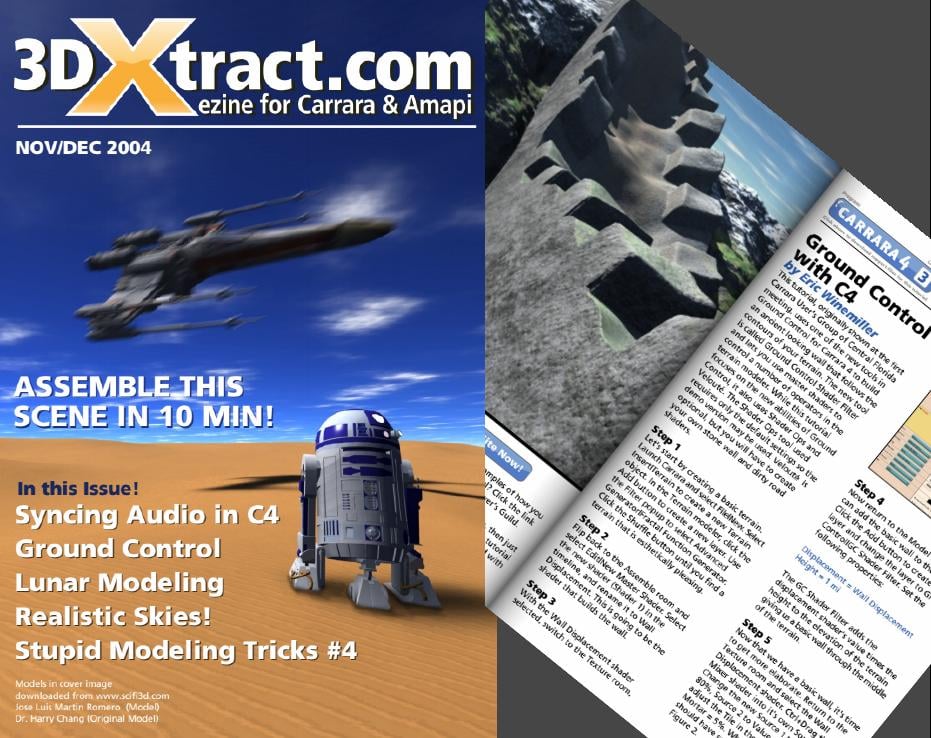
3DXTRACT 10th anniversary coming up!Download 3DXTRACT PDFS AND SUPPORT FILES
http://www.NiceGuy.com/transfer/3dxtract_all.zipHey all,
I was just talking on the phone with Andrew Turner and he reminded me that back in 2002 (was it then? so long ago... can't remember... any way...) my wife "allowed" me to purchase Carrara for X-mas! I enjoyed it so much and couldn't wait to learn more and more. After reading the manual I couldn't find any tutorials or additional content online, so I decided I had to provide it. I launched 3DXTRACT and I offered $50 (USD) payment for each tutorial submitted and took the time to read, edit, and as it interested me, step through the tutorials. I wrote articles, interviews etc. and I learned a lot from the experience. I enjoyed every issue and interaction to say the least. For those that contributed, thank you so much! It was an awesome time! For those that read and purchased it, thank you even more! For those that never had the chance to be a part of all the typos and improper English... well, you can now re-live the early 2000's all over again by downloading the link above. All the issues are provided and searchable using the PDX file contained within. 500MB in all. Surprisingly, a lot of the tutorials still apply to Carrara 8.5! Some things never change ;)P.S> I still love my wife, I have had 2 more children since then... and I did upgrade to Carrara 8.5... Still learning as always.
Download 3DXTRACT PDFS AND SUPPORT FILES
http://www.NiceGuy.com/transfer/3dxtract_all.zipThe link he included in his post was active for a number of years, but alas - no longer.
It feels sad to let something this special pass into inaccess, and it sounds to me like he wanted to share this treasure with the Carrara world, so I'm hosting them here for all of us late-bloomers and veterans alike to enjoy and learn from.
Enjoy!
 Updating exported objects?
Thanks for the information so far. I'm actually not sure how to use shape keys with two objects, I only know how to use them like morph dials (create a base key and new key, then select new key and edit the mesh). The method I mentioned above using Object Data Properties seems to work really well, I just don't know if it will lead to issues later on as work progresses.
Oh man, thank you for the tip on copying materials from one object to another, Krampus. Having to set many materials for similar objects was something I was dreading about potentially doing more serious work in Blender.
(Solved, hidden morphs OP) Models having weird looking mouthsThis is weird because only these 3 models have that issue, and I've checked all the morphs, they're all at 0 right nowIt might be a hidden morph that's normally auto-controlled by a visible one. Go up to the top of the Parameters pane, open the Options menu, and select Show Hidden.
It's in a Preferences sub-menu now
(Solved, hidden morphs OP) Models having weird looking mouthsThis is weird because only these 3 models have that issue, and I've checked all the morphs, they're all at 0 right nowIt might be a hidden morph that's normally auto-controlled by a visible one. Go up to the top of the Parameters pane, open the Options menu, and select Show Hidden.
Blowing in the windFor really long animations, I find that something always goes wrong with the clothing when using dForce, espeically for long loose clothing items. The VWD pluging gives better results. Although it has its own problems, I find it easier to use than dForce. It has a setting for creating wind turbulence.
I bought VWD when it was first released and just couldn't get it to work without crashing. I had a long forum thread going at Rendo and personal help from the developer but we could not get to the bottom of the problem so he refunded my purchase eventually.
I'm really trying to figure out how to animate the wind effect on clothing - not how to animate figures wearing clothing. For example, a 5 second animation of a flag in a breeze.
I have managed to approximate the effect by using the wind morphs that come with some of the garments I have. That defeats the realism of using dForce, however, because the moment dForce simulation is started, the morph effect is lost. What VWD and Marvelous Designer have is a way of dragging the drape manually but this feature is lacking with dForce.
(Solved, hidden morphs OP) Models having weird looking mouthsUsually that means a morph is applying when it shouldn't - does this happen with the base figure too (in which case it's probably a property with a non-zero default value) or only when certain shapes are set (in which case it's probably a corrective morph with an ERC link that is tied to only one controller instead of two and so applies at the wrong time)?
Mesh Question - double layer selection issues [solved]I haven't used Hexagon for a while,m or Blender at all, but if you can move polygons along their normals one option (assuming the inner surface's normals point inwards) might to to use that to move the two layers apart, with luck that would stop selection grabbing both layers. You could do the same with a Push Modifier in DS, then reverse the process. In Blender you might be abel to do it as a morph (shape key?) and then, having made the selection etc., you coudl reverse the morph to put the remaining polygons back where they started.
New Parameter Property"any and all answers" ... what if I'm wrong? [I hope not]
... number 2. Will I be doing this for both the Male and Female or will it be fine to CREATE under one and SAVE as both?
The morphs are made for the wings. IF you are putting the exact same figure on the male as on the female, then a normal saved morph would still work on either 'cause it's the same wing. But control morphs are different.
Safest bet would be to create 2 wing sets. One for the female and one for the male. Then make the control morphs for one of the figures and save the morphs. While making those morphs keep aside the .obj used for creating the morphs. When done with the wings on one figure; work on the next figure loading their wings on. Make the control morphs for that figure [whether or not the previous .obj for morphs will be adequate or not you'll soon enough find out].
{disclaimer: I have not created ERCs since ever learning enough about them to know that if one doesn't know what they're doing one [as in me] could really mess up their figures [and I don't want to do that].} [I'm working on a project now bravely hoping to get a handle on making pJCMs]eta: VERY important if saving the same model [i.e. the wings] for two different figures, save them to DIFFERENT data folders or one will overwrite the other.
((I somehow complete messed up this thread))
So a part b question to this is:
If I create the morphs for the individual wing, not as part of the figure, does this also create issue for the Data folder re: G3/8/M/F?Converting Michael 4 to Genesis 8 Problems and HurdlesIf fingers don't pose correctly it means that rigging needs to be adjusted for the morph using the "adjust rigging to shape" command.
Hm, I might give this a try sometime.
It will be quite a while until I have time to try it, though, so don't expect me to report back anytime soon...
But thanks for the hint!
New Parameter Property"any and all answers" ... what if I'm wrong? [I hope not]
... number 2. Will I be doing this for both the Male and Female or will it be fine to CREATE under one and SAVE as both?
The morphs are made for the wings. IF you are putting the exact same figure on the male as on the female, then a normal saved morph would still work on either 'cause it's the same wing. But control morphs are different.
Safest bet would be to create 2 wing sets. One for the female and one for the male. Then make the control morphs for one of the figures and save the morphs. While making those morphs keep aside the .obj used for creating the morphs. When done with the wings on one figure; work on the next figure loading their wings on. Make the control morphs for that figure [whether or not the previous .obj for morphs will be adequate or not you'll soon enough find out].
{disclaimer: I have not created ERCs since ever learning enough about them to know that if one doesn't know what they're doing one [as in me] could really mess up their figures [and I don't want to do that].} [I'm working on a project now bravely hoping to get a handle on making pJCMs]eta: VERY important if saving the same model [i.e. the wings] for two different figures, save them to DIFFERENT data folders or one will overwrite the other.
((I somehow complete messed up this thread))
I'm pretty sure there was a thank you here, and some other things, but somehow managed to overwrite instead of quote.
Very tired.New Parameter Property"any and all answers" ... what if I'm wrong? [I hope not]
... number 2. Will I be doing this for both the Male and Female or will it be fine to CREATE under one and SAVE as both?
The morphs are made for the wings. IF you are putting the exact same figure on the male as on the female, then a normal saved morph would still work on either 'cause it's the same wing. But control morphs are different.
Safest bet would be to create 2 wing sets. One for the female and one for the male. Then make the control morphs for one of the figures and save the morphs. While making those morphs keep aside the .obj used for creating the morphs. When done with the wings on one figure; work on the next figure loading their wings on. Make the control morphs for that figure [whether or not the previous .obj for morphs will be adequate or not you'll soon enough find out].
{disclaimer: I have not created ERCs since ever learning enough about them to know that if one doesn't know what they're doing one [as in me] could really mess up their figures [and I don't want to do that].} [I'm working on a project now bravely hoping to get a handle on making pJCMs]eta: VERY important if saving the same model [i.e. the wings] for two different figures, save them to DIFFERENT data folders or one will overwrite the other.
Anne for Caryn 8 (clothing costume added by elleque sep 27)Thank you for saying so. But, I forgot to include "Hat" morph of the hairstyle. Incidentally I corrected the spelling, and re-uploaded the zip now. Please re-download
 New Parameter Property
I have a few questions about my 'brand new', not yet saved, parameter controls.
Background:
3 Sets of wings
Left and Right
Saved as Anatomy
Total: 6 Individual Items
G8 and G3
Wearables Preset is working great for both.
As I was about to save my 24 brand new controls, a few questions came up:
1. Should I be creating my ERCs under the G8 figure as an OVERALL set of morphs or Under EACH Item as an individual morph?
Right now, the morphs are under the G8 figure as an overall.
2. Will I be doing this for both the Male and Female or will it be fine to CREATE under one and SAVE as both?
3. Will I have to also recreate the morphs for G3, or can I change the environment and figure and re-export the morphs to the correct folders?
I probably should have started with just 1 morph to answer all the questions but, now that I have 24, I'm afraid to let my computer go to sleep.
Any and all answers welcome.
Bonus Points:
4. Is it possible to create a New Group for the parameters so that the 60+ controls planned for posing the wings aren't lumped in with everything else and overpower the brain?Daz 3D is part of

Connect
DAZ Productions, Inc.
7533 S Center View Ct #4664
West Jordan, UT 84084Licensing Agreement | Terms of Service | Privacy Policy | EULA
© 2026 Daz Productions Inc. All Rights Reserved.