-
It's Raining Men 2020 Contest - And the Winners Are...
You said that female morphs are not allowed. But is that ban just for using it as a primary "male" character? Can they be included as a supporting "female" character?
Yes, this ban is only when used on the male characters. You can use the female morphs on the female supporting characters.
You said that female morphs are not allowed. But is that ban just for using it as a primary "male" character? Can they be included as a supporting "female" character?
The idea is that you can't use transfered female morph for your male figure.
Exactly this!
It's Raining Men 2020 Contest - And the Winners Are...You said that female morphs are not allowed. But is that ban just for using it as a primary "male" character? Can they be included as a supporting "female" character?
The idea is that you can't use transfered female morph for your male figure.
Deleting everything from the MyLibrary/data folderI have uninstalled all of my Daz content, but I see the data folder still contains information such as UV and morph folders for all my products, is it ok to delete everything in this folder before I reinstall all my content as I am installing all content to a new external drive so I am guessing that will creat a new data folder on the new drive?
Morph Loader Pro: Geometry did not match.Well, I just tried exporting using the C4D preset and importing into Morph Loader Pro with the DS preset (so that there's a size difference - otherwise the morph would fail to load because there were no changes) and it worked with the button nodes hidden and the resolution set to base - are you sure you had hidden the Genesis 8 Male Eyelashes, as well as the actual figure?
Trying to save reduced morph version of G8F - missing data morphs subfoldersMy intention is to save a G8F similar to the development rig. I want to load my G8F, save it out as a support asset figure prop under a different name. Go to the data folder for the newly named and saved G8F and delete a lot of the morphs that I don't need, but keep the core figures. Unfortunately, many of the data morph subfolders are not getting written with the save. But some are. Any ideas what could be causing this?
Here is a side-by-side comparison of the data morph subfolders for Daz 3D G8F series 8 figures that I own next to the data morph subfolders for Daz 3D G8F when I save as a figure prop support asset under a new name. Roughly half are missing, including the basics like Aiko 8, The Girl 8, and Victoria 8.
Daz Studio Pro 4.14 - Highlights4.14.0.8 (November 10, 2020)
- NVIDIA Iray
- Integrated Iray 2020.1.1 (334300.4226); see this thread for more detail
- REQUIRES: NVIDIA Driver 451.48 (or newer) on Windows; see NVIDIA Driver Downloads
- NVIDIA recommends installing Studio Drivers
- Adds support for Ampere GPUs (SM 8.0 / GA100)
- Support for SM 3.X/Kepler generation GPUs has been removed - due to CUDA 11
- Support for SM 5.0/"Small" Maxwell generation GPUs are marked as deprecated - matching CUDA 11
- REQUIRES: NVIDIA Driver 451.48 (or newer) on Windows; see NVIDIA Driver Downloads
- Section Objects (Plane)
- Now uses the newer Iray implementation
- Added support for Caps
- Behaves like an opaque surface that closes the hole(s) created by intersecting objects in the scene
- Enable/Disable via Render Settings (NVIDIA Iray) > Section Objects > Section Caps Enabled
- Control color via Render Settings (NVIDIA Iray) > Section Objects > Section Caps Color
- ...
- Integrated Iray 2020.1.1 (334300.4226); see this thread for more detail
- Real-Time Rendering
- Added a real-time physically based rendering option to the DrawStyle Options menu in viewports
- Filament (PBR) - Implements the Filament renderer as a DrawStyle
- Requires: Windows (currently), 64-bit, OpenGL > 4.1
- Shader/Material Support
- Automatic translation of specifically named properties in the Iray Uber (MDL) shader, or any MDL-based Shader Mixer Brick Material, for real-time display
- Non MDL-based shaders are supported through automatic conversion to the Iray Uber shader - e.g., DAZ Studio Default (RSL), etc.
- Translated property names:
- Base Mixing, Diffuse Overlay Color, Diffuse Overlay Weight Squared, Diffuse Overlay Weight, Dual Lobe Specular Ratio, Dual Lobe Specular Reflectivity, Dual Lobe Specular Weight, Glossiness, Glossy Anisotropy Rotations, Glossy Anisotropy, Anisotropy Rotations, Anisotropy, Glossy Layered Weight, Glossy Layer Weight, Glossy Reflectivity, Glossy Roughness, Glossy Specular, Metallic Weight, Reflectivity, Refraction Weight, Specular Lobe 1 Roughness, Specular Lobe 2 Roughness, Top Coat Glossiness, Top Coat Roughness, Top Coat Weight, Bump Strength, Cutout Opacity, Diffuse Color, Diffuse Strength, Horizontal Offset, Horizontal Tiles, Multiply Specular Through Opacity, Normal Map, Opacity Strength, Vertical Offset, Vertical Tiles
- PBR Masked Threshold
- Root Transmission Color, Tip Transmission Color, Hair Root Color, Hair Tip Color, Base Roughness, base_roughness, Highlight Weight, Highlight Roughness, highlight_roughness, separation, Highlight Seperation, Highlight Separation, Root to Tip Bias, Root To Tip Bias, Root to Tip Gain, Root To Tip Gain
- Bump Mode
- Automatic translation of specifically named properties in the Iray Uber (MDL) shader, or any MDL-based Shader Mixer Brick Material, for real-time display
- Shadow Support
- The first six (6) Spotlights
- Prioritized via Display > Rendering > Render Priority
- The first (1) Distant Light
- Prioritized via Display > Rendering > Render Priority
- To enable a given light's shadow, the value of Light > Shadow > Biased Render > Shadow Type must not be "None"
- The first six (6) Spotlights
- "Render" using this DrawStyle:
- Set the "Engine" option on the Render Settings pane to "Viewport"
- Set the active viewport DrawStyle set to "Filamanet (PBR)"
- ...
- Added a real-time physically based rendering option to the DrawStyle Options menu in viewports
- Singleton Option Nodes
- Environment Options
- Scenes that contain render settings will automatically cause this singleton node to be created/replaced
- Application of a Render Settings Preset will cause this singleton node to be created/replaced
- The first render performed with the NVIDIA Iray renderer will cause this singleton node to be created
- Create > New Environment Options Node... will cause this singleton node to be created/replaced
- Properties on this node are displayed in the Render Settings pane when the "Engine" option is set to "NVIDIA Iray", in the Draw Settings pane when the DrawStyle is set to "Filament (PBR)", and the Parameters pane when selected
- ...
- Tonemapper Options
- Scenes that contain render settings will automatically cause this singleton node to be created/replaced
- Application of a Render Settings Preset will cause this singleton node to be created/replaced
- The first render performed with the NVIDIA Iray renderer will cause this singleton node to be created
- Create > New Tonemapper Options Node... will cause this singleton node to be created/replaced
- Properties on this node are displayed in the Render Settings pane when the "Engine" option is set to "NVIDIA Iray", in the Draw Settings pane when the DrawStyle is set to "Filament (PBR)", and the Parameters pane when selected
- ...
- Filament Draw Options
- Create > New Filament Draw Options Node... will cause this singleton node to be created/replaced
- Properties on this node are displayed in the Parameters pane when selected
- ...
- Environment Options
- Animation
- Addressed an issue where modifier animation data (e.g., morph, dForm, bulge, legacy joint bending, legacy rigging properties, etc) were omitted when saving a scene
- Timeline Pane
- Addressed issues relating to display of keyframes for Other (O), Alias (A) and Hidden (H) property types
- ...
- aniMate 2/Lite Pane
- Made improvements to efficiency and stability
- Addressed an issue where the playrange of the scene was being modified even when the pane was not visible or in use
- ...
- Shader Mixer
- ...
- ...
- General Interface
- Relabeled the OpenGL related entries in the "Engine:" selector on the Render Settings pane
- "Basic OpenGL" is now labeled "Viewport"
- "Intermediate OpenGL" is now labeled "Multi-pass OpenGL"
- The introduction of DrawStyles that are not necessarily OpenGL based (e.g., "Filament (PBR)"), but can be used to perform a "render"' prompted this change
- Updated default layout files
- Recommend clicking the Window > Workspace > Update and Merge Menus action
- Relabeled the OpenGL related entries in the "Engine:" selector on the Render Settings pane
- Logging
- Extended logging of application starting/closing processes - additional information to help identify/isolate which parts of starting/closing the application are having the greatest impact
- Scripting API
- Made additions in various areas; see the Change Log for more detail
- Fixed bugs and/or made improvements in various areas; see the Change Log for details
Update | The Daz to Maya BridgeDaz 3D is excited to share that we’ve made an update to the Daz to Maya Bridge!
This new update allows you to transfer animations from Maya into Daz 3D to continue to work on your project in Studio. That’s right — the Daz to Maya Bridge is no longer a single directional export! Now you can rig and retarget a skeleton in Maya and transfer that animation back into Studio.
This update also includes minor bug fixes that amend the following issues:
- Weight Issues of Diffuse Map
- Color Space on Texture Maps in Maya
- Using the right node for Normal Maps and Bump Maps
- Hair Opacity Map disconnection when converting to Arnold
These changes are in large part due to user feedback on how the bridge works for you, as well as desires for added functionality, so we thank you for using Daz Bridges and keeping us informed as to how Daz Bridges work for you.
The new Daz to Maya Bridge can be downloaded for FREE here.
The new Daz to Maya Bridge tutorial:
https://youtu.be/k2OzpcZTgqUBe sure to check out the FAQs for more advanced questions.
Morph Loader Pro: Geometry did not match.Hi, all!
So, I've been using Daz for a little while now and I've run into a problem that I can't seem to fix whatever I do.
I'm trying to do a clothing morph for a Genesis 8 male, reshaping a duster and a dust cover from different clothing sets so they fit together (though of course, I'm keeping them as separate files). I'm hiding everything else in the scene but the single object I'm exporting, converting to base resolution with subD level at 0. I'm exporting from both Daz and Blender using the export settings recommended in this video by Parmy Baddhan:
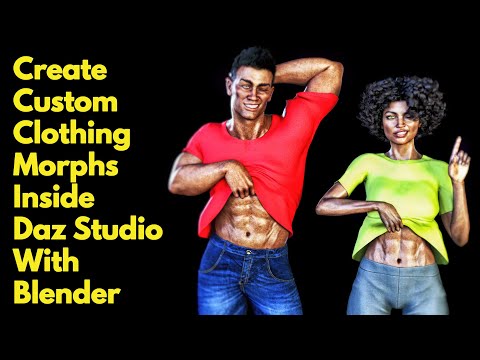
I'm not changing the geometry at all. I had been using the sculpt tools, but I didn't add or subtract geometry. And I tried exporting and using Morph Loader Pro without doing any modifications at all, and it continues to give me the same error message of geometry did not match.
I'm not sure if it matters for exporting a clothing item, but I've deleted the eyelashes off the character. Everything I export is set to base resolution and subD 0.
Any suggestions would be much appreciated! This has been driving me bonkers, and I've been Googling like mad to try to figure out how to fix it, but nothing is working. I don't know if the problem is with me or with Daz's Morph Loader Pro. Thanks in advance!
Question about Bonjour Studio by Tesla3dCorpHello,
I am interested in the Bonjour Studio product by Tesla3dCorp and I was wondering if anyone who has this product could answer some questions regarding it? What I would like to know is if any of the cabinets, the refridgerator, blinds etc have any moving parts? It looks like the doors do open/close, and there are open/rolled up blinds but do the blinds that are down have a morph to actually close them? I see that there is a closed blind prop listed in the product description but all it shows in the promos are blinds in the down position that are not closed (i.e. you can still see through them).
Thanks in advance for any replies to this question.
nabob21
How to change the figure ID in Daz?To clarify, in that window the Scene ID is not editable. I'm just trying to find a way to save it as a new asset that changes that hardcoded name without losing the morphs and rigging that it comes with.
So if it turns out the only solution is converting it to a prop and running transfer again that wouldn't really be worth it.
Script: Smoothen Meshes without SubDividing themI did have a brief look at the code & from my first glance it looks as if the model vertices are being moved by a morph as there is a function called 'function addMorph( obj, numorphname, deltas )', which would be a safe and undo-able way of doing it.
I will say, I'm not great at reading other people's programs, and I may have got this wrong. I am a self taught programmer & I don't seem able to condense my thoughts & code as much as a good programmer can, so I tend to get a bit lost reading a pro's creations.
I honestly think you need to try it and check for yourself.
Regards,
Richard.
thanks Richard. if i try to think logically, using this instead of the smoothing modifier doesn't make a lot of sense anyways, since you can't modify the collision parameters .ike under the mesh smoothing parameter... so this is an excellent script - so thanks a lot mCasual! ^^ - just not for the same purpose. but i have some terrain creating possibilities, and this might come just handy for that ^^
Script: Smoothen Meshes without SubDividing themI did have a brief look at the code & from my first glance it looks as if the model vertices are being moved by a morph as there is a function called 'function addMorph( obj, numorphname, deltas )', which would be a safe and undo-able way of doing it.
I will say, I'm not great at reading other people's programs, and I may have got this wrong. I am a self taught programmer & I don't seem able to condense my thoughts & code as much as a good programmer can, so I tend to get a bit lost reading a pro's creations.
I honestly think you need to try it and check for yourself.
Regards,
Richard.
Rejuvenate the V3/M3 line?I am trying to do my little bit to keep the line still usable with a bidirectional pose transfer. It's not a lot, I know, but it's better than nothing.
However, there is a huge problem. If DAZ is not selling new copies of V3/M3, the generation cannot do anything other than die out in the long term. The result is inevitable.
What is it about the V3/M3 generation that you really like? Maybe once that is defined, instead of saving the whole, the good bits can be saved.
I don't like V3's hip, knee, elbow and shoulder bends. They are simply awful. On the other hand, I do like one particular character. From my blinkered point of view, I would love to transfer that character shape directly to G8 (without G1, G2, G3 and G8 intermediate steps to introduce errors at each stage). I am sure others have different requirements. If they could be stated, maybe we can see a common thread running through what we all want and address the deeper requirement. I fear V3/M3 is dead in the long term, but there is time to save what we like about the generation.
Regards,
Richard
Does anyone recognize the assets used in these renders (morphs/people)?Hello!
I am interested in this aesthetic I found, and although I have recognized some assets in the store (hair, etc.), I was unable to identify any people/morph that was similar (the closest I got was The Girl 8, but after buying the product and test several renders, I noticed that the result is quite different).
Here the image:
Thank you!
Fibermesh eyebrowsSimple, because if I export the fibermesh obj,import in Daz and use transfer utility it conforms the eyebrows not in the right position, means over the head.
Are they in the right position when you load the obj?
Rejuvenate the V3/M3 line?I don't think autofit will work with a parametrically-rigged figure, but I could be wrong.
No, it works only with weightmapped figures as it projects weights to rig the converted item.
I don't recall if GenX can transfer from Genesis 1/2/3 back to V3, but I think it can.
Again, it works only to bring morphs to weightmapped figures. You can go from generation 3 and 4 to Genesis line, but not back to them.
For the UVmaps you'd need Cayman's geograft method, I don't know if geografts work on parametrically-rigged figures.
I don't think they do, but even if they did you would have to create your own geografts to add the needed polygons and material zones to V3, and alternate UVs for V3 mesh so it takes G8F textures.
Rejuvenate the V3/M3 line?Well, that wouldn't give you a weight-mapped figure. I don't think autofit will work with a parametrically-rigged figure, but I could be wrong. You might have to autofit to Genesis 1 and then use Crossdresser back to a 3rd-gen figure. I don't recall if GenX can transfer from Genesis 1/2/3 back to V3, but I think it can. For the UVmaps you'd need Cayman's geograft method, I don't know if geografts work on parametrically-rigged figures. So all-in-all it's probably less work to go forward than backward, but it might be possible to go both ways.
DAZ to CLO3DIt's strange for me that you need clothing animation back in DS. Typically people need it in Maya or Blender :))
So, you can export animation in Alembic format from Marvelous or ClO3D... What next? Does DS can read Alembic files? I'm not sure.
But you can import Alembic file with clothing animation to Blender. Then choose any frame you like, export clothing as .obj and import it to DS as a clothing morph. And render an image. You need an image, right? Not video with full animation, right?
P.S: As I know CLO3D is used in real clothing design and production. Marvelous is a very similar program but special created for 3D modeling.
DAZ to CLO3DThank you all for the replies!
You may want to tell people what CLO3D.
Sure, you can google it, but without really looking into the application, most people won't know what it is.CLO is a similar program to Marvelous Designer but it is more useful for making real patterns, so I use it instead of MD.
the whole workflow depends on where the clothes come from- are they from daz or are they from CLO3D?
It's better to use MD rather than CLO3D, in my opinion. But if you need to use Clo3d, im sure it's possible.
I only used clo3d for 2 months (free trials) and now i cant remember if it supports alembic & MDD. If it supports either alembic or MDD, then you can export a pose-transition animation from Daz via one of those.
If not, you can do one with a Morph target, or series of morph targets. (For morph targets, basically you load the obj and then select morph target, and your avatar will transition to that pose. It is not an ideal solution, because the transition will use an algorithm that wont work well if you have two extremely different poses to transition to. So might need to do intermediate morph targets.)
As i recall, the UV editor of Clo3d sucks compared to the UV Editor for MD, so probably best to use shaders in Daz to texture the different materials, rather than a texture map.
Yes, CLO supports Alembic but to export as Alembic: Should I have to purchase Animate2? Or there are another way?
You can use the free sagan plugin to export Alembic pose transition animations.https://www.daz3d.com/forums/discussion/428856/sagan-a-daz-to-blender-alembic-exporter/p1
Oh wow! thank you so much!
DAZ to CLO3DThank you all for the replies!
You may want to tell people what CLO3D.
Sure, you can google it, but without really looking into the application, most people won't know what it is.CLO is a similar program to Marvelous Designer but it is more useful for making real patterns, so I use it instead of MD.
the whole workflow depends on where the clothes come from- are they from daz or are they from CLO3D?
It's better to use MD rather than CLO3D, in my opinion. But if you need to use Clo3d, im sure it's possible.
I only used clo3d for 2 months (free trials) and now i cant remember if it supports alembic & MDD. If it supports either alembic or MDD, then you can export a pose-transition animation from Daz via one of those.
If not, you can do one with a Morph target, or series of morph targets. (For morph targets, basically you load the obj and then select morph target, and your avatar will transition to that pose. It is not an ideal solution, because the transition will use an algorithm that wont work well if you have two extremely different poses to transition to. So might need to do intermediate morph targets.)
As i recall, the UV editor of Clo3d sucks compared to the UV Editor for MD, so probably best to use shaders in Daz to texture the different materials, rather than a texture map.
Yes, CLO supports Alembic but to export as Alembic: Should I have to purchase Animate2? Or there are another way?
You can use the free sagan plugin to export Alembic pose transition animations.https://www.daz3d.com/forums/discussion/428856/sagan-a-daz-to-blender-alembic-exporter/p1
Daz 3D is part of

Connect
DAZ Productions, Inc.
7533 S Center View Ct #4664
West Jordan, UT 84084Licensing Agreement | Terms of Service | Privacy Policy | EULA
© 2026 Daz Productions Inc. All Rights Reserved.