-
Two small questions (Neko hair weirdness and free bundle)
Felis, it's working for you because you have the bonus kitty hairband. I don't, and y3kman discovered that the base product's metadata is tied to that bonus item, so mine are not appearing because I do not have that bonus item.
Blender to Carrara - Projects, Tips, Issues, Freebies etcTIPS:-
Scaling Blender to Carrara from Stezza - https://www.daz3d.com/forums/discussion/comment/8935586/#Comment_8935586
Adding Thickness to a model, Solidify from ed3D - https://www.daz3d.com/forums/discussion/comment/8946041/#Comment_8946041
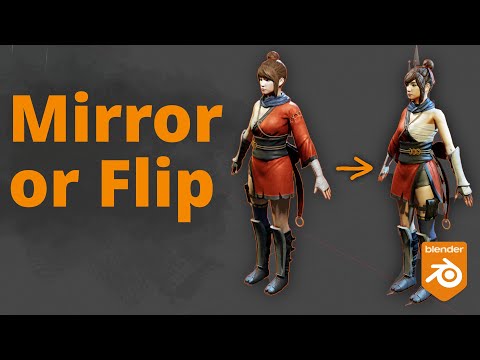
Blender - Flip or Mirror an Object -
How to Show Normals and Filp Normals in Blender 4 , with Shortcut -

Export Procedural Texture or Material | Learn How To Bake Any Texture In Blender & Import Elsewhere -

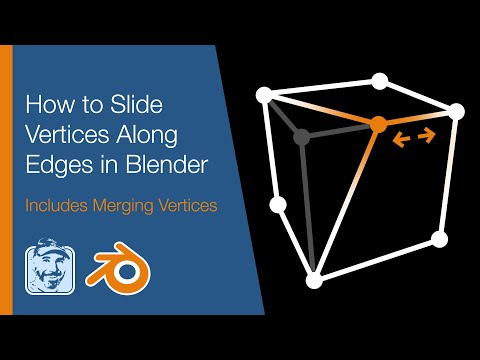
How to Slide Vertices Along Edges in Blender (Includes Merging Vertices) -
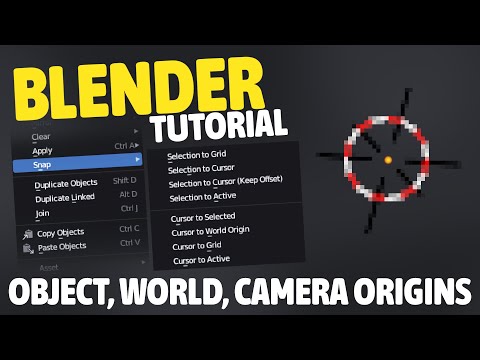
How to Fix The Origin of An Object, Your World Cursor AND Your Camera -
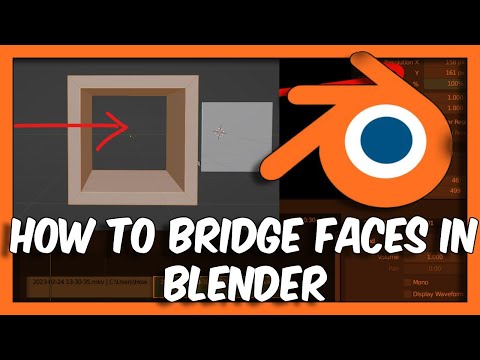
How To Bridge Faces In Blender -
Diomede's Rigging Links - https://www.daz3d.com/forums/discussion/comment/9271111/#Comment_9271111
SX0 - https://www.daz3d.com/forums/discussion/comment/9247791/#Comment_9247791
https://blender.stackexchange.com/questions/231710/how-to-align-vertices-to-x-0-blender-2-9
Two small questions (Neko hair weirdness and free bundle)SnowSultan said:
I've been trying to sort my content in the Categories section recently (because DAZ's content organization continues to be absolutely dreadful, please either get PAs to stick to a plan or, I don't know, hire me to organize them manually), and for some reason, the icons for Outoftouch's Neko Hair for G8 product do not appear when placed into a Category. I probably put 80 hair products in a Hair folder within the Categories, but Neko Hair is the only one that will not appear. Does anyone have an explanation for why this might be?
I installed just to check your problem. It seems they still haven't fixed the product's metadata. If you installed the hair using DIM, the hair won't show up in the Smart Content. You do get an entry for the kitty hairband accessory which is the bonus if you bought the Neko bundle. It looks like the hair is using the metadata of the bonus bundle. To see the hair, you'll have to go to the Content Library. Uninstalling the bonus makes the hair entry disappear.
I guess no one bothered to report this product.
diffeo import and bridge to cascadeurG81 G9 use FACS while G3 G8 use face units, they're different setups to animate face expresisons. You can use the presets in easy import for each generation. As for cascadeur I know nothing so can't help.
diffeo import and bridge to cascadeurAfter I import the g8 character into blender, I import the character into cascadeur through the blender and cascadeur link plugin to animate it. When I was remapping the skeleton through arp, I found that if I clicked the body morph, the character would be very stiff after remap and the actions would not match at all.
By the way, I would ask when importing g8 characters, various effects of morphs are all together, but after importing g9 characters, I can't find these morph, such as facial expressionClothing for UE5.4 from DAZHi!
This may or may not have been brought up in the past (most likely my googling skills isn't up to pair on this topic) but all I find is information regarding clothing physics and/or chaos.
I recently learnt myself a little daz as I plan to use daz as my main source for characters and clothing. So far, I've managed to get a Genesis 9 character (naked) into UE5.4 and being able to sucessfully retarget for animations. Now, I want to start importing clothing. I'm using Davids bridge to UE, and when trying to do the export from daz to ue the same way I did with the character model, the clothing gets a little twisted. No biggie, I can somewhat solve this and find different solutions I'm yet to try if they work.
However, my biggest issue is currently that the clothing (so far only tried bra and panties) doesn't really fit the character anymore once in ue. Inside daz it fits perfectly, but when moving/jumping some texture starts clipping. It's not huge clipping, so it seems to be following the model as it should (using leader component) but parts of it for example the boobs starts clipping through, or crotch area while the butt stays it place.
What may be the cause of this issue?
Theories: weight-painting problem, clothes are currently too snug inside daz and have to be made a little more loose or the twisting when importing messes it up.
Have someone faced the same issue and if so, what was the solution? is there a better way to import clothes for characters? I know the basics in daz, blender and ue if there is any way to streamline this process easily.
And on this topic, I might also add in that I plan to make my character modular in the future once this problem is solved if someone has any tips for this.
How to save a inhale pose made by chest shape changeYou can either change its Type to Modifier/Pose in Parameter Settings then you're able to save a Pose Preset... or just import it as a Custom Morph or mark it as Favorite and import Favorite Morph with Diffeomorphic.
Absurd file size when using dForce / Use Timelinecrosswind said:
dForced geometry data of each frame are saved within DUF file. The more frames you used with Simulation, the bigger the DUF file size will be.
To avoid this issue, you can export the simulated result at the last frame to OBJ. Clear the sim result, then import OBJ to the dforce item as a Morph.
I'm still sort of a newbie. Are the step-by-step instructions for this easy? Maybe there's an existing thread on that.
I didn't need that simulation method at this moment, but I do occasionally use dForce Assistant and the timeline, particularly for clothing and chairs or other situations like that, as in here:

Of course i would want to save it when done, and if I can avoid wasted space, that would be great.
I went back just now and checked the .duf file for this girl-on-horse image from March 2023 (I had no particular reason to look at the time), and found that it was much larger than most, but not 130MB as in the item that led to this question.
Absurd file size when using dForce / Use TimelinedForced geometry data of each frame are saved within DUF file. The more frames you used with Simulation, the bigger the DUF file size will be.
To avoid this issue, you can export the simulated result at the last frame to OBJ. Clear the sim result, then import OBJ to the dforce item as a Morph.
Earlier Versions of Daz Studio - can we get them?I did have some issues with mixing install methods, but had that figured out eventually. I have practiced installing content from 3rd party vendors for many years now, as there are always some products I like from other sources. I also make models, which I import, and then save as figure/prop assets, basically making my own content.
Keeping my old version of DS 4.10 has saved me space on my HD since the more advanced tools won't work anyway on my machine. My laptop is of a similar age, and could keep me active in DS when I'm not home. Since it too is an older computer, I just wanted to know if I could copy my installer file to the laptop HD and manually install it. I would then download the DIM to the laptop to start installing most of the content I have in my Product Library here at DAZ 3D. I do have a ton of DAZ Studio content from DAZ 3D.
I will also be installing Bryce 7.1 Pro. Yes I still use it, even though it has not been updated since 2009 or 2010. It still does great for a 32 bit application. I have won a few contests with images I did in Bryce, and I use it a lot to make backdrops for DAZ Studio. I have also made a lot of content for Bryce within Bryce, and imported models I made in my favorite modeling app. I also use the DAZ Studio/Bryce bridge to move content from one to the other.
But I digress. From what I just learned here, I believe I got confirmation that copying an installer for an old version of DAZ Studio to another of my computers is possible. The question now is "Will I have to register it for the other computer?"
How to change userKeywordsI am trying to change the user keywords of an asset. I have created a metadata file and tried to import it via DzAssetMgr.importMetadataFiles(), but this does not work for all products.
For categories, I have found methods in DzAsset to add or remove them. Is there a similarly simple way, or any way at all, to do this for user keywords?Issue with Importing Animated Genesis 8 Female Character to BlenderHi everyone,
I’m having trouble importing an animated Genesis 8 Female (Gen8) character into Blender and Unreal, and I think it might be related to the FBX import process.
Here’s what I’ve tried and observed so far:
-
Importing the Base Character: If I import only the Gen8 character to Blender (without animation) using the DAZ to Blender bridge, the model appears normal in its default pose.
-
Importing with Animation: When I import the character with animation (specifically, “MMS Animation Hot 130” from RenderHub), I notice that certain body parts, particularly the pelvis and crotch area, appear distorted and pointy. This issue happens both in Blender and when using the DAZ to Unreal bridge.
-
Using Diffeomorphic: If I use Diffeomorphic to import the character and then apply the DAZ pose file directly in Blender, the problem doesn’t occur, and the animation looks fine.
-
FBX Export Issue: Here’s the strange part—when I export the well-applied animation via Diffeomorphic as an FBX and then import it again into Blender or Unreal, the pelvis distortion reappears.
Additional Details:
- I’ve attached images to show the difference: one from DAZ (normal) and one from Blender (with the pelvis issue).
- The animation I used is “MMS Animation Hot 130” from RenderHub.
This issue has been really frustrating, so any insights or suggestions would be greatly appreciated. Thank you!
Diffeomorphic Add-ons Version 5.2.0 ReleasedI do a git pull and make my own zip. And yeah, I finally found that dropdown. Thanks.
Now to determine why I get import errors....
Plugin documentation?So I downloaded the new plugin, thanks to David.
Tried to search info about the new functions, only to find out, there's basically zero.
I had to check the source code, to find out, this new skeleton convert thing is a right click context menu.Yet still have issues, genesis8 convert just crashes unreal editor, genesis9 is converting, but since it's rotated by 90° every convert came out awful.
Now I have two choice, re-import all character, or don't use the function at all, both are pretty bad option, since I did not saved the characters is daz.
Can we have a comprehensive and up-to-date documentation about the correct usage/settings of d2u plugin please?Diffeomorphic Add-ons Version 5.2.0 ReleasedThe import side stopped working for me in Blender 4.2.2 and for the life of me I cannot figure out how to reinstall it. Are there updated instructions?
Dicktator Daz to Blender with Rig/AnimationThe geograft bones are in the custom layer, that's hidden by default. For animation you need first to import the geograft morphs with daz favorites or custom morphs. Then some morphs may not work fine for example scale maps are not supported in blender. Then again, diffeomorphic is mainly designed to animate in blender, though it provides some features to import and export daz animations.
If you want to animate in daz then import in blender it is better to use Sagan.
https://bitbucket.org/Diffeomorphic/import_daz/wiki/Setup/Morphs/Import DAZ Favorites
DAZ and Blender Animating.lilweep said:
I will hijack this thread for my own questions:
- If you do diffeomorphic transfer and get rigged character into Blender, then animate in Blender using the default rig, is that animation transferable back to Daz? E.g., by fbx export?
- Are JCMs maintained through transfer to diffeomorphic so that the animated figure in Blender will roughly match the figure in Daz Studio when applying the animation in Daz?
1. There is a save pose button in diffeo that you can use that will make a pose preset, same as if you did save pose preset in Daz. In Daz, click your character, file/merge and apply the saved file and it'll transfer. You can use the regular skeleton or Simple IK (Which is what I do all my animations with since it has proper IK setup and easily transfers back to Daz). I think you can do it with MHX or Rigify, but there's an extra step that I just don't care to figure out since Simple IK can do everything I need, plus I can hand animate lip sync and such and the keys will transfer back to Daz as well.
2. I think everything gets transferred over for JCMs, there's a checkbox when you import a character for JCMs.
Smart Content Category List only showing two options (resolved)Well, that was it exactly. Thank you very much! That was really starting to irritate me. I guess I'll have to dig into Daz metadata to see if I can figure out how to fix it.
Smart Content Category List only showing two options (resolved)If you expand the "Default" category, you should see all your usual categories. Some product with bad metadata has created a new top-level "Poses" category instead of using the standard "Default/Poses", which makes Studio display the two top-level categories, where if there was just one it would usually display all its subcategories.
Smart Content Category List only showing two options (resolved)I'm having a problem where, when I open Daz3d 4.23, I see only a few options in the Smart Content panel's category list.
[Smart Content 1]
Then, I click All Products, and my products all seem to appear properly in the pane to the right.
[Smart Content 2]
Then, I enable Filter by Context, and suddenly I get the full list:
[Smart Content 3]
Finally, I add a figure to the scene and want to go back and add poses, wardrobe, hair, etc., and now I'm back to only the two options I saw at the start. Selecting or not selecting the figure in the scene doesn't appear to make a difference, nor does selecting or unselecting Filter by Context.
To try and resolve this, I've already done a RMB > Content DB Maintenance and ran Reset Database, then Condense Database, Process Metadata Queue, and Re-Import Metadata. It didn't seem to affect the behavior at all. I also completely uninstalled and then reinstalled Daz, to no effect.
Anyone have suggestions for what else I might be able try?
Daz 3D is part of

Connect
DAZ Productions, Inc.
7533 S Center View Ct #4664
West Jordan, UT 84084Licensing Agreement | Terms of Service | Privacy Policy | EULA
© 2026 Daz Productions Inc. All Rights Reserved.