-
Star Wars Renders 2013 +
PICTURE ADDED FOR ATTENTION: (A photograph I took of a a semi-plush toy). I'd MUCH prefer to be rendering this little guy!
Any updates on the models of The Mandalorian, The Child, and the Razor Crest that were being shown as WIPs here a while back by rduda and JoeQuick? Just want to make sure I am not missing them somewhere - am happy to pay good money for them based on what I saw in the previews.
Photograph by Erik PedersenI've just gotten back to work on things. I'm going to try to stick with it until I'm done.
When I started back in April, I was in a pandemic related funk and not feeling very inspired. So I figured I could at least keep my skills sharp just trying to copy something.
Then Daz switched over to their new themed based approach to figure launches, and all of a sudden I had more ideas for things I could make than I could figure out what to do with.
Anyway, here's an update on the child. I morphed his hands and feet.
Not that I am trying to be a pest or anything but what figure is that for ? is that Genesis 9 or Genesis 3 ? come on spill the beans Joe ?It's a morph for g8m.
Script: Smoothen Meshes without SubDividing themthe script generates a morph so if you go in the parameters tab of that object, turning the morph strength to 0 strength removes the smooth
looks interesting.. question: when you use the inbuilt DS smoother, you have the option to delete it i.e. go back to your object's initial state (or just deactivate it in the properties panel).
with your script, on the little dialog panel, i don't see anything in that direction.. does this mean, once my object has been smoothed with your script, there is no way back ever? so if i want it unsmoothed i'd have to reload it again?
thanks for the explanation! and i was actually really mixing up with the smoothing modifier that has collision. now i see better what this is for.
V4 to G8F Animated Pose Convertertry these
https://www.daz3d.com/forums/discussion/448936/m4-h4-f4-pose-transfer-to-g8m
https://www.daz3d.com/forums/discussion/450206/g8f-pose-transfer-to-v4-a4
https://www.daz3d.com/forums/discussion/448391/v4-a4-pose-transfer-to-g8f
Script: Smoothen Meshes without SubDividing themi didnt put an undo because the script does thousands ( 180000 in the case of this terrain ) of operations and i'd worry about memory usage
and as i was saying, turning the morph generated by the script removes the smoothing
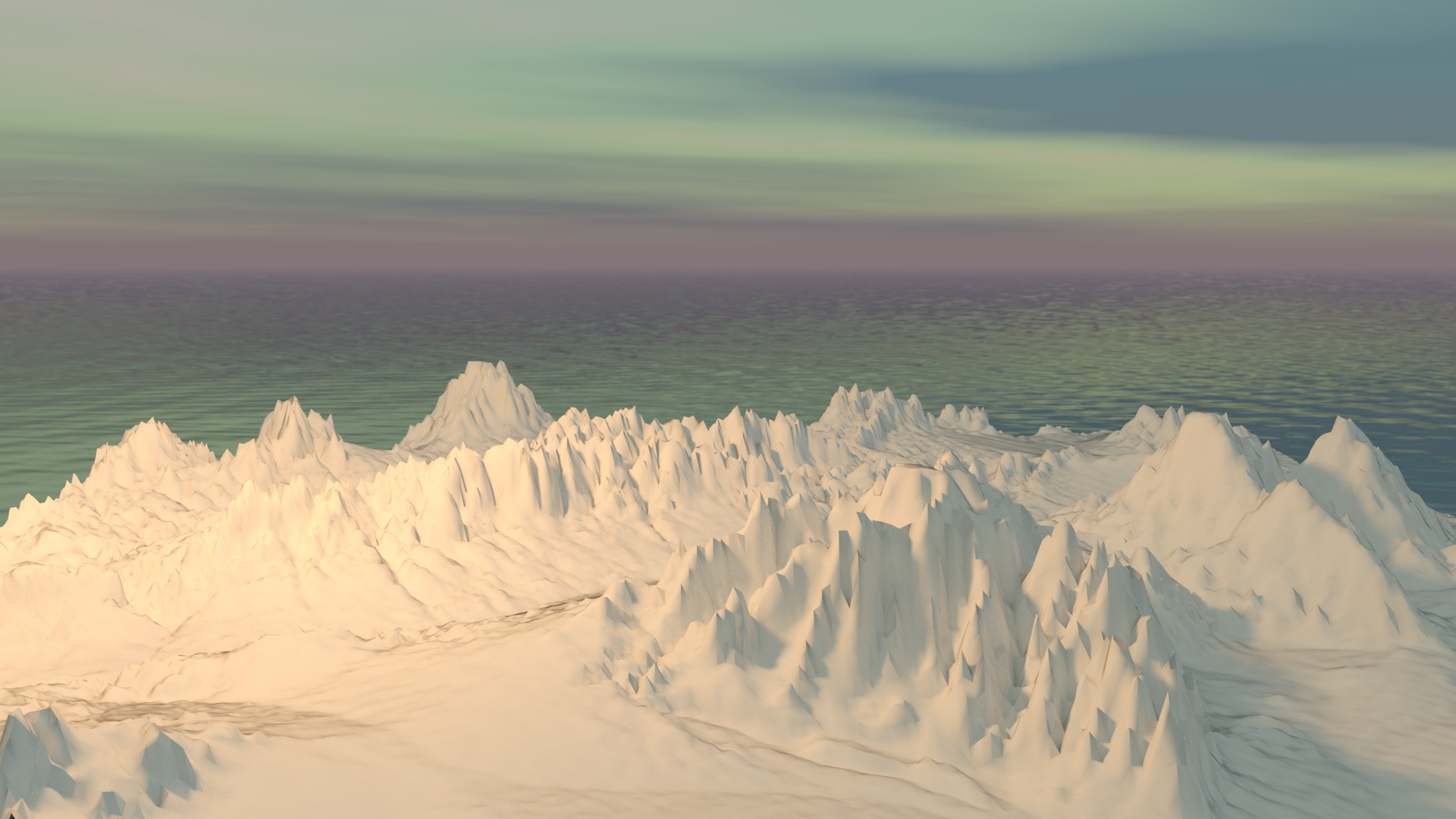
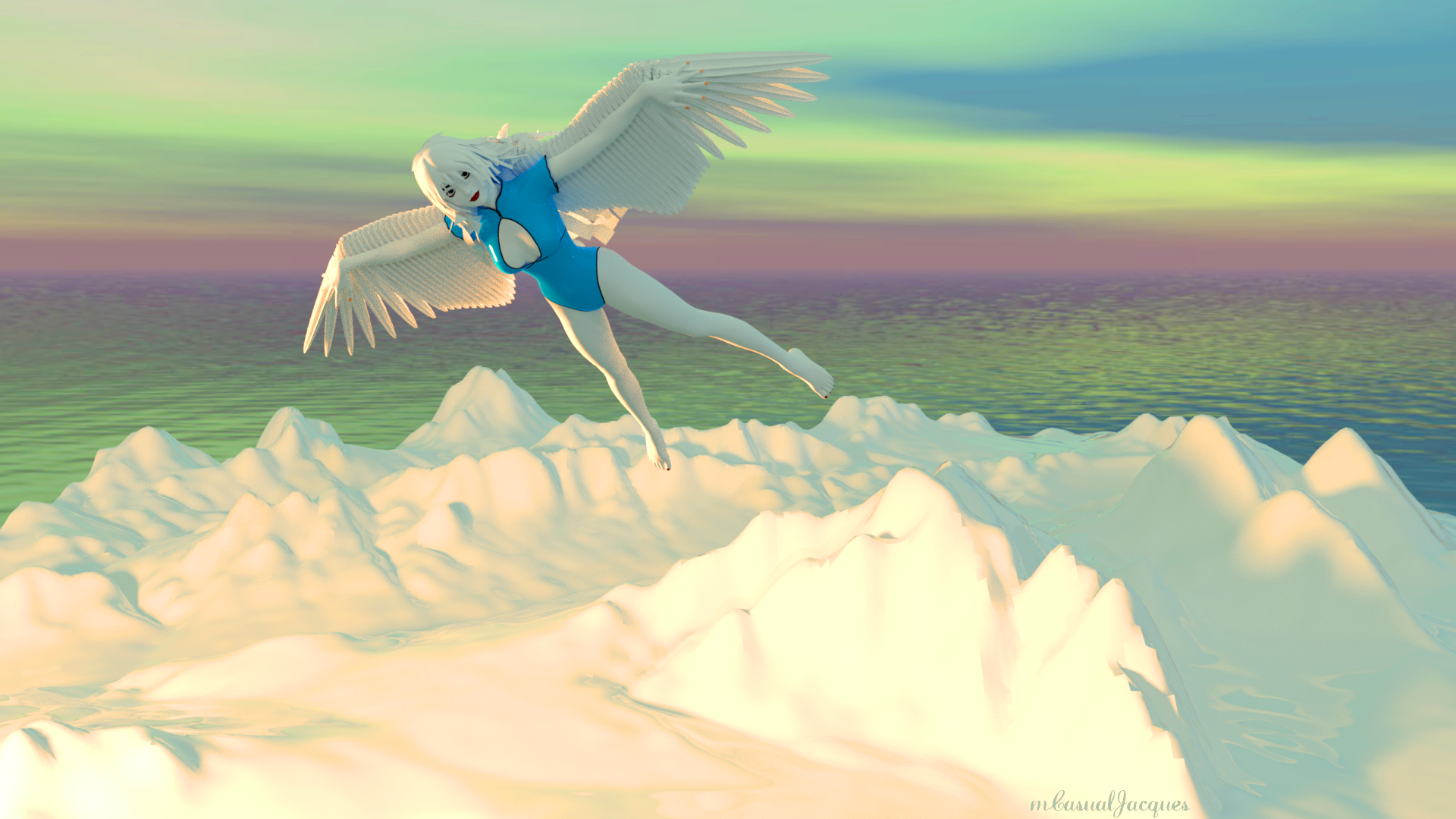
Looking at the script code itself there is no 'beginUndo()'-'acceptUndo([undo action name])' wrapper encapsulating the action which is the thing (in my limited knowledge) I'd expect around the outside of an undo-able action. I don't know more than the most basic of basics, so there may be other ways of recording an undo-able action that I don't know about and the much more experienced and knowledgeable mCasual does know. So, don't take my opinion as the final word on it.
My suggestion would be to experiment with it on a wobbly surface, then press the DS 'Undo' button/menu item and see if the action undoes.
Regards,
Richard
Script: Smoothen Meshes without SubDividing themthe script generates a morph so if you go in the parameters tab of that object, turning the morph strength to 0 strength removes the smooth
looks interesting.. question: when you use the inbuilt DS smoother, you have the option to delete it i.e. go back to your object's initial state (or just deactivate it in the properties panel).
with your script, on the little dialog panel, i don't see anything in that direction.. does this mean, once my object has been smoothed with your script, there is no way back ever? so if i want it unsmoothed i'd have to reload it again?
G8F Pose Transfer to V4/A4May I present another pose transfer script. This time for G8F poses to be transferred to V4/A4.
To operate, load G8F and apply the desired pose. Then load Victoria 4 or Aiko 4, and run the script. Once more you'll need to identify V4's/A4's hip in one node selection combo box, and G8F's hip in the other. Then press the 'ACCEPT' button, and the script will run. There will probably be a need to tweak the pose afterwards, but it's likely that it won't be much more than when you apply a G8F base pose to a G8F character.
Please be aware that V4/A4 do not react well to some G8F poses, the 4 generation difference between the two figures can't really be avoided on occasions.
So, now some images. First, V4 matching G8F's base pose having originally been in her own zero pose:
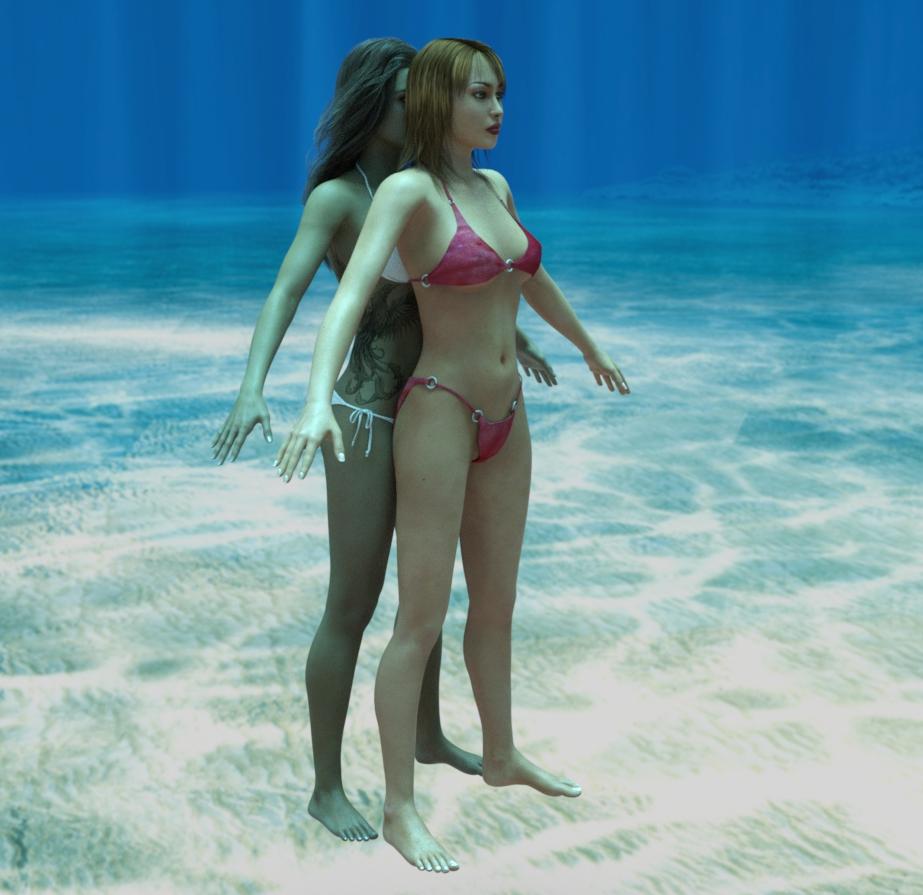
Now a before and after image of a pose being applied to V4. In order to get this to work, I had to turn the V4 rotation limits off, otherwise V4 got nowhere near the G8F pose - if the pose matching is awful, you may have to do the same.


I hope this will be of some use to a at least a couple of people.
Regards,
Richard.
G8F feet morphs deform shoesIf the morph chnages the feet unevenly (as opposed to a smooth transition between areas) then its projection into shoes will also be uneven. heels are particularly likely to show the effect as their "nearest neighbour", for morph projection purposes, will usually move down the foot while the heel would bee xpected to be uniform in shape. Using the Geoemtry Editor to select each shoe and assign it to a Rigidity Group (you need to select vertices for this) may help, though you are likely to get either poke-through or gaps in places and may need to use a dForm to correct the shape. The ideal is to have a custom morph to mtach the figure morph.
Grinch morphOllie 8 is too humanoid. I'd like a morph for the head and face.
Grinch morphI think Gomer by RawArt at Renderosity looks like Grinch if you add Champanzee or Gorilla fur from a G8M morph product, add the Ollie 8 morph (both in the DAZ 3D store), and change the color of the fur & skin materials to green.
Mesh Grabber (not in tools)OOPS! Good catch, @Northof45! I didn't catch that detail in the previous messages.
Mesh Grabber Morph Editor is just an add on to Mesh Grabber. It isn't a standalone product. Mesh Grabber is required first.
Grinch morphAre there any plans for a Grinch-like character morph for Genesis Male 8?
Daz Studio 4.14 Pro, General Release!Load time depends on how many G8F characters and morph packages you have installed, because it loads all the morphs from these.Hah! Thanks for that piece of information. I figured it had to be something like this because my load time and, for that matter, close down time have been going up as I bought more of those $1.99 characters. It also seemed that the people who complained have ginormous product libraries.
I guess I now understand why DIM has the option to install to different product libraries; then individual libraries can be disabled in the content manager pane of Daz. This might avoid a problem I have when I accidentally click on the "create key frame" button for a character in an animation - it takes forever because of all the spurious, unused, character morph properties it is copying. These days I *never* create a key frame for figure/properties, or if I do I immediately delete it (an even longer wait than creating it.)
Chains, Earings and other solid objects deforming.When a morph is applied to the figure it is projected into fitted items - essentially the bits of the items move with the closest vertex of the base model. Major shape changes, and especially shape changes that affect the msh differentially, will distort the fitted models as a result. The best answer is a custom morph, made in some kind of modelling/sculpting application, that adjusts the mesh smoothly to fit the new shape - but that is of course a fairly hard option for most people. A less drastic, though still time-consuming, option is to use the Geometry Editor tool to select each piece in turn and assign it to a new Rigidity group - that way it will deform as a piece (you can select one or more reference polygons so that it will, with luck, adjust to match the typical change of the nearby model) - selecting the links of the chain should be simple, click once then cmd/ctrl * to select the connected polygons, but I'd be a little worried that the links might then come disconnected or partially interpenetrate.
Mesh Grabber (not in tools)Wait a minute... Mesh Grabber Morph Editor? That's an Add-on to the base Mesh Grabber. What did you get, exactly?
Mesh Grabber (not in tools)That "Mesh Grabber Morph Editor.dsx" is supposed to be used in DAZ Studio with the built-in Help browser (F1), but I can see now that it opens the local copy of the .pdf file. It used to open the on-line version, so it's a moot point, now.
Mesh Grabber (not in tools)Hi
Thank you both for the replies. I have not found a manual (and I have looked). There is a \docs\ directory at the same level as the \plugins in it I find
C:\Daz 3D\Applications\64-bit\DAZ 3D\DAZStudio4\docs\Plugins\Mesh Grabber Morph Editor
but the only file in there is this. "Mesh Grabber Morph Editor.dsx"
I went back to the download page for docs as well and couldn't find any. Any idea where to find the docs?
@NorthOf45 Nope, first and only install.
The installer a lot like the old DAZ install wrapper programs. It tells me that it is going to put files in this path (but I never could ficure out what it was talking aobut as I cannot find any path similat to the reference)
DAZ 3D\Installed Content\Mesh Grabber Morph Editor for DAZ Studio 4.5+ (Win 64-bit)
Do I need to open a cmd window as administrator and run it that way??
Help with Genesis 8 maleIf that doesn't help, you have some, character/morph related corrective morph triggered that shouldn't trigger without the said character/morph.
If that is the case, load the "Genesis 8 Male Dev Load" and pose the arm for the problem to appear.
Select "Show Hidden properties" in the Parameters-Tab, and use "Currently Used" to show all the dials that are active.Amongst the hidden ones, try changing the values until you find the one that is causing the issue.
[Released] Character Converter from Genesis 2 Female to Genesis 8 Female [Commercial]Okay.... As promised, I kept trying. There is a Genesis 2 Female head morph called Sunehri. Once it is dialed past 15%, then it starts to mess up the G8F Teeth. I thought that you would like to know in case anyone else asks. This issue is now solved.
Thanks for your help and patience.
-DrDrk
Interesting. If I understand you, there is a vampire teeth-like morph called Sunehri that messes up the conversion?
New DS Filament Render EngineI dunno what the big deal is. If you want to use it, do. If you don't, don't. You still have everything you had before. I'm sure it'll improve over time.
Laurie
What could be the deal here?!
Paying money again for some materials, just to make something look right in a new "engine" may be a point (...not to mention new texture packs for the new hot filament shape, character whatever...)
Losing time (again) because of the lack of references, tutorials and so on (biggest community = biggest possibility to SOLVE problems we run into and if you ask me, Blender is the way to go...)
Losing maybe even ressources to the real problems many different features have, that should be solved (...the bridges are also new but still not there yet and they are a real improvement, when they work)
I mean they could have maybe cleaned up the library, writing a script that tells us if we have all our content, fixing missing texture paths, improving rendertimes, by adding a free feature for "best rendering results", because it is possible to render faster and if this is possible, even the iray viewport can be improved by a lot. They also could have changed the database structure, adding features like "Environment, Cars, Motorcycles, Kitchens, Roofs, Socks... whatever...) The library like it is, is a mess. And it seems materials for clothes, hairs, whatever can be here and there... nobody cares it seems. Setting up a scene could be so much faster, just by reorganizing everything there is. I mean i have nothing against vendors, that have their small link in the product, but why does daz allows to have items all over the place with nearly NO real system to it?!
There is so much that could be improved in the program, that it's even hard to tell where to start...
If i look at Blender: The crowd works for them, creating addons, materials, features and so on... If something is used really often and is helpful, they add it to their standart and push further with nearly every update there was in the past. Evee can now render real time alike photorealism and it does not make to much of a difference to render then again with cycles. There are differences yes, but you can rely on the fact that if it looks good in evee, it will work in cycles even better, just by tweaking some little things for the shaders.The complexity is also a big point here. It's still far from easy to create skins, arrange a scene, setup lights, rendering settings and so on... In blender you learn one time how things work and you can be sure of the fact that will not change in years! Also on the SHB changes broke the shaders of the hair in general. I cannot use the materials - one click - like i set them up a while ago... Things like that is like messing with the user. Do it to often and the user will say: "You know what, i transfer the model, environment and so on and use my shaders of my faforite render engine, because there everything works properly scince day one!"
And animation and posing is not worth the pain... Sorry but that would only be the case if daz would have features like "no wrong bending", free partial animation sets and so on. So to speak: Features that nobody has an would make it easier to do realistic animations, without breaking a sweat. If daz would have realized a few years ago, that animating features like a closing hand, a bending arm, a scratching on the head, would be powerful it would have been a lot more crowded here, since it was hard to transfer the animations into another program. Right now even that is possible. But now it's way to late, since nearly every bigger 3D editing program has them already in a good quality and even realistic ones are totally free to get and easy to transfer.
So in the end, Daz is still slower when it comes to rendering - even if they know how to improve it for sure - but they don't share it for free, same with the shaders, lights, camera settings, same with the poses, same with scripts and so on... just the wrong way to go, when nearly everyone arround them rushes into open source. Everyone should think of content creating more in a manner of "time saving". Someone build a pirate, someone a dog, someone a unicorn, dragon... whatever. That's what someone pays for, not for some textures, some shaders, some scripts... because everything is already out there and most things are out there for free too. You cannot even tell the difference anymore, this much content is out there. But who needs 500 wood textures, shaders... who needs 100 - similar - hands, that close to a fist, winks, smiles?! Right, nobody. But our whole texture, pose, shader or material database is full of those similiar things. What do you think is the reason the library is so extreme big?! Because it's a mess... And everyone claims to have "the wood texture...", creates a folder for themselves ... yeah slightly changed, often not even noticable but still probably from somewhere else.
I mean look at the hairs... just take a look at the textures of the hairs... do you notice something?! A few blurry lines all over again and again and again... mostly only black and white. Why do we need hundreds of them, if 10 would be enough?! And you wonder why a scene gets too big... i tell you, no wonder if you use 20 different hair textures in 2-4K and could not even tell the real difference, when you would just choose to take one of these blurried line textures on all the hairs... same goes with wood, metal, glas, fabrics of any kind...
Daz would be amazing if they would realize what they are really doing wrong! And would become faster on it's own in the process...Good points, but fixing all this would probably require that they start all over from scratch, plus reduce their income so much that they can't afford it. So it's sort of a catch 22 I think.
Mhmmm, i would not say that. There are so many ways to go. I mean really, look at the shop at this moment, look back a few months/years. Was'nt much of a difference. At some Point Blender also realized that it would be a good thing to start from scratch, adding their knowledge together to a better thing. Did Blender die?! Hell no, they are on the best path to become industry standart for many productions.
And if you think about it, blender is by far more complex than Daz Studio. What is complex at Daz are the item database and neat models. Like i said, a few years back, a right choosing to get more into animation, making it free for all... the database would have explodet on it's own! That's the truth, because most of the people see that sharing brings them further than "protecting" some images, shapes... whatever. With animation it would be the same. One animates from a closing hand a fist, another one a fist with a index finger that beckons, another one would make the "fuuuuu (you know...)". I mean look what is happening out there. Blender releases nearly with every of their new videos the production process and the assets with it, also the models, textures and it has so much content, you don't even know where to start. And yeah, the databases of many different - real time and toon like - creators are growing INSIDE blender itself. Just add their plugin or search the plugins for the already added ones over the blender add ons, ans start creating scenes, while modeling, searching databases, downloading and have fun!
That's where the industry will go in the end. Same will happen with animation, because it's happening with shaders, models, textures and so on at the same time right now.Also references, tutorials... everything there is top notch now, pushed from the community, from ordinary guys, that started playing with the program, learning to program, learning to model, texturing, exploring, learning and sharing it again. Why do you think UE jumped the train with Quixel Mixer?! Because people are the source, not one company. Epics library grows also, but not as fast as blender i'd say.
And you are happy about a new first look at a "preview" feature, that renders fast. Man, this already exists... That's just sad, but i think it is because right now you have to search for those "features" blender already has includet. Some vendors or companies dit not realize yet that everything they make will be in the end in a by far bigger database, with millions of items, sharing textures, shaders and everything else to make it by far the most powerful thing there is/will be.No, i'm on topic! I share my thoughts of Daz and the new feature! I think this is important and i also think that it should be discussed. I mean we talk about a future a program can still have! The question is will they wake up and stop create features that are just half cooked...
New DS Filament Render EngineI dunno what the big deal is. If you want to use it, do. If you don't, don't. You still have everything you had before. I'm sure it'll improve over time.
Laurie
What could be the deal here?!
Paying money again for some materials, just to make something look right in a new "engine" may be a point (...not to mention new texture packs for the new hot filament shape, character whatever...)
Losing time (again) because of the lack of references, tutorials and so on (biggest community = biggest possibility to SOLVE problems we run into and if you ask me, Blender is the way to go...)
Losing maybe even ressources to the real problems many different features have, that should be solved (...the bridges are also new but still not there yet and they are a real improvement, when they work)
I mean they could have maybe cleaned up the library, writing a script that tells us if we have all our content, fixing missing texture paths, improving rendertimes, by adding a free feature for "best rendering results", because it is possible to render faster and if this is possible, even the iray viewport can be improved by a lot. They also could have changed the database structure, adding features like "Environment, Cars, Motorcycles, Kitchens, Roofs, Socks... whatever...) The library like it is, is a mess. And it seems materials for clothes, hairs, whatever can be here and there... nobody cares it seems. Setting up a scene could be so much faster, just by reorganizing everything there is. I mean i have nothing against vendors, that have their small link in the product, but why does daz allows to have items all over the place with nearly NO real system to it?!
There is so much that could be improved in the program, that it's even hard to tell where to start...
If i look at Blender: The crowd works for them, creating addons, materials, features and so on... If something is used really often and is helpful, they add it to their standart and push further with nearly every update there was in the past. Evee can now render real time alike photorealism and it does not make to much of a difference to render then again with cycles. There are differences yes, but you can rely on the fact that if it looks good in evee, it will work in cycles even better, just by tweaking some little things for the shaders.The complexity is also a big point here. It's still far from easy to create skins, arrange a scene, setup lights, rendering settings and so on... In blender you learn one time how things work and you can be sure of the fact that will not change in years! Also on the SHB changes broke the shaders of the hair in general. I cannot use the materials - one click - like i set them up a while ago... Things like that is like messing with the user. Do it to often and the user will say: "You know what, i transfer the model, environment and so on and use my shaders of my faforite render engine, because there everything works properly scince day one!"
And animation and posing is not worth the pain... Sorry but that would only be the case if daz would have features like "no wrong bending", free partial animation sets and so on. So to speak: Features that nobody has an would make it easier to do realistic animations, without breaking a sweat. If daz would have realized a few years ago, that animating features like a closing hand, a bending arm, a scratching on the head, would be powerful it would have been a lot more crowded here, since it was hard to transfer the animations into another program. Right now even that is possible. But now it's way to late, since nearly every bigger 3D editing program has them already in a good quality and even realistic ones are totally free to get and easy to transfer.
So in the end, Daz is still slower when it comes to rendering - even if they know how to improve it for sure - but they don't share it for free, same with the shaders, lights, camera settings, same with the poses, same with scripts and so on... just the wrong way to go, when nearly everyone arround them rushes into open source. Everyone should think of content creating more in a manner of "time saving". Someone build a pirate, someone a dog, someone a unicorn, dragon... whatever. That's what someone pays for, not for some textures, some shaders, some scripts... because everything is already out there and most things are out there for free too. You cannot even tell the difference anymore, this much content is out there. But who needs 500 wood textures, shaders... who needs 100 - similar - hands, that close to a fist, winks, smiles?! Right, nobody. But our whole texture, pose, shader or material database is full of those similiar things. What do you think is the reason the library is so extreme big?! Because it's a mess... And everyone claims to have "the wood texture...", creates a folder for themselves ... yeah slightly changed, often not even noticable but still probably from somewhere else.
I mean look at the hairs... just take a look at the textures of the hairs... do you notice something?! A few blurry lines all over again and again and again... mostly only black and white. Why do we need hundreds of them, if 10 would be enough?! And you wonder why a scene gets too big... i tell you, no wonder if you use 20 different hair textures in 2-4K and could not even tell the real difference, when you would just choose to take one of these blurried line textures on all the hairs... same goes with wood, metal, glas, fabrics of any kind...
Daz would be amazing if they would realize what they are really doing wrong! And would become faster on it's own in the process...
Valid points here, gniiial.
Not really on topic here but I would add that I just wish 3D apps, in general, had a more friendly approach to rendering.
3D is a hard enough discipline and having to render things 'outside' of the box and then have that outside box play with a different set of rules from the main 3D app is extremely frustrating.
For instance... A while ago I was trying to learn C4D. But then I discovered that in order to have those beautiful renders, that I appreciated and saw in the best portfolios, I had to use Octane (or another 3rd party engine).
That is unfortunate because Octane comes with its own set of 'rules' and learning curve. Not to mention the economic aspect...
In my opinion things should, generally, become more intuitive with time. Not less.
A 3D app should be selfsufficient. Think Photoshop or Gimp.
Ideally you would model (or setup a scene, like in Daz), light it and render.
End of 3D rant.Daz 3D is part of

Connect
DAZ Productions, Inc.
7533 S Center View Ct #4664
West Jordan, UT 84084Licensing Agreement | Terms of Service | Privacy Policy | EULA
© 2026 Daz Productions Inc. All Rights Reserved.