-
Heavy horse morph for DAZ Horse 2?
Does anyone know if there's a heavy horse /draft horse morph outthere for the DAZ Horse 2? I'didnt want to invest in another horse model, when I have a good one just right in my library...
Thanks for hints !
G8M to G8FSo, I managed to successfully transfer a morph and properly rig it. However, after clearing everything and re-starting DAZ (for good measure) to transfer a second morph, this happens. I follow the appropriate steps to transfer the morph, but as soon as I try and test it by dialing it in, the G8F goes funhouse mirrors on me, with 75% of the figure taking on a really weird deformation, and the other 25% remaining rigidly in place and not morphing at all. Any ideas on what could be going on?Matching skin tonesI'm not sure what you mean by skin morph - a shader preset? Do the skin areas of the wings have the same maps for their properties as the actual skin - if oen lacks bump and normal, for example, it will be much smoother than one which has one or both of those map types assigned even with the same numeric values. The same would be true for the settings that control gliossiness - if one has a map and the other doesn't then the results could be very different. One option, depending on how close you intend to look, might be to use an image filled with noise in an image editor, and then adjust it with the levels or curves functions to get a similar distribution of tones to the map on the figure and apply it to the currently map-less property on the wings.
Delete frames cause I just want to keep the final simulation frame in dforceFor other with similar problems: I redid the setting with a simple cloth dropping down. After importing the morph you also have to ... morph it / apply it / dial it in the Parameters setting (from 0 to 100%). The morph's name is the same as the save file name. I was quite noobish then and should have left the timeline idea, just back to pure morphing.Finally it works :). Another step taken!
Chopped nose tip Genesis 8 FemaleRichard Haseltine said:
That looks as if a morph is applying on load - the base shape certainlky isn't like that. Go to the Parameters pane and click in the Currently Used group - are any of the properties listed there causing the shape? If not try Edit>Figure>Zero>Zero Figure - are there now properties showing in Currently Used that, when turned up, cause the nose shape?
Thank you Sir, it's working as you described :)
Chopped nose tip Genesis 8 FemaleThat looks as if a morph is applying on load - the base shape certainlky isn't like that. Go to the Parameters pane and click in the Currently Used group - are any of the properties listed there causing the shape? If not try Edit>Figure>Zero>Zero Figure - are there now properties showing in Currently Used that, when turned up, cause the nose shape?
Exporting ALL Morphs to Blender?Hey Guys,
I'm very new to Daz3D and I'm currently trying to export a Model from Daz3D (Cookie) to Blender.
Unfortunately, it only exports a small amount of the morphs available.
I've uploaded three Screenshots that show the exported Morphs in Blender, the other Morphs existing on the model that don't get exported and a snippet of the Morph Export Rules I've created.Even with setting up the Morph Export Rules, only a small amount of Morphs are getting exported :/
Some of the most important Morphs I need seem to be assigned to the head-bone.
May this be the reason? If yes, how can I transfer this morphs to the mesh itself?
Any Idea why and how to fix this?Improving load timesThere was a workaround posted on Youtube :
 , ZilverGrafix3D or some such.
It boils down to moving all your G8 morphs to a new directory and "turning it off" for Daz Studio to "see" when you start up.
I can see how it works, but for me that is too much messing with folders and my Daz Library set up to be effective. I imagine if you want a morph package you'd have to go back and forth and load as needed.
To me, that seems as though it would take more time than waiting for it to load, but I haven't put it ot the test.
AprilYSH Ellis Hair and character questionsThe first time I use a non-standard promo character in a long time and of course you guys spot it lol I usually list the characters used at the bottom of the page but this one was a frankenstein so I couldn't really claim exact products used. It's G8 female with the transferred head morph of Olympia 6. (Please do a forum search on how to transfer morphs between the generations, I've forgotten which method I used.) The skin is Izzy for G2 and I used Daz Studio Map Transfer to convert just the face maps and then photoshopped them onto a Teen Josie 8 skin for the rest of the body. I liked Olympia 6 and Izzy that much ;) And probably because she was eerily familiar is why she caught your eye? :)
https://www.daz3d.com/izzy
https://www.daz3d.com/olympia-for-genesis-2-femaleSaving morph animation to apply it with dForce HelpHello, so i have a problem, i use the dforce simulation for fitting my cloth corectly on my genesis 8,
wich i do everytime i change a genesis pose because it [messes] up the arragement of the cloth, I make the new pose, use the simulation but the animation saved my genesis from another spot,
so when i simulate my genesis tend to bug morph so im searching a better method to actually simulate cloth on new poses everytime i make a new render,
im was looking in Ani2mate if there was a solution for me like, (in my case) save the morphs and only the Chest and hips morph,
to apply it on my genesis with a different pose to make just the simulation about those 2 proprieties,idk if im express myself correctly lol (not native english sorry lol)
TLDR How can i simulate Dforce cloth on different pose the most effectively
Thanks for your time and have a great day :)
dforce hair suddenly clipping through G8Fit's just likely that the hair is already 'into' the character before you apply the simulation. even a strand is enough to make the difference.
if it's a hair item you've used before...i'd suggest just modifying your figure's pose--lowering the lower neck, upper neck, and head bend a little bit, and then trying again.
if you try running a simulation on the figure while it's in a zeroed pose and the problem still pops up, then you really do have a problem.
some dforce hairs have morph/parameter sliders that will allow you to get the hair a little farther away from the figure's neck and shoulders before you simulate. and some don't have enough...
good luck!
:)
j
MimicMolly's Renders & WIPsI have been writing instead of rendering, since I write a lot with Google Docs (via the phone app, but I can also do my edits on the laptop's browser.) I also finally got around to converting SAV Alpha Male for M5's skin texture to base G8M. What I liked about this character was his baked-on tan lines. He has an extremely pale lower body. Except the Iray settings here somehow managed to even out his skin tone, which is unfortunate. But also, my fault since the only thing I converted was the Base Mat texture. I guess I might have to edit my own SSS for this skin to have more contrast. I also need to draw out the rest of his beard since I couldn't transfer it well because of the geografts.
This is my test result on Dain 8 = 75% and Kjaer 8 = 50%. Due to the geografts, I was unable to transfer his shaved head texture. (I also have no idea how to use the Clone Tool on any app I use, including GIMP. I always end up doing lots of my own painting by hand...specifically, by mousepad since I can never be bothered to use a mouse or a drawing tablet, despite having both.) His eyes are from Asher HD for G8M by Mousso.
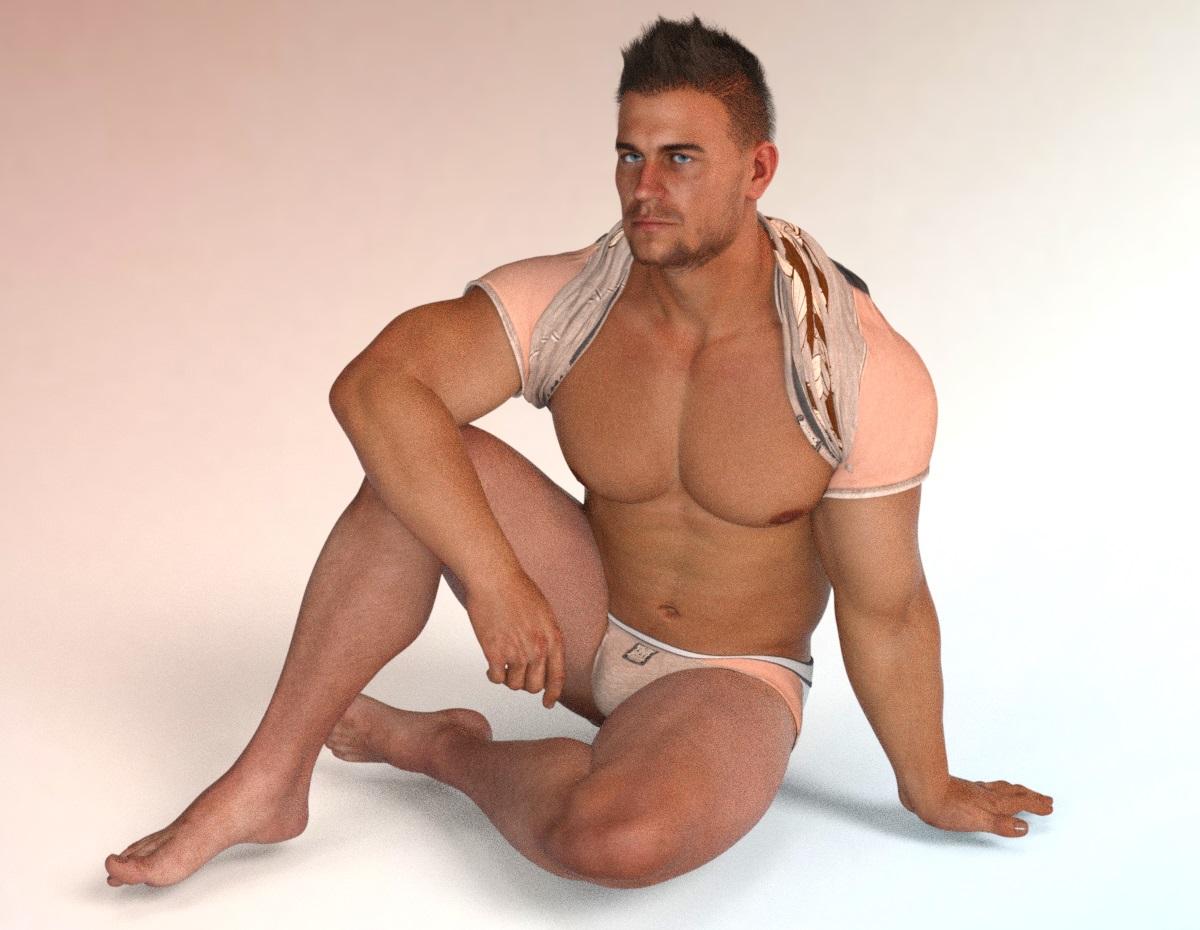
(EDIT: IDK what happened to the original render. There was a square where it should've been, but then at the time, I was having trouble posting pics, so maybe that's what happened. Here's a redone one, except I added Aeon Soul's Everyday 2 for G8M shirt and then the back textures to the Basic Wear briefs. I picked this pink color to better match the HDRI.)
Another thing, is that this is my first render with DAZ 4.14. Unfortunately, I hate how the enviroment settings are moved around. I had hoped to render this with the default HDRI, but I always use this HDRI, so it's good, I guess. Also, I'm wary of rendering this all the way because there was some other rendering project, including the previous Lady Noir G8F render, that I had to attempt several times because DAZ 4.12 kept crashing. This is why I didn't even let this render all the way. :/
Matching skin tonesI am working on a figure that is very pale (vampire). I want him to have wings but none of the wing presets avaialble for them match the color I am looking for exactly. How can I match the skin tones of the wings to the skin tone of the figure? I have tried various shaders but none come close and when trying to apply a skin morph intended for a figure (how I got his skin tone the way it is now) it doesn't work on the wings. They ether come out looking to metalic or bleached out. Any ideas?
Dynamic Surface Add On TutorialI'll set up a short video on how I do it in Modo a bit later today :) It should transfer to similar workflow in other programs
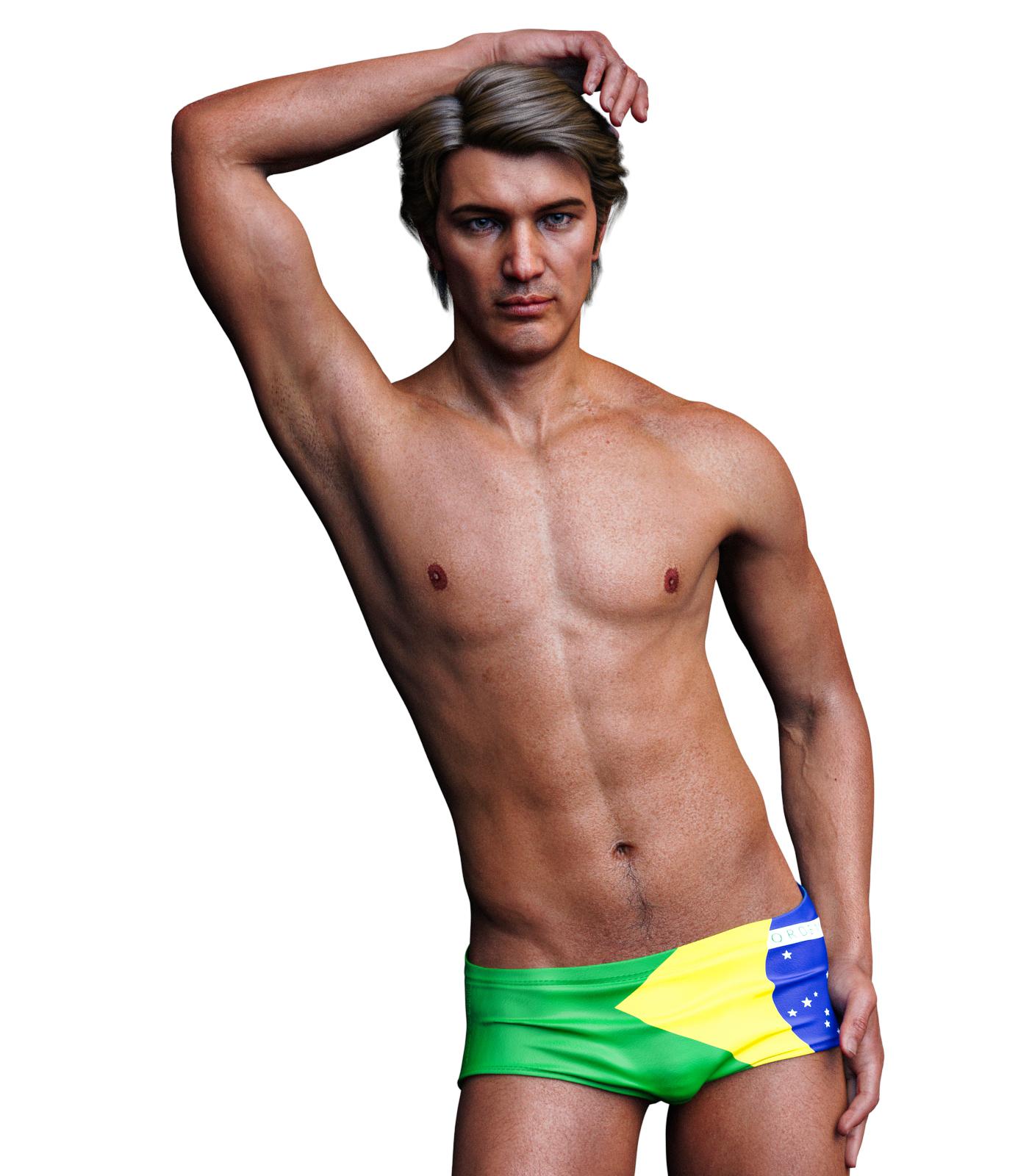
SereneNight's Sci-Fi Fun Thread 2Here's Juan Carlos 8. Overall, I really like this figure. He has a very nice skin, and morph, which is distinctive and different. If I had any critique, it would be that there is a fine white line on his upper lip that doesn't look natural, and i'm not really a fan of the cleft nose or the veritical nips. The dark skin however is lovely and natural-looking.
 SereneNight's Sci-Fi Fun Thread 2
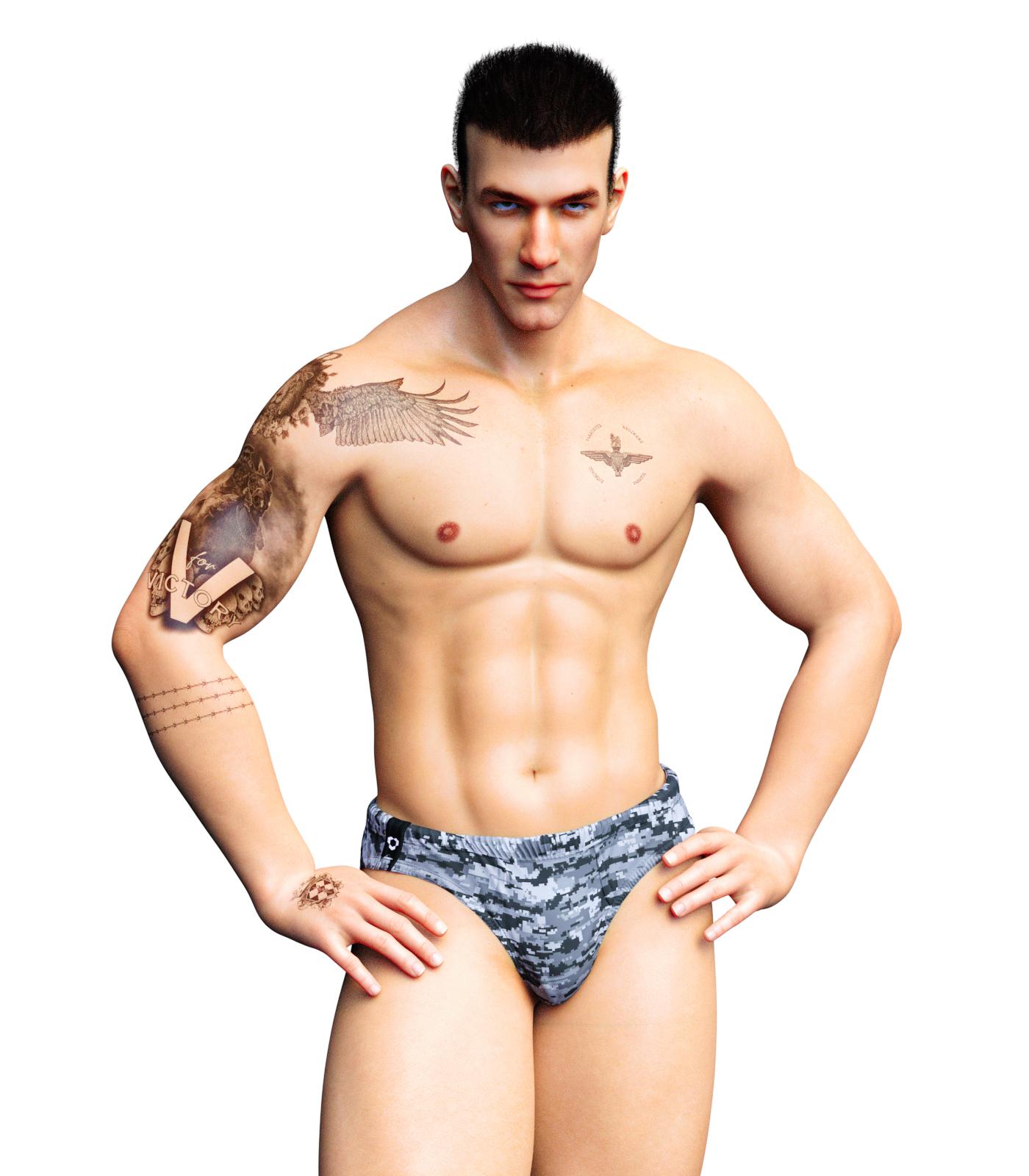
Okay, next up is Sithlordsims, very nice Falcon character. Falcon has a really nice looking morph, which reminds me of certain more realistic manga characters, some realistic tattoo options, and a custom shape. Because his tats looked kind of military to me, I gave him a shorter hair do.
The forum seems to have trouble posting the attached images and letting me imbed them like I used too... So I shall try.
 Auto Muscle Enhancer HD [Commercial]
Leemoon, He is starting to look good, to me it looks like there is still a lot of the recognizable Maxx in the head. I think you and Sigurd both commented that that character takes over very quickly, and I think I concur. There are ways to change the shape and feel of the head, you can use some of the Face Transfer tools, or go into the Head upper and lower rigging to manipulate all the little sub-bones in the face. That can be tedious though, and you have to keep track of the left and right settings. I use the ctrl-c and ctrl-v keystrokes to bounce back and forth, and a little asymmetry is never a bad thing! Regarding the hair the arm hair doesn't look quite as thick or dense as the other body hair? Might be just the lighting. Just what I am seeing. I sometimes put hair on, but because I seem to like blond hair, it doesn't hardly show up!
Thanks to you and Sigurd for the comments on the Soft Body Effects tutorial, that was a ton of work and discovery!
Keep em coming! TD
Any reviews on Nirv Sweet Pie Hair?BandoriFan said:
Mark_e593e0a5 said:
Having the same issue.... the hair looks good on the promo renders. But I am really diappointed by Fredda and Gou Luk, so I will no longer buy anything from those guys - at least until the known issues are fixed.
I don't have Fredda yet but the Gou Luk Bundle was one of the best things I got. I mean sure the character comes default with an expression but you get so many high quality clothes and accessories and makeups and the hair is nice too. The clothes can go so good with other sets and the shoes are especially high quality and come with many skin and lighting options. The socks have many versatile skins too. The dress also does and does pretty good with shaders too
For the longest time I was always learning something new about the bundle long after I got it
That's just the thing. No one cares about ugly stuff that doesn't work right. If it's ugly, no one would buy it, and if no one buys it, there won't be any complaints. But this stuff looks amazing in promos, and a lot of the stuff is fine, Fredda is a super cute morph, but there's stuff that's badly made, and that's the cause of disappointment.
Fredda is adorable!It is so strange. Some of Rarestone's previous products are amazing. The 200 morph packs are packed with unique shaping options. Many of the characters are great, and often packed with extra stuff. But the past few have been just a bit off. And it really does come down to that repeating gloss texture I mentioned earlier. The textures are clearly painted in a 2d application, so this results in seams across the UV. It is not visible on the other body textures, but with how the head UV is scaled differently than all other maps, it becomes quite visible there. It also makes the neck just look kind of bad and splotchy. From a user standpoint, the easiest fix is to swap these textures with another character. Most bump and gloss mats will work on different characters fine. Of course, this doesn't address the problem. Like I said before rarestone really needs to either use a merchant resource for these maps, or they need to use an application that can paint across the UV map. As for the hair, I don't even know where to begin. You can tell in the promos the hair isn't that good. Daz needs to up their QA game significantly and not let something like that in the store. The seam issue is one thing, but the hair is just plain bad. And Daz even pushed this product on the store page in its sale. I place the burden of quality squarely on Daz here. Ultimately they decide what is allowed in their stores, and if PAs don't get turned down, they will believe what they did is acceptable.New Face MoCap ComingThis is my 2 bits & the resources I know about for lipsynch I have book marked in case I needed something for lipsynch in one of my projects in the future..
For my needs I just use daz studio 32 byte version that comes with Mimic or lipsynce. what ever they are calling it these days. I am still using it on 4.10 32bit. i do not require much lipsynch in my animations to invest in something major. But there is some pretty good alternatives
If you have a xbox or use Interactive Kinetic on your PC? if so you can use Kinetic for great facial capture. downside is you need to buy the little face censors. but it will work on windows and Apple and I believe Linux too. But the censors are not all that cheap and the more details in your motions you want the more you will need of the censors. but you can get them here pretty reasonable. the censors come with compatible software. https://brekel.com/face_v2/
and I know some users at Animations World https://www.awn.com/ ( one of my favorite animations resources sites BTW ) they are using F-clone a markerless face captures software with some pretty good results. But its a pretty hefty price though. its does not use censors or special hardware or require a iphone and it does work for daz studio as well. works off any web cam or Kinetic capture as well. But the cost is like $135 for the indy version which is what you will really need.& what keeps me from buying it https://f-clone.com/
Then you can always try VUP on steam. I see a lot of people on YouTube seem to like it. you sign up for steam and only pay for the time you use it. I tried the demo of it and thought it a bit clumsy to use & did not transfer to or support DUF files either Daz 32bit lipsynch was better for my needs https://store.steampowered.com/app/1207050/VUPVTuber_Maker_Animation_MMDLive2D__facial_capture/
Daz 3D is part of

Connect
DAZ Productions, Inc.
7533 S Center View Ct #4664
West Jordan, UT 84084Licensing Agreement | Terms of Service | Privacy Policy | EULA
© 2026 Daz Productions Inc. All Rights Reserved.