-
Heavy horse morph for DAZ Horse 2?
Limits on shaping dials can be changed for extended range or you can tell DS to ignore the limits.
I change the limits all the time if the morph slider doesn't have strong enough effect or I may add negative values if I wan't to reverse the effect of the slider.
The older generation: Victoria 2/3, Michael 2/3 and their children rendersRedfern said:
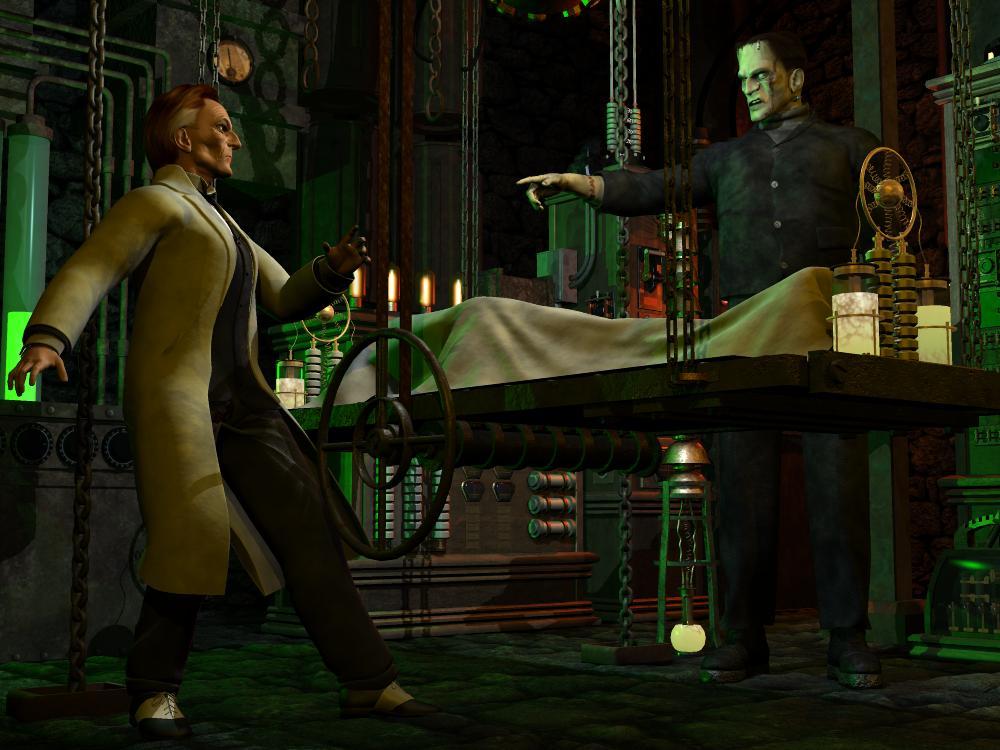
Just in time for Halloween, here are two examples of Michael 2. "Victor Frankenstein'" is using the M2P4 hybrid mesh, Mike's geometry and mapping with the body shaped and rigged to accept the Poser 4 Nude Male's clothing, in this case a Victorian styled suit PhilC used to sell. I changed the shaders so that the outer coat has become a lab coat. The "Monster" (though I personally like to use the name "Adam" which Mary Shelley used in her notes though not the published manuscript) uses a set called "Frankenstein Character (for Michael)" (long since removed from the store). While it can't be seen at this resolution, I played with the original maps to create "displacement" textures so that the sutures possess "height". The outfit was an item from PoserWorld during its earliest days. I opted for procedural nodes instead of the supplied textures which used the most basic of "planar" UVs. I also used the morph at only 67 perceent because at full strength, his features turn into farcical caricature. Even at that partial setting the distinctive forehead is very defined. Closer to ful, strength and it becomes razor sharp, a parody of "the look".
The motif is a bit of "mix and match". The "Monster" is obviously inspired by the Jack Pierce makeup designs from Universal Pictures. But "Victor" is a custom selection of dial spins from Capsces' "Boris for Michael" making him look somewhat like Peter Cushing from "Hammer Films" of Great Britain.
In this composition, "Adam" demands Victor hurry his efforts to create a mate or him, a "bride".
Sincerely,
Bill
Just saw this. Very nice, Redfern!
I did something in a similar vein during a Carrara Challenge last year:
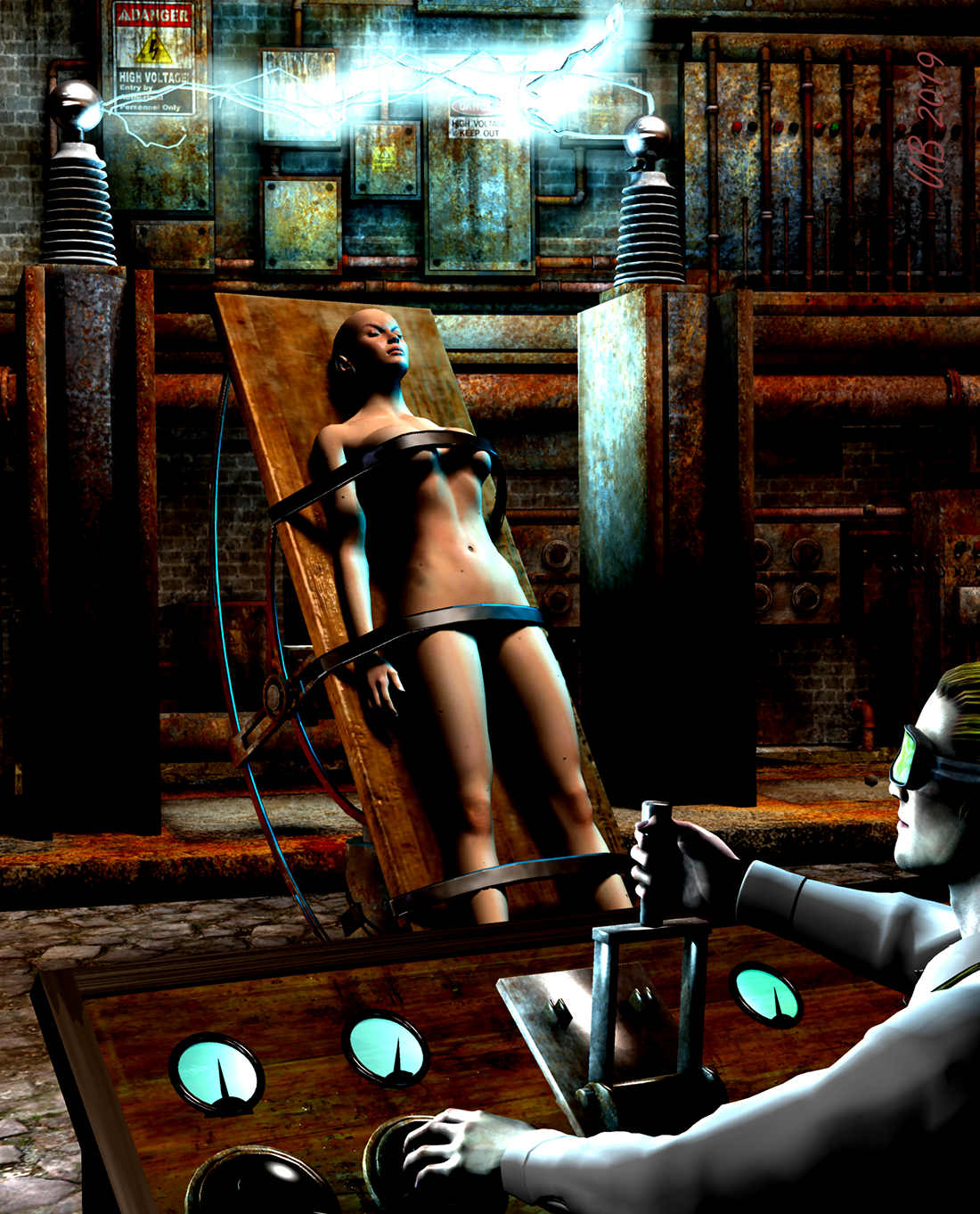
The characters are V1 and M3. The set is Mad Lab offered here at Daz, altered a bit in the Carrara modeling room.
Glad to see this thread continuing.
Improving load timesHi,
I found a different reason for slow loading (application not responding) of certain characters.
Although I have "monster" CPU, loading of G8F took about 10 minutes minimum. So I had a look into the log-file.And - tah..thaah: There are some products which cause daz to obviously circle in endless loops. There are some morphs with heavy errors. In this file I saw thousands of lines stating something like:
"warning: error in x-translation of ..."
"warning: error in y-translation of ..."
"warning: error in z-translation of ..."
"warning: error in x-rotation of ..."
"warning: error in y-rotation of ..."
"warning: error in z-rotation of ..."
and than this loop repeats and repeats and ...Based on the timestamps on the beginning of each entry I could prove those entries identifying the DAZ-freeze.
Luckily these statements identified the corresponding morph files and I was able the remove those product from my content library.
As a result G8F loaded in a very shorter time.But what's shocking most:
Those products weren't used in the figure to have been loaded. Here I suppose the DAZ developers to change the strategy of importing the morphs to a character.
Please only load the morphs if they're really involved into the current shape setting of the individual character in the scene. Not everything what is located in the "data" folder.
This will avoid a lot of frustration of your users!Cheers
Andy
Heavy horse morph for DAZ Horse 2?Fishtales said:
There's this.
https://www.daz3d.com/charger-horse
Poses
https://www.daz3d.com/wild-frontier-charger-poses
Also Tack although it doesn't always work nice.
https://www.daz3d.com/charger-fantasy-tack
Thanks for bringing this up. Yes, that could be useful, but only if used far away from camera, i.e. for using in background. The quality is way behind todays standard. Additionaly there's no armor for the charger available (not here at DAZ, maybe there are any somewhere else...). It's a very old model from the days of Poser 4 or 5. So it is not the solution.
I tested also the Millennium Horse (the bundle) and found that it have a lot(!) more sliders to adjust the shape than the DAZ Horse 2. In the pics you can see the difference, the grey one is DAZ Horse 2, the other Millenium horse. Quality of DAZ H2 is better, but that's the max possible shape for a heavy / draft horse you can achieve with the provided shaping sliders. Therefore the shape of the mil horse is way better (as there are way more slider settings for the model), but the overall quality is not enough for closeup shots. But without knowing which morph/shaping options (sliders) available for the HW horse the Mil horse will be the best compromise so far...
Can I sculpt the skin separately from the eyeballs after importing the figure via the bridge?PerttiA said:
If the purpose of exporting to Blender is modifying geometry, which will then be imported back to DS as a morph, I think the best option is to hide the parts that you don't want/need to modify first in DS and then export only the needed parts as OBJ (for example only the skin of the head).
This will also prevent accidental changes to parts of the figure that were not meant to be morphed.
Oh, I'm not exporting the figure to Daz and I'm going to finish the whole work in Blender.
Evelyn is really cute. Curious to see your test renders of her!Bamboozler said:
Getting rid of the "unwanted morphs loading with Genesis ...":
https://www.daz3d.com/forums/discussion/comment/4448486/#Comment_4448486
I tried these methods and I'm still getting EJ Midori dialed 100% in to every Gen8 female I load. Even though I ininstalled the figure and did the zero out stuff. It's maddening. I also deleted any character presets that had any possiblity of correlation. Any other ideas?
This is basically the same advice as was described on the link, but if this doesn't work, it means that the advice is not followed correctly (as it is written).
To fix any ill-behaving morphs, do as follows;
1. Load your base figure or the developer version to an empty scene. ("Genesis 8 Basic Female" or "Genesis 8 Female Dev Load")
2. Select the figure
3. Select "Show Hidden properties" in the Parameters-Tab, drop down menu (right-click)
4. Zero the figure (Found in Parameters-Tab, drop down menu)
5. Memorize the figure (Found in Parameters-Tab, drop down menu)
6. File->Save As->Support Asset->Save Modified AssetsThis procedure will zero the default value in the ill-behaving morph/morphs, and while saving DS also shows you a list of the morphs it is changing.
[Released] Vulpinefolk for Genesis 8 Bundle [Commercial]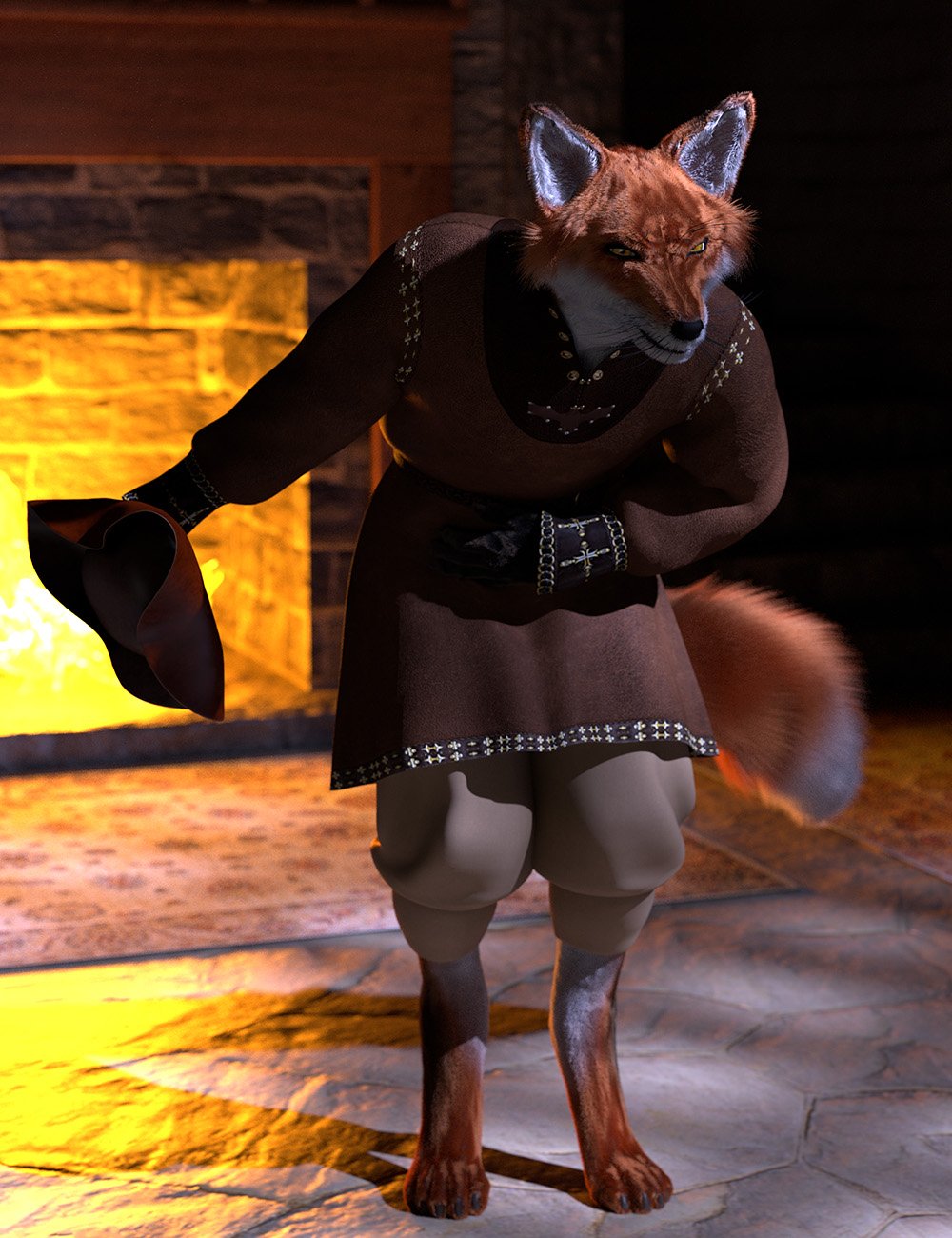
Furry and sleek, here they are! Reynard and Reyna the fox, with lots of variations of fur and style.
The head and body are separate shapes, and there are shapes to expand the iris and to make the pupil slitted (which can mix nicely with basic pupil dilation).
Also included are shapes for bigger ears (as you find in bat-eared foxes and fennec), ear hide shapes, and a projection morph to help fit clothing around fur.
Finally, fur styles allow for fur only on the head, extra fluffy, or shortening the fur on the body to offer a slimmer look that can also fit better under clothes.
G8M to G8FInquisitorOnyx said:
Soooo, I'm ending up with Duplicate Formula errors now and long load times for my Genesis Figures...think I'm going to be content with the one morph I did get to transfer successfully, cut my losses before I do any more damage, and either wait for the other morphs to be ported by their creators to the opposite gender or just move on.
Zev0, maker of XTransfer, is working on a cross-gender morph transfer module.
Can I sculpt the skin separately from the eyeballs after importing the figure via the bridge?If the purpose of exporting to Blender is modifying geometry, which will then be imported back to DS as a morph, I think the best option is to hide the parts that you don't want/need to modify first in DS and then export only the needed parts as OBJ (for example only the skin of the head).
This will also prevent accidental changes to parts of the figure that were not meant to be morphed.
G8M to G8FSoooo, I'm ending up with Duplicate Formula errors now and long load times for my Genesis Figures...think I'm going to be content with the one morph I did get to transfer successfully, cut my losses before I do any more damage, and either wait for the other morphs to be ported by their creators to the opposite gender or just move on.Can I sculpt the skin separately from the eyeballs after importing the figure via the bridge?Lissa_xyz said:
Separate by selection is fine if this isn't intended to be brought back into DS as a morph. If it is, you're better off hiding the selected geometry rather than separating it into diff objects.
Thanks for the advice :)
When I press P to separate the eyeballs object, it was not affected when sculpting.
However, when I pressed H to hide the eyeballs and switched to the sculpt mode, the eyeballs were visible again and was affected when sculpting.is there a flame / fire shader?Drogo Nazhur said:
nonesuch00 said:
Drogo Nazhur said:
kenshaw011267 said:
Are you looking for fire effects? There are some but they're not really shaders.
I have a halo prop for G3 that I want to put on a character's head so it appears like fire is coming from the head. Sort of like what is happening in this link --> https://gcdn.daz3d.com/p/55797/i/muelsfell-storm-of-magic-iray-fx-00-main-daz3d.jpg but with the flame not being on top of the head but circuling the head. I already have the halo that goes around the head, I just need the fire texture to apply to that halo
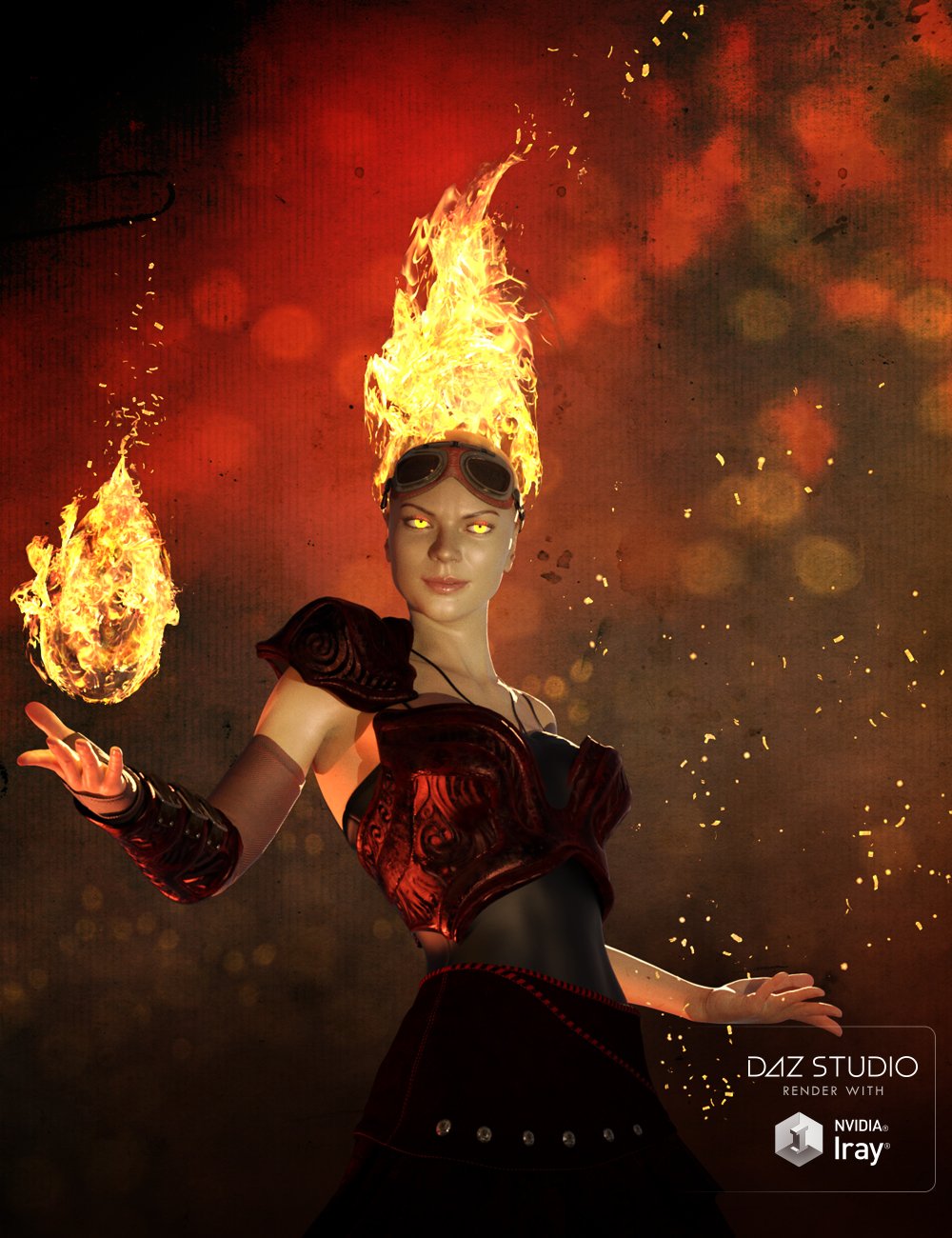
Those look to be photos of real fire posted worked into that render. They do look good though. I know of no products that good but let me recommend Silent Winter's Fantasy Trapped Vault product: Fantasy Trapped Vault | 3D Models and 3D Software by Daz 3D
It's torch I noticed has a better flame than typical of the other products I've from the DAZ Store that have flame as a part of the product.
I looked at the description in your link and it says that it is a material preset and not a shader. Also, I own the package in the image and those are actual flames but they too are material presets and not shaders :(
I might be remembering wrong but in DAZ Studio, a material preset equals a shader preset plus images while a shader preset is just the settings without the images so what you want is actually a material preset not a shader preset.
I have that product & the flames are a part of the torch and have a morph to change the shape of the flame so you parent 4 torches to the halo in 12, 3, 6, 9 o'clock positions and apply the morph of the flames to that 2 use one morph and the other two torches use the other morph. You hide the actual torch geometry with cutout opacity. Finally you copy the material settings from any of the 4 flames on the torch and paste to the halo's surface(s).
That's 'general' instructions although you will get flames like a fire while the flames in the image you posted are actually the flames of a petroleum or similar explosion. You need to use GIMP and public domain images to edit & create your own diffuse / emmission textures for the halo and import them into DAZ if you are insistant on a gas explosion as the flame effect.
Can I sculpt the skin separately from the eyeballs after importing the figure via the bridge?Separate by selection is fine if this isn't intended to be brought back into DS as a morph. If it is, you're better off hiding the selected geometry rather than separating it into diff objects.
Heavy horse morph for DAZ Horse 2?Fishtales said:
There's this.
https://www.daz3d.com/charger-horse
Poses
https://www.daz3d.com/wild-frontier-charger-poses
Also Tack although it doesn't always work nice.
https://www.daz3d.com/charger-fantasy-tack
Charger horse is a "golden oldie" IMO. I still use it once in a while. It looks decent in Iray, with just the base Iray shader applied. The biggest downside is that it is a standalone model, as opposed to a MilHorse morph, so you are limited to the one map, unless you know how to make other colors with the texture templates.
Why 8-9 months for a Big Sur update?skullola_db06cea567 said:
Mark_e593e0a5 said:
Ron Knights said:
I sympathize with people who have problems with Big Sur. But have you thought of the huge changes Apple has in store over coming months?! "Apple Silicon" means a huge jump into computers using Apple's own chips/boards. Every software company will need to create new versions of their software to work with the new Apple computers. True. Apple will also release Rosetta, but it will likely only work for 1-2 years.
That is not really an issue for a developer. It is ticking an extra box in XCode. You can decide if you want Intel-only, AppleSilicon-only or combined. The combined setting is the defualt in the actual XCode. The rest is done automatically. As long as you are not directly hitting the hardware, or using 3rd party stuff, then moving from Intel to Apple Silicone is not rocket science. An average program running on Rosetta on M1 is about as fast as on an Intel i5. It is about twice as fast if run natively. Honestly,I was shocked how damn fast that thing really is, running a couple of our tools on the new Mac mini. This is not just a statement, it is a declaration of war to Intel.
I believe DAZStudio is written with QT, so I wouldn't be surpised if XCode isn't involved in the build pipeline at all. Most QT applications I've worked on were built via elaborate Makefiles or (shudder) cmake. I certainly don't envy the engineers tasked with updating DS for Big Sur, but I certainly appreciate their efforts.
I'm probably an oddball, but I setup my scenes on my macbook, lounging on my couch, and then transfer them over to my windows workstation to render overnight. That way I get to practice my hobby while still being near my family, whereas my workstation is isolated in my office away from the fam. And I definitely plan to upgrade to one of those macs rolling out in 2021. I guess what I'm saying is, godspeed Daz3D macOS dev(s), godspeed.
I asked one of our Mac developers, and he told me that QT on a mac will only work when Xcode is installed. Nevertheless, you still can build things using makefiles or cmake... Xcode does not prevent developres from creating nonsense....
As with rendering "heavy" scenes, I had found a different solution (than buying a Windows machine with an expensive NVidia card). I am using a virtual graphics machine on the AWS elastic cloud. For $0.38 per hour (spot price, regular price is about $0.82) you can run quite a lot of renders until you end up at the price of a Titan card (the ones Amazon are using). If you are done, you shut down your virtual instance, and resume next time...
Future of Hexagon?Hexagon works really well. Super impressed with it and how it manages delta changes with DS via bridge.
That said, one big wish I would have for a future version is overhauled memory management for the sculpting functions.
Inflate & Smooth for example. If i do too much, my 64GB ram PC system starts to choke (Win7x64Pro). Like majorly. Have Undo set to 4.
One session really pushed it and had to do a hard reboot (did manage to save new morph). That was fun. Lost my internet from that hard reboot on gasping computer. Took a while to figure out how to reset that unprecedented error from a hard reboot.
Heavy horse morph for DAZ Horse 2?FSMCDesigns said:
The pro bundle contains a draft horse morph, but I think it's only avaliable with the pro bundle
https://www.daz3d.com/daz-horse-2-pro-bundle
if you need it now, it's probably cheaper to just get the Hivewire horse with the draft horse addon
Thanks a lot! As I own the pro bundle, I checked that and indeed there's a draft morph - but it isn't enough.
I was looking for something like this https://www.horsebreedspictures.com/wp-content/uploads/2016/03/Belgian-Draft-Horse-Stallion.jpg .
And so the HW horse with Draft and Beast addon is nearer to the goal... unfortunately, because it generates a lot of additional problems and investments (tack!). Hmmm... have to sleep over that.Daz assets to AltspaceVRI posted a question. In the Unity forum but I'm not sure if I even need Unity. Basically I want to create a world in AltspaceVR using Daz assets but they have to be super low poly. I was thinking of creating a full posed character with clothes and hair then saving as an obj to use just as a static prop as well as sets/props. But can I get them low poly enough to use in AltspaceVR? I have Decimator but have never used it. Also will textures from DS transfer to work in AltspaceVR? Everything there is really low res, low poly, cartoony almost. I have no idea how to do any of this and welcome all help. Thanks.
Heavy horse morph for DAZ Horse 2?The pro bundle contains a draft horse morph, but I think it's only avaliable with the pro bundle
https://www.daz3d.com/daz-horse-2-pro-bundle
if you need it now, it's probably cheaper to just get the Hivewire horse with the draft horse addon
Heavy horse morph for DAZ Horse 2?Does anyone know if there's a heavy horse /draft horse morph outthere for the DAZ Horse 2? I'didnt want to invest in another horse model, when I have a good one just right in my library...
Thanks for hints !
Daz 3D is part of

Connect
DAZ Productions, Inc.
7533 S Center View Ct #4664
West Jordan, UT 84084Licensing Agreement | Terms of Service | Privacy Policy | EULA
© 2026 Daz Productions Inc. All Rights Reserved.