-
Headshop 13 w Lovechild
Hi I'm having serious trouble with headshop 13 with lovechild plugin.
The program works fine, it exports the .obj-file and texture content aswell. However, when I open DAZ, load a Genesis 8 Basic Female character, remove eyelashes (I also tried NOT removing the eyelashes) because I read somewhere that the eyelashes sometimes causes problems, and start Morph Loader Pro and find my .obj-file from the Headshop 13 software and try loading the morph - a popup appears saying "Geometry did not match, failed to create morph." I should also mention that I haven't been able to integrate the Headshop plugin into Daz Studio, I am forced to use Headshop as a stand alone program for exporting the .obj-file. I use Windows 10 Pro, Daz Studio 4.15.0.2.
Can anyone help med out?
Thanks
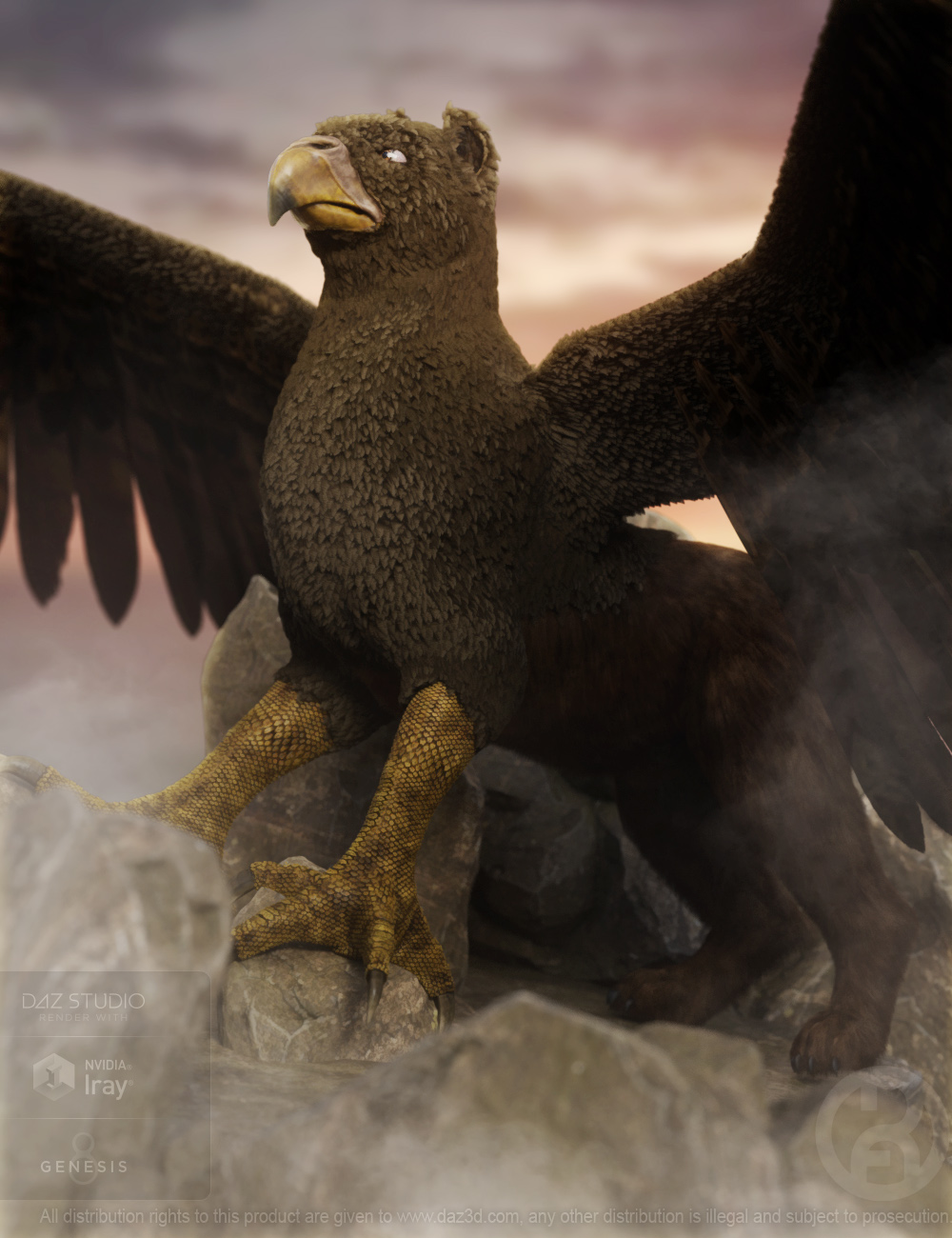
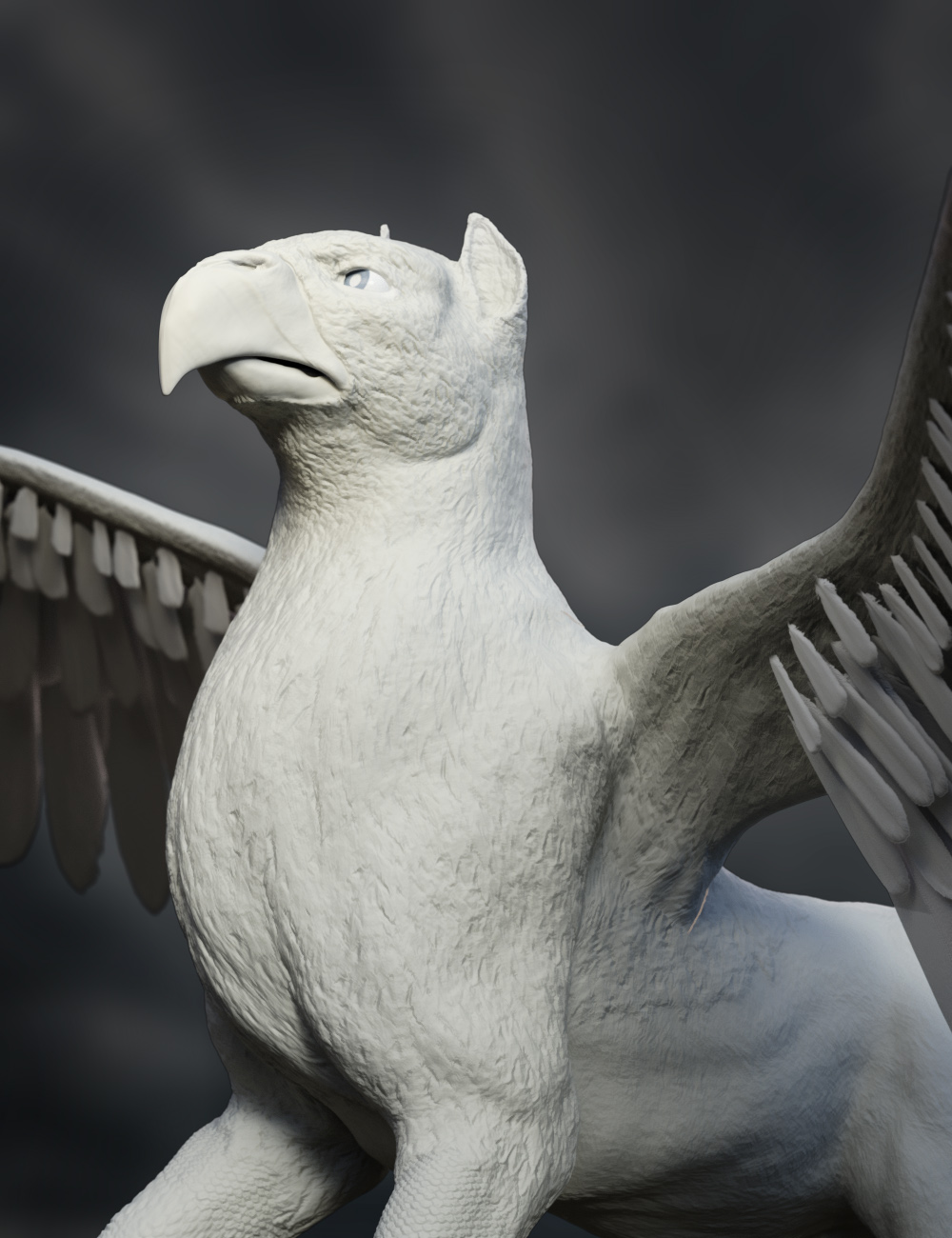
Griffin for D8 [commercial]Griffin for Dog 8
https://www.daz3d.com/griffin-for-dog-8
A staple in fantasy literature, the majestic Griffin is the proud steed in many adventures. The strength of a lion and the talons of an eagle, the Griffin can soar into any battle as a fierce warrior beast. He has custom crafted high definition morphs, and unique High detailed textures, along with Geografted Legs and Wings, that are fully rigged and easily posable, plus dHair Fur and Feathers to really accent this creature.
- Product Includes
- One Griffin Character Preset
- One Griffin Full Body HD Morph
- One Griffin No Ear Shaping Morph
- Three Griffin Full Body Material Presets
- Five Eye Material Presets
- One Griffin Leg Geograft
- One Griffin Wing Geograft
- dHair Feather and Fur Attachments
- Includes Iray Material Presets

 Is there a list of all black Genesis 3/8 female characters?
I have recently tried to search specifically for black characters and typing in "Africa" or "Black" or "Dark skin" gives only very limited or no results.
I just went through a lot of products to find some good ones. How many do you need?
You can search for "Kingston" and also for "VYK Zuri". I think both are realy well done!
I have also seen some ethnity morph packs and maybe in combination with a skin mamager plugin, you could create a lot of variations without buying specific characters.
You could also asked this guy who seems to work preferrably with black characters: https://www.youtube.com/channel/UCjWoiheJcpvpSY4ZVIRSifw
how to export weapon's parameter to blender use DiffeomorphicI purchased several bundles that have weapons but the weapon's parameter cant export to blender,but there is another bow can be exported by clicking "import custom morph",i have compared the two weapons but not found what differentce between them
can someone help me?this is too confused
Daz Studio Broken (Again) With a New & Thrilling Problem to Tantalize FrustrationWendyLuvsCatz said:
I still think you overwrote something in your data accidently saving a figure as a support asset
try moving the data folder out that bears your username
for example
your drive letter:\My DAZ 3D Library\Data\DAZ 3D\Genesis 3\Male\Morphs\wendyluvscatz
I:\My DAZ 3D Library\Data\DAZ 3D\Genesis 3\Female\Morphs\wendyluvscatz\
And guess what?
You're absolutely right!
I don't know exactly what the problem was but I went through my library like a dose of salts and scoured out a whole lot of stuff.
Then when I loaded Gen 3 Base figure and loaded hair to test it and reset the morph and played with it, it all worked perfectly.
Thank you. Thank you very, very much.
The Cute Kids ThreadWinterMoon said:
murgatroyd314 I love everything about that girl! Her face, her materials, her outfit and hair...

t0mg That picture of the nerds is gorgeous! It looks almost vintage. I'm a sucker for afternoon light. The boy with glasses reminds me of one of my own characters, so of course I like him too.
Zatetic That's a great group of kids.
 Are they story characters of yours, or did you make them for this picture?
clcny20 Are your little strong boy and ballerina girl friends? They're both so cute!
RenderScot I like both your character and her room. The colours go very well together. The only little critique I have is that her head is a little too close to the upper edge of the picture.
Faeofthe3rdDimension She really looks like she's laughing! And you managed to make the Cheshire cat!

guru20 Pixel is very cute, and probably knows it! I like the contrast between her neutral coloured outfit and her bright purple hair.
I'm glad the laugh came across, thank you! And I got the Cheshire Cat morph for the Hivewire Housecat here - https://www.renderosity.com/rr/mod/freestuff/cheshire-for-hw-house-cat/77974 ;
Bituka3d Gas StationMatt_Castle said:
xyer0 said:
You guys are a tough crowd. It took 15 minutes to geometry edit the "3" & "3d" out of the meshes; (in the initial "B" logos, taking out the "D" left a hole in the "B," so I decided to leave it).
That's what my mother would call "unacceptable transfer of effort". The author's decision means that a great many people who might (otherwise) have wanted to use the product have independently got to put in time and effort cleaning up the asset so that the results don't look weird.
~~~~
Also, on a general level, I'm somewhat bemused at the number of creators who choose to put "3D" in their brand identity; it's so widely used as to become generic, and I can't be the only person who's mentally mixed up one "Someone3D" with a "SomeoneElse3D" from time to time.
I have a general rule of not making my usernames anything to do with the site in question, otherwise you get the kind of thing where a third of the forum has picked a username with one or more of "Art", "Artist", "3D", "Renders", etc, etc somewhere in there.
yeah I went down that road with Th3Digit for a while but it was actually tongue in cheek and went over most people's head that I was referring to my middle finger.
 Bituka3d Gas Station
xyer0 said:
You guys are a tough crowd. It took 15 minutes to geometry edit the "3" & "3d" out of the meshes; (in the initial "B" logos, taking out the "D" left a hole in the "B," so I decided to leave it).
That's what my mother would call "unacceptable transfer of effort". The author's decision means that a great many people who might (otherwise) have wanted to use the product have independently got to put in time and effort cleaning up the asset so that the results don't look weird.
~~~~
Also, on a general level, I'm somewhat bemused at the number of creators who choose to put "3D" in their brand identity; it's so widely used as to become generic, and I can't be the only person who's mentally mixed up one "Someone3D" with a "SomeoneElse3D" from time to time.
I have a general rule of not making my usernames anything to do with the site in question, otherwise you get the kind of thing where a third of the forum has picked a username with one or more of "Art", "Artist", "3D", "Renders", etc, etc somewhere in there.
Knittingmommy's LaboratoryI finally had a chance to play with some of the morph dials that came with Bugga Boo! Lady Littlefox included a lot of dials. So much fun to play with. I did a Bugga Boo Elf.
 Michael 8.1
AllenArt said:
sandmanmax said:
Ok - I caved and bought Michael 8.1 with my PC+ coupon (I really wanted the shader and body hair). So I've been testing various stuff and noticed the body hair seems to stick out a lot. Is it dforce and do I need to run it thru a simulation to get it to lie flat? Is there a morph I didn't notice?
It is dforce hair.
Something is going wrong when I try to run the simulation on the body hair . I'm getting an Error message that says "Error preparing objects to simulate". I loaded Saul Hair and it simulated fine, Raw Satyr leg fur simulated fine. What am I missing?
EDIT: After starting over with default M8.1 and loading the full body hair, it seems to be working now.
Where are the miniature schnauzers?Unfortunately, what is most recognizable about a lot of dog breeds, of all sizes, isn't the shape of the dog, but the shape of the hair. *Small* dog, no problem. Just scale it. But scaling it down won't make it a believable toy dog breed. And a lot of popular small dogs are mostly recognizable by their hair.
DAZ actually did fairly well with the original rollout of DAZ Dog 8 when they included morphs for the French Bulldog and the Dashund. Bit of those are small-to-medium breeds.
But a Yorkshire terrier? A Shitzu (or any of those small white yappers)? Not going to recognize it without the fur. Same thing with a number of variable sized dogs. You could probably morph a recognizable poodle dog shape, but it's not going to look like a poodle without that poodle coat. Or a collie, either.
Frankly, I'm astonished that it took so long to get a chihuahua, since that one doesn't need distinguishing fur.
How to create morphs attenuated by weight maps?Richard Haseltine said:
Richard Haseltine said:
I'm not sure that Morph loader pro is exposed to scripting, so you'd have to write your own attenuation code - you should be able to get the deltas and attenuate them (that is, reduce them - though from your description I suspect you just need to seelctively zero them) and use the verteices' position to figure out if they are left or right. Shape Splitter can do it, and I think that's a script rather than a plug-in (or was initially). I did once start a similar splitting script in DS 3 and although it didn't get far it was possible, or at least looking possible.
I was wrong to say that Morph Loader isn't exposed to scripting:
http://docs.daz3d.com/doku.php/public/software/dazstudio/4/referenceguide/scripting/api_reference/samples/file_io/import_obj_morph_loader_silent/start
http://docs.daz3d.com/doku.php/public/software/dazstudio/4/referenceguide/scripting/api_reference/object_index/morphloaderbatch_dz
http://docs.daz3d.com/doku.php/public/software/dazstudio/4/referenceguide/scripting/api_reference/object_index/morphloader_dzThanks again for your time.
And yeah, I was aware of those (I had been using the import_obj_morph_loader_silent as a reference), but technically your statement was that the "Morph Loader Pro" (rather than just Morph Loader) wasn't exposed to scripting, and I think that's technically correct (at least I currently don't know how to run "Morph Loader Pro" itself via Daz scripting).
As I detailed in my previous post, my issue boils down to not knowing how to feed a "Morph Loader Pro" setting into DzMorphLoader.Beard distorts because of character morphs/DAZ Studio beard problemsYou can block all morphs, that aren't currently in the item, from projecting into areas of a fitted item with a Rigidity Map - switch to the Geometry Editor tool, use the Tool Settings pane to put it into Vertex Selection mode, select vertices, and right-click>Geometry Assignment>Create Rigidity Group (you can also set reference vertices which would then control how the rigid area behaved, using some on the chin might work here).
Alternatively you can block certain morphs while elaving others free to project by creating a new property in the beard with the same name as the morph - DS will then not try to create a new morph. That obviously requires that you work out which morphs are causing the issue, get their named from the Parameter Settings dialogue (the gear icon on the slider), then load your beard without fitting it, right-click in the Parameters pane and put it in Edit mode (if it isn't), then right-click>Create New Property asnd give it the name of oen of the morphs you need to block.
Marvelous Design 8 vertex count between import/exportTrying to make a morph in marvelous designer (wrinkles in leggings). I exported the leggings at base resolution and imported OBJ as garment to Marvelous Designer. If I do nothing but export that mesh back again, the vertex count is different (the exported file is larger), so I cannot use it as a morph. Has anyone had this issue before?
How to create morphs attenuated by weight maps?Richard Haseltine said:
I'm not sure that Morph loader pro is exposed to scripting, so you'd have to write your own attenuation code - you should be able to get the deltas and attenuate them (that is, reduce them - though from your description I suspect you just need to seelctively zero them) and use the verteices' position to figure out if they are left or right. Shape Splitter can do it, and I think that's a script rather than a plug-in (or was initially). I did once start a similar splitting script in DS 3 and although it didn't get far it was possible, or at least looking possible.
I was wrong to say that Morph Loader isn't exposed to scripting:
http://docs.daz3d.com/doku.php/public/software/dazstudio/4/referenceguide/scripting/api_reference/samples/file_io/import_obj_morph_loader_silent/start
http://docs.daz3d.com/doku.php/public/software/dazstudio/4/referenceguide/scripting/api_reference/object_index/morphloaderbatch_dz
http://docs.daz3d.com/doku.php/public/software/dazstudio/4/referenceguide/scripting/api_reference/object_index/morphloader_dzBeard distorts because of character morphs/DAZ Studio beard problemsHello All,
Have spent a lot of time (days) trying to find the answer to this.
This is a character with a lot of morphs on it.
I added a beard. The specific type of beard does not seem to matter here, but, it is the 'Ryanno beard'.
I tested other long beards and the same distortion happens, so, don't think it is the beard.
The beard is distorted when it should not be. You can see this in the man wth the hat in the foreground.
If I take it and put it on Genesis 8 with no shaping on it, the beard is fine. You can see that in the character in the background.
This problem is caused by morph/shapes.
Can I make the beard not be affected by the morphs? If so, how?
Also, is there anyone on here that knows DAZ well that I could hire to ask a variety of questions to?
This would include being able to answer questions about moving models back and forth between Zbrush and DAZ and Maya and DAZ.
I have used DAZ for about three years. If so, private message me to set that up.
Thank you. :-DHow to create morphs attenuated by weight maps?Hi Richard, thanks for your time and insight.
After playing around with this, I'm half convinced that internally the Morph Loader Pro is just passing settings to the DzMorphLoader() object, for the following reasons: most settings in Morph Loader Pro correspond to DzMorphLoader settings in obvious ways and; when setting up a morph incorrectly (either due to wrong settings or incompatible geometry in the obj file), one gets the exact same error messages in Morph Loader Pro as in DzMorphLoader().
The only non-obvious part is how to feed the "Attenuate By" data from a weight map into DzMorphLoader(). The natural (and only) guess is that this is done via the setAttenuateMapPath method for DzMorphLoader(), but this method requires as input a string "mapPath", and I could find no usable information as to what this path should look like.
So after banging my head on the wall trying to see if I could find a mapPath somewhere for reference, I went along the lines of what you suggested and wrote my own attenuation code. The keys were a MCasual script, which taught me how to modify morphs at the level of deltas, and a bit more digging on the documentation to track down how to read weights.
In the hopes that this will help the next guy who runs into a similar issue, here's a no frills script for attenuating an already existing morph by an existing weight map in a DFormer.
P.S.: After some testing, it seems like the code below attenuates a morph in the exact same way as the Morph Loader Pro does (i.e. this code and "Attenuate By" produce exactly the same morph), so that's neat.
// Script for attenuating an existing morph // according to a weight map stored on a DFormer // With the figure/prop selected, // the following finds the deltas for // an existing morph "initial_morph" var node = Scene.getPrimarySelection(); var obj = node.getObject(); var morph = obj.findModifier( "initial_morph" ); var deltas = morph.getDeltas(); // Given the DFormer "my_DFormer" (not the base nor the field), // the following finds the weights associated to the DFormer var deformer = Scene.findNodeByLabel("my_DFormer") var modifier = deformer.getModifier(0) var weights = modifier.getInfluenceWeights() // The following creates the deltas for the new morph "new_morph", // attenuated by the field on the DFormer var newDeltas = new DzMorphDeltas(); for (i=0; i<deltas.getNumDeltas(); i++){ var idx = deltas.getDeltaIndex( i ); // this converts the indexing on the deltas to the index on vertices var v = deltas. getDeltaVec( i ); v.x *= weights.getFloatWeight(idx) v.y *= weights.getFloatWeight(idx) v.z *= weights.getFloatWeight(idx) newDeltas.addDelta(idx, v ); }; // This creates the attenuated morph from the new deltas var mod = new DzMorph( newDeltas ); mod.setLabel( "new_morph" ); mod.setName( "new_morph" ); obj.addModifier( mod );Michael 8.1sandmanmax said:
Ok - I caved and bought Michael 8.1 with my PC+ coupon (I really wanted the shader and body hair). So I've been testing various stuff and noticed the body hair seems to stick out a lot. Is it dforce and do I need to run it thru a simulation to get it to lie flat? Is there a morph I didn't notice?
It is dforce hair.
ENGLISH BULLDOG - A BULLDOG - AN ENGLISH BULLDOGBundle was entirely too expensive, but I bought the Bulldog morph and poses separately. The jacket is in my wishlist.
Daz to Unity Bridge - Meet the TeamThank you very much for your hard work. Daz to Unity bringed me to the Daz3D word and convinced me to drop my own human base in order to use the cloths library from Daz3D store in unity. It wouldn't have happens if there wer'nt a tool like this one at the first place, so perfect timing.
If I had to make a feedback that would be to allow somehow to export models alone without the main base in unity, and keeping their morphs along with their rigging. Actually it doesn't support it and I only have been able to use this bridge to get the base model in Unity (Which is already super cool). For bringing all the cloths separately and keeping the morphs of the model I had to use a project morph in the software and to export them as .FBX, before importing them back in Unity.
That would also be nice to allow the user to choose to export to Unity multiples materials for a single mesh, if they exist. Actually I have to export as FBX the same piece of cloths multiple time under different names in order to have all the textures available in a folder outside of the software.
But whatever, I can only see a bright future for this bridge. Thank you for making me come in Daz3D and keep up the good work, you are awesome !
Daz 3D is part of

Connect
DAZ Productions, Inc.
7533 S Center View Ct #4664
West Jordan, UT 84084Licensing Agreement | Terms of Service | Privacy Policy | EULA
© 2026 Daz Productions Inc. All Rights Reserved.