-
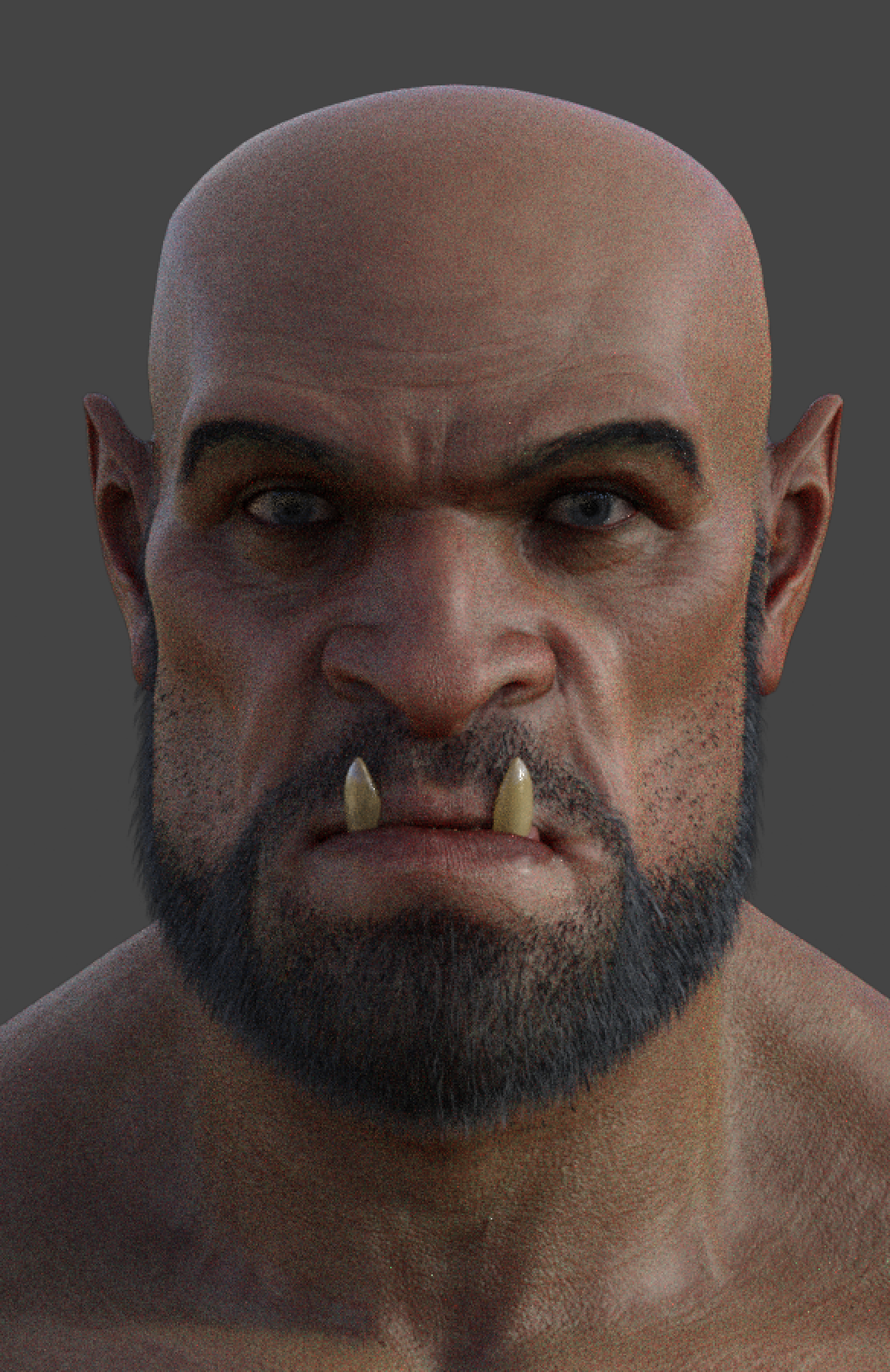
Orken HD for Genesis 8 Male
Hylas said:
He's currently on my wishlist.
Can you make it so his lower tusks protrude when his mouth is closed?
He comes with a lot of cool face and body poses, but there isn't a morph or pose with tusks/teeth out. This is just a quick play with the jaw and lips, probably not ideal, but with a little tweaking I am sure you can make it work.
 What's the number in front of a morph dial?
So I'm trying to find a good setup between installed morphs and figure load times. Putting everything (even stuff from other sites) into DIM to be quicker with installing/uninstalling stuff. And sometimes temporarily removing morph subfolders from for example G8F to keep things slim.
Now I've noticed that there are sometimes numbers - like "(2): morph name" in front of the morph dials. Are those duplicates? Checked the data folder but the morphs I get this are not there twice. Or is there another reason for this?
Question about these log file types.Cleared out a reference to a morph sold at a 3D store we are not allowed to post links to in this forum ;-)
Now Sisi loads without throwing error messages for the missing morph :-)
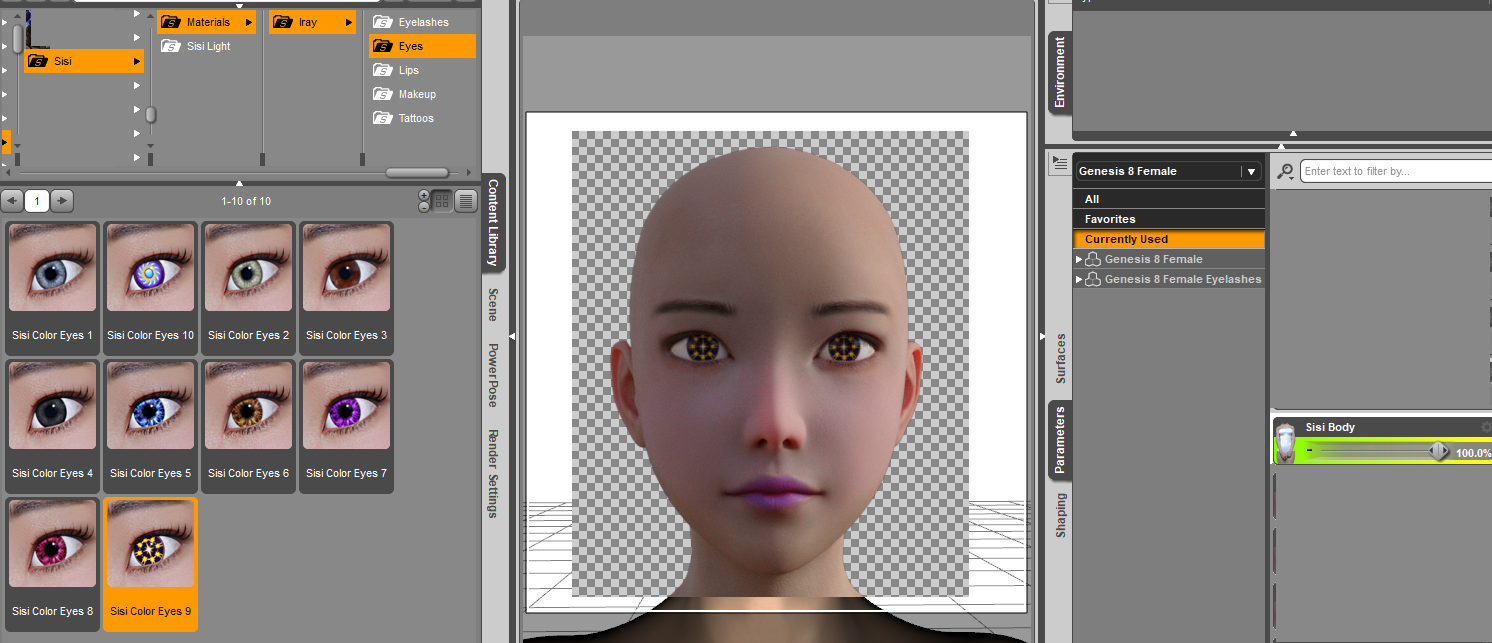
And wishlist is growing! Apparently there are some more Lashes and HD morphs available. So we shall just have to be patient while D/S loads those messages.
Morph already posed clothing?gregsgraphics_cafd0962a0 said:
Does that dForce thing change the subdivisions when you do a drape? If so, then morphs will not work when you export it in draped form. I don't know if it does or not, I don't use it. But might be something to check.
I'm pretty sure it is not a vertex count problem because that usually results in a failed import with Morph Loader Pro. I think it has something to do with Reverse Deformations but I'm not very clued up on that kind of thing.
I did check the subdiv before exporting from DAZ Studio and reset it to 0 on the skirt. I always do that with exporting to Blender to make morphs.
Daz Studio 4.14 Pro, General Release!Richard Haseltine said:
If a morph is saved as an asset (File>Save As>Support Assets>Morph Asset, or File>Save As>Support Assets>Modified Assets) such that it has a non-zero default value then that will apply to any character laoded that is based on the figure and does not exolicitly set the affected morphs to some value. Saving a preset or scene will not change the assets. Reinstalling the base will not affect the issue, unless a morph included with the base has been given a non-zero value. If third-party morphs have been chnaged (via the Save Modified Assets command) then reinstalling those would help; for custom morphs you want to reset the default value to zero - one way to do this is to load the developer build of the figure (for Genesis 8), zero the figure, and then save modified assets (otherwise I woulda void this command like the plague, given its potential to have unanticipated effects). Presets and scenes which set the affected morph explicitily should still work as normal, unless they were saved (via the options dialogue) with values at (incorrect, non-zero) default values excluded.
Thank you, Richard!
...and Thanks jbowler!
Armed with all of this, I think I can fix this - and yes, afterward avoind that Save Modified Assets like the plague! I swear, I have Never used that command - unless there's a secret key command that I hit accidentally (?) I'm not that great with my new keyboard yet - keep mis-typing , hitting things when I should, etc.,
Thanks, truly for helping me with this madness! :)
Morph already posed clothing?I wanted to adjust a dForce drape on a skirt fitted to a posed G8F figure. It didn't work - here's what happened.
I exported the base G8F and the skirt to OBJ and then imported to Blender, made the adjustments in a Blender Shape Key and exported back to OBJ. I then used Morph Loader Pro to import the morph which it did successfully. However, when I try to dal-in the morph the skrt mesh goes weird and looks nothing like the morph I created in Blender. I tried it again with Reverse Deformations turned off (I usually switch that on when importing morphs) but that didn't help.
I do make lots of morphs in Blender but so far I only do so using base figures in the standard T or A-pose. It seems that I have never tried with an already posed figure (although I was sure that I had). Now I'm a little lost as to what to try next. Any ideas?
Daz animation to Blendermindsong said:
Hi Donald (TheMysteryIsThePoint),
I gotta say thanks for your continued BVH migration experiments and progress.
It also sounds like you're working on the possibility of doing a DS-Native version of your script, which would be greatly appreciated by all who are following a workflow that's similar to yours.
I find the apparent resistance to your ongoing and intriguing BVH migration experiments and efforts surprising if not confusing, as I see no downside to having another more direct DS to Blender (and back) bone animation workflow available. I also expect, given your track-record, that any of the mentioned impediments to this (currently experimental) workflow will be identified and addressed as time goes on - much like any utility in its nascient stages - if for no other reason than it's an interesting challenge, let-alone a useful end-result.
Even though I'm also using a DS <==> Iclone toolsuite workflow (IClone's tools nail my price-point/editing needs), I simply can't ignore the rapid advances going on in the Blender animation tool domain. The Blender tools are maturing to *my needs* at a much faster and relevant pace (as are IClone's) than those currently being re-worked in the DS environment, and Blender's rendering facilities are so much better for *my needs*, that these data-migration steps in the process are easily worth the trouble, plus-some.
I'm loving this idea you're pursuing - I *really* like your described paradigm of separating the foundational bone-animation (bvh, etc.) process from the meshed/skinned/morphed figure elements, so-as to really quickly get a solid core of clean skeletal motions in hand before wrapping and refining them with per-figure adjustments and the final skinned morph and dynamics animations that tend to be so app/platform specific. I believe if I can get the editing of bone-motions to work better (foot-slide, natural looking IK, etc.) without mesh distractions, that the required follow-on animation layers will only present that much better (resulting in less visual distraction and uncanny valley motion effects).
Thanks for your (and everyone else's) advice, thoughts, critiques, etc. relative to this effort. Perhaps you 'see' something that's not as evident to others, or relevant to their specific needs, and by your continued persistence, maybe the value you see will prove itself once it becomes less abstract/theoretical - like your sagan project has. I'm a believer, and hardly one to look for silver bullets at this point in life, so your efforts are being watched closely and appreciated.
(FWIW, I'm committed to working with the Genesis1 figure and would be willing to help flesh out the 'grunt-work' of bone-mapping or similar to help enable support for this figure if there is any per-figure differentiation required in your code-base. I would be willing to do this for other figures as well if it'll free you up to do the 'good stuff'.)
best, and thanks again.
--ms
Thanks, @mindsong. I'll stumble forward. Soon I'll be posting the Diffeo HD exporter (which I don't understand very well, but @Padone says it is imperfect but enough to be useful), a DS Plugin "shim" which allows devs to unload/reload plugins without restarting DS to greatly speed up the development cycle, a plugin to fix the BVH files exported from Blender for DS, and a version of Sagan that knows how to create a separate scalp object to serve as the emitter for hair particle systems but is offset from the character's head by a configurable amount so that hair simulations don't become unstable because the hairs are emitted within the head's collision distance.
To be honest, though, I'm most excited about working with the guy I found on upwork who's going to see about figuring out how to do bonafide retargeting in the latest version of Houdini. I am very impressed with Houdini and want to take better advantage of it. God knows I love Blender, but Houdini is un-fricking believable.
"Thiccest" Daz Model Found on DeviantArt!Thank you @DustRider - will try that out. And also thank you @Torquinox - usually I'm not into TwiztedMetal characters that much but this lady looks really interesting. Already wishlisted.
Cannot find a "circumference" morph though. Is this from a specia morph pack? And is "She SWOLE" from "Ms SWOLE"? Don't have that one yet.
Daz animation to BlenderHi Donald (TheMysteryIsThePoint),
I gotta say thanks for your continued BVH migration experiments and progress.
It also sounds like you're working on the possibility of doing a DS-Native version of your script, which would be greatly appreciated by all who are following a workflow that's similar to yours.
I find the apparent resistance to your ongoing and intriguing BVH migration experiments and efforts surprising if not confusing, as I see no downside to having another more direct DS to Blender (and back) bone animation workflow available. I also expect, given your track-record, that any of the mentioned impediments to this (currently experimental) workflow will be identified and addressed as time goes on - much like any utility in its nascient stages - if for no other reason than it's an interesting challenge, let-alone a useful end-result.
Even though I'm also using a DS <==> Iclone toolsuite workflow (IClone's tools nail my price-point/editing needs), I simply can't ignore the rapid advances going on in the Blender animation tool domain. The Blender tools are maturing to *my needs* at a much faster and relevant pace (as are IClone's) than those currently being re-worked in the DS environment, and Blender's rendering facilities are so much better for *my needs*, that these data-migration steps in the process are easily worth the trouble, plus-some.
I'm loving this idea you're pursuing - I *really* like your described paradigm of separating the foundational bone-animation (bvh, etc.) process from the meshed/skinned/morphed figure elements, so-as to really quickly get a solid core of clean skeletal motions in hand before wrapping and refining them with per-figure adjustments and the final skinned morph and dynamics animations that tend to be so app/platform specific. I believe if I can get the editing of bone-motions to work better (foot-slide, natural looking IK, etc.) without mesh distractions, that the required follow-on animation layers will only present that much better (resulting in less visual distraction and uncanny valley motion effects).
Thanks for your (and everyone else's) advice, thoughts, critiques, etc. relative to this effort. Perhaps you 'see' something that's not as evident to others, or relevant to their specific needs, and by your continued persistence, maybe the value you see will prove itself once it becomes less abstract/theoretical - like your sagan project has. I'm a believer, and hardly one to look for silver bullets at this point in life, so your efforts are being watched closely and appreciated.
(FWIW, I'm committed to working with the Genesis1 figure and would be willing to help flesh out the 'grunt-work' of bone-mapping or similar to help enable support for this figure if there is any per-figure differentiation required in your code-base. I would be willing to do this for other figures as well if it'll free you up to do the 'good stuff'.)
best, and thanks again.
--ms
Genesis 8 Basic female loads with Mafalda morph at 100%I checked all the Head and Body files as well and they were already set to 0 so did not have to change those.
Will try and delete and downlad files again in case it makes any difference.
Should i delete the files manually or use Install manager.
Did a try to uninstall and reinstall with DIM yesterday but after unistalling files to install was in Ready to install.
So not sure if it only moved the same files and then installed them back in again.
How do I uninstall and install again making shure I get fresh files.I dont know if any other figure is based on Mafalda. I checked the other from same seller but found no references to Mafalda in them.
But if another figure where based on Mafalda then it would almost certainly have Mafalda morphs as well as some other morph or it would not be onother figure. And the mafalda morphs are the only one.
Distortion in waist/groin area when creating a morph using MorphLoader proyes...
[Edit] Seems i finally got the hang of it now. It doesn't work directly on a pre saved character alone or the actor applied to G3 (btw. am i the only one to think it's somewhat inconsistent they are called "character" when saving, but "actors" in the library?) Instead I need to load the character and copy/paste the shape onto G3F. Following your instructions on from here will give me a master slider as intended. It doesn't let me slim down my G3 morph list, but let's see how the transfer to G8 works (as it should create a single morph with JCMs). Thanks for your help!
Unintended FBM morphs on the figurethank you for your answer. I think it's very likely that you accidentally ran Save Modified Assets.
But I was wondering because I don't remember doing it on every figure (because the morphs were applied to figures that I hadn't used for a long time).
Is there a way to get rid of unwanted morphs from the Assets of all figures? Is there no choice but to reinstall or save Assets again?Richard Haseltine said:
ittonn said:
hi! I am facing a small problem. When I loaded the G3F figure, I noticed that the unintended FBM3duToonGenerations2_10yo morph was applied from the beginning.
I've tried it on some G3F figures and it seems that the same phenomenon is happening on all the figures. Reinstalling the figures solved the problem, but reinstalling all the figures can be tedious. I also want to prevent recurrence, so is there any solution?
Since reinstalling (I assume the Toon Genrations 2) product fixed the issue it was not a product bug, most likely you had run File>Save As>Suuport Assets>Save Modified Assets at a time when the morph was applied.
Unintended FBM morphs on the figureittonn said:
hi! I am facing a small problem. When I loaded the G3F figure, I noticed that the unintended FBM3duToonGenerations2_10yo morph was applied from the beginning.
I've tried it on some G3F figures and it seems that the same phenomenon is happening on all the figures. Reinstalling the figures solved the problem, but reinstalling all the figures can be tedious. I also want to prevent recurrence, so is there any solution?
Since reinstalling (I assume the Toon Genrations 2) product fixed the issue it was not a product bug, most likely you had run File>Save As>Suuport Assets>Save Modified Assets at a time when the morph was applied.
Question about these log file types.Bejaymac said:
Depends on what files you are looking at as to wether there is an issue or not.
Basically those two warning types mean the same thing, can't find the file or property at the specified pathway.
Some times it's down to dependancies not mentioned in the product, all of the DAZ own characters that have an 8 in the name, have corrective morphs which are ERC linked to morphs in the head, body and expression morph packs, if you don't have those packs installed then the ERC links fail and you get those warnings in the log.
In some cases you get them thanks to someone at DAZ deciding to "reorganize" the sub folders in the Morphs Folder, products made before that happened need to be updated otherwise you get those warnings, the products will still work so long as nobody changed the internal ID of the morphs as they were moving them. I know a couple of Handspan's characters fell into this catagory, not sure if they have been updated since though.
Another way of getting them is from a morph asset with bad parent data, that file wont be loaded by DS, so any others that have an ERC link to it will cough up those warnings.
Most you can ignore, some you can get away with deleting the DSF files, but any caused by bad parent data need to be fixed as the product doesn't work right.
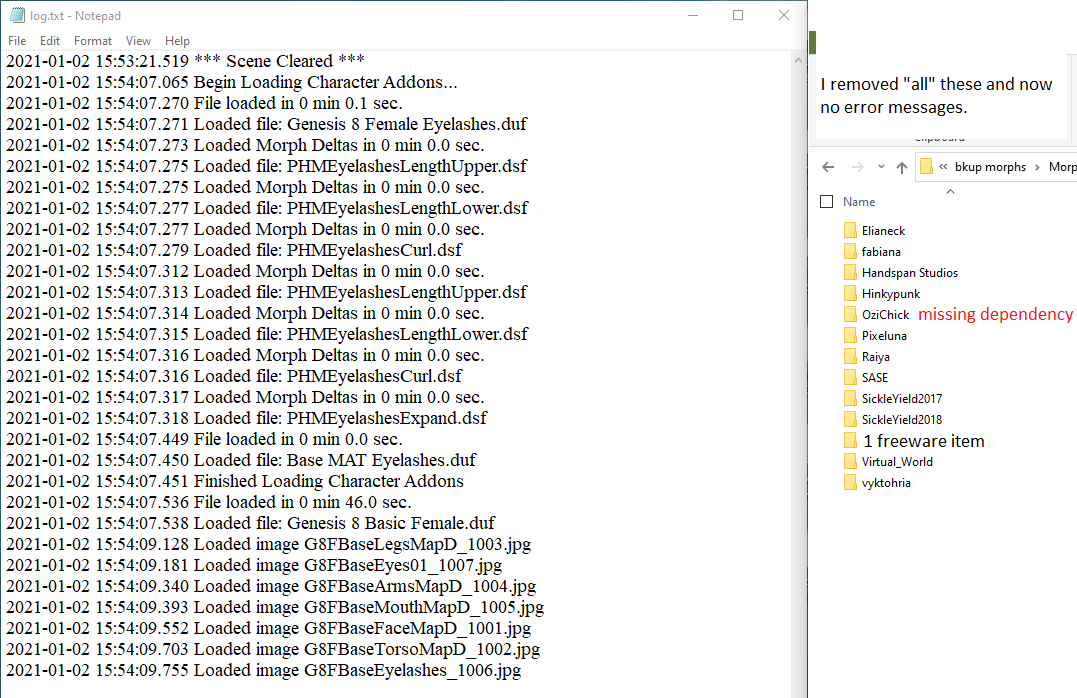
Well at least one of Handspan's characters weren't updated. One by OziChick is due to a missing character dependency which is not even mentioned on the Product Page. The rest I haven't figured out yet however in removing all the vendors' products shown, no error messages!
Carabelle for Genesis 8 Female does not mention any dependencies but we have this:
2021-01-02 13:50:00.686 WARNING: ..\..\..\..\..\src\sdksource\fileinput\dzassetdaz.cpp(5759): Could not find output property for formula: Genesis8Female:/data/DAZ%203D/Genesis%208/Female/Morphs/DAZ%203D/Eva%208/FHMEva8.dsf#FHMEva8?value in file : /data/DAZ%203D/Genesis%208/Female/Morphs/OziChick/Carabelle/Carabelle%20Head.dsf
 Distortion in waist/groin area when creating a morph using MorphLoader pro
Sorry to bother again, but soemhow I'm not getting anywhere
Richard Haseltine said:
build your shape out of its components morphs, then right-click on the Parameters pane to put it in Edit mode;So instead I load G3F then apply a character previously saved, which loads all the morphs to build the shape, which i can perfectly trace in the "currently used" section, so I think that should be fine. Next step
right-click in the property group you want your morph to appear in and and a new property, give it a name and limits; set the new proeprty to 100%;Done
right-click on the new property>ERC Freeze, scan to make sure there's nothing there shouldn't be in the list of Sub Components, and click Accept; test, if all is good save the new property as a morph asset.Done so, going back to currently used I can see the new property control, howere moving forth back does not move the other controls. I freeze that master property control and save as ,orph asset (sam,e name and path as the created property), then I close and reopen DAZ, load G3F and move the new slider - nothing (well, close to nothing) happens... Guess I must be missing a vital step here, what I tried was to untick the restore figure/riging boxes on asaving the morph asset, but that didn't help.
"Thiccest" Daz Model Found on DeviantArt!DustRider said:
Rod Wise Driggo said:
DustRider said:
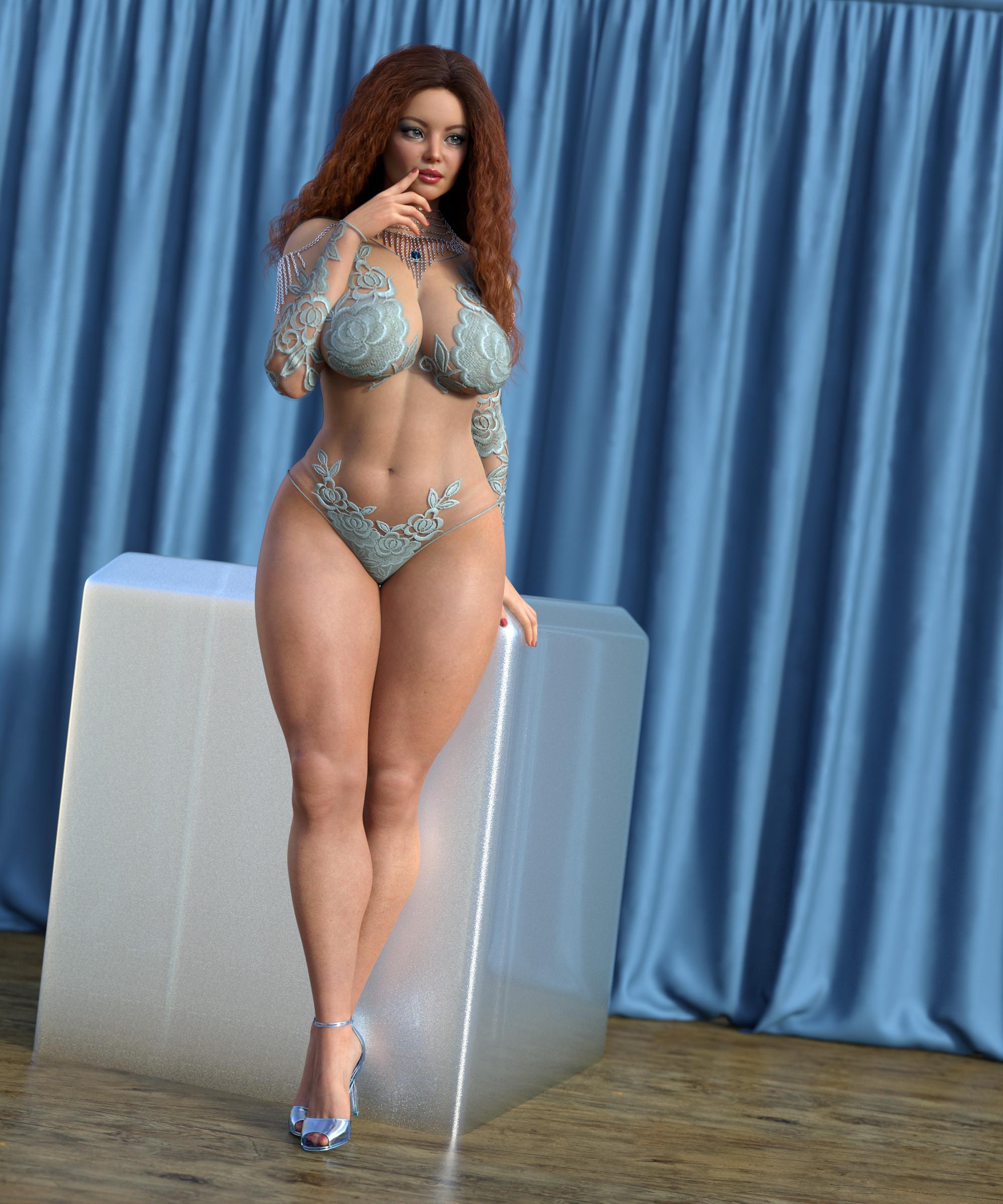
As others have noted, you can achieve similar results yourself by combining character morphs and morph packages. Below is a quick example I cooked up. It uses a character that isn't "thicc" (Brianne from Renderosity), with Girl 7 for Girl 8 and the Genesis 8 Female Body Morphs (the Voluptuous and wheight morphs, along with several additional invividual hip, waist, chest morphs ... ohh fitness and bodybuilder too). The body/face in this image is no doubt not exactly what you are looking, but it should help to demonstrate that you could easily make your own by taking a character with the facial look you want, then modify it with the Genesis 8 Femalle Body Morphs, and possibly some of the morph packages others have mentioned above, and get exactly what you want.
Nicely done, @DustRider
Could you elaborate a bit more on what morphs you've dialed in? Thanks!
Thanks! Here is an approximation that will be very close (didn't save it, but I more or less remember what I did to create the image).
These are the morphs I added to my "base" character (Brianne from Renerosity with my added morphs) - Voluptuous 69.2%, Weight 8.9%, Girl 7 Body 21.9% (the Girl morphs accentuate the hips/waist).
These are the settings I used to modify the base Brianne figure (from Renderosity). She uses the Genesis 8 Face and Body morphs, so I'm not 100% sure exactly all the morphs I added/adjusted, but these are what I think I used

- Girl 7 8%
- Body Tone 32.2%
- Body Builder - 28.3%
- Fitness - 32%
- She Swole Morphs - 10%
- Breast Size - 20%
- Breast Circumfrance - Added 15.4 % to original values
- Shape Shift Breast Large - 23.5
- Shape Shift Breast Diameter - 23.4%
- Waist Width - Reduced original values by 20%
- Hip Size - 20.1%
- Dannae HD Details - 50%
- Charlotte 8 - 4.1%
- Haley - 4%
- Lana - 4%
- Several Shape Shift Glute morphs the don't show in this image.
Hope this helps!!
Wow! Brianne, while not plus sized, has a very lovely shape. I'll definitely purchase. Thanks for the morphs.
"Thiccest" Daz Model Found on DeviantArt!Rod Wise Driggo said:
DustRider said:
As others have noted, you can achieve similar results yourself by combining character morphs and morph packages. Below is a quick example I cooked up. It uses a character that isn't "thicc" (Brianne from Renderosity), with Girl 7 for Girl 8 and the Genesis 8 Female Body Morphs (the Voluptuous and wheight morphs, along with several additional invividual hip, waist, chest morphs ... ohh fitness and bodybuilder too). The body/face in this image is no doubt not exactly what you are looking, but it should help to demonstrate that you could easily make your own by taking a character with the facial look you want, then modify it with the Genesis 8 Femalle Body Morphs, and possibly some of the morph packages others have mentioned above, and get exactly what you want.
Nicely done, @DustRider
Could you elaborate a bit more on what morphs you've dialed in? Thanks!
Thanks! Here is an approximation that will be very close (didn't save it, but I more or less remember what I did to create the image).
These are the morphs I added to my "base" character (Brianne from Renerosity with my added morphs) - Voluptuous 69.2%, Weight 8.9%, Girl 7 Body 21.9% (the Girl morphs accentuate the hips/waist).
These are the settings I used to modify the base Brianne figure (from Renderosity). She uses the Genesis 8 Face and Body morphs, so I'm not 100% sure exactly all the morphs I added/adjusted, but these are what I think I used
- Girl 7 8%
- Body Tone 32.2%
- Body Builder - 28.3%
- Fitness - 32%
- She Swole Morphs - 10%
- Breast Size - 20%
- Breast Circumfrance - Added 15.4 % to original values
- Shape Shift Breast Large - 23.5
- Shape Shift Breast Diameter - 23.4%
- Waist Width - Reduced original values by 20%
- Hip Size - 20.1%
- Dannae HD Details - 50%
- Charlotte 8 - 4.1%
- Haley - 4%
- Lana - 4%
- Several Shape Shift Glute morphs the don't show in this image.
Hope this helps!!
Please help - Importing to Unity - Morphs missingArtini said:
kinglord said:
rayluttermoser said:
Artini said:
I have no problem with sending different Daz characters over the bridge.
What is the reason you wish to send morphs to Unity?
From my previous trials, before the bridge come, exporting morphs creates a very big files on export.
What version of Daz are you using?
Morph export works fine in 4.12. But seems to be broken in 4.14 as I cannot get any morphs to work in Unity now.
Really suck that they broke this cool feature.
I am indeed using DAZ Studio 4.14! I feel silly now that I never thought that would be the issue, probably since they had all the adverts for the bridge up and running in promos during this time. I would love to test in 4.12 to see if it works, but I can't find any official downloads for the older version. Is there some place I can download an older version and give this a try since it seems to be the issue?
The only place, I could think of is Daz3D support.
Send them a support request and ask nicely for 4.12 version explaining your situation.
For future, I would recommend saving/backing up all Daz Studio versions installers you are installing on the computer.
That way, you could install older version, if need arrives.
It is even posssible to keep different versions of Daz Studio on the same computer.
I have not succeded with that myself (I only keep one standard version and one beta),
but if you search Daz Forums, you probably will find descriptions about how to do it.
I am using DIM to upgrade/install Daz Studio on my computer and right after upgrade
I make a backup of all downloaded files.
I've reached out to support to see if I can get an older executable. I'll definitely keep this around, I used to keep stuff like this around all the time but Unity spoiled me rotten with their Hub that lets me do everything there without juggling a bunch of old files. Thanks for the help!
Unintended FBM morphs on the figurehi! I am facing a small problem. When I loaded the G3F figure, I noticed that the unintended FBM3duToonGenerations2_10yo morph was applied from the beginning.
I've tried it on some G3F figures and it seems that the same phenomenon is happening on all the figures. Reinstalling the figures solved the problem, but reinstalling all the figures can be tedious. I also want to prevent recurrence, so is there any solution?
morph to dazeHello. I use Daz to Blender Bridge 2.0. I watch this tutorial export blender morph to daz http://youtu.be/TEXzmUSzX30?t=1220. following this instruction, I managed to transfer the morph to daz. but when you change the slider of the transferred morph, only the size of the model changes. Can anyone suggest what the problem is?
Daz 3D is part of

Connect
DAZ Productions, Inc.
7533 S Center View Ct #4664
West Jordan, UT 84084Licensing Agreement | Terms of Service | Privacy Policy | EULA
© 2026 Daz Productions Inc. All Rights Reserved.