-
Trouble creating morph for Gen9 using Blender 3.4
wowllliny said:
I`ve tried all of these methods and its no any results, I`ve tried in Blender 3.6.22 and 4.4. new version, but I`m thinking the problem still be with G9... Export clear G9 without sculpting ang changing geometry, Morph Loader is failed.
Did you set the mesh resolution to base? Did you export only the base figue, not the add-on parts like eyes and mouth?
Trouble creating morph for Gen9 using Blender 3.4I`ve tried all of these methods and its no any results, I`ve tried in Blender 3.6.22 and 4.4. new version, but I`m thinking the problem still be with G9... Export clear G9 without sculpting ang changing geometry, Morph Loader is failed.
Anyone know about nice OverSize Shirt for G8FLorraine said:
I have this free one and it sims ok...the second morph makes it slightly longer and baggier https://www.renderhub.com/elmenu1/big-shirt-for-genesis-8-female No textures but the body and edges are separate surfaces.
I will check it out , thank you :)
Anyone know about nice OverSize Shirt for G8FI have this free one and it sims ok...the second morph makes it slightly longer and baggier https://www.renderhub.com/elmenu1/big-shirt-for-genesis-8-female No textures but the body and edges are separate surfaces.
DAZ Horse 3 - will there actually be any support this time?Matt_Castle said:
Anything like that would have to be sold through Daz with their consent, as the shape is obviously directly derivative on their Horse 2 figure. Still, should I get accepted by Daz as a vendor (something I am trying to work towards), then I would certainly consider floating them the idea of a Horse 2 compatibility pack for Horse 3. How it would have to be handled on a technical level is something I've not yet fully looked at (ideally I'd like to be able to give H3 full compatibility with H2 textures, but there's differences in the topology flow that make matching UV seams difficult), so I'd have to take some time to see how viable it is.
That's not top priority right now, though. I have a large number of half complete projects around I have been procrastinating over for years, but right now I'm focusing on a centaur centric one in the hope that "Daz won't be interested in centaur stuff for long" finally lights enough of a fire under my butt to actually get me to finish something.
(That said, there are obviously overlaps between the horses and centaurs, so some of what I'm working on for that may be useful down the line).
I would buy too. As well as any of the DAZ Horse 2 morphs you transferred to the DAZ Horse 3 Horse 2 Morph! If that's how it worked.
Wrist and hip posing weirdness G8F&MSometimes this comes from either HD morphs baked into the mesh, displacement or normal maps, but most likely, if it is the custom morph, causing this.
One rule, everybody ignores. custom shapes need custom JCMs.
Create your custom JCM set controlled by your custom character morph dial.In the Blink of an Eye, do you get an error?So awhile ago, I noticed The Age for Genesis 9 (which appears to be missing now) product gives Genesis 9 an error when using the blink pose. An update came out, but the problem still isn't fixed 100%. Morphs still trigger.
• PFA The Age Baby Eye Left Closed Correct
• PFA The Age Baby Eye Right Closed CorrectAnd a DUPLICATE FORMULA warning appears for...
• PFA The Age - Elderly Head.dsf
• PFA The Age - Mature HeadPlus Clyde 9 and Monaliza 9 also seem to have this little hiccup when using the blink morph. The following morphs trigger...
• Clyde_head_cbs_HeadBlinkR
• PNMonaliza_head_cbs_Eyes_rOf all the morphs/poses I have, it's weird the blink morph is the one that seems to pop up with the most errors. So as a public service announcement, I thought I'd let everyone know. I have submitted a ticket for the three products.
EDIT: If you have something like this, these are the instructions on how deactivate the offending morphs.
• 1) Click the 4 LINES on the PARAMETERS PANE. A popup menu will appear.
• 2) Click PREFERENCES, then SHOW HIDDEN PROPERTIES.
• 3) Under the CURRENTLY USED option, there will be all the morphs currently active on your Genesis 9 figure. You'll have to wander through the list to see what is what. Just dial it down to 0 to turn off the morph.Model ID required pleaseI think you're wrong about the skin, the spots on the body are missing on the Fulani skin. I'd rather think it might be P3D Noa as she has that spot on the left breast and also one on the right shoulder (barely visible on main promo), though breast spot not on the exact same place but that could be because of different breast morphs. I also think that Noa's head morph matches better, but her eyebrows are different (so are Fulani's), though they could have been replaced of course.
Model ID required pleaseHi again, sorry another one of these :)
Can anyone help identify the morph
https://www.daz3d.com/quick-click-modern-long-hair
I am fairly sure the skin is https://www.daz3d.com/p3d-fulani-hd-for-genesis-9
Many thanks
AIUTO...CHI CONOSCE L’ITALIANO? PARTE QUATTORDICIRagazzuoli, qualcuno sa dirmi quali figure sono supportate nel sistema di transfer dei morph dell'Alpha? E' solo G8 a G9 o arriva anche un pò più indietro?
Ava 9 Joins DAZ Studio...COMIXIANT said:
I'm not surprised to see this character has gained some attention, and I'm glad to see a thinner model for once.
This is exactly the sort of thing I was getting at in the 'Bluejaunte Appreciation' thread. It's important to have these figure types, because as Ainm pints out on the previous page, they add diversity to the morph pool, and as NewGuy just demonstrated perfectly, things like shoulder definition look far more realistic than the usual 'bent pipe' effect we see on far too many characters.
But when we have characters like this, characters with a more visible bone structure to blend in, we have greater options for realism.
That's a good point I think. Thanks for bringing it up, I hadn't thought about things this way before.
[Released] Character Converter from Genesis 3 Female to Genesis 8 Female(Now Conv JCMs) [Commercial]Slate-greyTrees said:
On page 22 of this discussion, AnotherUserName reported that a conversion of Jenn HD for Victoria 7 featured "strange, wavy biceps". The comments on this issue ended on the same page without a resolution. I have had the same or a very similar issue with the conversion of Victoria 7 herself and characters based on Victoria 7. When I originally converted Victoria 7 and some other V7-based characters, the arms on the Genesis 8 conversions showed no distortions. After a break I converted a V7-based character early this year and found the wavy arms, which look a bit like the Body Builder morph arms. I then discovered the same arm distortion when converting Victoria 7 again and all the other V7-based characters I tried. Deleting the conversion morphs, renaming the Body Builder morph file, re-starting Daz Studio and running the conversion again made no difference. To cut a long story short, I backed up all files to external hard drives (and inaccessible to Daz Studio), did a clean re-install of Windows on my computer, downloaded DIM and installed just the basics along with Genesis 3, Genesis 8, Victoria 7 and the G3F to G8F converter and made no changes to any settings in DS. I fully expected the conversion of Victoria 7 to have straight arms this time, but no. The conversion still has distorted arms.
There is currently little else besides Daz Studio on my computer. Just to make sure, I uninstalled each of the other applications, deleted the morphs and ran the conversion, but the arm distortion remained. Has anyone had this issue and found the cause?
Screenshot and log file from before the re-installation of Windows attached.
Did you delete the clone before converting a character too? The clone is done once and is located in C:/Users/USER NAME/AppData/Roaming/DAZ 3D/Studio4/CharacterConverterMorphs.
Fix for HeadShop 2005 plugin on DS 4.24Richard Haseltine said:
Most of this seems to be a plug for your plug-in, and I don't see any evidence that 3rd party plug-ins in general crash. Make sure that you are not using undoccumented features that have changed, and that you are validating return values before trying to use them (if adding clothes fixes the crash then it sounds as if you are getting and not catching a null pointer when looking for fitted items)..
Richard, this was in response to user Austin McGuire's tech support request regarding issues when using HeadShop 2025 LT in DS 4.24. We checked and indeed when applying HeadShop morph, the Genesis figure completely disappeared (not a general crash). Mind you, HeadShop 2025 plugin was working on all previous DAZ Studios....Maybe you want to refrase your comment....
Laslo
Ava 9 Joins DAZ Studio...I'm not surprised to see this character has gained some attention, and I'm glad to see a thinner model for once.
This is exactly the sort of thing I was getting at in the 'Bluejaunte Appreciation' thread. It's important to have these figure types, because as Ainm pints out on the previous page, they add diversity to the morph pool, and as NewGuy just demonstrated perfectly, things like shoulder definition look far more realistic than the usual 'bent pipe' effect we see on far too many characters.
But when we have characters like this, characters with a more visible bone structure to blend in, we have greater options for realism.
Prop Creation in 3DS Max - Best Practicessavagestug said:
vectorinus said:
First you create some object in any 3d application. Then export it to obj format. Launch Daz Studio and import this object into the program. Details (for Blender) here:
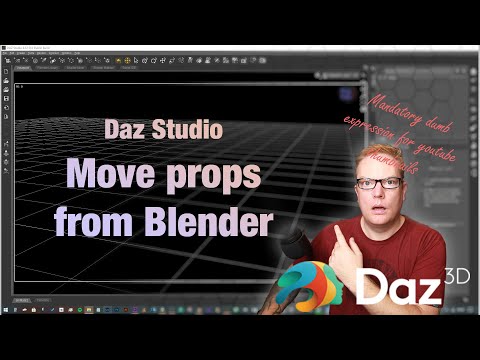
Your prop is in the Daz Studio now. Morphs for it are created in the same 3D application (the object is morphed by the tools of your program). Then the morphed object is also exported to obj file.
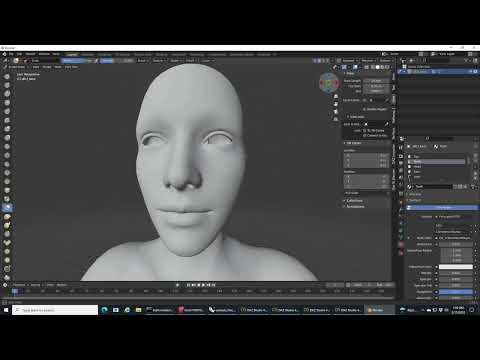
But now you don't import the object into Daz Studio as usual. You have to transfer it using the Morph Loader Pro plugin (with your prop active in the scene, of course). Details at the end of this video:
Thanks, I have already seen those videos, and they were helpful. I am more looking for modeling best practices for models to be exported to DAZ. All quads, or tris OK? I'm curious, as when I try to make changes to models in DS I frequently run across what I thought was undesirable, namely lots of really long, skinny tris. None of the tutorials I have been able to find address this question.
Long skinny tris are a no-no in any 3d software, not just DS. Ngons are also not desirable because of the way they could triangulate after exporting. Keep away from those two things and try as much as possible to keep a logical quad-based topology whenever possible. Triangles are ok, but should be kept to a minimum only in areas where they are unavoidable or will not create pinching or artifacts in a render when smoothed (subdivided). 3dsmax has many good tools to keep everything quads, so you should be ok.
Any way to transfer the auto-rigging results onto the actual bone properties?lilweep said:
I dont think he's asking how to do standard ERC linking of the adjusted rigging to the morph. I think he wants the bone translations to be on the properties, according to the screenshot.
@ OP,if you are doing this for DTH, can you instead use Houdini to adjust the rigging - i thought you had a way of doing this via alembic?Possibly can use Diffeomorphic/Blender as an intermediate, if the output from Blender is to your specifications.
Thanks for the reply and yes, this is what I'm wanting to achieve.
I could do it in Houdini but that doesn't really help anything as ideally the correct bone transforms need to be applied at the source, before the Fbx and Alembic are generated.
It's not a huge deal as the process will work anyway for the most part, but it would be much better if we could export accurate bone transforms out of Daz Studio.
I'll keep playing around with it.
Can't Save Morph Asset in Genesis 9 (GoZ / ZBrush Workflow)Richard Haseltine said:
Note that it is modifier asset, not modified assets
Thanks a lot for your reply! That really helped clear things up. I followed the steps using “Modifier Asset” instead of “Morph Asset” and it worked perfectly. I appreciate you taking the time to help out!
Can't Save Morph Asset in Genesis 9 (GoZ / ZBrush Workflow)Leana said:
IIRC Morph asset is deprecated, you should now use "modifier asset"
Thanks a lot for your reply! That really helped clear things up. I followed the steps using “Modifier Asset” instead of “Morph Asset” and it worked perfectly. I appreciate you taking the time to help out!
Can't Save Morph Asset in Genesis 9 (GoZ / ZBrush Workflow)IIRC Morph asset is deprecated, you should now use "modifier asset"
Can't Save Morph Asset in Genesis 9 (GoZ / ZBrush Workflow)Hi,
I hope someone can help me with this issue. I've watched several tutorials on how to save morphs, and in the past, I was able to do it successfully with other Genesis figures. However, for some reason, I haven’t been able to make it work with Genesis 9, even after following the same steps.
Here’s a breakdown of my workflow so you can get a better idea of what might be going wrong:
-
I send the figure from Daz Studio to ZBrush using GoZ.
-
I make the necessary modifications in ZBrush.
-
I send the modified figure back to Daz Studio, and a new morph is created (as shown in the attached image, under the name “New Body”).
-
In the Parameter Settings, I change the minimum value of the slider to 0.
-
Then I try to save the morph using File → Save As → Support Asset, but the "Morph Asset(s)" option is greyed out, so I can’t save it.
I also tried changing the Path field in the Parameter Settings to something like
Actor/MyZBrushMorphs, but as soon as I close the window, the morph disappears from the scene. I checked the/Data/folder but couldn’t find any related files.Anyway, I hope my explanation was clear enough. I’d really appreciate any guidance or help to figure out what I might be doing wrong.
Thank you very much for your time and help.
Daz 3D is part of

Connect
DAZ Productions, Inc.
7533 S Center View Ct #4664
West Jordan, UT 84084Licensing Agreement | Terms of Service | Privacy Policy | EULA
© 2026 Daz Productions Inc. All Rights Reserved.