• Daz 3D
  • Shop
  • 3D Software
    • Daz Studio Premier
    • Daz Studio
    • Install Manager
    • Partnerships
    • AI Training data
    • Exporters
    • Daz to Roblox
    • Daz to Maya
    • Daz to Blender
    • Daz to Unreal
    • Daz to Unity
    • Daz to 3ds Max
    • Daz to Cinema 4D
  • 3D Models
    • Genesis 9
    • Genesis 8.1
    • Free 3D Models
  • Community
    • Gallery
    • Forums
    • Blog
    • Press
    • Help
  • Memberships
    • Daz Premier
    • Daz Plus
    • Daz Base
    • Compare
  • Download Studio
ADVANCED SEARCH
  • Menu
  • Daz 3D
ADVANCED SEARCH
Add image
  • Shop
  • 3d Software
    • Daz Studio Premier
    • Daz Studio
    • Install Manager
    • Partnerships
    • AI Training data
    • Exporters
    • Daz to Roblox
    • Daz to Maya
    • Daz to Blender
    • Daz to Unreal
    • Daz to Unity
    • Daz to 3ds Max
    • Daz to Cinema 4D
  • 3D Models
    • Genesis 9
    • Genesis 8.1
    • Free 3D Models
  • Community
    • Our Community
    • Gallery
    • Forums
    • Blog
    • Press
    • Help
  • Memberships
    • Daz Premier
    • Daz Plus
    • Daz Base
    • Compare

Notifications

You currently have no notifications.

Loading...
Daz 3D Forums > Search
  • Black eye ?

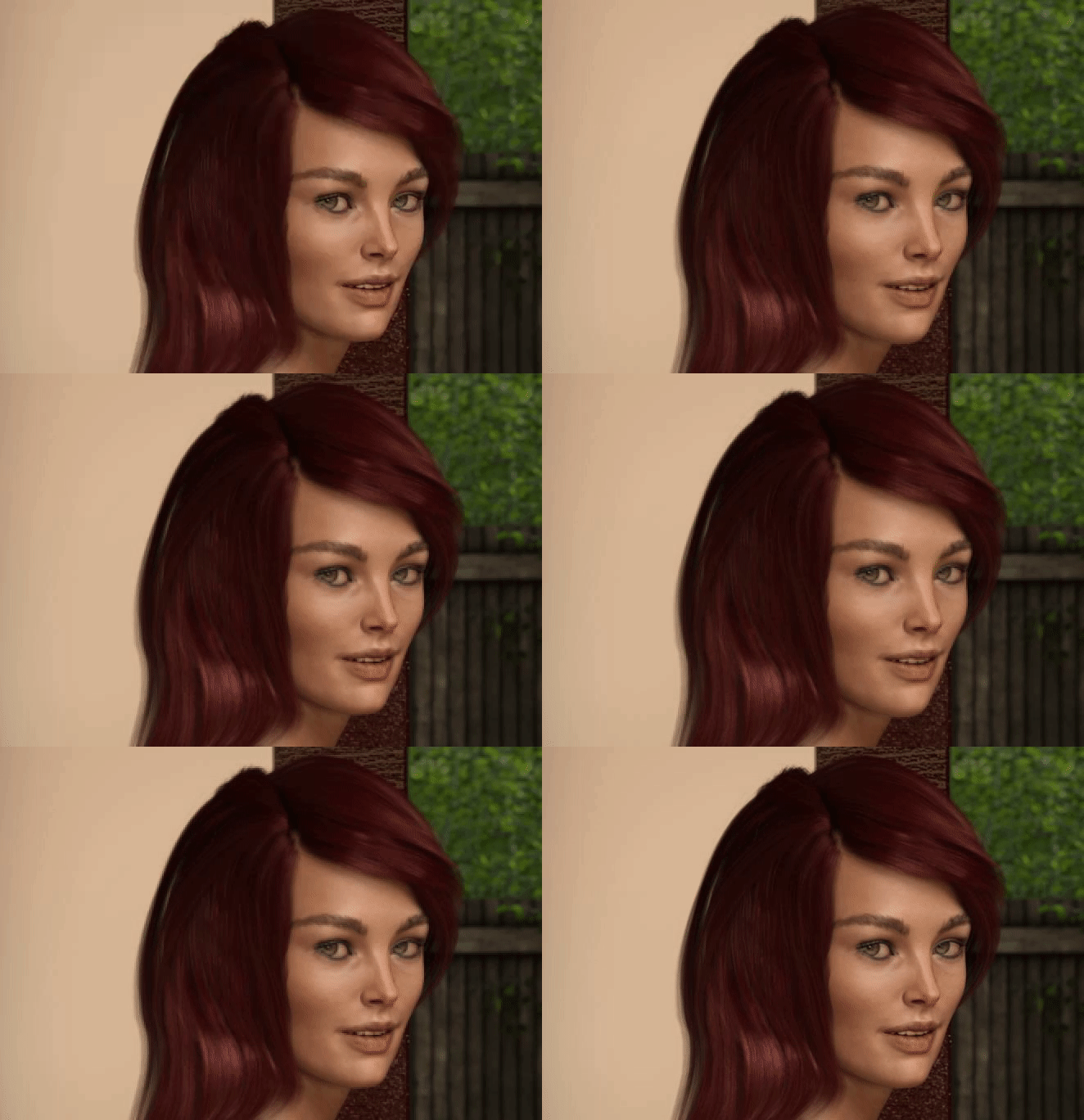
    It's better to have what you render around the origin when rendering in Iray. When your item is far from origin there can be render artifacts where you have surfaces close to each other, like iris and cornea in the eyes. From what I understood that's due to Iray using a fixed number of digits to represent position: when an item is far from origin it needs more digits for the "main" part of the position so it has fewer digits availables for decimals, so there can be rounding errors causing surfaces which are close to be located at the same place when rendered.

    IIRC there's a morph available somewhere to move the cornea a bit farther away, which can help reducing that kind of problem.

    By

    Leana Leana January 2021 in Technical Help (nuts n bolts)
  • Am I remembering wrong?

    nicstt said:

    shadowhawk1 said:

    Charlie Judge said:

    shadowhawk1 said:

    I don't have GenX,The V4 morph I have was done by someone on DA and they also did a G2 for G3, but the set I seem to remember was sold in the store here.

    See your PMs. I sent you a link to a DA one but I don't think it was ever sold at DAZ

     Thanks Charlie, I do have that one but the face seems a bit off when it is loaded. I appreacite the PM letting me know about it. yes 

    I don't know why but I just have this vidid memory of there being a V4 or Gen 4 legacy morph set for G3 right after it came out, and remember it was a big deal but I ahven't seen it for a long time. Maybe I have lost my last marble and all I have left are rocks.  Thanks for everyone that has tried to help me with this

    Our memories are notoriously unreliable. sad

    Funny though, how important eye witness testanomy is in a court of law, whereas scientific proof ignores it completely becuase of said unreliability. wink

     Back when I went through the Police Academy, one of the things my instructors always said that if you interview 10 people at a crime scene you will get 10 different stories and those 10 stories will become 20 under cross examination. 

    By

    shadowhawk1 shadowhawk1 January 2021 in The Commons
  • simple way to bring an G8 figure up to G8.1

    TheKD said:

    If that works, then there is no need. Just load g8.1 base, use the shape and skin presets from the vendor folder, then save that as a new preset. I don't have 8.1 installed yet, and won't be doing it for a while probably, so can't test the process myself.

    The “save a preset” is needed if they wanted to transfer a custom character, not a store-bought one.

    By

    Leana Leana January 2021 in Daz Studio Discussion
  • Am I remembering wrong?

    shadowhawk1 said:

    Charlie Judge said:

    shadowhawk1 said:

    I don't have GenX,The V4 morph I have was done by someone on DA and they also did a G2 for G3, but the set I seem to remember was sold in the store here.

    See your PMs. I sent you a link to a DA one but I don't think it was ever sold at DAZ

     Thanks Charlie, I do have that one but the face seems a bit off when it is loaded. I appreacite the PM letting me know about it. yes 

    I don't know why but I just have this vidid memory of there being a V4 or Gen 4 legacy morph set for G3 right after it came out, and remember it was a big deal but I ahven't seen it for a long time. Maybe I have lost my last marble and all I have left are rocks.  Thanks for everyone that has tried to help me with this

    Our memories are notoriously unreliable. sad

    Funny though, how important eye witness testanomy is in a court of law, whereas scientific proof ignores it completely becuase of said unreliability. wink

    By

    nicstt nicstt January 2021 in The Commons
  • Am I remembering wrong?

    WendyLuvsCatz said:

    https://www.daz3d.com/v4-and-m4-shapes-for-genesis

    but I have actually used GenX to get that onto genesis 3


    I tried using Gen X a few times and it was a disaster, so I gave up on it and haven't tried it again. Also I have found that pretty much all of the conversion software available for figures always has some kind of error in it and doesn't transfer the greatest. 


    By

    shadowhawk1 shadowhawk1 January 2021 in The Commons
  • Daz Studio Broken (Again) With a New & Thrilling Problem to Tantalize Frustration

    Rufus Coppertop said:

    In addition to the return of problems I thought I'd fixed yesterday with help from Richard and others, the problems are all back.

    When I try to customize a figure with the elongate abdomen morph in Shape Shifter, the shoulders burst up through the tanktop straps and the hair which was on the head is now a nose level beard.

    It only happens with that morph.

    And now for the NEW & THRILLING BONUS PROBLEM...................I can't select anything in the scene workspace. There's a little red circle rather than an actual arrow cursor.


     That sounds like you have a Tool other than Node Selection or Universal selected.

    By

    SimonJM SimonJM January 2021 in Daz Studio Discussion
  • g8 morph question

    2021-01-30 23:40:51.025 WARNING: ..\..\..\..\..\src\sdksource\fileinput\dzassetdaz.cpp(5759): Could not find output property for formula: Genesis8Female:/data/DAZ%203D/Genesis%208/Female/Morphs/D.Master/Auto%20Face%20Enhancer%20Female/G8Female%20PowerPose%20Female/AFE%20Brow%20Zero%20PP.dsf#Brow%20Master%20Center?value in file : /data/DAZ%203D/Genesis%208/Female/Morphs/3D-GHDesign/BooNanza/GHD%20BuggaBoo%20Eyes%20Elfin.dsf
    ----
    okay has dax merged I bunch of items into one string?
    it looks like it's looking for something for "Genesis8Female" in data>Daz 3D>Genesis>Female/Morphs/D.Master/Auto Face Enhancer/Female/G8Female PowerPose Female/AFE Brow Zero.dsf Master Center?value in file/data Daz 3d/Genesis Female/Morphs/3DGHDesign/BooNanza/GHD BuggaBoo Eyes Elfin. dsf
    -----
    Okay, I can find the Eyes Elfin where they should be in genesis 8 folder in the runtime I installed it in. 
    But where are all the genesis calls and I uninstalled the auto face enhancer because it was generating a lot of warning. 
    ----
    I did also uninstall all the gen 8 female  morph packages I could find 5 or 6 of them .. it cut the load time from 3 min 43 sec to 3 min 26...  and generated more warnings in the log. 
    ---
    actually another load droped to 2 min 24 ... but the only way to cut down the number of morphs would be to unintall most of my characters etc. 
    ----
    I can see three possible solutions...  obviously at the single morph level items read fast.. it's the 300 hundred of them (which is probably consevative very). 
    ----
    one) currently the program reads a morph dsf and then creates icon slider and hooks the morph in? 
    so read the morph create image/slider and do the next one ... but doesn't activate the morph? 
    I would trade loading the figure in a minute and waiting a couple secs to activate a morph when I choose to use it?
    Two 
    Create a new libary between the Dim and the program that looks like the content library but when I click on a character like edward8 .. .then it loads the morph packages assigned to that character? 
    Three
    Depsite issues I think the program does a lot of incredible things... but I used to program (and did stuff for some major companies) we created code that worked .. got the job done when Sears (one of them) was screaming we need this last week. 
    So we produced working code fast.  But I have no doubt that someone who specialized in "coding structure" rather that specific result we were coding .. could have cleamed up not what the code did but could clean up how it was being done? 
    ---
    I know daz probably doesn't have a 640k partition down inside ... but I did have a friend who programmed Windows.. (back in the XP era). (he was the 700th employee and retired with a hellavalot of money at age 35 or so.) 
    If you're old enough to remember the far side and the carton of the rocket scientists looking at ship on the launchpad that had zig xags going up and the there was a blueprint that had been mis-folded on the table? 
    That cartoon was in the head programmers office posted on a bulletine board with the sections label 8 bit, 16 bit, 24 bit, 32 bit.
    ----
    So one idea would be not another 3d programmer but someone who just comes behind the 3d programing and cleans up and tightens the code? 
    ---
    attached is my scene/render backup folder from ten years ... I know there are duplicates but there's also stuff from the less couple months that's not in it yet. 
    But the slow load issues --- and  other things that have been requiring time to work around and figure out have hacked my creative time way down. 
    ---
    just spend an eveing trying to figure out how to load figures faster .. 
    yesterday ti was trying to figure why 415 doesn't like catalyzer...  but it's not all the time...  it'll do the snow leopard in 4kx2k and die doing another one in 1kx1k...  it'll render a scene than CTD reloading that scene.  had a sceice with a charater and wolverine. rendered it, saved it, closed, opened later...  now it crashes on any attempt to render the animal but I can render the character and then render the wolverine and it CTDs then or crashes when I click in the scene list or move the curser too fast.. but nothing consistant --- personally I'd like something to fail consistently until I can figure what's wrong then just be random. 
    ---
    I have about 1500 renders in my facebook cover file alone...
    ---
    But my pace is slowing. 
    ---

    By

    alan bard newcomer alan bard newcomer January 2021 in Daz Studio Discussion
  • Daz Studio Broken (Again) With a New & Thrilling Problem to Tantalize Frustration

    In addition to the return of problems I thought I'd fixed yesterday with help from Richard and others, the problems are all back.

    When I try to customize a figure with the elongate abdomen morph in Shape Shifter, the shoulders burst up through the tanktop straps and the hair which was on the head is now a nose level beard.

    It only happens with that morph.

    And now for the NEW & THRILLING BONUS PROBLEM...................I can't select anything in the scene workspace. There's a little red circle rather than an actual arrow cursor.


    By

    Rufus Coppertop Rufus Coppertop January 2021 in Daz Studio Discussion
  • 3D Art Freebie Challenge-January 2021-"New Years Resalutions" -Main Thread Only

    3D Art Freebie Challenge January 2021 "New Years Resalutions"


    Ah, it must be from the verb (to) re-salute, a New Year's re-salution! Miss spelled what? :)

    [Best watched at full size for details.]

    "Old Resolutions"

    Starring: Ellie and Linda

    The tale:

    "Aren't these Mother's New Year's Resolutions from last year?" Ellie said questioningly, "Well, let me see that..." Linda said. "And she didn't even use the electronic cigarette we gave her for Christmas that same year one single time..." Ellie continued complaining to her older sister. She was listening to 'I Gotta Feeling' by the Black Eyed Peas after taking a shower and then found the gift box with the New Year's Resolutions in her mother's closet. "Put your smelly running shoes away, you know mama hates that!" Linda just said...

    Soundtrack:

    Black Eyed Peas - I Gotta Feeling (© 2009)
    https://www.youtube.com/watch?v=CwdrtwZiQ9E


    COUNTABLE FREEBIES: (Alphabetic order)

    #01! 2020 Pose 004 for G8 Female by Itazura
    https://www.renderosity.com/rr/mod/freestuff/2020-pose-004-for-g8-female/84953  **

    #02! Assorted Morphs for G8F by SquarePeg3D (Peggy's Resources)
    https://www.patreon.com/posts/morphs-assorted-20078154

    #03! Braid Bracelets for G3M, G3F, G8M, and G8F by Fisty
    https://www.sharecg.com/v/92874/gallery/21/DAZ-Studio/Braid-Bracelets-for-G3M-G3F-G8M-and-G8F  **

    #04! Chair with plaid by kratzdistel
    https://www.renderosity.com/rr/mod/freestuff/chair-with-plaid/86539  **

    #05! Channel Bangle Bracelet G3F by AllenArt
    https://sharecg.com/v/96991/gallery/21/DAZ-Studio/Channel-Bangle-Bracelet-G3F  **

    #06! Christmas Presents by TruForm
    https://www.renderosity.com/mod/freestuff/christmas-presents/75965  **

    #07! Counter Table and Bar Stool Set by Luxxeon
    https://sharecg.com/v/71601/gallery/5/3D-Model/Counter-Table-and-Bar-Stool-Set  **

    #08! E-Cigarette by CGAxis
    https://free.cgaxis.com/product/3d-e-cigarette/  *1

    #09! ED's Brick Shader (Iray) by Edheldil3D
    https://www.deviantart.com/edheldil3d/art/Freebie-ED-s-Brick-Shader-Iray-788871766  **

    #10! Eyes Dilate for Genesis 8 Female by felldude
    https://www.renderosity.com/mod/freestuff/eyes-dilate-for-genesis-8-female/82869  **

    #11! iPhone X by klausdbg
    https://www.sharecg.com/v/89747/gallery/5/3D-Model/iPhone-X  **

    #12! Iray car related shader presets 'megapack' by Tom2099
    https://www.deviantart.com/tom2099/art/Iray-car-related-shader-presets-megapack-539622361  **

    #13! Iray Jewelry Shaders by AllenArt
    https://sharecg.com/v/95893/gallery/21/DAZ-Studio/Iray-Jewelry-Shaders  **

    #14! Large Asian-style lamps by AllenArt
    https://sharecg.com/v/95938/gallery/21/DAZ-Studio/Large-Asian-style-lamps  **

    #15! Linda - Character for G3F with texture maps by Edelzwicker
    https://www.sharecg.com/v/89731/related/21/DAZ-Studio/Linda-Character-for-G3F-with-texture-maps  **

    #16! LouderPhones by insane_machine
    https://www.renderosity.com/mod/freestuff/louderphones/64153  **

    #17! MicCable Set by MDP
    https://sites.google.com/site/mdp6gdl/  (item 11)

    #18! Moona Autumn - Full Head and Body Morphs for G8F by TritiumCG
    https://www.deviantart.com/tritiumcg/art/Moona-Autumn-Full-Head-and-Body-Morphs-for-G8F-860439964  **

    #19! Morphing Poster by SquarePeg3D
    https://www.renderosity.com/rr/mod/freestuff/morphing-poster/87552  **

    #20! Nike Air Zoom for G1 by Tranquil  heart
    https://sharecg.com/v/97066/browse/21/DAZ-Studio/Nike-Air-Zoom-for-G1  **
    [Fits perfectly to G8!]

    #21! Pd-Soft Leather Daz Studio Shaders for Iray by Parrotdolphin (Janet)
    https://sharecg.com/v/80223/gallery/7/Material-and-Shader/Pd-Soft-Leather-Daz-Studio-Shaders-for-Iray  **

    #22! Puppet Box by MysticArtDesign
    https://www.renderosity.com/rr/mod/freestuff/puppet-box/87667  **

    #23! Retro Heroine 8 Outfit by Fredel
    https://www.renderosity.com/mod/freestuff/retro-heroine-8-outfit/77959  **
    [Tank top]

    #24! RGB HDRi Soft Lights for Daz Studio - Iray by VAlzheimer
    https://gumroad.com/valzheimer  (4th item)

    #25! Shiny Wood Tiles Free PBR Texture by CGAxis
    https://free.cgaxis.com/product/shiny-wood-tiles-free-pbr-texture/  *1

    #26! SY 200 Morphs for Genesis 8 Head and Body by SickleYield
    https://sharecg.com/v/91888/view/21/DAZ-Studio/SY-200-Morphs-for-Genesis-8-Head-and-Body  **

    #27! The Last of Us Part II: Ellie Morph by ElSinestroUno  heart
    https://www.deviantart.com/elsinestrouno/art/The-Last-of-Us-Part-II-Ellie-Morph-855234510  **
    [Hair, Eyebrows and Skin included!]

    #28! TLOU2 Ellie for G8F by Shinteo
    https://www.patreon.com/posts/tlou2-ellie-for-42575735
    [Bracelet]


    NO-COUNT ITEMS:

    ++   Basic Wear for Genesis 8 Female by DAZ Originals
    ---    Casual Outfit 2 for G3M by Tab [Bracelet]
    ---    Couch and Table by Onnel [Plaid used] (The Holiday Loyalty Sale 2019 Free Item)
    ---    Comfortable Chair by Mada (The Holiday Loyalty Sale 2019 Free Item)
    ---    MMX Fantasy Eyes Mini by Mattymanx (The Holiday Loyalty Sale 2020 Free Item)
    ++   Stucco shader NVIDIA MDL Examples


    PURCHASED/PAID FOR ITEMS: None       100%    Freebies


    *1     E-mail address required
    **     Registration required
    #x!   Countable Items (Bold ones are used by me for the first time I think.)
    ---     No longer available freebies
    ++    Free with DAZ Studio (or the Essentials)
    $x.   Purchased/Paid For Item


    Rendered with DAZ Studio 4.10.0.123 (nVidia Iray)

    Other free software used: GIMP v2.10.14 and Irfanview 4.54

    Postwork: used the AltaLux Image Enhancement Filter (Effect) by Stefano Tommesani that comes with Irfanview and some filters (oa) that come with GIMP. Also used mcjDenoise by mcasual. (https://sites.google.com/site/mcasualsdazscripts9/mcjdenoise)


    "Old Resolutions"

    By

    JackyBrown JackyBrown January 2021 in Freebies
  • Genesis: The Early Years

    Oh yeah, Genesis 1 is VERY versitile! It also has better male/female parity with it's morph collections. Now if a stylized morph is released for Genesis 8, its usualy female only. To this day I don't think Sakura 8 ever got a proper matching male counterpart.

    By

    vrba79 vrba79 January 2021 in Art Studio
  • SereneNight’s Sci-Fi Fun Thread 3

    Yes. Probably minor but the face has a different architecture and things like brows, under eye lid shapes etc weren't in the original m8. You have to do a pre render of gen8 version then a second render of the gen8.1 version with morphs applied to tell the differences and zoom in.  I am not sure why but even if you look at the two initial images you can see slight differences, it was worse before the hours of correction I made. 
     

    Owen and Boyd are very customized too so it is possible some of their morphs do not transfer as well to the new shape.

    By

    Serene Night Serene Night January 2021 in Art Studio
  • SereneNight’s Sci-Fi Fun Thread 3

    For those who want to see the difference between Michael 8.0 and Michael 8.1 dialed in, you can! In addiition to that M8.1 is bulkier than M8   You can see that Owen, who is already extremely fit, has acquired even more big shoulders with the new morph.

    This is why, I honestly think they should've called him something different. He just isn't Michael. I've used Michael on the boys since early days.... And this one just doesn't have the same face. 


    G8.1 Base Male with Michael 8 + Owen

    G8.1 Michael 8.1 + Owen

    By

    Serene Night Serene Night January 2021 in Art Studio
  • SereneNight’s Sci-Fi Fun Thread 3

    it's only half natural looking, it looks more wrong.  I've never liked the open mouth smile, anyway smiley


    I think the mouth is... Effectively its own creature. So no matter what character you have you dial the mouth and it looks... The same.  I find the mouth seems to turn up too much, giving a weird joker rictus. Also it is sometimes a bit short on the sides. So like the smile is there, but confined to the middle of the face in a weird way a bigger mouthed person's lips might not be.

    So yeah, the stiff upper lip thing I have seen it.

    https://www.daz3d.com/pictures-of-you-iii-morph-dial-and-one-click-expressions-for-genesis-8-male-s, Pose set seems to have the nicest smiles that Suit Owen and Boyds larger mouths and lips.  You still need to dial them down slightly. But these smiles tend to have the wholesome look I'm going for with Owen that lights the face..

    They look better  than the "who farted" owr weird Joker Smiles.

    I should mention that even Jailbroken the PX Pictures of You III set, has a few that aren't applying correctly.   It is still one of the best sets in the store for the kind of look I like.


    By

    Serene Night Serene Night January 2021 in Art Studio
  • SereneNight’s Sci-Fi Fun Thread 3

    Interestingly the facial structure of G8.1 and G8 is not exactly the same. When I applied Owen and Boyd's shapes to G8.1 there are very slight changes. For exaple G8.1 has more of a puffy under eye shape and the eye lashes are real different.

    There is some issues with the placement of the brows and lids. Even Owen's lips were kind of off. 

    So while the likeness is probably close to 90 percent correct, Owen has some resting female dog face going on when I applied his morph.

    By

    Serene Night Serene Night January 2021 in Art Studio
  • Genesis 8.1 / Victoria 8.1

    j cade said:

    I'm pretty confident you're spot on with this -  there are a bunch of new expressions that replace the old functionality but are slightly different - keeping around 2 sets of mouth open dials, 2 sets of eye close, 2 sets of cheeks puff etc etc etc would be quite messy, I would find it confusing, let alone some poor new user coming in.

    unfortunately some expression poses and dials use those building blocks so those stop working (this is why some expressions still work fine - ones that only move bones and don't rely on anything else work just fine)


    aaaand to answer the initial question on ways to seperate old from new - you definitely should be able to! DS lets you reorganize morphs and pose controls - the fastest way is probably to use something like notepad++ to edit all the relevant expression dsfs (theyre found in \Content\data\Daz 3D\Genesis 8\Female\Morphs\DAZ 3D\Base Pose Head)

    • open any of these and you'll be able to find a line that says "group" : "/Pose Controls/Head/Mouth/Tongue"  
    • if you edit this to say something like "group" : "/Pose Controls/Head/Genesis 8/Mouth/Tongue" all the dials will now be categorized that way and thus seperate from the new ones - because its just changing where they show in DS it won't break any dependencies.
    • to make this all super fast you can open all the dsfs in the folder and do a search and replace in all open documents and replace /Pose Controls/Head/ with /Pose Controls/Head/Genesis 8/ and then save all 


    you can also recategorize morphs and pose controlls in DS itself - but I find editing the files both faster and easier

    for completeness in DS:

    • right click on a morph or pose and turn on edit mode
    • right click the set of morphs you want to move and go set > property group 
    • move them where you want them
    • if when you are editing the group you have selected have a ? for the curent location the files you are trying to move are currently in multiple locations and if you move them somewhere they will be combined
    • this means you need to do this for every category - you can move all the mouth controlls together but not the mouth and tongue controlss together without combining them
    • go to file>save as>support assets>save modified assets (make sure you are working on a otherwise unmodified genesis 8 or 8.1 if you have loaded genesis via an actor preset, when you hit save modified assets those morps will auto load with the base genesis)


    worth noting I have not done this specifically but I batch edit and reorder morphs etc all the time

    also back up before doing this I always back up my dsfs in a rar in the same folder before editing them

    Thanks! I'm happy for now with my colour change solution, but this is useful information to have.

    I've been playing around with expressions for the last few hours and I'm really glad I reactivated the 8.0 sliders.

    Not necessarily because I want to use my old expressions... I don't have that many expression packs anyway and the 8.1 expression morphs are so superior to the 8.0 ones (in my opinion) that I doubt I'll be using 8.0 expressions much going forward.

    But I feel the 8.1 set of expression morphs isn't always very intuitive and it seems to be missing some functions. Perhaps it's just because I'm so used to the 8.0 way of doing it. In any case, my current MO is to dial expressions with mainly 8.1 sliders and occasinally use 8.0 if I can't figure it out with 8.1 alone. I'm liking my results so far!

    By

    Hylas Hylas January 2021 in The Commons
  • Genesis 8.1 / Victoria 8.1

    Daventaki said:

    j cade said:

    aaaand to answer the initial question on ways to seperate old from new - you definitely should be able to! DS lets you reorganize morphs and pose controls - the fastest way is probably to use something like notepad++ to edit all the relevant expression dsfs (theyre found in \Content\data\Daz 3D\Genesis 8\Female\Morphs\DAZ 3D\Base Pose Head)

    • open any of these and you'll be able to find a line that says "group" : "/Pose Controls/Head/Mouth/Tongue"  
    • if you edit this to say something like "group" : "/Pose Controls/Head/Genesis 8/Mouth/Tongue" all the dials will now be categorized that way and thus seperate from the new ones - because its just changing where they show in DS it won't break any dependencies.
    • to make this all super fast you can open all the dsfs in the folder and do a search and replace in all open documents and replace /Pose Controls/Head/ with /Pose Controls/Head/Genesis 8/ and then save all

    So Ive started this and someone else stated to change the color and I am also modifing the Label to include G8 or G8.1.

    My question is what are the alias files?  What do they do?  I noticed they have some of the same parameters in them and when I change the color of just the eCTRL file it does not apply but the Label and Group does. If I change the color in both alias and eCTRL file it changes like it should.

    The Alias is like a Mac Alias (which has nothing to do with the same thing under a different name) - it's a way to access a proeprty from another location (for example, putting a head morph on the head as well as on the figure).

    By

    Richard Haseltine Richard Haseltine January 2021 in The Commons
  • The new animation export feature with the D2B Bridge

    DaremoK3 said:

    @ DAZ_sam :

    Swing and a miss...

    Disabling animation export is not what benniewoodell was implying is needed, but it is a good idea to add as option for users who wish not to have animation automatically exported when not wanted.

    However, it might be a good idea to add an expression collection box (like the one for general morphs that are not auto-exported [which is still hit-or-miss in some use cases]) to filter exporting only desired expressions over to Blender to speed up the export (as with benniewoodell's case of an enormous amount of expressions available to him, slowing down the export).

    Then, on the Blender side, add a way to import any further desired expressions one at a time, or by collection selection for those needing to add more after the import.

    But, what do I know...  It's not like I have been working on a Daz Studio/Blender bridge for over a year or anything...  Thanks for the shout-out...  wait...  no, nevermind...  I've got to get back to coding  --  Trying to code the auto-ERC for the auto-Adjust Rigging To Shape against the highly cryptic SDK is still kicking my ass, but at least I am still making progress.  Hell, it only took me a little over two months just to get the code working properly for Presentation Color presets...

    Now, the real question is;  Did DAZ fire the master coder, Rob W. in lieu of cheaper labor, or did they hire extra coders to work solely on the bridging efforts.  As I appreciate seeing you here, and hope you will actually be a liaison for us, I am rather fond of Rob and have been following him for decades since he first showed me the way to hack Poser CR2 files (not directly, of course), and I pray he is still gainfully employed at Daz3D...

    Ah haha thanks for catching that for me. @benniewoodell sorry for the misunderstanding!  So are you saying that instead of automatically exporting all the Expressions like it's doing right now, give the option to choose from the expressions? We do have it as a plan to fix up the Dazscript on DaztoBlender but, as the team over at Daz is small for the bridges @DAZ_vish and I will be the only ones working on it internally.  I definitely want to make the morph exporter much better so, I am always happy to hear suggestions. 
    Sorry for missing you on my list! Just got you added. Also, let me know if there is anything I can help with.  
    Because Rob W. is not gone and I am thankful for that idk what we do without him as a resource. @DAZ_vish understands the Daz SDK more than me but if neither one of us can help we can bring it up with Rob when he has more free time. 
    You hit right on the nose our focus is on the bridges and learning how to make them better on our side but, we know how much work is already here in the community. So, my goal is to make sure you can get help with issues as well. Question on the SDK is just one idea. 
    I don't think Rob W. isn't going anywhere! 

    By

    DAZ_sam DAZ_sam January 2021 in Blender Discussion
  • Daz to Blender: Where do we stand?

    DaremoK3 said:

    Sorry, marble, for the late response.  I have been very busy...

    To answer your question;  I have been looking into the Reverse Deformations via the SDK, but am still unsure if implementation outside of the MLP plugin is possible  --  I am not saying no, but I can not say yes at this time.  I was hoping for a simple plug-n-play with the correct command statements  --  I have much more studying to do...

    However, there might be a way just using the vector data with DzVec3, but I am not that adept with the math, so it would take a lot of effort on my part to figure it all out with reverse matrixs' and such.

    As far as can it be done after import;  No, it has to be done at import time when creating the new morph  --  The morph deltas need to written with or without the exclusion of other deltas at that time.  It is how the MLP plugin works  --  Reverse Deformation strips out the deltas included in the base pre-new morph delta information.

    I will work on it, and I hope to be able to include it, but I can make no promises.

    I am still working on the auto-ERC right now for the auto-ARTS, and have a few other issues to tackle before I can seriously look into the Reverse Deformations.

    Thanks for the update, the explanation and for all of your efforts. Much appreciated. 

    By

    marble marble January 2021 in Blender Discussion
  • Daz to Blender: Where do we stand?

    Sorry, marble, for the late response.  I have been very busy...

    To answer your question;  I have been looking into the Reverse Deformations via the SDK, but am still unsure if implementation outside of the MLP plugin is possible  --  I am not saying no, but I can not say yes at this time.  I was hoping for a simple plug-n-play with the correct command statements  --  I have much more studying to do...

    However, there might be a way just using the vector data with DzVec3, but I am not that adept with the math, so it would take a lot of effort on my part to figure it all out with reverse matrixs' and such.

    As far as can it be done after import;  No, it has to be done at import time when creating the new morph  --  The morph deltas need to written with or without the exclusion of other deltas at that time.  It is how the MLP plugin works  --  Reverse Deformation strips out the deltas included in the base pre-new morph delta information.

    I will work on it, and I hope to be able to include it, but I can make no promises.

    I am still working on the auto-ERC right now for the auto-ARTS, and have a few other issues to tackle before I can seriously look into the Reverse Deformations.

    By

    DaremoK3 DaremoK3 January 2021 in Blender Discussion
  • Genesis 8.1 / Victoria 8.1

    PerttiA said:

    Hylas said:

    So, I did the thing where I deleted the two folders to get 8.0 expressions to work on 8.1. buuuuuuuuut... is there a way to keep the 8.0 and 8.1 sliders apart? Now they're all jumbled together and I don't love it.

    Was this the reason for disabling them in the first place?... wink 

    I'm pretty confident you're spot on with this -  there are a bunch of new expressions that replace the old functionality but are slightly different - keeping around 2 sets of mouth open dials, 2 sets of eye close, 2 sets of cheeks puff etc etc etc would be quite messy, I would find it confusing, let alone some poor new user coming in.

    unfortunately some expression poses and dials use those building blocks so those stop working (this is why some expressions still work fine - ones that only move bones and don't rely on anything else work just fine)


    aaaand to answer the initial question on ways to seperate old from new - you definitely should be able to! DS lets you reorganize morphs and pose controls - the fastest way is probably to use something like notepad++ to edit all the relevant expression dsfs (theyre found in \Content\data\Daz 3D\Genesis 8\Female\Morphs\DAZ 3D\Base Pose Head)

    • open any of these and you'll be able to find a line that says "group" : "/Pose Controls/Head/Mouth/Tongue"  
    • if you edit this to say something like "group" : "/Pose Controls/Head/Genesis 8/Mouth/Tongue" all the dials will now be categorized that way and thus seperate from the new ones - because its just changing where they show in DS it won't break any dependencies.
    • to make this all super fast you can open all the dsfs in the folder and do a search and replace in all open documents and replace /Pose Controls/Head/ with /Pose Controls/Head/Genesis 8/ and then save all 


    you can also recategorize morphs and pose controlls in DS itself - but I find editing the files both faster and easier

    for completeness in DS:

    • right click on a morph or pose and turn on edit mode
    • right click the set of morphs you want to move and go set > property group 
    • move them where you want them
    • if when you are editing the group you have selected have a ? for the curent location the files you are trying to move are currently in multiple locations and if you move them somewhere they will be combined
    • this means you need to do this for every category - you can move all the mouth controlls together but not the mouth and tongue controlss together without combining them
    • go to file>save as>support assets>save modified assets (make sure you are working on a otherwise unmodified genesis 8 or 8.1 if you have loaded genesis via an actor preset, when you hit save modified assets those morps will auto load with the base genesis)


    worth noting I have not done this specifically but I batch edit and reorder morphs etc all the time

    also back up before doing this I always back up my dsfs in a rar in the same folder before editing them

    By

    j cade j cade January 2021 in The Commons
Previous Next
Adding to Cart…

Daz 3D is part of Tafi

Connect

DAZ Productions, Inc.
7533 S Center View Ct #4664
West Jordan, UT 84084

HELP

Contact Us

Tutorials

Help Center

Sell Your 3D Content

Affiliate Program

Documentation Center

Open Source

Consent Preferences

JOIN DAZ

Memberships

Blog

About Us

Press

Careers

Bridges

Community

In the Studio

Gallery

Forum

DAZ STORE

Shop

Freebies

Published Artists

Licensing Agreement | Terms of Service | Privacy Policy | EULA

© 2026 Daz Productions Inc. All Rights Reserved.