-
Where's the real Judy Love?
Sevrin said:
Rod Wise Driggo said:
Have bought the character and generally like it but I get annoyed with that G8F G8.1F handling. Shouldn't her morph dials be available on G8F as well - cannot find them there? So I just threw a texture from a G8F on the 8.1 figure which looked good. But woul generally like to work with a 8.0 base for the moment.
G8 morphs work on G8.1. G8.1 morphs do not work on G8. This is not news.
I'm feeling stupid right now. How do I apply my G8 characters to G8.1?
Where's the real Judy Love?Rod Wise Driggo said:
Have bought the character and generally like it but I get annoyed with that G8F G8.1F handling. Shouldn't her morph dials be available on G8F as well - cannot find them there? So I just threw a texture from a G8F on the 8.1 figure which looked good. But woul generally like to work with a 8.0 base for the moment.
G8 morphs work on G8.1. G8.1 morphs do not work on G8. This is not news.
Leg Length & Pelvis Morph QuestionSay I have genesis 3 figure loaded and I morph the legs longer in length. The figure’s feet remain planted while the figure raises. Is there a way to have the figure’s pelvis remain in the same place and have the feet move down as the legs grow longer instead?
Where's the real Judy Love?Have bought the character and generally like it but I get annoyed with that G8F G8.1F handling. Shouldn't her morph dials be available on G8F as well - cannot find them there? So I just threw a texture from a G8F on the 8.1 figure which looked good. But woul generally like to work with a 8.0 base for the moment.
Where's the real Judy Love?Sevrin said:
Did not check her out too carefully, but I think she's generally alright. I've no complaints with the morph, so far. We've kind of come to expect flaws with Nirvana/Rarestone stuff. Hair's nice, but the morphs are inadequate, in that only the bottom bits of the bangs move.
Yeah, I didn't get into the hair. I love the look but the morphs are annoying that they only move the bottom.
Auto Muscle Enhancer HD [Commercial]Sigurd said:
Great work on both Terry. Kitty is inspired and Logan was spot on. Did it bother anyone else that the actor that they picked to play him in the
movies (Hugh Jackman) was so tall? His height, or lack thereof, seemed like such a huge part of his character in the comic,
It initially bothered me, but I got over it, as Hugh embodied what I believed the character should be. We will wait on the next installment on what the MCU has in store, I am excited, because Spiderman was much closer to what I envisioned!,
Thanks all, as I have been pondering this character for awhile. May update in the classic costume, if it fits well, as it is based off of the G3M platform, sometimes things don't transfer well.
Update: Here is Logan in the G3M costume, only took a few tweaks. TD
Webbed fingers and toes or hands and feet for Genesis 8 femaleGlenWebb said:
Phoenix1966 said:
This product has them, but I suspect it is a single figure morph:
https://www.daz3d.com/princess-aqua-for-genesis-8-female
If you own Shape Splitter, you might be able to separate them out for yourself.
Yes, it is a single morph. Even if it wasn't, the morphs of the hands badly distorts the bending of the fingers. I enjoy the figure and have gotten a lot of use out of her, but those fingers are a nasty issue.
While this is kind of what I am after, in terms of the hands and feet, I definitely need separate head and body morphs. Not to toot my own horn, but what I came up with for the head, face and neck is vastly superior to this figure. I could live with the body and alter it to my needs, but having the head together with that body morph isn't going to cut it. I can't work with that. Idealy, I just need hands and feet morphs.
Are there any other options available?
Thanks,
Geo
Where's the real Judy Love?Did not check her out too carefully, but I think she's generally alright. I've no complaints with the morph, so far. We've kind of come to expect flaws with Nirvana/Rarestone stuff. Hair's nice, but the morphs are inadequate, in that only the bottom bits of the bangs move.

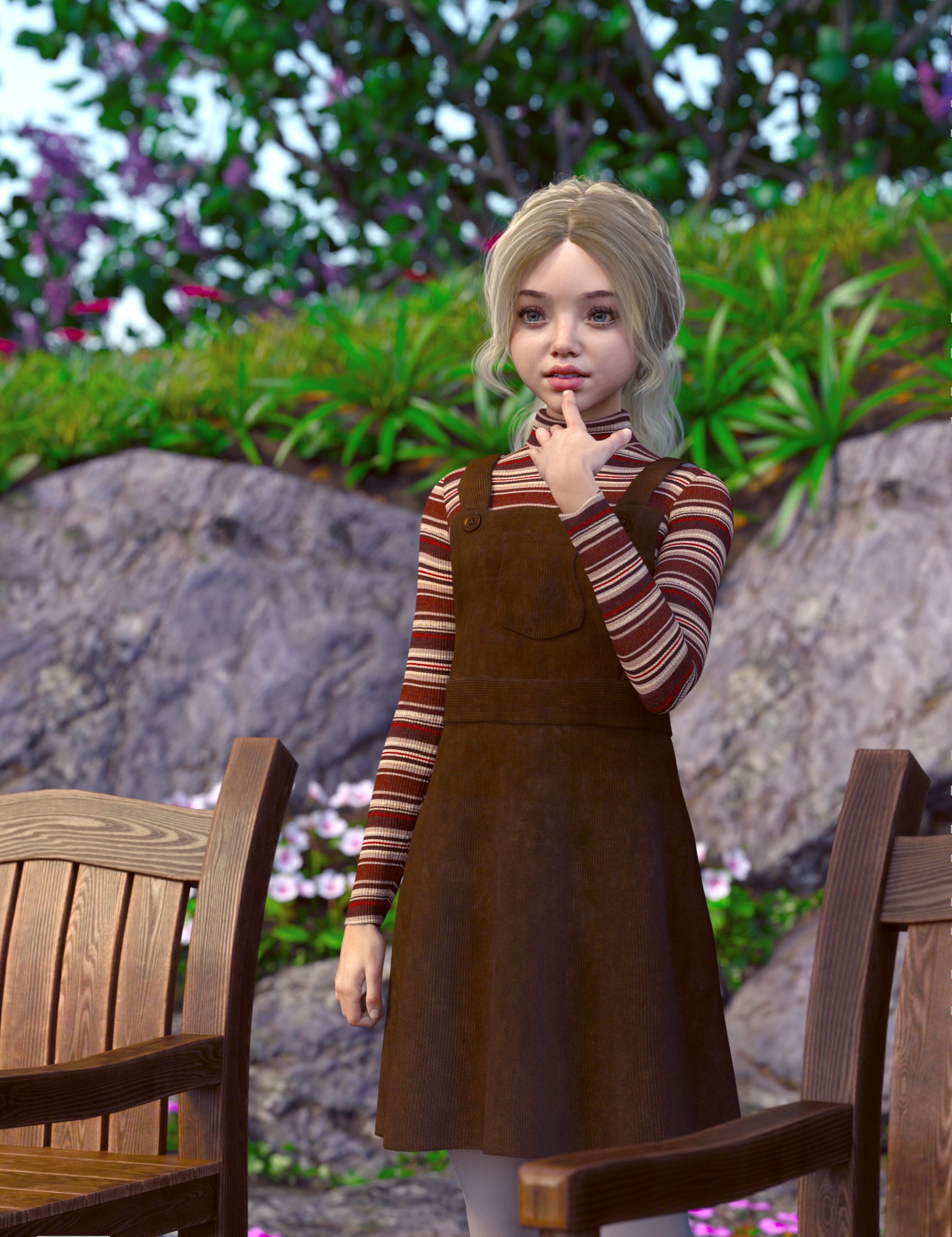
Edit:
NB: These are both with the original textures with no tweaking. Well, except for the eyes, ofc.
Progress with Running Track Freebie (Hurdles + G8F Hurdles Poses)Could you let me know if there are any problems. I did try to use it from the uncompressed directory tree on a memory stick, and it worked, but that isn't a 100% guarantee I've caught every problem. This is the biggest model I have made for DS and there are plenty of places for it to go wrong.
One thing I failed to mention in the help file is that there is a morph in the main model to make the lines protrude more or less. The default is 4mm, but due to rounding errors, the supposedly flat track isn't, and sometimes the lines need to poke further through the track to prevent apparent breaks. The protrusion more morph is to fix that. And ideally would be dialled back to the minimum that still shows contiguous lines.
Regards,
Richard.
Problems with DIM on new laptopSo I should uninstall DS, which did transfer over (it asked for my license key and i put it in), and DIM, then I should download what is in the pic below (marked with an X), from my product library? I hope I'm not tiring you out. I don't want to monopolize your time.
 Webbed fingers and toes or hands and feet for Genesis 8 female
Phoenix1966 said:
This product has them, but I suspect it is a single figure morph:
https://www.daz3d.com/princess-aqua-for-genesis-8-female
If you own Shape Splitter, you might be able to separate them out for yourself.
Yes, it is a single morph. Even if it wasn't, the morphs of the hands badly distorts the bending of the fingers. I enjoy the figure and have gotten a lot of use out of her, but those fingers are a nasty issue.
Webbed fingers and toes or hands and feet for Genesis 8 femaleThis product has them, but I suspect it is a single figure morph:
https://www.daz3d.com/princess-aqua-for-genesis-8-female
If you own Shape Splitter, you might be able to separate them out for yourself.
Webbed fingers and toes or hands and feet for Genesis 8 femaleHello All,
I am looking to create a Fish-Woman or Aqua-Woman using a figure in my Genesis 8 female library. I currently have the figures of Adria and Naia, both of which could be used as a base for an aquatic humanoid figure with Naia coming very close to what I am looking for. In fact, I have used Naia with Adria's skin and that looks awesome. Some facial and cranium morphs later and I have something that looks very good face and head wise. Even the body looks good, but there was something missing and I figured for an aquatic being, my character should have webbed hands and feet. While I have this for both Genesis and Genesis 2, I do not have something for Genesis 8 and the latter are in the form of a wearable attachment and I can't get the color to match. So what I am looking for is something that can morph the hands and feet to show webbing. Having a morph control for it would mean I could adapt it to any Gen 8 Female figure.
Is there a Genesis 8 female figure out there that does this?
Thank you,
Geo
What can we do to improve the long load times of characters?Good news, I had a program that automatically unhide morph based on the content of a scene file. Bad news it only work on windows 10.
You can find it here:https://github.com/TheNoobDucky/Daz-Package-Manager
Where's the real Judy Love?Honestly, she kinda looks like there's another morph loading in on top of her. Most of my g8.1 charaters look similar to her right now at first load because Tenley is loading in on top of them.
CollisionMorph Loader Pro accepts the input, then starts to load and says "Warning: Geometry did not match, failed to create morph"
what can I do?
Frustrated; Loading Times Are Ridiculous!!kgrosser said:
margrave said:
You could always export the converted character, reload it as a single morph for G8, then uninstall the converted character. That way, you should only have to load a single morph rather than a whole bunch of converted G3 morphs.
That would be a clever idea and way to go, wouldn't it? Alas, DAZ put a roadblock in there as this will lose all correction morphs possibly needed to not warp areas of the character when posed. Learned it the hard way. The issue of this thread is one of the most frequent problems users run into since G3 but daz doesn't ssem to feel inclined to help this in any way until now. I just stopped putting money into anything that would emphasize this issue. In Germany we say "vote with your feet" Some say it relates to stomp as hard that you be heard, some say it is "walking out of the store with no business" but the idea is a democratic process. The problem here is you most likely hit PAs rather than DAZ....
How can it be a roadblock that Daz put in the way - corrective morphs are linked to both properties involved, it's not some evil conspiracy that prevents you from having them in a baked morph.
Progress with Running Track Freebie (Hurdles + G8F Hurdles Poses)I have uploaded the basic running track now. It's over on Rendo, here: https://www.renderosity.com/rr/mod/freestuff/athletics-ground/88078
The pack consists only of the ground level facilities for the stadium, basically just the bits shown above. I have added a few times of day, cameras, and track colours. I have started a help file, which is extraordinarily basic at the moment. Hopefully I'll get it knocked into a better shape eventually. The intention is to add stuff with later packs, updating the help file, camera positions, adding sand morphs for the sand pits etc etc. I shall be releasing relavent poses for male & females with each pack as I go through.
The current model is illustrated with a TritiumCG character morph and a slight modification to the 'Early Morning' time of day environment settings:

Regards,
Richard
Anyone know anything about the Studded Jeans outfitVially said:
As posted here: https://www.daz3d.com/fbx--studded-jeans-outfit
It says it is unrigged? What exacly does that mean?
That the product is a static object without moving parts. If you want to use it on a character you'll need to transform it into conforming clothes yourself.
and it then says it's for GF8,
It was modeled around G8F base. So to rig it you would start by using the transfer utility with G8F as the source figure. That will give you a basic fit, you may need to adjust the weight maps and/or create correction morphs for it to fit well when the figure is morphed or posed.
How do I find a completely shapeable figureSickleyield has a free morph pack for Genesis 8 Male & Female: https://sharecg.com/v/91888/gallery/21/DAZ-Studio/SY-200-Morphs-for-Genesis-8-Head-and-Body
It´s meant as an addition to the base head and body morphs but I guess it will do in a pinch as the only morph pack, depending on what you´re trying to do and how limited your budget is.
Daz 3D is part of

Connect
DAZ Productions, Inc.
7533 S Center View Ct #4664
West Jordan, UT 84084Licensing Agreement | Terms of Service | Privacy Policy | EULA
© 2026 Daz Productions Inc. All Rights Reserved.