-
[SOLVED] Custom Bones (Clothing) Question
Richard Haseltine said:
crosswind said:
DO NOT dial Body Heavy before completing the setup of regidity group.... or you can save the collar as a firgure asset or wearable preset. Delete and reload it to G9. Dial the morph. it'll work.
Zeroing the morph, then Edit>Figure>Shape>Clear Generated Morphs should also reset it.
Yea, I know but I totally forgot about it in the tests lol ~ Thanks!
Unmasking bodypartsbigoskar00 said:
crosswind said:
The accessory of Arms uses Auto-Hide with Geometry Editor to make the arms + hands hidden ~
You can check this thread to make them visible, the method is almost the same: https://www.daz3d.com/forums/discussion/765256/dforce-scarlet-valkyrie-fantasy-armor-for-genesis-8-8-1-and-9-females-hiding-hands
thanks I think it kinda works but im having some difficulties only unhiding the parts that I want, like it unhides the entire body not just the hands, or it unhides everything but the hands
In short, you just need to select the part you want to hide with Geometry Editor, like what I showed in the above thread, then set Auto Hide. However, this case with Aguara armor is a bit unique because the armor size is pretty slim, so the vendor had to hide all body parts.
If you only want to show Hands, you'll get strange looking ~
0) Fit Arm to None to show the hidden polygons, select lCollar, lShoulder and lForearm with Geometry Editor > Tool Settings, then press Ctrl + - for one time so as to unselect the polygons on forearm that the Arm doesn't cover. Set Auto-Hide. (ss 1)
1) Fit Arm back to the figure (ss 2)Is it that you want ? If it is, we can make a morph to fix it but it'll change either the size 'n shape of the Arm or the shape of the figure's wrist / hand...
Edit: The issue on the torso, legs, etc. will be the same... after reset up Auto-Hide for adjacent body part.... (ss 3) In other words, this body kit was not designed for the scenario like you have, i.e. unhide partial body with this full kit fitted. You have to make more effort on it to get the expected result...
Edit2: Another work around that we usually use is to resize each piece in this kit as per the body size of G8 Base figure (or your character), then create morph(s) on each of them (or re-rig each of them), then you can completely remove Auto-Hide settings...
issues reimporting wearables modified in blender, eyebrowsExport an OBJ again (anything, you just need to see the options dialogue). If in the options dialogue it is listing one of the presets then seelct that in the Morph Loader options, if not then save the current settings as a preset and use that in Morph Loader. DS will then take care of reversing the export modifications, as long as there was no adjustment in Blender when importing or exporting..
[SOLVED] Custom Bones (Clothing) Questioncrosswind said:
DO NOT dial Body Heavy before completing the setup of regidity group.... or you can save the collar as a firgure asset or wearable preset. Delete and reload it to G9. Dial the morph. it'll work.
Zeroing the morph, then Edit>Figure>Shape>Clear Generated Morphs should also reset it.
[SOLVED] Custom Bones (Clothing) QuestionI'm an idiot, I'm only looking at the ends of those bones. The roots are where they need to be, and that's all that matters in this case.
I was right about those correctives--when reapplied with Morph Loader, the armature adjusts accordingly.
[SOLVED] Custom Bones (Clothing) QuestionYou can freely tweak the rigidity settings to get different results. To me, a collar of normal size suddenly turns very large on a heavy man doesn't make reasonable sense, so I set Use Transform Bones to Scale as On, you can turn it off to get a larger size as needed.
I PMed you the scene file.
Edit: You also can make the autofollow Body Heavy morph on the collar a corrective morph so as to give it a better shape ~~
[SOLVED] Custom Bones (Clothing) QuestionDO NOT dial Body Heavy before completing the setup of regidity group.... or you can save the collar as a firgure asset or wearable preset. Delete and reload it to G9. Dial the morph. it'll work.
[SOLVED] Custom Bones (Clothing) QuestionAm I missing something here?
crosswind said:
I rechecked the Kadis Belt and found the vendor actually defined Rigidity Groups as well as set Transform Bones in Rigidity Group Editor... (screenshot 1) I deleted the rigidity groups, custom bones failed to follow the shape change.
So in general, with Rigidity settings, a body shape change will automatically create Rigging properties on the conformer's custom bones and dynamically set ERC links to the AutoFollow morph generated on the conformer (screenshot 2).
I set it up on the item you made, it worked ! (screenshot 3) @Saint Thanks to your thread, I've learnt new stuff ~ Thank you !
 [SOLVED] Custom Bones (Clothing) Question
I rechecked the Kadis Belt and found the vendor actually defined Rigidity Groups as well as set Transform Bones in Rigidity Group Editor... (screenshot 1) I deleted the rigidity groups, custom bones failed to follow the shape change.
So in general, with Rigidity settings, a body shape change will automatically create Rigging properties on the conformer's custom bones and dynamically set ERC links to the AutoFollow morph generated on the conformer (screenshot 2).
I set it up on the item you made, it worked ! (screenshot 3) @Saint Thanks to your thread, I've learnt new stuff ~ Thank you !
[SOLVED] Custom Bones (Clothing) QuestionA custom bone doesn't ahve anything on the base figure to follow, so it doesn't respond. You need to link it manually to the things it should follow or to create a custom morph rather than relying on auto follow.
[SOLVED] Custom Bones (Clothing) QuestionI have no solid answer so far ... in addition to the item you made, I also tried a few other ties / collars products with Body Heavy morph, the custom bones under spines or necks don't follow the morph to move either, e.g. the ties in this : dForce HnC25 Man's Denim Shirt Outfits for Genesis 9 and dForce HnC24 Chic Striped Shirt Outfits for Genesis 9 I mentioned the custom bones follow other body morpsh like Anime Body Heavy Feminine, Anime Body Heavy Masculine because they also trigger some Scale properties dialed.
As for the Kadis Belt, the custom bones on it follow to move... maybe because the ERC Freezed Thigh bones on Body Heavy morph have X Translates. However, I suddenly noticed another issue from that Kadis Belt, i.e. it has no fixed auto-follow morph of Body Heavy. Now when G9 turns Heavy, the Sword turns pretty Heavy at the same time. It doens't make a sense to me because though a Heavy guy may choose to use a heavier sword but it doens't have to be that heavy. My point is: The Belt needs to have some auto-follow FBMs fixed.
Anyway, I currently have no idea why the custom bones under spines / necks don't follow Body Heavy morph. I'm still experimenting some tests then see if other folks can give some ideas.
[SOLVED] Custom Bones (Clothing) QuestionTake a look here, the Kadis Belt follows along this ridiculous figure morph. So again, I know there's some way to do this, and that's what needs to be figured out here.
[SOLVED] Custom Bones (Clothing) QuestionSaint said:
Okay, I see the confusion here. This item is rigged as a conforming follower. My process was Transfer Utility (G9), add bones using Joint Editor, weight painting, CBSs, etc.
If you rigged that item to G9 with Transfer Utility, i.e. Source Item is G9, Target Item is that "Collar", then the Collar would turn into a conforming follower. Then the following work should make it work as expected ~
[SOLVED] Custom Bones (Clothing) QuestionOkay, I see the confusion here. This item is rigged as a conforming follower. My process was Transfer Utility (G9), add bones using Joint Editor, weight painting, CBSs, etc.
[SOLVED] Custom Bones (Clothing) QuestionSaint said:
I've tried reparenting to other bones, like you've suggested, but these simply aren't auto-following like the other bones in the armature.
Also, I know what I'm asking to do here is possible because other vendors manage it. The Kadis Belt here, for example, the customs bones scale accordingly (Heavy, again, for example).Again, Scaling and Morphing are different things. Body Heavy is a morph change rather than scale change, so there's no scale change at all on either G9 figure or Kadis Belt.
Body Heavy firstly makes G9 heavier, then creates Auto Follow Body Heavy property on conformed Kadis Belt so Kadis Belt shape follow to grow heavier. Since the custom bones on the belt is skin-binded, so their Origin and End Points change to follow... Again, it's not a scaling change ~
If your item was rigged as a conformer to G9, custom bones are correctly set up as well as filled with correct Weight, they will also follow... as epected like Kadis Belt ~
[SOLVED] Custom Bones (Clothing) QuestionInheriting Scales change and Auto Following a head / body morph dialed are different things. Dialing a head or body morph makes a vertext position change on the figure rather than making Scales change, so bones' Transforms (Translates / Rotations / Scales) won't change by inheriting. Instead, the head or body morph creates an Auto Follow morph on the clothing if the clothing is conformed (rigged) to the figure. As the clothing has skin-binding with the figure, its shape will follow the figure's heavy shape but the bones of clothing have no change in their Transforms while they just follow the change of vertex positions.
As for determining the position of the custom bones in your case, it should be simple : depending on where the clothing / accesory should be located. In your screenshot, if you're making an accessory on figure's chest, the bones should be under Spine 4. If it's around the neck, place the bones under Neck1.
In other words, an accessory made for the chest shouldn't be scaled by the properties that change the scales of neck / head. Similarly, an accessory made for the neck shouldn't be scaled by the properties that change body scales. But no matter where the accessory is placed, as long as it's conformed to the genesis figure, its shape will auto follow the morph change on the genesis figure, e.g. you dialed Body Heavy, the accessory will turn Heavy.
Installing, activating, and accessing Daz Studio Premier featuresMichaelis said:
Richard Haseltine said:
Michaelis said:
I have no access to any Premier plugins. I am logged in on Daz Studio and I do have them installed VIA DIM. I don't have access to any premier-only shapes, for the record, but it's the plugins I need.
Are they lsted at all in Help>About Installed Plug-ins?
They are not though I am sure they are installed, because dzshapetransfer.dll etc are in my Plugins folder. I'm using 4.24 Premier, installed using DIM.
I've tried:
* Restarting Daz
* Restarting my PC
* Clearing temp files
* Reinstalling Studio
* Uninstalling and reinstalling the plugins.
* Tried reinstalling PostgreSQL as well
I'm logged into my account, on Windows 10 Pro.ETA: Shape Transfer is the one that made me notice, btw-- I don't have Edit->Figure->Shape->Shape Transfer.
Check that you instaled the right release channel and version (Beta/Genreal, 4/6, 64 bit/32 bit). Shape Transfer not getting added to the menu is fairly common, and doesn't seem to be a plug-in issue per se - it has its own entry in Window>Workspace>Customise in the list of commands on the left if it is working, you can then drag it into the desired menu or toolbar on the right of the dialogue.
Short girlfriend for G3F & G2F?I was looking through my inventory, but didn't find any real short.
This is Ktarya and Nylyssa, G3F.
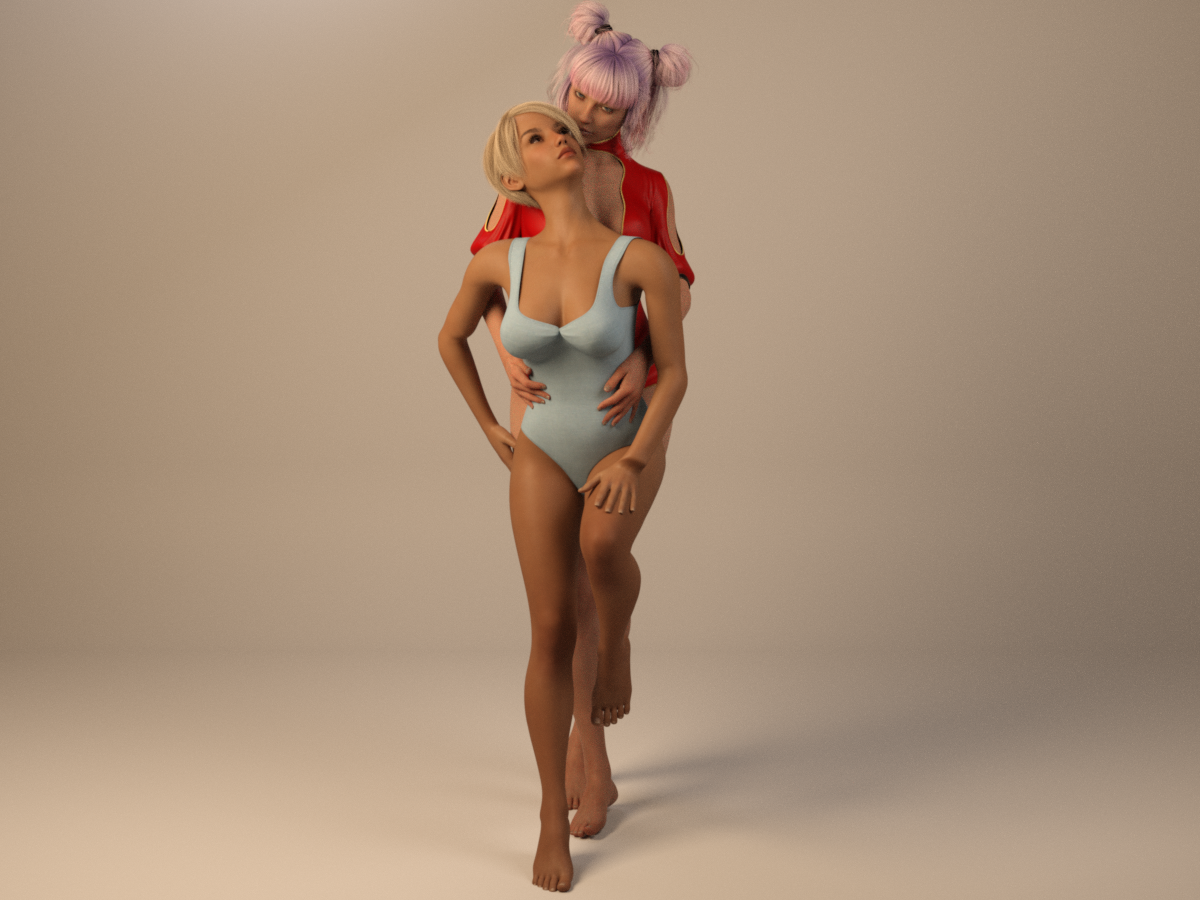
I picked Ktarya because I thought she was small, but she was just thin. So I dialed her partly back. Then I added the height morph, that must either be part of the default or a base morph pack. The height morph only has a limeted span +/- 15, so it didn't give enough, so I added a Y-scale of 0.96. ALternatively I could have increased the range of the morph (or diabled limits).
Tips on making scene file smaller?crosswind said:
Viper141 said:
Hey Thanks again for the response
crosswind said:
Ah no, it shows just the geometry data with hundreds or thousands of code lines... to let you know what objects have these geometry data and can be saved as Figure / Prop assets or Modifier assets so as to shrink the DUF file size ~~
I tried it out but I can't well find the objects that need to be put in figure/prop asset. I looked under Geometry Library and well I saw this
Well the DUF file you checked might be more complex e.g. there're morph properties with linked geometry data not saved as assets, or dforced data on timeline, etc. You can search by using a keyword "vertex_count", like the screenshot 1 I attached.
crosswind said:
I ever wrote two scripts for a folk to change Base to High Resolution and vice versa for the items in the scene by content types. You can try and use them or modify them at will. https://www.daz3d.com/forums/discussion/comment/8541796/#Comment_8541796 ;Oh wow, so terms of content types I can make idk, all genesis figures and hair assets to base, then later in render queuer I can have the script running before render is cooked? Or is the script during work?
Well... I removed the content type check and rewrote the scripts, the scripts loop check all figures / props and set their lodlevel to Base or High. Check the screenshot 2 and try the modified scripts in the attached ZIP .
Edit: Pls be noted: if a figure or prop in your scene has not been Converted to SubD, its lodlevel cannot be set to High Resolution. Do Convert to SubD beforehand if needed ~~ (some figures / props may have artifacts after conversion... check 'n do it case by case)
crosswind said:
Because the vendor left this Daz3D store and moved to Rendo ~~
Man such a shame I really think this would've been super useful to me.
First off I have to say, thanks a lot! This has really helped my workflow terms of save file being a lot smaller, though there is still some things I need help with, I've noticed the vertex_count for rigid follower is quite high, like 16000. Idk what rigid follower is.
Also this week has been quite productive since I kept hiding everything except the figure (like everything hair, clothing etc) and the ground. I've done quite a lot terms of renders. But I have a feeling I can do better though with Save files, I tried to read again with my old crowds I created (I have like a lot of crowds of 10-20 models) but I noticed like 76 of th the vertex count terms of search has rigid follower, don't know what it is, I searched and it was the buttons, but the save file went up from 3 MB to 13 MB wit this crowd now, still trying to learn how to optimise it lol[SOLVED] Custom Bones (Clothing) QuestionIn that scene, it's only the figure morph (it's from another marketplace). Reparenting to Neck 1, by-the-way, didn't change a thing.
Daz 3D is part of

Connect
DAZ Productions, Inc.
7533 S Center View Ct #4664
West Jordan, UT 84084Licensing Agreement | Terms of Service | Privacy Policy | EULA
© 2026 Daz Productions Inc. All Rights Reserved.