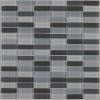
-
Creating a hanging, twisting roadway.
... and you can add a couple of D-Formers to make curve / turns on the road. Just well scale and position the D-Former Fields, then move / rotate D-Formers (handles).
Alternatively, if you know Blender, you can export the cube to Blender and make turns on it by using a Path and a Curve modifier, very easy. Then import as a Morph to the road in DS ~
Transfer Utility Problembarbult said:
The tear OBJ needs to have been created in the proper location for G9 before using the Transfer Utility. G9 is shorter than G3 and G8. An OBJ in position for G3 and G8 will not work on G9. Go back to your modeler and move the tear into position for G9. Save it as a new OBJ and run Transfer Utility on that new OBJ for G9.
I'm making a tear specifically for the G9.
I export G9 to Blender, make a tear, and then import the tear into Daz Studio. Initially it appears where it should be, but after Transfer Utility it moves above the head[Released] Content Wizard [Commercial]followme.kev said:
Hello !
I have trouble to find how to generate smart content without using a zip file.
Let me explain.
A few months ago, I bought more than a hundred products on Renderosity and I installed these products manually on a dedicated hard drive each time and then deleted the zip archives.
Recently, I wanted to generate the smart content of all the products on this dedicated hard drive with CW but I don't see how to do that without using the zip archives.
So I had the idea to create a zip archive including absolutely the entire folder of my special Renderosity library like it was a really BIG product and the archive looks like this:
G:\AllRendoLib.zip\Content\(All the files like Data, Runtime, People, etc).Maybe the archive is too heavy for CW (~450GB), but when I run the analysis, it tells me "No User Facing...".
I should point out that I took care to check that the SCI working directory is empty and that I have more than enough space to work (10TB).My question is: Am I stupid? Or is there a way to generate smart content directly from my already installed rendo library without going through any zip archive?
Thanks in advance.
Edit : Ok, i have found my answer in the comments section of your YT video tutorial.
The question was : "Sorry for this stupid question but is it possible to generate Smart Content Metadata right inside DAZ for installed content? I have a lot of products from sites like Renderosity and I don't want to redownload and reinstall every single product. That would be great, thank you!"
And your answer was : "You need the zip files as CW would have no idea what files are part of the product. You don't need to reinstall them necessarily as long as the paths don't change from the zip, but the zips are definitely needed."
I'm really sad... Look like i will have to redownload every single products :(
It would be great, in the future, to be able to tell CW to simply scan a specific pointed library or a specific pointed folder to generate SC.
If these are older products (V4 era), they might not have user facing files like later stuff. However, even if you got it to work, I would not recommend it as even if it worked, it would take forever. And more than likely, you would make a mistake somewhere and CW would generate metadata for an asset already in another Daz product, causing DS to get confused.
The zips are really needed to help CW figure out what refers to what. It was and is incredibly hard to figure out what files are since places like Rendo do not enforce the Daz rules. The zips made it easier.
Database Product QuestionJust like in the picture, I have Exclamation Points appear, sometimes, with products no longer available.
Do I require a product like Turbo Content to fix this? Or is there a way to fix it, and not damage my Content Library? I'm hesitant to press Metadata, becuase i don't wish to mess up my Content Library. I was wondering what some thoughts are on this matter. Thank you!
[Released] Content Wizard [Commercial]Well, if you know which folders belong to which product you can manually generate metadata. It would probably be possible, to an extent, to have a script guess using the paths in the .duf files (though that might combine outfits anbd texture packs, or all the characters created by a specific vendor) - but of course someone would have to write the script.
[Released] Content Wizard [Commercial]Hello !
I have trouble to find how to generate smart content without using a zip file.
Let me explain.
A few months ago, I bought more than a hundred products on Renderosity and I installed these products manually on a dedicated hard drive each time and then deleted the zip archives.
Recently, I wanted to generate the smart content of all the products on this dedicated hard drive with CW but I don't see how to do that without using the zip archives.
So I had the idea to create a zip archive including absolutely the entire folder of my special Renderosity library like it was a really BIG product and the archive looks like this:
G:\AllRendoLib.zip\Content\(All the files like Data, Runtime, People, etc).Maybe the archive is too heavy for CW (~450GB), but when I run the analysis, it tells me "No User Facing...".
I should point out that I took care to check that the SCI working directory is empty and that I have more than enough space to work (10TB).My question is: Am I stupid? Or is there a way to generate smart content directly from my already installed rendo library without going through any zip archive?
Thanks in advance.
Edit : Ok, i have found my answer in the comments section of your YT video tutorial.
The question was : "Sorry for this stupid question but is it possible to generate Smart Content Metadata right inside DAZ for installed content? I have a lot of products from sites like Renderosity and I don't want to redownload and reinstall every single product. That would be great, thank you!"
And your answer was : "You need the zip files as CW would have no idea what files are part of the product. You don't need to reinstall them necessarily as long as the paths don't change from the zip, but the zips are definitely needed."
I'm really sad... Look like i will have to redownload every single products :(
It would be great, in the future, to be able to tell CW to simply scan a specific pointed library or a specific pointed folder to generate SC.
Easy Environments: Winter Bridge (Daz Studio) [Commercial]Hello,
A couple of months ago, I got 'First Light Skydome and HDRI' (FLSH) and yesterday, I got 'FMA Over the Sea HDRIs and Skyspheres' (FMA). From my untrained eyes, both products have the same function (loading an HDRI to create nice scenes high in the sky) but for a reason I don't understand, they are not working in the same way.
With FLSH, I click on 'FMEE First Light SkyEnv Iray' in an empty scene and the Tonemapper Options and Environment Options are created. Then, if I'm activating Iray preview, I directly see the HDRI.
With FMA, clicking in any Iray related icons with an empty scene, the Tonemapper Options and Environment Options are not created so activating Iray preview only shows the default HDRI. Once the two Options items are created, clicking on any Iray related icons, the intended HDRI will replace the default one.
It's not the end of the world and it is a minor inconvenience, but one I don't understand: looking at the tooltip, both products are using 'preset_render_settings'.
And looking at the log, I don't really see a difference (there is a warning but with FLSH, the product creating the two Options items)
FLSH:
2024-09-21 10:16:43.132 [INFO] :: Prepare asset load (open): /Environments/FM_EasyEnvironments/FMEETreeOfLife/FMEE First Light SkyEnv Iray.duf
2024-09-21 10:16:43.132 [INFO] :: Locking viewport redraw...
2024-09-21 10:16:43.132 [INFO] :: Viewport redraw locked.
2024-09-21 10:16:43.497 [INFO] :: Native format content directories: 24
2024-09-21 10:16:43.497 [INFO] :: Poser format content directories: 5
2024-09-21 10:16:43.497 [INFO] :: Other import format content directories: 0
2024-09-21 10:16:43.497 [INFO] :: Begin asset load (open): /Environments/FM_EasyEnvironments/FMEETreeOfLife/FMEE First Light SkyEnv Iray.duf
2024-09-21 10:16:43.669 [INFO] :: *** Scene Cleared ***
2024-09-21 10:16:43.676 [INFO] :: Determining missing assets...
2024-09-21 10:16:43.684 [INFO] :: Setting textures...
2024-09-21 10:16:43.684 [INFO] :: Processing scene data...
2024-09-21 10:16:43.719 [WARNING] :: QColor::setRgb: RGB parameters out of range
2024-09-21 10:16:43.728 [INFO] :: Finalizing scene data...
2024-09-21 10:16:43.728 [INFO] :: Finished asset load (open): 0m 0.231s - /Environments/FM_EasyEnvironments/FMEETreeOfLife/FMEE First Light SkyEnv Iray.dufFMA:
2024-09-21 10:14:52.204 [INFO] :: Prepare asset load (open): /Environments/FM Aerials/Over The Sea/Iray/FMA OTS01 1500m Iray.duf
2024-09-21 10:14:52.204 [INFO] :: Locking viewport redraw...
2024-09-21 10:14:52.204 [INFO] :: Viewport redraw locked.
2024-09-21 10:14:52.588 [INFO] :: Native format content directories: 24
2024-09-21 10:14:52.588 [INFO] :: Poser format content directories: 5
2024-09-21 10:14:52.588 [INFO] :: Other import format content directories: 0
2024-09-21 10:14:52.588 [INFO] :: Begin asset load (open): /Environments/FM Aerials/Over The Sea/Iray/FMA OTS01 1500m Iray.duf
2024-09-21 10:14:52.752 [INFO] :: *** Scene Cleared ***
2024-09-21 10:14:52.756 [INFO] :: Determining missing assets...
2024-09-21 10:14:52.757 [INFO] :: Setting textures...
2024-09-21 10:14:52.757 [INFO] :: Processing scene data...
2024-09-21 10:14:52.781 [INFO] :: Finalizing scene data...
2024-09-21 10:14:52.781 [INFO] :: Finished asset load (open): 0m 0.193s - /Environments/FM Aerials/Over The Sea/Iray/FMA OTS01 1500m Iray.dufI didn't look at the content of the .duf file, I know how to change some elements inside some of them (mostly to fix path mistakes), but preset_render_settings are not something I understand well enough.
Does someone knows how to change FMA to make its presets creating the Tonemapper Options and Environment Options if they don't exist ? Or is there a good reason not to create them automatically ?
Diffeomorphic moving objects in scene
Ah! Thanks, yeah I didn't realize that's how it worked with the different version. And I will check and see if "Apply Transforms" is checked. Appreciate the help!Padone said:The culprit is probably "apply transforms" in easy import. The "stable" version is something Thomas strips off from development with some major testing and some code cleanup, but new found bugs are not fixed back, so often the development version is more "stable" than the "stable". I agree this is not ideal and honestly makes little sense at least to me. Personally always use the development version, also because you have to update anyway to eventually report bugs. The disadvantage of using the development verison is you have to pay attention when Thomas adds new features or changes some critical features, in this case just wait for him to get it done before updating.
Diffeomorphic moving objects in sceneThe culprit is probably "apply transforms" in easy import. The "stable" version is something Thomas strips off from development with some major testing and some code cleanup, but new found bugs are not fixed back, so often the development version is more "stable" than the "stable". I agree this is not ideal and honestly makes little sense at least to me. Personally always use the development version, also because you have to update anyway to eventually report bugs. The disadvantage of using the development verison is you have to pay attention when Thomas adds new features or changes some critical features, in this case just wait for him to get it done before updating.
Diffeomorphic moving objects in sceneWelp, I decided today to update to the latest stable version of Diffeo (4.2) and now I can't get it to work correctly. I did infact follow instructions on the website to delete folders and update daz folder before installing the new version. Now for some reason when I try to import my character into the scene it moves the older version of the character (already loaded from a previous version into my scene) and random objects I didn't even import with daz like the car, to the center of the scene..
I've made sure I re-exported with daz using the new version of diffeo.
I've tried importing into the same collection as well as a new collection.
I've played with every setting..
please help.
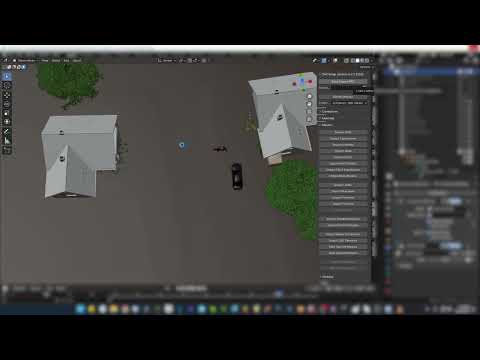 Diffeomorphic - custom morph - bone size
Morphing armatures have a limited support, it isn't expected for them to be perfect and it is actually a little miracle that they work at all, because blender is not designed to support them. Personally I use "ERC morphs as translations" in the global settings, then "import DBZ morph" from the morphs panel. This loads exactly what's in the daz stuido viewport when you save the dbz.
However, morphing armatures are not compatible with IK rigs, so not easy to use in animation and only to be considered for special effects if you really need them in the story. As one shot with a shape shifting figure for example, which by the way could also be achieved with a simple morph if animation is not required apart the shape shifting.
https://diffeomorphic.blogspot.com/2023/12/new-way-to-do-morphing-armatures.html
Imported Animation Looks Wrong After DAZtoUnreal Import to UE5I created a walk animation with AniBlocks and baked it to keyframes and exported the animation using the DAZtoUnreal plugin. The animation failed to import into UE. I had to manualy drag and drop the exported FBX file into UE. After import, the animation looks wrong. What is causing this?
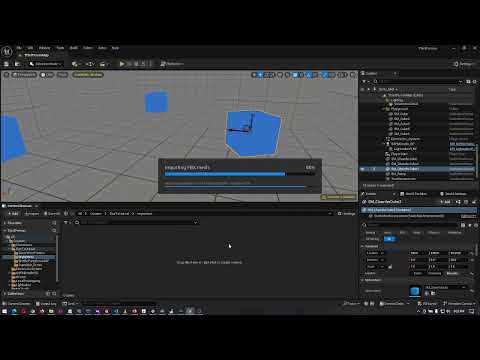 ARKit Eye Movement and G8.1 and G9 Eyelashes (No Morphs/Shape Keys)
The daz FACS morphs are compatible with ARKit you don't have to do anything, that's indeed what FACS is for. With diffeomorphic just import a figure with FACS and you'll be able to load ARKit mocaps via the retarget module.
Attempting to apply a Texture Atlas texture map to an exported OBJ meshredeyedrobot said:
crosswind said:
If you successfully created atlas texture, the UV set on all figure's surface would be auto-set as sort of "Atals xxx", then export to OBJ with options of Write Surface + Mat Lib. Then at least you can have diffuse map assigned after importing into that simulator.
Well, I don't have Tabletop Simulator but most of the time I use atlas maps in Faceform Wrap and Blender, there's been no issue at all. So you can always firstly import OBJ into Blender to check if it works well. If it does, it should work well in other 3D app.
If the issue still persists, you better ask for the support from Tabletop Simulator.
OMG
OMG THIS WORKED
All I had to do was make the Texture Atlas first AND THEN do the OBJ export. I was doing it the other way around because my model looked weird after making the Texture Atlas.
THANK YOU!
...I need to learn more about these things. x.xOh, that was great ! Yea, order of the steps is important in most of the cases.
 Attempting to apply a Texture Atlas texture map to an exported OBJ mesh
crosswind said:
If you successfully created atlas texture, the UV set on all figure's surface would be auto-set as sort of "Atals xxx", then export to OBJ with options of Write Surface + Mat Lib. Then at least you can have diffuse map assigned after importing into that simulator.
Well, I don't have Tabletop Simulator but most of the time I use atlas maps in Faceform Wrap and Blender, there's been no issue at all. So you can always firstly import OBJ into Blender to check if it works well. If it does, it should work well in other 3D app.
If the issue still persists, you better ask for the support from Tabletop Simulator.
OMG
OMG THIS WORKED
All I had to do was make the Texture Atlas first AND THEN do the OBJ export. I was doing it the other way around because my model looked weird after making the Texture Atlas.
THANK YOU!
...I need to learn more about these things. x.xAttempting to apply a Texture Atlas texture map to an exported OBJ meshIf you successfully created atlas texture, the UV set on all figure's surface would be auto-set as sort of "Atals xxx", then export to OBJ with options of Write Surface + Mat Lib. Then at least you can have diffuse map assigned after importing into that simulator.
Well, I don't have Tabletop Simulator but most of the time I use atlas maps in Faceform Wrap and Blender, there's been no issue at all. So you can always firstly import OBJ into Blender to check if it works well. If it does, it should work well in other 3D app.
If the issue still persists, you better ask for the support from Tabletop Simulator.
Creating HDRI ScenesWell after a lot of false attempts I can at least fix it, but am at a loss to explain it! To summarise I create a room in Blender, export it to DAZ via OBJ file and dress the room in DAZ with iRay, light it up with a combination of EXR and lights. At this point importing figures or primatives works fine.
I then render to an EXR file with a spherical lens to produce my HDRI scene. Creating a new Daz image I apply the EXR file and import a figure / primative and re-create the original camera, now set to plane lens, but with the same Y translation. Yuk, the object hovers above the "ground" as does the shadow and defies any attempts tinkering with the camera, ground level etc to produce a believable image.
Going back to Blender I checked for the obvious stuff: translations and scales not applied, room not set to zero base, all fine.
In despair rather inspiration I imported the model again into Daz, then exported it back as an OBJ file, then imported it again, simply because I have known this to fix mis-aligned models where clothes will not fit, and so on. And that worked. Move to floor works, the shadows appear on the floor and I can raise and lower the ground level if I want.
Sorry I could not figure the root cause, but it may help someone with a similar issue.Lilflame Clothing Missing Smart ContentIt's an old video, but when someone shared it a couple of months ago (I think it was @memcneil70) it helped me get my foot in the door when I wanted to learn how to add metadata manually, so maybe you'll find useful too:
 Interface Question
All the last-saved asset filters are stored in Windows Registry : HKEY_CURRENT_USER\Software\DAZ\Studio4\AssetFilters
Optionally, instead of saving each type of Presets for memorizing the filter folders, you also can export AssetFilters registry key to REG file, open it with Notepad++ and batch edit the path(s). Then import the REG file into Registry. (backup this REG for future use if needed...)
The directories you mentioned (if locating in c:\Users\your Win Account\Documents\DAZ 3D\Studio\...) are set by DS as default, if you've never installed anything in there and will never use them at all, you certainly can delete them, even Daz Connect folder if you never, ever use them. But be noted, DO NOT delete anything under %appdata%\DAZ 3D
Lilflame Clothing Missing Smart ContentContent wizard analyzes the zip to generate the metadata, so yes you would need that.
But if your files are installed in the standard location you can then tell it to only install the metadata afterwards, no need to reinstall the product files themselves.
Daz 3D is part of

Connect
DAZ Productions, Inc.
7533 S Center View Ct #4664
West Jordan, UT 84084Licensing Agreement | Terms of Service | Privacy Policy | EULA
© 2026 Daz Productions Inc. All Rights Reserved.